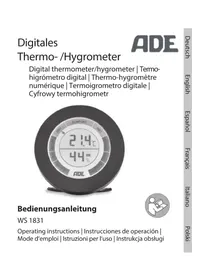
WS 1831 - Weather Station ADE - Free user manual and instructions
Find the device manual for free WS 1831 ADE in PDF.


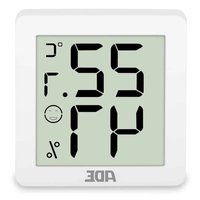
| Product type | Digital thermo-hygrometer (indoor weather station) |
| Brand | ADE |
| Model | WS 1831 |
| Power supply | 2 LR03 (AAA) batteries 1.5 V (included) |
| Temperature measuring range | -10 °C to +50 °C |
| Temperature accuracy | ±1 °C (between 0 °C and +50 °C), ±1.5 °C (outside this range) |
| Humidity measuring range | 20 % to 95 % RH |
| Humidity accuracy | ±6 to 8 % |
| Display | Digital with color-coded comfort zone (blue, green, red) |
| Main functions | Temperature/humidity display, MAX/MIN values, °C/°F unit change, reset |
| Start up | Insert batteries, remove protective film |
| Reset | Via an opening on the back (use a long, thin object) |
| Cleaning | Slightly damp cloth |
| Safety | Keep batteries out of reach of children, do not immerse the device |
| Warranty | 2 years (free coverage for material or manufacturing defects) |
| Compliance | Directives 2014/53/EU and 2011/65/EU |
Frequently Asked Questions - WS 1831 ADE
User questions about WS 1831 ADE
0 question about this device. Answer the ones you know or ask your own.
Ask a new question about this device
Download the instructions for your Weather Station in PDF format for free! Find your manual WS 1831 - ADE and take your electronic device back in hand. On this page are published all the documents necessary for the use of your device. WS 1831 by ADE.
USER MANUAL WS 1831 ADE
You have chosen to purchase a high-quality product from the ADE brand, which combines intelligent functions with an exceptional design. This hygrometer is an ideal measuring instrument for checking the quality of your indoor climate. The many years of experience of the ADE brand ensure a high technical standard and proven quality.
We wish you much enjoyment and success while monitoring and examining your weather data.
Your ADE Team
About this manual

This operating manual describes how to safely use and care for your products. Keep this operating manual in a safe place in case you would like to refer to it later.
If you pass this item on to someone else, pass on this manual as well. Failure to observe the recommendations in this operating manual can lead to injuries or damage to your product.
Explanation of symbols

This symbol, combined with the word DANGER, warns against serious injury.

This symbol, combined with the word WARNING, warns against moderate and mild injuries.

This symbol, combined with the word NOTE, warns against material damage.

This symbol signifies additional information and general advice.
Table of Contents
General information. 21
Scope of delivery 23
Application 23
Safety 23
Technical Data. 27
Overview 28
Inserting/changing batteries. 30
Use 31
Cleaning. 33
Fault and remedy 34
Warranty. 35
Declaration of Conformity 35
Disposal 36
Scope of delivery
- Digital thermometer/hygrometer
- 2x batteries LR03, 1.5 V
- Operating Manual
Application
This thermometer/hygrometer is designed for measuring temperature and humidity indoors. The device is not suitable for commercial use.
Safety
-
This item can be used by children 8 years of age and above, as well as by persons with reduced physical, sensory, or mental capacities or lacking experience and knowledge, if they are supervised or have been instructed in the safe use of the item and understand the dangers that may arise.
-
Children must not play with the item.
- Cleaning and user maintenance must not be carried out by children, unless they are 8 years of age or older and are being supervised.
- Batteries, when swallowed, can be life-threatening. The device and batteries should therefore be kept out of reach of small children. If a battery is swallowed, medical assistance must be sought immediately.
DANGER for Children
- Keep packaging material and small parts away from children. Risk of choking if swallowed.
RISK of fire/burning and/or explosion
-
Risk of explosion if batteries are improperly replaced. Replace the batteries only with those of the same or an equivalent type. Pay attention to the "Technical Data".
-
Batteries must not be recharged, reactivated by other means, dismantled, thrown into fire, or short-circuited. Otherwise there is an increased risk of explosion and of leakage; furthermore, gases may escape.
-
Avoid contact of the battery fluid with skin, eyes, and mucosa. If you do come into contact with it, rinse the affected areas immediately and thoroughly with clean water and consult a doctor immediately.
ADVICE to prevent material damage
- Do not immerse the item in water or other liquids.
- Protect the item against sharp jolts and vibrations.
-
Remove the batteries from the device once they have been used up or if you are not using the device for an extended period. You will thus avoid damage that may result from the leakage of battery acid.
-
When inserting and changing batteries, pay attention to the correct polarity (+/-).
- Do not subject the battery to any extreme conditions, by – for example – storing it on radiators or under direct sunlight. Increased risk of leakage!
- Clean the battery and device contacts, as needed, before inserting the battery.
- Only insert batteries of the same type; do not use different types or used and new batteries with each other.
- Do not make any modifications to the item.
- Only allow repairs to be carried out at a specialist workshop. Repairs carried out incorrectly can considerably endanger the user.

Pull the protective film off the display.
Technical Data
Model: Digital thermometer/ hygrometer WS 1831
Battery: 2x LR03 (AAA)/1.5 V
Measuring range:
- Temperature: -10^ C to 50^ C (14°F to 122°F)
- Humidity: 20 to 95 %
Distributor (no Waagen-Schmitt GmbH service address): Hammer Steindamm 27-29 22089 Hamburg, Germany
Our products are constantly being developed and improved. For this reason, design and technical modifications are possible at any time.
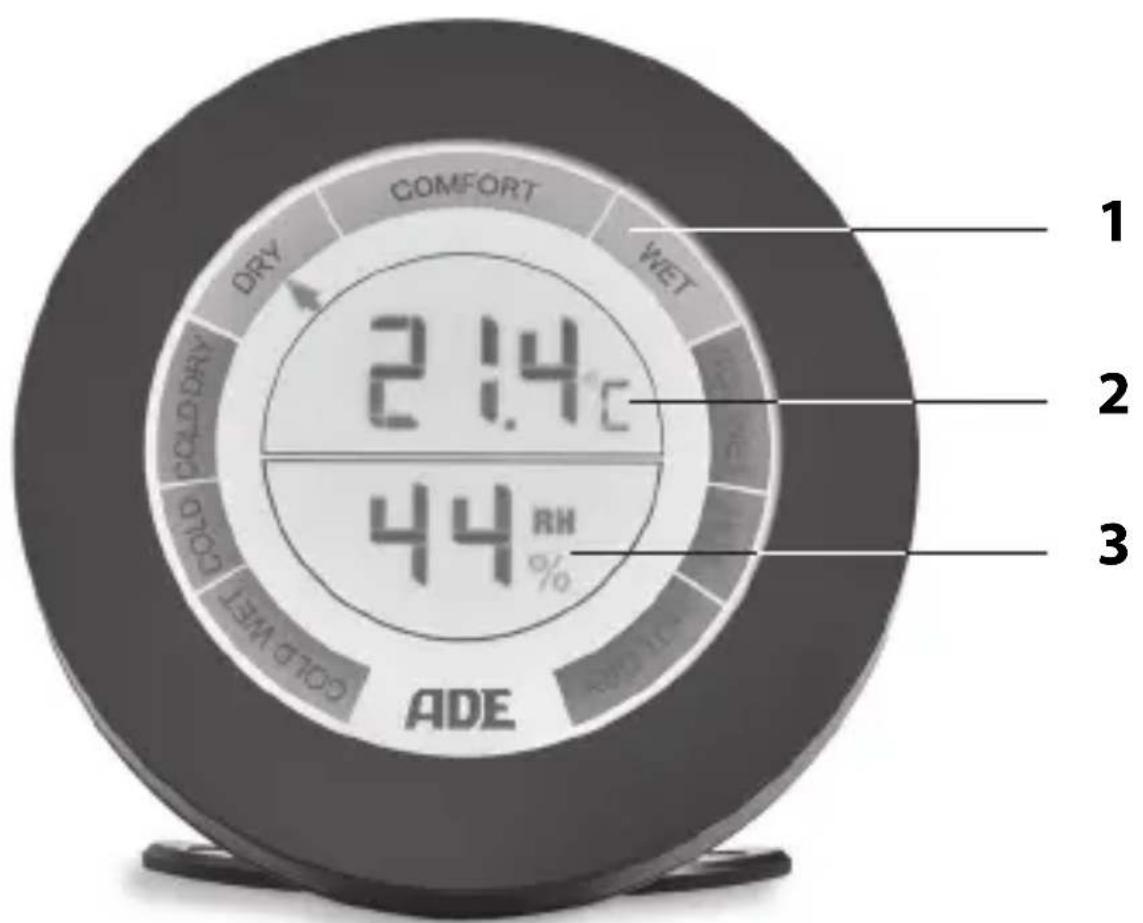
1 Comfort display (blue, green, red)
2 Temperature display in ^ C or ^ F
3 Relative humidity expressed as a percentage
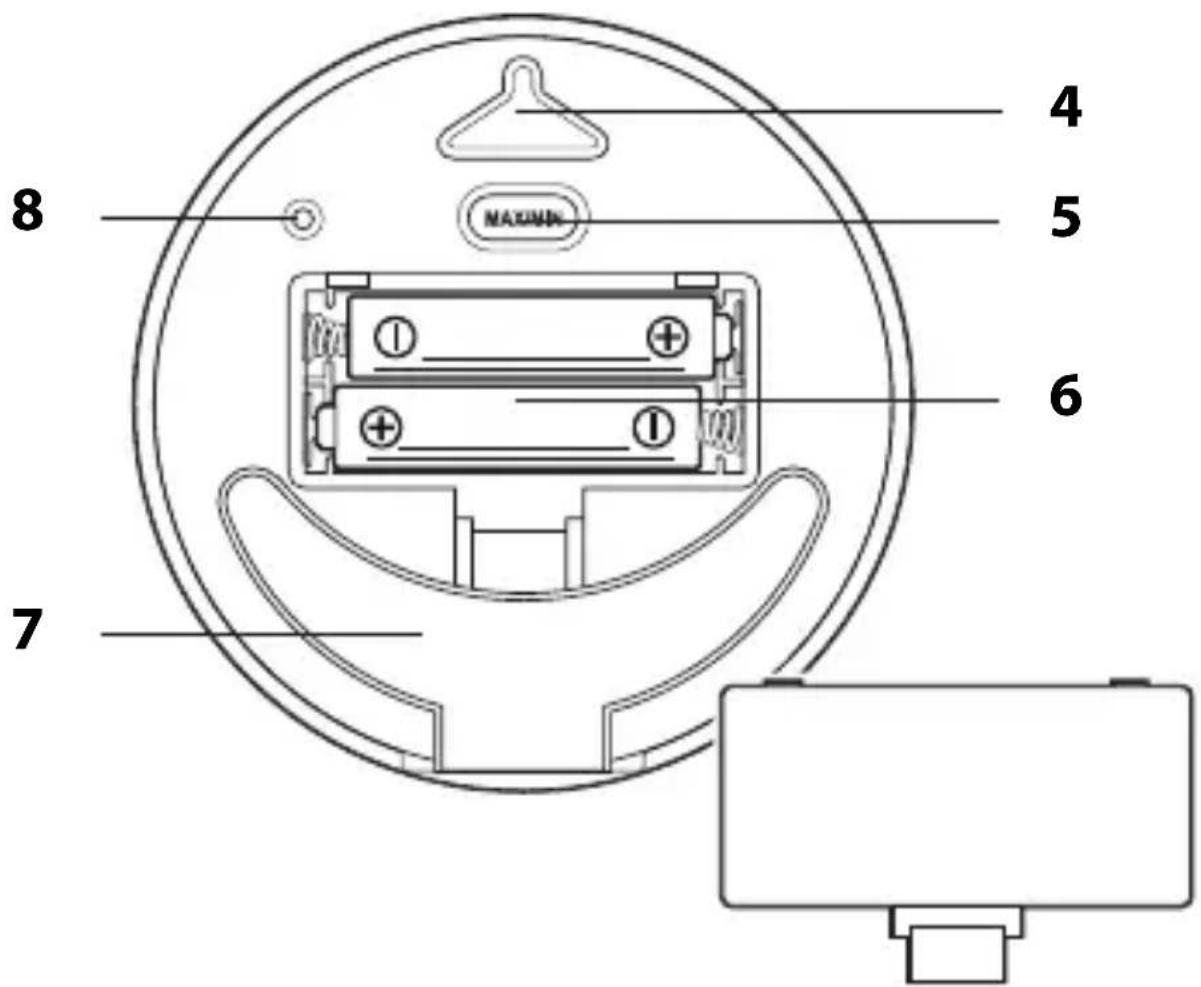
4 Hanging loop
5 MAX/MIN button:
View MAX/MIN values
- Delete MAX/MIN values
6 Battery compartment for 2x LR03 (AAA), 1.5 V
7 Fold out support foot
8 Device reset opening
Inserting/changing batteries
For use, you require 2 batteries of type LR03 (AAA), 1.5V (included).
- Open the battery compartment on the rear side.
- Insert the batteries as shown on the base of the battery compartment. Pay attention to the correct polarity (+ / -) .
- Close the battery compartment again.
Suggestions for changing the battery:
- The batteries must be changed when nothing is shown on the display.
- Only use the type of battery that is specified in the "Technical Data".
- Always exchange all of the batteries at the same time.
- Dispose of batteries in an environmentally appropriate way (see "Disposal").
Use
As soon as the device is powered, all recorded values will be shown on the display.
Temperature
-
Display range: -10^ C to +50^ C
-
LO is displayed at temperatures below -10^ and HI is displayed at temperatures above +50^
- Display update: every 10 seconds
- Measurement accuracy: 0^ C to +50^ C : +/- 1^ C , outside this range +/- 1.5^ C
Humidity
-
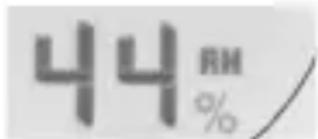
Display range: 20% to 95% relative humidity
-
"20%" is displayed if the relative humidity is less than 20%, and "95%" is displayed if the relative humidity is more than 95%
- Display update: every 10 seconds
- Display accuracy: + / - 6 8 %
Comfort display
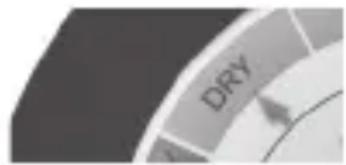
The comfort display is divided into three coloured areas.
The colours indicate the temperature range.
An arrow indicates the currently detected humidity level.
Calling up stored values
Use the MAX/MIN button to display the highest and the lowest values saved on the device.
- Press 1x: MAX values are displayed
- Press 2x: MIN values are displayed
- Press 3x: normal display indicator In order to delete the saved values:
- Press and hold the MAX/MIN button for approx. 3 seconds until the displayed values are deleted.
Changing the unit of measurement
While the currently measured values (not MAX or MIN) are displayed:
- Press and hold down the MAX/MIN button until the display shows the respective alternative unit of measurement (^ or ^ F) .
Resetting
If the display shows obviously wrong values, you should reset the device to the default settings.
- Insert a thin object such as an unfolded paper clip into the reset opening on the back.
- Press with a little force against the resistance. The displayed data will be deleted and the newly imported data will be displayed shortly thereafter.
Cleaning
- Wipe clean the device with a slightly damp cloth, if necessary.
Fault and remedy
| Fault Possible Cause | |
| ·The temperature indication appears too high. | ·Check whether the device is exposed to direct sunlight. |
| ·The display shows HI or LO instead of measured temperature values. | ·The values lie above or below the measurement range. |
| ·The indicator is illegible, the function is unclear, or the values are obviously false. | ·Reset the device to the default settings; see “Resetting”. |
Warranty
The company Waagen-Schmitt GmbH guarantees for 2 years from the purchase date the cost-free rectification of defects on the basis of material or fabrication errors through repair or exchange.
In the event of a warranty claim, please return the product with the proof of purchase (stipulating the reason for claim) to your dealer.
Declaration of Conformity
Waagen-Schmitt GmbH hereby declares that the digital thermometer/hygrometer WS 1831 complies with EU directives 2014/53/EU and 2011/65/EU.
The full text of the EU conformity declaration is available via the following Internet address:
This declaration loses its validity if any modification is made to the item that has not been agreed with us in advance.
Disposal
Disposing of the packaging

Dispose of the packaging with similar materials. Put cardboard with waste paper, films with recyclable materials.
Disposing of the product
Dispose of the product in accordance with the regulations that apply in your country.
Devices must not be disposed of in normal household waste
At the end of its life, the product must be disposed of in an appropriate way.
In this way, valuable materials contained in the device will be recycled and the burden on the environment avoided. Hand in the old device at a collection point for electronic waste or at a recycling depot. For more information, contact your local waste disposal firm or your local administrative body.
Recyclable and disposable batteries do not belong in household waste
All batteries must be handed in at a collection point in your community, suburb, or at the retailer.
Such batteries can thus be disposed of in an environmentally friendly way.
;Estimada/o cliente!
Pile: 2x LR03 (AAA)/1,5 V
Plage de mesure :
- About this manual
- Explanation of symbols
- Table of Contents
- Scope of delivery
- Application
- Safety
- DANGER for Children
- RISK of fire/burning and/or explosion
- ADVICE to prevent material damage
- Technical Data
- Inserting/changing batteries
- Use
- Temperature
- Humidity
- Comfort display
- Calling up stored values
- Changing the unit of measurement
- Resetting
- Cleaning
- Fault and remedy
- Warranty
- Declaration of Conformity
- Disposal
- Disposing of the packaging
- Disposing of the product
- Devices must not be disposed of in normal household waste
- Recyclable and disposable batteries do not belong in household waste
- ;Estimada/o cliente!
Brand : ADE
Model : WS 1831
Category : Weather Station