F6601 - Watch FESTINA - Free user manual and instructions
Find the device manual for free F6601 FESTINA in PDF.
| Features | Details |
|---|---|
| Brand | FESTINA |
| Model | F6601 |
| Watch type | Analog |
| Case material | Stainless steel |
| Case diameter | 42 mm |
| Case thickness | 10 mm |
| Glass type | Mineral |
| Water resistance | 50 meters |
| Functions | Chronograph, date display |
| Strap type | Leather |
| Strap width | 20 mm |
| Weight | 150 g |
| Usage | Daily, special occasions |
| Maintenance | Battery change recommended every 2-3 years |
| Safety | Do not expose to extreme temperatures |
| General information | 2-year warranty |
Frequently Asked Questions - F6601 FESTINA
Download the instructions for your Watch in PDF format for free! Find your manual F6601 - FESTINA and take your electronic device back in hand. On this page are published all the documents necessary for the use of your device. F6601 by FESTINA.
USER MANUAL F6601 FESTINA
INSTRUCTION MANUAL Diving with this watch Name of parts Swithching modes Time/Calendar mode Alarm mode Chronograph mode Log mode Dive alarm modes Diving mode
Precautions for diving mode use Various alert functions In case of the following All reset The battery Other functions Care for long term use Specification
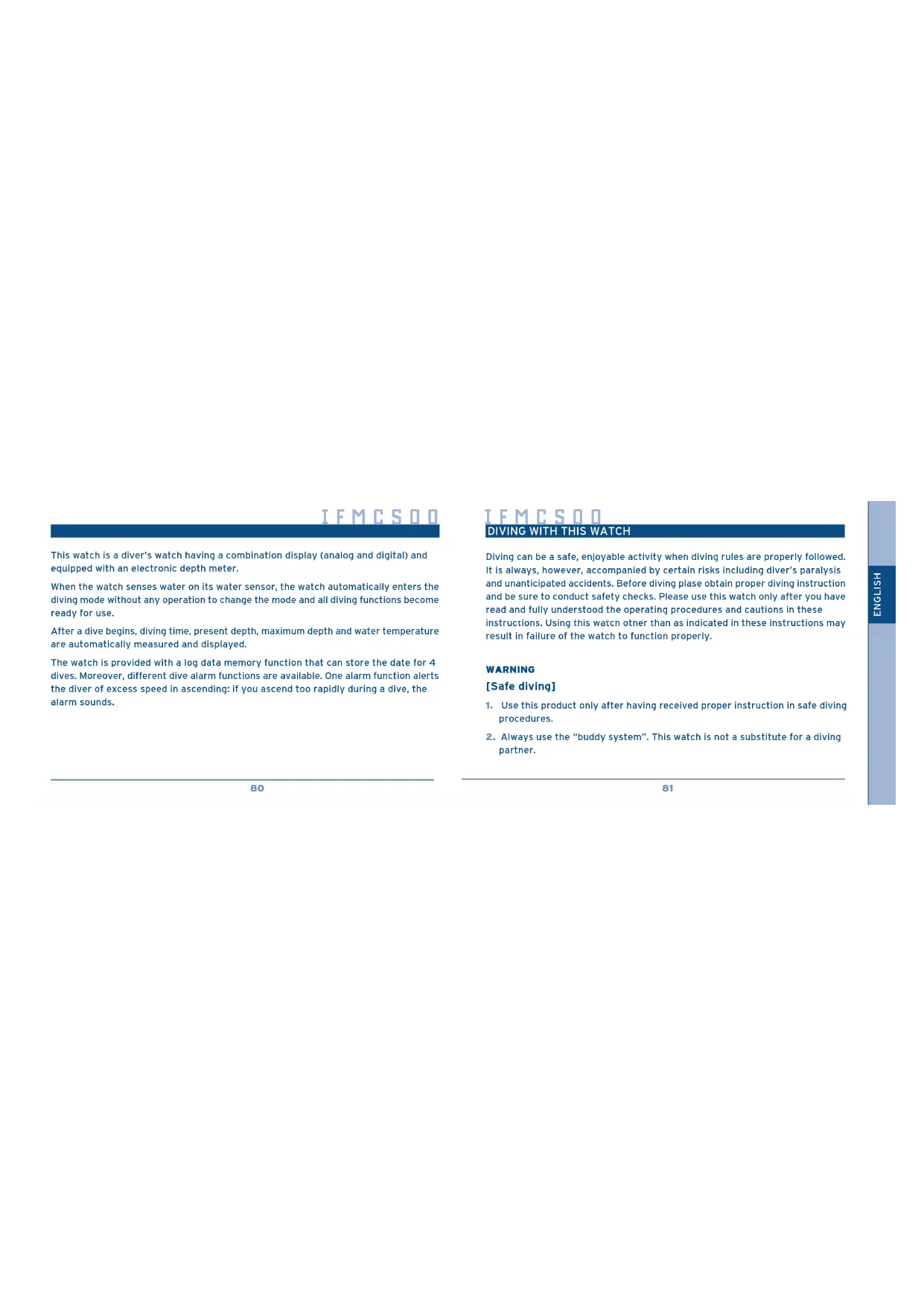
This watch is a diver’s watch having a combination display (analog and digital) and equipped with an electronic depth meter. When the watch senses water on its water sensor, the watch automatically enters the diving mode without any operation to change the mode and all diving functions become ready for use. After a dive begins, diving time, present depth, maximum depth and water temperature are automatically measured and displayed. The watch is provided with a log data memory function that can store the date for 4 dives. Moreover, different dive alarm functions are available. One alarm function alerts the diver of excess speed in ascending: if you ascend too rapidly during a dive, the alarm sounds. IFMCS00 Diving can be a safe, enjoyable activity when diving rules are properly followed. It is always, however, accompanied by certain risks including diver’s paralysis and unanticipated accidents. Before diving plase obtain proper diving instruction and be sure to conduct safety checks. Please use this watch only after you have read and fully understood the operating procedures and cautions in these instructions. Using this watch other than as indicated in these instructions may result in failure of the watch to function properly. WARNING [Safe diving]
1. Use this product only after having received proper instruction in safe diving
procedures. 2.Always use the “buddy system”. This watch is not a substitute for a diving partner.
BUCEO CON ESTE RELOJ
DIVING WITH THIS WATCH82
DIVING WITH THIS WATCH
3.This product is recommemded for sports diving to depths of up to about 15-20 meters (50ft-60ft), although the depth indicator will measure depths up to 80 meters. 4.Early battery replacement is recommended. A new battery will last approximately 2 years. (However, this will vary greatly depending of the frequency of depth meter use. Replace the battery early). This should be conducted only at Festina Service Centers.
5. Be sure to rest sufficiently after diving, as specified by diving rules. Riding in an
airplane or changing to a high altitude too soon after diving may cause decompression sickness.
6. Use the depth meter function of this watch only as an auxiliary or backup
7. Avoid rapid ascent when diving, as these adversely affect the human body,
including causing diver’s paralysis. Maintain a safe ascent speed while diving. IFMCS00
ESPAÑOLFRANÇAISDEUTSCHITALIANO ENGLISH
An ascent of 9 meters (30 ft) or less per minute is recommended for sports diving to avoid various possible problems. (In conformity with the Diving Manual of the United States Navy, 1993). [Do not use the depth meter when...]
1. In locations with altitudes exceeding 4.000 meters (13,124 ft). The watch
will be unable to measure depth accurately. 2.In temperatures outside of the warranted temperature range. The warranted temperature range for the depth meter in this watch is from 10ºC to 40ºC / 50ºF to 104ºF. 3.In potentially dangerous activities or conditions. This watch is not designed for use in maritime emergencies or to prevent sea disasters and the like. 4.A substitute for a pressure gauge is needed.85
DIVING WITH THIS WATCH
This watch is not designed to gauge pressures other than those associated with water depth. 5.Diving used a helium enriched environment. This watch cannot be used in a helium enriched environment, as this may cause malfunction or breakage. IFMCS00
ESPAÑOLFRANÇAISDEUTSCHITALIANO ENGLISH
CAUTION [Stop using this product while diving when...]
1. The low-battery warning indicator is activated.
As the battery approaches the end if its life, the display switches automatically from depth meter display to the time display, and the second hand begins to move in 2 second increments. 2.The watch’s depth readings differ greatly from those of the other depth measuring instruments.
DIVING WITH THIS WATCH
IFMCS00 3.The watch stops or exhibits any abnormal functioning. (Avoid knocking the watch against diving equipment, rocks or other hand objetcs). Service for this watch should be conducted only by Festina Service Centers.
SEL TME Swith to Second/Date, Day Thermometer measurement
To time setting mode To Alarm Mode The dive ready state is entered Chronograph Mode Alarm monitoring
To Alarm correcting mode To Chronograph mode The dive ready state is entered Hours, Minutes Seconds, 1/100 seconds STA
CHR Switch to Start/Stop
To Log Mode The dive ready state is entered (11): Water sensor. Whenever this sensor traces of water, the watch automatically enters the diving mode with (Ready display). *In addition, the watch contains the temperature sensor as an internal service.88
SEL LOG Memo (logged) recall Number of log times recall
To dive Alarm Mode The dive ready state is entered
SEL DAL Dive Alarm correction Mode To Time/Calendar Mode The dive ready state is entered Dive alarm monitor
*1 Number of dive times/Maximum depth/Dive start time/Average depth *2 Month and day/Dive time/Dive en time/Minimum temperature Diving Mode Ready display DIVE mark flashing DIVE mark flashing DIVE mark flashing DIVE mark flashing Used to set analog time Corresponding to the display before switching (except for chrono mode) Depth measurement readings Current Depth DIV turns on
Maximum depth recall/ Current temperature reading Maximum depth recall/ Minimum temperature reading
To time/Calendar Mode o m reading after depth measurement 0,0 m flashing, DIV turns on
Dive time90 SWITCHING MODES IFMCS00
SWITCHING MODES IFMCS00
1. The watch can be made to enter the diving mode (Ready state) by pressing button
(M) for 2 seconds or more 2.The watch will enter the diving mode (Ready state) whenever the water sensor is activated. Each time button (M), is pressed, the display is changed to another mode as shown below. Press once. Press 2 seconds or more. 10:10
Alarm modeDive alarm ModeTime/Calendar Mode Log Mode (M) (M) DIV Divind Mode(Ready state)(M) or whenever the watersensor is activatedRefer to “DIVING MODE” SEL92
[Swithching in the digital display (II)]
1. Press button (A) and select month/date or seconds.
2.Press button (A) two seconds or more, temperature measurement will be displayed. Temperature measurement are taken and displayed every 10 seconds for 3 minutes. When manipulating the crown... About the screw lock
1. Always return the crown to its original position and lock it when finished
setting the watch. 2.Do not press any of the buttons while the crown is pulled out. 3.Do not pull out or turn the crown when it is wet. Doing so may allow water to seep inside the watch and cause a malfunction. Screw locked position Freed from the screw locked position 10:10
[DIGITAL SETTING] [Setting the Time and Calendar] 1. While in the time mode, press button(B) for two seconds or more, secondswill flash, and switch to correctingstate.2.While seconds flash, press button (A)to reset the seconds to “00” thenseconds start again.3.When in the seconds correcting state (seconds flash), press button (B), theflashing digits will change in the order of seconds minutes hour month date year 12/24 hour system. Select the digit to correct.4.Correct the flashing digit by pressing button (A).(Press and hold down button (A) to quick advance the flashing digit).* Press button (A), the 12 hour/24 hour will switch alternately.* If the watch is held in any correcting state for 3 minutes or more withoutchanging the digits, the correcting mode is reset and the watch will automatically return to normal time display mode.* Pressing button (M) while in the time correcting state, will return thewatch to normal display mode. (Manual return).* Due to the autocalendar, no correction at the end of the month is required. Always perform the Digital setting first, then the Analog setting SETTING THE TIME AND CALENDAR SETTING THE TIME AND CALENDAR 10:10
1. Unscrew the crown and pull it out to shop the second hand at (0) position.
2.Turn the crown and position the hour and minute hands 1 minute in advance of the digital time. 3.Press the crown into place when the seconds displays of digital time has just come to (0) start the second hand.
SETTING THE TIME AND CALENDAR
- When the alarm indicator is ON, the alarm will sound for 15 seconds at the alarm set time, once a day. NOTE. The alarm is disabled during the diving mode, so take care. 8:25
1. While in the alarm mode, press button (B) for two seconds or more, the hour will
flash and alarm will indicate ON automatically. 2.While the hour flashes, press button (A) to set the hours. 3.Press button (B), the flashing digit will change in this order: hour, minutes. 4.Press button (A) to set the minutes.
- Press and hold down button (A) to quick advance the flashing digit. 5.Press button (B) or (M) to finalize setting. Alarm 12 hours/24 hours is set in synchronized with the time/calendar mode. [Alarm monitoring] In the alarm mode, while pressing button (A) 2 seconds or more, the alarm monitor will sound. [Auto-return system] If the watch is kept in the alarm mode for 3 minutes or more, it is automatically switched to the time/calendar mode. [Alarm ON/OFF] Switch the alarm ON/OFF by pressing button (A).100 CHRONOGRAPH MODE IFMCS00
- The chronograph can measure up to 24 hours in 1/100 seconds.• The chronograph display automatically returns to 00 and stops.
Hour Second STA Button (A) Button (B) Minute 1/100 Second START STOP RESET(A) (A) (B) [Accumulated elapsed time measurement] START STOP RESTART(A) (A) (A) STOP (A) RESET (B) Can accumulate repeatedly by pressing (A) PP102
[Split time measurement]
(A) (B) (A) STOP (A) RESET (B) *1 Automatically switched after 10 seconds. *2 When the same button (B) is pressed again during the display of a split time, the next split time is displayed. SPLIT
- If the chronograph reset state remains for 3 minutes or more, the watch is automatically switched to the time/calendar mode. Split time: The time elapsed from the start is displayed whenever the split operation is performed.
- Changeover the another mode is disabled during the chronograph measurement. To change the mode to another mode, the chronograph measurement stop or reset. Starting point Split time Split time Goal104 LOG MODE IFMCS00
By pressing button (M), change the mode from chronograph to log mode.The dive log data can be retained in the watch, counting the last 4 dives.• To recall the log data for the last 4 dives, press button (B). Each time button (B), is pressed, the log data is displayed in the order going back from the latest one.
Button (A) Button (B) Button (M) SEL
- If the watch is left in the log mode with any data being displayed for 3 minutes or more, it is automatically switched to the time/calendar mode (auto-return).Log dataLast diveLog dataSecond lastLog dataThird lastLog dataForth last(B) (B) (B) (B)
- When you begin a dive, the oldest log data (Forth last log data) is erased automatically. It is recommended to record the data on a log book, etc.106 LOG MODE IFMCS00
[Changing the Log Display]
- Each time button (A) is pressed, the log display is changed to the next in the order of (I), (II), (III) and (IV). Every dive makes the watch memorize the following 8 types of log data automatically which can be recalled in the order of (I), (II), (III) and (IV) as shown below.
- When the watch is switched from the chronograph mode to the log mode by pressing button (M), log (I) is displayed. Number of dive times Month and date Log (I) Button (A)
AUTOSWITCH after 2 seconds Button (A) (A) (A) Max. depth Dive time Dive start time Dive end time Button (A) Average depth Lowest temp. Button (A) (A) (A) Log (II) Log (III) Log (IV) On rare occasions, even if the water sensor senses traces of water and the watch is switched to the dive mode (dive ready state), however, log (I) display may fail to change to log (II) display automatically. In case this happens, press button (A) to change the display.108 LOG MODE IFMCS00
- Only when log (I) is displayed, the display is automatically changed to log (II) after 2 seconds without pressing button (A).
1. Number of dives: The number of dives performed in a particular day. A maximum
of 9 dives can be counted. Counting is initiated day by day.
2. Dive month and date: Date and month when diving is performed.
3. Maximum depth: The maximum depth that was reached in one diving.
4. Dive time: Total time when the diver remains deeper than the depth of
one meter. If the diver goes again into water deeper than 1 m (4 ft) within 10 minutes after the diving depth becomes shallower than 1 m (4 ft), the dive time counting resumes at the time when the measurement is stopped and the accumulative time is recorded successively. Measurement is taken in units of seconds and up to 100 minutes at maximum. When the maximum is reached, the measurement starts again with zero.
5. Dive start time: The time when a dive depth reaches 1 m (4 ft).
6.Dive end time: The time when the dive depth becomes shallower than 1 m (4 ft). 7.Average depth: Average depth in one dive. 8.Minimum temperature: The minimum temperature recorded in one dive. These log data are displayed as log (I), (II), (III) and (IV) separately. [To delete all log data] Depress button (A) and button (B) together for 2 seconds or more and all log data will be deleted.
NOTE The alarms may be hard to hear depending on the surroundings (such as the sound of air bubbles) and the watch wearing conditions, so take care in using the alarm. [In case the depth indication flashes] This signifies that the log data is faulty. 18 30Button (A) LOG MAX
PPP [In case ER (error) is shown] This signifies that the log data is faulty.
The following two alarm functions are provided as dive alarms used in this watch.
1. Depth alarm function:
When the set depth is reached during a dive, the alarm will beep for 15 seconds. The depth alarm setting range is 1 m to 80 m/4 ft to 240 ft (units of 1 m/4 ft). If you continue to dive deeper than the set depth alarm, every minutes the alarm can be activated repeatedly. The number of times the alarm will be activated can be chosen from 0 to 5 or every minutes.
- The number of times the alarm will sound during one dive is preset on the watch. For example, if you set the number of times at “l”, the alarm sounds only once during one dive.
2. Dive time alarm function:
When the set comes after starting dive, the alarm will beep for 15 seconds. This alarm will not be repeated.
- If the ascending speed is over 1,5 m (5 ft) for 10 seconds during a dive, the ascending speed alarm will beep for the duration of at least 10 seconds to alert the diver of overspeed.114
[Setting to depth alarm/dive time alarm]
1. Press button (B) for 2 seconds or more to switch to the DIVE ALARM correcting
mode (the present depth value starts flashing). At this time, the display (II)changes from the dive time alarm display to the display for the number oftimes the alarm will be activated.2. Set a diving depth at which you want the alarm to sound by pressingbutton (A). Each time button (A) is pressed, the depth setting becomesdeeper by 1 m (94 ft). A maximum setting is 80 m (260 ft). With themaximum exceeded, the setting is returned to 1 m (4 ft).* Rapid advance of settings is made by pressing and holding down thebutton (A).3. Press button (B) for 2 seconds or more to switch to the number of timesof alarm occurrences correcting mode (the preset number of times startsflashing).4. Change and set the number of times of alarm occurrences by pressingbutton (A). The display for the alarm frequency is changed and cycled in116
ºººthe following order: ON OFF 1 2 3 4 5. ON: The depth alarm will beep every minute when the diving depth is deeper than the set depth. OFF: Depth alarm is disabled.
5. Press button (B) to switch the dive time alarm display to the correcting mode
(the present value for the dive time alarm starts flashing).
6. Change and set the dive time alarm time by pressing button (A). The display for
dive time alarm is changed and cycled in the following order:
- With the display of “ “, the dive time alarm is disabled.
7. Press button (B) or (M) to finish the setting procedure.
[Dive Alarm Monitor] By keeping button (A) depressed, repetitive alarm monitoring at 4 second intervals can be performed in the following order: depth alarm dive time alarm rapid ascent warning alarm.118 DIVING MODE IFMCS00
When in any other mode, the watch will enter the diving mode with the display changing to (Ready display) by pressing button (M) for 2 seconds or more. If (Ready display) put in this way is allowed to stand for about 60 minutes, the display automatically returns to the preceding mode. One of the following three displays is shown in the diving mode. [Ready display] [Depth Measurement Readings]
- DIV mark flashes.• Diving depth is indicated.Button (M) DIV
- DIV mark flashes. Display before mode change• Diving time is displayed. While button (A) is pressed, the maximumdepth and water temperature areindicated.When button (M) is pressed for 2 seconds or more, the watch returns to the time/calendar mode.
1. When a depth of 1 m (4 ft) is reached after you begin diving with the watch
displaying (Ready display), the display will automatically change to (Depth Measurement Readings).
2. When the diving depth becomes less than 1 m (4 ft), the display will
automatically change to (0 m (0 ft) after Depth Measurement). [0 m Reading after Depth Measurement]
- DIV marks turns on• A depth of 0,0 m flashes• Diving time is displayed.While button (A) is pressed, the maximum depth and minimum temperature reached in this dive are indicated.Button (M)Time/Calendar Mode (M) PP PP120 DIVING MODE IFMCS00
3. If the button (M) is pressed for 2 seconds or longer with the display of (0 m (0 ft)
Reading after. Depth Measurement), then the watch returns to the time/calendar mode.
- If the display of (0 m (0 ft) Reading after Depth Measurement) is allowed to stard for 10 minutes or longer, the watch automatically enters the time/calendar mode. If the diver dives again deeper than 1 m (4ft) within 10 minutes, the dive time counting resumes.
[DEPTH MEASUREMENT READINGS]
[Water Sensing Function] This watch is provided with a water sensor. Whenever this sensor senses traces of water in any other mode display, the watch automatically enters the diving mode with (Ready display).
- During the chronograph, measurement, howewer, the mode change is disabled. When the moisture is removed, the watch is released from the (Ready display) state. [Depth measurement]
1. Depth Measurement
The diving depth is measured every second, and the reading of the depth is displayed on the watch. Units of depth measurement: 0,1 m (1 ft). Range of measurement: 1,0 m to 80,0 m (4 ft to 260 ft). When diving depth is less than 1 m (4 ft): the display will be 00,0 m (0 ft). When diving depth exceeds 80 m (260 ft): display will be ; m ( ft). DIV
–122 DIVING MODE IFMCS00
Water temperature measurement starts 1 minute after a depth of 1,0 m (4 ft) is measured and displayed. Subsequently temperatures will be measured every minute. Units of water temperature measurement: 0,1ºC (1ºF) Ranfe of measurement: -5,0ºC to +40ºC (23ºF - 104ºF) Before temperature measurement and out of the measurement range: the display will be ,-ºC ( ºF). *While button (A) stays depressed during the display of the diving time, the display shows water temperature readings, not the diving time. In case the ER (Error) displayed depth reading flashes; This means that the depth measurement is faulty
2. Dive Time Measurement
When the diving depth reaches to 1,0 m (4 ft), the dive time measurement will start. It stops when the depth becomes less than 1,0 m (4 ft) within 10 minutes after the end of the dive time, the dive time resumes at the time when the measurement is stopped and the accumulative time is recorded successively. Depth
1. Switch the watch to the Diving Mode shortly before diving.
In case the watch, though being used on land, is put in the diving mode because the water sensor senses moisture such as sweat, the watch can be released from the diving mode by wiping off the moisture, then being switched to the diving mode again.
2. Avoid too rapid decent and ascent when diving. In case the diver rapidly ascends
at a rate of 1,5 meters (5 ft) or more per 10 seconds, the ascending speed alarm beeps for more than 10 seconds and the display of depth readings becomes flashing, not allowing proper measurement. When the diver rapidly descends or ascends at a rate of 4 metres (15 ft) or more per second, the display indicates ER (error). Making accurate depth readings When the Diving Mode is activated, the depth is calibrated at 0 meter. However, an accurate measurement is not possible at altitudes over 4.000 meters (14,124 ft). Do not use this watch when diving in such places. Further, this watch displays changes in depth based on a standard of seawater (density 1,025). Depth indicated in fresh water will actually be about 2,5% over indicated. Be sure to complete appropriate safety training before diving in fresh water or at high altitudes. Example. 20 meters in fresh water (indicated depth) x 1,025 = 20,5 meters (actual depth). [High altitude & Freshwater diving]126
1. Make sure that the crown is pushed all the way in and locked in place.
2.Make sure that there are no cracks or other damage to the watch band or the glass face. 3.Make sure that the band is firmly anchored to the watch body. 4.Make sure that the register ring rotates properly. 5.Make sure that the time and date are correctly set. 6.Make sure that the second hand is moving correctly. *If the second hand is moving in 2-second increments, then the battery is low. In this case do not use for diving. Request battery replacement at the place of purchase or at your nearest Festina Service Center. [Before diving]
1. Never operate the buttons other than button (A) during dive. Doing so may
cause fault such as poor water resistance.
2. The time alarm is set to OFF during a dive, so take care.
3. The dive alarm for ascending alarm may be hard to hear in water, depending
on the surroundings (such as the sound of air bubbles) and the watch wearing conditions, so take care using the alarm.
4. Be careful not to hit the watch against solid matter such as equipment
or rocks. [During diving]128
1. After making sure that the crown is locked in place, wash the watch free of
seawater, mud and sand using fresh water. Wipe completely with a dry cloth. 2.Do not attempt to remove the sensor cover or remove any dirt or debris clogging the sensor partion of the watch, using a sharp instrument. Rather wash our such debris using fresh water. If this fails, please contact your next Festina Service Center. 3.For general repairs and maintenance please refer to “Care for long term use” on pages 140-146. [After diving] This watch is provided with the following alert functions. These alerts are recommended to be used to increase the safety in diving. DIV
If the ascending speed exceeds 1,5 m (5 ft) in 10 seconds during the dive, the alarm will sound for more than 10-seconds as the ascending speed alert.130
In case of a rapid change in depth over 4 m (15 ft) for one second, the flashing ER (error) appears on the digital display (II). If the sensor us faulty, ER (error) is shown even when the watch is used on land.
3. Water Sensor Check Alert
Although the water sensor is activated and the watch enters the diving mode with (Ready Indication), if one hour or longer is elapsed on the digital display (II) as the water sensor check alert. In such a case, dirt or water might be on the water sensor. So wash the sensor free of adherents, wipe water of the surface and dry it sufficiently.
This action occurs when the battery rundown warning is activated, which warms the user that the battery will run down soon. In this case, replace the battery in advance of its lifetime. (The watch keeps correct time during this ocurrence). However, when this warning function is on, other functions are inhibited as follows:
1. All alarms do not sound.
2.Changeover to the diving mode (Ready display) is disabled. 3.When in the diving mode with (Ready display), changeover to (Depth Measurement Readings) is disabled. 4.With (Depth Measurement Readings) displayed on the watch, the dive alarm do not sound. Stop diving immediately. 5.With (Temperature Measurement Readings) active on the watch, the watch returns to the pre-sale. [The second hand goes at 2-second intervals] DIV132
6.In case of the water sensor check alert display, the alert display is disabled.
- Changeover cannot be performed from the diving mode (Ready display) or (0 m Reading after Depth Measurement) to the time/calendar mode.
- In case the depth reading is one meter or more, though the watch is used on land. In this case, any reset should be performed by referring to page 134. If the watch display is changed to the pre-state of the diving mode (Ready display) or to the time/calendar mode when the crown is pulled out, there is no problem. If the mode change cannot be made, any reset should be performed (see page 134). (Note 1).
- Digital display malfunction Should strong impact or static electricity be applied to the watch by accident, the digital display may malfunction at times. If this occurs, any reset should be performed by referring to page 134. (Note 1).
- After battery replacement After the battery is replaced, be sure to perform all reset by referring to page 134. If not done so, the watch does not operate properly, making correct displays. (Note 1)
1. Pull the crown out.
2.Press all three buttons together and release. 3.Push the crown in to its normal position. If the alarm sounds 2 times, the reset is completed. Because all the stored data are erased after all reset, setting for each mode should be performed again correctly. [Battery life] 10:10
SEL SEL A new battery installed in this watch will last approximately 2 years. Standard usage conditions Number of dives: 50 dives/year Duration of dives: 1 hour The life of the battery depends on the use frequency of the alarms or other functions. Moreover, if the watch is wet in a situation other than diving, the water sensor is activated, which reduces the battery lifetime, so take care. [The original battery] The battery in the watch at the time of purchase is one used to test the function and performance of the watch. Please be aware that this battery may not last for the 2 years estimated for normal batteries. P136 THE BATTERY IFMCS00
OTHER FUNCTIONS IFMCS00
ESPAÑOLFRANÇAISDEUTSCHITALIANO ENGLISH
[Battery replacement]
1. All batery replacement should be done by a Festina Service Center. To replace
the battery, please contact the place of purchase or contact a Festina Service Center directly. 2.When replacing the battery, inspection if water resistance and other parts should be conducted, and packing materials replaced as necessary. 3.Battery replacement will result in deletion of data in the maximum depth memo. Be sure to record such data in a log book, etc. before replacing the battery. 4.Leaving a dead battery in the watch may cause damage due to leaking battery fluids. 5.Before using this watch for long periods overseas, battery replacement is recommemded, as this service may be unavailable in some areas. 6.A charge for battery replacement and related inspection and parts replacement will be levied, even within the specified warranty period. [Register ring] Use the register ring to measure elapsed time. [Using the register ring] Before diving, rotate the register ring to line up the mark with the minute hand. Elapsed time is then indicated by the position of the minute hand on the register ring. Example. In the diagram at left the minute hand is 10 minutes past the mark, indicating that 10 minutes have elapsed. NOTE. The register ring may only be turned counter clockwise (this helps prevent unwanted movement). Do not attempt to force it to turn clockwise.138 OTHER FUNCTIONS IFMCS00
OTHER FUNCTIONS IFMCS00
ESPAÑOLFRANÇAISDEUTSCHITALIANO ENGLISH
[No descompression limits] The range of time when it is unnecessary to stop to decompress while surfacing from a dive is determined by the depth and time of the dive. These values are referred to as “No Descompression Limits”. Use these as estimates when diving. No descompression Limits, based on the American Navy Diving Manual (1983), are printed on the band of this watch. (Some models may not have this chart). [Reading the shart] Caution: The non decompression limit is different depending on body condition, or personal differences. Please use the non decompression limits on this watch as a guideline. When a dive requires non decompression limits make sure you follow a specialised divers manual. Example: If the diver is at 21 meters for 50 minutes or less, then it is OK to surface without stopping to decompress. Depth m. N.D. Time 12 m............................. -200 Min. 15 m............................. -100 Min. 18 m ............................ -60 Min. 21 m............................. -50 Min. 24 m ........................... -40 Min. 27 m............................ -30 Min. 30 m ........................... -25 Min. 33 m............................ -20 Min. 36 m ........................... -15 Min. 39 m ........................... -10 Min. 42 m ........................... -10 Min. 45 m ........................... - 5 Min.
IndicationUso relacionado con el agua Dial Case backPulling the crownout when the watchis wetWATER RESISTANT (200 m)WATER RESISTANT ANT Scuba diving (with air tank)Water sports and skin diving (without air tank)Saturated diving(helium gas)Swimming and general washing work (kitchen work car washing, etc)Washing face or getting wet in the rain, when splashed over it and no water pressure is applied to it OK OK OK NO NO [Notes on Water resistance]
- This diver’s watch has the waterproof construction for diving up to 200 m and withstands water pressure up to 200 m deep. The crown is screw-lock type. Tighten the screw completely before use.
- All maintenance service including battery replacement shall be carried out by Festina Service Centers.
- Subject the watch to the water resistance check at the time of battery replacement or every one or two years to maintain the water resistance of the watch142
- Never disassemble the sensor cover which protects the pressure sensor.
- Be careful that foreign objects such as sand, dust or other matter does not enter into the sensor. If such objects has entered into the sensor, wash it away with fresh water. Do not use alcohol, gasoline, thinner or other chemical substances.
- If you cannot clean the sensor, bring the watch to the Festina Service Center. [Watch Band]
- If the watchband shows cracks, replace it with a new band.
- When replacing the watchband also replace the spring bars connecting the watch and the band. [Water resistance]
- This diver’s watch is designed to resist water pressure to a maximum depth of 200 meters. Before using this watch under water, push in the crown and tighten the screw lock completely.
- All services after sale including battery replacement are provided by the Festina Service Center. Never have the case back opened or the screws on the sensor loosened at facilities other than the Festina Service Center.
- In order to maintain water-resistance, we recommend that you have the watch checked at the Festina Service Center at the time of battery replacement once every one or two years.
- The case back is marked “DO NOT OPEN. SERVICE CENTER REPAIR ONLY” [Temperature] Avoid exposing the watch to direct sunlight or leaving it in extremely hot or cold locations for a long period of time.
- This will cause malfunction and shorten the life of the battery.
- This may cause your watch to gain or lose time and affect its other functions.
[Magnetic Fields] This watch is antimagnetic up to 60 gauss and not affected by the magnetic fields produced by ordinary household electric appliances. If used in the immediate vicinity of strong magnetism, however, the watch’s function may temporarily be affected. [Luminous Display] In some watches Luminous paint is applied to the hands of this watch for use in dark areas. This does not cause any health problems since the amount or luminous paint used in the watch is well within the limit allowed and is protected by the glass. Even if the amount used is extremely small, luminous paint is a hazardous substance. If the glass in broken, avoid touching the paint and bring it immediately to the Festina Service Center for repair or replacement. [Static electricity] The integrated circuits used in the watch are sensitive to static electricity. If exposed to intense static electricity, the watch’s display may lose its accuracy. [Chemicals and Gases] Avoid wearing the watch in the presence of strong chemicals or gases. If the watch comes in contact with such solvents, nail polish, detergent or adhesive, its components may discolour, dissolve or crack. Be especially careful to avoid chemicals. The watchcase or band may discolour if they come in contact with mercury from a broken thermometer or other equipment. [Shock]
- This watch will withstand the bumps and jars normally incurred in daily use and while playing such non-contact sports as golf and catchball.
- Droppign the watch on the floor or otherwise imparting severe shock to it may cause malfunctioning or damage.146
CSOO (Depth indication measured in meters/Temperature in Centigrade)
2. Accurary of time measurement
± 20 seconds/month (at normal temperature 5ºC - 35ºC / 41ºF - 95ºF
3. Accuracy of depth reading
± (indicated value X 3%+30cm) Conditions: constant temperature and excluding margin of error by sight
- Assured accuracy temperature range 10ºC-40ºC / 50ºF-104ºF Accuracy of depth reading is dependent on surrounding temperatures. 4.Accuracy of temperature reading: -5ºC/23ºF – +14ºC/57,2ºF = ± 3ºC/5,4ºF +15ºC/59ºF – 40ºC/104ºF = ± 2ºC/3,6ºF 5.Watch operational temperature range: -10ºC-60ºC / 14ºF–140ºF [Keep Your Watch Clean] Wipe off dirt and moisture from the glass with a soft, absorbent cloth. If you wear the watch when the back side of the case and watchband is soiled they may cause a skin rash as they come in direct contact with your skin. Keep your watch clean also to avoid staining your cuffs. How to clean the watchband:
- Metal band wash soiled parts with a tooth brush in mild, soapy water.
- Rubber band wash in water. Do not use solvent. [Safekeeping] If you do not use the watch for an extended period of time, wipe off perspiration, dirt and moisture thoroughly and keep it in a place not exposed to extremely high or low temperatures or high humidity. Don’t leave a dead battery in the watch for a long time and be sure to replace it with a new one. If battery fluid leaks out, it may damage movement components.148 SPECIFICATION IFMCS00
Time: Hours, Minutes, Seconds Time of correction: Year, Month, Day, Year (1994-2099)
- Stored log data memos for the last 4 dives can be recalled. Dive alarm mode: Depth alarm …………………………..1,0 m - 80,0 m (to be set in units of 1 m, with the provision to set the number of times of alarms) 5 ft - 260 ft (to be set in units of 5 ft, with the provision to set the number of times of alarms) Dive time alarm ……………………. 5 min - 95 min (5 minutes unit) Dive: Ready for diving …………………… DIV mark flashing Present depth …………………………1,0 m - 80,0 m (10 cm units) 4 ft - 260 ft (1 ft units) *At depth less than 1,0 m (4 ft), 0 m/ft of150 SPECIFICATIONS IFMCS00
depth indication is shown. Over 80 m (260 ft)the display is . depth indication is show. Over 260 ft, the display is . . Dive time (in seconds, measurable up to 100 minutes) or Temperature indication (in units of 0,1ºC, between -5ºC and +40ºC) Dive and 0 m/0 ft display ……. 0,0 m / 0 ft Dive time (in seconds, measurable up to 100 minutes) or Maximum depth (in units of 10 cm / 1 ft, readings up to 80 m/260 ft max.) 7.Alarm functions Ascending speed alarm Abnormal depth alarm Water sensor check alert 8.Additional features Low battery warning function
Dive alarm monitor 9.Battery to be used One battery
10. Battery lifetime
About 2 years (after a new battery is installed) “Normal use conditions”.
- Number of times of diving: 50/year
- One dive duration: 1 hour The life of the battery depends of the use frequency of the alarms or other functions. Furthermore, if the watch is wet in a situation other than diving, the water sensor is activated, which reduces the battery lifetime, so take care.152 IFMCS00 By virtue of the regulations pursuant to the handling of waste products deriving from electronic and electrical equipment, end of lifecycle watch making products must be selectively collected for processing. You may therefore dispose of your quartz watch making products at any of our retail outlets or any other authorized collection point. The selective collection, processing, rating and recycling of these products helps contribute to safeguarding the environment and protecting our health.ENGLISH ESPAÑOLDEUTSCHITALIANO FRANÇAIS
MODE JOURNAL IFMCS00
Bouton (A)Bouton (B)186 MODE JOURNAL IFMCS00
ManualGo.com