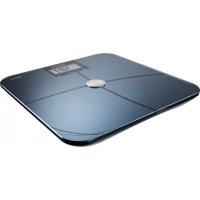
PS 6610 BT - Scale GRUNDIG - Free user manual and instructions
Find the device manual for free PS 6610 BT GRUNDIG in PDF.


| Product Type | Body Analysis Scale with Bluetooth |
| Brand | Grundig |
| Model | PS 6610 BT |
| Power Supply | 2 LR3/AAA 1.5 V batteries (included) |
| Maximum Weight | 180 kg / 400 lb / 28 stone |
| Accuracy | 100 g / 0.2 lb |
| Minimum Weight | 2.0 kg |
| Units of Measurement | kg/cm or lb/in (selectable) |
| Measurement Method | 4-point Bioelectrical Impedance Analysis (BIA) |
| Functions | Weight, body fat, body water, muscle mass, bone mass, calorie intake |
| Connectivity | Bluetooth 4.0 |
| Compatible App | Grundig Sensimeter (iOS 7.0 / Android 4.3 or later) |
| Display | LCD display |
| Plate Material | Glass |
| Number of Users | Up to 12 profiles |
| Automatic Shut-off | After approximately 20 seconds of inactivity |
| Ambient Temperature | 5 °C to 35 °C (20 °C ± 15 °C) |
| Safety | Non-medical, do not use with pacemaker |
| Maintenance | Clean with a damp cloth, no cleaning products |
| General Information | Compliant with WEEE and RoHS, recyclable packaging |
Frequently Asked Questions - PS 6610 BT GRUNDIG
User questions about PS 6610 BT GRUNDIG
0 question about this device. Answer the ones you know or ask your own.
Ask a new question about this device
Download the instructions for your Scale in PDF format for free! Find your manual PS 6610 BT - GRUNDIG and take your electronic device back in hand. On this page are published all the documents necessary for the use of your device. PS 6610 BT by GRUNDIG.
USER MANUAL PS 6610 BT GRUNDIG
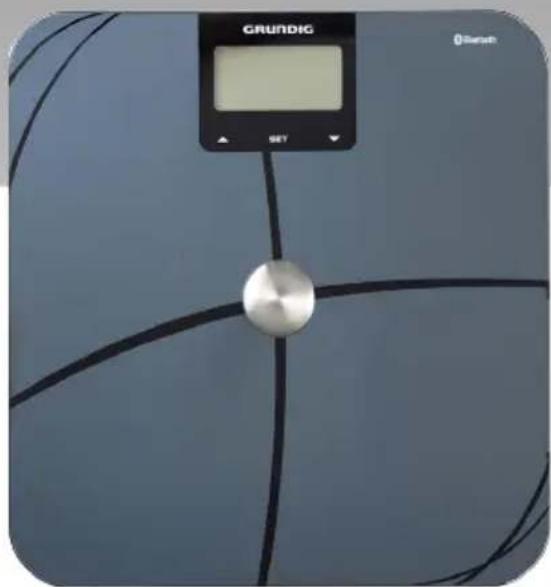
BLUETOOTH BODY ANALYSER SCALE PS 6610 BT

DEUTsCH 05-16
ENGLISH 17-27
TÜRKÇE 28-38
ESPNOL 39-49
FRANÇAIS 50-60
HRVATSKI 61-71
POLSKI 72-82
Please observe the following instructions when using the scales:
These scales are only intended for domestic use.
- Do not use the scales on a rug or carpet.
Always use the scales on the same flat and hard floor. This ensures constant measurements.
- When you stand on the scales, please leave a gap of 2cm from the edge of the scales. Take care when doing this.
- First center your body weight in the middle of the scales before removing your foot from the scales. Always make sure that the scales do not tip (risk of injury).
- Do not step onto the scales with wet feet. Risk of slipping!
- Never use the scales outdoors.
- Do not use the scales if they malfunction.
- Do not use the scales if the glass plate shows cracks or breaks.
- Do not place objects on the glass plate of the scales.
If the scales stop working, remove the batteries and then replace them.
- Never jump on or off the scales.
If the scales are used in the bathroom, you must ensure that they do not come into contact with water.
The scales must not be immersed in water.
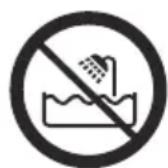
- Do not expose the scales to direct sunlight, high temperatures or long-term high humidity.
- Keep the scales away from children.
- Do not use the scales if they are visibly damaged.
- Never open up the scales. In case of damage due to improper tampering, any claims for guarantee are lost.
Caution
The scales should not be used by the following persons:
- This device can be used by children over 8 years of age and by persons with reduced physical, sensory, or mental abilities or a lack of experience and/or knowledge if they are supervised or instructed in the safe use of the device and have understood the resulting risks. Children must not play with the device. Children should not clean or maintain the device unless they are supervised.
The scales determine your body fat ratio using Bioelectrical Impedance Analysis (BIA). In doing this, a harmless signal is transmitted through the body. The scales are therefore not suitable for persons with a heart pacemaker or other surgically implanted medical device. If in doubt, please contact your doctor.
-
Pregnant women and persons under the age of 18 should not use the scales for analysis (in these cases, no accurate body fat value can be determined).
-
Your device works with complex electronic algorithms. External electromagnetic influences near the device may therefore effect the results. In this case, first remove the source of the electromagnetic disturbance, then repeat the measurement.
In the case of extreme electromagnetic disturbance, the device switches to safety mode for its own protection. To return to normal operation, remove the source of the disturbance, remove the batteries from the device and then replace them.
Dear Customer,
Congratulations on purchasing the Bluetooth Body Analyser Scales PS 6610 BT.
Please read the following user guide for the scales carefully to ensure that you have many years of enjoyment from your quality Grundig product at home.
Responsible trading!

Both internally and for suppliers, GRUNDIG insists on contractually guaranteed social working conditions with fair wages, efficient use of raw materials with continuous reduction in waste of several
tonnes of plastic each year - and at least 5 years' availability for all accessories.
For a future worth living.
For a good reason. Grundig.
Caution
The product PS 6610 BT is a wellness product, not a medical product. Thus no medical recommendation can be given based on the use/ displayed results.
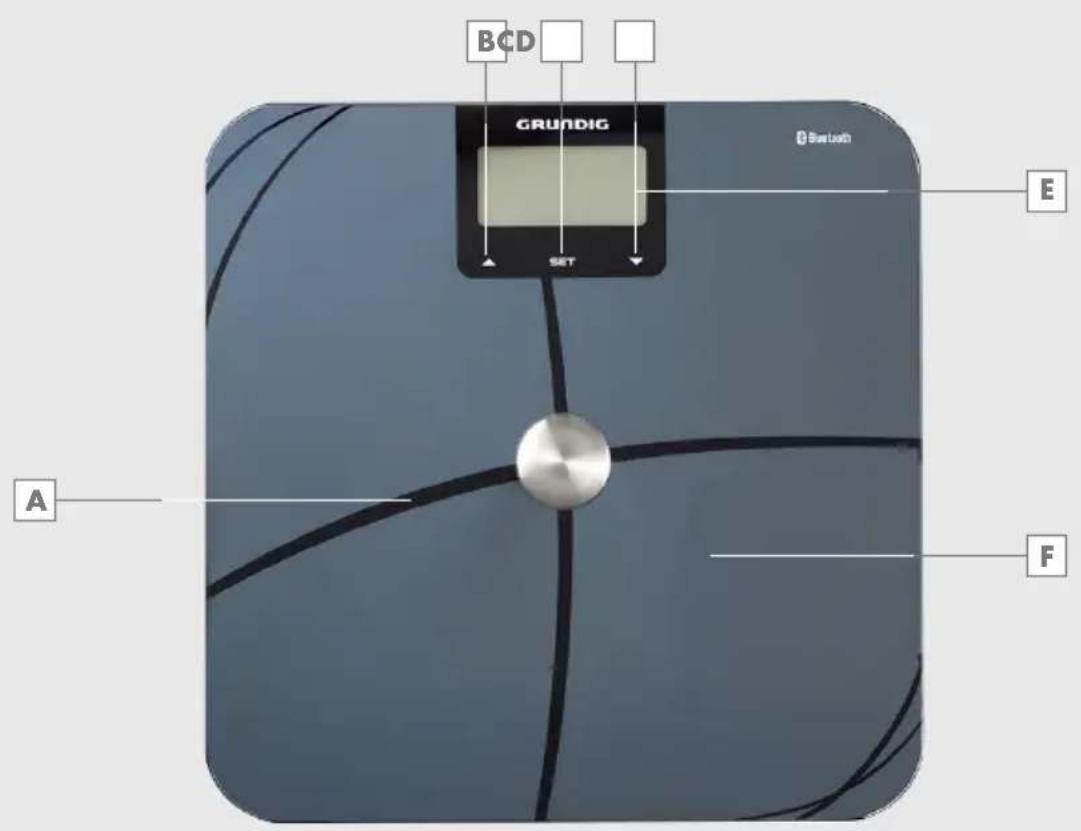
Operating elements
Please see the illustrations on page 3.
A Measurement electrodes
B Button (▲)
C Button (SET)
D Button (▼)
E Display
F Glass plate
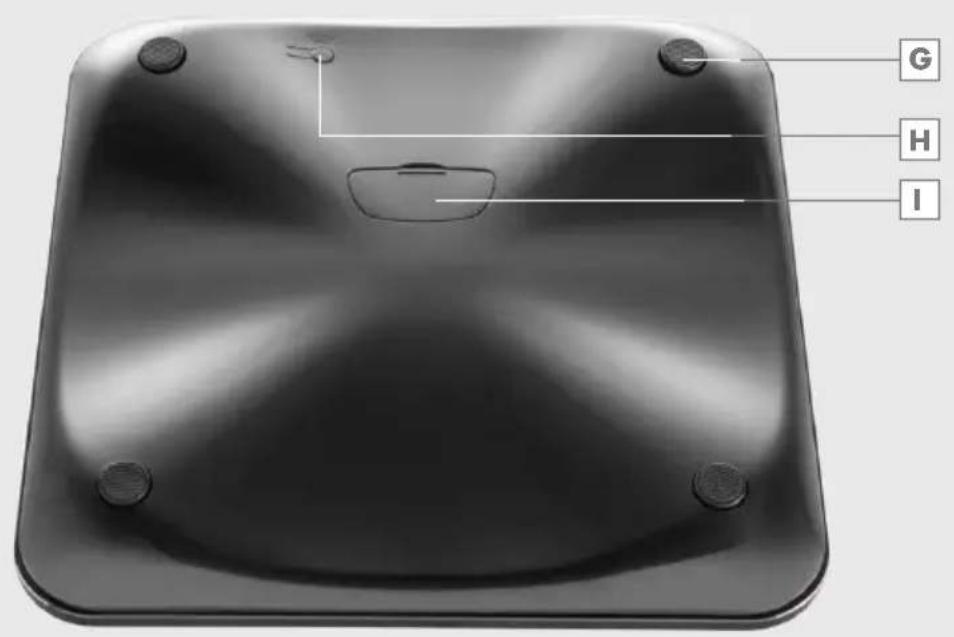
G Pedestal
Unit selection switch (lb, kg)
Battery compartment
Power supply
You operate the scales with 2 × 1.5V LR3/AAA batteries (total 3 V).
1 Open the cover of the battery compartment.
2 Insert the 1.5V LR3/AAA batteries. Pay attention to the poles marked on the base of the battery compartment.
3 Close the cover of the battery compartment 1.
Notes
- Do not expose the battery to extreme heat, for example sunlight, radiators, fire, etc.
When the batteries are becoming flat, the display shows L. Replace the batteries immediately. - Remove the batteries if they are used up or if you do not use the device for a long time. We do not assume liability for damage caused by leaked batteries.
Environmental note
The batteries, even those free from heavy metals, must not be disposed of as domestic waste. Used batteries must be discarded in used battery collection containers found at commercial or public waste management services.
Operating the scales
Notes
No data needs to be entered for measuring the body weight.
The scales measure your body weight in 100 g intervals.
The very accurate 4-point measurement is used as the measurement method.
1 Use the switch (at the rear) to specify whether you want to use Anglo-Saxon units of measure (lb/in) or European units of measure (kg / cm)
2 Place the scales on a flat and even surface.
3 Switch on the scales by tapping your foot once on the right lower corner of the glass plate F. -Display: the display E.
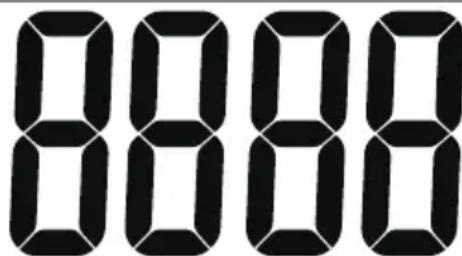
As soon as appears on the display, step carefully onto the scales.
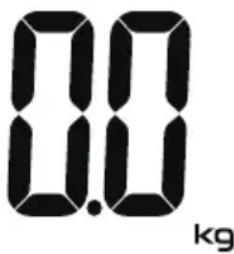
5 Stand still on the glass plate until the displayed weight flashes twice and no longer changes.
- Your body weight is shown on the display.
After 5 seconds, the scales automatically switch off.
Note
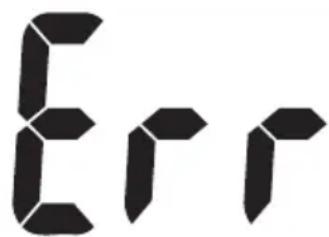
If the display shows during the weighing process, the scales have been overloaded. After 5 seconds, the scales automatically switch off.
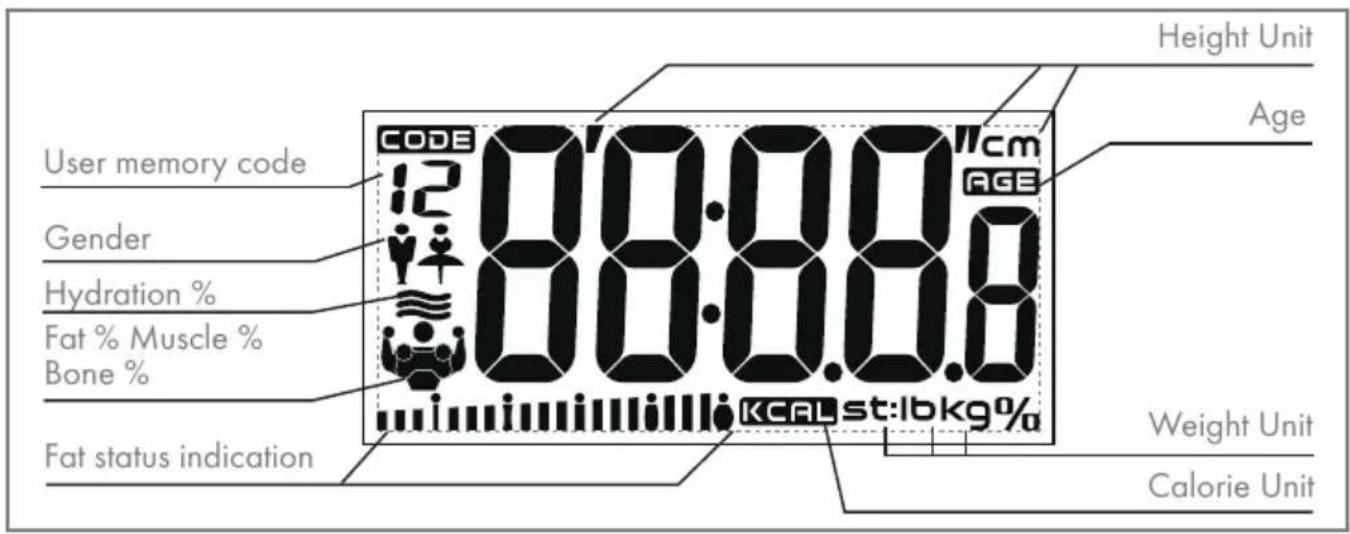
Operation with body analysis
The measurement and/or data transmission takes place via bare feet when you are standing on the measurement electrodes. Make sure that your feet are correctly positioned on the scales.
Enter user data
If you are using the body analysis function for the first time, you must first select the following data and make the following entries: the user parameters for you (select 01 to 12), your gender, your height (100 - 250 cm), age (10 - 100).
Notes
When you have entered the data for the first time, you no longer need to press button (SET) next time you use the scales. It is then sufficient to select the corresponding parameters (01 to 12) using the button B (▲) and D (▼).
If you do not press a button for 20 seconds when entering data, the scales automatically switch off. You must then start from the beginning.
Entering parameters
1 Position the scales on a smooth flat surface and activate. To do this, tap your foot once on the right lower corner of the glass plate F. - Display: > 8888he display E.
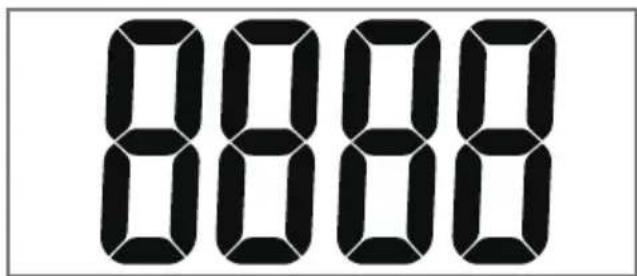
2 Press button (SET) as soon as the display appears.
Display: flashes.
Note
Selection 1 is described as an example below.
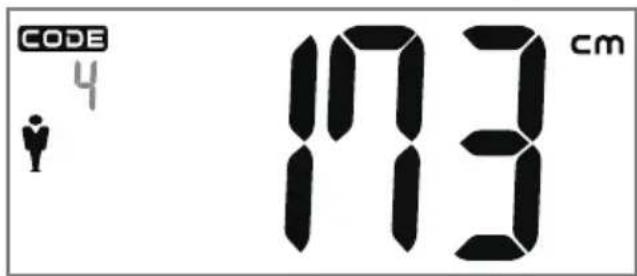
3 Select the required user parameters (1 to 12) with buttons B () and D () and confirm with button C (SET).
The symbol flashes. Select your gender using buttons (A) and D (V).
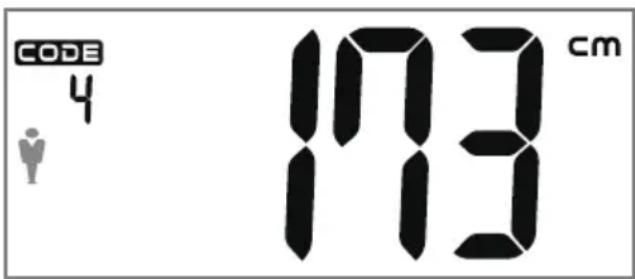
4 Confirm the selection of a male user with button (SET).
Display: height flashes.
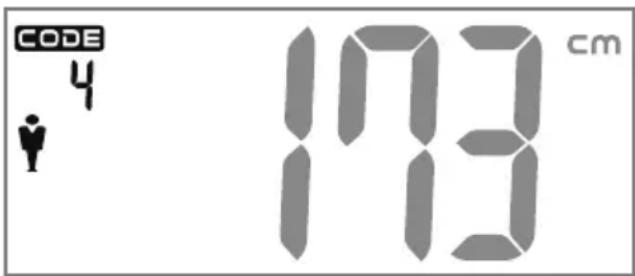
5 Select the height with buttons B (▲) and D (▼) and confirm with button C (SET).
Display: age flashes.
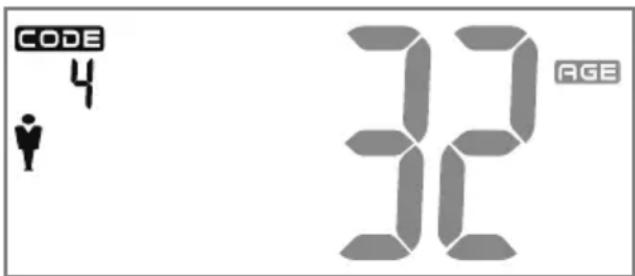
6 Enter your personal age with the buttons B (▲) and D (▼) and confirm with button C (SET).
Run the analysis
After entering your parameters you can use the body analysis function of the body scales. The process is described with 1 as the user parameter:
1 Position the scales on a smooth flat surface and activate. To do this, tap your foot once on the right lower corner of the glass plate F.
-Display:»the display E
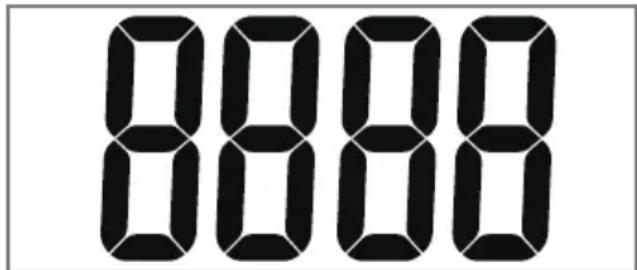
2 As soon as appears in the display, select the required user parameters (1 to 12) with buttons B (A) and D (V).
Notes
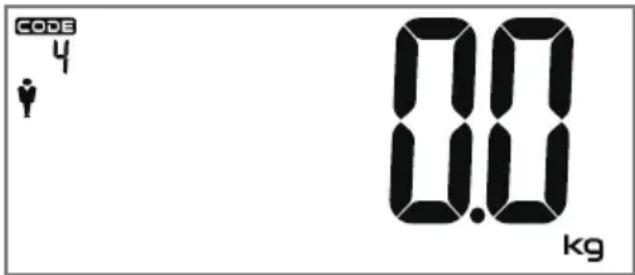
The saved values are shown in the LCD display, then the scales switch to weighing mode. -Display: 0kg
If no data has been saved, the scales immediately switch to weighing mode. -Display: 0kg
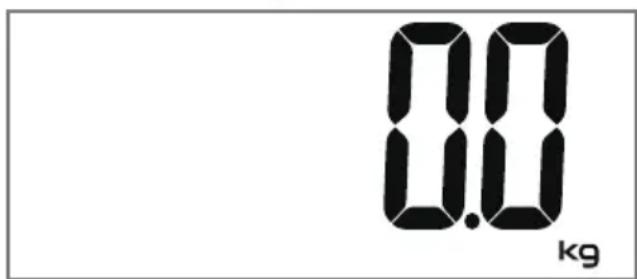
3 Carefully step onto the scales with bare feet.
The scales show your weight and 0000 shown in the display.
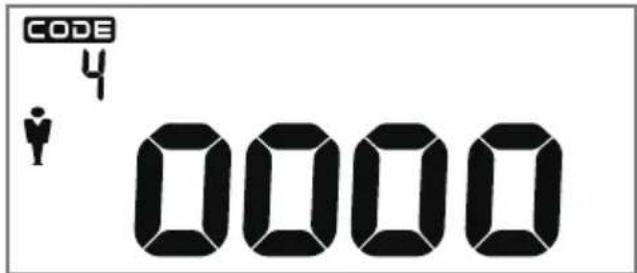
Notes
The following values and information are shown in succession in the display E:
- Your weight.
Notes
- Your weight.
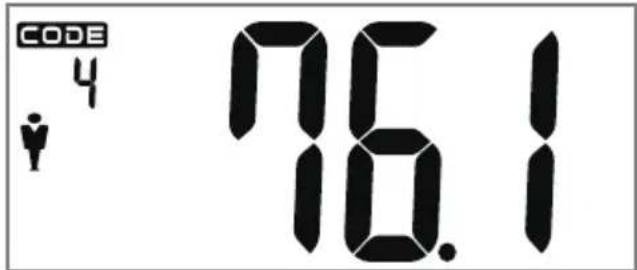
The percentage of body fat, and an interpretation of the weight - slim, normal, slightly overweight, overweight (see page 24 for Interpretations).
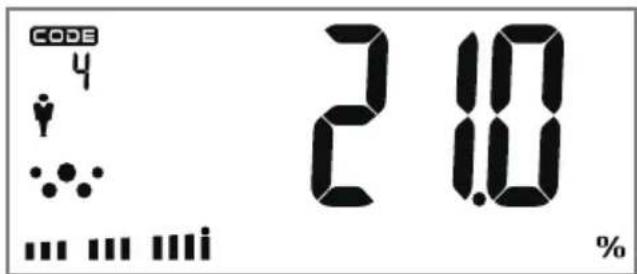
If the body fat percentage is unrealistic, the display Eort is shown and the scales switch off automatically.
The body water percentage ≈ body tissue
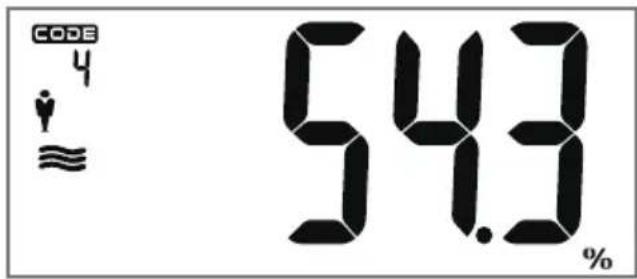
The muscle weight percentage
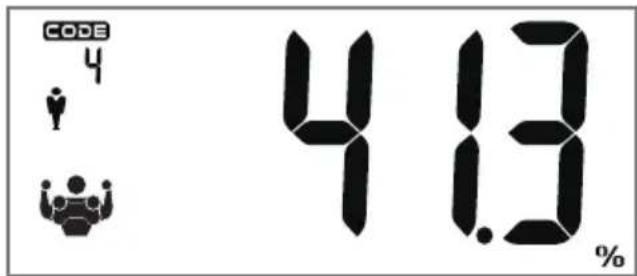
The bone mass percentage as a ratio to the body weight in kg (Bone Mass)
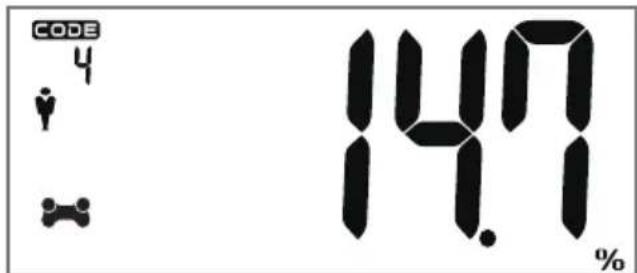
Suggested daily calorie intake (Kcal).
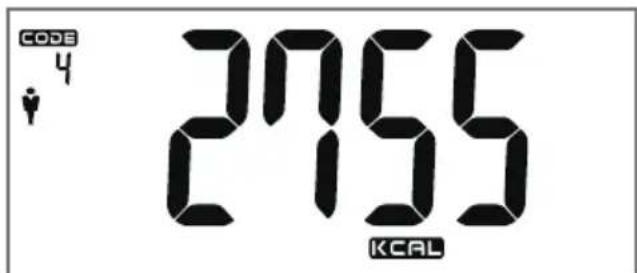
The values and information are displayed three times and remain in the display for 6 seconds each time. Then the scales automatically switch off.
Notes
If the display>Erclis shown during weighing:
The body fat percentage is too low. Please increase your nutritional intake and take good care of yourself.
If the display E appears during weighing:
The body fat percentage is too high. Please pay attention to your food intake and take more exercise.
If the display « appears during weighing:
There is an error, please repeat the weighing process to achieve the correct result.
The values are saved separately for each user (1 - 12).
The data is deleted if you remove the batteries.
Installing and using our app
Downloading the free app
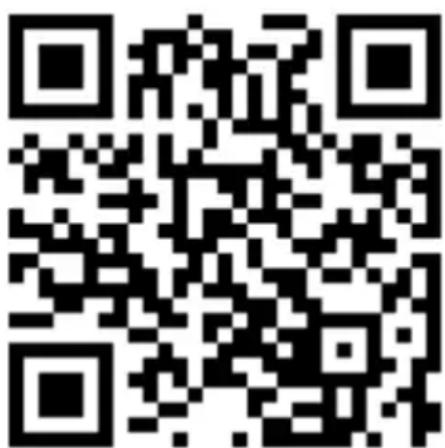
1 Go to the "App Store" or "Google Play" and search for our app "Grundig Sensimeter" to download it.
2 Or scan the QR code:
Bluetooth settings
1 Ensure that Bluetooth is already switched on on your smartphone.
2 If not, go to "Settings > Bluetooth" to switch it on.
Using the application
1 Once you've downloaded the app, you will see the «Unit Switch» screen. Select one of the units and then touch «Next» to proceed.
2 Enter the required information on the user page and touch «Save» icon at the top-right corner to save it.
Notes
- You can add new users under the «Family» tab located at the top-left Menu section.
- Likewise, you can touch the icon on the right-hand side of the name at the centre of the screen to change the user or add new users.
3 After you have added new persons, touch «+New User» under «My Devices» from the menu button.
4 You will be directed to «Grundig Sensimeter Scales» page. At this stage, tap one of the corners of your scale to turn it on.
5 Touch «Grundig Sensimeter Scales» on your phone screen and then touch «OK».
6 You will be redirected to the user page. Touch the desired user and then touch OK
«Successfully connected» will be displayed on the screen.
Note
-
You must touch the numbers on the right-hand side of the user list to select the user stored on the scale.
7 Select the user you have stored on the scale.
8 Get on the scale barefoot and wait for the measurement to be completed. -
Your measurement will automatically appear on the application screen. Plus, you can access different values of your body by touching the relevant sections at the bottom of the page.
- Your data will be stored in «Trend» and «History» sections. Your data will also be saved in «Trend» and «History» sections. You can display your body values on a Daily-Monthly-Yearly basis.
Grundig Sensimeter Scales app is integrated into Apple Health (for iOS devices). You can also display your measured values on Apple Health screen.
Notes
- You can use the share icon at the top-right corner of the screen to share your measured values on various platforms.
To change the selected person, you need to go to My Devices -Grundig Sensimeter Scales and cut off the previous connection.
Once disconnected, the app will search and find the device again. - You will need to reselect the relevant person on the user page you will be redirected to.
Warning
- Your scale must be on for you to select a person.
Note
The new technology of Bluetooth 4.0 means that you do not need to pair the smart device with the scales; both devices automatically connect within a Bluetooth coverage range of 5 to 10 meters.
The products require Bluetooth 4.0 support and iOS 7.0/Android 4.3 or later. For example, the device is compatible with iPhone4s or later, Samsung Galaxy S3, HTC One, Huawei Honor 6, Xiaomi 3, Meizu MX3, LG G2 Pro etc. This app is not optimized for tablets.
Software instructions
Software instructions (constantly updated) are integrated in the app.
NOTES ON THE MEASUREMENT VALUES
Notes
The following table contains guideline values which will help you to assess your body fat and body water percentages. There are no guidelines for muscle mass and bone mass.
It is more important to observe the changes in your body fat percentage, body water percentage, muscle mass and bone mass over a longer period than to concentrate on your body weight.
Ensure that your bare feet are always in contact with the measurement electrodes. Very dry skin or thick calluses can influence the analysis result. In this case, the scales show Err.
To achieve accurate measurement results, do not use the scales immediately after consuming coffee, beer, wine or other alcoholic drinks. The same applies to physical exercise. These factors reduce the percentage of water in the body tissue (dehydration). In such cases, wait for several hours.
Body fat percentage
It is particularly important to monitor your body fat percentage. A body fat percentage that is too high can lead to high blood pressure, high cholesterol, heart problems and other physical problems. The following recommendations for body fat have been given by the American College of Sports Medicine:
Notes
It is best to measure the body weight, body fat percentage and body water percentage at the same time each time, ideally during the evening.
If possible, use the scales when undressed. This gives more accurate measurement results.
The measurement results are not suitable for drawing medical conclusions. If in doubt, please contact your doctor.
- Your feet should always be clean and dry when you use the scales.
| Body fat (women) Body fat (men) | ||||||||
| Age Slim N | Normal Slightly | over-weight | Over-weight | Slim Normal Slightly | over-weight | Over-weight | ||
| 19 - 39 | <20% | 20-32% | 33-38% | >38% | <12% | 12-20% | 21-25% | >25% |
| 40 - 55 | <23% | 23-35% | 36-41% | >41% | <13% | 13-21% | 22-26% | >26% |
| 56 - 85 | <24% | 24-36% | 37-42% | >42% | <14% | 14-22% | 23-27% | >27% |
| Body water (women) | Body water (men) | |||||
| Age | Low | Normal | High | Low | Normal | High |
| 17 - 39 | 47 | 47-57 | 57 | 53 | 53-67 | 67 |
| 40 - 55 | 42 | 42-52 | 52 | 47 | 47-61 | 61 |
| 56 - 85 | 37 | 37-47 | 47 | 42 | 42-56 | 56 |
Notes on operation and maintenance
To prolong battery life, the scales are equipped with an automatic Off function. They switch off automatically if operation is interrupted for approx. 20 seconds.
Clean the scales with a damp cloth. Do not use cleaning products.
Technical Information
EU Declaration of Conformity
The CE conformity document of your appliance can be found at www.grundig.com/download/doc as a PDF.
Power supply
2 × 1.5V AAA (included)
Max. load
180kg/400lb/28stone, d=100g/0.2lb
Min. load
2.0kg
Ambient temperature
20^ C ± 15^ C
Technical and design modifications reserved!
Compliance with the WEEE Directive and Disposing of the
Waste Product:
This product complies with EU WEEE Directive (2012/19/EU). This product bears a classification symbol for waste electrical and electronic equipment (WEEE).
This product has been manufactured with high quality parts and materials which can be reused and are suitable for recycling. Do not dispose of the waste product with normal domestic
and other wastes at the end of its service life. Take it to the collection center for the recycling of electrical and electronic equipment. Please consult your local authorities to learn about these collection centers.
Compliance with RoHS Directive
The product you have purchased complies with EU RoHS Directive (2011/65/EU). It does not contain harmful and prohibited materials specified in the Directive.
Package information

Packaging materials of the product are manufactured from recyclable materials in accordance with our National Environment Regulations. Do not dis
pose of the packaging materials together with the domestic or other wastes. Take them to the packaging material collection points designated by the local authorities.
Tartiyi kullanirken lufen asagi-daki talimatlara uyun:
Chere cliente, cher client,
Commerce responsible!


- BLUETOOTH BODY ANALYSER SCALE PS 6610 BT
- Caution
- Responsible trading!
- Operating elements
- Power supply
- Notes
- Environmental note
- Operating the scales
- Note
- Operation with body analysis
- Enter user data
- Entering parameters
- Run the analysis
- Installing and using our app
- Downloading the free app
- Bluetooth settings
- Using the application
- Warning
- Software instructions
- NOTES ON THE MEASUREMENT VALUES
- Body fat percentage
- Notes on operation and maintenance
- Technical Information
- EU Declaration of Conformity
- Max. load
- Min. load
- Ambient temperature
- Compliance with the WEEE Directive and Disposing of the
- Waste Product:
- Compliance with RoHS Directive
- Package information
- Commerce responsible!
Brand : GRUNDIG
Model : PS 6610 BT
Category : Scale