C4382 - Watch Candino - Free user manual and instructions
Find the device manual for free C4382 Candino in PDF.



| Product type | Watch |
| Brand | Candino |
| Model | C4382 |
| Display | Analog with hands for hours, minutes, seconds, and chronograph counters (60 seconds, 30 minutes, 1/10 second) |
| Main functions | Time display, date, simple chronograph, additional and split-time, time zone correction |
| Power source | Battery |
| Case diameter | Approximately 40 mm |
| Case thickness | Approximately 11 mm |
| Strap | Leather or metal (depending on variant) |
| Water resistance | 30 meters (resists splashes, not swimming) |
| Crystal | Mineral (estimated) |
| Case material | Stainless steel |
| Movement | Quartz |
| Counter reset | Possible via crown in position II or III |
| Time setting | Crown in position III, stop-second function |
| Date correction | Via crown in position II |
| Care and cleaning | Clean with a soft, dry cloth; avoid chemicals |
| Used batteries | Do not dispose of in household waste; take to collection point |
| Recycling | Product subject to WEEE regulations; deposit at an approved sales point |
| Warranty | 2 years (estimated) |
Frequently Asked Questions - C4382 Candino
User questions about C4382 Candino
0 question about this device. Answer the ones you know or ask your own.
Ask a new question about this device
Download the instructions for your Watch in PDF format for free! Find your manual C4382 - Candino and take your electronic device back in hand. On this page are published all the documents necessary for the use of your device. C4382 by Candino.
USER MANUAL C4382 Candino
2501 Bienne Switzerland
a company of the Festina Group
www.candino.com

CANDINO
SWISS WATCH
MANUAL DEL USUARIO
USER'S MANUAL
MODE D'EMPLOI
By virtue of the regulations pursuant to the handling of waste products deriving from electronic and electrical equipment, end of lifecycle watch making products must be selectively collected for processing. You may therefore dispose of your quartz watch making products at any of our retail outlets or any other authorized collection point. The selective collection, processing, rating and recycling of these products helps contribute to safeguarding the environment and protecting our health.
-Display 12
- Setting the timers to zero. 13
- Setting the time. 14
-Timing Mode. 15-18
- Correction Mode. 19
DISPLAY
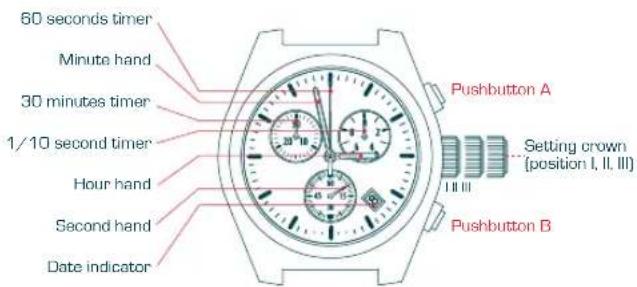
WATCH HANDS
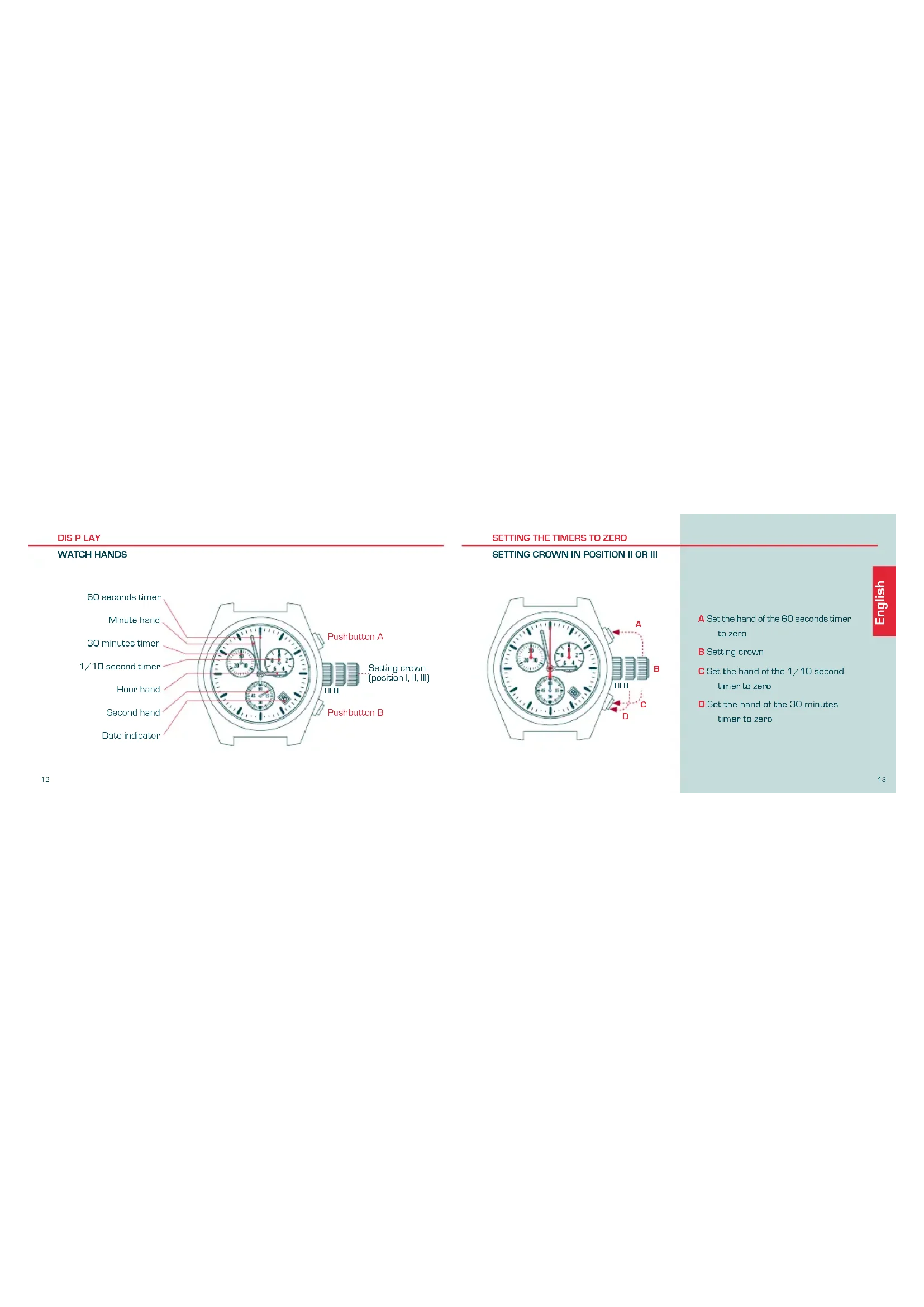
A Set the hand of the 60 seconds timer to zero.
B Setting crown
C Set the hand of the 1/10 second timer to zero
D Set the hand of the 30 minutes timer to zero
SETTING THE TIME
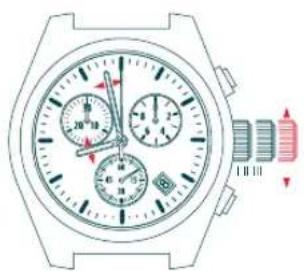
SETTING CROWN IN POSITION III
14
Correction of hour and minute hand and date every passing to midnight.
Note
Setting crown in position III: STOP-SECOND
TIMING MODE
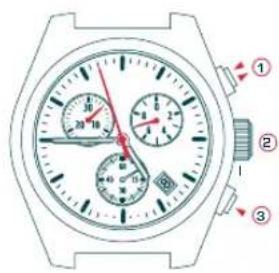
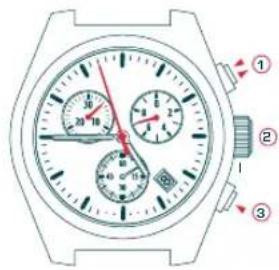
SIMPLE TIMING FUNCTION
Setting crown in position I
1 START/STOP
Read time -5 minutes -57 second -7/10 sec
3 Reset to zero
1 to 3 order of functions
WARNING
Before starting the time, put back the chronograph hands to their original position If necessary, see paragraph SETTING THE TIMERS TO ZERO.
TIMING MODE
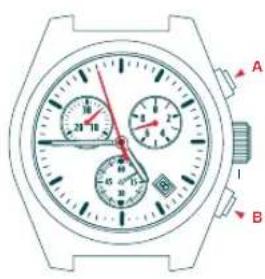
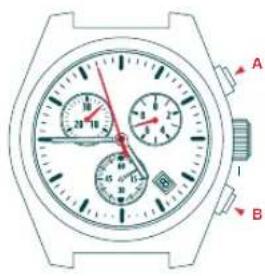
ADD FUNCTION
Setting crown in position I
1E
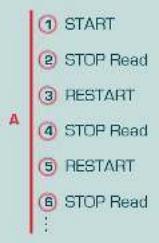

1 to X order of functions
TIMING MODE
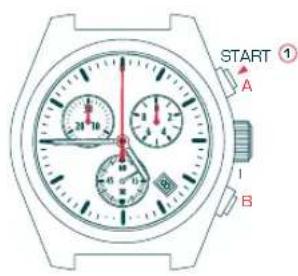
SPLIT-TIME OR INTERMEDIATE TIMES FUNCTION
Setting crown in position I
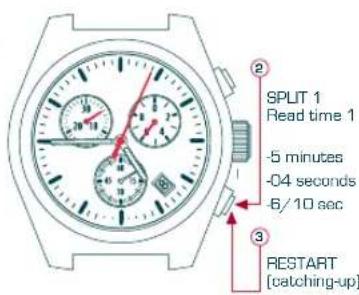
① to ③ order of functions
17
TIMING MODE
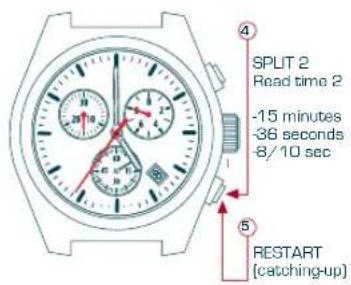
SPLIT-TIME OR INTERMEDIATE TIMES FUNCTION
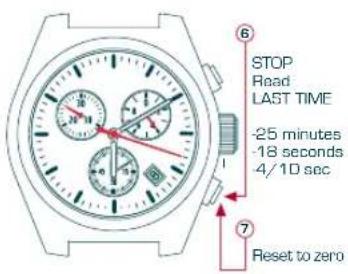
4 to 7 order of functions
CORRECTION MODE
TIME ZONE CORRECTION CORRECTION OF DATE
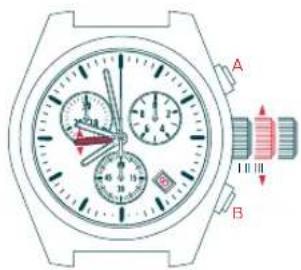
Setting crown in position II
Note: Date correction every passing to midnight
MODE D'EMPLOI
Stellkrone in Position III:
SEKUNDEN-STOPP
ZEITMESSAGENS-MODUS
Stellkrone in Position I
START/STOPP
- Abiesen der Zeit
-5 Minutes
-57 Sekunden
-7/10 Sekunden
3 Nullstellung

FUNCTION ADD
Stellkrone in Position I
36