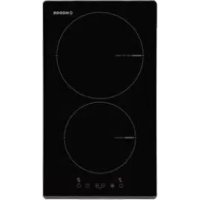
I 2030 BK - Cooker NODOR - Free user manual and instructions
Find the device manual for free I 2030 BK NODOR in PDF.



| Product type | Built-in induction hob |
| Brand | NODOR |
| Model | I 2030 BK |
| Number of cooking zones | 4 |
| Control type | Touch sensitive control |
| Power levels | 9 levels (1 to 9) + Booster (P) |
| Booster function | Yes, limited to 5 minutes |
| Timer | Independent and per zone, adjustable from 1 to 99 minutes |
| Key lock | Yes |
| Child safety | Yes, key lock |
| Residual heat indicator | Yes, display H |
| Automatic shut-off | Yes, after 20 seconds of inactivity |
| Protection against prolonged activation | Yes, shut-off after 10 seconds of continuous activation |
| Compatible cookware types | Ferritic stainless steel, enameled cast iron, flat bottoms |
| Minimum cookware diameter | 10 cm |
| Electrical supply | Requires installation with grounding by a professional |
| Maintenance | Scraper and non-abrasive cleaner, no metal sponges |
| Safety | All-pole disconnection device mandatory |
| Power cable | Replaceable by an authorized technician |
| Installation | Built into a worktop |
| Compliance | Directives 2014/35/EU and 2014/30/EU |
Frequently Asked Questions - I 2030 BK NODOR
User questions about I 2030 BK NODOR
0 question about this device. Answer the ones you know or ask your own.
Ask a new question about this device
Download the instructions for your Cooker in PDF format for free! Find your manual I 2030 BK - NODOR and take your electronic device back in hand. On this page are published all the documents necessary for the use of your device. I 2030 BK by NODOR.
USER MANUAL I 2030 BK NODOR
Operating and maintenance instructions for hobs
FR
THIS APPLIANCE IS CONCEIVED FOR DOMESTIC USE ONLY. THE MANUFACTURER SHALL NOT IN ANY WAY BE HELD RESPONSIBLE FOR WHATEVER INJURIES OR DAMAGES ARE CAUSED BY INCORRECT INSTALLATION OR BY UNSUITABLE, WRONG OR ABSURD USE.
The manufacturer declares that this product meets all the essential requirements for low voltage electrical material set out in European directive 2014/35/EU and for electromagnetic compatibility as required by European directive 2014/30/EU.
PRECAUTIONS
- When the hob is in use keep all magnetizable objects away (credit cards, floppy disks, calculators and so on).
- Do not use any aluminium foil or place any foodstuffs wrapped in aluminium foil directly on the hob - do not place any metal objects such as knives, forks, spoons and lids on the hob surface as they will heat up.
- When cooking in a non-stick pan without seasoning, do not exceed 1-2 minutes' preheating time.
- When cooking food that may easily stick, start at a low power output level and then slowly increase while regularly stirring.
- After cooking is finished, switch off using the control provided (turn down to "0"), and do not rely on the pan sensor.
- If the surface of the hob is damage immediately disconnect the appliance from the mains to prevent the possibility of electric shock.
- Never use a steam cleaner to clean the hob.
- The appliance and accessible parts may be hot during operation.
- Take care to avoid touching the heating
elements.
- Children less than 8 years of age should be kept at a safe distance unless continuously supervised.
- This appliance may be used by children aged 8 or over and by persons with reduced physical, sensory or mental capabilities or lack of experience and knowledge, if they are supervised and have received suitable instructions on safe use of the appliance and understand the dangers involved. Children must not play with the appliance. User maintenance and cleaning should not be carried out by children except under constant supervision.
- Cooking with grease or oil may be dangerous and cause a fire if left unattended. NEVER try to extinguish a fire with water. Rather, disconnect the appliance and then cover the flames with a cover or sheet, for example.
- The cooking process has to be supervised. A short term cooking process has to be supervised continuously.
- Unattended cooking on a hob with fat or oil can be dangerous and may result in a fire.
- Fire hazard: do not store elements on cooking surfaces.
Only counter top protectors designed for use with the cooking appliance and listed in the manufacturer's instructions should be used as suitable protection for the counter top incorporated in the appliance. Use of unsuitable protectors may cause accidents.
- WARNING: Accessible parts will become hot when in use. To avoid burns and scalds children should be kept away.
Insert in the fixed wiring a mean for disconnection from the supply mains having a contact separation in all poles that provide full disconnection under overvoltage category III conditions, in accordance with the wiring rules. The plug or omnipolar switch must be easily reached on the installed equipment.
This appliance is not intended to be used via an external timer or a remote control system. The manufacturers decline any responsibility in the event of non-compliance with what is described above and the accident prevention norms not being respected and followed.
To avoid all risk, if the power cable becomes damaged, it must only be replaced by the manufacturer, by an authorised service centre, or by a qualified electrician.
OPERATING PRINCIPLE (Fig. 1)
It exploits the electromagnetic properties of most cooking vessels.
The coil (inductor) which produces the electromagnetic field is operated and controlled by the electronic circuit.
The heat is transmitted to food by the cooking vessel itself.
The cooking process takes place as described below.
- loss of heat is minimum (high efficiency)
- the system stops automatically when the vessel is removed or even just lifted from the hob
- the electronic circuit guarantees maximum flexibility and fine adjustments.
(Fig. 1)
1 Vessel
2 Induced current
3 Magnetic field
4 Inductor
5 Electronic circuit
6 Power supply
User's Instructions (Fig. 2)
1 ON/OFF
2 Minus -
3 Plus +
4 Cooking zone
5 Setting level display
6 Zone selection lights
7 Lock key
8 Timer Display
Installation
All operations relative to installation (electric connection) should be carried out by skilled personnel in conformity with the rules in force. As for the specific instructions see part pertaining to installer.
Switching the Touch Control ON/OFF
After mains voltage is applied the control initializes for approx. 1 second before it is ready for operation.
After a reset all displays and LEDs glow for approx. 1 second. When this time is over all displays and LEDs extinguish and the control is in the stand-by mode.
Press the ON/OFF (1) button to switch the touch control on.
The cooking zone displays show a static "0".
If a cooking zone is in the "hot" status, the display shows a static "H" instead of "0". The bottom right dot is blinking in 1 second intervals on all cooking zone displays to indicate that no cooking zone is selected at the moment.
After switching ON the electronic control remains activated for 20 seconds. If no cooking zone or timer selection follows within this
period of time, the electronic control automatically switches back into the stand-by-mode. The control can only be switched-ON if it identifies the ON/OFF key alone being operated. Should it recognize key activation other than that, the control remains in the standbymode.
If the child safety feature is active when switching on, all cooking zones show "L", (LOCKED). If the cooking zones are in a "hot" status, the display shows "L" and "H" in alternation. When the Touch Control is ON it can be switched- OFF at any time by operating the ON/OFF key. This is also valid if the control has been locked (activated child safety feature).
The ON/OFF key has always priority in the switch-OFF function.
Automatic switch-OFF
When the control is ON it automatically switches-OFF after 20 seconds if no cooking zone or select key has been operated within this period of time. If case of a cooking zone selection, the automatic switch-OFF time is composed of 10 seconds deselection time for a cooking zone at setting ^a0^a and 10 seconds switch-OFF time.
Switching a cooking zone ON and OFF
First place the pan in the chosen cooking zone. If the pan is not present the system cannot be switched on the correspondent zone.

If the touch control is switched on, the cooking zone can be selected by pressing the button (4) of the corresponding zone.
The display (5) of the zone selected lights up, while the remaining displays are dimmed. If the cooking zone is "hot", "H" and "0" are alternately displayed.
Press the PLUS (3) or MINUS (2) button to select a setting and the zone will begin to heat up.
Once the cooking zone has been selected, the setting can be selected by keeping the PLUS (3) button pressed down. The setting begins at level 1 and increases by 1 level every 0.4 seconds. When setting "9" is reached, the setting will not be changed further.
If the setting level has been selected using the MINUS (2) button, the start level is "9" (maximum level). Keep the button pressed down to lower the active level by 1 every 0.4 seconds. When setting "0" is reached, there will be no further setting changed. The setting can only be changed by pressing the MINUS (2) or PLUS (3) button again.
Switching a cooking zone off
Select the zone to be switched off using the corresponding button (4). The display (5) of the zone selected lights up, while the remaining displays are dimmed. Press the Cooking zone (4) and MINUS (2) buttons at the same time and the setting level of the zone is changed to 0. Alternatively, the MINUS button (2) can be used to reduce the setting level to 0.
If a cooking zone is "hot", "H" and "0" will be alternately displayed.
Switching-OFF all cooking zones
Immediate switching-OFF of all cooking zones can be achieved anytime by means of the ON/OFF key. In the standby-mode an "H" appears on all cooking zones which are "hot". All other cooking zones displays are not illuminated.
Wattage settings
The output of the cooking zones can be set in 9 steps which are indicated by the figures "1" thru "9" by means of LED sevensegment-displays.
In case power is required, select the boost level ("P")
Boost function
After selection of a respective cooking zone, the boost function can be activated by selecting the power level 9 and then pressing PLUS (3) button. By means of this function certain cooking zones are enabled to receive power over the nominal (the number of boostable cooking zone depends on the power available on a partial modules which is to be lees than total hob power). If the desired cooking zone has the capacity to activate the booster, the display shows a "P" symbol. In case the available power is not enough the cooking stage display flashes for 3 seconds on the cooking zone which needs to be reduced and which requires automatic adjustment.
The boosting time is limited to 5 min to protect cooking utensils. After the booster is switched off automatically, the cooking zone continues operation on power level "9". The booster can be reactivated after some minutes.
In case that the pan is removed from the cooking zone during boosting, the boosting function remains active and boosting time continues.
The power management is based on the principle that the last entry is requested by the induction as top priority. That means that previous actions and settings also made for the other cooking zones are reversed automatically, if necessary.
- If induction identifies the necessity of reducing power at a cooking zone, the selected cooking stage flashes on that cooking zone providing a correction period of 3 sec before the power is reduced automatically to a minimum cooking stage.
- If the setting is adjusted within the correction period, the power management checks the settings again. Should a new setting lead to further power reduction, the correction period starts again.
- If no automatic correction needs being made to the cooking zone setting, the flashing stops immediately and the original value remains as a steady display indication. Should the situation change again on the power reduced cooking zone, no automatic power increase is effected.
Residual heat indicator
It is meant to indicate to the user that the glass ceramic has a dangerous touch temperature in the circumference of a cooking zone. The temperature will be determined following a mathematical model and the remaining residual heat will be indicated by means of "H" on the corresponding 7-segment display.
Heating-up and cooling down will be calculated dependent on:
- the selected setting (0^ to 9^ )
- the ON/OFF time.
After switching-OFF the cooking zone the respective display shows "H" until the assigned cooking zone temperature is mathematically in a uncritical level. (≤ 60^)
Automatic power OFF function (operating time limitation)
Dependent on the selected setting, every cooking zone will be switched-OFF after a defined maximum operation time if no operation of the assigned cooking zone follows within this time period. Every change of the cooking zone condition (by means of the PLUS-, MINUS- key) puts back the maximum operation time of this cooking zone to the initial value of the operating time limitation.
Protection against unintended switching-ON
- If the electronic control realizes a continuous operation of keys for approx. 10 seconds, it switches OFF automatically. The control sends out an audible failure signal for 10 seconds, so that the user can remove the object which has been mistakenly placed onto the operation surface. The displays show the failure code "ER03". If the failure carries on for more than 10 seconds, only the code "ER03" will be displayed as long as the failure will be recognized by the electronic control. If the cooking zone is in the "hot" status, "H" will appear on the display in alteration with the failure notice.
. If no cooking zone will be activated within 20 seconds afterAfter a renewed switching-ON by means of the ON/OFF key all
switching-ON by means of the Power-key, the control switches back from the ON-condition into the stand-by-mode.
- When the control is switched- ON the ON/OFF-key has priority over all other keys, so that the control can be switched-OFF anytime, even in case of multiple or continuous operation of keys.
- In the stand-by mode a continuous operation will not be signalized. However, before the electronic control can be switched-ON again, it has to recognize that all keys are not operated.
Locking systems
Key lock:
The actuation of the key lock key "7" in the wait or active mode locks the keyboard a key symbol appear in the displays "8":

Here, the actuation times of the key-lock key have to be taken into account. The control continues to work in the set mode, but may no longer be operated with any key, except the key-lock key itself or the on/off key "1".
The switching OFF with the on/off key "1" is also possible in the locked condition. The lock symbol in display "8" fades when switching off the control. The key-lock function included the lock symbol in display "8" is active again when switching on (in wait mode 20 s) until this is deactivated by a repeated actuation of the key-lock key. The activation/deactivation of the key-lock function in the off mode is not possible. When programmed timers expire the respective timer alarms may be confirmed by actuating any key without needing to unlock the control. The repeated actuation of the key-lock key in the wait or active mode unlocks the keyboard and the assigned key-lock symbol fades. All sensor keys may be operated as usual again.
Child safety feature:
Activating the child lock:
After switching-ON the control the child safety feature can be activated. To achieve this it is necessary to simultaneously operate the front right cooking zone- select-key and the MINUS-key and then press the front right cooking-zone-select key again. There will be an "L", meaning LOCKED (child safety feature against unintended switching-ON). If a cooking zone is in the "hot" condition, "L" and "H" will be displayed in alternation.
This course of operation has to take place within a period of 10 seconds, no other key than described above may be operated. Otherwise the input will be interrupted because of incompleteness, the cook top will not be locked then.
The electronic control remains in a locked condition until it gets unlocked, even if the control has been switched-OFF and -ON in the meantime. Also a reset of the control (after a voltage drop) does not cancel the key lock.
Unlocking for cooking purposes: :
To unlock and operate the control it is required to operate the front right cooking-zone select-key and the MINUS-key simultaneously. "L" (LOCKED) in the display extinguishes and all cooking zones show "0" with a blinking dot. Should a cooking zone be "hot", "H" is displayed instead of the static "0". After switching- OFF the control, the child safety feature is active again.
Cancelling the key lock:
After switching-ON the control the child safety feature can be deactivated. Here it is necessary to simultaneously operate the front right cooking-zone-select key and the MINUS-key and then operate the MINUS-key alone. If all steps have been carried out in the right order within 10 seconds the key lock gets cancelled and the control is OFF. Otherwise the input will be considered incomplete, the control remains locked and switches-OFF after 20 seconds.
displays show "0", the display dots are blinking and the control is ready for cooking. If a cooking zone is in "hot" mode, "0" and "H" will be alternately displayed.
Audible signal (buzzer)
While the control is in operation the following activities will be signaled by means of a buzzer:
normal key activation with a short sound signal.
- continuous operation of keys over a longer period of time (10 seconds) with a longer, intermittent sound signal.
Timer function (optional)
The timer function is realized in two versions:
- Stand-alone timer 1..99 min: sound signal when the time is over (= minute minder). This function is only available when the cooktop is not in operation, i.e. when there is no cooking.
- Cooking zone timer 1..99 min: sound signal when the time is over, four cooking zones can be programmed independently.
Timer as minute minder (stand-alone):
- If the control is ON and no cooking zone selected, the standalone-timer can be used by simultaneously operating MINUS (2) and PLUS (3) keys.
- Adjustment range (0-99min), it can be set in 1-minute steps with any key, starting at 1 up to 99 (end stop) with the minus-key starting at 99 down to 0 (end stop)
- Continuous activation of the plusor minus-key results in a dynamic increase of the adjustment speed up to maximum value without sound signal.
- when the plus- or minus key is released in the meantime, the adjustment speed starts again from a (low) initial value.
- adjustment can be made with a continuously activated plus-or minus-key or by tip-operation (with sound signal). After the timer is set the time runs down according to the adjustment. When the time is over there is a sound signal and the timer display blinks.
The sound signal will be stopped
- automatically after 2 minutes and/or
- by operating any key.
Then the blinking of the timer display stops and the display extinguishes.
Switching-OFF/changing the timer
The timer can be changed or switched-off anytime simultaneously operating MINUS (2) and PLUS (3) keys. (with sound signal). The timer will be switched off by counting down to "0" with the minus-key.
For 6 seconds the timer display remains at "0" before it will be switched-off.
- If the control will be switched ON by means of the Power-key, the stand-alone timer will be switched-off also.
Timer programming on cooking zones
When the control is switched- ON an independent timer can be programmed for every cooking zone.
- By selecting a cooking zone with the cooking-zone-selectkey (4), then selecting the setting and, finally, operating MINUS (2) and PLUS (3) keys simultaneously, the timer can be programmed as a switch-off function for a cooking zone.
- During timer programming, the pilot light (6) of the selected cooking zone blinks.
- When the timer has run down, there is a sound signal at the timer display shows "00" statically, the assigned cooking zone timer LED blinks. The programmed cooking zone will be cut off and ^1H " will be displayed if the coking zone is hot, otherwise a stroke will show in the cooking zone display.
The sound signal and the blinking of the timer LED will be stopped
automatically after 2 minutes
by operating any key.
The timer display extinguishes.
- The basic behaviour follows the description of the "minute minder" (stand-alone-timer).
Cooking vessels (Fig. 3)
- a magnet-attracting vessel may be a suitable vessel for induction cooking
- prefer vessels which are especially declared to be suitable for induction cooking
flat- and thickbottomed vessels - a vessel with the same diameter as zones ensures the maximum exploitation of power
- a smaller vessel reduces power exploitation, but does not cause any energy loss. We would anyhow not recommend the use of vessels with diameters smaller than 10cm .
- stainless-steel vessels with multi-layer or ferritic stainless-steel bottoms when specifically suited for induction cooking
- cast-iron preferably enamel-bottomed vessels to avoid scratching the pyroceram surface
- we do not recommend the use of any glass, ceramic, earthenware, alluminium, copper or non-magnetic (austenitic) stainlesssteel vessels.
Maintenance (Fig. 4)
By means of a scraper immediately remove any alluminium foil bits, food spills, grease splashes, sugar marks and other high sugarcontent food from the surface in order to avoid damaging the hob.
Subsequently clean the surface with some towel and appropriate product, rinse with water and dry by means of a clean cloth. Under no circumstance should sponges or abrasive cloths be used; also avoid using aggressive chemical detergents such as oven sprays and spot removers.
Installer's Instructions
Installation
These Instructions are for the qualified technician, as a guide to installation, adjustment and maintenance, according to the laws and standards in force. These operations must always be carried out when the appliance has been disconnected from the electric system.
Positioning (Fig. 5)
The fixture is especially designed for fitting into a work-top as shown in the corresponding figure.
Place the supplied sealing agent along the hob perimeter.
Do not install the hob over an oven; in case you do, make sure of the following:
- the oven is equipped with an appropriate cooling system
- there is no warm-air leakage from the oven towards the hob
- suitable air-inlets are provided as shown in the figure.
Electrical connection (Fig. 6)
Prior to carrying out the electrical connection, please ensure that:
- the plant characteristics are such as to follow what is indicated on the matrix plate placed at the bottom of the working area;
- that the plant is fitted with an efficient earth connection, following the standards and law provisions in force.
The earth connection is compulsory in terms of the law.
Should there be no cable and/or plug on the equipment, use suitable absorption material for the working temperature as well, as indicated on the matrix plate. Under no circumstance must the cable reach a temperature above 50^ of the ambient temperature.
FR
CE PRODUIT EST CONCUXCLUSIVEMENT POUR USAGEDOMESTIQUE. LE CONSTRUCTEURDÉLINE TOUTE RESPONSABILITÉPOUR DOMMAGES ET BLESSURESCAUSES PAR UNE INSTALLATIONINCORRECTE OU PAR UN USAGEIMPROPRE, ERRONÉ OU ABSURDE.
PnHHunbl pa60bl (Pnc.1)
PnHHuHbI paOToI OCHOBaHbI Ha 3NeKTpMaHHTbIX CBOIcTBaX KaCTPHb, CKOBOpOIO K HHOINOCyDJI IIN PnIRTOBHeHn NmU.
Hnykuohna KaTyuKa npabTcra 3neKtpHOH CXeMoI Dnco3aHn CnBHOrMaHHTHOrO NOJ.
Tepno nepedaetcnpoNyKtam nHTaHnO t cAmO nocybl.
Bapka npodykTOB n npiroTOBJIeHne NnOcUeCTBJIeTc CNeDyUOIM 06pa3oM:
-MNHIMaJIbHaI DmCnpeCnRy (BbIOxKbBIXO)
- CHATne KAcTPhOHN C30HbI BApKN (NIN PnOCTo ee NODHrTne BBepx) aBtOMaTHueCKN 6IoKuPyET CNTeMv.
- ΝeKtPOHHa CNTema OByCnAbNBAeT MaKcMmaIbHyIO rOkoCTb N TOHKOCTb perynipOBKn.
(Pnc.1)
1 Kacrtpion
2 INduyuPBOBaHbI TOK
3 MarHHTHoe none
4 INHnykTOP
5 3neKtpoHHa CXema
6 3neKtpuueckoe npoknluoyene
Hnctpykun nna nonb0BaTeTn (Pnc.2)
1 BkIIOUeHnE N BbIKIOUeHne
2y6aBtB"
3ПибавИтв"''
430Ha npriroTOBHeHn
5 OTo6paXeHne yPoBnHaCtpoKm
6 INHdNkAtOpb Bbl60pa30HbI
7 KhonKa 6nokpOBKm
8 DicnJIeI Taimepa
MOHTAX
Bce onepaunno MONTaxy (3eKtpnueckne npKnIOuehen) DOnKbnpn03BoDntBCra TBJKO KBaINpUPOBaHHbIM nepcoHaIOM N B COOTBeTCTBUN C cyuectByIOUMM HopMaTnBAAM.
B Pa3dene "Длma MOHTaXKHnka" npMbEeHbI BCE noIpo6HocTm MOTaJa.
BkIIOueHHe N BbIKIOueHHe Touch Control
Pocne noKJUeyHn K cTe nIITAHy, yKe uepe3 cekHydy Touch Control 6ydet aKTHBUPOBaH.
Nocne 6poca Bcex DnCnIeB, DIObl LEDs 6ydyT Mrratb npn6n3nteHb BO TeueHne OOnH Cekynbl. Nocne 3TOrO BCE DnCnIeu IIObl LEDs NoracHy, T Touch Control nepeJET B coToHne OxNDaHna.
HaKMTe KHOKNy BKNIOUeyH/ByIKIOUeyHn (1) DnB KIOUeyHn CeHCOPHO ynpabneHn.
Ha DnCnIeX B 30Hax BapKn Bby yBnDITe "O" B CIIyuee 四 ropeHHN OHOH N3 3OH BapKn (BbICOKa TEMNepaTypa), Ha DNcPiee NOBHTCA CUMBOH H BMECTO"TOUka, pACNOJKeHHa HA npabOHNKHeu qACTN BCEx DNcPieeB 30HAX BAPKn, 6yET TaCTO MIRATB TteueHne OHOH CEkyHDbI, IIN HA NOMMHNH,NTO NOKA EUE He BBbPaHa Hn ODA 30Ha BapKn.
Nocne BkIouenHn, Touch Control 6ydtakTNBPOBaH B TeueHne 20 ckyHn. B TOM cnyae, eCNI Bb He Bbipann Hn 3OHy BapKn, Hn TaMep, Touch Control ABToMaTnueckne BepHeTcB Pexm OxNdaHn.
Touch Control BKnIOucaTcB pa6Otu HaxaTMeM BCero NmMb OndHn KnabuHn nHTAH.
Bcnyae ecn Bb Haxnn OndOBpeMeHNO KnaBnuNpyTaHnN nDpyrme KnaBnuNn, He byet npon3BeHeo HnKakoro DeCTBn, N Touch Control octaHecra B peKnme OkdAnHa. ECn B MOMENT BKIOUeHn AKTINBupObaHo npCNCOC6NeHne 6e3oNaCHO t DnA DetE, Ha DCNpEAn BO BCEx 30hAx BapKn BbcETNTCA "L (locked/3a6IbnKpObaHO). B Cnyae IropeHn" B 30hAx BApKn, Ha DCNpEAn BbcBTtca NoOpepEno 6yKbbl "L" and "H" (hot/ropaHn). Touch Control moKHO B IIO6oMomet BbIKIOuHTb KlaBnuEe NITAHn. ETo MOxHO cDenaTb DaXe B Tex cyayA, KOrJa ynpabJeHne 3a6NOKpObaHO nocpeCTBOM npCNCOC6NeHn 6e3oNaCHO t DnA DetEe.
KlaBnHaIaTahnBaCerDaIMeETPiNOpHTdIyBbIKUoyehna.
ABTomaTHueCKoe BbIKIIOyeHHe
Pocne BkIoueHn, Touch Control BbIKIOaTcABTomATueckn Upe3 20 cekyH npOTCYCTBm DeICTBn. Pocne Bblbopa 30hBapKn, BpMaBOMaTueckoro BbIKIOeHn Npa3dJIeTcHa nepnoBb1 B 10 cekyH, no nCTeueHn nepBbix 10 cekyHb BbIKIOaTeC30Ha BapKn, a no nCTeueHn CNeDyUoJnx 10 cekyH, Touch Control BbIKIOaTeC3.
BkIouehne/BbIKIOUeyHn30hBapKn.
NoCTabBe KAcTPhNO Ha COOTBcTCTByIOUyO 30Hy BApKn. EcnK NaCtPhoHa CTOnH MaMeTe, CnCTema He AKTNbPyET COOTBcTCTByIOUyO 30Hy, a Ha DnCnPeE NOBHTcR CNeDyIOUs CMBOJ:

Пи ВКIOUeHOM cHcOpHOM ynpaBHeHIM MoKHO Bb6paTb IIO6yIbApOHyTOHY HaxaTIeM KHNKn Bb6opa COOTBeTCTByOuEe 30HbI (5).
DcnnneBbOpahH030h6(6)3aropaetccmblhee,aocTalhbIe DnCnnnreRachyT. Ecn 30Ha Harpebaetc,To noooepedHO OTo6paKaIOr cMMBOIb《H》N《O》
Haxmna KhoNKn «ППOC» (3) n «MHYC» (2), moKHO bIbpaTb Heo6xOaMbn ypoBeHb MoHcTn, m 30Ha HaHcT HarpeBaTbCra.
Bb6pab BapoyHIO 3OHy, MoKHO HAcPOINb yPoBEb MOUHOCTN, HAXIMa KHOIky
「ППОС》(3);HauHnHa CypOBHr 1 YBeMnHeHne Ha OOnH WaR BydET PONCXoUNb KaKDbie
0.4c.ypOBeHb9AaBraTcMaKCMMaIbHbIMyPobHEMMOUHOCTM.
PnHaCtpoKe ypOBHn MOUHcTn Pnnp NOMOu KNHOKN (MHNYc)(2) nepBOHauJIbHbIyPOBEh6byETpaBEn9(MaKcIMaJIbHbIyPOBeHb).Ecnn YepXINBA Tb3Ty KNOHKy HAXaToI, yPOeHB MoUHcTb 6yET ChNKA Tb CaONH KaKdbIe 0,4 cekynbl. yPOeHB 0 RaJIeTCMaHUMaJIbHbIM yPOBHE MOnHcTn. IpyrInpOBaHn yPOBn MOUHcTn Heo6xOIMMo CHOba HaKaTa KHOKNy (11IOC)(2)mN(MMHC)(3)
Bbiklouhenue 6apouhou 30hbl
Bb6epnte 30hy, KOtOpyo Heo6xOJIMo OTKIOUHTb, npn NOMOu CoOTBeTCTByOuSe KONKn (5). DcNpEe Bb6paHHO 30h6 (6) 3aORpTcR CmIbHee, a OCTaJIbHbIe DcNpEn Norachyt. Pnp ONDOBpeMeHHOM HaxaTIN KONOK «PIIOC» (3) n «MHNYC» (2) yPOBeH MoOJHOCTN Bb6paHHO 30h6 yCTaHaBnMaBcTcH Ha «0». B KaueCTBe anTpEHaTHBb MoXHo NCnONb3ObaTb KONky «MHNYC» (2), YTO6bl CH3NTb yPOBeH MOUHOCTn Do «0».
BbKIOUeHue 8cEx 30H BApku
Pn HaxkTm Ha KnaBmUy NtAHHa Bb MoKTe HeMeIeHHO BbIKIOHTb BCE 30hbl. BpeKImE OxNdaHn BbICBeTcra 6o3HaueHHe "H" B OTHOweHm BCex 30H, KOtopbie 已 RopT).Bce
OctaIbHbIe IcnnnE 6yDyT BbIKnOyeHbI.
YpOBeHb MoUHocTH
ДлmaошнсВЗеВаркпрдусмтpeь9уовьк,КOTрьeобзанeвы цфампОТ"1"do"9"haDCNPEXCEMMcERMeHTbIXДIOOBLED.
Pn Heo6xOaMIOCTyBvEInuHHeMa MOUHOCTN BbIePeITe yCINlTeNb yPOBHa MOUHOCTN("P").
Функma Booster (Bycep)
Iocne Bb6opa COOTBeTCTByOuSei 30HbI npriTOBHeHn MoxHO BKNIOHTb
fHKmIO YCKOpEHN, Bb6pab ypoBeHb MOUHOCTN 9 n3aTeM HaxAb KHOKNy"
(3).Pn nOmoi daHHOI yHKUIN OTdEnbHbIe 30HbI BAPKn MOrYt NOnyHtB MOHOCtB, PpeBbIaIOuHyo HOMHaIbHyIO (KOINueCTBO 30H COnHOBpeMeHHbIM NCNOb3OBAHmE BOOSTER 3ABMCNT OT MOUHOCTN, MCNOb3yeMOI B pAzMNHeBx 3OHAX, INX CymMapHaJr MOUHOCTb HE DOnIKHa IpeBbIaTb MaKcHMaIbHyIO MOUHOCTb INITb).Pn HAIINu BO3MOXHOCTN AKTNBaUNIy FyHKUIN BOOSTER B ONpeDEJIeHNHO3OE, Ha DCnIeNE NOBHTC8 O6O3NaueHMe "P".B cnyae HeOCTATOuHNOUIMooHOCIn, INDhKaTOP MOUHOCTN TOI 30HbI, rTe Tpe6yETcABOTMAUHECKOE CHNKeHMe MOUHOCTN, 6yDenT MIRAtb 3 cekyHdbI.
BpemrakTnBaun BOOSTER orpaHneHo 5 MNHyamn nIy o6ecneeynn 6e3oNaChOCTN KxOHbIX npHaadJnxKHOCTe. NocIe ABTomatueckoi De3aKtNBauu BOOSTER, 30ha 6ydet npdoJnxTa bpaOtaHB ayypOBHe MoHOCTH «9M. MoXHO ChOBa BkIOUHTB BOOSTER B pa6O TY NO nCteyeHN HeCKoJIbKO MmHT. EcIN B nepoD BKIOUeHn BOOSTER Bby ybepeTe KaCTPNO I3 30hbl BapKN, fynKcua BOOSTER he 6ydet OTKIOUeHa n erO cIKJI npdoJnxITcR.
UnpaBHeMe MOHOCbHO OCHBaHO HA TOM, YTO npOpHTOH CHTAeTcNIOcIeHnKoHfMpyaunpeRyInpOBKn yPOBn MOHOCTN B 30Hax BApKN.3To 03Haayet, YTO MoXHO ABTomATueCKn CHM3Nb yPOBn MOHOCm, PneBapntelbHO 3aDaHHbe B OCTaibhIx 30Hax BApKN.
- Ecnn HnDyKUaONpeDeJIeT Heo6xOIMOCb CHNKeHm MOuHcT B OdHOI M3 30H BapKn, INnKaTOP 30HbI, ITe Tpe6yeTcHn3NTb MOuHcTb, 6yTeMnRaTb 3 cekynbl, 3TO nepNOk KoppeKTupOBKn nepepe npcuaen N3MeHeHH npapaMeTpA.
EcnpeokonuHmemepnoa KoppeKupOBKn BHCOTcN3MeHeHnnapameTpblBb6paHHo 30hby,ynpaBHeMe MOUHocTbIO CHOba aHaJIIM3npyET ee pacnPdeJeHne.ECN B bTOM cnyae yke He Tpe6yeTcN HKeHMe MOUHOCTN, MrrAHme pKePaaaetcA,a COOTBeTcTBYIOUIN INDMKAToP NOKkEt yPOBeHb 3daHHoMouHOCtN.
- Ecnn nonb30BaTeB chOBA n3MeHnI pacnPpeDeneHne MoUHcTn, He npOn3oJET ABTomaTMueCKOrO yBeMnueHry yPOBnRA MoUHcTn B Tex 30hX, rKe OHa 6bIna ABTomaTMueCKn CHIXKeHa.
Hdikatop octatoHoro Tennla
Oh yka3b1Baet noJIb30BaTeHn Ha To, YTO CTekNo HaxoJntC npn OnaChOH TemnepaTpe B Cnyae KOthakTa C 3OHOH NaD 3OHOB BapKn. 3HaueHne TemnepatpybI ONpeDenrTeCn PO MaTeMaTHNeCKoM MoDeN, IN B CNYae HANmHn OCTaTOHOrTo TEnla, Ha COOTBeTCTByUoEe CMn CeMeHTHom DInCNPiE NOBNTcR 6O3HaueHne «H».
HarpBaHne I oxJaXdHeHne paccuTbIbAIOcHa OCHOBe cJeDyUOxN 3HaueHn:
Bbipahnbly ypoBeH MoHocTm (MeKny "0" n "9")
- NepnoB BpemeHn AKTNbauMn.
Iocne toro, KaK Bbl BbIKIOUIN 30Hy BapKn, Ha COOTBETCTBYOUEM DmCnnee BBcBTNTcO60HaueHHe "H", NOKa TEMNepATyBa 30He HE ONYCTNTc HIXe 3HaueHn KpTtueckoro yopBn (≤60°C)B COOTBETCTBN CMATEMaTHueCKo MOnenbIo.
Функиа ATOMaTHueckoro BbIKNoeHn (orpaHneHne nepnoDa BpeMeHH pa60tbl)
B cnyae octctbna onepaun, n eun Bby he perynnpye te ypobenb mooohcTm, kKaDaan 30h BapKn 6ydt BbKIOUeHa no IcTeueHn npedBapntbHo 3aDaHOrO maKcMaJIbHO rno nepnoa BpeMeHN. KaKaDra onepaun B 30ne BapKn (nocpeCTbOM KlaBIM 60JIbWE n MEHbWE) BO3BaPaaet K ToUke OTCueta npeBapntbHO 3aDaHHe 3NaueHne MaKcMaJIbHO rno nepnoa BpeMeHN pa60tbl.
3aunita Bcnyae Hnpen3BolbHoro BKIOueHn
B Cnyae, eCNI 3NEKTPOHHBI KOHTPOB ONpeDInT fAKT HENpePBIBHO HO KaTNA HA KJIABUNIy B TEUHEME npIN6NNTIeNBIO 10 cekYH, IpnON3oJET ABTOMaTIuCeCKoe BbIKNOHeHMe. IPO3BYHT AkyCTVcEckn CIRHAN OwN6KN B TEUHEme 10 cekYH, YTO6bI ONOBCTNTI NOL3OBATeJIa 06 OwN6Ke, O6HApYKeHHo CEHCOPAMN IO pRmHne PnPCytTBNa IpeMeTa Ha KJIABUNIe Ha DcNcIIee NoBHTcKOd OwN6Kn "ER03", IN OH He NCue3HET, NOKA 3NEKTPOHHBI KOHTPOB He 3apeHcTpPyET OwN6Ky. ECLN 3OHa BAPKn «ROPIT', Ha DCNcIIee 6Byet NOBRAIbCS Oo3HaHeHeme "H" Nooepedno C Oo3HaHeHMe OMn6Kn.
B Cnyuae ecnn B TeueHne 20 cekyHn nocne BKJIOUeHn Touch Control He 6ydet AKTNBUPObHa HN ODa H3 3OH BapKn, KOHTpObn BepHET PINTy B COCToHn EKINDAHn.
- PnB KlnHoueHHom Touch Control,KnabNsa ON/OFF HMeet npOpuTeT OTHOCHTbHO OCTaIbHbIX KnabNsi.3To DaET BO3MOXHOCTb BbIKIOHTb IINITy B IIO6oMOMeHT, DaKe B CNYae ODNHOpeMeHHORO HaKaTna Ha HeCKoNko KJIaBNi NIN DInTEbHOrO HaKaTna Ha HIX.
BpeXmme OxMnA HmNocToHnHOe HaxKaTne Ha KnaBmHn He OkKaTeHnKakoro B03dEChTBn. B IIO6oM CnUyae, nIra TOrO, YTO6bI CHOBa BKIOuHTb 3NeKtpOnHbI KOHTpONb, KOHTpONb ChauaIOnpeJeIeRt, HaxKaTn KkaKa-Hm6yDb N3KnAbuH.
CnCTembl6NoKnPobKn
BbKnupOBKa KHONOK
Haxatae KhoKn6boknpobKKnabatypbl 7B pexnme oKnDaHHn BnAKTNBOM pexnme npBODNT K6boknpobKe knabatypbl. Pn3TOM Ha dncnnee 8' NOBtCnMB0N KIOOa:
Cnnyet yuhtbBt Bpem Cpa6abTBaHn KhoNk 6noKpOBKn knaBnAtpyb.
CnctemaynpabHeHH npOoJNT pa60y By ctaHOBeHHOM pexmme, OHaKO eO
60nbIe HeIb36 6ydt YnpabNt bpnn NMOUKN KhoNOK, 3a NKIOUHeHHcAMoN
KhoNk 6NOKpOBKn KnaBnAtpyblnn KhoNk BkIOUeHHa/BbIKIOUeHHa<1>
BbIKIOUOHEHIE C NOMOUsbK HONK BKNIOUeHnB/BykIOUeHnE 1T TAKKe BO3MOxHO B pEXMME 6NOKUPOBKn KHOIOK. CmBON 6NOKUPOBKn Ha DCNPIEE 8T rachET npn BbIKIOUeHn MfHKcun. FyHKcun 6NOKUPOBKn KHOIOK, COPOBOXdAiooarca OTO6paKeHem CMBONA 6NOKUPOBKn HA DCNIIee 87, CHOBa CTAHOBNTCA AKTNBHOp npi BkIOUeHn (B pEXMme OXnADHn20 c), NOKA OH e 6ydt DeakTNBnPOBaHa NOBtOpbIM HaxTaHem KNONK 6NOKUPOBKn KIAIbAtpyb. B BbIKIOUeHOM COCTOHn AKTINBPOBa/T/deAKTNBPOBaT b fHKcHIO 6NOKUPOBKn KHOIOH HENb3r. No NCTeHn BpEMehn OTcyeTa 3AnporpAMMPOBaHHbIX TaMnepo COOTBcTBcyuue 3BYKOBble CHTHaJIbI TaImepa MoKHO NoITBePdntb Nytem HaxaTn IIOBoh KNONK; npn 3OM Het Heo6xoDImocn B pa36NOKUPOBAHn CNTEmbl ynpaBHeIne. NOBtOpHoe HAXaTne KNONK 6NOKUPOBKn KIAIbAtpyb B pEXMme OXnADHn INB AKTINBOM pEXKIME npNBOIT K pa36NOKUPOBKE KNAIbAtpyb, npn 3TOM COOTBcTByUcui CMMBOI 6NOKUPOBKn KHOIOK rachET. Nocne 3TOrO MOxHO CHOBA npaBJIbT npN6bpom C NOMOUsb BCExCceHCOPbIX KHOIOK B O6bYHom pEXMme.
Pnncno6beHneIg6e3oNaChOCTNeTei:
Bnokupo8ka knauiu:
ДяakTubauHnPncocobHeHnДЯ63onacHcOHTeTeHnNocBbKIOueHn Touch Control Tpe6byTc HxKaTb OndOBpEmEHHO HA KnaBmUy BblOba npaboi HnxHne 30hbl nHa KnaBmUy MEHbWE, nocTe yero ChOba HxKaTb Ha KnaBmUy BblOba npaboi HnxHne 30hbl. POnBaTc 0603aueHHe "L", 03Haayooee LOCKED
-3AKPbITO (npncnooc6nne HJn 6e3oNaChOCTn DeTei, npdeTbpaauoouee HnpeponB0bnHoe BkHoueHne). BCnyae eCnn 30Ha BapKn «Ropnt», nooopepeH0 6dyt noka3aHbI o603NaueHnE“L"n“H".
DaHnA onepaunna DoJnKHa 6bItb npOn3BeJeHa B TeueHme 10 nocJeuOuxCekyH, n HeIb3ra HaxMaTb Hn Ha ONDy I3 KlaBn, NOMMBO BIIe yKa3aHHbIX. B npoTHBHom Cnyae, NoCneNoBaTeIbHoCTb 6yET ppeKpauneHa nnnTa He 3aboknpuyetc.
3Neektoponhbl kontopb 6yet 3a6nokpObaH Do MOMeHa ero pa36noknpObaH N0b30BaTeJeM, XOTn Ha npToJxKeHH 3TOr BpeMeH ero MoXHO BbIKIOUHTb n ChObA BKIOUHTb. N daXe cOpC Touch Control (nocie otKIOUChH NITAHN) He HApuyint 6NoKpOBky KnabH.
Pa36nokupo8aHue Knae uDra 6apku:
Ду pa36bokpobAHm Touch Control HaxKaTb OndHOBpeMeHHo Ha KlaBnUy Bb6opa 30Hb BapK, pacnoJoxeHHy B npaBoi HxKHeN 3OHe N HA KnaBnUy MEHbU. E063haueHne "L" (LOCKED/ 3aboknpobAo) uce3HET C dncnner, a BO BCex 3ohax BapKn IOBnTCra 063haueHne "0" co CBetIeue TcKoB. B cnyae "rOpEHn" OdnH n3 OH BapKn, BmecTo 0 noBnTCra 063haueHne "H". Nocne BkInuoyehn Touch Control npncnoc6beneHne DЯ 6e3oNaChOCTn DetE bdyet ChOba AKTNBupoBaHO.
Pa36nokup08ka kna8uw:
Tocne BkIOueHn Touch Control MoKHO de3aKTbIbPOBaT npncno6JIeHne IJn 63oNaCHO TReI. DnA 3TOrO CIEyET OHOBpeMeHHo HxKaTb HA KAnBnUy BbIbopa 30bIb BApK, paCNOJIOKeHHy HO NaPABOH HxKHe YAcTH N Ha KAnBnUy MEHbWE, nOCNE 3TOr TObKO HA KAnBnUy MEHbWE. EcnB CTeN onepazm BInolHeHb Yka3AHOM nopRKe N B nepNoD NOcEduOuHX 10 cekHy, 6bnOpOBKa KAnBn CHMaetc, n Touch Control BblKnIOuaTc. B npotmbHom cnyae, NOcNEObATEbHOCT DeiCTBn He 6ydet 3aBepuHa, Touch Control 6ydet OCTabTc 3a6NOKIOpaOBaHHbIM, IN OH TKIIIOHTcpeep20 cekHyd.
EcnBbCHOBA BKNIOHTe Touch Control c nomoubko KnabuON/OFF,Ha Bcex dncnneX NOBNTCAO"0"DecaTmHbe OOn 6yUT BbcBeHei, N Touch Control 6yET rotob nna Hauana BapKn. Ecn KaKa-nIoo 3oHa ropua, Ha nucnnee 6yUT nonepemehno oTo6paKatbca 3haueHnA 0 I H .
Akyctnueckn cnrHan (3BOHOK)
BoBpeMaNcIOnb3OBAHnBa, BbyUcJIbIiHTe 3BOHOK CJIeDyUoiXs CIyuaX:
HopMaIbHoe HaxKImaHHe Ha KJIaBmUH - KopoTKM CnHAn.
IIOCTOaHHe HaxaTne Ha KnaBnMn B TeueHne 6oJee 10 cekyHd -npepbIBcTBn DInTeJbHbIM CnHaI.
ФункцяТаимета
Функць Tаймета может OсушесТьТьСВ BДБУ BИДАХ:He3aBиCmBsTaiМерВДилэзоеОТ1do99MHN:3ByKOBО CMHAN,KOTOpbYyKa3bIBAeTHaOKOHuaHne 3aDaHHOrO nepnoDA BpeMeH.N.3aФункць ппIMeHIMa TOnbKO BTOBpeM,Poka He NIOlb3yETcRПNTA.
Taimep 30H BapKn B DmaNa3OHe O T 1 Do 99 MmHyT: 3ByKOBoi CnHaI, KOTOpb yKa3bBaet Ha OKOHaHne 3aDaHHoro nepNoa BpeMeHi. KaJda I3 YeTbpex 30H BapKn MoKET IpOrpaMMIpOBaTbC H3aBNCMIO.
He3aucmbiu maMep:
EynpabHHe BkUOeHO H He Bb6paHa 30a npiroTOBHeHn, TO MoKHO nCIOB3OBaTb abTOHOMHbI TaMep, OHOBpeMeHHo Haxmam KhoNn "-(2) n^ + " (3).
I3MeHeHn 3HaueHn (0-99 mN) ocUyIeCTBIAHO TcNocpeDCTBOm POMHyTHoro I3MeHeHn c nOmoobIIObOIM KJIaBIIw: 50JIbWc 0 do 99 n MEHbWc 99 do 0.
- Pn HnpepbBbHOM HaxKaTm Ha KnaBmH B0NbIe Nm MEHbIe M 6yDem DnHaMnueckn YBeMNuBaTb CKOpOcTb N3MeHeHn DaOCTnxKeHn MaKcMmaHbHO 3NaHeHn, 6e3 3ByKOBbIX CnHanOB.
PnOtnyckAHIN KnaBUN 50JIbWE (mIM MEHbWE),CKopoCt bYBeHHeHn (CHHXeHn)6yETOTcHTbIBaTbC8,HaunHnCnCXoJHOr3HaueHN.
MoxhnporpaMmpoBaT TaMep KAK HnpepbHbIM HaKaTMeH KaJabuWU 50JIbWE MEHbUE, TAK NIOcneOBATeBbIMN KOpOTKMMn HaKaTINM (CO 3BYKObIM CUNHANOM).
Iocne nporpaMMPOBaHHa TaHMePA HaMHaeTcO TcETBpeMeHNo 0y6bAHnIO. IIO nCTeEHm 3aHaHHo TepNoA BpeMeHN p03ByuT 3BykoBoi CnHAn, a dncnne TaMePA 6yDeT MURaTb.
OctahOBka 3BykoBOrO cnHaHa
- ABTOMaTnueckn Yepe3 DBe MHyTbI.
PnHaxKaTmIIO60KKnabuMn.
Ducnne NpectaHET MrrbN BbIKIOHTCA.
BbikloueHne /n3MeHeHne 3aDaHHoro nepnoDa BpeMeHu TaMepa
BJIIOBOOMeHMTMOXHOIMMeHNTb3aHaHHoe BpMa TaIMepeMn BbIKIOOHHTbeO,HaxAB OJHOBpEmHo HaxIma KHOKN " - " (2)N ^ + " (3)(co 3ByKOBbIMCnHaIOM).Taimep BBKIOUHTcA,IOCTeT BpEmH BepHeTcK "0" HaKaTHEMKnabuM MEhBUIE.
B TeueHHe 6 cekyHd TaIeMep 6ydt Ha "0", nocne yero OH BbIKJIOHTcA.
- PpN BkIIOUeHm Touch Control (HaKaTb Ha KNaBnUy NITaHn) He3aBnCmBt TaIMep BbIKIOUHTcra.
IpozpaMmuObaHue maUMepa dJra 30n Bapku
Bknuivb Touch Control, Moxho nporpaMMPOBaTb He3aBcMbI TaMep dJa KaXdo 30Hb BApKn.
TaimepMOXHO3aNPorpaMMPOBaTbHaBbIKHOeHHe 30HbI pNFOTOBHeHn, Bb6pAB 3OHy pNFOTOBHeHn KHOKoBb6Opa 3OHbI (4), 3aTeM Bb6pAB HAcTpOkyu,HakoHeU,ODHOpeMeHHo HaxmAm KHOKN"-"(2) u"+"(3).
Bo Bpemn pnpammmpoabaHn TaMepa Muraet KOHTpOblhNmDnKaTOp (6) BbIpaHHo 30hbl pnnroTOBHeHn.
IIO nCTeueHm 3aHaHHo rnpnoDa BpeMeHN Bby yCbHbUInTe 3BykoBOnCnHAn, Ha DnCnnee NOBtcr O6O3NaueHne "00", a dmoLED ToT 30hbl BapKn, KOTopaa pa6Otaet C TaMepom, HauHET MrrA.30Ha BApKn BBkIQUHTcR, a Ha DnCnlee NOBtcr O6O3NaueHne "H" B Tom Cnyae, ecnn 30Ha "rOpNT". B IpOTNBOM Cnyae Ha DnCnlee 30Ha NOBtcr QePTouKa.
3BykoBOM CmHaH N MmraHHe DmCnPnE PneKpTaTcA.
- ABTomatueckn uepe3 DBe MInHyTbI.
- PRECAUTIONS
- To avoid all risk, if the power cable becomes damaged, it must only be replaced by the manufacturer, by an authorised service centre, or by a qualified electrician.
- OPERATING PRINCIPLE (Fig. 1)
- User's Instructions (Fig. 2)
- Installation
- Switching the Touch Control ON/OFF
- Automatic switch-OFF
- Switching a cooking zone ON and OFF
- Switching a cooking zone off
- Switching-OFF all cooking zones
- Wattage settings
- Boost function
- Residual heat indicator
- Automatic power OFF function (operating time limitation)
- Protection against unintended switching-ON
- Locking systems
- Child safety feature:
- Activating the child lock:
- Unlocking for cooking purposes: :
- Cancelling the key lock:
- Audible signal (buzzer)
- Timer function (optional)
- Cooking vessels (Fig. 3)
- Maintenance (Fig. 4)
- Installer's Instructions
- Positioning (Fig. 5)
- Electrical connection (Fig. 6)
- FR
- PnHHunbl pa60bl (Pnc.1)
- Hnctpykun nna nonb0BaTeTn (Pnc.2)
- MOHTAX
- BkIIOueHHe N BbIKIOueHHe Touch Control
- ABTomaTHueCKoe BbIKIIOyeHHe
- BkIouehne/BbIKIOUeyHn30hBapKn.
- Bbiklouhenue 6apouhou 30hbl
- BbKIOUeHue 8cEx 30H BApku
- YpOBeHb MoUHocTH
- Функma Booster (Bycep)
- Hdikatop octatoHoro Tennla
- 3aunita Bcnyae Hnpen3BolbHoro BKIOueHn
- CnCTembl6NoKnPobKn
- BbKnupOBKa KHONOK
- Pnncno6beHneIg6e3oNaChOCTNeTei:
- Bnokupo8ka knauiu:
- Pa36nokupo8aHue Knae uDra 6apku:
- Pa36nokup08ka kna8uw:
- Akyctnueckn cnrHan (3BOHOK)
- ФункцяТаимета
- He3aucmbiu maMep:
- OctahOBka 3BykoBOrO cnHaHa
- BbikloueHne /n3MeHeHne 3aDaHHoro nepnoDa BpeMeHu TaMepa
- IpozpaMmuObaHue maUMepa dJra 30n Bapku
Brand : NODOR
Model : I 2030 BK
Category : Cooker