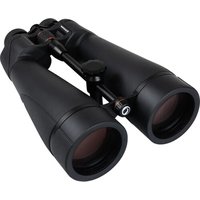
SkyMaster Pro 20x80 - Binoculars CELESTRON - Free user manual and instructions
Find the device manual for free SkyMaster Pro 20x80 CELESTRON in PDF.



User questions about SkyMaster Pro 20x80 CELESTRON
0 question about this device. Answer the ones you know or ask your own.
Ask a new question about this device
Download the instructions for your Binoculars in PDF format for free! Find your manual SkyMaster Pro 20x80 - CELESTRON and take your electronic device back in hand. On this page are published all the documents necessary for the use of your device. SkyMaster Pro 20x80 by CELESTRON.
USER MANUAL SkyMaster Pro 20x80 CELESTRON
Our team designed the Celestron SkyMaster Pro ED binocular to provide outstanding views of astronomical objects. To ensure that you fully benefit from all the thought and work that has made this binocular a reality, we encourage you to read these instructions carefully before using it.
We hope you enjoy using your new SkyMaster Pro ED binocular as much as we do. (We're avid astronomers, too, you know.)
ADJUSTING THE INTERPUPILLARY DISTANCE
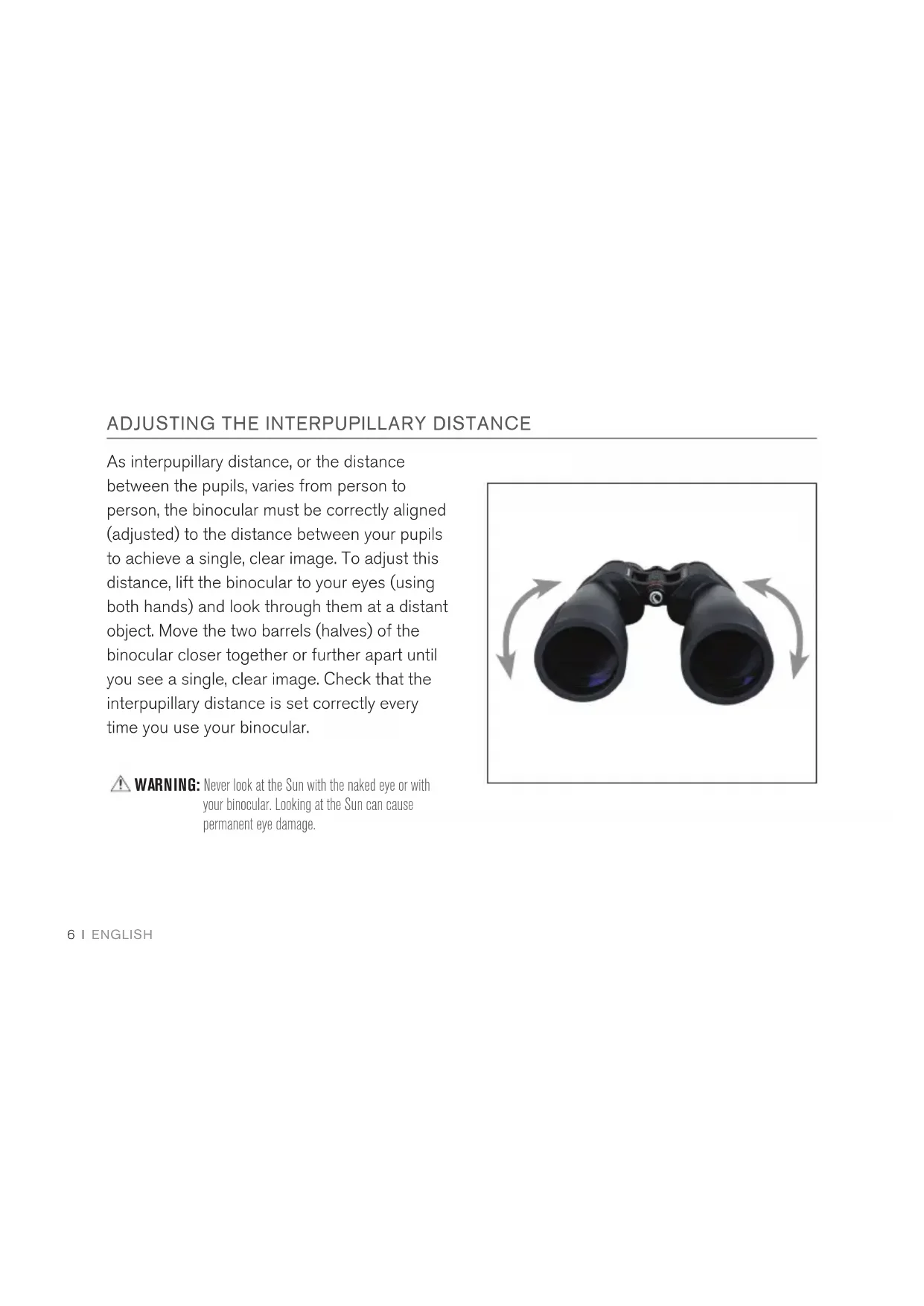
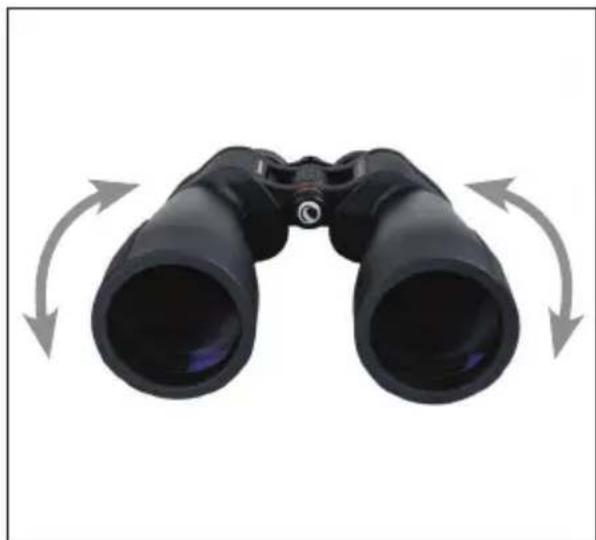
As interpupillary distance, or the distance between the pupils, varies from person to person, the binocular must be correctly aligned (adjusted) to the distance between your pupils to achieve a single, clear image. To adjust this distance, lift the binocular to your eyes (using both hands) and look through them at a distant object. Move the two barrels (halves) of the binocular closer together or further apart until you see a single, clear image. Check that the interpupillary distance is set correctly every time you use your binocular.

WARNING: Never look at the Sun with the naked eye or with your binocular. Looking at the Sun can cause permanent eye damage.
TIP: If you wear eyeglasses for nearsightedness, you should wear them when using binoculars. You may not be able to obtain focus at infinity without them.
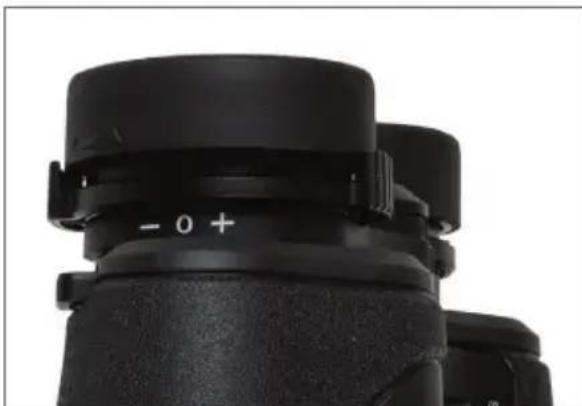
Whenever you begin using a new binocular (or resume using a binocular after someone else has been using it), ensure the diopter compensation adjustment dial is set correctly for your eyes. Once the dial is adjusted, you will not need to adjust it again unless someone
changes the setting or unintentionally turns it out of position.
To set the diopter compensation adjustment on a SkyMaster Pro ED binocular:
-
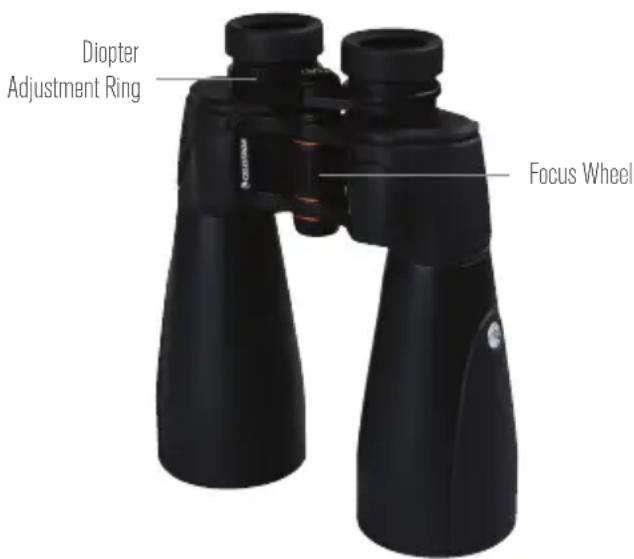
Set the dial at the zero point by placing the index mark on the diopter adjustment ring opposite the zero or middle on the scale.
-
Use one of the binocular's objective lens covers to cover the right objective lens.
-
Select a distant stationary object such as a tree or sign as your focusing target. Keeping both eyes open, raise the binocular to your eyes and center the selected focusing target in the binocular's field of view.
-
Still keeping both eyes open while viewing the target, use the center focus dial to bring the target into sharp focus in the left eyepiece. Once the object is in focus, do not
Continued page 7.
adjust the center focus dial again until the end of this process.
- Lower the binocular and move the objective lens cover to cover the left objective lens.
- Still keeping both eyes open, find and view the target again. This time, use the diopter adjustment ring to bring the target into sharp focus in the right eyepiece.
- Lower the binocular and uncover the right eyepiece. You should now be able to view through both eyepieces and adjust focus using the center focus dial while maintaining the proper amount of compensation between your two eyes.
If the diopter adjustment ring is ever moved, repeat this process.
(You may be wondering why you kept both eyes open even though you could only see through one optical channel at a time. It's because when you close one eye, your visual
acuity in the other eye changes slightly due to the intricate and complex arrangement of muscles surrounding both eyes. By keeping both eyes open, your vision is as it would be during regular use of the binocular.)
POSITIONING THE EYECUPS
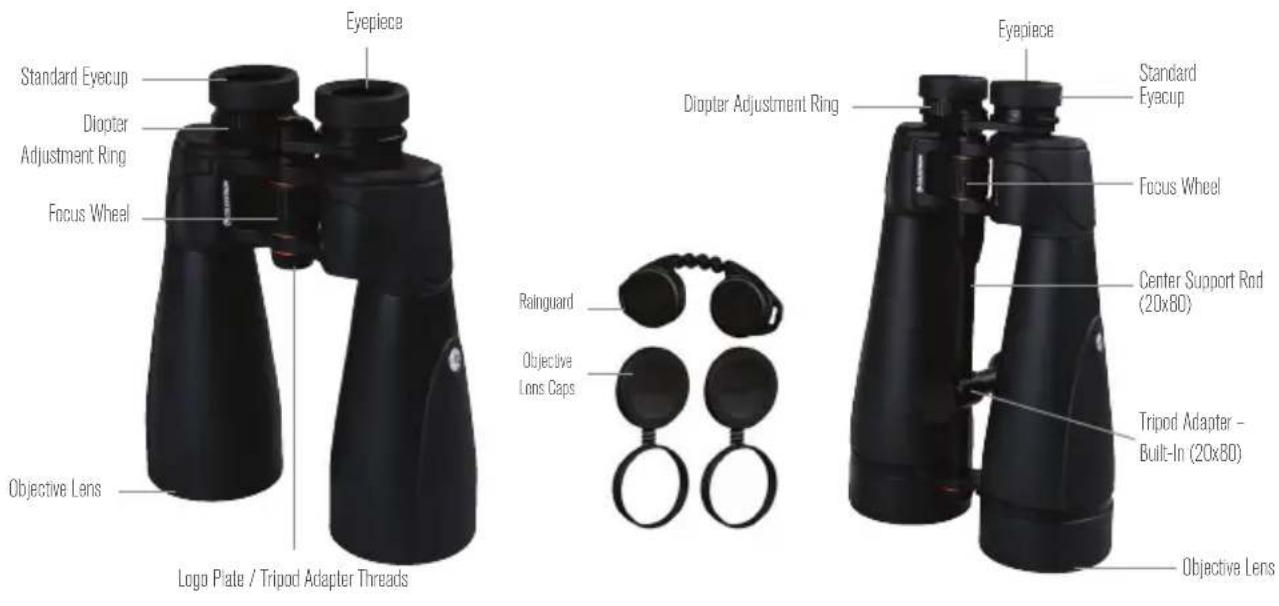
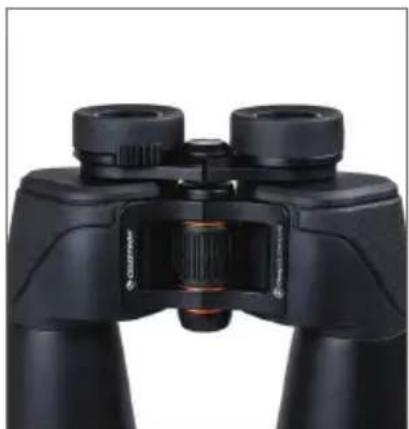
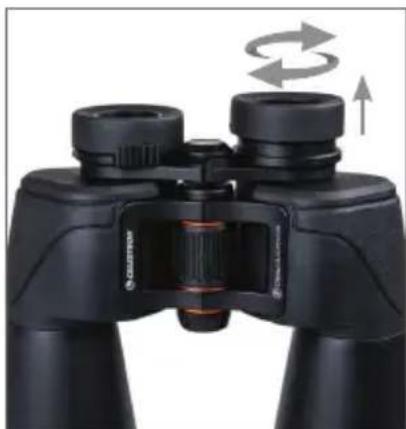
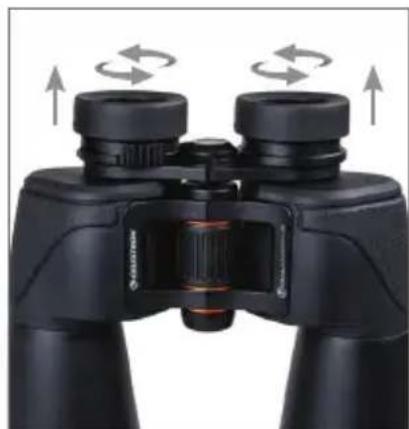
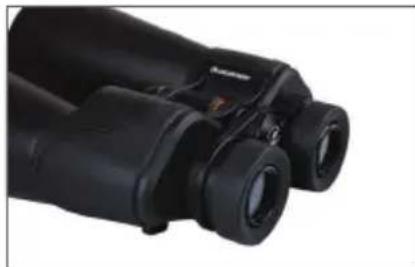
The SkyMaster Pro ED features specially designed twisting eyecups that may be set at fully retracted, mid-point, or fully extended positions. To position the eyecup, simply grasp it with your thumb and forefinger and twist it clockwise until it reaches the next stopping point detent.
ATTACHING FILTERS
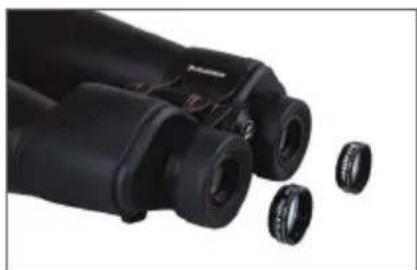
Celestron SkyMaster Pro ED binoculars feature a 1.25" astronomical filter-compatible eyepiece design. To attach a filter to an eyepiece:
- Position the binocular's eyecup in the fully retracted position.
- Carefully align the filter's threads with the threads surrounding the eyepiece lens.
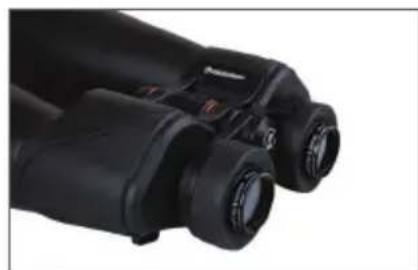
- Twist the filter gently so that the threads engage smoothly and continue turning until the filter reaches a natural stopping point.
- Repeat the process with the other eyepiece.
For the most comfortable use of the binocular with filters mounted into the eyepieces, position the eyecups in the fully extended positions so that the rims of the eyecups are higher than the top edge of the filters.
TRIPOD ADAPTABILITY
Mounting the binocular on a tripod allows for added stability and comfort during prolonged viewing.
SkyMaster Pro ED 7x50mm and 15x70mm
The SkyMaster Pro ED 7x50mm and 15x70mm feature built-in threads that allow the binocular to be attached to a tripod using a Celestron binocular tripod adapter (sold separately). You can access these threads by unscrewing the logo plate found on the front of the binocular's center hinge. To attach the binocular to a tripod, follow the instructions that came with your adapter.
SkyMaster Pro 20x80
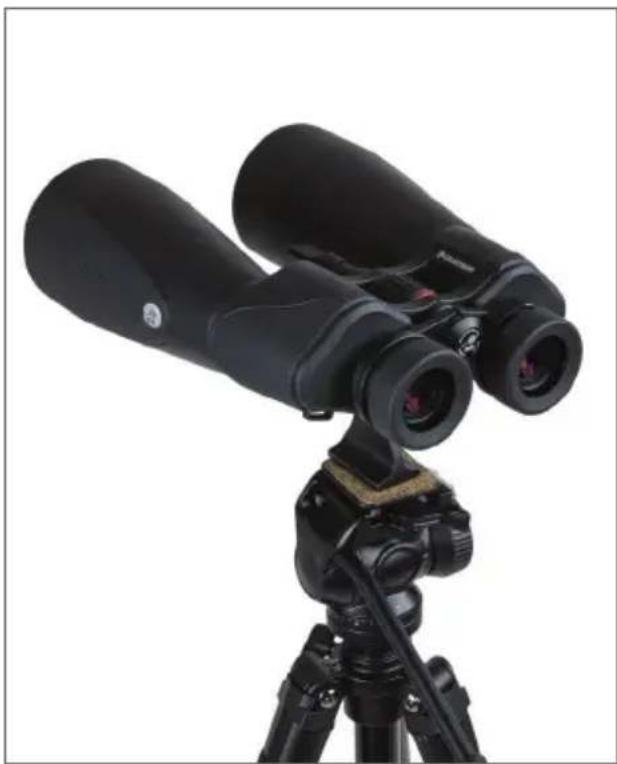
The SkyMaster Pro 20x80 features a built-in tripod adapter that allows the binocular to be attached to a tripod without the need for any additional accessories. This built-in adapter is attached to the center support rod of the binocular and slides along the rod so you can find the perfect balance point when attaching the binocular to a tripod.
To attach the binocular to a tripod:
- Thread the 1/4 - 20 mounting bolt of the tripod's mounting plate into the bottom of the tripod adapter until it is secure.
- Mount the plate with the binocular attached to the head of the tripod and secure it in position. Keep a firm grip on the binocular as it has not yet been adjusted for balance.
- Loosen the knob on the top of the binocular's built-in tripod adapter until the binocular's center column moves freely through it.
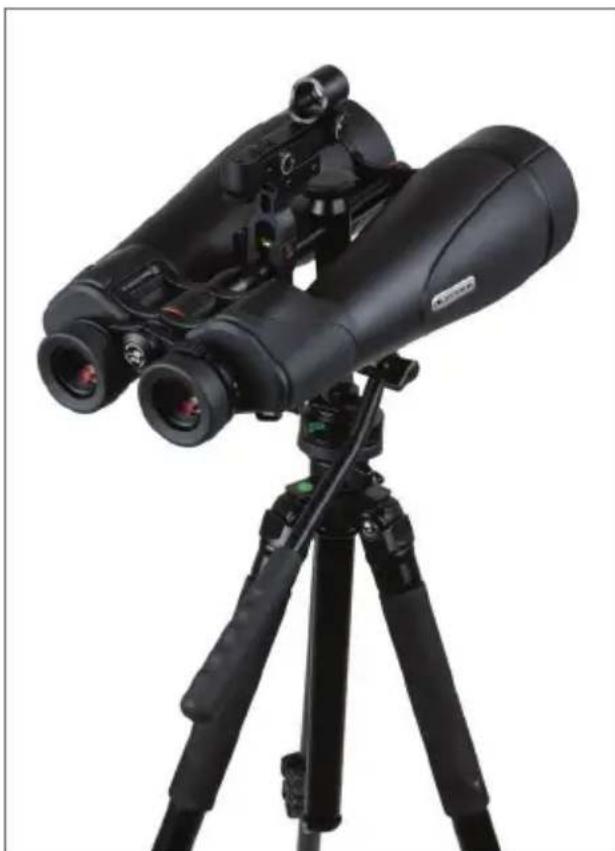
Celestron StarPointer Finderscope not included.
- Holding on to the binocular, move it back and forth until it achieves a stable point of balance.
- Lighten your grip on the binocular to test whether you have achieved balance. If you haven't, continue moving the binocular back and forth until it balances.
- Turn the knob on the top of the binocular's built-in tripod adapter until it is fixed securely in position.
WATERPROOF / FOGPROOF
SkyMaster Pro ED binoculars are waterproof and filled with dry nitrogen gas to prevent the housing from fogging internally.
CARE AND STORAGE
- Protect the binocular from impact and do not force any moving parts beyond their limits.
- Protect the optics of your binocular by putting on all lens caps when not in use.
- Store your binocular in a cool, dry place whenever possible.
-
When storing for an extended period, place the binocular in a plastic bag or airtight container with a desiccant.
-
Do not leave the binocular in a car on a hot/ sunny day or near anything that generates heat, as this may cause damage.
- Clean any dust, dirt, or water that may get on the binocular or inside moving parts as soon as possible to prevent any unforeseen damage.
Your Celestron binocular will provide you with years of dependable service if it is cared for and stored correctly.
CLEANING
Proper cleaning of the lenses is essential to maintaining the optical integrity of your binocular. Dirty lenses diminish the amount of light transmitted through the binocular and your overall viewing experience.
- Remove any dust on the lenses with a soft lens brush or can of pressurized air.
-
Remove any fingerprints, stains, or smudges from the lens surface with a soft, clean lens cloth or lens tissue by rubbing in a circular motion. Start in the middle of the lens and work your way to the edges. Breathe lightly on the lens to provide moisture if needed.
-
For a more thorough cleaning, we recommend using a lens/optics cleaning kit available at most photo or optical shops. Follow the directions supplied with the cleaning kit for best results.
SERVICE AND REPAIR
If warranty problems arise or repairs are necessary, contact the Celestron customer service department if you live in the United States or Canada. If you live outside of these countries, please contact the dealer from whom you purchased your binocular or the Celestron distributor in your country. You will find a list of our distributors on our website.
WARRANTY
Your binocular is covered under the Celestron Limited Lifetime Warranty. Celestron warrants these binoculars to be free from defects in materials and workmanship for the binocular's usable lifetime to the original owner. Celestron will repair or replace the binoculars which, upon inspection by Celestron, are found to be defective in materials or workmanship and within the definitions of the limits described below.
This warranty does not cover products that have been subject to abuse, misuse, physically damaged, altered, or had unauthorized repairs or modifications. This warranty does not cover defects due to normal wear and tear and other conditions.
This warranty is valid to U.S.A. and Canadian customers who have purchased their binocular from an authorized Celestron dealer in the
U.S.A. or Canada. For products purchased outside the U.S.A. or Canada, please contact your local Celestron Distributor or authorized Dealer for applicable warranty information. Additional warranty information and eligibility details can be found on the Celestron website.
This product is designed and intended for use by those 14 years of age and older.
Product design and specifications are subject to change without prior notification.
For complete specifications and product information, visit: www.celestron.com
2835 Columbia Street • Torrance, CA 90503
U.S.A
Need assistance?
Contact Celestron Technical Support celestron.com/pages/technical-support
0322

FRANÇAIS
SKYMASTER PRO

JUMELLES