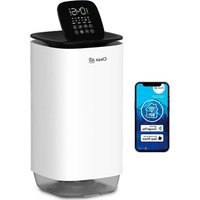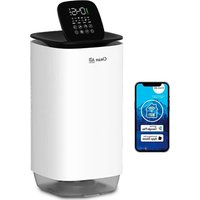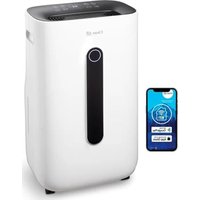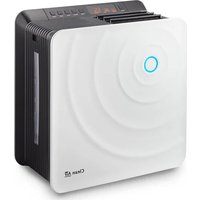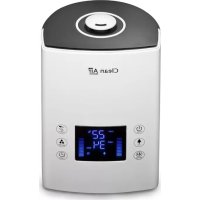
CA606 - Humidifier Clean Air Optima - Free user manual and instructions
Find the device manual for free CA606 Clean Air Optima in PDF.



| Product type | Ultrasonic humidifier |
| Brand | Clean Air Optima |
| Model | CA-606W |
| Dimensions (L x W x H) | 230 x 150 x 370 mm |
| Weight | 3.4 kg |
| Power supply | 220-240 V, 50/60 Hz |
| Power | 25 W (max. 105 W with heating) |
| Tank capacity | 5.5 L |
| Humidification rate | Min. 120 ml/h - Max. 480 ml/h |
| Coverage area | Up to 65 m² / 160 m³ |
| Noise level | < 25 dB(A) |
| Key features | Cold/warm mist, negative ions, aromatherapy, timer (1-12h), auto mode, adjustable humidistat (40-80%), child lock, sleep mode, remote control |
| Negative ion generator | > 3,000,000 ions/cm³ |
| Water filter | W-01W, lasts 1-3 months depending on water hardness |
| Silver Ion (antibacterial) | SI-01, replace annually |
| Cleaning and maintenance | Weekly cleaning of transducer and water tray with Clean Air Optima Cleaner & Decalcifier |
| Safety | Automatic shut-off when tank empty, child lock, overheat protection, do not immerse |
| Spare parts available | Water filter W-01W, Silver Ion SI-01, essential oils, cleaner |
| Warranty | 2 years |
| Color | Pearl white with smoked glass tank |
Frequently Asked Questions - CA606 Clean Air Optima
User questions about CA606 Clean Air Optima
0 question about this device. Answer the ones you know or ask your own.
Ask a new question about this device
Download the instructions for your Humidifier in PDF format for free! Find your manual CA606 - Clean Air Optima and take your electronic device back in hand. On this page are published all the documents necessary for the use of your device. CA606 by Clean Air Optima.
USER MANUAL CA606 Clean Air Optima
Ultrasonic Humidifier Clean Air Optima® CA-606W
User manual
Gebrauchsanweisung
Gebruiksaanwijzing
Mode d'emploi
Manual del usuario
Manual de utilizare
natural_image
White Free Air Cleaner device with digital display and control buttons (no visible text or symbols on body)Clean Air Optima®
CA-606W / Main unit
text_image
Technical diagram of a device with numbered parts for identificationCA-606W / Display
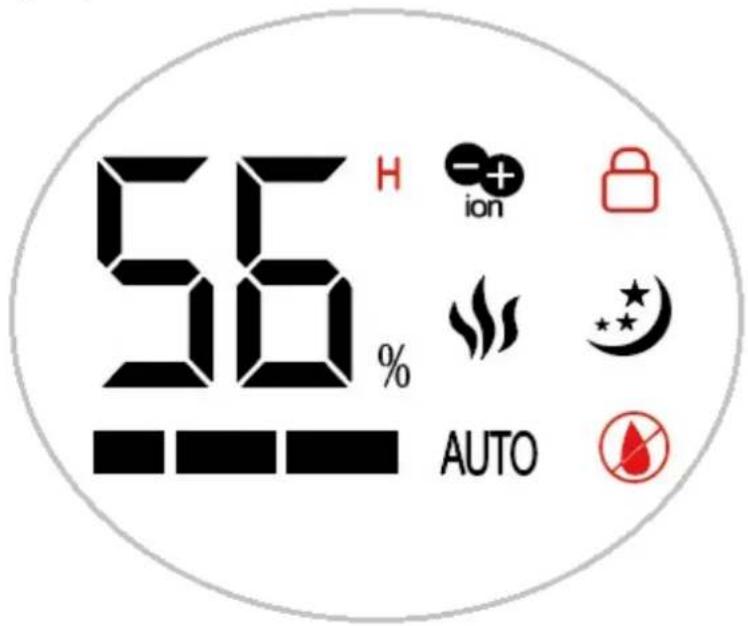
text_image
56 H ion AUTOEnglish
Thank you for purchasing the Clean Air Optima® Ultrasonic Humidifier CA-606W.
We wish you many years of healthy indoor air with this efficient and effective product.
These instructions describe the safety precautions to be observed during operation. They are meant to prevent injuries and to avoid damaging the device.
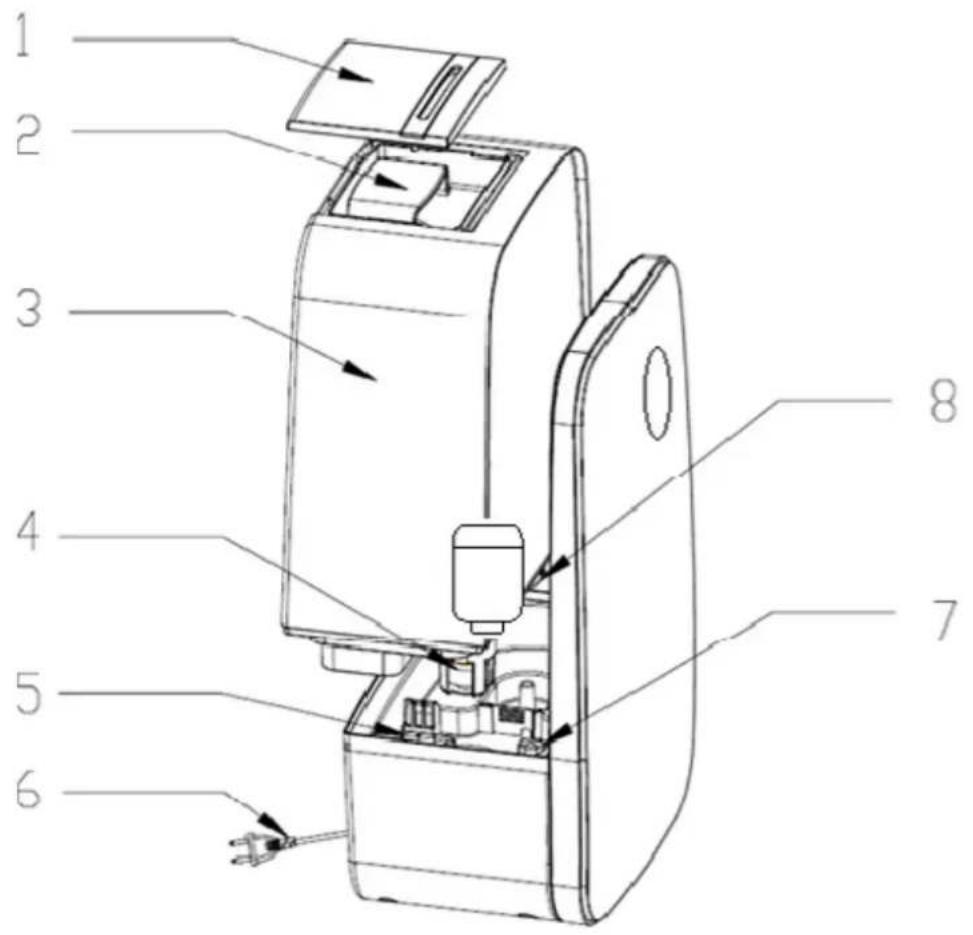
Description of the device
The device consists of the following main components:
- Mist nozzle
- Handle
- Water tank
- Float
- Aroma box
- Power cord
- PTC heating element
- Water tank lid and filter
Clean Air Optima®
Safety warnings
This device may only be used in accordance with these safety instructions. Take the following steps to minimize the risk of personal injury caused by for example electric shocks or fire.
- Only for indoor use. Do not use or store outdoors.
- Use proper voltage: AC 220V - 240V, 50/60Hz
- The inner ultrasonic transducer is highly sensitive. Do not touch it with bare fingers or scrape it with metal tools, or it will reduce mist output. When cleaning this area please use a small cleaning brush, cotton swab or tooth brush. Do not use hot water as it may damage the misting parts.
- The device is not intended to be used by children or persons with reduced physical-, sensory- or mental capabilities, unless they are supervised by a person responsible for their safety.
- Children should be kept away unless continuously supervised.
- To safely use the device, put it in a steady, horizontal position. Do not move while using.
- To prevent interference and damage to other electronic devices, this machine should be placed at least 1 meter away from a computer, television, radio or other electronic equipment.
- Do not use the device when there is visible damage on the electrical cord or on the device itself. Do not repair the device yourself in case of damage. Never pull the device by its cord. If the power cord is damaged, then it must be replaced by an authorized service person to prevent electric shock or fire.
- Repairs may only be performed by authorized service personal. Do not try to repair the device yourself to prevent electric shock or fire.
- Always remove the plug from the socket when the device is not being used or when you clean internal or external parts of it.
- Remove the water tank before moving the device.
- Only use power cords provided.
- Do not use the device in rooms where inflammable liquids or gases are stored, close to heat sources or in particularly humid rooms like the bathroom, shower or swimming pool.
- To prevent malfunctions, never insert strange objects into the device.
- Never dissemble or replace the device's inner parts.
- Do not place the device in direct sunlight, to avoid that the device discolours.
- Never immerse the unit in water or other liquids.
- Do not touch the power cord with wet hands.
- Do not touch the warm mist closely.
- Clean and dry the device before storage (including the removal of all water from the inside of the device). Store the machine in a cool and dry place outside the reach of children.
- Do not clean the water sink when the water is still hot.
- Use, maintain and clean the device as described in this manual.
Operating instructions
Before getting started, remove the Clean Air Optima® CA-606W from its box and allow it to become accustomed to the room temperature for at least 30 minutes especially if the machine is cold from the outside air. Place the device on a solid, level and front water-insensitive surface, approx. 60 cm from the floor and at least 20 cm from the wall.
The CA-606W is designed to operate at temperatures between 5 -40 °C and relative humidity of less than 80%.
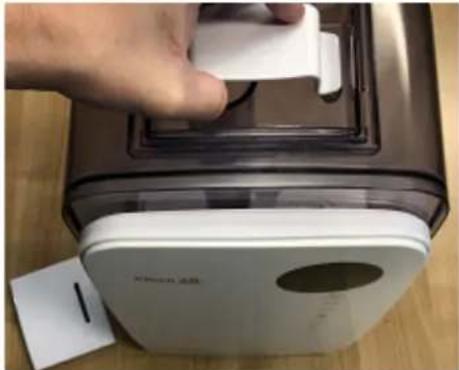
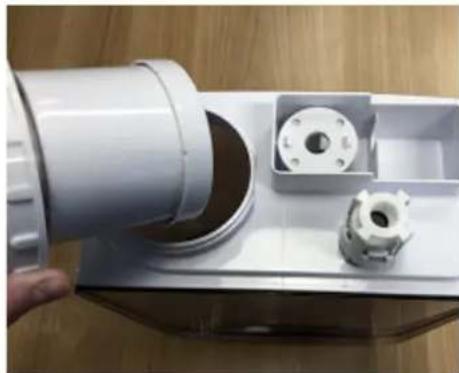
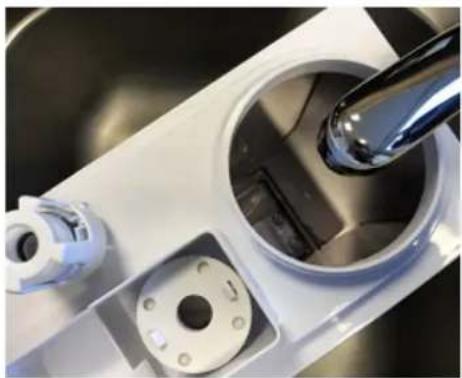
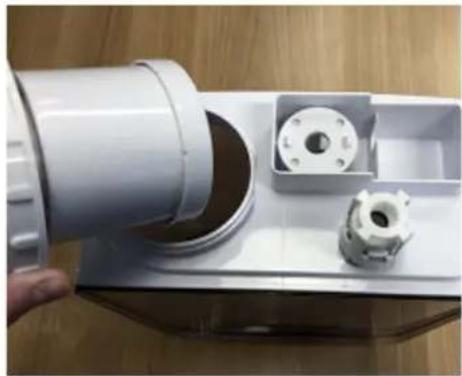
To get started, grasp the water tank by the handle at the top and lift from the base. Next, flip the tank over and unscrew and remove the water tank lid and filter.
Handle
natural_image
Hand placing a white plastic clip onto a brown industrial machine (no visible text or symbols)Water tank lid and filter
natural_image
Close-up of a hand holding a white plastic mechanical component with a small inset showing internal components (no text or symbols visible)Faucet for filling
natural_image
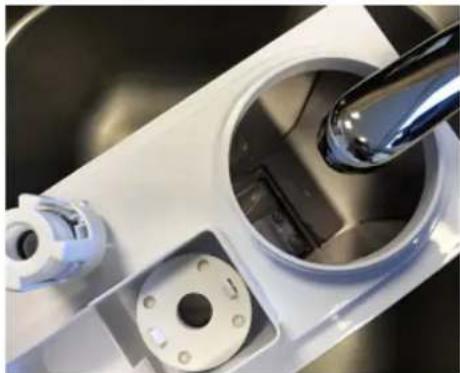
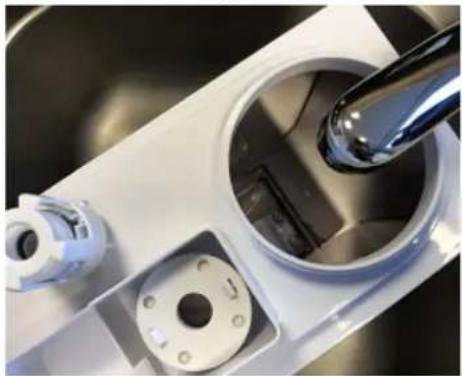
Close-up of a kitchen sink with a hand mixer and plastic bowl, no visible text or symbolsThen place the water tank under the faucet for filling, grasping it from the handle under the water tank. Fill the tank with tap water (or other clean water source with water temperature under 40^ C), re-insert the lid and filter. Flip the water tank once again until it is on the right side up. Ensure that the basin is clean and then carefully place the water tank back on the lower body.
Wait a few seconds until the water tank lid starts to release water into the basin. You will hear a bubbling sound as the air enters the water tank. Plug the power plug into a suitable power outlet, a signal sounds to indicate that your device is in standby mode. If the humidifier is switched on/off, the value for humidity will now be displayed.
Clean Air Optima®

Power Button:
Press the Power Button to activate the humidifier. The machine is now operating in manual mode. It will release cool mist on a constant basis with the mist intensity level automatically set to medium.

Manual Button:
The Manual Button changes the mist level (low, medium, high). There are 3 levels of mist output available.

Child Lock:
Child lock protects from unwanted use of the device.
The Child Lock is switched on / off by pressing the Manual Button for 3 seconds.
If the child lock is switched on, a red lock icon appears in the display.

Humidity Button:
Pressing the Humidity Button, you can select the desired humidity level by pressing this button repeatedly until the required humidity level is displayed (from 40% to 80% in increments of 5%). Once you select your desired humidity level, simply stop pressing the button and your humidity level will be set.
When the humidity level in the room reaches the set humidity level, the machine will go into automatic sleep state and stop producing mist. When the room's actual humidity level drops below your set humidity level, then the machine will start producing mist again.

Auto Mode:
When automatic mode is activated, the unit will automatically select the level of relative humidity and keep it between 55% and 68%.
The Auto Mode is switched on / off by pressing the Humidity Button for 3 seconds.

Negative Ion Button:
Pressing the Negative Ion Button will activate the negative ion generator with a total capacity of >3.000.000 negative ions / cm ^3 that are spread through out the entire room and thereby neutralize pollutants and smells. Negative ions attach onto dust particles, microorganisms and other unwanted particles in the air and connect them to each other. This way, the particles become heavier than air and fall onto the ground so that you can no longer breathe them in.
Negative ions are most found in the forest, mountains and by the sea. Negative ions ensures fresh and healthy air.

Timer Button:
Pressing the Timer Button sets the timer. The timer function determines how many hours the humidifier will operate. You can set the timer simply by pressing it once for each hour that you would like to run the device. The timer can be set from 1 hour to 12 hours. As time passes, the time value decreases until it goes to 00:00 and the device shuts off.

Sleep Mode:
When the sleep mode is activated, the display will turn off in 10 seconds. Only the sleep mode light is on.
The Sleep Mode is switched on / off by pressing the Timer Button for 3 seconds.

Heating Button:
Pressing the Heating Button activates the warm mist function and is shown on the LED display with three wavy vertical lines. The water is heated in the basin by a PTC heating element and will be heated up by over 65 degrees for killing effective bacteria (Legionella). Heating the water makes the mist output finer for faster and more efficient humidification.
Automatic shutdown when water tank is empty
Should the water tank be empty, a threefold acoustic signal sounds. The corresponding

symbol lights up in the display while the remaining indicators go out. The device will automatically stop humidifying. In this case, turn off the device with the ON/OFF button. Let the device cool down before pouring any more water in the tank.
Caution: The device and the water in the nebulisation chamber (basin) might be very hot.
When lifting the device or removing the water tank right after operation you risk scalding yourself with the hot water!
Ensure that the water tank is always completely refilled.
Remote control
The buttons on your remote control:
- ON/OFF
- Sleep mode
- Auto mode
- Desired humidity
- Min./Max.
- Timer
- Heating
- Negative ions
- Child lock
1
2
3
4
5


6
7
8
9
Clean

Replacing batteries in the remote control
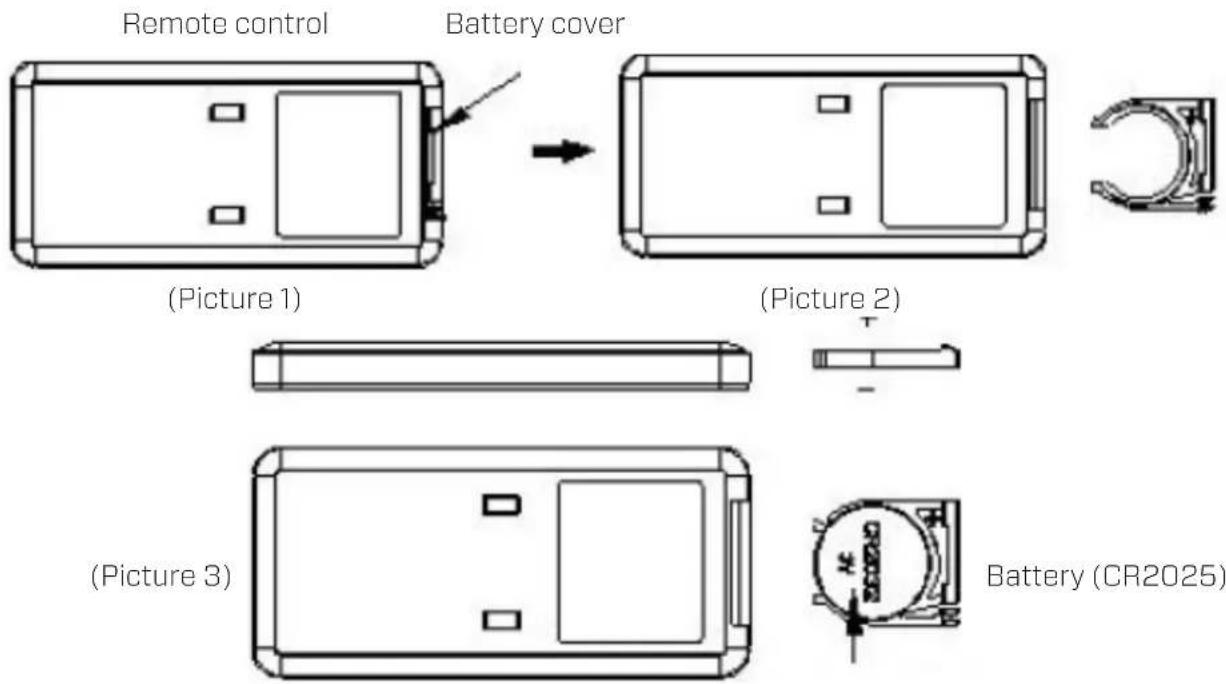
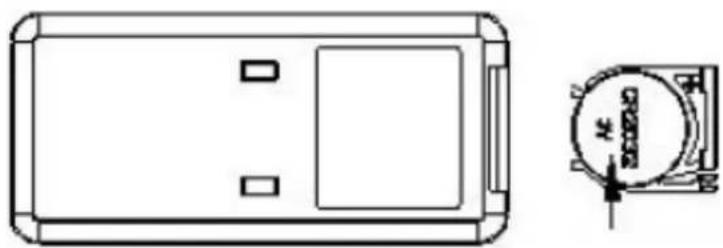
- Open the battery cover at the back side of remote control to place the battery. (see Picture 1).
- To place the battery: there is a "security tab" at the bottom of the remote control that you first have to slide to the right and then pull out the battery holder. (see Picture 2). Insert the battery with the correct polarity. (see Picture 3).
- Push the battery cover back into the remote control.
text_image
Remote control Battery cover (Picture 1) (Picture 2) (Picture 3) Battery (CR2025)Preparation Clean Air Optima® Water Filter W-01W
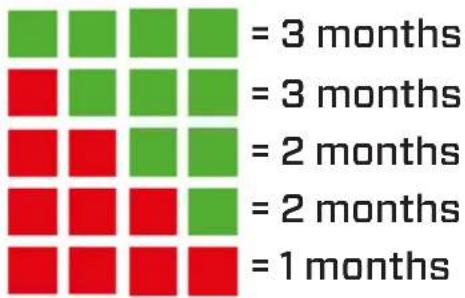
The Water Filter W-01W reduces the limescale in the water and the undesirable emission of limescale particles into the room surroundings. Effective for one to three months, depending on the water hardness. Hard tap water accelerates saturation of the granulate faster so that the Water Filter W-01W must be replaced earlier.
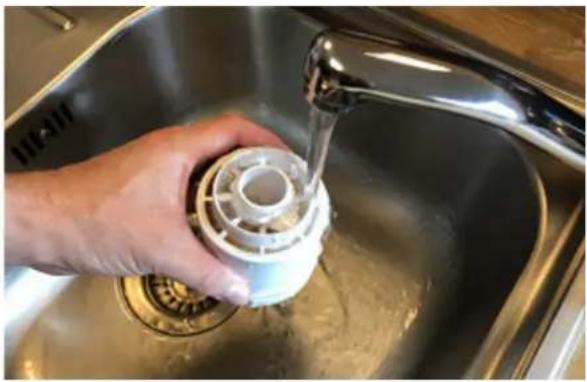
- RinsetheWater Filter W-01W for 2 minutes under cold running tap water.
natural_image
Person washing a kitchen sink with a water dispenser, no visible text or symbols- Screw the Water Filter W-01W to the water tank lid.
Determining water hardness:
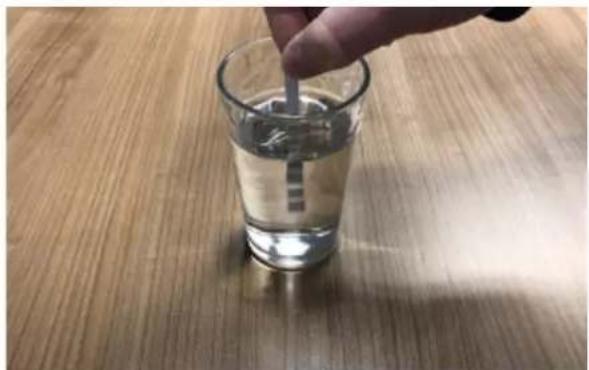
- Dip the enclosed test strip into a glass of cold tap water for 1 second.
natural_image
Hand stirring a glass of light on a wooden surface (no text or symbols visible)-
Read the water hardness teststrip after one minute.
-
Refer to the table to determine the expected duration of the Water Filter W-01W.
heatmap
| Time Interval | Green Square | Red Square | | ------------- | ------------ | ---------- | | = 3 months | 3 | 3 | | = 3 months | 3 | 3 | | = 2 months | 2 | 2 | | = 2 months | 2 | 2 | | = 1 months | 1 | 1 |Dispose of the saturated Water Filter W-01W with your regular household waste.
The Water Filter W-01W should not be used longer than specified. You can order the Water Filter W-01W in our online store at www.cleanairoptima.com
Replacing the Clean Air Optima® Water Filter W-01W
The Clean Air Optima CA-606W is equipped with a filter lifespan surveillance mechanism that signals that the water filter have to be replaced after 400 working hours. To show that the
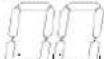
Water Filter W-01W need to be replaced, the humidifier emits a double zero indicator light. Reset the timer for the water filter by pressing and holding the power button for about 3 seconds. If the indicator light goes out, the timer has been successfully reset.
Placing/Replacing the Clean Air Optima® Silver Ion SI-01
The Silver Ion SI-01 uses the anti-microbial effect of silver, it prevents the growth of bacteria and smells in the water. The Silver Ion SI-01 even works when your humidifier is switched off, so the water stays fresh.
Replace the Silver Ion SI-01 at the start of the humidifier season or replace the Silver Ion SI-01 after one year of usage.
Replacing the Silver Ion SI-01:
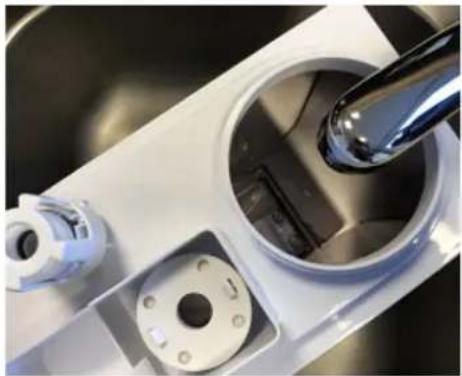
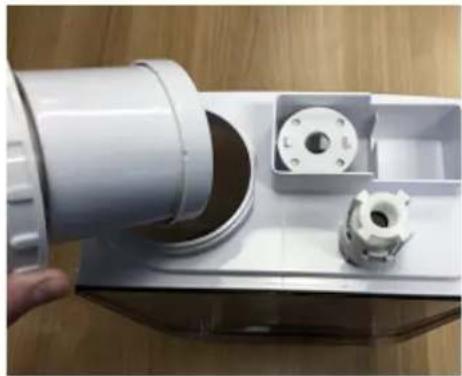
- Grasp the water tank by the handle at the top and lift from the base.
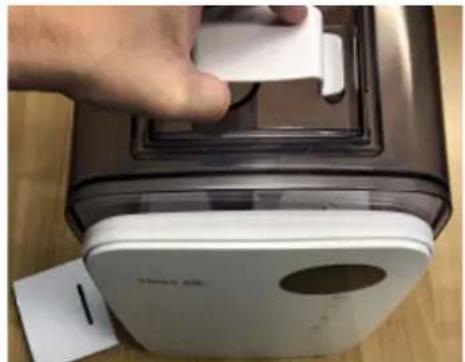
natural_image
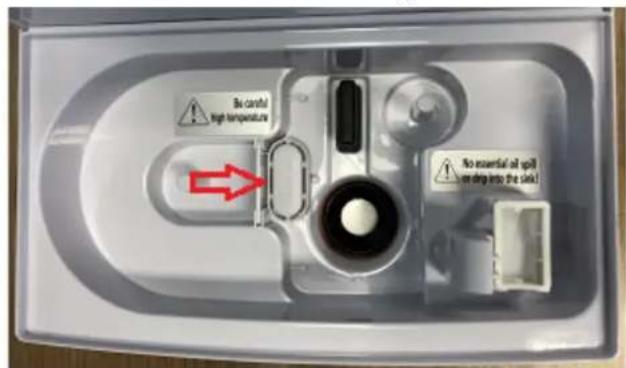
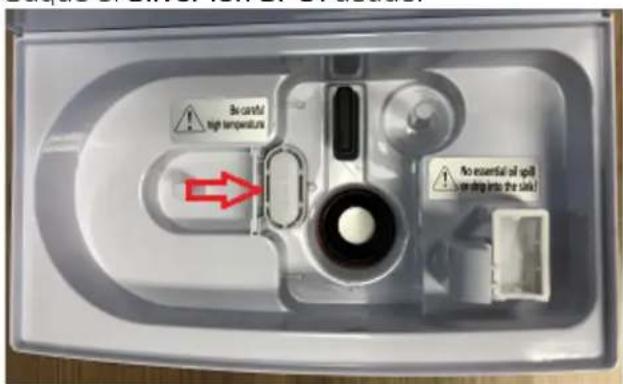
Hand placing a white plastic object onto a stainless steel appliance (no visible text or symbols)- Take out the used Silver Ion SI-01.
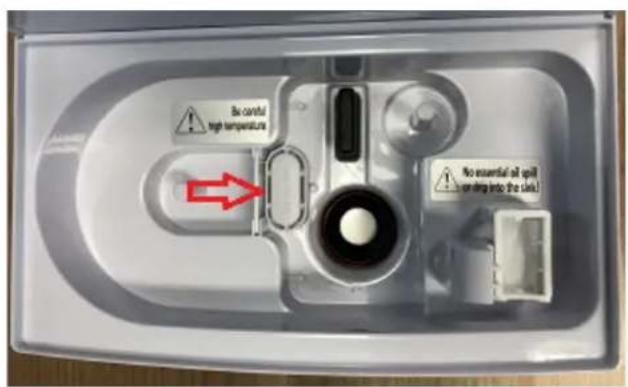
text_image
Be careful high temperature No essential air spill is on drug into the chain!
text_image
Silver lon- Insert the new Silver Ion SI-01.
Dispose of the Silver Ion SI-01 with your regular household waste.
The Silver Ion SI-01 should not be used longer than specified.
You can order the Silver Ion SI-01 in our online store at www.cleanairoptima.com
Aromatherapy
Activating the aroma function:
- Remove the aroma tray from the bracket.
- Pour 5 - 10 drops of Clean Air Optima® essential oil onto the sponge.
- Put the aroma tray back into the bracket.
- When you turn on your air humidifier, the aroma function will be activated.
- If you want to deactivate the aroma function, or should the device not be in use for extended periods of time, remove the aroma sponge from the compartment and wash it with a little of mild soap water. Let it dry completely before placing it back in the aroma compartment. Basically, the aroma sponge is reusable.
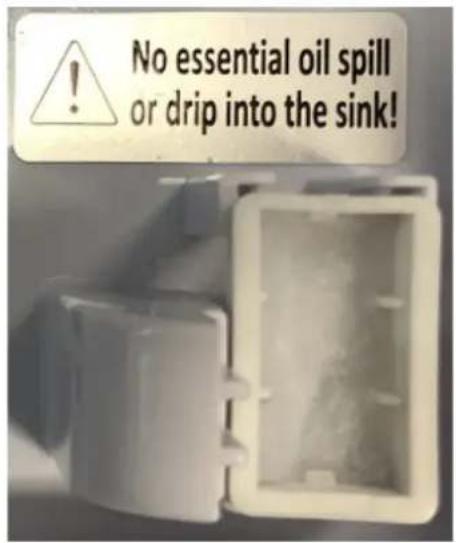
text_image
No essential oil spill or drip into the sink!Important
In order to reach the best results and to enjoy your ultrasonic air humidifier as much as possible, we advise to read carefully the following instructions regarding the use of essential oils in the ultrasonic air humidifier CA-606W.
Use of essential oils in the CA-606W
Use our high quality essential oils and enjoy your personal aromatherapy! A scent sensation at its highest level!
You can find high quality essential oils with many different scents in our assortment. They perfectly fit to the ultrasonic air humidifier CA-606W and have been specially developed for the use with this ultrasonic humidifier:

text_image
Clean ATE Eucalyptus Clean ATE LavenderYou can order the Essential Oils in our online store at www.cleanairoptima.com
Warning!
The use of other essential oils not made for this air humidifier or other additives (for example: fragrances and water purification products) can damage the air humidifier and must NOT be used! Never put other pure essential oils or other additives into the water tank resp. the waterbasin! Even a small quantity can damage the plastic and cause cracks.
The material is not made for the use of additives. One drop is enough to damage the water tank/ waterbasin and disable the device. Devices that are damaged through additives are excluded from the guarantee.
Clean Air Optima®
Cleaning and maintenance
You can ensure that your Clean Air Optima® CA-606W humidifier will provide years of trouble-free operation by following a few simple maintenance procedures. If your water is hard and contains high concentrations of calcium and other minerals, over time white dust (lime) will start to settle on the various surfaces in the room. A white deposit (lime scale) will also form in the water basin, on the transducer/PTC heating element and on the interior of the water tank. Lime deposits will impair the proper functioning of the transducer/PTC heating element and the efficient hygienic humidification of the unit.
We recommend the following
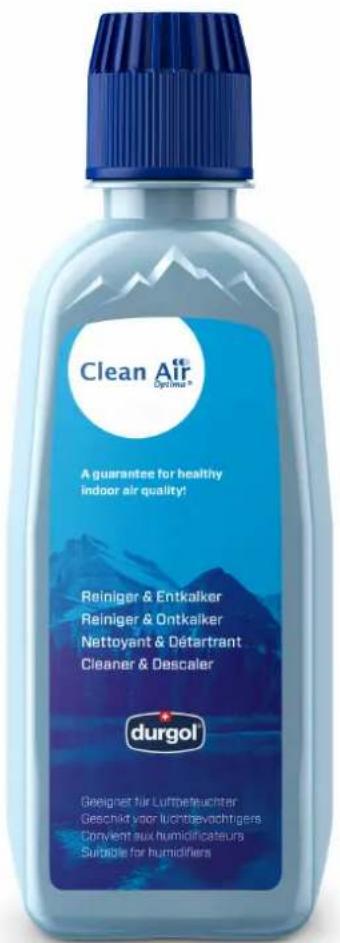
- Clean the transducer/PTC heating element and the water basin once a week if you use the appliance daily with Clean Air Optima® Cleaner & Descaler*.
- As soon as the water tank needs refilling, pour out any remaining water and fill it with fresh water.
- Clean the entire device and keep all parts completely dry when the device is not in use.
text_image
Clean Air Dypimus® A guarantee for healthy indoor air quality! Reiniger & Entkalker Reiniger & Ontkalker Nettoyant & Détartrant Cleaner & Descaler durgol® Gesignet für Luftmeteuchter Geschikt voor luchtbewachtigers Convient aux humidificateurs Suitable for humidifiersSpecially developed for Clean Air Optima® humidifiers:
- Not aggressive
- Protects plastic and ceramic materials of the humidifier
- Odour neutral
- Cleans & descales quickly and thoroughly
- Biodegradable
You can order the Clean Air Optima ^® Cleaner & Descaler from our online shop at www.cleanairoptima.com.
PTC heating element
text_image
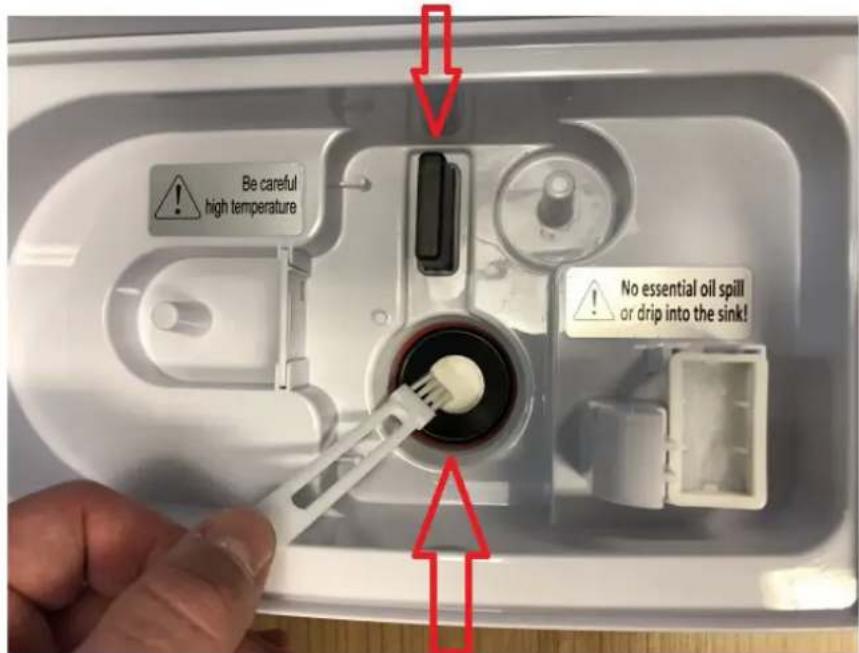
Be careful high temperature No essential oil spill or drip into the sink!Transducer
Cleaning the transducer/PTC heating element and water basin
Unplug the device.
During cleaning and descaling, the device must not be used.
Remove any splashes of Clean Air Optima ^® Cleaner & Descaler from work surfaces or the outside of the device with a soft, damp cloth.
- Pour two capfuls of Clean Air Optima® Cleaner & Descaler into the water basin (one onto the surface of the transducer and one onto the PTC heating element) and leave for between two and five minutes.
- Carefully remove the mineral (lime) layer from the surface of the transducer and PTC heater with a small brush, cotton swab or toothbrush.
Caution: never use sharp or hard objects to clean the transducer/PTC heating element. - Then add water up to the rim of the water basin and leave for a minimum of 30 and a maximum of 80 minutes.
- Rinse the transducer/PTC heating element and water basin thoroughly with water.
- If there are still traces of limescale visible, we recommend that you repeat the cleaning and descaling process.
- Clean the inside of the water tank with a mild detergent and rinse with clean water.
After cleaning and descaling, your device is hygienically clean, free of limescale, free of bacteria, free of viruses and immediately ready for use again.
Please note:
For cleaning and descaling, the device must be turned off/unplugged, so that no acid is released into the air via aerosols through ultrasonic misting.
Troubleshooting
The following is a troubling shooting guide to help you solve any issues that you may have using the Clean Air Optima® Ultrasonic Humidifier CA-606W.
| Problem Possible Cause Solution | ||
| No mist diffused. | Power plug not plugged in.ON / OFF button not activated.Empty water tank.Not enough water in tank. | Plug in device.Press ON / OFF button.Fill tank with water.Refill tank with water. |
| The mist has a strange odour. | A new device.It either has dirty water or the water has been stagnant too long. | Remove the water tank, unscrew the lid and let it air out in a cool area for 12 hours.Clean the water tank and refill with clean water. |
| The volume of spray mist is too low. | Too much mineral scale in the water basin and on the transducer.Water is too dirty or water was kept too long in the tank. | Clean the water basin and the transducer with:Clean Air Optima® Cleaner & Descaler.Clean the water tank and refill with clean water. |
| Device is noisy. | Water tank not positioned correctly.Not enough water in the water tank.Device is on an unstable surface. | Correctly position water tank on the base.Refill water in the water tank.Place device on solid and even ground. |
| Spray mist is coming out of the area around the mist nozzle. | There are gaps between the housing around the nozzle and the top of the water tank. | Remove the nozzle from the top of the water tank and clean with a damp cloth. Reattach to the water tank. |
If your water is very hard (containing abnormally high levels of minerals) the humidifier may produce white dust. This is not a malfunction. The solution would be to replace the Water Filter W-01W more often or use softer water, like distilled water. Or we can recommend Clean Air Optima Air Washers, more info in our online store www.cleanairoptima.com
WARNING!
If the above recommended solutions do not work, please contact Clean Air Optima technical support at the telephone number for your region. Do not attempt to disassemble, reassemble, or repair the device as this may void the warranty.
Specifications
Model CA-606W
For rooms up to 65m² / 160m³ / 699ft²
Rated voltage 220V - 240V, 50/60Hz
Rated power 25W - Max.105W
Capacity airhumidification Min. 120 ml/h - Max. 480 ml/h
Active oxygen <0.05 ppm
Sound level Silent fan < 25dB(A)
Dimensions 230 x 150 x 370 mm
Weight 3,4 kg
Water tank 5,5 L
Colour Pearl white with smoked glass water tank
Complies with EU regulations CE/WEEE/RoHS
Ask your retailer or your municipality for updated information regarding the disposal of the packaging and of the device.
Clean Air Optima®
Service
Warranty Certificate for the Clean Air Optima® Ultrasonic Humidifier CA-606W.
Date of purchase: ..... Customers name: ..... Address: ..... Telephone: ..... Email: ..... Seller's name: ..... Address: ....
-
Please fill in completely this Warranty Certificate. Send it with the invoice and the unit, postage pre-paid and using the original packing box, to your distributor. Make sure to include the appropriate return postage for the package.
-
Please enclose a short description of the damage, fault or malfunction, and the circumstances under which these problems arose.
The Clean Air Optima® Ultrasonic Humidifier CA-606W is subjected to strict testing procedures before leaving the factory. If within 2 years from the date of purchase the product does not perform according to the specifications, because of factory defects, the purchaser is entitled to free repairs or replacement of parts upon presentation of this warranty (provided that the malfunction or damage to the device and/or parts occurred under normal operating conditions). What is covered: All parts defective in material and workmanship. For how long: two years from purchase date. What we will do: Repair or replace any defective parts.
Other Conditions
The provisions of this warranty are in lieu of any other written warranty whether express or implied, written or oral, including any warranty of merchantability or fitness for a particular purpose. The manufacturer's maximum liability shall not exceed the actual purchase price paid by you for the product. In no event shall the manufacturer be liable for special, incidental, consequential, or indirect damages. This warranty does not cover a defect that has resulted from improper or unreasonable use or maintenance, faulty assembly, accident, natural catastrophes, improper packing, or unauthorized tampering, alteration, or modification as determined solely by us. This warranty is void if the label bearing the serial number has been removed or defaced.
Never put other pure essential oils or other additives into the water tank resp. the waterbasin! Even a small quantity can damage the plastic and cause cracks.
Thank you for reading!

Share your feedback about the Clean Air Optima ^®
Ultrasonic Humidifier CA-606W on:
www.cleanairoptima.com

For frequently asked questions about the CA-606W go to:
www.cleanairoptima.com and search for the CA-606W.

Download PDF instruction manual on:
www.cleanairoptima.com/info/manuals

Watch all Clean Air Optima ^® Product
animation video's on:
www.youtube.com
Clean Air Optima International B.V. | David Ricardostraat 9-7 / 9-9 | 7559 SH Hengelo (ov)
The Netherlands | Phone: +31 (0) 74 - 2670145
Clean Air Optima Germany GmbH | Enschedestraße 14 | 48529 Nordhorn | Germany
Phone: +49 (0) 5921 879-121
E-mail: info@cleanairoptima.com
Internet: www.cleanairoptima.com
Clean Air Optima®
Deutsch
natural_image
Hand placing a white object onto a stainless steel appliance, with a paper tag visible (no text or symbols on the device itself)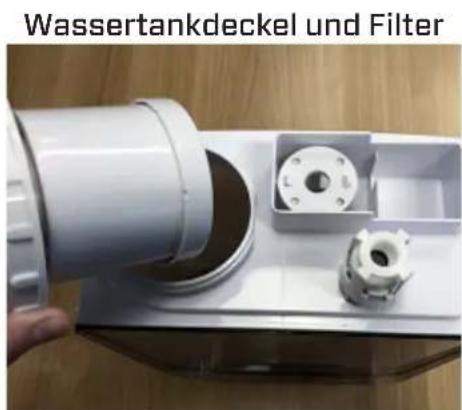
natural_image
Person washing a baby bottle in a stainless steel kitchen sink (no text or symbols visible)natural_image
Hand stirring a glass of light on a wooden surface (no text or symbols visible)heatmap
| | = 3 Monate | = 3 Monate | = 2 Monate | = 2 Monate | = 1 Monat | |---|---|---|---|---|---| | Green | 0 | 0 | 0 | 0 | 0 | | Red | 0 | 0 | 0 | 0 | 0 |natural_image
Close-up of a hand pressing down on a small electronic device with a white plastic clip (no visible text or symbols)text_image
No careful high temperature No essential air spill on drag into the clock!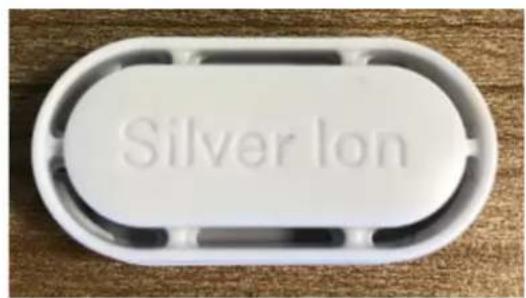
text_image
Silver lontext_image
No essential oil spill or drip into the sink!Wichtig
text_image
Be careful high temperature No essential oil spill or drip into the sink!Transduktor
natural_image
Hand placing a white plastic clip onto a metallic device with a paper clip attached (no visible text or symbols)natural_image
Close-up of a hand holding a white cylindrical mechanical component with a small inset showing internal components (no text or symbols visible)natural_image
Close-up of a kitchen sink with a stainless steel bowl and a hand mixer, no visible text or symbolsnatural_image
Person washing a kitchen sink with a water dispenser, no visible text or symbolsnatural_image
Hand stirring a light in a glass on a wooden surface (no text or symbols visible)natural_image
Close-up of a hand placing a white plastic clip onto a stainless steel appliance, with a paper tag visible (no text or symbols on the device itself)text_image
Be careful high temperature No essential oil spill on drop into the sink!
text_image
Silver Iontext_image
No essential oil spill or drip into the sink!Belangrijk
text_image
Be careful high temperature No essential oil spill or drip into the sink!Transductor
Reinigen van de Transductor / PTC-verwarmingselement en Waterbassin
natural_image
Close-up of a hand pressing a white plastic clip onto a stainless steel appliance (no visible text or symbols)natural_image
Close-up of a white plastic pipe fitting with a small inset showing internal components, placed on a wooden surface (no text or symbols visible)natural_image
Close-up of a kitchen sink with a water tap and plastic fixture (no visible text or symbols)natural_image
Simple line drawing of a rectangular device with two internal compartments and a small square on the top (no text or symbols)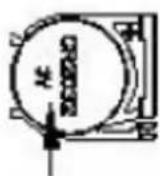
Pile (CR2025)
natural_image
Person washing a kitchen sink with a water dispenser, no visible text or symbolsnatural_image
Hand stirring a glass of water on a wooden surface (no text or symbols visible)natural_image
Close-up of a hand placing a white plastic bag onto a brown appliance with a paper tag, placed on a wooden surface (no visible text or symbols)- Retirez le Silver Ion SI-01 usagé.
text_image
No careful high temperature No essential oil spill drain into the sink!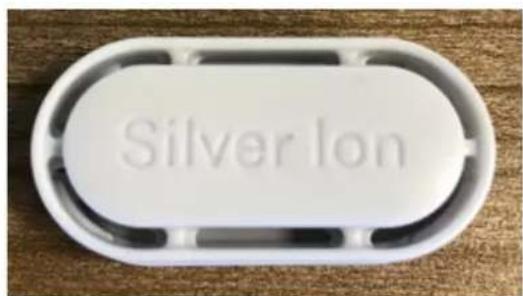
text_image
Silver Ion- Insérez le Silver Ion SI-01 neuf.
text_image
No essential oil spill or drip into the sink!Important
text_image
Clean ATP Methylglyclic acid Cucalyptur Lavendertext_image
Be careful high temperature No essential oil spill or drip into the sink!Transducteur
natural_image
Hand placing a white plastic clip onto a metallic device with a paper tag, placed on a wooden surface (no text or symbols visible)natural_image
Close-up of a white plastic mechanical component with a small inset showing internal components, placed on a wooden surface (no text or symbols visible)Grifo de llenado
natural_image
Close-up of a kitchen sink with a hand mixer and plastic bag, no visible text or symbolsnatural_image
Person washing a kitchen sink with a water dispenser, no visible text or symbolsnatural_image
Hand stirring a glass of water on a wooden surface (no text or symbols visible)natural_image
Hand placing a white plastic bag onto a brown appliance with a paper tag, placed on a wooden surface (no text or symbols visible)- Saque el Silver Ion SI-01 usado.
text_image
Be careful high temperature No essential oil spill or drag into the sink!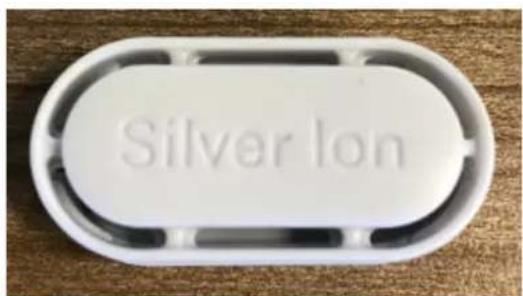
text_image
Silver lontext_image
No essential oil spill or drip into the sink!Importante
text_image
Clean AIF Eucalyptur Clean AIF Lavendertext_image
Be careful high temperature No essential oil spill or drip into the sink!Transductor
natural_image
Close-up of a hand holding a white plastic pipe fitting with a small inset showing internal components (no text or symbols visible)natural_image
Close-up of a kitchen sink with a water dispenser and a metal bowl containing a black hole (no text or symbols visible)natural_image
Person washing a baby bottle in a stainless steel kitchen sink (no text or symbols visible)natural_image
Hand stirring a glass of light on a wooden surface (no text or symbols visible)natural_image
Hand placing a white plastic clip onto a metal kitchen appliance (no visible text or symbols)text_image
No careful high temperature No essential oil spill or drop into the sink!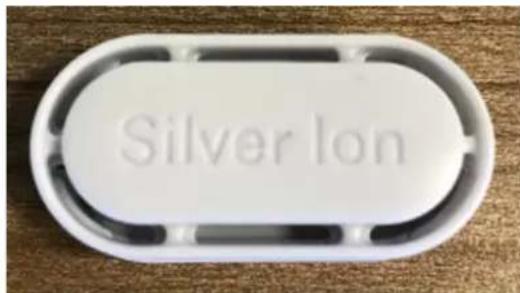
text_image
Silver Iontext_image
No essential oil spill or drip into the sink!Important
text_image
Cecum ATP Methylglycetate Cucalypturic Cecum ATP Methylglycetate Lavendertext_image
Be careful high temperature No essential oil spill or drip into the sink!Traductor
natural_image
Close-up of a hand pressing a white plastic clip onto a metallic device (no visible text or symbols)natural_image
Close-up of a hand holding a white cylindrical mechanical component with a small inset showing internal components (no text or symbols visible)natural_image
Close-up of a kitchen sink with a hand mixer and plastic bag, no visible text or symbolsnatural_image
Person washing a kitchen sink with a water dispenser, no visible text or symbolsnatural_image
Hand stirring a light-colored liquid in a glass on a wooden surface (no text or symbols visible)natural_image
Close-up of a hand placing a white plastic clip onto a modern kitchen appliance (no visible text or symbols)text_image
No careful high temperature No essential oil spill on drug into the sink!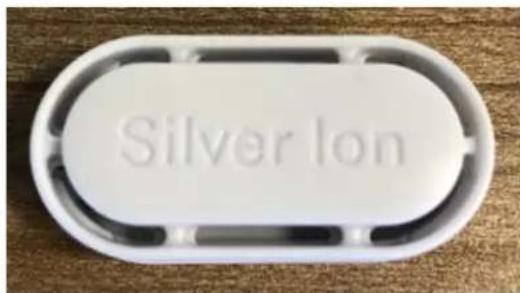
text_image
Silver Iontext_image
No essential oil spill or drip into the sink!Důležité
text_image
Be careful high temperature No essential oil spill or drip into the sink!Měnič
natural_image
Close-up of a hand pressing a white plastic clip onto a stainless steel appliance (no visible text or symbols)Vandens bakelio dangtelis ir filtras
natural_image
Close-up of a hand holding a white plastic pipe fitting with a small inset showing internal components (no text or symbols visible)natural_image
Close-up of a kitchen sink with a water dispenser and a metal bowl containing a black hole (no text or symbols visible)natural_image
Person washing a kitchen sink with a water dispenser, no visible text or symbolsnatural_image
Hand stirring a glass of water on a wooden surface (no text or symbols visible)heatmap
| Color | Value (mènesius) | |---|---| | Green | 3 | | Green | 3 | | Green | 2 | | Green | 2 | | Green | 1 | The chart displays a grid of equal numbers: 3 (Green), 3 (Red), 2 (Green), 2 (Red), 1 (Red). The top row contains 'mènesius' and the bottom row contains 'mènesi'. The values for the top row are explicitly labeled as 'mènesius', while the bottom row is labeled 'mènesi'.natural_image
Close-up of a hand pressing a white plastic object onto a stainless steel appliance (no visible text or symbols)text_image
Successful high temperature No essential oil spill or drip into the sink!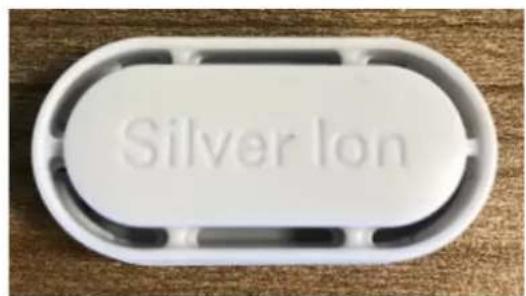
text_image
Silver Iontext_image
No essential oil spill or drip into the sink!Svarbu
text_image
Be careful high temperature No essential oil spill or drip into the sink!Keitiklis
text_image
Technical diagram of a device with numbered parts labeled 1 through 8, showing internal components and directional arrows.Eesti
natural_image
Hand placing a white plastic object onto a black industrial machine component (no visible text or symbols)natural_image
Close-up of a hand holding a white cylindrical mechanical component with a small inset showing internal components (no text or symbols visible)Veekraan täitmiseks
natural_image
Close-up of a kitchen sink with a stainless steel bowl and a hand mixer, no visible text or symbolsnatural_image
Person washing a baby water dispenser into a stainless steel kitchen sink (no text or symbols visible)- Kruvige veefilter W-01W veepaagi kaanele.
natural_image
Hand stirring a light in a glass on a wooden surface (no text or symbols visible)text_image
No essential oil spill or drip into the sink!Oluline
text_image
Be careful high temperature No essential oil spill or drip into the sink!Andur
text_image
Technical diagram of a device with numbered parts labeled 1 through 8, showing internal components and directional arrows.Latviešu valodā
natural_image
Hand placing a white plastic clip onto a metallic device with a paper clip attached (no visible text or symbols)Üdens tvertnes väks un filtrs
natural_image
Close-up of a hand holding a white cylindrical mechanical component with a small inset showing a flange and bolt (no text or symbols visible)Krāns uzpildīšanai
natural_image
Close-up of a kitchen sink with a hand mixer and plastic bag, no visible text or symbolsPoga Humidity (mitrums):
natural_image
Technical line drawing of a device rear panel with an arrow indicating transformation (no text or symbols)natural_image
Technical line drawing of a rectangular object with a side view showing internal structure (no text or symbols)(3.attêls)
natural_image
Technical line drawing of a rectangular electronic device with two ports and a side-view inset showing a circular component labeled 'SCC' (no text or symbols on the device itself)Baterija (CR2025)
Clean Air Optima® ūdens filtra W-01W sagatavošana darbam
natural_image
Person washing a wall-mounted sink with a water dispenser, no visible text or symbolsnatural_image
Hand stirring a glass of water on a wooden surface (no text or symbols visible)text_image
No essential oil spill or drip into the sink!Svarīgi
text_image
Be careful high temperature No essential oil spill or drip into the sink!Pārveidotājs