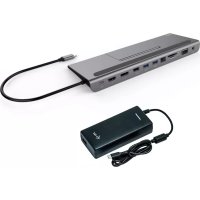
CHRGERC112W - Other computer accessories i-TEC - Free user manual and instructions
Find the device manual for free CHRGERC112W i-TEC in PDF.



| Product type | Universal USB-C Power Delivery 112W charger with two ports |
| Brand | i-TEC |
| Model | CHRGERC112W |
| Category | Other computer accessories |
| Dimensions | 143 × 65 × 34 mm |
| Weight | 356 g |
| Input power | AC 100-240V, 50-60Hz, max. 2.3A |
| Max output power | 112 W |
| USB-C output | 5V / 9V / 12V / 15V / 19V / 20V, max 5A (up to 100W) |
| USB-A output | 5V, max 2.4A |
| Efficiency | Greater than 86% |
| Protection | Against overcurrent, overvoltage, short circuits, and overheating |
| Operating temperature | 0°C to 40°C |
| Relative humidity | 10% to 100% |
| Main features | Fast USB-C PD charging for laptops, smartphones, and other devices; additional USB-A port for simultaneous charging; automatic voltage detection |
| Package contents | i-tec USB Universal Charger 112W, 150 cm power cable, 100 cm USB-C cable, user manual |
| Maintenance and cleaning | Disconnect the device before cleaning; use a soft, dry cloth; do not use chemicals or liquids |
| Safety | Do not expose to water or moisture; do not disassemble; avoid heat sources; keep out of reach of children; use in a ventilated area |
| Warranty | 24 months |
| Repairability | Do not disassemble; contact the manufacturer for repairs (i-tec Technologies s.r.o.) |
Frequently Asked Questions - CHRGERC112W i-TEC
User questions about CHRGERC112W i-TEC
0 question about this device. Answer the ones you know or ask your own.
Ask a new question about this device
Download the instructions for your Other computer accessories in PDF format for free! Find your manual CHRGERC112W - i-TEC and take your electronic device back in hand. On this page are published all the documents necessary for the use of your device. CHRGERC112W by i-TEC.
USER MANUAL CHRGERC112W i-TEC
EN Please read the entire instruction manual carefully. Detailed manual is available on our website www.i-tec.cz/en/ in the tab „Manuals, drivers". In case of any issues, please contact our technical support at: support@itecproduct.com
Declaration of Conformity 38-39
FCC. 40
INTRODUCTION
This universal USB-C 112 W power adapter is a great choice for powering any laptop or other device equipped with a USB-C connector that supports USB-C Power Delivery, with a maximum power demand of 100 W. The voltage is set automatically according to the USB Power Delivery specification in the individual profiles in the following steps: 5V / 9V / 12V / 15V / 19V / 20V, with max. 5 A current consumption. Another excellent feature of this adapter is the additional USB-A output (5V, max. 2.4 A), which can be used to power most devices charged via USB (i.e. MP3 players, Bluetooth hands-free, digital picture frames, most Android mobile phones, Apple iPhone, iPad, iPod, GPS navigation units, etc.). The power adapter is lightweight and easily portable; it is equipped with intelligent current overload, overvoltage, and short circuit & overheating protection.
CONTENTS
- i-tec USB Universal Charger 112W
- AC Power Cable (150 cm)
- USB-C power supply cable (100 cm)
- Quick Start
SPECIFICATIONS
- Input voltage AC 100-240V, 50-60 Hz, max. 2.3 A
Output power (max): 112 W - Efficiency: more than 86%
- USB-C output voltage: DC 5V / 9V / 12V / 15V / 19V / 20V
- USB-C output current: max. 5 A
- USB-A output voltage: DC 5 V
- USB-A output current: max. 2.4 A
- Protection against: current overload, overvoltage, short circuit and overheating.
- Operating values: 0° C - 40° C
- Relative humidity: 10% - 100% .
- Product dimensions: 143 × 65 × 34 mm
Product weight: 356 g
USING THE POWER ADAPTER
Connecting the universal adapter to the device:
- Connect the adapter to the 110/230V mains, using the supplied cable.
- Connect the USB-C cable to the USB-C port on the power adapter.
- Connect the USB-C cable to the charging USB-C port on the device.
- The LED indicator will illuminate and charging will begin.
Note: When powering mobile phones and similar devices without a USB-C connector, you can use the USB-A port on the adapter. Power over the USB-A port is provided on the assumption that the given device supports it.
IMPORTANT SAFETY MEASURES:
- Do not pull the power supply cable from the mains socket by pulling the cable.
- Do not connect to or pull the power cord from the socket with wet hands.
- Do not connect the adapter if it is damaged (e.g. short circuit, burnt PVC case).
- Immediately disconnect the adapter from the mains socket should you smell burning.
- Do not disassemble this device or make modifications, as this could cause a fire risk, injury or damage to personal property. Entrust all repairs to the manufacturer, i-tech Technologies s.r.o..
- Do not expose the adapter to direct sunlight, place it on heating elements, or on any other heat. Do not cover it with paper or any other material that could influence air circulation.
- Do not use the adapter in an environment with a temperature below 0°C or higher than 40°C . Use in ventilated areas only.
- Do not place the adapter on heat-sensitive surfaces.
- Make sure your power supply provides the required voltage (V) and frequency (Hz).
- Do not use the adapter with damaged supply cord, cable or fuses.
- Keep away from children.
-
Ensure the output voltage of the power adapter is suitable for your device.
-
This power adapter supports output of up to 60W. Before use, please check the maximum input of your device.
- Disconnect the device from mains power if you do not use it for a prolonged period of time.
WARRANTY
A standard 24-month warranty is provided on this product.
The warranty is void if the device is:
- exposed to liquid
- damaged by shock, fall, or by any other mechanical damage
- placed near fire
- visibly damaged by any unauthorized modification or improper handling
- has damaged cables
- used for powering of devices requiring input higher than the specified 112 W
FREQUently ASKED QUESTIONS
Available on our website www.i-tec.cz/en on the "FAQ" tab of this product.
EINLEITUNG
This equipment is marked with the above recycling symbol. It means that at the end of the life of the equipment you must dispose of it separately at an appropriate collection point and not place it in the normal domestic unsorted waste stream. This wil benefit the environment for all. (European Union only)
DEUTSCH
Executive Name and Signature,
This equipment has been tested and found to comply within the limits of a Class B digital device pursuant to Part 15 of the FCC Rules. These limits are designed to provide reasonable protection against harmful interference in a residential installation.
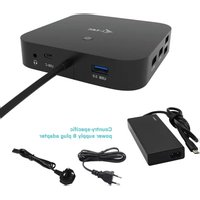
Brand : i-TEC
Model : CHRGERC112W
Category : Other computer accessories