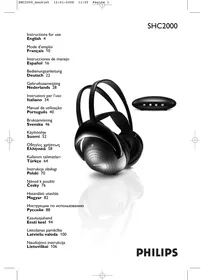
USER MANUAL SHC2000 PHILIPS
Instructions for use English 4
You have just bought the most sophisticated InfraRed (IR) cordless stereo sound system. This system uses the latest IR cordless technology, which gives you complete freedom of movement* while enjoying your favorite music and movies. Without the inconvenience of cables or headphone wires! To ensure you get the best performance from your IR cordless stereo sound system please read this manual carefully.
*) 7 m. max. range, depending on ambient conditions and restricted to line of sight with relation to the transmitter.
IMPORTANT
Read these instructions. All the safety and operating instructions should be read before using the wireless headphone system.
Check if the voltage indicated on the type plate of the adapter corresponds to the local mains voltage before connecting to the mains power supply.
Remove the batteries from the.
headphone's battery compartment and
disconnect the adapter from the mains
if the system is not in use for a long
period.
Prevent fire or shock hazard: do not expose this equipment to humidity, rain, sand or excessive heat caused by heating equipment or direct sunlight.
IMPORTANT
Before using the IR headphone for the first time, please ensure that the batteries are fully charged for about 16 hours. This will guarantee a longer operating lifetime of the batteries.
Benefits of Philips latest cordless technology
Cordless transmission
The IR transmitter transmits the stereo audio signal from your audio or video source to your IR headphone without wires.
Wide transmission range
Your IR headphone can receive signals up to a maximum of 7 meters away. The headphone however needs to be within the line of sight of the transmitter.
Easy transmission
High frequency IR waves carry the audio signal to ensure clear and sharp reception.
Multiple headphones with one transmitter
An additional number of headphones can be used with a single transmitter if they operate on the same frequency.
Please consult the appliance's electrical specification sheets for confirmation on compatibility.
Kit contents
This IR headphone system consists of the following accessories:
1×SHC2000 IR transmitter
1×SHC2000IRheadphone
1 × SBC CS030/00 12 Volt/200 mA AC/DC adapter (for UK: SBC CS030/05
12 Volt/200 mA AC/DC adapter)
2 × rechargeable R03 AAA (NiMH) batteries
1 × 3.5 mm plug to 6.3 mm stereo adapter plug
1 recharge cable (45 cm)
6 Controls plate
1 IR transmitting LEDs - transmit audio signal to IR headphone.
2 DC power - connect to the 12 Volt/ 200 mA AC/DC adapter.
3 Power switch - power on/off switch.
4 3.5 mm stereo headphone audio input - connects your IR transmitter to an audio source.
5 Recharging input - connect the recharge cable to the input.
7 IR sensors - to receive IR waves from the transmitter
8 Power indication - lights up when in use.
9 Power On/Off - slide the switch to the on or off position to switch the headphone on/off.
10 Volume - adjust volume to your desired listening level.
11 Recharging indicator - lights up when the recharging cable is connected between the headphone and the IR transmitter. Completely flat batteries will be fully charged after about 16 hours.
12 Recharging input (figure 3) - connect the recharging cable to the transmitter. The recharging indicator on the headphone must switch on, indicating that the headphone is being recharged.
Transmitter power supply
IMPORTANT
Use only Philips SBC CS030/00 12 Volt/200 mA AC/DC adapter. (For UK version: SBC CS030/05 12 Volt/200 mA AC/DC adapter)
1 Make sure the adapter's rated voltage corresponds to the mains socket voltage.
2 Connect the DC connector of the AC/DC adapter to the 12 Volt DC power input connector located at the rear of the transmitter.
3 Connect the 12 Volt/200 mA AC/DC adapter to the mains socket. Always disconnect the AC/DC adapter if the transmitter is not to be used for a long period of time.
Headphone power supply IMPORTANT
Only use R03/AAA NiMH batteries (preferably Philips).
1 Check if the power button of the IR headphone is in the on position.
2 Ensure the batteries are put in the battery compartment correctly according to the engraved polarity symbols.
3 To recharge the headphone's rechargeable R03/AAA NiMH batteries, first switch off the headphone.Then connect the charge cable between the headphone and the transmitter (figure 3).The recharging indicator will light up.
Note:
Completely flat batteries need approximately 16 hours to recharge.
Always remove the batteries if the headphone is not to be used for a long period of time.
Batteries contain chemical substances, so they should be disposed of properly.
IMPORTANT
Only use R03/AAA NiMH batteries (preferably Philips).
1 Open the headphone's battery compartment.
2 Take out the batteries and dispose of them properly.
3 Insert new batteries. Only use R03/AAA NiMH batteries (preferably Philips).
4 Make sure the batteries are correctly inserted as indicated by the engraved symbols in the battery compartment.
5 Close the battery compartment.
IMPORTANT
Before using the IR headphone for the first time, please ensure that the batteries are fully charged for about 16 hours. This will guarantee a longer operating lifetime of the batteries.
Audio Connections
1 Connect the 3.5mm stereo plug of the stereo audio cable to the headphone output of an audio source, such as TV, HiFi or PC.
- In case your audio source has a 6.3mm headphone output, use the supplied 3.5mm to 6.3 mm stereo adapter plug.
2 Switch on your audio source and carefully increase the volume of the audio source.
3 Switch on the headphone.
4 Adjust the volume to the desired level with the headphone volume control.
Basic operation
When the IR transmitter is connected to a headache output of an audio source.
1 Switch on your IR transmitter and place it at the same height or slightly higher than the reception height of the IR headphone.
2 Position the LED's towards the listening area, ensuring that there are no obstacles in between transmitter and headphone.
3 Switch on the headphone.
4 Switch on your audio source and carefully increase the volume of the audio source.
5 Adjust the volume of the IR headphone to the desired level with the headphone volume control.
IMPORTANT
Because IR light travels in a straight line, place the IR transmitter at the same height, or slightly higher than the reception height of the IR headphone.
High IR light content such as sunlight and bright incandescent indoor lighting may degrade the audio signal and cause interference. If you experience such problems, simply move the system to a darker area.
Troubleshooting
If a fault occurs, first check the points listed below before taking the set for repair.
If you are unable to remedy a problem by following these hints, consult your dealer or service centre.
WARNING: Under no circumstances should you try to repair the set yourself, as this would invalidate the warranty.
| Problem | Remedy |
| No sound | - Check if the AC/DC adapter is fully inserted into the AC outlet and that its DC connector is properly inserted into the 12 Volt DC input connector located at the rear of the transmitter.- Check if the headphone's on/off switch is in the on position.- Headphone batteries running low. (See Headphone power supply) - Check if the audio source is switched on.- Volume not adjusted. Adjust the volume on the audio source/ headphone to a higher level. - Make use of the SHC2000 transmitter. Some transmitters already built into other equipment may not be compatible with the SHC2000 headphone because of the advanced technologies used in the SHC2000 headphone. |
| Distorted sound | - Headphone batteries running low. (See Headphone power supply)- Check the volume on audio source/ headphone is not set at too high a level. Reduce the volume.- Distance from the transmitter is too large. Move closer to the transmitter.- Interference from fluorescent lamps/ other radio sources. Move transmitter or headphone elsewhere. - Make use of the SHC2000 transmitter. Some transmitters already built into other equipment may not be compatible with the SHC2000 headphone because of the advanced technologies used in the SHC2000 headphone. |
Troubleshooting
Specifications
Maintenance
- If the headphone will not be used for a longer time, please remove the batteries to prevent leakage and corrosion.
- Only replace the batteries with R03/AAA NiMH batteries (preferably Philips).
- Do not leave the headphone near heat sources. Do not expose to direct sunlight, excessive dust, moisture, rain or any kind of mechanical shock.
- Do not use alcohol, thinner or petroleum-based substances to clean the headphone or transmitter. Use a slightly dampened chamois cloth to clean the housing.
- Do not use cleaning agents containing alcohol, spirits, ammonia or abrasives as these may harm the housing.
Hearing Safety! Continuous use at a high volume may permanently damage your hearing.
| System: | Infra Red (IR) |
| Modulation: | Frequency Modulation (FM) |
| Effective Transmission Range: | 7 meters max. range (depending on ambient conditions and restricted to line of sight with relation to the transmitter) |
| Input level: | 300 mVrms (1 kHz sine wave) |
| Power supply – transmitter: | 12Volt / 200 mA DC, centre positive |
| Power supply – headphone: | 2 x 1.2V R03 (AAA) batteries (NiMH) |
| Carrier Frequency
(Headphone): | 2.3 Mhz (L), 2.8 Mhz (R) |
| Signal/Noise ratio: | >55 dB (1 kHz sine wave , A-weighted) |
| Distortion: | < 1% THD |
| Channel separation: | >30 dB |
Felicitations!
1 × adattatore CA/CC 12 volt/200 mA, SBC CS30/00
BecnpoBOAOHaT TpaHcMnCCnA
TpaHcMMTTep IR npeEaET ctepeo 3ByKOB0B CnHaA BaIeO paAnIO nn BnDeo nCTouHnka Ha Baun HayuHnKn IR 6e3 NCPOAb3OBaHn npOBoOB.
LInpokn dHaana3OH TpaHcMncCnn
Baun Hayunikn IR Moryt noyatab cnHaBbdo 7 M MaKc. OHaKO dApa60tBu HayuHKnOB Heo6xOaMOb 6bTb Ha OdHoI AHHn C TpaHcmTTepom.
Pnocta nepeDaua
BbckoyactoTHbIE BOaHbI IR HeCyT 3BykoBoi cnHaNIO6ecneuBaHT uCTOTy npEma.
HeckoaBko HayuHnKOB npn OdHom TpaHCMTTpe
C OaHIM TpaHcMMTTepom MOxHObNCIOA3OBAbHeCKoAko HayuHNKOB,ecAnOHn pa60TaIOT HaOnHaKOBoYacTOTE.
AIIIPOBEPKN COBMECTMIOCTN CM 3JIeKTPnueckne XapaKTepnCTNK YCTPOnCTBa.
CoCTaB KOMIIaEkTa
Baun HayunnIKI IR meHOT cJeDyIOUne npHaAeXHOCTN
I x TpaHcMnTTep SHC2000 IR
I x HauuHnKn SHC2000 IR
I x aanTep SBC CS030/00 12 B/200 mA nepemeh/nocT
2x aKKyMMyTOpHbIe 6aTapeu R03/AAA (NiMH)
IXepexOaHnK 3,5 MM Ha 6,3 MM cTepeo
IX Ka6eAb 3apAaKn (45cm)
TpaHcMMTTeP (pnc.1)
I CnA, npeaioune IR - nepeaIOT 3BykoBoi cnHaHa IR HayuHnKn.
2Питаннoe NOCTOHHbIM TOKOM -noKIOHHTe aAnTep 12 B/200 mA noCT/npemeh ToKa
3 BbIKAOyateAb NITaHnra -BbIKIOyateAeB △BA BKIOUOHeHnru BBKIOUOHeHnIITaHnra
4 3BykoBoB BXoA AIA CTepeo HayuHnKOB 3,5 MM -IOAKNIOyaeT TpaHCmTTep IR K 3BykoBOMy nCTOuyNky
5 BxoA AIA 3apAKN - IoAIAIOHTe Ka6eIb IAIA 3apAKN KO BxOdy.
6 OpraHbI ynpaBVeHnHaHayuHNKn (pnc.2)
7 AaTnKn IR -AЯ пиЕма BOAN IR OT TpaHcMNTTepa
8 INHANKATOP NHTAHNA TOpNT BO BDEM IcIIOAb3OBAHnA.
9ПитайнБКВ/Бык-пepмecтnte BblKIOUcaTeAь В IOLOJOKeHnE BkI NAN BbIKA AЯ BKIOUOeHnI NAN BblKIOUOeHnI HayuSHNkoB.
10 TpomKoctb -OTpeYnpyIte ypoBeHb TpomKoCTb DO HxKHO 3NaueHna.
II INHnKaTOp 3apAKn -3aTogpaTeC, KOta Ka6eAb 3apAKn IOAknOyEHN K HayuHnKam N TpaHcMNTTepy IR. IIOHOCTbIO CeBUNe 6aTapeN 3apAJOTCB TeueHne 16 yacob.
12 BxoA 3apAKn (pnc 3) - IOaKIOUHTe Ka6eIb IaJ 3apAKn K TpaHcMNTtepy. INaIKaTOp 3apAKn Ha HayuHnKaX 3aGopNTc, yKa3bIBaR Ha 3apAKn HayuHnKOB.
IoiKaIIOUeHHe TpaHcMHTTePa IR K BbIXOaY HayuHNKOB 3ByKOBOrO nCTouHnka (pnc.5)
I POnkAnOpHTe Ctepeo pa3bE M 3,5MM Ctepeo 3ByKOBOrO Ka6eAa K BbIXOdy HayuHnKOB 3ByKOBOrO NCTOuyHnKa,HaP,, TeLeBn3opa,HiFi nn KOMnBoTepa. -Ean BaW 3ByKOBOr NCTOuyHnK NMeET BbIXoA DAra HayuHnKOB 6,3MM, INcnoAb3yIte nepexoADnK 3,5MM Ha 6,3 MM.
2 BkAIOHTe 3ByKOBOI NCTOCHN K IOCTeNEHNO yBeAAHbTe yPOBeHb.
3 BkAIOUHTe HayuHNIK.
4 OtpeyIpyIte ypoBeHbdo Heo6xOAMOrO 3HaueHnC POMOJIIO KOHTPOAryPOBHA HayuHnKOB.
OchOBhble onepaunn
Korda TpaHCMNITep IR NOdkNoyeh K BbIXOaY HayuHnKOB 3ByKOBOrIOCTOuHnKa.
BkAIOHTe TpaHcMNTTep IR nIomeCTnTe ero Ha oDHaKOBoB BbICote IAN HeCKoBko BblSe C BbICOTOn npiEma HayuHKnOB IR.
2 HanpaBbTe CnA, B cTOpOHy 30HbI cyuHaHn, oBeCneuH bOTcYCTBHe npenrTCTBm MeKdY TpaHCMTTepOM HuyuHNkAMN.
3 BkAIOUHTe HayuHnIKI.
4 BkAIOUHTe 3ByKOBOI NCTOCHNIK IN NOCTeNEHNO YBEAMNbTe yPOBeHb.
5 Otpereyunpyte ypoBeHbdo Heo6xoAMoro 3HaueHnC NMOUIO KOHTPOAryPOBHNrPOMKOCtB HauuHINKOB.
BAXHO
BcAegCTBne TOrO, qTo Ayn IR nepeMeauTcno npmoi, nomctnte TpaHcMHTep IR ha OgnHakOBo BBICOTe HAn HeCKoAbo BbIwe C BBICOTou npEma HayuHnKOB IR. NcTOUHN C BBICOKHM cogePxAHHem Ayey IR, Hanp, COaHeuHbIe Ayn HApKoe OCBeueHne AAMnAmn HAKAAHBAHn, MoXeT NOBAHrTa Ha 3ByKOBo CNrHaA N Bbl3BaTb NOMxN. Ppn BO3HKnHOBeHn TAKnx np6Aem npocTo nepeMeCTHe CnCTeMy B MeHee OCBeueHNoe MeCTo.
YcTpaHHe HeNCnPaBHOCTe
Pn HncnpabHocTh nepeg TeM, KaK HeTn ycToIcTBO B peMOHT cHaaA npOBepbTe npBegEHHbIe HNKe nyHKtbl.
Ecan c nomoubIO 3THx yka3aHn Bam He ygaaoCb ycpaHntb HencnpabHocTb, CBXHTecc b BauHM gnaepom Hn OTgeAm pemOHTa.
IPEyIpyEKAEHNE: Hn B Koem cayuee He nbitaTecb peMOHTnoBaTb yctpoiCTBO CAMn, T.K. 3TO aHHyAnpyet rapaTHIO.