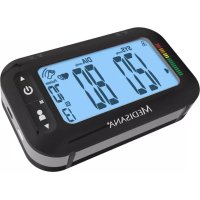
SL 300 Connect - Blood pressure monitor MEDISANA - Free user manual and instructions
Find the device manual for free SL 300 Connect MEDISANA in PDF.
Download the instructions for your Blood pressure monitor in PDF format for free! Find your manual SL 300 Connect - MEDISANA and take your electronic device back in hand. On this page are published all the documents necessary for the use of your device. SL 300 Connect by MEDISANA.
USER MANUAL SL 300 Connect MEDISANA
1 Safety Information 2 Useful Information 3 Getting started 4 Operating 5 Memory 6 Miscellaneous 7 Warranty
7 Garantie 15This instruction manual belongs to this device. It contains important information about starting up and operation. Read the instruction manual tho- roughly. Non-observance of these instructions can result in serious injury or damage to the device. WARNING These warning notes must be observed to prevent any injury to the user. CAUTION These notes must be observed to prevent any damage to the device. NOTE These notes give you useful additional information on the installation or operation. Explanation of symbols Lot number Manufacturer IMPORTANT INFORMATION! RETAIN FOR FUTURE USE! Read the instruction manual carefully before using this device, especially the safety instructions, and keep the instruction manual for future use. Should you give this device to another person, it is vital that you also pass on these instructions for use. Classification: Type BF applied part Date of manufacture
1 Safety InformationSafety Information INTENDED USE: This fully automatic electronic blood pressure monitor is intended for measuring the blood pressure at home. It is a non-invasive blood pressure measurement system to measure the diastolic and systolic blood pressure and pulse of an adult using a non-invasive technique by means of a cuff, which needs to be fitted on the upper arm. The useable cuff circumference is 22 to 42 cm. Additionally, the device features a travelling alarm clock functionality. CONTRAINDICATIONS: The device is not suitable for measuring the blood pressure of children. Ask your doctor before using it on older children. The device is not suitable for use on: - pregnant women, - patients with implanted, electrocical devices, - patients with pre-elcampsia, premature ventricu- lar beats, atrial fibrillation, peripheral, arterial disease, - patients undergoing intravascular therapy or arterio-venous shunt or people who received a mastectomy. Please consult your doctor prior to using the unit if you suffer from illnesses
WARNING! Do not take any therapeutic measures on the basis of a self measurement. Never alter the dose of a medicine prescribed by a doctor.
1 Safety Information 17The unit is intended only for use in private homes. i Consult your doctor prior to using the blood pressure monitor if you are concerned about health matters.
Only use the unit for its intended purpose in accordance with the instruction manual.
Warranty claims become void if the unit is misused. i The unit may not be used to check the heart rate of a pace- maker.
Do not use the unit in case of existing polyester resp. syn- thetic allergies.
Never apply the cuff over hurt skin. i Do not take measurements, if any other equipment is applied to the same limb for monitoring. This could lead to disturban- ces or failures.
If you experience discomfort during a measurement, such as pain in the upper arm or other complaints, press the START/ STOP button to release the air immediately from the cuff. Loosen the cuff and remove it from your arm.
On the rare occasion of a fault causing the cuff to remain fully inflated during measurement, open the cuff immediately. Pro- longed high pressure (cuff pressure >300 mmHg or constant pressure >15 mmHg for more than 3 minutes) applied to the arm may lead to an ecchymosis.
Too frequent and consecutive measurements could cause disturbances in blood circulation and injuries.
Pay attention during use and storage, that cable and air hose will not cause strangulation.
Do not connect the air hose to other medical equipment, as this could cause air to be pumped into intravascular systems or high pressure, what could lead to dangerous injuries. This device is not suitable for continous monitoring during medical emergencies or operations.
This device is not intended for patient transports outside a healthcare facility.
This device cannot be used with surgical equipment at the same time.
- The unit may not be operated in the vicinity of appliances that emit strong electric radiation such as radio transmitters or mobile phones. This may affect the proper functioning (see "electromagnetic compatibility").
Do not use the equipment where flammable gas (such as anaesthetic gas, oxygen or hydrogen) are present.
This device is not designed to be used by persons with limited physical, sensory or mental abilities, or by persons with in- sufficient experience and/or knowledge, unless under obser- vation by a person responsible for their safety, or unless they have been instructed in the use of the device.
This device is intended to be used by adults. The unit is un- suitable for children or babies. Contact your doctor, if you want to use this device on young persons.
Please ensure that the unit is kept away from the reach of children and pets. The swallowing of small part like packaging bag, battery and so on may cause suffocation.
Before use, make sure the device functions safely and is in proper working condition. Do not service or maintain while the device is in use.
Please do not attempt to repair the unit yourself in the event of malfunctions. Only have repairs carried out by authorised service centres.
Protect the unit from moisture. Should moisture enter the unit, stop using it immediately. In this case, please contact either your dealer or us directly. You can find details of how to con- tact us on the address page.
Only use original additional or spare parts from the manufac- turer. Other parts could damage the device or could lead to personal injury.
- Thank you for your confidence in us and congratulations on your purchase! GYou have acquired a quality product with your purchase of the MEDISANA Upper arm blood pressure monitor with travel alarm clock SL 300 connect. To ensure the best results and long-term satisfaction with your MEDISANA Upper arm blood pres-sure monitor with travel alarm clock SL 300 connect, we recommend that you read the following operating and maintenance instructions carefully. Thank you very much The packaging can be reused or recycled. Please dispose properly of any packagingmaterial no longer required. If you notice any transport damage during unpacking,please contact your supplier without delay.
WARNING Please ensure that the polythene packing is kept away from the reach of children! Risk of suffocation!Please check first of all that the device is complete and is not damaged in any way.In case of doubt, do not use it and contact your supplier or your service centre.The following parts are included:
2.1 Items supplied and packaging
1 MEDISANA Upper arm blood pressure monitor with travel alarm clock SL 300 connect1 Cuff with air hose 1 Mini-USB charging cable1 Storage bag1 Instruction manual and EMC-leaflet
Blood pressure is the pressure created in the blood vessels by each heart beat. Whenthe heart contracts (= systole) and pumps blood into the arteries, it brings about arise in pressure. The highest value is known as the systolic pressure and is the firstvalue to be measured. When the cardiac muscle relaxes to take in fresh blood, the pressure in the arteries also falls. Once the arteries are relaxed, a second reading is taken – the diastolic pressure.
2.2 What is blood pressure?
The MEDISANA Upper arm blood pressure monitor with travel alarm clock SL 300 connect is a blood pressure unit which is used to measure blood pressure at the upper arm. The measurement is carried out by a microprocessor - already during the inflating process of the cuff. The device detects the systole and the measurement is completed earlier than using conventional measurement methods. As a result, an un- necessarily excessive inflation pressure in the cuff is prevented. Additionally, your device is able to recognize unregular heartbeat (so-called arrhythmia), which may affect the measurements. In case an arrhythmia has been deteced, the respective sym-bol will appear in the display of the unit (see chapter 4.4 Taking a blood pressure measurement).
2.3 How is blood pressure measured?
2 Useful InformationMEDISANA has had many years of experience in the field of blood pressure mea- surement. The high precision of MEDISANA devices has been confirmed by exten- sive clinical tests, carried out according to strict international standards. One strong argument in favour of taking blood pressure at home is the fact that the readings are taken in familiar surroundings under relaxed conditions. The most important reading is the socalled „baseline value“, the one taken before breakfast, directly after getting up in the morning. As far as it is possible, you should always try to take your blood pressure at the same time and under the same conditions each day.
This ensures comparable results and helps in detecting the first signs of high blood pressure. If high blood pressure remains undetected, it increases the risk of further cardiovascular diseases.
2.4 Why should you take your blood pressure at home?
THEREFORE WE RECOMMEND: Take a blood pressure reading daily and on a regular basis, even if you are experiencing no apparent complaints. The following table shows the classification of high and low blood pressure, without taking age into consideration. This blood pressure assessment scale corresponds to the guidelines of the World Health Organisation (WHO).
2.5 Blood pressure classification
Blood pressure classification according to WHO guideline ≥ 180 ≥ 110
< 120 < 80 < 100 < 60 serious hypertension medium hypertension mild hypertension high-normal blood pressure normal blood pressure optimal blood pressure low blood pressure WARNING Blood pressure that is too low represents just as great a health risk as blood pressure that is too high! Fits of dizziness may lead to dangerous situations arising (e.g. on stairs or in traffic)!
GBThere are many factors that can influence blood pressure. Readings can be affectedseriously by stress, fear, heavy physical exertion or the time of day at which themeasurements are taken. Your personal blood pressure values are subject to consi-derable fluctuation during the course of the day and the year. These fluctuationsare particularly pronounced in the case of patients suffering from hypertension.Blood pressure is usually at its highest during physical exertion and at its lowest atnight when you are asleep.
2.6 Fluctuations in blood pressure
Measure your blood pressure several times, then record and compare the results.Do not draw any conclusions from a single reading. Your blood pressure readings should always be evaluated by a doctor who is also familiar with your personal medical history. When using the unit regularly and recording the values for your doctor, you should visit the doctor from time to timeto keep him updated. When taking readings, remember that the daily values are influenced by severalfactors. Smoking, consumption of alcohol, drugs and physical exertion influence the measured values in various ways.
Measure your blood pressure before meals. i Before taking readings, allow yourself at least five minutes rest. i If the systolic and diastolic readings seem unusual (too high or too low) on severaloccasions, despite correct use of the unit, please inform your doctor. This alsoapplies to the rare occasions when an irregular or very weak pulse prevents youfrom taking readings.
2.7 Influencing and evaluating readings
3 Getting started Your MEDISANA Upper arm blood pressure monitor with travel alarm clock SL 300 connect features an integrated rechargeable battery, which enables a cordless operation of your device. Before you can use your unit, the battery should be charged fully. Therefore connect the included mini-USB-cable to the USB interface on the de-vice and to an USB-port of an active electric utility (e.g. PC, laptop computer or mains plug with USB port etc.). Alternatively, you can charge the device with a special mains adaptor (MEDISANA Art.-No. 51014) via the mini-USB-cable. During the charging pro-cess, the display shows e.g. " " with some segments flashing. When charging process is finished (" " is displayed constantly in full without any segments flash-ing), disconnect the mini-USB-cable from the device. If the "battery low"-symbol ap- pears on the display (together with "Lo") or if nothing appears on the display after the unit has been switched on, you have to recharge the battery in order to ensure further operability. When the battery is fully charged and 3 blood pressure measure-ments are carried out per day, the energy is sufficient for around 20 days of service.
3.2 Charging the battery
The device has been set to a sleep mode for transportation. This sleep mode has to be unlocked once before first use. Therefore press M - , Start - / Stop - and SET / SNOOZE - buttons simultaneously. The sleep mode for transportation can only beactivated by the factory.
- Do not disassemble batteries!
- Increased risk of leakage, avoid contact with skin, eyes and mucous membranes! If battery acid comes in contact with any of these parts, rinse the affected area with copious amounts of fresh water and seek medical attention immediately!
- If a battery has been swallowed seek medical attention immediately!
- Keep batteries out of children's reach!
- Do not short circuit! There is a danger of explosion!
- Do not throw into a fire! There is a danger of explosion!
- Do not throw used batteries into the household refuse; put them in a hazardous waste container or take them to a battery collection point, at the shop where they were purchased!
- The battery of this device must only be exchanged by specialized personnel. Never try to disassemble the battery on your own, but contact the service centre!
3.3 Setting the date, time and alarms
Before using the unit, you need to put the LOCK-switch to position "ON" (green). In "OFF" (red) - position the Bluetooth function is deactivated and all buttons are locked.
Press and hold the SET / SNOOZE - button for at least 3 seconds. i First of all the month figure starts to flash. Press M-button to adjust the actual month figure.
Press the SET / SNOOZE - button to confirm the setting. i Now the day figure starts flashing. Proceed accordingly for the input of day, year, hour and minute (as described under point 3 and 4).
Now the setting for the two alarms follows. During adjustment of the first alarm time, " " appears in the display . " " appears during adjustment of the se- cond alarm time. Adjust the hours and minutes of both alarm times in the same way as described under point 3 and 4 with the help of the M-button to adjust and the SET / SNOOZE - button to confirm the setting.
On completion of the date and time setting, "Ok" appears on the display. The unit switches off automatically after about 60 seconds, if no buttons are pressed in order to save power.
3.4 Selecting the mode of operation
The MEDISANA Upper arm blood pressure monitor with travel alarm clock SL 300 connect features two different operation modes: The clock/alarm mode is activated by placing the device in an upright position, e.g. on a table. In clock/alarm mode the LC-display shows the date as well as hour and minute: a) The clock / alarm mode
e. g. 3:30 p.m. on 18 of July 3 Getting started
GBb) The bloodpressure mode The bloodpressure mode is activated by placing the device in a flat / lying position, e.g. on a table. In this mode the LC-display shows the latest measurement results of the current user. e. g. user 1: Bloodpressure indicator: Green area Systolic pressure: 120 mmHg Diastolic pressure: 80 mmHg Pulse rate: 80 beats / min.
alarm 1 and / or alarm 2 is activated or deactivated (if an alarm is activated, the related symbol resp. is displayed). If an alarm is activated by moving the respective alarm toggle ( or ) to the left, the alarm time will shorty flash (check chapter 3.3 Setting the date, time and alarms to learn how to adjust the alarm time) and then the actual date and clock will be shown.
When the set alarm time of an activated alarm is reached (if an alarm is activated, the related symbol resp. is displayed), an acoustic alarm is emitted and the related alarm symbol ( or ) flashes. To turn off the alarm, put the related alarm toggle ( or ) to right position.
During an alarm, you may also press the SET / SNOOZE - button to pause the alarm and activate it again 5 minutes later. In this case, the symbol " " appears in the display. The snooze function may be used 6 times in sequence. If you press the
for a 7 time, the alarm will be toggled off constantly.SET / SNOOZE - button 4 Operating
Setting up the user memory
The MEDISANA Upper arm blood pressure monitor with travel alarm clock SL 300 connect gives you the opportunity to assign readings to one of two user memories, each of which provides 500 memory slots. Press and hold the M-button for at least 3 seconds, until the symbol for User 1 appears in the display. By pressing M-button you can switch User 1 and User 2 or Guest . If you choose "Guest", the values of the reading will not be saved.
Press the to confirm your selection.SET / SNOOZE - button
3 Getting started / 4 Operating4 Operating
4.3 Fitting the cuff
First attach the free end of the cuff’s air hose to the designated connector on the left side of the unit.
Slide the open end of the cuff through the metal bracket so that the Velcro fastener is on the outside and it becomes a cylindrical form (Fig.1). Slide the cuff over your left upper arm.
Position the air hose in the middle of your arm in line with your middle finger (Fig.2) (a). The lower edge of the cuff should be 2 - 3 cm above the crea- se of the elbow (b). Pull the cuff tight and close the Velcro fastener (c).
Measure the pulse on your bare arm. i Only position the cuff on the right arm if it cannot be used on the left arm. Always carry out measurements on the same arm.
Correct measuring position for sitting (Fig.3).
Take readings while in a seated position. Relax your arm and rest it lightly on a surface such as a table. Relax during the measuring process: do not move or talk, as this can affect the results. With repeated measurements , blood accumulates in the arm which can lead to false reading. Consecutive blood pressure measurements should be repeated after 3 minutes pause or after the arm has been held up in order to allow the accumulated blood to flow away.
4.4 Taking a blood pressure measurement
After the cuff has been appropriately positioned,the measurement can begin.
Before using the unit, you need to put the LOCK-switch to position "ON" (green). In "OFF" (red) - position the Bluetooth function is deactivated and all buttons are locked.
Switch the unit on by pressing the START/STOP button . All display characters are shortly shown in the display. This test can be used to check that the display is indicating properly and in full. The unit is ready for measurement and the number 0 appears.
The device automatically inflates the cuff slowly in order to measure your blood pres- sure. The rising pressure in the cuff is shown on the display.
When the device detects the signal, the heart symbol on the display starts to flash. If a result is determined, the device slowly will release the air from the cuff. The sys- tolic and diastolic blood pressure and the pulse value with the time value appear on the display.
4 Operating / 5 Memory The blood pressure indicator flashes next to the relevant coloured bar depending on the WHO blood pressure classification. If the unit has detected an irregular heart- beat, the arrhythmia display appears additionally.
The readings are automatically saved in the selected memory ( or ), except if a guest mode measuement has been finished (see chapter 4.2 Setting up the user memory). Up to 500 measured values with date and time can be stored in each me- mory.
The measurement results will automatically be transferred via Bluetooth to receive- ready devices. During this process, the Bluetooth-symbol will flash. If the transfer was successful, the Bluetooth-symbol will appear together with "OK" in the dis- play. If the transfer was not successful, "Err" will appear.
The unit switches off automatically after approx. 1 minute if no buttons are pressed. The unit may also be switched off using the START/STOP button .
The MEDISANA Upper arm blood pressure monitor with travel alarm clock SL 300 connect offers the possibility to transfer your measured values via Bluetooth to the VitaDock online portal resp. to the VitaDock app. These VitaDock applications
allow the evaluation, storage and synchronisation of your data between multiple iOS- and Android-devices to have access to it anytime and anywhere. You may share your results with your friends or your doctor. Therefore you need a free user account, which you can create on the website www.vitadock.com. For Android or iOS mobile devices, you may download the respective apps. You will find a detailed instruction for how to install and use the software on the mentioned website. After each blood pressure measurement an automatic transfer will be initiated by the device - Bluetooth therefore should be activated and configured on the receiving device(s). If you want to transfer the stored values from your SL 300 connect manually, please follow these steps: Press and hold START/STOP-button for 3 seconds, to enter the manual transfer mode.
The Bluetooth-symbol flashes and the transfer begins. i If the transfer was successful, the Bluetooth-symbol will appear together with "OK" in the display. If the transfer was not successful, "Err" will appear.
5.1 Displaying stored results
You can store up to 500 readings (blood pressure and pulse rate with the time and date) in either one of the two memories in your blood pressure monitor. The measured values are stored automatically. Press the M-button to call up the measured values stored. The average values of the last 3 measurements of the respective user appear on the display. Press the M-button again to display the values from the previously stored measurement. Repeatedly pressing the M-button displays the respective values measured previously. Press the to browse to the SET / SNOOZE - button more actual stored results. The unit switches off automatically after approx. one minu- te if no buttons are pressed. The memory recall mode may be exited at any time by pressing the START/STOP button . The oldest value is deleted if 500 measured values have been stored in the memory and a new value is saved. 5 Memory
5 Memory / 6 Miscellaneous
Press M-button to enter the memory recall mode. i If you only want to delete the last measured value, press and hold the SET / SNOOZE - button for approx. 7 seconds. The last measured value will flash two times and will then be deleted. The display shows "dEL". Press START/STOP , to exit the de- lete mode. If you want to delete all stored values in memory for a user, press and hold M-button AND simultaneously for approx. 10 seconds. SET / SNOOZE - button The display shows "dEL ALL". Now press the to confirm SET / SNOOZE - button the deletion. The display shows "dEL OK" - now all stored values for this user are de- leted and the unit will switch off automatically. If you want to abort the deletion process, press START/STOP while the display shows "dEL ALL". The unit then switches itself off without deleting any value.
6.1 Error messages and error remedying
Error indicators: 6 Miscellaneous Symbol Cause Correction + Lo Low battery Bluetooth transfer of data not possible Cuff not properly fitted Cuff too tight Failure during inflation Movement or speaking during measurement or pulse too weak Pulse cannot be detected Measurement failed Calibration error The built-in battery is too low or empty. Charge the battery. Check the software and if Bluetooth is properly configured and activated on the receiving units. Wrap the cuff properly. Remeasure in correct way. Wrap the cuff properly. Remeasure in correct way. Wrap the cuff properly. Check, if the air hose is properly connected to the unit. Remeasure in correct way. remeasure in correct Rest 30 minutes and way. Do not speak or move during the measurement. Wrap the cuff properly. Remeasure in correct way. Rest 30 minutes and remeasure in correct way. Wrap the cuff properly. Remeasure in correct way. + Err
6.2 Cleaning and maintenance
Never use strong detergents or hard brushes. Clean the unit with a soft cloth, moistened with mild soapy water. Do not let water enter the unit. After cleaning, only use the unit when it is completely dry. Do not expose the unit to direct sunlight, and protect it from dust and moisture. i Only inflate the cuff when it is in position around the upper arm. i Servicing and calibration i The unit has been calibrated by the manufacturer for a period of two years’ use. In the case of commercial use, the unit must be serviced and recalibrated at least once every two years. This calibration will be charged for and can be carried out by an appropriate authority or an authorised service centre - in accordance with the regulations for users of medical equipment.Please contact the service centre if you can’t solve the problem. Do not disassemblethe unit by yourself.
This product must not be disposed of together with domestic waste. All users are obliged to hand in all electrical or electronic devices, regardless of whether or not they contain toxic substances, at a municipal or commercial collection point so that they can be disposed of in an environmentally accep-table manner.
Do not dispose of old batteries with your household waste, but at a battery collectionstation at a recycling site or in a shop. Consult your local authority or your supplierfor information about disposal.
6.4 Guidelines / Standards
This blood pressure monitor meets the requirements of the EU standard for noninva-sive blood pressure monitors. It is certified in accordance with EC Guidelines and car-ries the CE symbol (conformity symbol) “CE 0297”. The blood pressure monitor corres-ponds to European standards EN 1060-1 and EN 1060-3. The specifications of EU Guideline “93/42/EEC of the Council Directive dated 14 June 1993 concerning medical devices” are met and likewise those of the R&TTE directive 1999/5/EC. You can re-quest the complete Conformity Declaration from Medisana AG, Jagenbergstrasse 1, 41468 Neuss, Germany, or you can also download it from the Medisana homepage (www.medisana.de). iElectromagnetic compatibility: (see attached leaflet)6 Miscellaneous
6.5 Technical specifications
- Mains adaptor for SL 300 connect Item number 51014, EAN 4015588 51014 4 - Cuff 22 - 42 cm for adults Item number 51299, EAN 4015588 51299 5 In accordance with our policy of continual product improvement, we reserve the right to make technical and optical changes without notice.
7 Warranty MEDISANA AG Jagenbergstraße 19 41468 NEUSS Germany eMail:info@medisana.de Internet: www.medisana.com The service centre address is shown on the attached leaflet. Please contact your dealer or the service centre in case of a claim under the warranty. If you have to return the unit, please enclose a copy of your receipt and state what the defect is. The following warranty terms apply:
1. The warranty period for MEDISANA products is three years from date
of purchase. In case of a warranty claim, the date of purchase has to be proven by means of the sales receipt or invoice.
2. Defects in material or workmanship will be removed free of charge
within the warranty period.
3. Repairs under warranty do not extend the warranty period either for
the unit or for the replacement parts.
4. The following is excluded under the warranty:
a. All damage which has arisen due to improper treatment, e.g. non- observance of the user instructions. b. All damage which is due to repairs or tampering by the customer or unauthorised third parties. c. Damage which has arisen during transport from the manufacturer to the consumer or during transport to the service centre. d. Accessories which are subject to normal wear and tear.
ManualGo.com