UR105GR - Alarm clock radio Soundmaster - Free user manual and instructions
Find the device manual for free UR105GR Soundmaster in PDF.



User questions about UR105GR Soundmaster
0 question about this device. Answer the ones you know or ask your own.
Ask a new question about this device
Download the instructions for your Alarm clock radio in PDF format for free! Find your manual UR105GR - Soundmaster and take your electronic device back in hand. On this page are published all the documents necessary for the use of your device. UR105GR by Soundmaster.
USER MANUAL UR105GR Soundmaster
Do not dispose of this product with the normal household waste at the end of its life cycle. Return it to a collection point for the recycling of electrical and electronic devices. This is indicated by the symbol on the product, user manual or packaging.

The materials are reusable according to their markings. By reusing, recycling or other forms of utilization of old devices you make an important contribution to the protection of our environment.
Please contact your local authorities for details about collection points.


Caution: To reduce the risk of electric shock, do not remove the cover (or back). There are no user serviceable parts inside. Refer servicing to qualified service personnel.
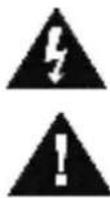
This symbol indicates the presence of dangerous voltage inside the enclosure, sufficient enough to cause electric shock.
This symbol indicates the presence of important operating and maintenance instructions for the device.
Safety, Environmental and Setup Instructions
- Use the device in dry indoor environments only.
- Protect the device from humidity.
- Do not open the device. RISK OF ELECTRIC SHOCK! Refer opening and servicing to qualified personnel.
- Connect this device to a properly installed and earthed wall outlet only. Make sure the mains voltage corresponds with the specifications on the rating plate.
Make sure the mains cable stays dry during operation. Do not pinch or damage the mains cable in any way. - A damaged mains cable or plug must immediately be replaced by an authorized service center.
- In case of lightning, immediately disconnect the device from the mains supply.
- Children should be supervised by parents when using the device.
- Clean the device with a dry cloth only.
Do NOT use CLEANING AGENTS or ABRASIVE CLOTHS!
- Do not expose the device to direct sunlight or other heat sources.
Install the device at a location with sufficient ventilation in order to prevent heat accumulation. - Do not cover the ventilation openings!
- Install the device at a safe and vibration-free location.
- Install the device as far away as possible from computers and microwave units; otherwise radio reception may be disturbed.
- Do not open or repair the enclosure. It is not safe to do so and will void your warranty. Repairs only by authorized service/ customer center.
- Only use mercury and cadmium-free batteries.
- Used batteries are hazardous waste and NOT to be disposed of with the household waste!!
- Return the batteries to your dealer or to collection points in your community.
- Keep batteries away from children. Children might swallow batteries. Contact a physician immediately if a battery was swallowed.
- Check your batteries regularly to avoid battery leakage.
- Batteries shall not be exposed to excessive heat such as sunshine, fire or the like.
- CAUTION: Danger of explosion if battery is incorrectly replaced
- Replace only with the same or equivalent type
Used batteries are hazardous waste and NOT to be disposed of with the household waste! As a consumer you are legally obligated to return all batteries for environmentally responsible recycling - no matter whether or not the batteries contain harmful substances!).
Return batteries free of charge to public collection points in your community or to shops selling batteries of the respective kind.
Only return fully discharged batteries.
*1 marked Cd = cadmium, Hg = mercury, Pb = lead
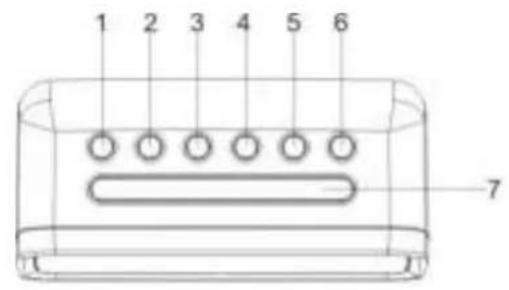
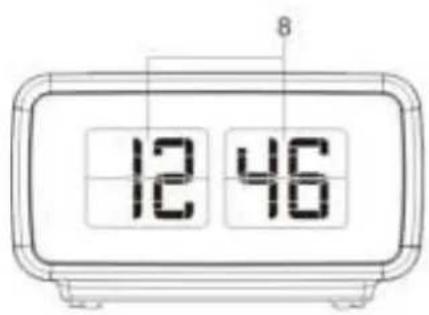
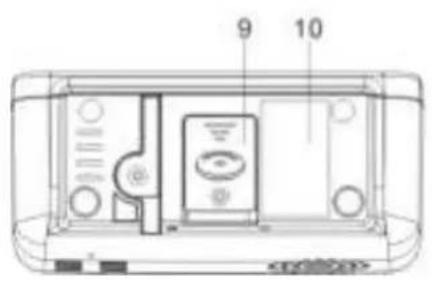
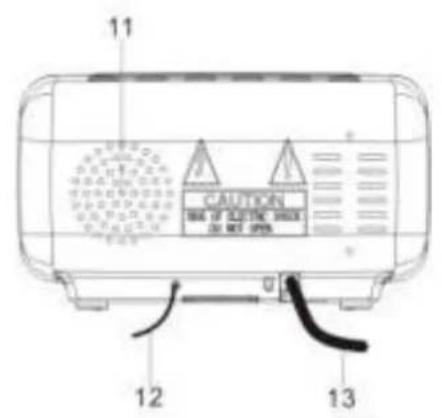
FUNCTION AND CONTROLS
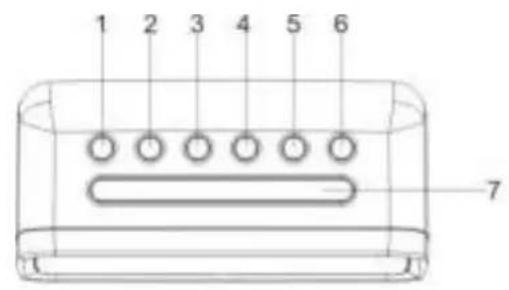
- VOLUME DOWN / ALARM 1 ON / OFF SET
- VOLUME UP / ALARM 2 ON / OFF SET
- << / TUNE - / YEAR/MONTH/DAY / TOGGLE BETWEEN DISPLAY CONTENTS ON-OFF
-
/ TUNE + / DST
- CLOCK ADJ. / SET.MEM/M+
- ON/OFF RADIO/ALARM OFF
- SNOOZE / SLEEP / DIMMER
- DISPLAY
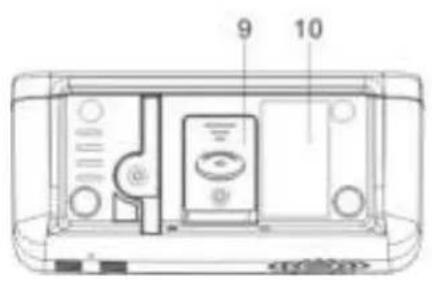
- BATTERY COMPARTMENT
- RATING LABEL
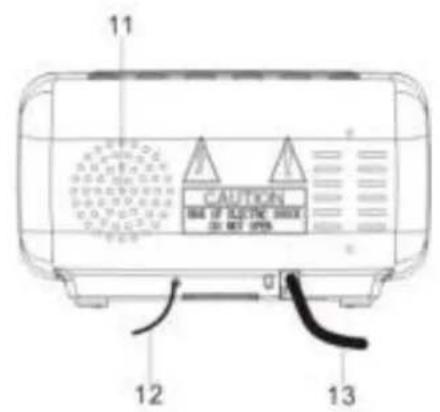
- SPEAKER
- FM ANTENNA
- AC POWER CORD
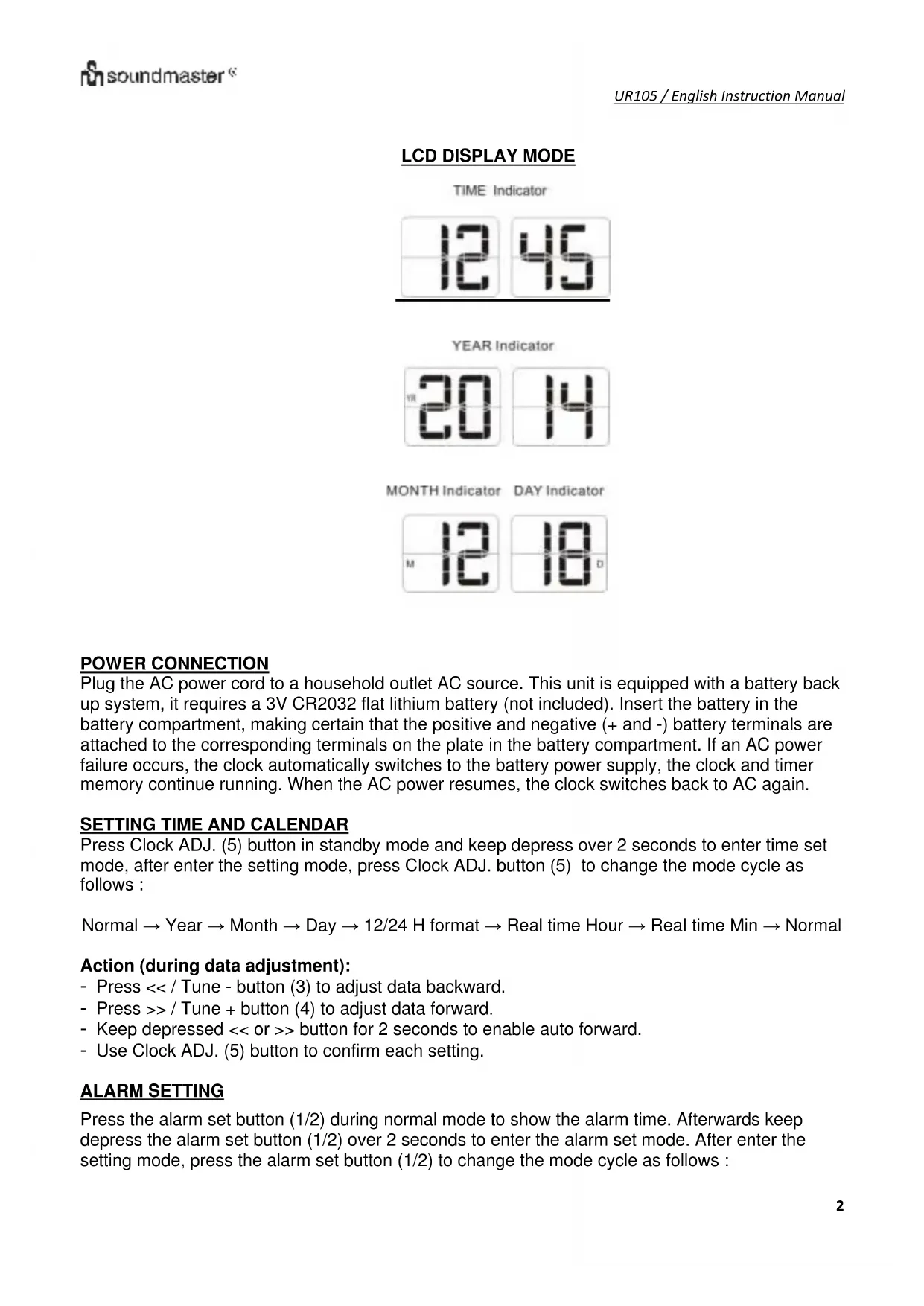
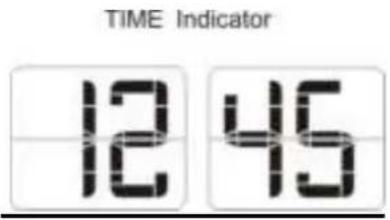
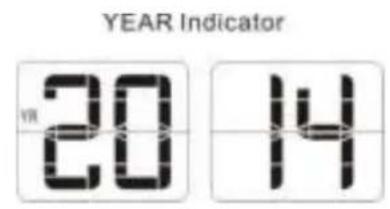
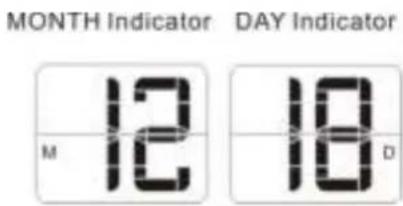
LCD DISPLAY MODE
POWER CONNECTION
Plug the AC power cord to a household outlet AC source. This unit is equipped with a battery backup system, it requires a 3V CR2032 flat lithium battery (not included). Insert the battery in the battery compartment, making certain that the positive and negative (+ and -) battery terminals are attached to the corresponding terminals on the plate in the battery compartment. If an AC power failure occurs, the clock automatically switches to the battery power supply, the clock and timer memory continue running. When the AC power resumes, the clock switches back to AC again.
SETTING TIME ANDCALENDAR
Press Clock ADJ. (5) button in standby mode and keep depress over 2 seconds to enter time set mode, after enter the setting mode, press Clock ADJ. button (5) to change the mode cycle as follows :
Normal Year Month Day 12/24 H format Real time Hour Real time Min Normal
Action (during data adjustment):
- Press << / Tune - button (3) to adjust data backward.
- Press >> / Tune + button (4) to adjust data forward.
- Keep depressed << or >> button for 2 seconds to enable auto forward.
- Use Clock ADJ. (5) button to confirm each setting.
ALARM SETTING
Press the alarm set button (1/2) during normal mode to show the alarm time. Afterwards keep depress the alarm set button (1/2) over 2 seconds to enter the alarm set mode. After enter the setting mode, press the alarm set button (1/2) to change the mode cycle as follows :
Normal ALARM 1 Hour ALARM 1 Min ALARM 1 weekday Alarm ALARM 1 wake beep ALARM 1 wake radio ALARM 1 wake radio volume Normal.
Normal ALARM 2 Hour ALARM 2 Min ALARM 2 weekday Alarm ALARM 2 wake beep ALARM 2 wake radio ALARM 2 wake radio volume Normal.
Select alarm weekday mode as follows:
1-5: Monday to Friday
1-7: Whole week
6-7: Saturday & Sunday
1-1: One day of week
Action (during data adjustment):
- Press << / Tune - (3) button to adjust data backward.
- Press >> / Tune + (4) button to adjust data forward.
- Keep depressed << or >> button for 2 seconds to enable auto forward.
- Use ALARM 1 / ALARM 2 set button to confirm each setting.
ALARM
Beep alarm or radio alarm will ring for 30 minutes if no key is pressed, then it will stop automatically and wait for same alarm time on next day.
ENABLE / DISABLE THE ALARM
Press and hold the "ALARM 1" (1) / "ALARM 2" (2) button to enable or disable the alarm. Once the alarm is activated, the bell symbol will be appeared on the display.
SNOOZE FUNCTION
When Alarm rings, press Snooze button (7) to suspend the alarm & to activate the snooze function, Beep or Radio alarm will stop and the alarm will ring again 9 minutes later. Press SNOOZE key again, alarm will be suspended again, another 9 minutes later the alarm will ring again and so on until the next alarm rings.
Note: The interval time of the Snooze function is 9 minutes.
- If you want to disable the SNOOZE function and stop alarm completely, press Radio ON/OFF button (6). If you don't press any button, the alarm will ring during 30 minutes & stop automatically.
- Icon of ALARM 1 and ALARM 2 will blink as long as Snooze function is still operating. Once Snooze is turned off icon of ALARM 1 / ALARM 2 stop blinking and lights on the display.
SLEEP OPERATION
When you listen to the radio, press the SNOOZE/SLEEP/DIMMER (7) button to enter into the sleep mode. You can adjust the sleep timer from 90 minutes to 15 minutes by pressing repeatedly the SNOOZE/SLEEP/DIMMER button (7). When sleep timer is selected, the unit will automatically turn off once time is up.
DIMMER CONTROL
The dimmer button (7) allows you to set the brightness of the LCD display to high, medium and off 3 levels.
Remark: It will consume more power if you set the clock display with dimmer high.
DAYLIGHT SAVING TIME (DST) MODE
For countries with daylight saving time (DST) (one hour of difference between summer time and winter time), this clock radio offers you DST option to adjust summer time.
In standby mode press and hold for 2 seconds the DST button (4).
The clock advances by one hour. To exit DST mode, repeat the above operation.
AUTO TOGGLEBETWEEN DISPLAY CONTENTS
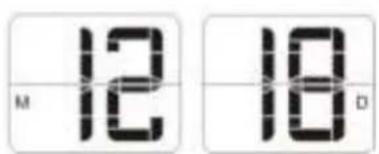
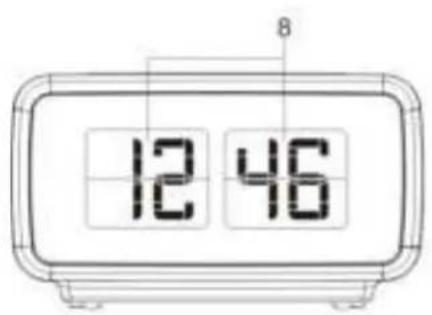
In clock mode, press and hold DISPLAY button (3) for 3 seconds. "ON" appears on the display (8). Then the display (8) automatically shows below contents in 5-10 second intervals.
Current time > Month, Day
To deactivate this function, press and hold DISPLAY button (3) for 3 seconds. "OFF" appears on the display (8). Then the display switches back to the clock mode.
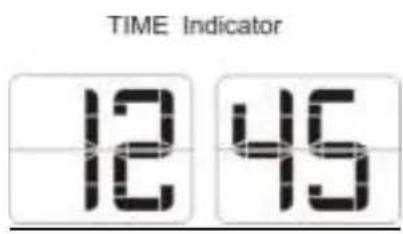
Contents in 10-second intervals
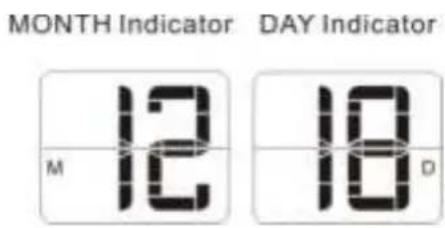
Contents in 5-second intervals
RADIO MODE
Note: Ensure that the FM antenna is completely unrolled and extended to have the best FM reception.
Press the Radio ON/OFF button (6) to turn the unit on.
Use the Tune - (3) or Tune + (4) button to select the desired radio station. If you press and hold the Tune - (3) or Tune + (4) button for one second, then release, the unit will automatically scan to the next broadcasting station.
Press the ON/OFF button (6) to turn the radio OFF.
To set / recall the radio presets
- Press the ON/OFF button (6) to turn the unit ON.
- Use the Tune + or Tune - button to select the desired radio station.
- Press and hold the memory / memory + button; "P01" will blink in the display.
- Use the Tune+ or Tune- button to select the desired preset station (P01-P10)
- Press the memory / memory + button again to set the preset.
- Repeat steps 2 through 5 to set more presets.
- The unit can preset 10 stations totally for FM.
- When "P01-P10" is blinking, press the Tune+ or Tune- button to select the preset number.
- When recalling preset stations, press memory / memory + button to select the preset number.
RESETTING
If the system does not respond or exhibits erratic or intermittent operation, you may have experienced an electrostatic discharge (ESD) or a power surge that triggered the internal microcontroller to shut down automatically. If this occurs, simply disconnect the ac power cord and remove the system backup battery, wait for at least 3 minutes and then setup the unit again as if it is a brand new unit.
SPECIFICATIONS
Frequency range: FM 87.5 - 108 MHz
Battery backup: 3V (CR2032 Flat Lithium battery x 1) not included
Power supply: AC 230V 50Hz
WARNING
- No naked flame sources, such as lighted candles, should be placed on the apparatus.
- Do not place the product in closed bookcases or racks without proper ventilation.
- Where the mains plug is used as the disconnect device, the disconnect device shall remain readily operable.
- The ventilation should not be impeded by covering the ventilation openings with items, such as newspapers, table-cloths, curtains, etc.
- It shall not be exposed to dripping or splashing and that no objects filled with liquids, such as vases, shall be placed on the apparatus.
- Do not connect FM antenna to outside antenna.
- The unit should not be exposed to direct sunlight, very high or low temperature, moisture, vibrations or placed in dusty environment.
- Do not use abrasive, benzene, thinner or other solvents to clean the surface of the unit. To clean, wipe it with mild non-abrasive detergent solution and clean soft cloth.
- Never attempt to insert wires, pins or other such objects into the vents or opening of the unit.
- Disconnect device warning : Mains plug is used as the connection, so it should always remain ready operate.
- Batteries shall not be exposed to excessive heat such as sunshine, fire or the like.
CAUTION
Danger of explosion if battery is incorrectly replaced Replace only with the same or equivalent type

PROTECTION DE L'ENVIRONNEMENT

Press the alarm set button (1/2) during normal mode to show the alarm time. Afterwards keep depress the alarm set button (1/2) over 2 seconds to enter the alarm set mode. After enter the setting mode, press the alarm set button (1/2) to change the mode cycle as follows:
Normal ALARM 1 Hour ALARM 1 Min ALARM 1 weekday Alarm ALARM 1 wake beep ALARM 1 wake radio ALARM 1 wake radio volume Normal.
Normal ALARM 2 Hour ALARM 2 Min ALARM 2 weekday Alarm ALARM 2 wake beep ALARM 2 wake radio ALARM 2 wake radio volume Normal.
MONTH Indicators DAY Indicators
Strømtilkobling
*) markerade Cd = kadmium, Hg = kvicksilver, Pb = bly
Atgard (under datajustering):
Atgard (under datajustering):
When Alarm rings, press Snooze button (7) to suspend the alarm & to activate the snooze function, Beep or Radio alarm will stop and the alarm will ring again 9 minutes later. Press SNOOZE key again, alarm will be suspended again, another 9 minutes later the alarm will ring again and so on until the next alarm rings.
Note: The interval time of the Snooze function is 9 minutes.
- If you want to disable the SNOOZE function and stop alarm completely, press Radio ON/OFF button (6). If you don't press any button, the alarm will ring during 30 minutes & stop automatically.
- Icon of ALARM 1 and ALARM 2 will blink as long as Snooze function is still operating. Once Snooze is turned off icon of ALARM 1 / ALARM 2 stop blinking and lights on the display.