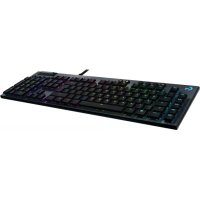
G815 - Gaming Keyboard LOGITECH - Free user manual and instructions
Find the device manual for free G815 LOGITECH in PDF.



| Product Type | Mechanical Gaming Keyboard |
| Brand | Logitech |
| Model | G815 |
| Category | Gaming Keyboard |
| Connection | Wired USB |
| Backlighting | RGB with built-in effects (wave, cycle, ripple, breathing, etc.) |
| Programmable Keys | 5 G-keys with 3 modes (M1, M2, M3), up to 15 functions per game |
| Media Controls | Volume wheel, back, play/pause, next, mute |
| Game Mode | Disables Windows and Menu keys |
| Onboard Memory | 3 profiles (M1, M2, M3) accessible without software |
| USB Passthrough Port | Additional USB port to connect other peripherals |
| Customization Software | Logitech G HUB |
| Compatibility | Windows (and Mac via G HUB software) |
| Maintenance and Cleaning | Clean with a soft, dry cloth. Avoid liquids. |
| Warranty | 2 years (depending on country) |
Frequently Asked Questions - G815 LOGITECH
User questions about G815 LOGITECH
0 question about this device. Answer the ones you know or ask your own.
Ask a new question about this device
Download the instructions for your Gaming Keyboard in PDF format for free! Find your manual G815 - LOGITECH and take your electronic device back in hand. On this page are published all the documents necessary for the use of your device. G815 by LOGITECH.
USER MANUAL G815 LOGITECH
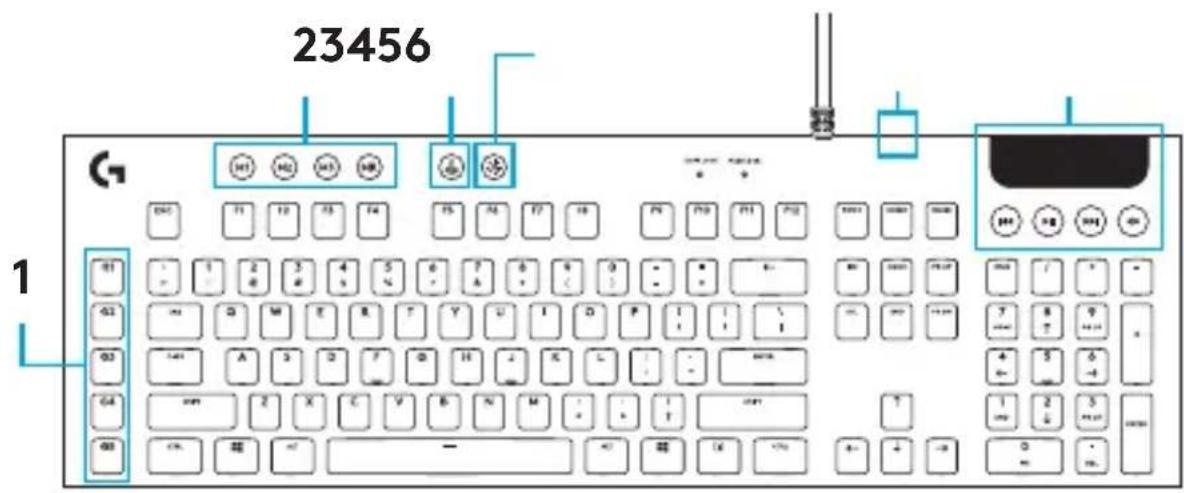
- G-Keys
- Mode Switches
- Game Mode
- Brightness
- USB Pass-through
- Media Controls
4 English
KEYBOARD FEATURES - LIGHTING FUNCTIONS
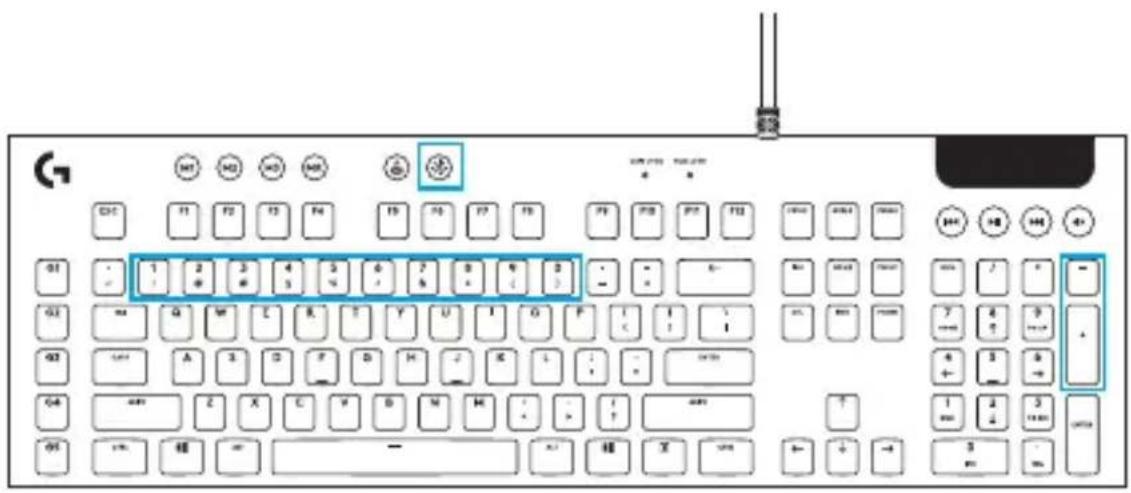
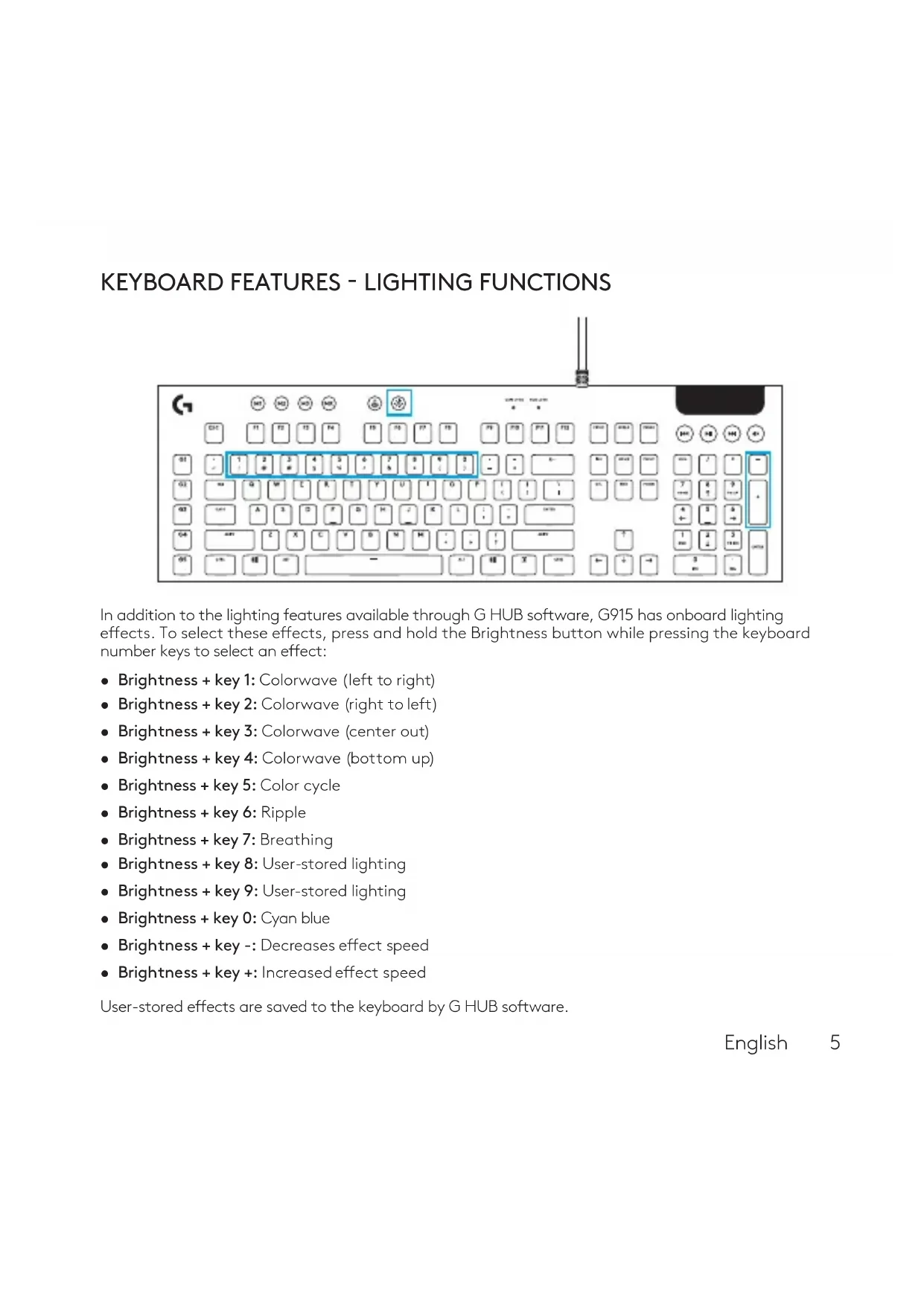
In addition to the lighting features available through G HUB software, G915 has onboard lighting effects. To select these effects, press and hold the Brightness button while pressing the keyboard number keys to select an effect:
- Brightness + key 1: Colorwave (left to right)
- Brightness + key 2: Colorwave (right to left)
- Brightness + key 3: Colorwave (center out)
- Brightness + key 4: Colorwave (bottom up)
- Brightness + key 5: Color cycle
- Brightness + key 6: Ripple
- Brightness + key 7: Breathing
- Brightness + key 8: User-stored lighting
- Brightness + key 9: User-stored lighting
- Brightness + key 0: Cyan blue
- Brightness + key -: Decreases effect speed
- Brightness + key+: Increased effect speed
User-stored effects are saved to the keyboard by G HUB software.
English
KEYBOARD FEATURES - G-KEYS
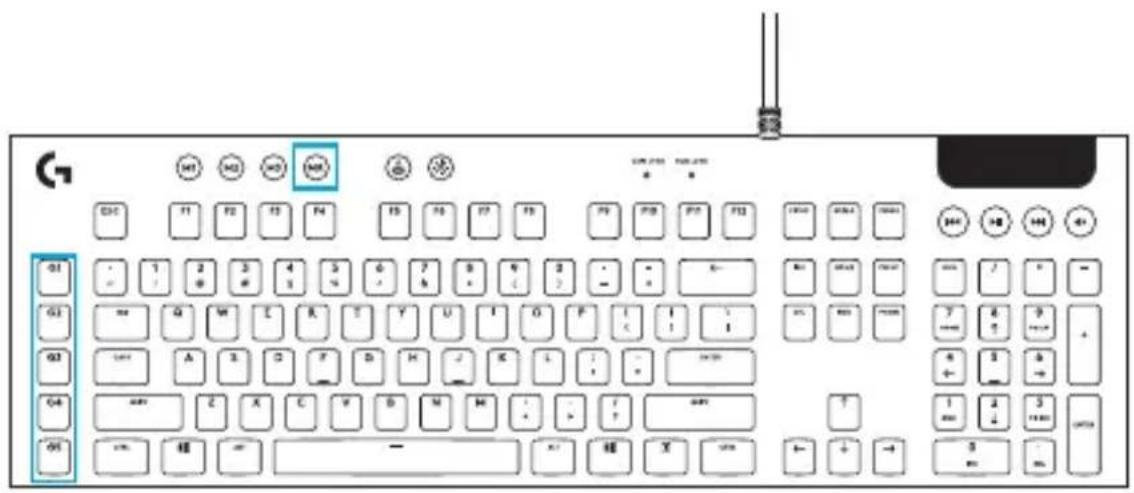
- 5 programmable G-keys and three M-keys provide up to 15 unique functions per game.
-
Customize the G-keys using Logitech GHUB Software.
To record a macro: -
Press the MR key
- Press a G-key.
- Type the keys to be recorded.
- Press the MR key.
To record a second macro to the same G-key, press M2 and repeat steps 1-4.
For a third macro, press M3 and repeat steps 1-4.
Download and install the Logitech Gaming Software from www.logitech.com/support/g815.
6
English
GAME MODE BUTTON

This button disables the standard Windows key and Menu key to prevent the Windows Start menu from activating during a game, which might disrupt play. The game mode LED is lit during game mode.
Adjust keyboard brightness by cycling the keyboard brightness button.
ONBOARD MEMORY


Three onboard profiles can be saved to G915. The profiles are downloaded into the G915 through G HUB software, and are accessed by selecting M1, M2, or M3 when the keyboard is in Onboard mode (selected from G HUB software, or when G HUB software is off or not installed.
KEYBOARD FEATURES - MEDIA CONTROLS
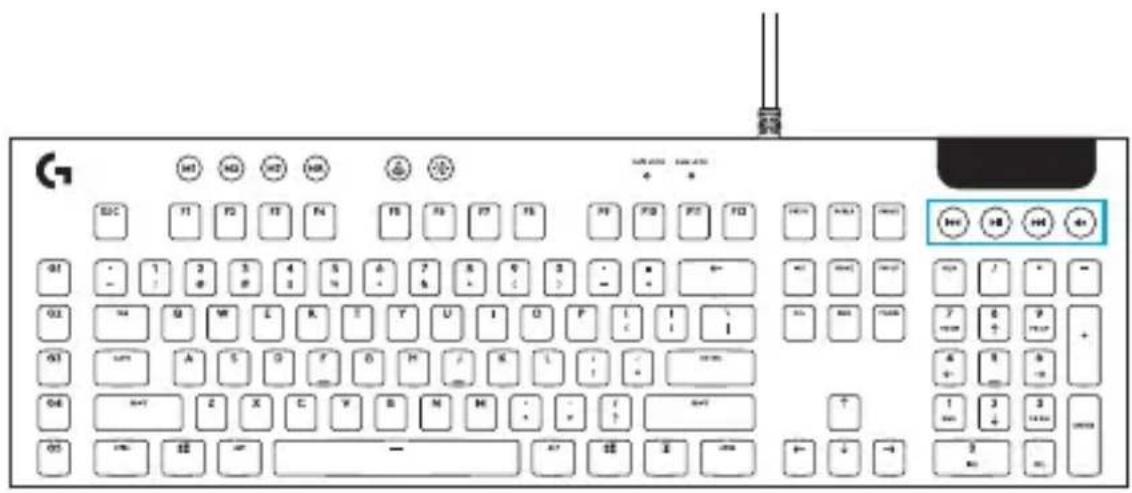
G815 has media controls, located in the upper tight corner of the keyboard.
Volume roller - controls volume of the active audio on your PC.
- Skip Back - goes to the beginnign of a track, or to a previous track, depending on the application.
- Play/Pause - starts or stops the audio or video source playback.
- Skip forward - goes to the end of the track or to the next track, deparsing on the application.
- Mute - stops audio output.
KEYBOARD FEATURES - USB PASS-THROUGH
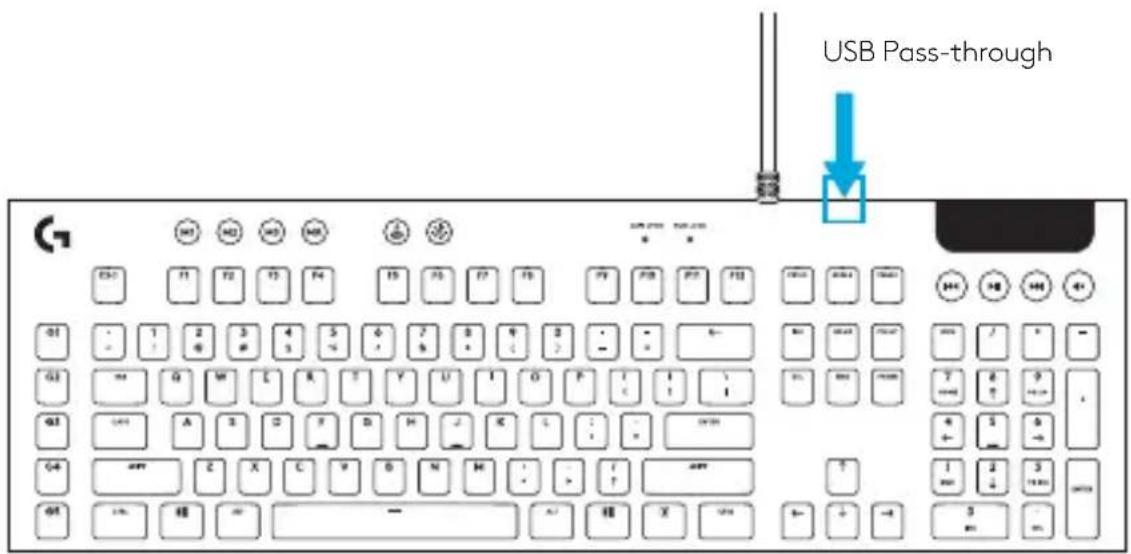
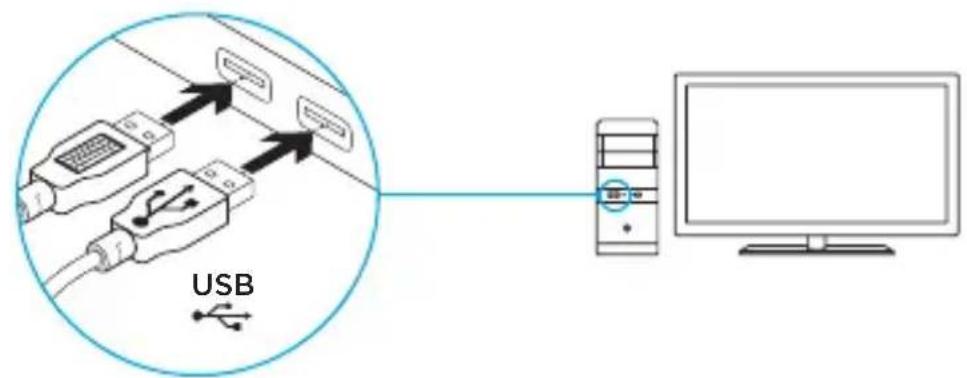
- G815 has a USB port located next to the cable that can be used to connect other USB devices more conveniently.
CONNEXION LIGHTSPEED
www.logitech.com/support/g815
FONCTIONNALITÉS DU CLAVIER
© 2019 Logitech. Logitech, Logi and other Logitech marks are owned by Logitech and may be registered. All other trademarks are the property of their respective owners. Logitech assumes no responsibility for any errors that may appear in this manual. Information contained herein is subject to change without notice.
Brand : LOGITECH
Model : G815
Category : Gaming Keyboard