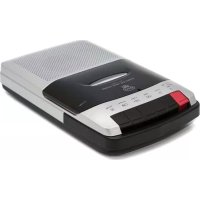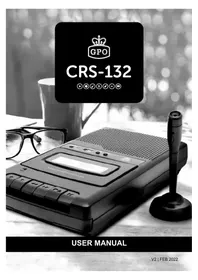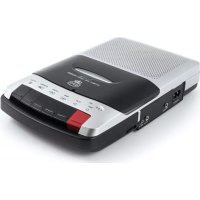
162B - Voice recorder GPO - Free user manual and instructions
Find the device manual for free 162B GPO in PDF.



User questions about 162B GPO
0 question about this device. Answer the ones you know or ask your own.
Ask a new question about this device
Download the instructions for your Voice recorder in PDF format for free! Find your manual 162B - GPO and take your electronic device back in hand. On this page are published all the documents necessary for the use of your device. 162B by GPO.
USER MANUAL 162B GPO
text_image
C M Y CM MY CY CMY K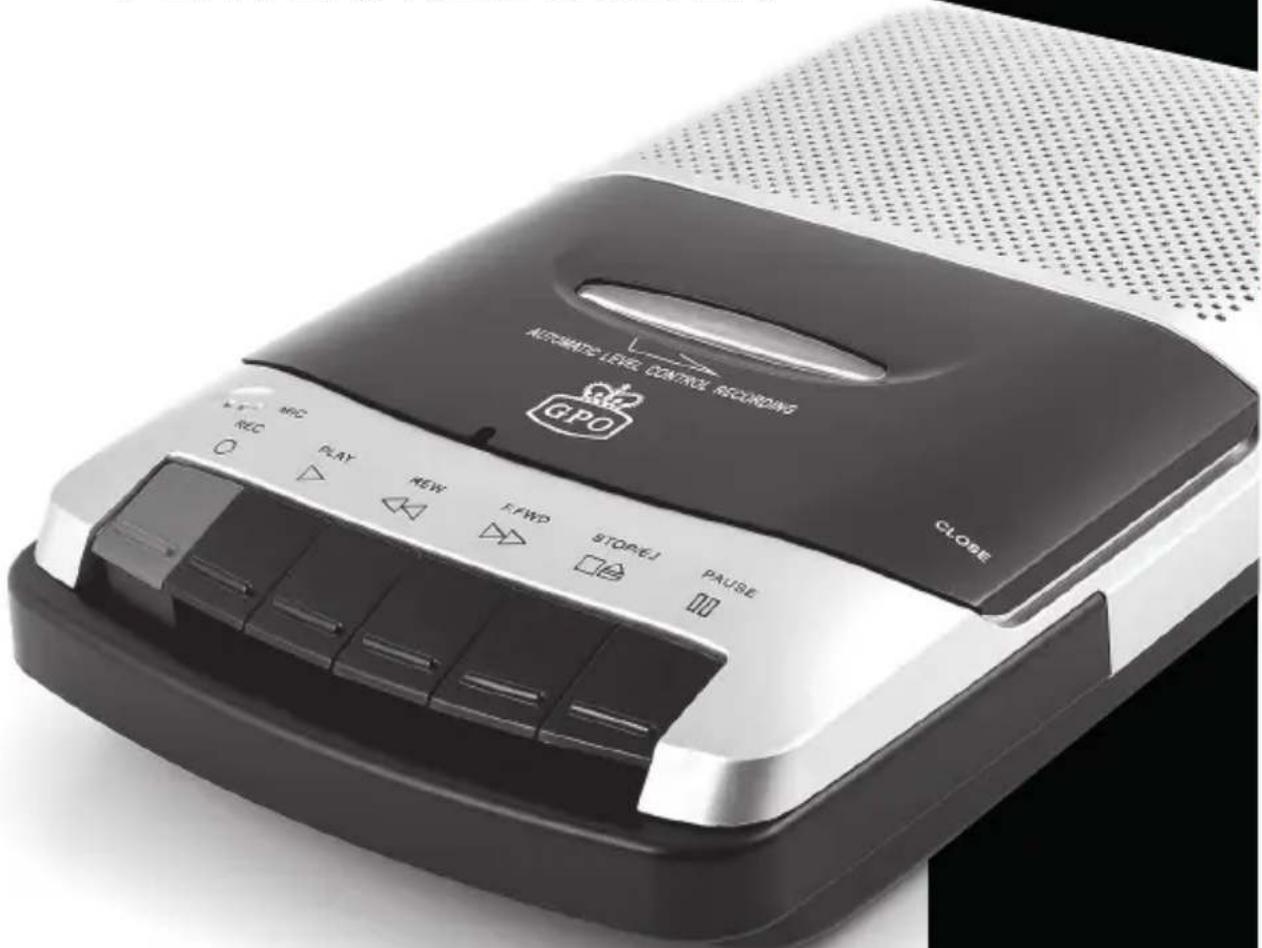
text_image
ASCENSIVE LEVEL CONTROL ACCORDING GPO CLOSE REC PLAY NEW E FWD STOP/1 PAUSEV4 | FEB 2018


natural_image
Gray gradient bar transitioning from black to white (no text or symbols)


TapeDeck_WO162_Manual_V2_Feb2018.pdf 2 28/01/2018 16:58



text_image
C M Y CM MY CY CMY K
natural_image
Vertical color block image with eight solid color blocks (cyan, magenta, yellow, blue, red, green, black, gray) arranged vertically (no text or symbols)


natural_image
Gray gradient bar transitioning from black to white (no text or symbols)


Content
English 2
German 8
French 14
Dutch 20
Spanish 26
Italian 32

text_image
C M Y CM MY CY CMY K
natural_image
Vertical color block image with eight distinct horizontal bands of blue, magenta, yellow, dark blue, red, green, black, and gray (no text or symbols)
1


natural_image
Gradient color palette with black, medium gray, and white squares (no text or symbols)


English
Thanks for purchasing the GPO WO 162 Cassette Recorder. You're now just the push of a button away from being able to record speeches, conversations and lectures with this lightweight and durable recorder. You'll never need a notepad again!





natural_image
Gradient color bar transitioning from black to white (no text or symbols)


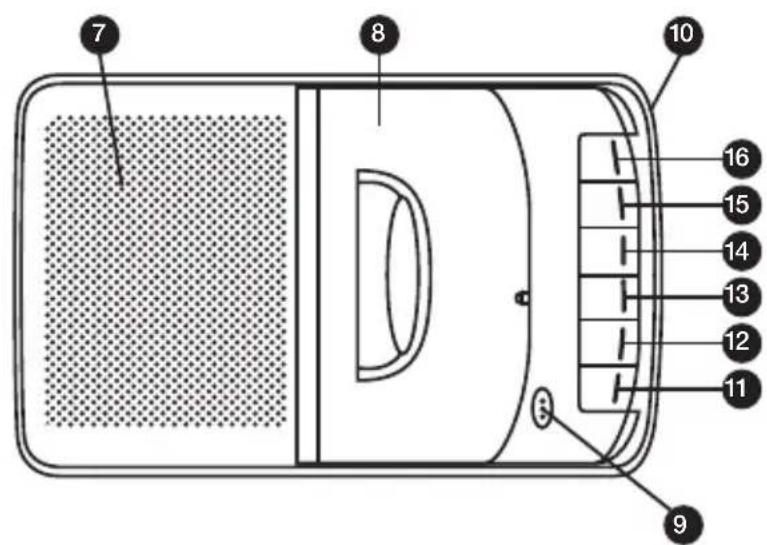
Location of Controls
text_image
7 8 10 16 15 14 13 12 11 9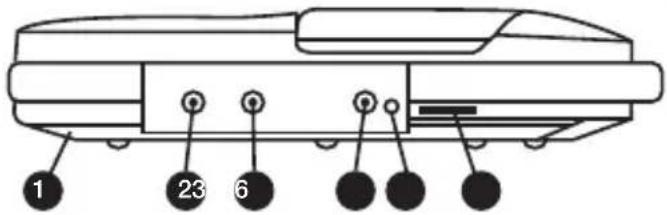
text_image
1 23 61 Battery Door
2 DC Jack
3 External Speaker Jack
4 External Microphone Jack
5 External Microphone Remote Jack
6 Volume Control
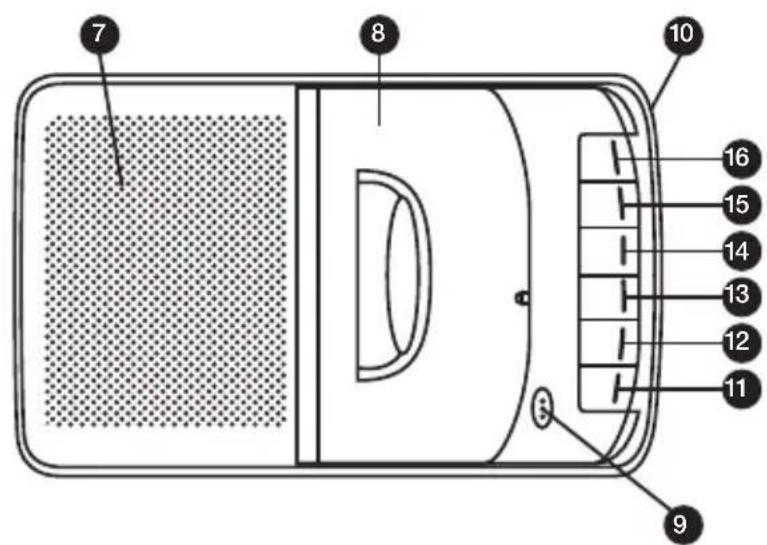
7 Speaker
8 Cassette Door
9 Condenser Microphone
10 Handle
11 Record Button
12 Play Button
13 Rewind Button
14 Fast Forward Button
15 Stop/Eject Button
16 Pause Button

text_image
C M Y CH MY CY CMY K
natural_image
Vertical color block image with eight solid color blocks (blue, magenta, yellow, blue, red, green, black) arranged in descending order from top to bottom.


natural_image
Gradient color bar transitioning from black to white (no text or symbols)


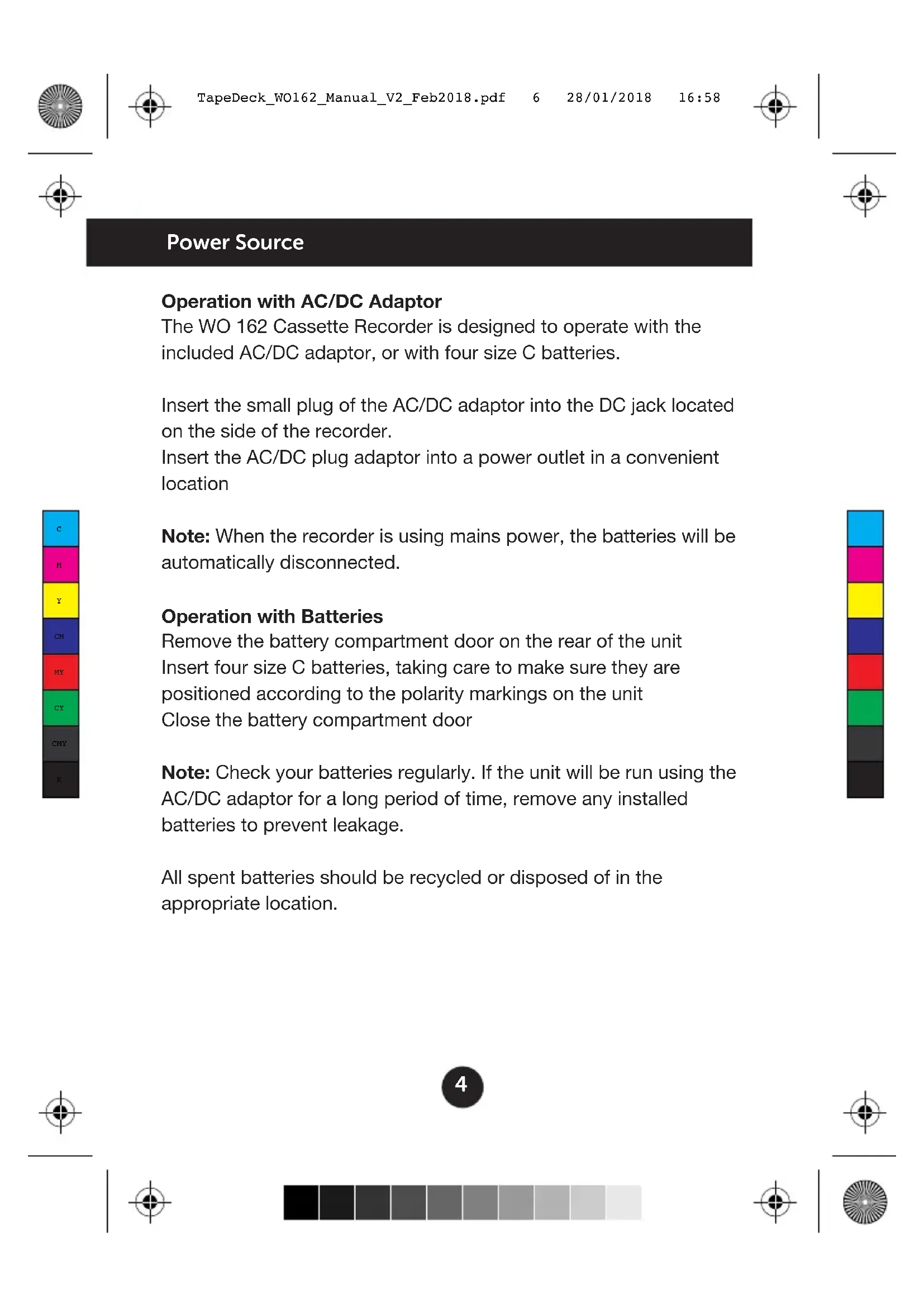
Power Source
Operation with AC/DC Adaptor
The WO 162 Cassette Recorder is designed to operate with the included AC/DC adaptor, or with four size C batteries.
Insert the small plug of the AC/DC adaptor into the DC jack located on the side of the recorder.
Insert the AC/DC plug adaptor into a power outlet in a convenient location

text_image
C M Y CM MY CY CMY KNote: When the recorder is using mains power, the batteries will be automatically disconnected.
Operation with Batteries
Remove the battery compartment door on the rear of the unit Insert four size C batteries, taking care to make sure they are positioned according to the polarity markings on the unit Close the battery compartment door
Note: Check your batteries regularly. If the unit will be run using the AC/DC adaptor for a long period of time, remove any installed batteries to prevent leakage.
All spent batteries should be recycled or disposed of in the appropriate location.



natural_image
Vertical color block image with alternating solid and dotted colors (no text or symbols)


Playback
The WO 162 Cassette Recorder can be used to play any cassette tape using the unit's built-in speaker.
- To open the compartment cover, press the Stop/Eject button. If a cassette is currently playing, press this button twice. Once to stop the cassette, and a second time to open the cover.
- Insert the cassette you wish to play into the compartment holder completely, ensuring that the open part of the cassette is facing upwards.
- Push the Play button to begin playback through the built-in speaker.
- The speaker volume can be adjusted using the volume control located on the side of the unit.
- To temporarily stop playback, press the Pause button. Pressing the Pause button a second time will resume playback.
- To move forward or backwards through the cassette tape, use the Fast Forward and Rewind buttons.
- Once the cassette tape comes to an end, the unit will stop automatically and the power will be turned off.
- To turn the unit off before the tape comes to an end, press the Stop/Eject button. This button can be pressed a second time to open the cassette door and remove the cassette.
- Once the tape has come to an end, it must be either rewound using the Rewind button, or ejected and reversed using the Stop/Eject button.
Note: If the Play button is pushed after the automatic stop system has operated, the tape will not resume playing. The cassette must be rewound or reversed.

text_image
C M Y CM MY CY CMY K
natural_image
Vertical color block image with eight distinct horizontal bands of blue, magenta, yellow, dark blue, red, green, black, and gray (no text or symbols)



natural_image
Gradient color bar transitioning from black to white (no text or symbols)


Recording
The WO 162 Cassette Recorder can be used to record sound or speech to a cassette tape using the built-in microphone.
- Ensure that a cassette tape has been correctly inserted into the cassette cover.
- Push the Record AND Play buttons together.
- The built-in microphone will begin to record nearby sounds and speech. It is not necessary for you to hold the microphone near to your mouth.
• To stop the recording at any time, press the Stop/Eject button. - Once the cassette tape comes to an end, the unit will stop automatically and the power will be turned off.
- When a new recording is made to the same cassette tape, any previous recordings will be erased and only the new recording will remain.
natural_image
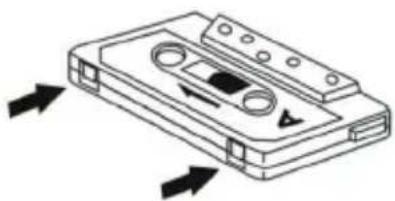
Line drawing of a cassette tape with directional arrows indicating movement (no text or symbols)Note: Make sure that the erase prevention tab on top of the tape has not been cut off. If these tabs have been removed, the tape cannot be used for recording.

text_image
C M Y CM MY CY CMY K
natural_image
Vertical color block image with eight solid color blocks (blue, magenta, yellow, blue, red, green, black, dark gray) arranged vertically (no text or symbols)



natural_image
Gradient color bar transitioning from black to white (no text or symbols)


Cleaning the Unit
- The exterior casing of this unit may be cleaned with a dust cloth. Use caution when cleaning and wiping any plastic parts.
- Mild soap and a damp cloth may be used to clean the front panel.
- The tape heads, capstan and pinch roller should be cleaned after every 100 hours of use. Use a cotton swab moistened with head cleaning solution or isopropyl alcohol, then carefully dry with another cotton swab.

Note: Never use metal objects on or near the tape heads. Do not allow any cleaning materials to fall into the tape assembly.
Troubleshooting
Q) The unit will not turn on
A) Ensure that the DC cable is properly connected to the unit and plugged in to a working outlet. If you are running from battery power, ensure that the batteries are fully charged and installed correctly.
Product Support
For more advice or assistance, please visit www.gporetro.com, or call our support team on 0845 521 4095.
Please note, for your personal safety you SHOULD NOT attempt to open the unit's casing. Opening the casing voids your warranty, and no user serviceable parts are contained inside



German
natural_image
Vertical color block image with eight solid color blocks (cyan, magenta, yellow, blue, red, green, gray, black) in descending order from top to bottom.


text_image
C M Y CH MY CY CMY K
natural_image
Vertical color block image with eight solid color blocks (cyan, magenta, yellow, blue, red, green, black) arranged vertically from top to bottom.


Stromversorgung
text_image
C M Y CM MY CY CMY Knatural_image
Vertical color block image with eight solid color blocks (cyan, magenta, yellow, blue, red, green, black, gray) in descending order from top to bottom.


Wiedergabe
text_image
C M Y CM MY CY CMY K



natural_image
Gray gradient bar transitioning from black to white (no text or symbols)


Aufnahme
natural_image
Line drawing of a cassette tape with directional arrows indicating movement (no text or symbols)text_image
C M Y CM MY CY CMY K

natural_image
Vertical color block image with alternating solid and dotted blocks in blue, magenta, yellow, red, green, black, and gray (no text or symbols)

natural_image
Gradient color bar transitioning from black to white (no text or symbols)


natural_image
Gradient color bar transitioning from black to white (no text or symbols)


French
natural_image
Gradient color bar transitioning from black to white (no text or symbols)

natural_image
Vertical color block image with alternating solid and dotted blocks (no text or symbols)


natural_image
Gradient color bar transitioning from black to white (no text or symbols)


text_image
C M Y CM MY CY CMY Knatural_image
Vertical color block image with eight solid color blocks (cyan, magenta, yellow, blue, red, green, black, gray) in descending order from top to bottom.


Lecture
text_image
C M Y CM MY CY CMY K
natural_image
Vertical color block image with eight distinct horizontal bands of blue, magenta, yellow, dark blue, red, green, black, and gray (no text or symbols)



natural_image
Gradient color bar transitioning from black to white (no text or symbols)


Enregistrement
natural_image
Line drawing of a cassette tape with directional arrows indicating movement (no text or symbols)text_image
C M Y CM MY CY CMY K

natural_image
Vertical color palette bar with eight distinct solid color blocks (no text or symbols)

natural_image
Gradient color bar transitioning from black to white (no text or symbols)


natural_image
Vertical color block image with alternating solid and dotted blocks in blue, magenta, yellow, red, green, black, and gray (no text or symbols)


Dutch
natural_image
Gradient color bar transitioning from black to white (no text or symbols)


Wat zit waar?
text_image
7 8 10 16 15 14 13 12 11 9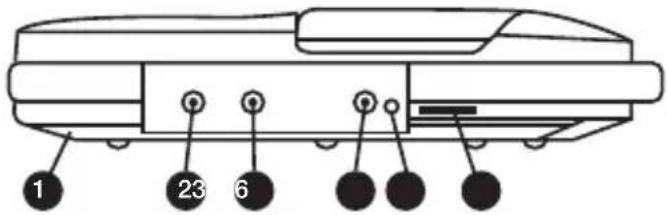
text_image
1 23 6text_image
C M Y CH MY CY CMY K
natural_image
Vertical color block image with eight solid color blocks (cyan, magenta, yellow, blue, red, green, black) arranged vertically from top to bottom.



natural_image
Gradient color bar transitioning from black to white (no text or symbols)


Voedingsbron
text_image
C M Y CM MY CY CMY Knatural_image
Gradient color palette with black, medium gray, and white squares (no text or symbols)


Afspelen
text_image
C M Y CM MY CY CMY K
natural_image
Vertical color block image with eight distinct horizontal bands of blue, magenta, yellow, dark blue, red, green, black, and gray (no text or symbols)



natural_image
Gradient color bar transitioning from black to white (no text or symbols)


Opnemen
natural_image
Line drawing of a cassette tape with directional arrows indicating movement (no text or symbols)text_image
C M Y CM MY CY CMY K

natural_image
Vertical color palette bar with eight distinct solid color blocks (no text or symbols)

natural_image
Gradient color bar transitioning from black to white (no text or symbols)


text_image
C M Y CM MY CY CMY K



natural_image
Gradient color bar transitioning from black to white (no text or symbols)


Spanish
natural_image
Gradient color bar transitioning from black to white (no text or symbols)


text_image
C M Y CM MY CY CMY Knatural_image
Gray gradient bar transitioning from black to white (no text or symbols)

natural_image
Vertical color block image with eight solid color blocks (cyan, magenta, yellow, blue, red, green, black, gray) in descending order from top to bottom.


text_image
C M Y CM MY CY CMY Knatural_image
Vertical color block image with eight distinct horizontal bands in blue, magenta, yellow, dark blue, red, green, black, and gray (no text or symbols)



natural_image
Gradient color bar transitioning from black to white (no text or symbols)


Reproducción
text_image
C M Y CM MY CY CMY K



natural_image
Gray gradient bar transitioning from black to white (no text or symbols)


Grabación
text_image
C M Y CM MY CY CMY Knatural_image
Line drawing of a cassette tape with directional arrows indicating movement (no text or symbols)natural_image
Vertical color block image with alternating solid and dotted colors (no text or symbols)


text_image
C M Y CM MY CY CMY Ktext_image
C M Y CM MY CY CMY K


natural_image
Gradient color bar transitioning from black to white (no text or symbols)

natural_image
Vertical color block image with eight solid color blocks (cyan, magenta, yellow, blue, red, green, black) arranged vertically from top to bottom.


natural_image
Gradient color bar transitioning from black to white (no text or symbols)


Alimentazione
text_image
C M Y CM MY CY CMY Knatural_image
Vertical color block image with alternating solid and dotted colors (no text or symbols)

natural_image
Gradient color palette with black, medium gray, and white squares (no text or symbols)


Riproduzione
text_image
C M Y CM MY CY CMY K



natural_image
Gray gradient bar transitioning from black to white (no text or symbols)


Registrazione
natural_image
Line drawing of a cassette tape with directional arrows indicating movement (no text or symbols)text_image
C M Y CM MY CY CMY K
natural_image
Vertical color block image with eight distinct horizontal bars in blue, magenta, yellow, dark blue, red, green, black, and gray (no text or symbols)



natural_image
Gradient color bar transitioning from black to white (no text or symbols)


natural_image
Vertical color block image with 10 solid color blocks (cyan, magenta, yellow, blue, red, green, black) in descending order from top to bottom.


natural_image
Gray gradient bar transitioning from black to white (no text or symbols)


EN
Hereby ProtelX, declares that this equipment (GPO 162B) is in compliance with the essential requirements and other relevant provisions of Directive, you can access a copy of this certificate on www.gporetro.com/Certificate-of-Conformity
NL
natural_image
Vertical color block image with eight solid color blocks (blue, magenta, yellow, blue, red, green, black) in descending order from top to bottom.
www.gporetro.com
IMPORTED AND DISTRIBUTED BY:
ProTelX Ltd, Unit 6, Park 17 Industrial Estate, Moss Lane, Whitefield, Manchester, M45 8FJ UK