Thermotalk - Thermometer Miniland - Free user manual and instructions
Find the device manual for free Thermotalk Miniland in PDF.



| Product type | Infrared clinical thermometer |
| Brand | Miniland |
| Model | Thermotalk (ref. 89023) |
| Dimensions | 120 × 40 × 65 mm |
| Weight | 90 g (without batteries) |
| Power supply | 2 AAA batteries (1.5 V) |
| Battery life | Approximately 1 minute before standby |
| Body temperature range | 32.0 °C to 42.9 °C |
| Ambient temperature range | 5.0 °C to 59.9 °C |
| Body temperature accuracy | ±0.2 °C (from 35.5 °C to 42.0 °C), otherwise ±0.3 °C |
| Display | LCD screen |
| Sensor | Infrared |
| Memory | Last 30 measurements with date and time |
| Main functions | Ear and forehead measurement, clock, memory, voice alarm, fever indicator (red >37.6 °C) |
| Voice languages | English, German, French, Italian, Spanish, Russian, or silent |
| Maintenance | Clean the probe with a soft cloth or cotton swab soaked in alcohol; do not use solvents |
| Safety | Do not use in case of ear infection; avoid extreme temperatures; keep out of reach of children |
| Spare parts | Forehead probe, holder, batteries (not included) |
| Repairability | Factory calibrated; do not attempt to repair; contact Miniland technical service |
Frequently Asked Questions - Thermotalk Miniland
User questions about Thermotalk Miniland
0 question about this device. Answer the ones you know or ask your own.
Ask a new question about this device
Download the instructions for your Thermometer in PDF format for free! Find your manual Thermotalk - Miniland and take your electronic device back in hand. On this page are published all the documents necessary for the use of your device. Thermotalk by Miniland.
USER MANUAL Thermotalk Miniland
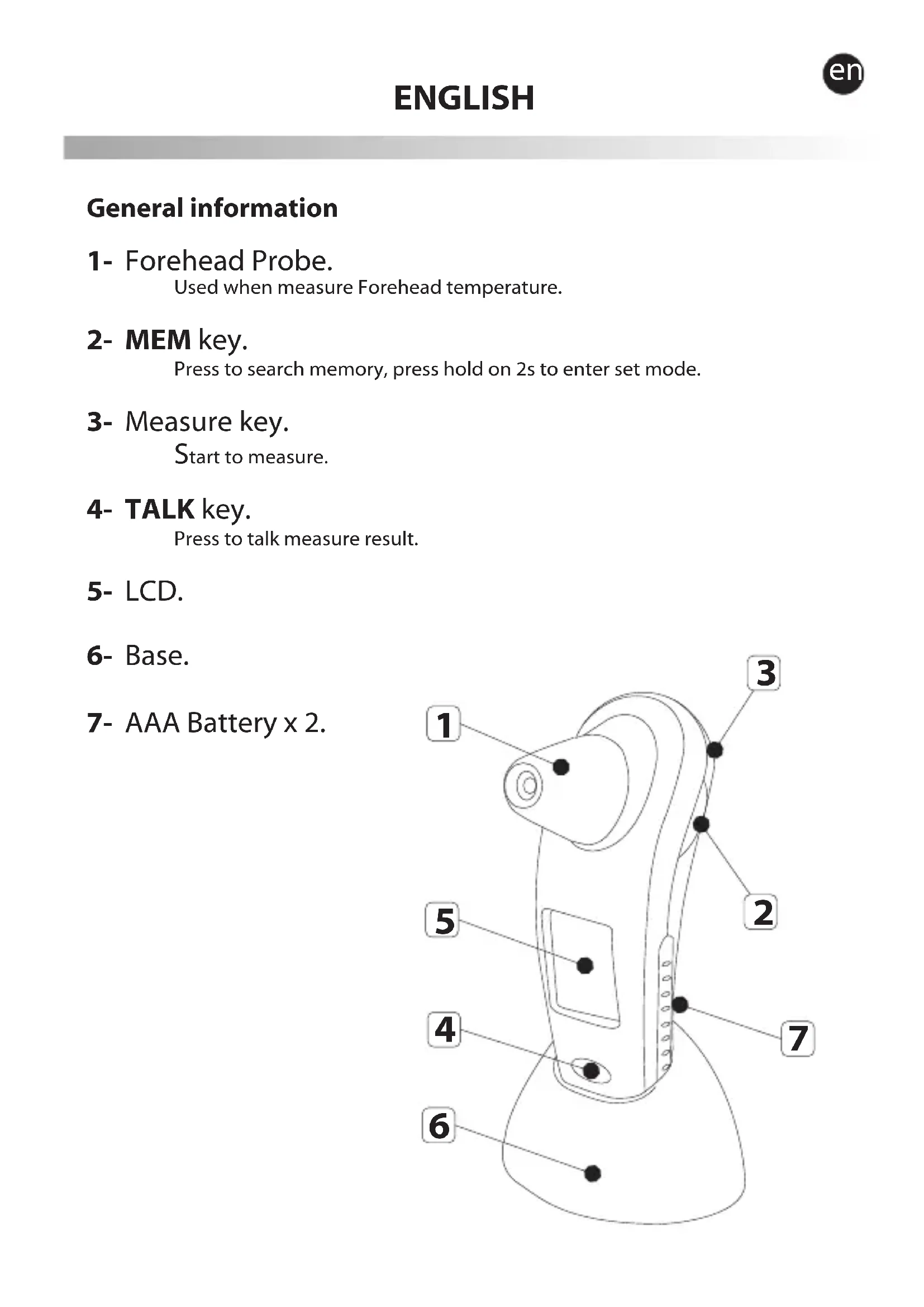
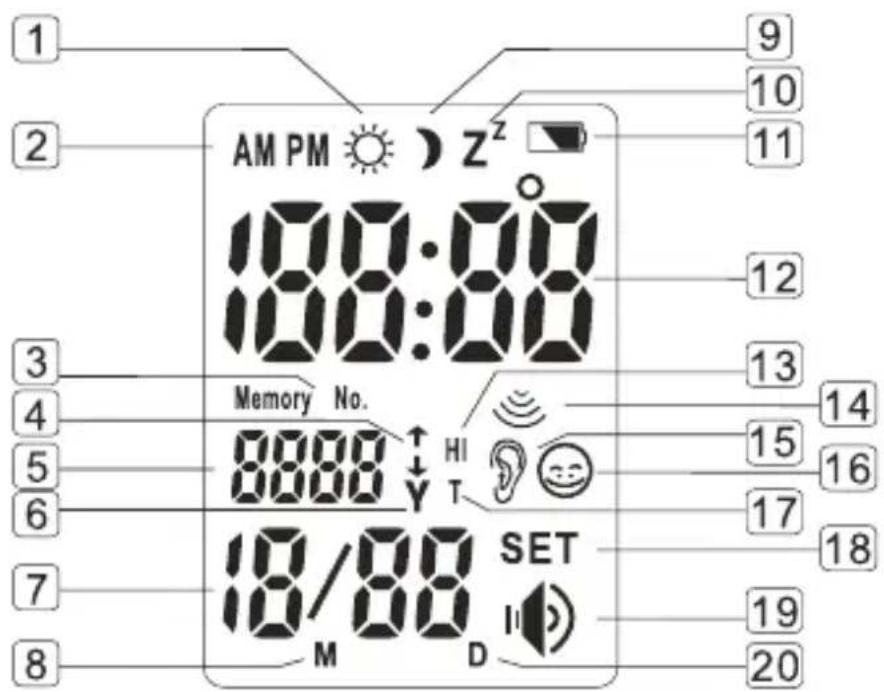
1- Forehead Probe.
Used when measure Forehead temperature.
2-MEM key.
Press to search memory, press hold on 2s to enter set mode.
3- Measure key.
Start to measure.
4- TALK key.
Press to talk measure result.
5-LCD.
6- Base.
7- AAA Battery x 2.
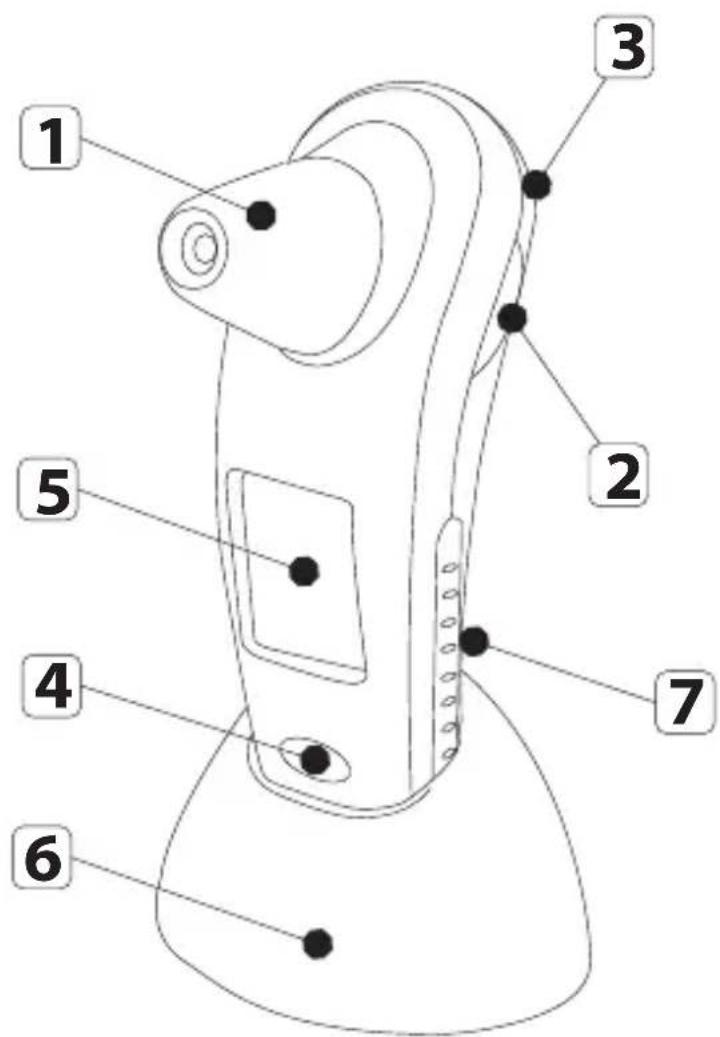
LCD display
- Day time sign in time mode
- A.M. and P.M. sign in time
- Memory sign means memory mode
- Records sequence indication in memory mode
- Year in time mode or sequence of records in memory mode.
- Year sign
- Month and day in time mode or memory
- Month sign
- Night sign in time mode
- sleep sign
- battery low
- temperature in measure temperature mode or time in time mode
- High temperature sign
- Measure state sign, flash when measuring
- Ear temperature sign
- Forehead temperature sign
- Measurement temperature sign
- Set sign means set mode
- Speaker sign
- Day sign
Content
1 Forehead Probe
1 User's Manual
1 Table Stand Holder
Please read this instruction manual before use
- Thank you for purchasing our Clinical IR Thermometer. For a desirable use of this product, be sure to read this user manual before any operation.
- For safe and proper use of this product, be sure to read and fully understand Safety Precautions contained in this user manual.
- Keep this manual with you for a convenient reference.
- Keep this manual in a proper way and avoid any loss.
Safety precautions
- Warning marks and symbols are contained for your safe and proper use of this product and prevention of any injury to you and others.
See Table below for description of warning marks and symbols:
| Warning | Means a possibility of personal injury in case of improper use. |
| Notice | Means a possibility of personal injury or property damage in case of improper use. |
| Means Notice with detailed items expressed in words or figures within or beside . Left one means "No break". | |
| PROHIBITION Means Forbidden with detailed items expressed in words or figures within or beside the mark. Left one means General Forbidden | |
| MUST OBSERVE Means Obligatory with detailed items expressed in words or figures within or beside the mark. Left one means General Compulsory. | |
| Means the thermometer do not require the protective probe covers. |
| Warning |
| Do not use the thermometer under temperature extremes (below 15°C /59°F or over 40°C/104°F) or humidity extremes (below 20%RH or over 85%RH). Failing to do so may cause inaccuracy. |
| Do not expose the thermometer to temperature extremes (below -10°C /14°F or over 55°C/131°F) or humidity extremes (below 20%RH or over 85%RH). Failing to do so may cause inaccuracy. |
| It is dangerous for patients to perform a self-evaluation and self-treatment based on the measuring results. Be sure to follow doctors' instruction. A self-evaluation may cause deterioration of diseases. |
| Don't touch or blow infrared sensor. A polluted or broken infrared sensor may cause inaccuracy. |
| Clean a polluted infrared sensor with a soft dry cloth in a gentle manner. Clean with toilet tissue or paper towel may scratch the infrared sensor, causing inaccuracy. |
| Keep the machine out of children's reach. A self-measurement forced by children may cause ear damage. For accidental swallow of battery or protective film, please consult the doctor at once. |
| For temperature difference between storage area and measurement site, condition the thermometer for about 30minutes in room temperature (measurement site). Failing to do so may cause inaccuracy. |
| Notice |
| Stop using the product in occurrence of any pain.It is likely to damage the ear hole. |
| It is not recommended to use the product by users suffering ear disease including earache external and tympanitis.Affected part is liked to get deterioration. |
Don't use the product in a wet ear hole resulted in swimming or bathing It is possible to damage the ear hole.

Don't throw batteries into fire.
Battery is likely to explode in fire.

Recommendations
- Don't use the product for other purposes.
- It is not waterproof device. Clean it only with damped cloth gently.
- It is forbidden to leave the product exposed to any chemical solvent, direct sunshine or high temperature.
- Don't drop, tramp or impose any vibration or impact on the product.
- Don't use a mobile phone nearby when the thermometer is working.
- Handing of battery and wastes method, please act according to the native law to proceed to handle.
- Take out the batteries if you are not going to use the unit for a long period of time.
Indented use
Except for measurement of ear and forehead temperature, don't use this product for other purposes. It can be used for anybody, e.g. for new-born, for children and for adults.
Fundamental functions
- Current date and time display:
Range of date display falls within Gregorian calendar year 2001~2099, time display mode includes 12 hours shift (user selectable). The initial date for a powered system is set at January 01, 2008.
- Measurement and display of temperature:
Measurement ranges from 32.0^ to 42.9^ (89.6°F to 109.3°F).
- When the body temperature >37.6^ C (99.6°F) there is a red light under the Measure Key for fever indication.
4.30 sets of measurement records:
Maximum 30 sets of temperature records stored.
Temperature is stored together with measuring date, time and measurement mode (Ear or Forehead).
- Measurement and display of room temperature:
Measurement ranges from 5.0^ to 59.9^ (41.0°F to 139.8°F).
-
Voice prompt: report measurement results, room temperature and current time.
-
Celsius/Fahrenheit switch Press TALK key and Measure key at the same time to change between Celsius and Fahrenheit.
Temperature taking hints

-
The right ear reading may differ from the reading taken at the left ear. Therefore, always take the temperature in the same ear.
-
The ear must be free from obstructions or excess earwax build-up to take an accurate reading.
-
External factors may influence ear temperatures, including when an individual has:
been lying on one ear or the other
- had their ears covered
- been exposed to very hot or very cold temperatures
been recently swimming or bathing.
In these cases, remove the individual from the situation and wait 20 minutes prior to taking a temperature.
- Use the untreated ear if prescription eardrops or other ear medications have been placed in the ear canal.
en Preparations
- Replace any low-voltage battery to ensure full power supply.
- For proper measurement, condition the thermometer for 30 minutes in measurement site.
- An unexpected fluctuation of ambient temperature is likely to deteriorate a measuring accuracy. When a measurement site shows a different temperature with the area where a thermometer locates, or any attempt to perform a temperature measure in front of air conditioner, desirable results are impossible.
- Be sure to keep ear clean since a ceriman-filled or feather-filled ear is possible to cause inaccuracy.
- Measurement shall be done at a rest time to ensure an accurate result. Temperature is likely to increase immediately after exercise or bathing.
How to take measurement
- To measure ear temperature:

Pull OUT the FORENHEAD PROBE from the unit, insert the temperature probe along the eardrum as deep as possible into the ear, then press measure key once to start the measurement & you will hear a beep sound. Upon completion you will hear two short beep sound. Now you see it from the LCD, and you will hear the result via the speaker if the TALK function is enabled.
- To measure forehead temperature:
Put ON the FOREHEAD PROBE onto the unit, the gently position the probe onto the center of the forehead, midway between the eyebrow and the hairline. Press measure key once to start the measurement &you will hear a beep sound. Upon completion you will hear two short beep sound. Now you see it from the LCD, and you will hear the result via the speaker if the TALK function is enabled.
- The result will be stored into memory automatically. If 30 sets of memory are stored already, the first set of data will be removed, and others decreased by 1 with the new one at the top.
-
Measure 3 times maximum in a consecutive way. It is possible that a proper body temperature measure is obstructed despite of a normal recovery. For continuous measurement up to 4 times or above, at least wait for 10 minutes before new measurement.
-
Display of measuring results:
A. True value display for result falls between 32.0^ C to 42.9^ C; 89.6^ F to 109.2^ F ;
B. "HI" displayed for result above 42.9^ C / 109.2^ F ;
C. "LO"displayed for result below 32.0^ C / 89.6^ F .
- At completion of measure, the unit automatically returns to time mode after 30 seconds.
- The display screen will be turned off 1 minute after last key pressed automatically (if sleep mode is enable.).
Advanced operation (1)
Clock mode:
- Display time in a sequence of year, month, date, week, hour, minute with a flickering ":" stands for second. The LCD displays current time and room temperature in alternate 5 seconds.
- Press [TALK] to report current time and room temperature.
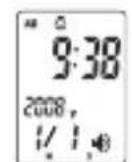
Clock Mode (Clock)
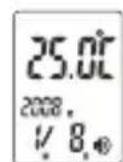
Clock Mode (Temperature)
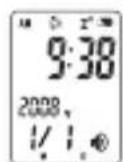
Clock Mode (Battery low)
- Press hold [TALK] for 2 seconds to select English, German, French, Italian, Spanish, Russian or non-talking. However during measurement, you will hear a 'beep' sound even if the unit is in talking or non-talking mode.
- When the [TALK] function is enabled, the loudspeaker icon is turned on. If disabled, the loudspeaker icon is off. Default TALK function is English.
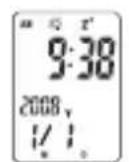
Clock Non-talking
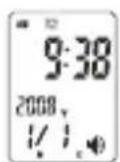
Clock Non-sleep mode
en
-
Press [MEM] to retrieve the recorded temperature or press Hold [MEM] for 2 seconds to enter set up mode.
-
Sleep mode - system enters into sleep mode 1 minute after last key is pressed.
Press hold [MEM] key for 2 seconds to enter into setup mode
-
Press [TALK] to shift between a setting of HOUR, MINUTE, YEAR, MONTH, DAY and SLEEP enable/disable.
-
Press hold [MEM] for to increase the digit rapidly.
Unit return to clock mode automatically 30 seconds after last key pressed.

Memory mode:
- Press [MEM] in clock mode to enter into memory mode.
- "--" will be displayed if no data is stored.
- Maximum storage is 30 sets of data with date and time shown.
- Unit returns to clock mode automatically 5 seconds after last key pressed.
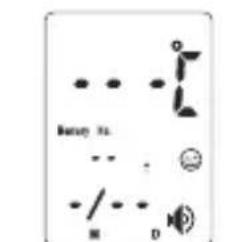
Memo.no data
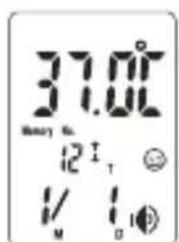
Memo.data
Recommendations
-
For unskillful users, it is recommended to measure the same ear 3 times for the first time. The maximum reading shall be recorded in case of different results since any thermometer suffering a continuous operation is deemed to see a slight error of (+/-0.3^, + / - 0.5^) .
-
Wait about 30 seconds before measuring the same patient again to avoid excessive cooling of the skin.
-
For users in sound health, both ears are almost the same in terms of body temperature. Please select the ear shows a stable and relatively higher temperature.
-
Please clean the ear before measurement.
Replace a battery
Remove the battery compartment door. Use only new batteries (2 x AAA battery). Replace the battery compartment tight.
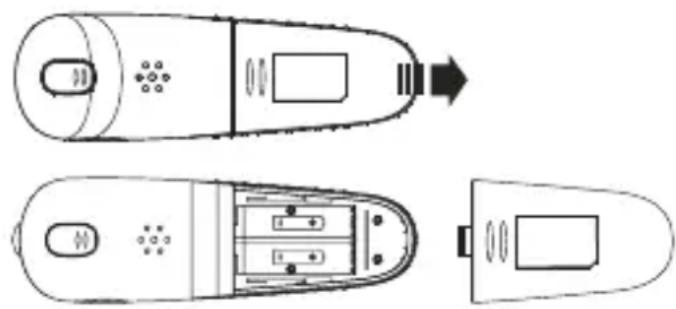
Maintenance, storage and calibration
Maintenance:
-
Remove any stains on the body with a soft and dry cloth.
-
Clean the probe tip as follows: very gently wipe the surface with a cotton swab or soft cloth moistened with clinical alcohol, after the alcohol has completely dried out, you can use the thermometer.
-
Don't wash with water or detergent containing abrasive or benzene.
Storage:
- Clean the thermometer and put the cover to protect the lens after each use.
- Don't leave the thermometer exposed to or at high risk of direct sunshine, high temperature, dampness, fine, flame, vibration or impact.
- Remove the battery for long time of on use.
Calibration:
This thermometer is calibrated at the time of manufactured.
If the thermometer is used according to the instruction, periodic recalibration is not required. If at any time you question the accuracy of the measurement, please contact the retailer immediately.
Don't attempt to modify or reassemble the thermometer.
Troubles and troubleshooting
| Troubles Checklists Countermeasures | ||
| No response | Battery used up? Change new | battery |
| Battery in wrong polarity? | Adjust battery to proper polarity | |
| Battery symbol on LCD Low battery Change new battery | ||
| “Lo” on screen (result below 32°C or 89.6°F) | Thermometer rightly pointed at the eardrum / forehead? | Follow User's Manual to point at the eardrum / forehead |
| “Hi” on screen (above 42.9°Cor 109.3°F) | Please check the operation Method | Follow User's Manual for proper measurement |
Specification
Product Name: thermo talk
Model: 89023
Power supply: DC3V (2 x AAA battery)
Power consumption: < 50mA (for voice prompt)
- Temperature sensing part: IR sensor
- Measuring range : 32.0^ to 42.9^ (89.6°F to 109.3°F). Room Temperature : 5.0^ to 59.9^ (41.0°F to 139.8°F).
- Measuring accuracy: +/-0.2^ (or +/-0.4^ ) From 35.5^ 42.0^ (or 95.9^ 107.6^ ) +/-0.3^ (or +/-0.5^ ) for other ranges. Room Temperature: +/-1^
- Outer dimension: 120( L) × 40( W) × 65( D) mm
Weight: 90g(without batteries) -
Working environment Temperature: 15^ C to 35^ C (59.0°F to 95.0°F). Relative humidity: 20% RH 80% RH
Storage environment: Temperature: -10^ to 55^ (14°F to 131°F). Relative humidity: 20% RH 90% RH -
Dispose of used batteries with care consult your distribution center for details.
Standard List
This appliance conforms to the following standards:
ISO 10993-1:2003 Biological evaluation of medical devices - Part 1: Evaluation and testing
ISO 10993-5:1999 Biological evaluation of medical devices - Part 5: Tests for in vitro cytotoxicity
ISO 10993-10:2002 Biological evaluation of medical devices - Part 10: Tests for irritation and delayed-type hypersensitivity
EN 60601-1:1990 Medical electrical equipment - Part 1: General requirements for safety
EN 60601-1-2:2001 Medical electrical equipment -Part 1-2:General requirements for safety-Collateral standard:Electromagnetic compatibility-Requirements and tests
EN 12470-5:2003 Clinical thermometers
-Part 5:Performance of infra-red ear thermometers(with maximum device
No deite as pilhas no lume.
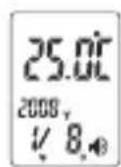
Clock Mode (Temperature)
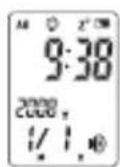
Clock Mode (Battery low)
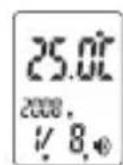
Clock Mode (Temperature)
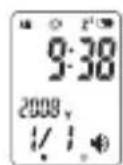
Clock Mode (Battery low)
© Miniland, S.A. 2008
- LCD display
- Content
- Please read this instruction manual before use
- Safety precautions
- Recommendations
- Indented use
- Fundamental functions
- Temperature taking hints
- en Preparations
- How to take measurement
- Advanced operation (1)
- Clock mode:
- en
- Memory mode:
- Replace a battery
- Maintenance, storage and calibration
- Storage:
- Calibration:
- Specification
- Standard List
Brand : Miniland
Model : Thermotalk
Category : Thermometer