
Run XT - Earplug JAYBIRD - Free user manual and instructions
Find the device manual for free Run XT JAYBIRD in PDF.



| Product Type | Wireless In-Ear Headphones |
| Brand | JAYBIRD |
| Model | Run XT |
| Power Source | Rechargeable battery via charging case |
| Battery Life | Up to 4 hours per charge (estimated) |
| Connectivity | Bluetooth |
| Water Resistance Rating | IPX7 (resistant to rain, mud, but not swimming or showering) |
| Main Functions | Play/Pause, answer/hang up, skip/reject call, activate Siri or Google Assistant, customizable controls via app |
| Control | Buttons on each earbud |
| Power On/Off | Removal/insertion in charging case |
| Pairing | Automatic on first start, select Jaybird RUN XT in Bluetooth settings |
| Comfort | Different sizes of fins and ear tips (1,2,3,4) for a customized fit |
| Customization | Button commands customizable via Jaybird app |
| Maintenance | Rinse with fresh water after exposure to salt or chlorinated water, air dry before charging |
| Charging Case | Not waterproof, earbuds must be dry before charging |
| Support | Jaybird app and website jaybirdsport.com/support/run-xt |
| Box Contents | Earbuds, charging case, charging cable, multiple sizes of fins and ear tips (estimated) |
Frequently Asked Questions - Run XT JAYBIRD
User questions about Run XT JAYBIRD
0 question about this device. Answer the ones you know or ask your own.
Ask a new question about this device
Download the instructions for your Earplug in PDF format for free! Find your manual Run XT - JAYBIRD and take your electronic device back in hand. On this page are published all the documents necessary for the use of your device. Run XT by JAYBIRD.
USER MANUAL Run XT JAYBIRD
Download the Jaybird App for guided setup.
For more information, visit
jaybirdsport.com/support/run-xt
DEUTSCH
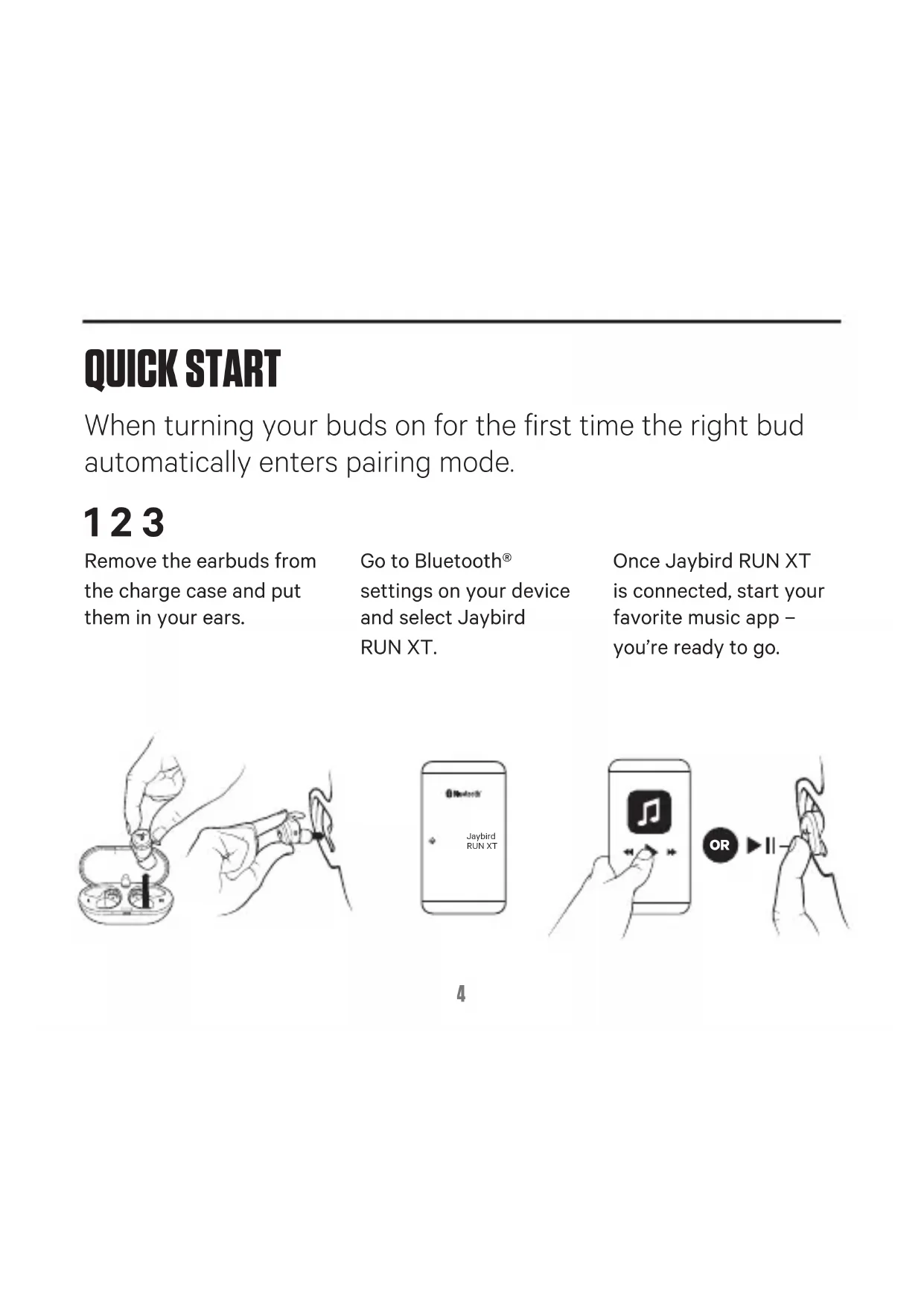
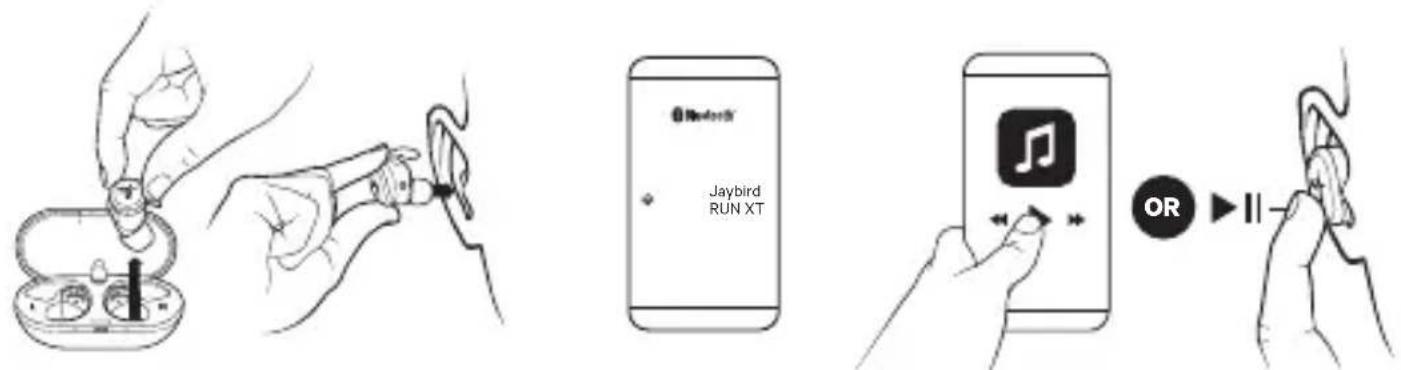
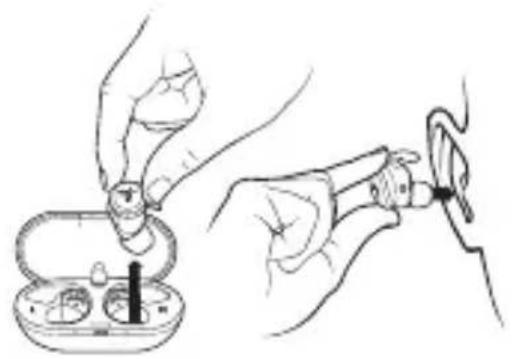
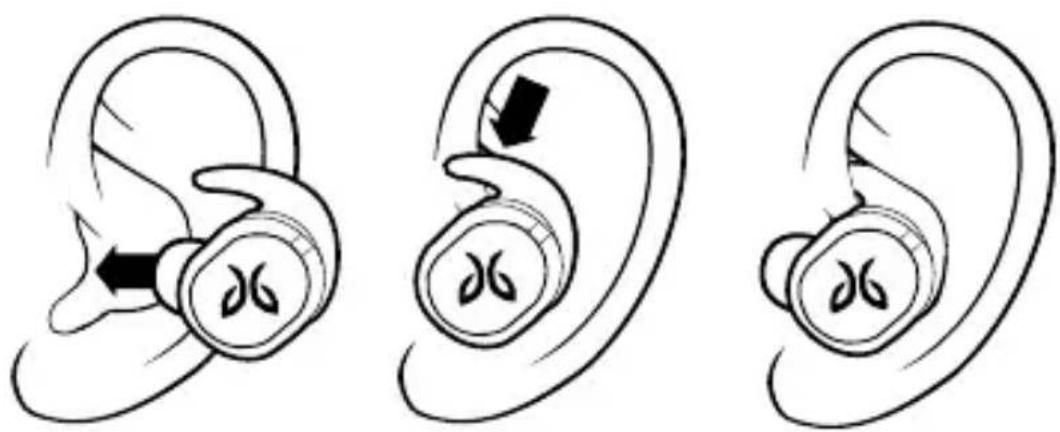
Remove the earbuds from the charge case and put them in your ears.
Go to Bluetooth settings on your device and select Jaybird RUN XT.
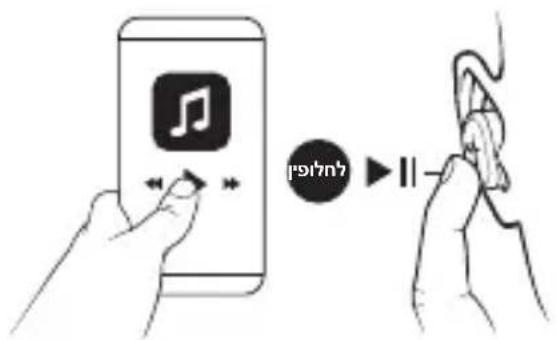
Once Jaybird RUN XT is connected, start your favorite music app - you're ready to go.
FIT
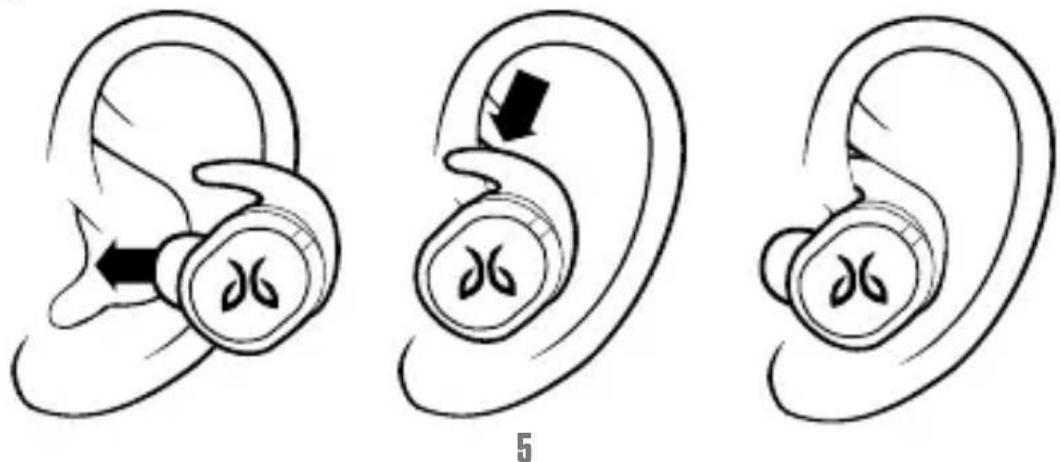
For an assisted fit setup, please download the Jaybird App or visit www.jaybirdsport.com/support/run-xt
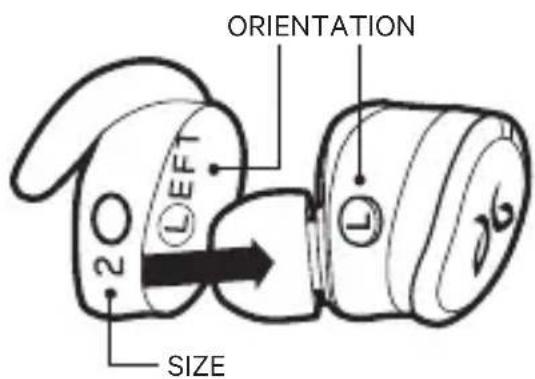
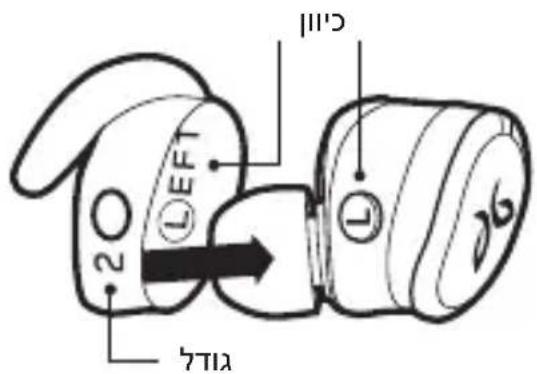
Start with the pre-installed size 2 fin and tip on the earbud.
- If the earbud does not feel secure enough please try size 3 or 4.
- If you feel some discomfort or pressure, please try size 1.
It is not uncommon to use a different size in each ear.
CONTROLS
Download the Jaybird app to customize your button controls.
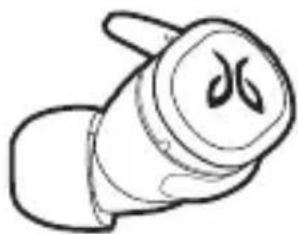
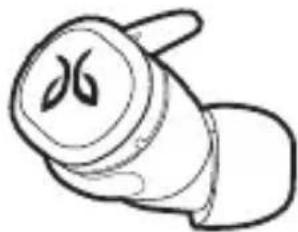
LEFT EARBUD RIGHT EARBUD
ACTIVATE SIRI OR GOOGLE ASSISTANT

PRESS
PLAY/PAUSE
ACCEPT/END A CALL

DOUBLE PRESS
SKIP FORWARD
DECLINE A CALL
ON/OFF

HOLD 3 SEC
ON/OFF
HOLD 6 SEC
PAIRING - FROM OFF STATE
Removing / Inserting your buds from the charging case will automatically turn them on/off.
WATERPROOF
Your Jaybird headphones feature an IPX7 waterproof rating. Jaybird headphones are designed to handle rain, mud and outdoor adventures.
Jaybird headphones are not designed for swimming, showering or exposure to pool or ocean water. In case of exposure to salted or chlorinated water, rinse the headphones gently with fresh water and air dry before use.
The charge case is not water resistant, so please ensure your headphones are completely dry before charging.
CARE & MAINTENANCE
Please see jaybirdsport.com for proper care and maintenance instructions.
SUPPORT
We want to make sure you get the best experience possible.
DOWNLOAD
The Jaybird app
VISIT US ONLINE
www.jaybirdsport.com/support/run-xt
PLEIE OG VEDLIKEHOLD
COPPRAKHEHNE (N3 BbIKJIIOUeyEHNO COCTOHN)
Ipn n3BneueHn HayshNKOB n3 3apdHoro yexna nn yCTaHOBKe nx B ueXoN OH naBTOMaTNUeCKN BKIOUaIOTcN BBIKIOuAIOTCra.
BODOHENPOHINCAEMOCTb
Baши Hayshniki Jaybird imeIoT Klaacc BODOHnpOnucaemoctn IPX7. Hayshnikam Jaybird He cTpaHbI HN DoJDb, HN rpr3b, OHI JeKo BbldepIXBAHT IOXODHbI yCNOBnA.
Ipeed tem kaK noiTn nonlaBaTb nll npHraTb du, peKomeHdyem cHraTb hayshnki Jaybird. Ix taKxe cIeJyET 6epeyh ot BoDbl B baccenHe nll mope. EcIn Ha hayshnki nOpaIa XlonpoBaanHa JIb6o coJeHaj BOda, cNoIocHnte INX uNCTOJ BOOn I N BbICyShnte Ha BO3dUxhe, ppeJde Yem IcNoJIb3OBaTb.
3apndhnyexoI He 3aunueH OT BnaI, NOaTOMy nepeJ 3apdKoI Heo6xOIMO y6eINTbcra, YTO HauuHNKn PONHOCTbIO BbICOXJI.
YXODIOBCJNUKINBAHNE
Tochhe yka3aHnI NO o6cnyKbAHIO yCTpoiCTBa n yXoNy 3a Hm MoJHo HaHTn Ha caTe jaybirdsport.com.
ПОДДЕРЖKA
Mblxotn m y6eintbC B TOM, uTo npdeocTaBnaem Bam cepBnC BbICOKO rpoBn.
3AΓPY3KA
ПриложенияJaybird
Mbl BVHTEPHETE
www.jaybirdsport.com/support/run-xt
TERMÉKKALAUZ
BAL FULHALLGATO JOBB FULHALLGATO
SIRI VAGY A GOOGLE ASSZISZTENS AKTIVÁLÁSÀ

jaiy jaiy jaiy jaiy jaiy jaiy jaiy jaiy jaiy jaiy jaiy jaiy jaiy jaiy jaiy jaiy jaiy jaiy jaiy jaiy jaiy jaiy jaiy jaiy jaiy jaiy jaiy jaiy jaiy jaiy jaiy jaiy jaiy jaiy jali y
1
1
ilalglie
jaybirdsport.com j
#
i 1
山
Jaybird
i j
www.jaybirdsport.com/support/run-xt
n nn
UNIOINIXIIXTINX7OJNNTINN.
123
TNNN NINN NON .
JyNnblteooh
Jaybird JY
RUNXT
Jaybird RUN XT yx
Diyu" nx yyn, yinn
- yy nyin nynn
. yT7 pinn
#
Jaybird www.jaybirdsport.com/support/run-xt
27 77
,790n nINUINN N 7 NITINN D - .4IX 37TJNN NO
NNOJNX,yn7ININIIXUNNNX- .17TIA
y
nnp
Jaybird JyTin .
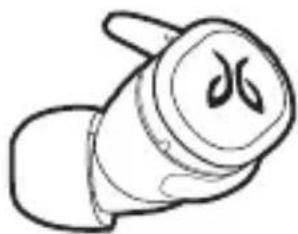
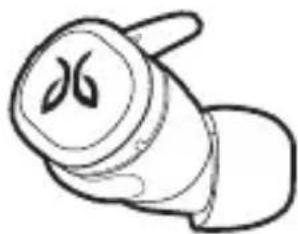
| ### | ### | ### |
| ### / ### | ### | ### SIRI ### |
| ### / ### | ### | GOOGLE ASSISTANT |
| ### | ### | |
| ### / ### | ### | ### / ### |
| ### / ### | ### 3 ### | ### |
| ### - ### | ### 6 ### | ### |
nONIOIN NIN 7y/naynnn nn nnnn nn nn nn
D'IniT'ny
Tnynn nnnn nn nnnn npy IPX7 nnnn Jybird nnn
.
n nn nnnn, nu yu winy Jy bird
Nn nnnn nn nnnnnnnnnnnnnnnnnnnnnnnnnnnnnnnnnnnnnnnnnnnnnnnnnnnnnnnnnnnnnnnnnnnnnnnnnnnnnnnnnnnnn
.
n nn nnnnnnnnnnnnnnnnnnnnnnnnnnnnnnnnnnnnnnnnnnnnnnnnnnnnnnnnnnnnnnnnnnnnnnnnnnnnnnnnn
.ynn 197
HIOI npitnn
.jaybirdsport.com 1
#
wnnnn nn nnnn nn
.
X Tn
17
Jaybird DUI
www.jaybirdsport.com/support/run-xt

Jaybird
© 2018 Logitech. Logitech, Jaybird and the Jaybird logo are trademarks or registered trademarks of Logitech Europe S.A. and/or its affiliates in the U.S. and other countries.
620-008990.003


Brand : JAYBIRD
Model : Run XT
Category : Earplug