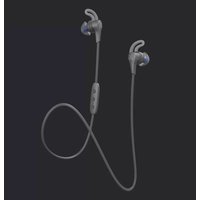
JF4 - Headphones JAYBIRD - Free user manual and instructions
Find the device manual for free JF4 JAYBIRD in PDF.


Pick your language and provide your email: we'll send you a specifically translated version.
| Product Type | Wireless Bluetooth Earbuds |
| Model | JF4 |
| Brand | JayBird |
| Dimensions (Earbud) | Approx. 22 x 15 x 20 mm |
| Weight (Single Earbud) | Approx. 5.0 g |
| Charging Case Weight | Approx. 40 g |
| Battery Life (Music) | Up to 6 hours (earbuds) + 12 hours (case) |
| Charging Time | 2 hours (earbuds), 2.5 hours (case via USB-C) |
| Bluetooth Version | 5.0 |
| Bluetooth Range | Up to 10 meters (33 ft) |
| Water Resistance | IPX5 (sweat and water resistant) |
| Driver Size | 6 mm |
| Frequency Response | 20 Hz - 20 kHz |
| Microphone | Built-in MEMS for calls |
| Controls | Touch controls (play/pause, skip, volume, voice assistant) |
| Charging Connector | USB-C (case), wireless charging compatible |
| Eartip Sizes | S, M, L silicone eartips included |
| Compatibility | iOS, Android, Windows, Mac |
| Maintenance & Cleaning | Wipe with dry cloth; do not use water or solvents |
| Safety | Do not expose to extreme temperatures; keep away from children |
| Spare Parts & Repairability | Eartips replaceable; battery not user-serviceable |
Frequently Asked Questions - JF4 JAYBIRD
How do I pair my JayBird JF4 earbuds with my phone?
Open the charging case with earbuds inside. Press and hold the pairing button on the case for 3 seconds until the LED flashes blue. On your phone, enable Bluetooth and select 'JayBird JF4' from the list.
What is the battery life of the JF4?
The earbuds last up to 6 hours per charge. The charging case provides an additional 12 hours, totaling 18 hours of playback.
How do I reset the JayBird JF4?
Place earbuds in the case and close the lid. Press and hold the pairing button for 10 seconds until the LED flashes red and blue simultaneously. Re-open the lid to reconnect.
Are the JayBird JF4 earbuds waterproof?
They are water-resistant with an IPX5 rating, meaning they can withstand sweat and light rain. Do not submerge in water.
How do I charge the earbuds and case?
Place earbuds in the case and close the lid. Connect the case to a USB-C charger. The case also supports wireless charging with a Qi-compatible pad.
Can I use just one earbud?
Yes, you can use either the left or right earbud independently. Remove one from the case and it will connect automatically.
How do I control music volume with these earbuds?
Tap the left earbud to decrease volume and the right earbud to increase volume. You can customize controls in the JayBird app.
What should I do if the earbuds don't connect?
First, ensure they are charged. Try resetting the earbuds as described above. Remove the device from your phone's Bluetooth list and re-pair.
How do I clean the JayBird JF4?
Use a soft, dry cloth to wipe the earbuds and case. Do not use liquids or abrasive materials. Remove eartips and rinse with water if needed, then dry completely.
Where can I find replacement eartips?
Replacement eartips are available from JayBird's official website or authorized retailers. They come in S, M, L sizes.
User questions about JF4 JAYBIRD
0 question about this device. Answer the ones you know or ask your own.
Ask a new question about this device
No questions yet. Be the first to ask one.
Download the instructions for your Headphones in PDF format for free! Find your manual JF4 - JAYBIRD and take your electronic device back in hand. On this page are published all the documents necessary for the use of your device. JF4 by JAYBIRD.
USER MANUAL JF4 JAYBIRD


Manual assistant
Powered by Anthropic
Waiting for your message
Product information
Brand : JAYBIRD
Model : JF4
Category : Headphones