Smart Force Essential RR6927 - Vacuum Cleaner ROWENTA - Free user manual and instructions
Find the device manual for free Smart Force Essential RR6927 ROWENTA in PDF.



User questions about Smart Force Essential RR6927 ROWENTA
0 question about this device. Answer the ones you know or ask your own.
Ask a new question about this device
Download the instructions for your Vacuum Cleaner in PDF format for free! Find your manual Smart Force Essential RR6927 - ROWENTA and take your electronic device back in hand. On this page are published all the documents necessary for the use of your device. Smart Force Essential RR6927 by ROWENTA.
USER MANUAL Smart Force Essential RR6927 ROWENTA
For your safety, this appliance complies with the applicable standards and regulations.
- This appliance is designed for domestic use only. Please read this safety advice carefully. The manufacturer shall accept no liability for any use that does not comply with the instructions.
- Your vacuum cleaner is an electrical appliance: it should be used in normal operating conditions.
- Do not use the appliance if it has been knocked or dropped and there is visible damage to it, or if it fails to function normally. In this case do not open the appliance, but take it to the nearest Service Centre to your home as special tools are required to carry out any repairs safely.
- Repairs must only be carried out by specialists using original spare parts: it may be dangerous for users to try to repair appliances themselves. Use only guaranteed original spare parts (filters, batteries, etc.).
- D□C: DETACHABLE POWER UNIT
- CAUTION: To recharge the battery, please use only the detachable power unit (charger) supplied with the appliance (page 107).
- Please remove the battery before discarding it.
- Please ensure that the appliance is unplugged before taking out the battery.
- Please ensure the battery is disposed of safely.
- If the cord of the detachable power unit (charger) is damaged or does not work: do not use any detachable power unit (charger) other than the model provided by the manufacturer and contact Customer Support or your nearest approved Service Centre (use of a universal detachable power unit (charger) voids the guarantee).
- Never pull the electric cord to disconnect the detachable power unit (charger).
- Always switch off the appliance before maintenance or cleaning.
- Do not touch the rotating parts without turning off the vacuum cleaner.
- Do not vacuum wet surfaces, water or any type of liquids, hot substances, super smooth substances (plaster, cement, ashes, etc.), large sharp items of debris (glass), hazardous products (solvents, abrasives, etc.), aggressive products (acids, cleaning products, etc.), inflammable and explosive products (oil or alcohol based).
-
Never immerse the appliance in water or any other liquid; do not spill water on the appliance and do not store it outside.
-
For cleaning and maintenance please refer to the manual.
- For countries subject to European regulations (marking €): This appliance can be used by children aged 8 years and above and persons with reduced physical, sensory or mental capabilities or who lack experience and knowledge if they have been given supervision or instruction concerning safe use and understand the hazards involved. Children should not be allowed to play with the appliance. Children should not clean or perform maintenance on the appliance unless they are supervised by a responsible adult. Keep the appliance and its charger out of the reach of children under 8 years old.
- For other countries that are not subject to European regulations: This appliance is not designed to be used by people (including children) with reduced physical, sensory or mental capabilities, or by people with no prior knowledge or experience, unless they have had supervision or previous instructions relating to the use of the appliance, from a person responsible for their safety. Children must be supervised to ensure they do not play with the appliance.
PLEASE READ BEFORE USE
- Before using the appliance, please collect all the objects on the floor (please refer to the IFU)
- To avoid any incident, do not let the robot pass over other appliances electric cords.
- Ensure that the voltage indicated on the rating plate of your vacuum cleaner's charger is the same as your wall outlet voltage. Any connection error could cause irreversible damage to the product and invalidate the guarantee.
- The vacuum cleaner should be put on charge after use so that its battery is always fully charged for optimal dust removal performance and battery life.
- For prolonged absences (holidays, etc.), the charger should be unplugged from the mains. This may mean some loss of battery life due to self-discharge.
- Do not vacuum large items that may clog and damage the air inlet.
According to model:
- Do not use the appliance on deep pile carpet, animal hair or fringes.
- Switch to "min" to vacuum thick or delicate carpets and rugs and fragile surfaces.
- Switch to "TURBO/BOOST" for optimum dust removal performance (depending on the model) on all types of very dirty floors.
- Do not use your vacuum without an engine protection filter.
- Do not wash the dust collector components or the engine protection filter in a dishwasher.
- Do not let the robot move over the mains cords of other appliances or other cables as this may cause a hazard
- Do not use any other cleaning solution with your robot other than water. Fill the tank up to the max level mark
-
The plug must be removed from the socket-outlet before cleaning or maintaining the appliance.
-
This unit contains batteries (Lithium Ion) which for safety reasons are only accessible by a professional repairer. Do not place a block of rechargeable batteries with non-rechargeable batteries. When the battery is no longer able to hold the charge, the battery pack (Lithium Ion) should be removed. To replace the batteries, contact your nearest Approved Service Centre.
-
The batteries must be handled with care. Do not put the batteries in your mouth. Do not let the batteries come in contact with other metal objects such as rings, nails or screws. Be careful not to provoke internal short-circuits in the batteries by inserting metal objects through their extremities. If a short-circuit does occur, the temperature of the batteries could rise dangerously, causing serious burns or even catching fire. If the batteries are leaking, do not rub your eyes or mucous membranes. Wash your hands and your rinse eyes in clean water. If discomfort persists, contact your doctor.
It is important that you remove the batteries before throwing away your appliance. In order to do this, visit an authorised Service Centre. Do not throw the battery block into the waste bin; take it to the authorised Tefal Service Centre nearest to your home or to a place specially designated to process such type of waste.
SAFETY GUIDELINES FOR THE REMOTE CONTROL* (*depending on the model)
- For the remote control, use two 1.5V non-rechargeable AAA batteries.
- Do not use metallic tools to remove the batteries.
- Do not attempt to recharge non-rechargeable batteries.
- Do not mix new and used batteries.
- Insert the batteries properly, observing the correct polarity.
- Dead batteries must be removed from the device and disposed of safely.
- If you do not intended to use the remote control for a long period, it is advisable to remove the batteries.
- Do not short-circuit the power supply terminal.
ENVIRONMENT
In accordance with existing regulations, any end-of-life appliances must be taken to an approved Service Centre which will take responsibility for managing their disposal.
Think of the environment!
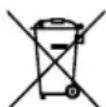
① Your appliance contains valuable materials which can be recovered or recycled.
Leave it at a local civic waste collection point.
IS THERE A PROBLEM WITH YOUR APPLIANCE?
According to model:
- The charger is getting hot:
This is perfectly normal. The vacuum cleaner can remain permanently connected to the charger without any risk.
-
The charger is connected but your appliance is not charging:
-
The charger is incorrectly attached to the appliance or is faulty.
-
Check that the charger is properly connected or contact an Approved Services Centre to change the charger.
-
Your appliance stops during use:
-
Your appliance may be overheating.
-
Stop the appliance and leave cool for at least 1 hour.
If it overheats on repeated occasions, contact the Approved Services Centre. -
The appliance stopped after the charge light was flashing:
-
The appliance has run out of battery charge.
Recharge the vacuum cleaner. -
The power-brush is not working properly or makes a noise:
-
The rotating brush or hose are obstructed.
Stop the vacuum cleaner and clean them. - The brush is worn.
Contact an Approved Service Centre to change the brush. -
The belt is worn.
Contact an Approved Service Centre to change the belt. -
The power-brush stops during vacuuming:
-
The safety function has been triggered.
-
Stop the vacuum cleaner. Check that nothing is obstructing the rotation of the brush; if there is an obstruction, remove it and clean the power-brush, then turn on the vacuum cleaner.
-
Your vacuum cleaner is not vacuuming as well, is making noise, whistling:
-
The intake channel is partially blocked.
Unblock it - The dust collector is full.
Empty it and clean it. - The dust collector is not properly fitted.
Re-position it correctly. - The intake head is clogged.
Remove the power-brush and clean it. - The protective foam filter is saturated.
Clean it.
| Error Indicator Light | Error Designations | Error Forms Solut ions | |
| The red indicator light blinks twice and beeps | Failure of the left wheel The left wheel does not turn and is overloaded. | Please confirm that the device's left wheel is not covered. | |
| The red indicator light blinks three times and beeps | Failure of the right wheel The right wheel does not turn and is over-loaded | Please confirm that the device's right wheel is not covered. | |
| The red indicator light blinks five times and beeps | Failure of the front wheel The front wheel is blocked and no longer turns. | Please confirm that the small wheels of the front wheel are not covered. | |
| The red indicator light blinks six times and beeps | Failure of the ground inspection | There is a problem with the ground inspection. | Please confirm that the sensor window at the bottom of the device is not unusually concealed. |
| The red indicator light blinks seven times and beeps | Low current or battery The battery power supply was extremely low (but not at the recharge voltage critical point). | Please replace the device on the docking station to recharge it. | |
| The red indicator light blinks eight times and beeps | Failure of the front bumper | The impact switches on the front left and right shells cannot be restored. | Please check whether or not the device's stop is normal. |
| The red indicator light blinks nine times and beeps | Failure of the main brush The wheel of the main brush is overloaded or insufficiently charged. | Please confirm that no foreign bodies are present on the device's main brush. | |
| The red indicator light blinks ten times and beeps | Failure of the side brush The side sweeper wheel is overloaded or insufficiently charged. | Please confirm that elements such as hair or fabric are not wound around the side brush. | |
| The red indicator light blinks eleven times and beeps | Failure of the wall ins-pection | There is a problem with the wall inspection. | Please confirm that the wall inspection clear window is not concealed or obstructed by hair or fabric. |
| The red indicator light blinks twelve times and beeps | Failure of the fan The fan oonly turns with significant current flow. | Please confirm that the fan blades are not loose or jammed by hair or fabric. | |
| The red indicator light blinks fourteen times and beeps | Load failure The device can not be supplied with power or cannot indicate the charge status. | Please confirm that the device is connected to the docking station. | |
Please keep this user manual.

To3n ypei cblbpka 6aTeepn (IHTneBO-IOHnn), KOnTO OT
cbo6paJHn 3a 6e3oNaCHOCT ca IOCTbHn cAmO 3a cepBn3eH TexHnK. Korato 6aTePnra Tbeue He MoXe Da 3aIbPka 3apA, 6IOKbT C 6aTePn (JIITNeBO-IOHn) Tp8Ba Da 6bDe n3BaJeH. 3a Da CMeHnte 6aTePnnte, O6bpHeTe Ce KbM Hai-6IIN3Knry Odo6peH cepBn3eH ueHTbp.
C 6aTePnnte Tp86Ba Da Ce 6opabu BHNMaTeJIHo. He noCTABYte 6aTePnnte B yctTa. Tp86Ba Da BHNMaBe Ta da He npaBnTE KbCS CbeDHeHn B 6aTePnnte, KaTO BkapBaTe MeTaNn PpeMeTN B KpanaTa NM. B cnyaH na KbCo CbeDHeHne Tempepatypata Ha 6aTePnnte MoKe Da Ce NobuN OnacHO n da npuHn cepNo3HN u3rapHn uIN DOpu NoKap. Ako 6aTePnnte TeKaT, He cn TbPKaIe OunTe uN yCTHnE. N3MnTe cn PbUeTe uN3PnAkanHeTe oOnTe C YnCTa BOda. Ako Hepa3noLoXeHneTo npOdbJxaba, KOHCyntnpaIe Te ce C BaWna Jekap.
MHCTPYKUN 3A BE3OJACHOCT, OTHACJU CE 3A INCTAHUOHHOTO YNPABJIEHNE\* (*B 3aBUCIMOCT OT MOdena)
- 3a Дистанционното ИЗПОЛЗВайтЕ ДBE HeakумлАТOPн 6aTeрп n 1,5V TИN AAA.
He n3no3BaIte MeTaJIHn INHCTpyMeHTn, 3a da n3BaInte 6atepnnte. - Heakymyataopnhte 6aTePNn He Tp8Ba da ce 3apekdaT.
- He trpa6Ba da ce cmeCBaT HOBn C n3nol3BaHn 6aTeepn.
- Batepinte Tpr6Ba Da ce nocTABrT, Kato Ce cna3Ba NolpHOCTTa NM.
- 13toeHnte 6aTeepn Tpr6Ba Da 6bDaT n3BaDeHn OT ypea N o6e3BpeHn NO cnIpyen HauHH.
Ako ce HanoxN DnCTaHcnoHHOTo Da Ce CbXpaHraBnpoDblKnteHNO BpeMe, 6e3 Da ce n3nO13Ba, 6aTeepnnte TpR6Ba Da ce n3BaIaT.
3axpaHbauNTe KIeMn He Tp6Ba Da ce daBaT Ha Kbco.
OKOJIHA CPEDA
CbIaCHO DeiCTBaAaTa HOpMaTINBHa ype6a BceKn N3BaJeH OT ynoTpe6a ypeI Tp8Ba Da ce npedaba B OToPn3npaN cepBn3, KOItO ige Ce noprnxn 3a o6e3BpeKdaHeTo My.
UyacTbaIte B ONa3BaHeTo Ha OKoJHaTa cpea!

BaunrtypeIcbIbpxka MHOxjcTBO ONO3OTBOpMm IIN peuKInpyem MaTePnAaN.
IpeaIte rO BnyHKT 3a BTOpUHN cyPOBUN, KbJeTo ToJ ue 6bJe TpeTnpaH.
IMATE PPOBJIEM C UPEDA?
B 3aBnCmOcT OT MoDena:
- 3apraHnTo 3aqrpaBa:
ToBa e HopMaJIHo. IpaXOCMyKaUkaTa MoKe da OCTaHe CBbp3Ha CbC 3apA HOTO NOCTOAHHO 6e3 HNIKAkbB PnCK.
- 3apraHTo e cBbP3aHo, Ho ypeIbT He ce 3apeKda:
- 3apraHTo He e npabnHcBbP3aHO Cypeda NHe pa6OTn.
PpOBepTe daH3apAnHO e npabNlHO CBb3aHO nn Ce 6bpeK bM OToPn3npaH cepBn3 3a CmHaTa My.
- YpeDbT cnnpa no BpeMe Ha pa6ota:
- YpeBt MoKeJa e npPerpAn.
Cnpete ypeena ro octabe Ta ce oxlaanone 1 aac.
B cnuyaHa noBTOPO 3aqrbaHe ce o6bpeTe KbM OToPn3npaH cepBn3.
- UpeTcnpa cneI npMnBaHe Ha HndkaTopa 3a 3apeKdahe:
-уpenbTe pa3peH.
3apepe npaxocmykaKkata.
-
Enejtpnueckata yetka pa60Tu no-3ne nIu n3daBa Heo6ucaen wym:
-Bbptraata ce yetka nn MapkyuBt ca 3aipbcteHn.
13KIOUeTe npaxOcMyKaUkKaTa n rnoHCTe. -
YETkata e u3HOceHa.
06bprHe Ce KbM OTOpN3npaH cepBn3 3a CmHa Ha YeTkata.
PembKbTe n3HOceH.
06bpheteceKbMOTOpn3npaH cepBn3 3a CmHa Ha peMbKa.
-
Enejktpuueckata yetka cnupa no BpeMe Ha pa6ota:
-
3aDééICTbāna ce e 3aùnɪtata.
I3KJIIOUeTe npaxOCMykaKaTa. IpoBepeTe 3a HaJIuHne Ha npEmdTn, Bb3PpeNrTcBaunn BbpTeHeTo Ha YeTKaTa; aKO nMa TaKNa, n3BaJeTe 6NoKnpaunn eJeMeHT n NOUInCTe EneKtpuueckKaTa YETKa, CJEi TOBa BKIIIOUeTe OTHOBO npaxOCMykaKaTa.
-
Ppaxocmykaqkata He 3acmykBa do6pe, n3daBa wym uin CBnCTeHe:
-
3acmykbaunrKaHan e qactnH0 3anyuhe.
Otnnywetero
-KoHTeHepbT 3a npax e nblJeH.
13npa3HETe ro nro nouCTe.
-KoHTeHepbT 3a npax He e npabuHNO nOCTaBeH.
IocTabete ro npaBunHO.
-3acmykbaaata rlaBa e 3aanaHa.
CbaIe eJektpnueckaTa Yetka nЯ nouHCTe.
-ПпсдзнгдунанренфнлтbpHaMOTopae3aДрбтEH.
→NouchteTeRo.

| Пробимьаш Индikatop 3a г佩шka | Имени на неиз- правноctrn | Блажи за неиз- правноctrn | Решения |
| Мiraшиа черва на сvet- лиа два пбтс с сandin 3byk | Hei3npabnoctВ лявOTO Колесо | ЛявOTO колесу He ce Вырtnи e петоварно. | Моля, поboberte дали有很大 изкрivьвашия по лявOTO Колесу на ур ded. |
| Мiraшиа черва на сvet- лиа три пбтс с сandin 3byk | Hei3npabnoctВ дячно Колесо | Дячно КOLесу He ce Вырtnи e петоварно | Моля, поboberte дали有很大 изкрivьвашия по дячно Колесу на ур ded. |
| Мiraшиа черва на сvet- лиа пет пбтс с сandin 3byk | Hei3npabnoctВ рeding- ното колесо | Прedingу КOLесу 6ло- Кира и He ce Bырtn. | Моля, поboberte дали有很大 изкрivьвашия по малкite Колесу на рedingу К- олес. |
| Мiraшиа черва на сvet- лиашие пбтс с сandin 3byk | Hei3npabnoctПри oc- новна синник�а | Има пюбLEM priи ochob- ната Инспекция. | Моля, поboberte дали сенистория пожорец в долнаха ча STУЕДу e Затумен HeecTeCTBVEH. |
| Мiraшиа черва на сvet- лиа седем пбтс с сandin 3byk | Hicsko nibvo Ha eilektrpi- чесво Bбатура | Зхсанванeto Ha 6ate- рята e在其очицею ниско (Ho He B крпчна Точka 3a позаразжданe Ha наразжениeto). | Моля, вbatnets уда в ДOKIHГ.stанцята 3a заразж- данe. |
| Мiraшиа черва на сvet- лиа осem пбтс с сandin 3byk | Hei3npabnoct Na peed- н�я калak | ПрекьCBачITE priи уда Ha Левя 和 Dechenia prie- ден Норус He morat da Се Вьзостановат. | Моля, поboberte дали бухерь.TЗ smekubahane He уда на уда e hopmaлен, плии He. |
| Мiraшиа черва на сvet- лиа Debetп пбтс с сandin 3byk | Hei3npabnoctВ галвна Четka | Колесу на Галвна чесka e петоварно有很大 ил He ce HATOBAPBA DOCTA- Тьчно. | Моля, поboberte дали有很大 чужden ТELа NO.YETKATA 3a Коса на Галвнатура уда. |
| Мiraшиа черва на сvet- лиа Deceet пбтс с сandin 3byk | Hei3npabnoctВ сtrainich- нata четka | Стоанчноу КOLесу HaMetaChata Машни e петоварно有很大 He ce HATOBAPBA DOCTAТьчно. | Моля, поboberte дали有很大 песа КATO YBUTN KOSM Или Тьkanи по Stcarhunata Четka. |
| Мiraшиа черва на сvet- лиа сенидесет пбтс с сandin 3byk | Hei3npabnoct priи Сени Дсогпцяя | Има пюбLEM priи сени- нata Инспекция. | Моля, поboberte дали有很大 prozachryngа пожорец на сени- нatura Инспекция He e 3aTUJIEN Илиа 3aДрвстЕН OT KOSM И Тьkanи. |
| Мiraшиа черва на сvet- лиа два десет пбтс с сandin 3byk | Hei3npabnoct Na BeHTN- латopa | ВenvtlaatorbT He ce Вырtni, ocben priи сiliene ТOK. | Моля, поboberte дали有很大 пеке на в�entларoga He ca разхлабени Или obvitc n KOSM IN TbkAHN. |
| Мiraшиа черва на сvet- лиа четиринадесет пьтс с сandin 3byk | Hei3npabnoct priи 3a- ржданe | Уразыт He може有很大 се за- хсани Или рokeda Зб- Таянue Na zapexdanae. | Моля, поboberte дали有很大 Дыт e Свьрзан Кым дOKINГ STANZYAJTA. |
3ana3eTe nHctpyKuIMTe 3a ynoTpe6a.
B 3aBNCMOCTNOTMOeJI:
He nyskaite po60Ha KOBpbI C dHnHHbIM BOPCOM, 13 uepCTN XINBOTbIX INIc 6aXpOMoI.
-Положене «Min» Дд yборки Толстых Илп Лergкх COBрOBи KOВрОЛнha, aТаKKe DeIINKAtHbIX NOBepxHOCTe.
-Положенг «TURBO/BOOST» Дялушев (В Завсимости OT модели) очирки OT пьлп Ha BCex TINax NOJOB B Cnyae cnIbHoro 3aRp3HeHn.
- He nCnoJIb3yIte nbIeNoc 6e 3ФIJIbTpA dIra 3aIuNTbI MOTopa.
He MoTe KOMNoHEnTbI PbIe6OpHnKa nnN FInbTpa 3aunntb MOTopa B nocydomoueHou MaunHe.
Bo n36eXaHne onacbix cnTuayn He donyckaTe nepemeueHn po6oTa no Ka6eJam nHTAHn dpynx yCTpojCTB nn npyurnm ka6eJam.
-Дяочntкpo6oTa nCnoIb3yTeToIbKO BODy. He nCnoIb3yTe HnKaKne YnCTaUne paCTBOpbl. HanOnHIne pe3epByapdo yPOBHa MaKcImaJIbHOI OTMeTKN.
-Перед ouнстков ил Тхичесим o6служиванем устpoиства Heo6xodmo n3Bnueb Вилky n3 p03eTkn.

- Данный поюбор содержит akкуларовы (лNTи-NOHьe), КOTOPье NO coo6paЖеням 6e3OanacHocTN DoCTyINbI TOLbKO npoфecCNoHaJIbHbIM MacTepaM no peMoHTy.Есп AkKулarTop 6olbWe He DePJKT 3apJd, AkKулarTopHaj 6aTapej (ЛNTи-NOHJa)doJxHa 6bITb ydaJeHa.ДЯЗamEHbl AkKулarTopOB obpatntecb B 6JIxKaIшn aBTOpN3OBaHHbI cepBnCHbI ceHTp.
C 6aTapeMn Heo6xOJIMo o6paatbcaakkypatHo. He KlaInte 6aTapeB pot. Bbl OJXHbI NO3a6OTtbcr O TOM, YTO6bI n36eKAtb KOpOTKOrO 3aMbKaHnB 6aTapeX: He BCTabIyTe MeTaIIuYeCKne npEIMeTbHa ux KOUax. Ecnn npOnCxOJIT KOpOTKoe 3aMbKaHnE, TempePaTypa 6aTapeN MoKeT NObBIaTaBCa DO ONaCHOro yPOBH N MoKeT pINBecT N CepBe3HbIM OXorAM nn noXapy. B clyuae yTeuKn 3neKtpoNTa n3 6aTapeN He TpNTe rA3a nn CIn3NCTbIe oboIoouKn. BbIMoTe pyKn n IpOMoTe rA3a qHCToBdoN. Ecnn DnCKOMΦoT coXpaHReTc, 6paTInTEcb K Bpauy.
ПРавILA БЕЗОПАСHОCTN ДЛЯ ПУЛБТА ДИСТАЦноHOrO UРРавлЕня\* (*В Зависmoctи OT мodyели)
-Длгпьда діstанционноуnpавлійяніспόньітідіBE Heakkymлітогьіе 6аТа佩кін TИпа AAAснряженим 1,5 B.
He nCIOJIb3yIte MeTAlJIuYeCKne IHCTpymeHTb IyraJeHn6aTaapeek.
- BaTapeKn, He npednonaraIoUne nepe3apdKn, nobToPHO 3apJkaTb 3aIpeSeHcO.
He pekomehnyeTcN cnoIb3OBA Tb OJHOBpeMeHNO HOBbie N 6bIwne B nCnoJIb3OBAHN 6aTaapeKn.
- BaTapeKn Heo6xOaIMO yCTaHaBbINBaT b c PpaBbHoi nolpHOCTbIO.
Pa3paJxHeHbIe 6aTapeKn CneJyET BbHyTb n3 npi6opa n yTuIN3npoBaTb 6e3OpacHbIM o6pa3OM.
- Ecnnynt dncTaHOnHOrO ynpabHeHHn IpeDnonaraetcXpaHHTb dNITeBHOe Bpem 6e3 nCNoB3OBaHH, 6aTapeKn LyuWe BblHyTb.
KlneMmbi nntaHnHe eoJXhbl 6bIb3aKopoyeHbl.
OXPAHA OKPYXIAIOUeN CPeDbI
Corgnacno DeiCTByIOUIM HopMaM, HeNCnpaBHyI np6Op DOJXKeH 6bITb cDaH BaABTOpN3OBaHHbI cepBnCHbI ceHTp, KOToPbI No3a6OTNTcraero yTnIn3aun.