USER MANUAL Alloy Core RGB HYPERX
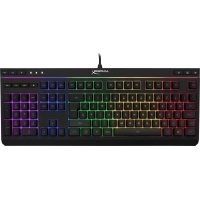
HyperX Alloy Core RGB™ Membrane Gaming Keyboard
Find the language and latest documentation for your HyperX Alloy Core RGB here.
HyperX Alloy Core RGB Installation Guide
For instructions in English
Membrane Gaming Keyboard
Part numbers
| HX-KB5ME2-US | HX-KB5ME2-BR |
| HX-KB5ME2-US/WW | HX-KB5ME2-DE |
| HX-KB5ME2-NO | HX-KB5ME2-DE/WW |
| HX-KB5ME2-NO/WW | HX-KB5ME2-FR |
| HX-KB5ME2-RU | HX-KB5ME2-FR/WW |
| HX-KB5ME2-RU/WW | HX-KB5ME2-JP |
| HX-KB5ME2-UK | HX-KB5ME2-LA |
| HX-KB5ME2-UK/WW | HX-KB5ME2-LA/WW |
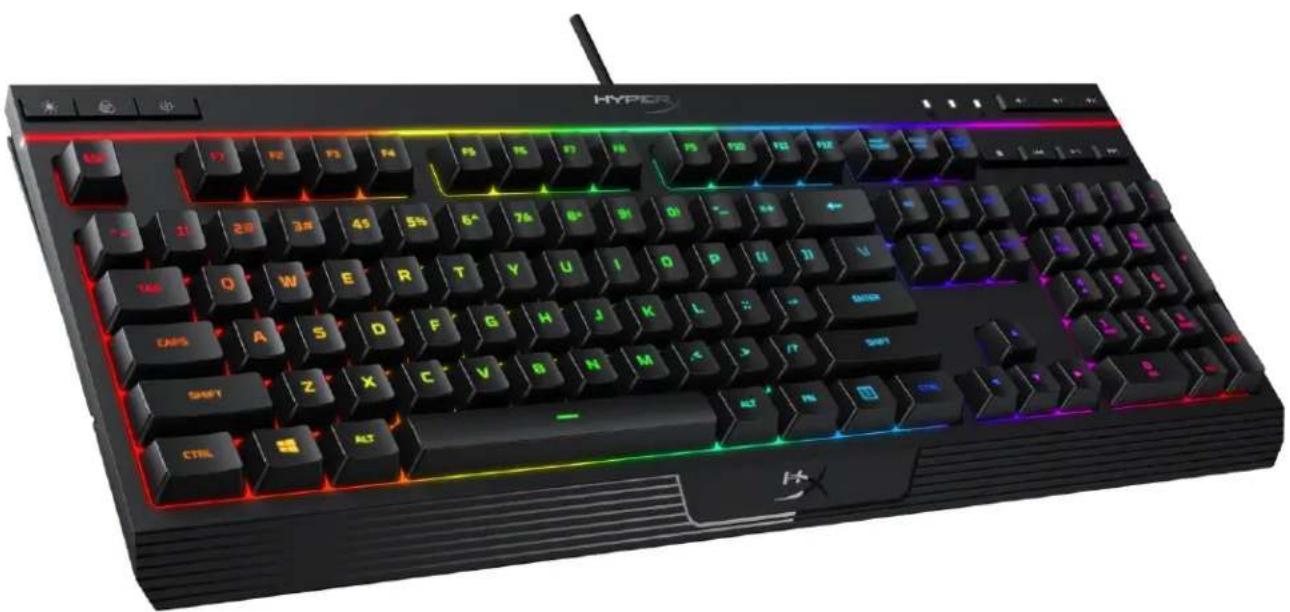
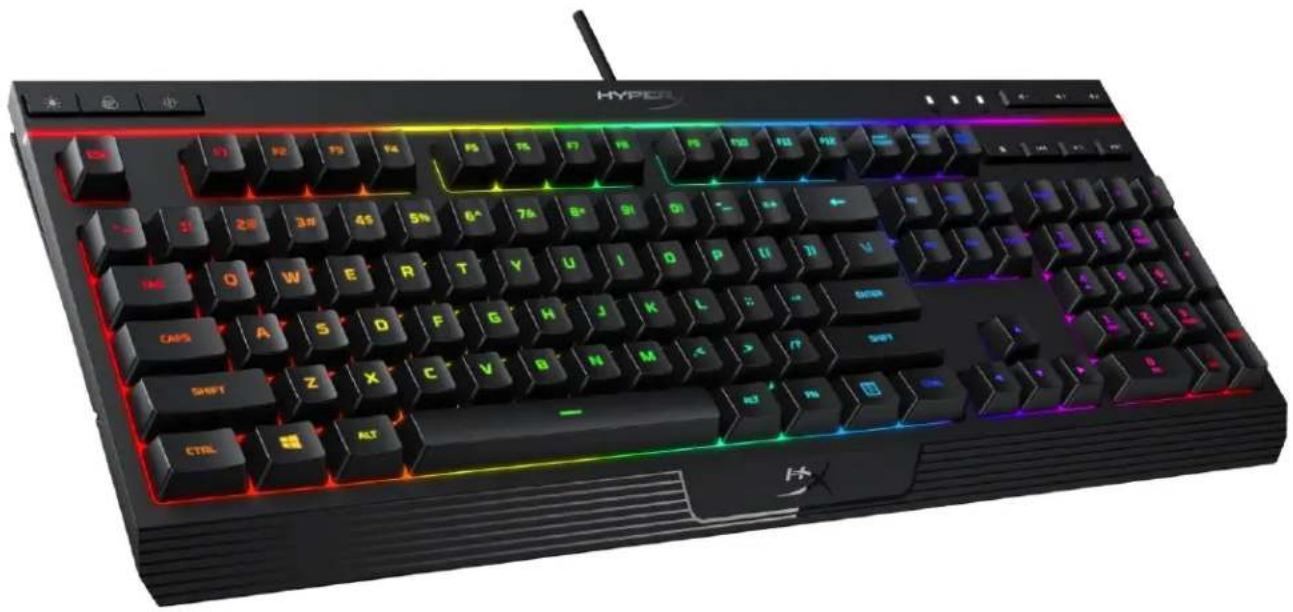
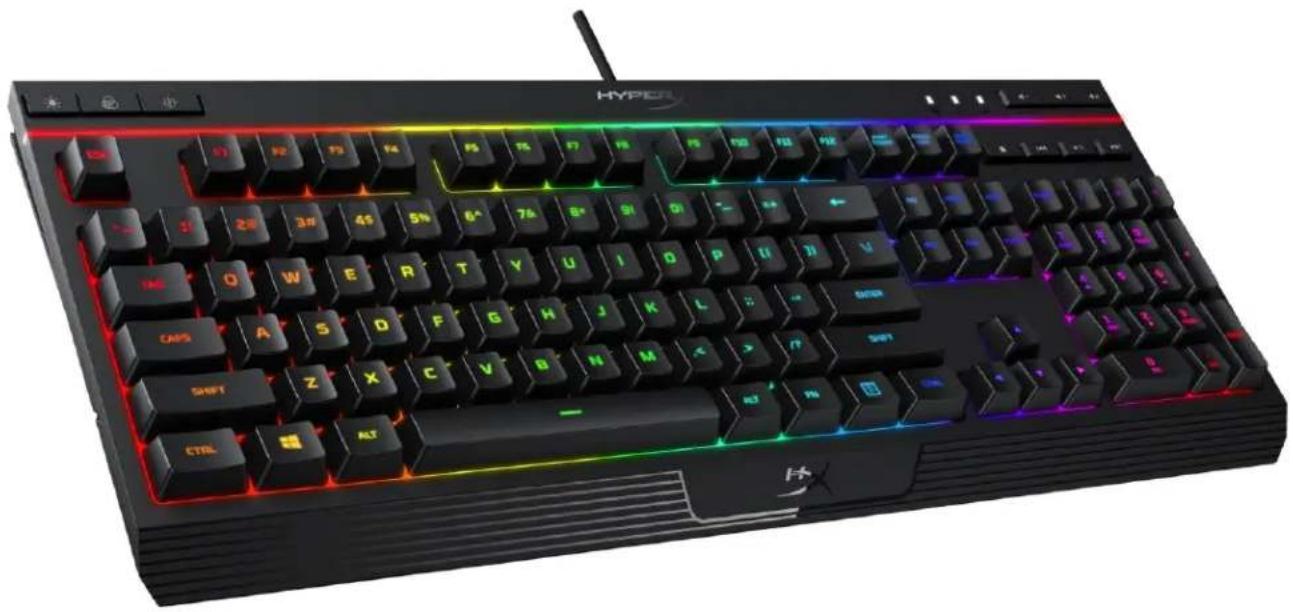
Featuring HyperX's signature radiant light bar and smooth, dynamic RGB lighting effects, the HyperX Alloy Core RGB™ is ideal for gamers looking to enhance their keyboard's style and performance without breaking the bank. With six different lighting effects and three brightness levels, it balances both brilliance and budget. Crafted with a durable, reinforced plastic frame, the Alloy Core RGB was constructed for stability and reliability for gamers who want a keyboard that will last. The soft-touch keys have a tactile feel, yet are tuned to be quiet, and they also feature gaming-grade anti-ghosting functionality and key rollover. It's spill resistant, tested to withstand 120ml of liquid, so beverage accidents won't put an end to your game. The dedicated media controls and quick-access buttons for lighting and Game Mode place control right at your fingertips. Keyboard Lock allows you to lock your keyboard down without having to put your entire system on standby. The Alloy Core RGB is stylish, nicely-featured, and durable, making it a great all-around multimedia keyboard for gamers.
What's included:
HyperX Alloy Core RGB Keyboard
Specifications:
Keyboard
Type Membrane
Backlight RGB (5 zones multi-colour customisation)
Light effects 6 LED modes and 3 brightness levels
Connection type USB 2.0
Polling rate 1000Hz
Anti-ghosting 100% anti-ghosting
Media control Yes
Game Mode Yes
Spill resistance Tested up to 120ml of liquid
OS compatibility Windows® 10, 8.1, 8, 7
Cable
Type Attached, braided
Length 1.8m
Dimensions
Width 443.20mm
Depth 175.31mm
Height 35.68mm
Weight (keyboard and cable) 1121g

Keyboard overview:
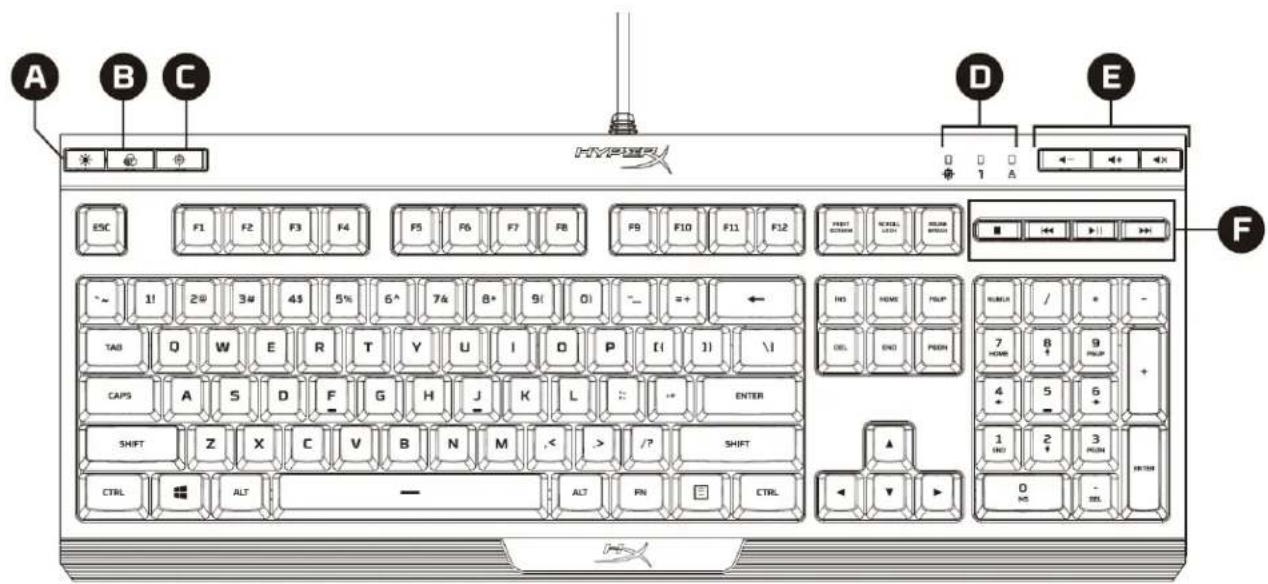
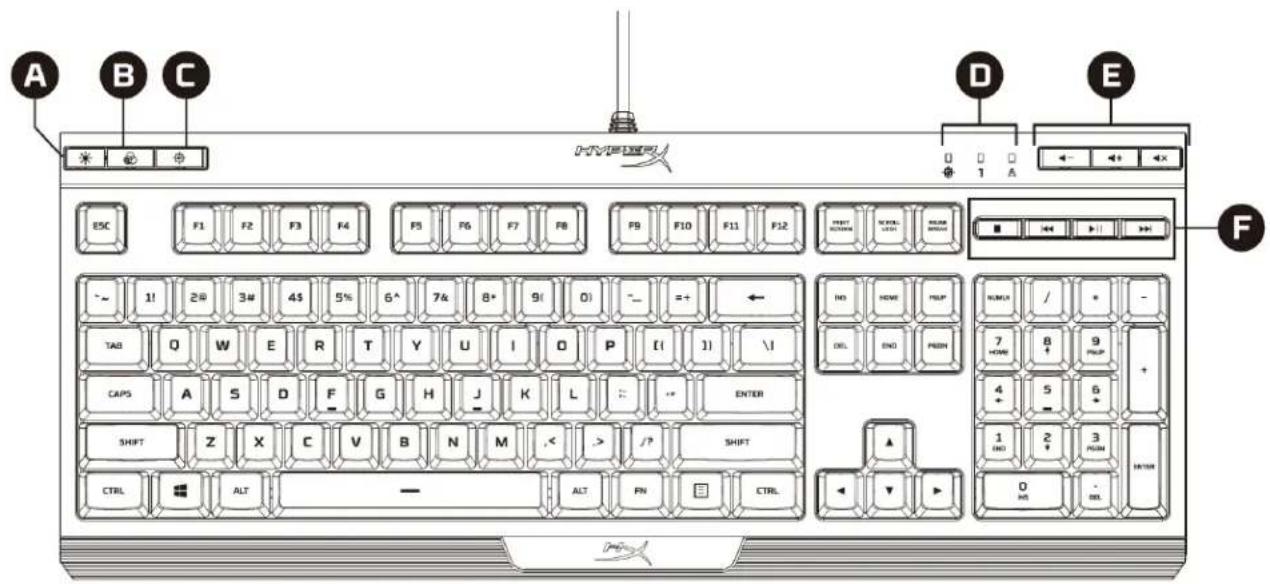
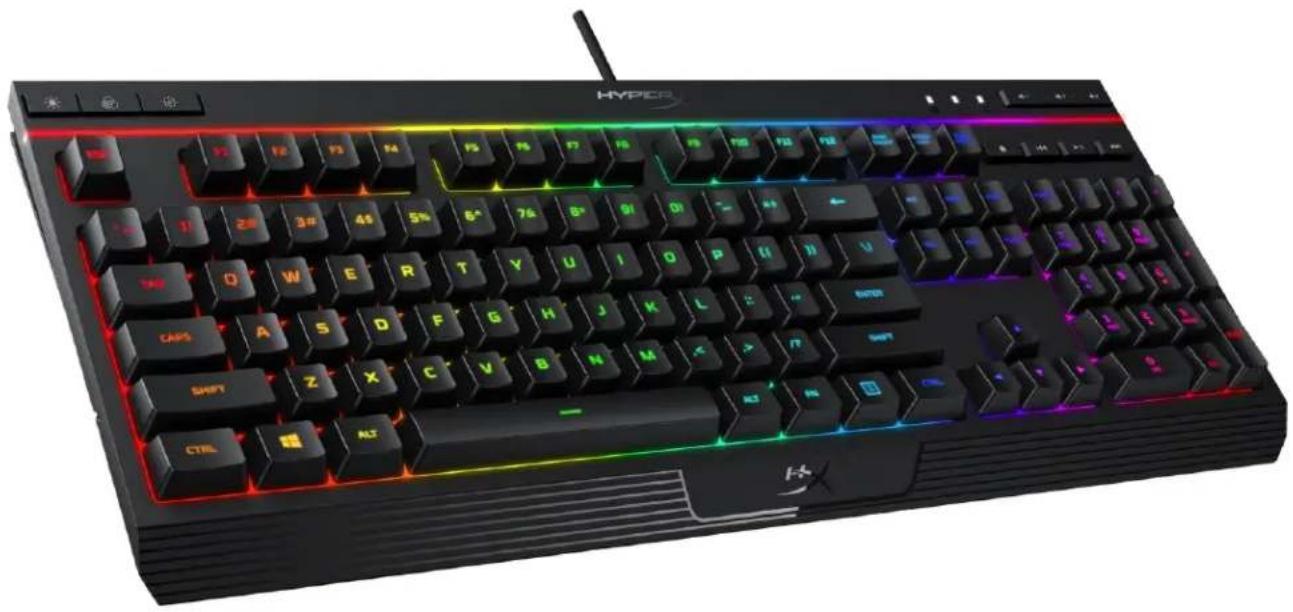
A Brightness control button, LED mode control button, Game Mode button
Game Mode / Num Lock / Caps Lock indicators, Volume control buttons, Media control buttons
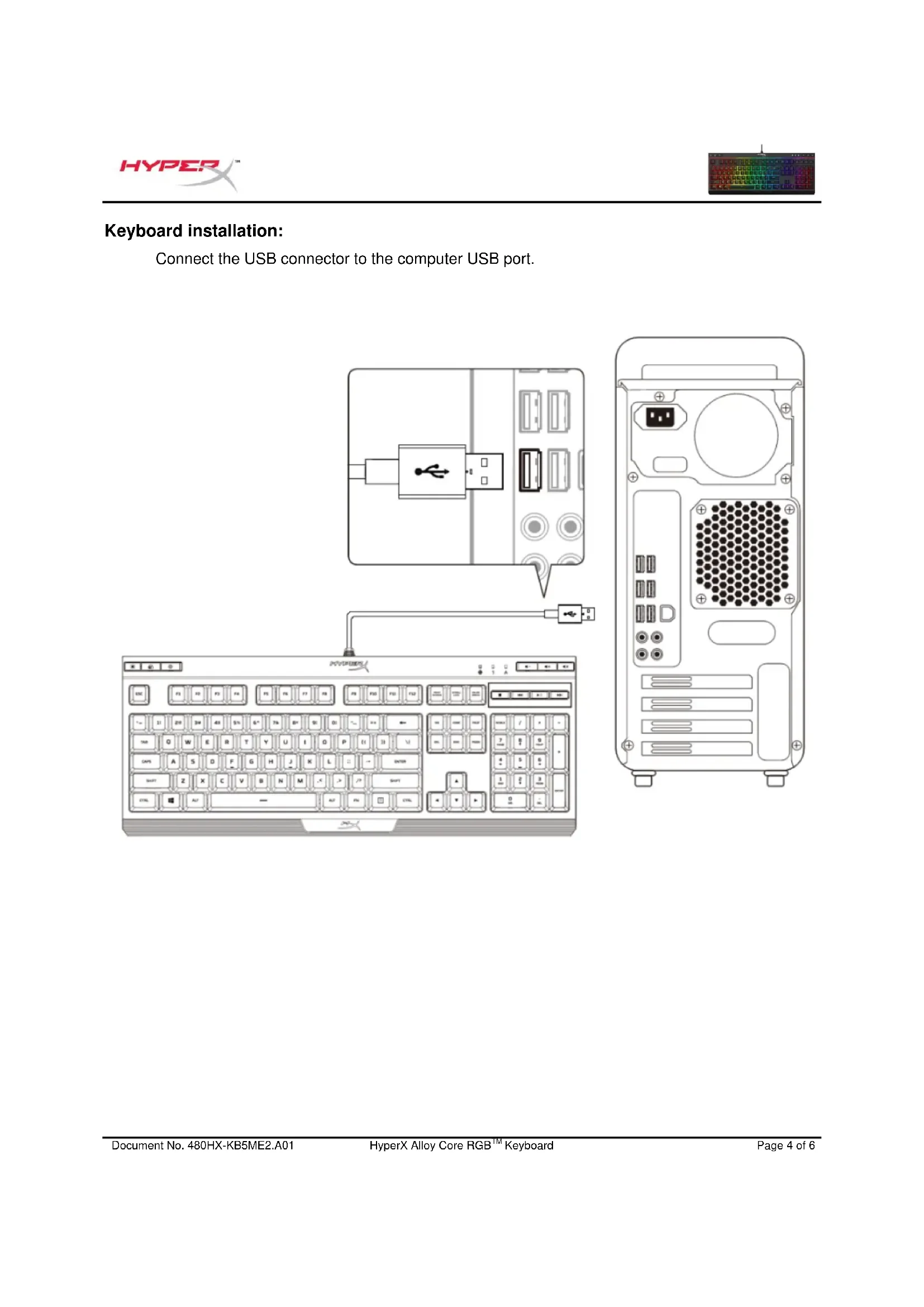
Keyboard installation:
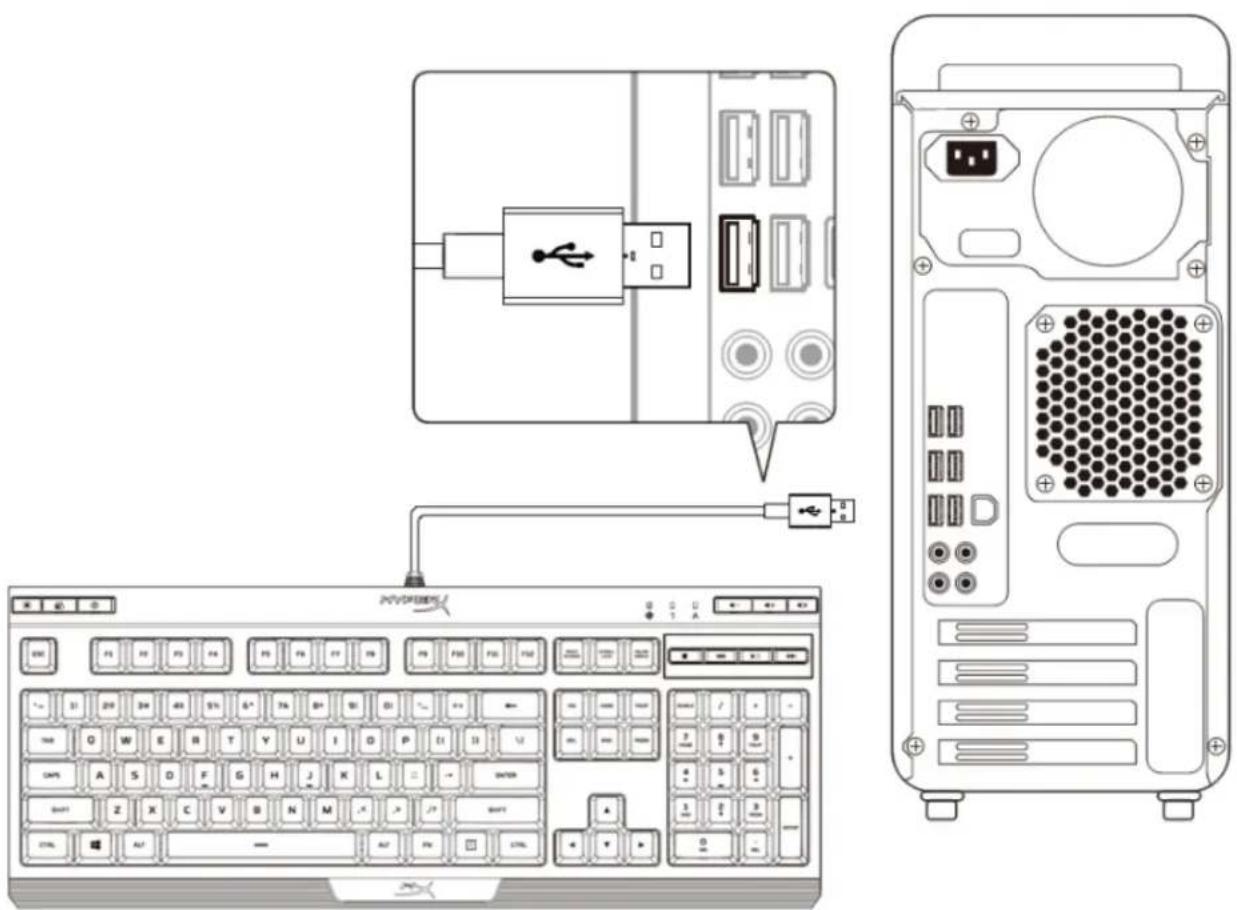
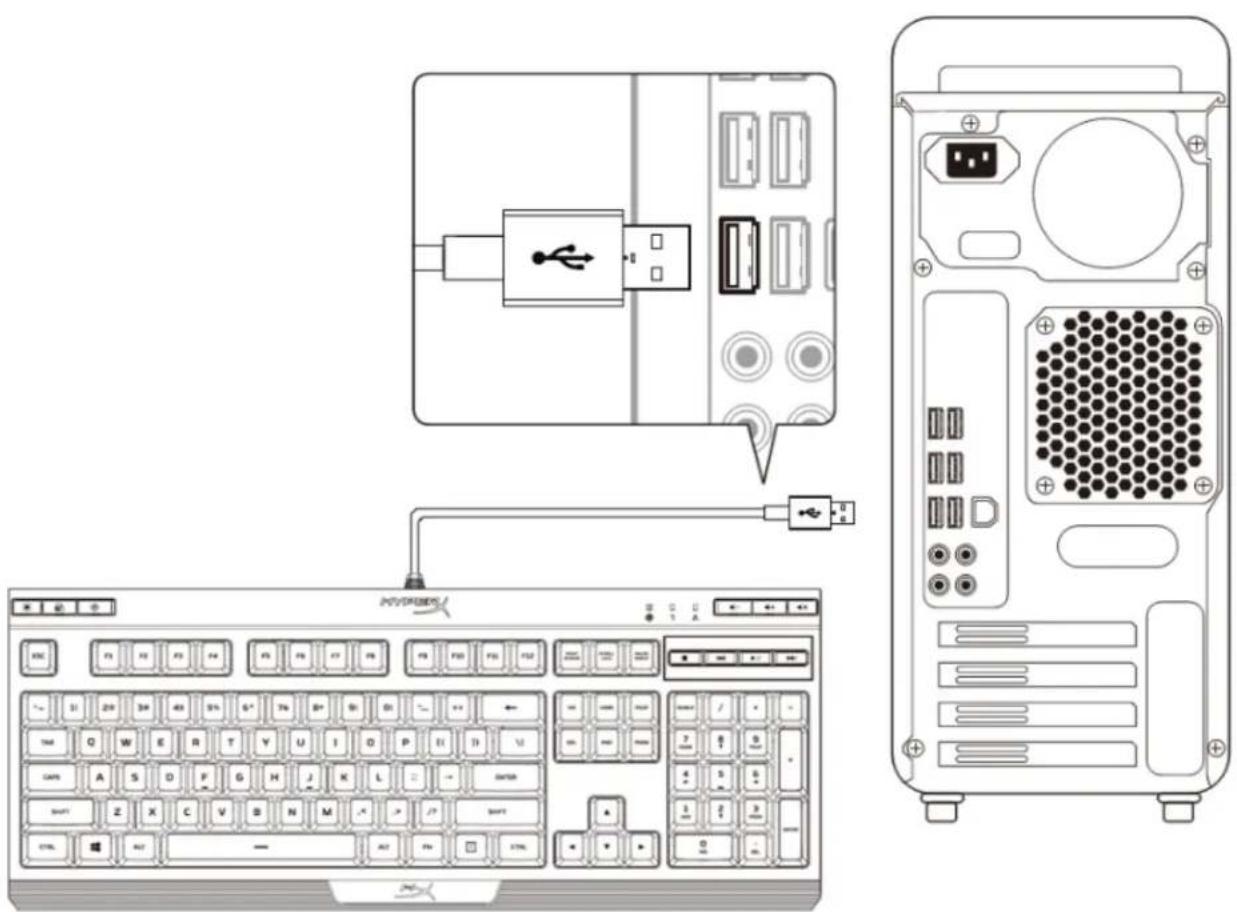
Connect the USB connector to the computer USB port.
Function keys:
| Function keys | Secondary feature |
| Switch between the three brightness levels: OFF, 50% and 100%. |
| Switch between the LED modes. † |
| Enabling Game Mode ( Ⓞ) will disable the Windows key to avoid any inconvenience during gaming. When Game Mode is enabled, the indicator will illuminate. |
| - | Mute (▲), decrease (▲-) or increase (▲+) your computer audio. |
| Stop (■), play/pause (▲↓), skip backwards (▲) or skip forward (▲) your music or video. |
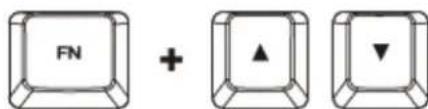
| FN | Increase (▲) or decrease (▲) effect speed †. There are 3 levels of speed: low, medium and high. |
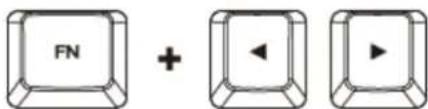
| FN | Switch between solid colours (▲↑). There are 9 different colours: red, orange, yellow, green, teal, blue, purple, pink and white. |
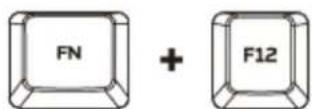
| FN | Enable the keyboard Lock Mode. When Lock Mode is enabled, the light effect will change to breathing white. |
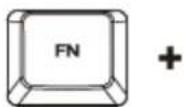
| FN | Customise colours for each zone in 5-zone mode. F1 controls the zone on the left and F5 the zone on the right. Press multiple times to cycle through the 9 colours or turn the zone lighting OFF. |
† See customisation table below for more detail.
| Effect Name | Speed Customisation | Colour
Customisation | Zones Customisation |
| Colour Cycle (default) | ✓ | × | × |
| Spectrum Wave | ✓ | × | × |
| Breathing | ✓ | ✓ | × |
| Solid | × | ✓ | × |
| 5 Zones | × | × | ✓ |
| Aurora | ✓ | × | × |
Questions or setup issues?
Contact the HyperX support team at: hyperxgaming.com/support/keyboard
HyperX Alloy Core RGB™
Anti-ghosting 100% anti-ghosting
Media control buttons Yes
Game mode Yes
Anti-ghosting 100% anti-ghosting
Media control Yes
Game mode Yes
Anti-ghosting 100% anti-ghosting
Media control Yes
Game Mode Yes
Anti-Ghosting 100% Anti-Ghosting
Media controls Yes
Game Mode Yes
Anti-ghosting 100% anti-ghosting
Media control Yes
Game Mode Yes
Anti-ghosting full anti-ghosting
Anti-ghosting 100% anti-ghosting
Media control Yes
Game Mode Yes
Anti-Ghosting 100% Anti-Ghosting
Media control Yes
Resistance to liquids tested with 120 ml of liquid
Compatibility with Windows® operating systems
10, 8.1, 8, 7
Cable
Type: attached, with braid
Length 1.8 m
Dimensions
Width 443.20 mm
Depth 175.31 mm
Height 35.68 mm
Weight (keyboard with cable) 1121 g

Keyboard overview: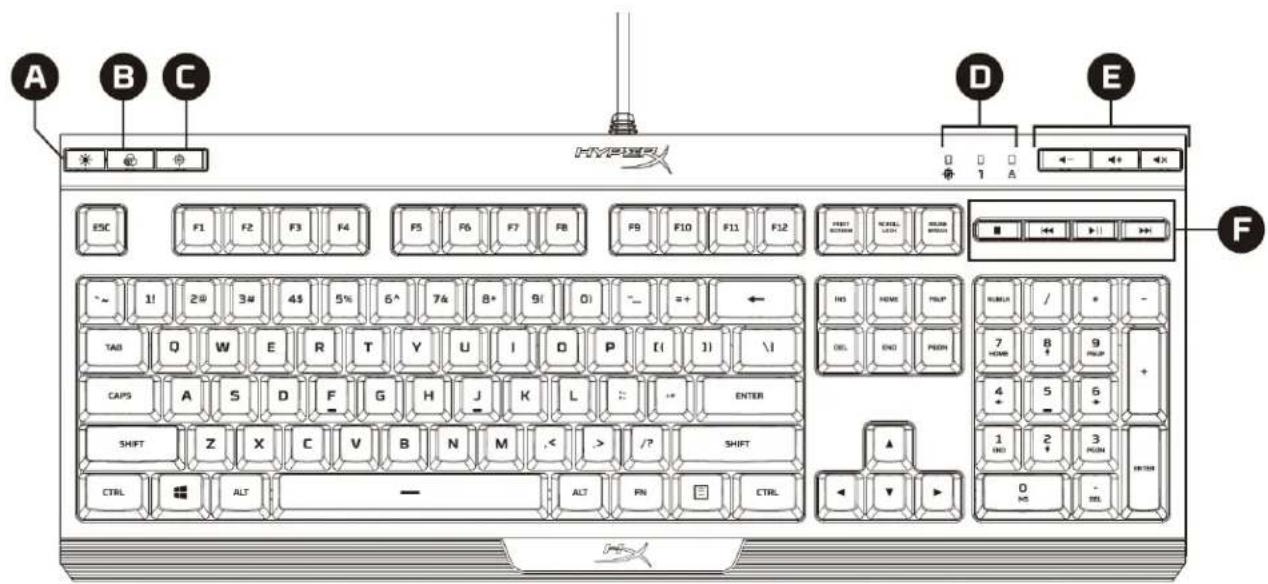
A Brightness adjustment key
D Indicators for backlight mode/Num Lock/Caps Lock
B Key for lighting mode
E Key for volume control
C Key for game mode
F Key for multimedia control
Keyboard setup:
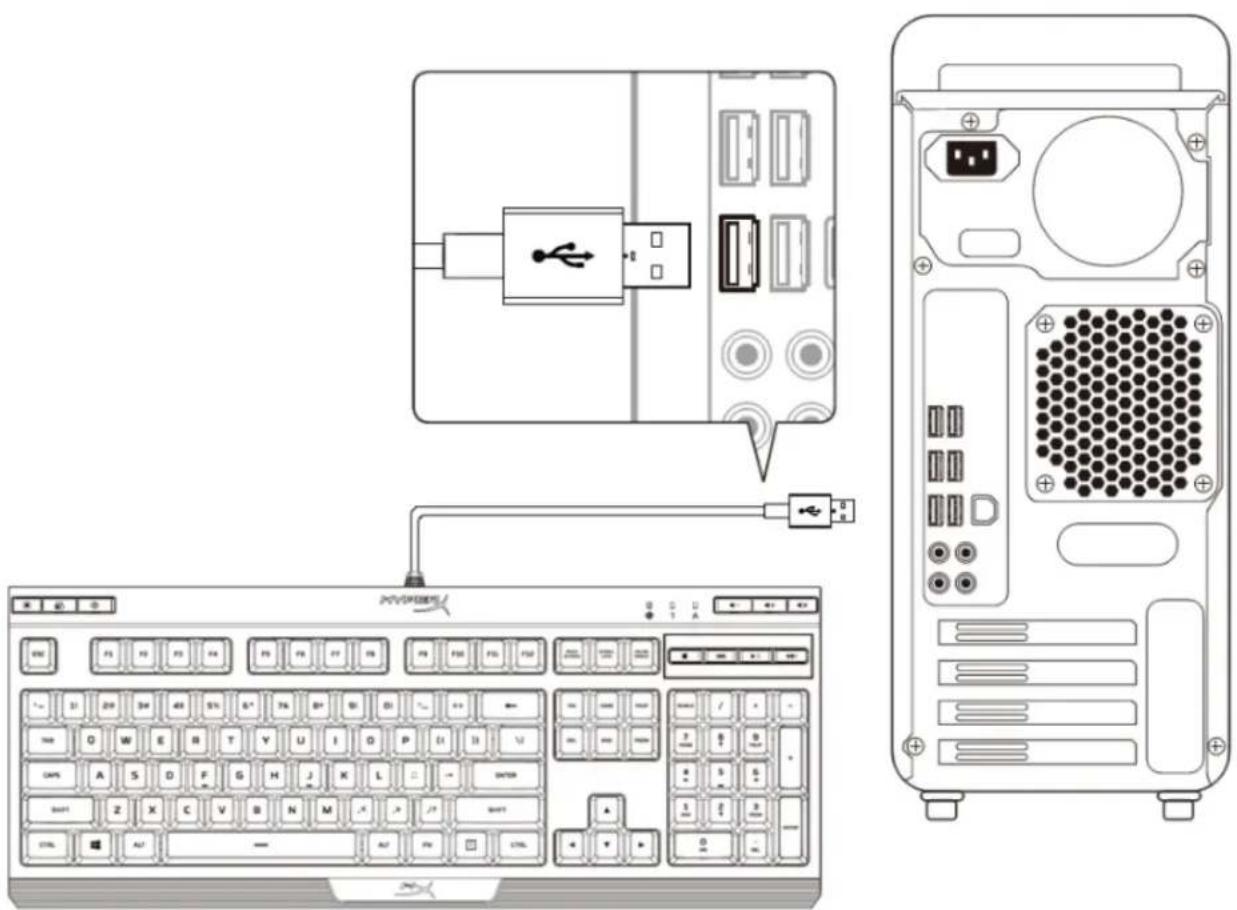
Connect the USB connector to a USB port on your computer.
Contact HyperX technical support at: hyperxgaming.com/support/keyboard
HyperX Alloy Core RGB™
XINPRENGEN-EMINGKIO
Product number
| HX-KB5ME2-US | HX-KB5ME2-BR |
| HX-KB5ME2-US/WW | HX-KB5ME2-DE |
| HX-KB5ME2-NO | HX-KB5ME2-DE/WW |
| HX-KB5ME2-NO/WW | HX-KB5ME2-FR |
| HX-KB5ME2-RU | HX-KB5ME2-FR/WW |
| HX-KB5ME2-RU/WW | HX-KB5ME2-JP |
| HX-KB5ME2-UK | HX-KB5ME2-LA |
| HX-KB5ME2-UK/WW | HX-KB5ME2-LA/WW |
hyperxgaming.com/support/keyboardssl, HyperX support contact
HyperX Alloy Core RGB™
For use in China
Half thinking
| HX-KB5ME2-US | HX-KB5ME2-BR |
| HX-KB5ME2-US/WW | HX-KB5ME2-DE |
| HX-KB5ME2-NO | HX-KB5ME2-DE/WW |
| HX-KB5ME2-NO/WW | HX-KB5ME2-FR |
| HX-KB5ME2-RU | HX-KB5ME2-FR/WW |
| HX-KB5ME2-RU/WW | HX-KB5ME2-JP |
| HX-KB5ME2-UK | HX-KB5ME2-LA |
| HX-KB5ME2-UK/WW | HX-KB5ME2-LA/WW |
Anti-ghosting 100% anti-ghosting
Game Mode
OS Windows® 10, 8.1, 8, 7
1.8
247
443.20
175.31
35.68

A B C
D Num Lock/Caps Lock E F
USB USB
1. 2. 3.

aouuunnnnnaeau: 50% u 100%

LED

mada Game Mode () Windows Wai aumnntnnnnnnnnnnnnnnnnnnnnnnnnnnnnnnnnnnnnnnnnnnnnnnnnnnnnnnnnnnnnnnnnnnnnnnnnnnnnnnnnnnnnnnnnnnnnnnnnnnnnnnnnnnnnnnnnnnnnnnnnnnnnnnnnnnnnnnnnnnnnnnnnnnnnnnnnnnnn

()()

()国
() 3
aannnnae nnnnne ()+ 9 aunu
Lock Mode 100000000000000000000000000000000000000000000000000000000000000000
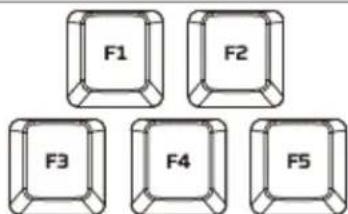
5 Zones F1
| domestic | foreigner | both |
| domestic | ✓ | × |
| foreigner | ✓ | × |
| both | ✓ | ✓ |
| both | × | ✓ |
| 5 Zones | × | × |
| both | ✓ | × |
yuiuuyun
HyperX: hyperxgaming.com/support/keyboard
HyperX Alloy Core RGB™
Gaming keyboard with a durable frame
Product number
| HX-KB5ME2-US | HX-KB5ME2-BR |
| HX-KB5ME2-US/WW | HX-KB5ME2-DE |
| HX-KB5ME2-NO | HX-KB5ME2-DE/WW |
| HX-KB5ME2-NO/WW | HX-KB5ME2-FR |
| HX-KB5ME2-RU | HX-KB5ME2-FR/WW |
| HX-KB5ME2-RU/WW | HX-KB5ME2-JP |
| HX-KB5ME2-UK | HX-KB5ME2-LA |
| HX-KB5ME2-UK/WW | HX-KB5ME2-LA/WW |
The HyperX Alloy Core RGB™ features HyperX's unique radiant light bar and dynamic RGB lighting effects, making it ideal for gamers who want to enhance their style and performance without spending too much. With six different lighting effects and three brightness levels, the keyboard expresses your style while helping you save money. Built with a durable steel frame, the Alloy Core RGB is designed to provide stability and reliability for gamers who want a sturdy keyboard. The soft-touch keys provide good feedback while remaining quiet, and they also feature anti-ghosting and gaming-grade key rollover. The keyboard is spill-resistant; it has been tested to withstand 120ml of liquid, so even if you accidentally spill a drink on it, you won't have to pause your game. It is equipped with dedicated media keys and quick access keys to easily adjust lighting and game mode right at your fingertips. The game mode lock feature allows you to lock the keyboard without putting the entire system into sleep mode. The Alloy Core RGB is very stylish, with many high-performance features, making it a versatile keyboard that's excellent for gamers.
Package contents:
HyperX Alloy Core RGB keyboard
Specifications:
Keyboard
Type: Rubber dome
Anti-ghosting: 100% anti-ghosting
Media control: Yes
Game mode: Yes
Spill-resistant: Tested with 120ml of liquid
Compatible OS: Windows® 10, 8.1, 8, 7
Cable
Length 1.8m
Dimensions
Width 443.20mm
Depth 175.31mm
Height 35.68mm
Weight (Keyboard and cable) 1121g