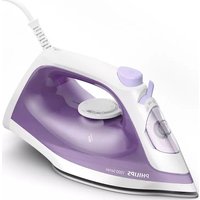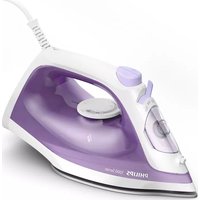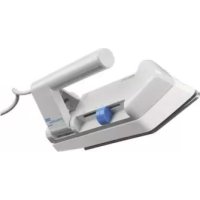
World Stewardess HD1302 - Iron PHILIPS - Free user manual and instructions
Find the device manual for free World Stewardess HD1302 PHILIPS in PDF.



User questions about World Stewardess HD1302 PHILIPS
0 question about this device. Answer the ones you know or ask your own.
Ask a new question about this device
Download the instructions for your Iron in PDF format for free! Find your manual World Stewardess HD1302 - PHILIPS and take your electronic device back in hand. On this page are published all the documents necessary for the use of your device. World Stewardess HD1302 by PHILIPS.
USER MANUAL World Stewardess HD1302 PHILIPS
Register your product and get support at www.philips.com/welcome
HD1300 SERIES
PHILIPS
2
3
1


ENGLISH 6
DANSK 11
DEUTSCH 17
ESPANOL 23
SUOMI 29
FRANÇAIS 34
ITALIANO 40
NEDERLANDS 46
NORSK 52
PORTUGUES 57
SVENSKA 63
繁體中文 68
2761
6 ENGLISH
Introduction
Congratulations on your purchase and welcome to Philips! To fully benefit from the support that Philips offers, register your product at www.philips.com/welcome.
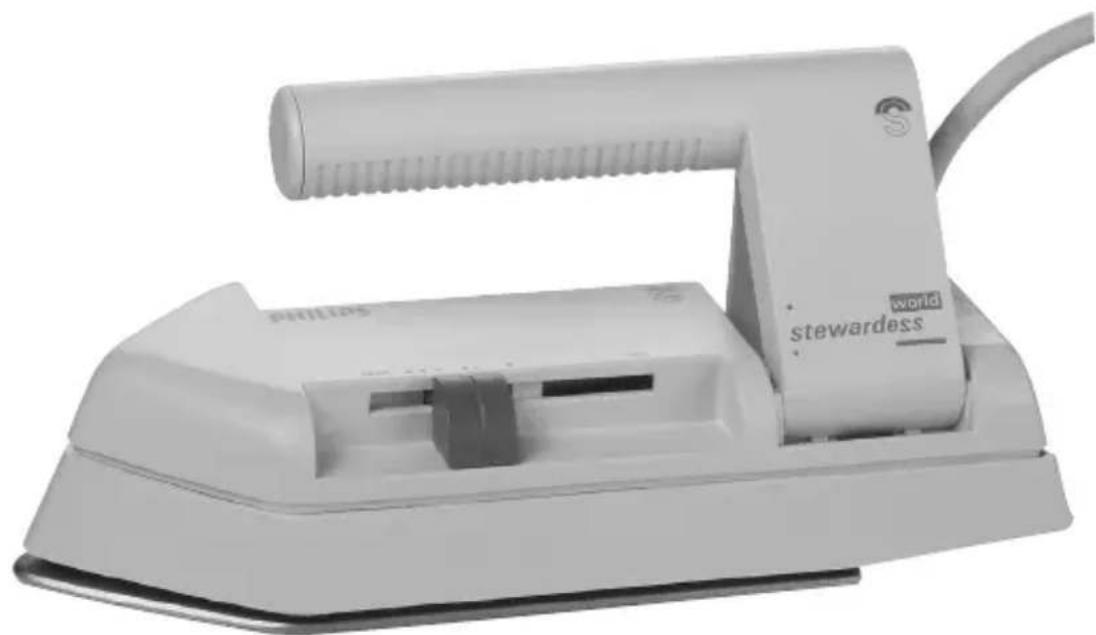
Thanks to its compact, lightweight design, this iron is ideal for quick ironing jobs. You can take it along in its handy pouch when you are travelling.
The iron can be used safely at all mains voltages (110-120V/220-240V), as it is equipped with a voltage selector. If needed, suitable adapter plugs are available from Philips dealers, service centres, hotel receptions or hardware shops.
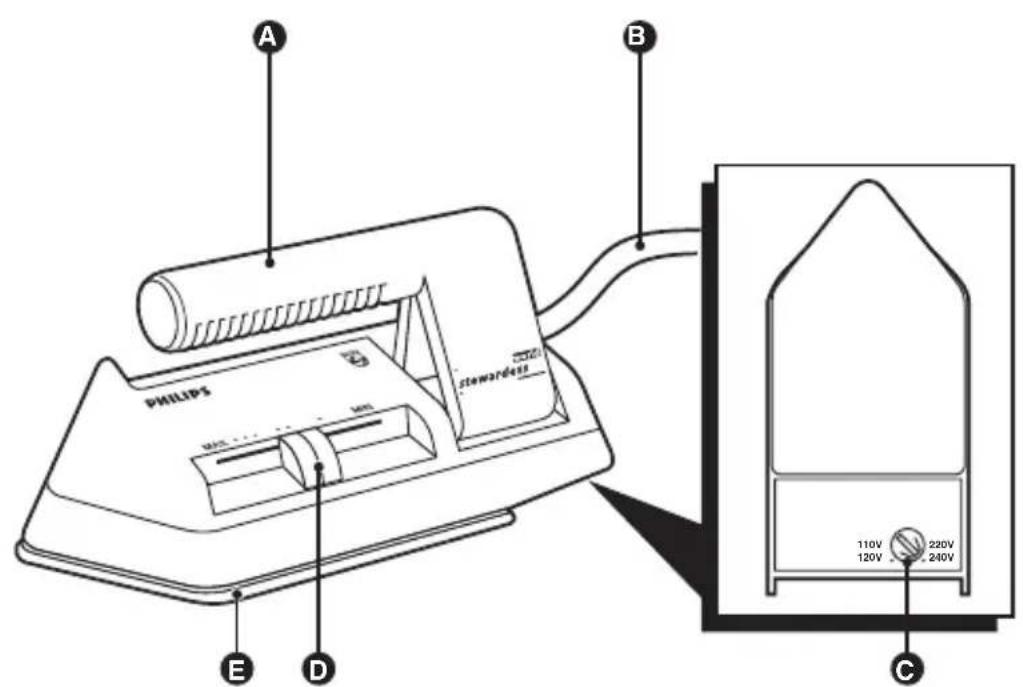
General description (Fig. 1)
A Foldable handle
B Mains cord
Dual voltage selector
D Temperature control
Soleplate and button groove
Important
Read this user manual carefully before you use the appliance and save it for future reference.
Danger
- Never immerse the iron in water.
Warning
- Check if the dual voltage selector has been set to the local mains voltage before you connect the appliance. You can adjust the position of the dual voltage selector with a coin. Always reset the selector to position 220/240 V after use. This prevents damage if you inadvertently connect the iron to the wrong voltage.
- Do not use the appliance if the plug, the mains cord or the appliance itself shows visible damage, or if the appliance has been dropped.
- If the mains cord is damaged, you must have it replaced by Philips, a service centre authorised by Philips or similarly qualified persons in order to avoid a hazard.
ENGLISH 7
- Never leave the appliance unattended when it is connected to the mains.
- This appliance is not intended for use by persons (including children) with reduced physical, sensory or mental capabilities, or lack of experience and knowledge, unless they have been given supervision or instruction concerning use of the appliance by a person responsible for their safety.
- Children should be supervised to ensure that they do not play with the appliance.
- Do not let the mains cord come into contact with the hot soleplate of the iron.
Caution
- If the appliance is provided with an earthed plug, it must be plugged into an earthed wall socket.
- Use an earthed adapter plug if the mains plug does not match the local wall socket.
- Do not connect the appliance to a wall socket intended for shavers.
- Do not use the iron in your hotel room simultaneously with another high-wattage appliance (e.g. a hairdryer) to avoid blowing the fuse.
- Check the mains cord regularly for possible damage.
- Always place and use the iron on a stable, level and horizontal surface.
- The soleplate of the iron can become extremely hot and may cause burns if touched.
- When you have finished ironing, when you clean the appliance and also when you leave the iron even for a short while: put the iron on its heel and remove the mains plug from the wall socket.
- The appliance is not intended for regular use.
Electromagnetic fields (EMF)
This Philips appliance complies with all standards regarding electromagnetic fields (EMF). If handled properly and according to the instructions in this user manual, the appliance is safe to use based on scientific evidence available today.
ENGLISH8
Before first use
1 Remove any sticker or protective foil from the soleplate.
2 Let the iron heat up to maximum temperature and pass the iron over a piece of damp cloth for several minutes to remove any residues from the soleplate.
Preparing for use
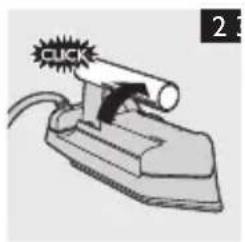
Unfolding the handle
1 Pull up the handle to unfold it ('click') (Fig. 2).
Setting the temperature
1 Check the laundry care label for the required ironing temperature.
- Synthetic fabrics (e.g. acrylic, viscose, polyamide, polyester)
Silk - ●Wool
- Cotton, linen
If you do not know what kind or kinds of fabric an article is made of, determine the right ironing temperature by ironing a part that is not visible when you wear or use the article.
Silk, woollen and synthetic materials: iron the reverse side of the fabric to prevent shiny patches.
Start ironing the articles that require the lowest ironing temperature, such as those made of synthetic fibres.
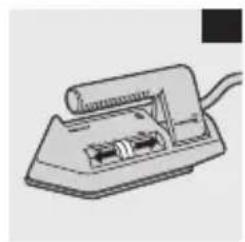
2 Set the temperature control to the required ironing temperature (Fig. 3).
3 Put the iron on its heel.
4 Put the mains plug in an earthed wall socket.
Using the appliance
Note: The iron may give off some smoke when you use it for the first time. This stops after a short while.


ENGLISH 9
Ironing
1 Set the recommended position ironing temperature (see chapter 'Preparing for use').
2 Put the iron on its heel.
3 Let the iron to heat up for two minutes before you start ironing. If you set the temperature control to a lower setting after ironing at a high temperature, let the iron to cool down for five minutes before you continue ironing.
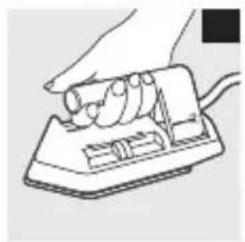
4 Start ironing (Fig. 4).
Tip: Ironing is easier and takes less time if you moisten the article first.
Ironing without ironing board
When you are travelling, an ironing board is often not at hand. In this case, spread the tablecloth (or a folded terrycloth towel) on a firm, flat surface. Make sure that the surface is heat-resistant and moisture-resistant. Do not use a glass or plastic surface.
Cleaning
1 Put the iron on its heel.
2 Remove the mains plug from the wall socket and let the iron cool down for at least 30 minutes.
3 Wipe the soleplate with a damp cloth and a non-abrasive (liquid) cleaner.
4 Clean the upper part of the iron with a damp cloth.
Storage
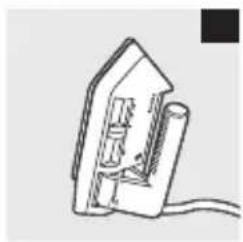
Put the iron on its heel (Fig. 5).
2 Remove the mains plug from the wall socket and let the iron cool down for at least 30 minutes.
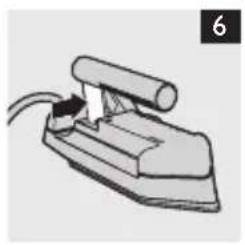
3 Push the handgrip support in the direction of the arrow (Fig. 6).


ENGLISH10
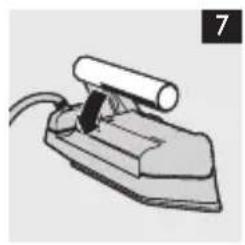
4 Press down the handgrip (Fig. 7).
5 Store the appliance in the pouch.
Environment
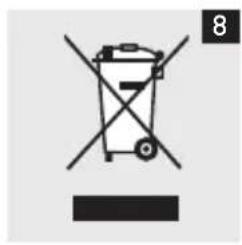
- Do not throw away the appliance with the normal household waste at the end of its life, but hand it in at an official collection point for recycling. By doing this, you help to preserve the environment (Fig. 8).
Guarantee & service
If you need service or information or if you have a problem, please visit the Philips website at www.philips.com or contact the Philips Consumer Care Centre in your country (you find its phone number in the worldwide guarantee leaflet). If there is no Consumer Care Centre in your country, go to your local Philips dealer.
Troubleshooting
This chapter summarises the most common problems you could encounter with the appliance. If you are unable to solve the problem with the information below, contact the Consumer Care Centre in your country.
Problem Possible cause Solution
The iron is plugged in but the soleplate is cold.
Connection problem.
Check the mains cord, the plug and the wall socket.
The temperature control is probably set to min
Set the temperature control to the required position.
Introduktion
Stille inn temperature
Stalla in temperature
Jus 1 Jus 1 Jus 1 Jus 1 Jus 1 Jus 1 Jus 1 Jus 1
Jaeell
ylll lllll
Joojill 150
SLL 1000
aaiie 1
Sll aaiia jbi jiljil jil jil jil
()
yj j 1
aia 1
aaiiie 1
buaa aee
L
#
aaii 1

#
75
jll jiljibj
L 1
中
1
iXlll lslalol bll jgljy
jgljg jy jg jg jg jg jg jg jg jg jg jg jg jg jg jg jg jg jg jg jg jg jg jg jg jg jg jg jg jg jg jg jg jg jg jg jg
jlll jll (laal)
Jaiall 11111111111
i 1
Lgus)La gIg JgJgJgJgJgJgJgJgJgJgJgJgJgJgJgJgJgJgJgJgJgJgJgJgJgJgJgJgJgJgJgJgJgJgJgJgJgJgJgJgJgJgJgJgJgJgJgJgJgJgJg
alall 1j j 8j 8j 8j 8j 8j 8j 8j 8j 8j 8j 8j 8j 8j 8j 8j 8j 8j 8j 8j 8j 8j
a
piliil plisuWpuo j4
(EMF) 1
EMF) 1111111111111111111111111111
y
yJgP1suiy
1
a 1
sL 1
1
()()
aJal aJb
1
()


山
. www.philips.com/welcome .Philips
ylll 10kall o jn yll l kss sll kss m g yddll kss kss kss kss kss kss kss kss kss kss kss kss kss kss kss kss kss kss kss kss kss kss kss kss kss kss kss kss kss kss kss kss kss kss kss kss kss kss kss kss kss kss kss kss kss kss kss kss kss kss kSS
(1)
山
e 2
a
J 1
P_a
Jiinllg 1111111111111111111111
jies
lll 1
J 1
J 1
J 1
y
jlll jlll llllll jlll llll llll
J Philips
j 1
LgSxogjSLoie jgljgljj
i 1
pI jaii pI L, aie aalg yjll paa i (Jiby d) (L) aill
x 1