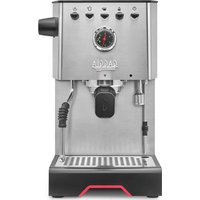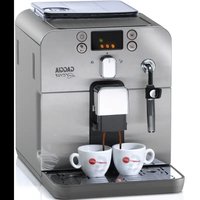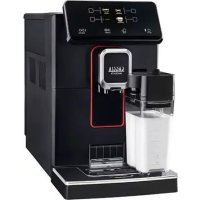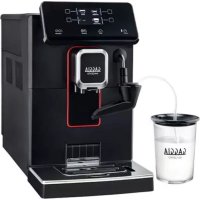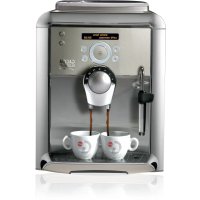
Platinum Swing Up RI8176 - Coffee machine GAGGIA - Free user manual and instructions
Find the device manual for free Platinum Swing Up RI8176 GAGGIA in PDF.


| Technical specifications | Automatic coffee machine with built-in grinder, 15 bar pressure, 1.5 L water tank, capacity of 250 g of coffee beans. |
|---|---|
| Usage modes | Preparation of espresso coffee, long coffee, cappuccino, latte macchiato, grind and temperature adjustment. |
| Maintenance | Automatic cleaning of the coffee circuit, descaling recommended every 3 months, cleaning of the grounds container and water tank after each use. |
| Safety | Automatic shutdown after 30 minutes of inactivity, overheating protection. |
| General information | Dimensions: 23 x 34 x 43 cm, weight: 8 kg, 2-year warranty, compatible with coffee beans and ground coffee. |
Frequently Asked Questions - Platinum Swing Up RI8176 GAGGIA
User questions about Platinum Swing Up RI8176 GAGGIA
0 question about this device. Answer the ones you know or ask your own.
Ask a new question about this device
Download the instructions for your Coffee machine in PDF format for free! Find your manual Platinum Swing Up RI8176 - GAGGIA and take your electronic device back in hand. On this page are published all the documents necessary for the use of your device. Platinum Swing Up RI8176 by GAGGIA.
USER MANUAL Platinum Swing Up RI8176 GAGGIA
Operation and maintenance manual
Before using the machine, please read the attached operating instructions.
Carefully read the safety rules
Mode d'emploi
When using electrical appliances, basic safety precautions should always be followed, including the following:
1.Read all instructions.
2.Do not touch hot surfaces. Use handles or knobs.
3.To protect against fire, electric shock and injury to persons do not immerse cord, plugs, or appliance in water or other liquid.
4.Close supervision is necessary when the appliance is used by or near children.
5. Unplug from outlet when not in use and before cleaning. Allow to cool before putting on or taking off parts, and before cleaning the appliance.
6. Do not operate any appliance with a damaged cord or plug or after the appliance malfunctions, or has been damaged in any manner. Return appliance to the nearest authorized service facility for examination, repair or adjustment.
7. The use of accessory attachments not recommended by the appliance manufacturer may result in fire, electric shock or injury to persons.
8.Do not use outdoors.
9. Do not let cord hang over edge of table or counter, or touch hot surfaces.
10. Do not place on or near a hot gas or electric burner, or in a heated oven.
11. Always attach plug to appliance first, then plug cord into wall outlet. To disconnect, turn any control to "off", then remove plug from wall outlet.
12.Do not use appliance for other than intended use.
13.Save these instructions.
SAVE THESE INSTRUCTIONS
CAUTION
This appliance is for household use only. Any servicing, other than cleaning and user maintenance, should be performed by an authorized service centre. Do not immerse machine in water. To reduce the risk of fire or electric shock, do not disassemble the machine. There are no user serviceable parts inside the machine serviceable by the user. Repair should be done by authorized service personnel only.
1 Check voltage to be sure that the voltage indicated on the nameplate corresponds with your voltage.
2 Never use warm or hot water to fill the water tank. Use cold water only.
3 Keep your hands and the cord away from hot parts of the appliance during operation.
4 Never clean with scrubbing powders or harsh cleaners. Simply use a soft cloth dampened with water.
5 For optimal taste of your coffee, use purified or bottled water. Periodic descaling is still recommended every 2-3 months.
6 Do not use flavored or caramelized coffee.
INSTRUCTIONS FOR THE POWER SUPPLY CORD
A A short power-supply cord is provided to reduce risks of tangling or tripping over a longer cord.
B Longer extension cords are available and may be used if care is exercised in their use.
C If a long extension cord is used:
1 the marked electrical rating of the extension cord should be at least as great as the electrical rating of the appliance.
2 if the appliance is of the grounded type, the extension cord should be a grounding type
3 the cord should not hang from the table to avoid the risk of tangling or tripping.
2 CONTENTS
GENERAL INFORMATION 3
APPLIANCE 4 ACCESSORIES 4
INSTALLATION 5
STARTING THE MACHINE 5
SETTING THE LANGUAGE 6
"AQUA PRIMA" WATER FILTER. 7
DISPLAY 8
(OPTI-DOSE) INDICATES THE COFFEE DOSE PER CUP 8
ADJUSTMENTS 9
COFFEE INTENSITY 9
ADJUSTING THE HEIGHT OF THE DRIP TRAY 9
COFFEE GRINDER ADJUSTMENT 9
BEVERAGE DISPENSING 10
ESPRESSO/COFFEE/LONG COFFEE 10
DISPENSING BEVERAGES WITH GROUND COFFEE 11
HOT WATER DISPENSING 12
DISPENSING STEAM 13
MAKING CAPPUCCINO 14
MILK ISLAND (OPTIONAL) 15
BEVERAGE PROGRAMMING 16
1.PROGRAMMINGFORSELF-LEARNING 16
2.PROGRAMMING FROM THE "BEVERAGE SETTINGS" MENU 16
PROGRAMMING THE MACHINE 18
MACHINE SETTINGS 19
"LANGUAGE" MENU. 19
"WATER HARDNESS" MENU 20
"ACOUSTIC ALARM" MENU 20
"FILTER ALARM" MENU 21
"RINSE" MENU. 21
"CUP WARMING SURFACE" MENU 21
"CLOCK SETTING" MENU 22
MAINTENANCE 25
"WATER FILTER" MENU 25
"DESCALING" MENU 27
BREW GROUP WASHING 30
PROGRAMMING THE MACHINE 31
ENERGYSAVING 31
TURNS OFF DELAY 31
TIMER SETTING 31
"MONDAY" TIMER SETTING 32
SPECIAL FUNCTIONS 33
RESTORE SETTINGS 33
CLEANING AND MAINTENANCE 34
MAINTENANCE DURING OPERATION 34
GENERAL MACHINE CLEANING 34
CLEANING THE BREW GROUP. 35
ERROR CODES 36
TROUBLESHOOTING 37
SAFETY RULES 38
TECHNICAL DATA 40
GENERAL INFORMATION
The coffee machine is suitable for preparing espresso coffee using coffee beans, and it is equipped with a device to dispense steam and hot water.
The machine is designed for domestic use only, and is not suitable for heavy or professional use.
Warning: no liability is assumed for any damage caused by:
- incorrect use not in accordance with the intended uses;
- repairs not carried out by authorized customer service centres;
- tampering with the power cable;
- tampering with any part of the machine;
- the use of non-original spare parts and accessories;
- failure to descale the machine or use at temperatures below 0^ ( 32^ )
IN THESE CASES, THE WARRANTY IS NOT VALID.

THE WARNING TRIANGLE INDICATES ALL IMPORTANT INSTRUCTIONS FOR THE USER'S SAFETY. PLEASE FOLLOW THESE INSTRUCTIONS CAREFULLY TO PREVENT SERIOUS INJURIES!
HOW TO USE THESE OPERATING INSTRUCTIONS.
Keep these operating instructions in a safe place and make them available to anyone else who may use the coffee machine. For further information or in case of problems, please refer to any authorized service centre.
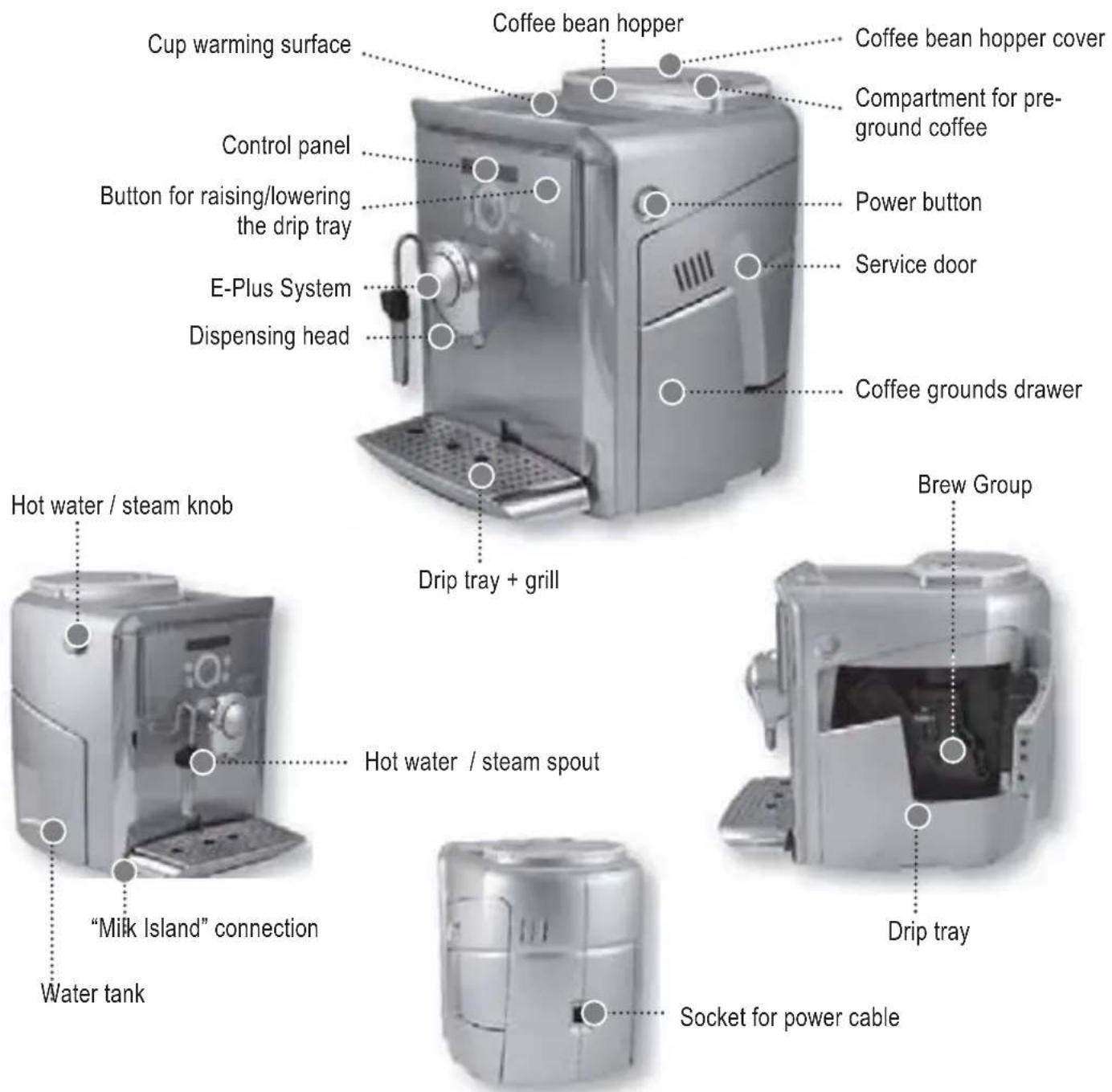
ACCESSIONS
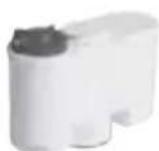
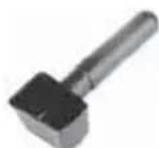
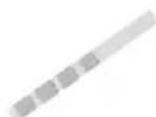
"Aqua Prima" water fi lter Ground coffee measuring scoop Water hardness tester
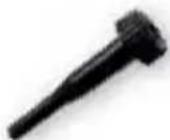
Grinder adjustment key

Lubricant for the Brew Group

Power cable
STARTING THE MACHINE
Make sure that the main power button is not pressed in the "ON" position.
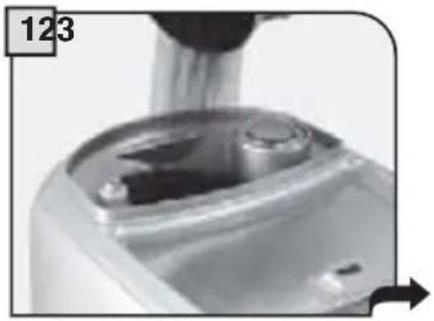
Remove the coffee bean hopper cover. Fill the hopper with coffee beans.
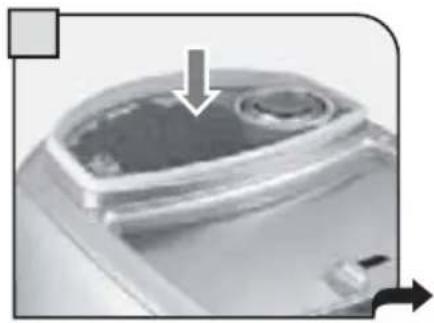
Close the cover pushing it down completely.
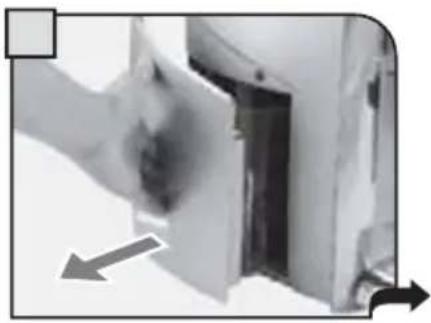
Remove the water tank. We recommend installing the "Aqua Prima" water fi liter (see page 7).
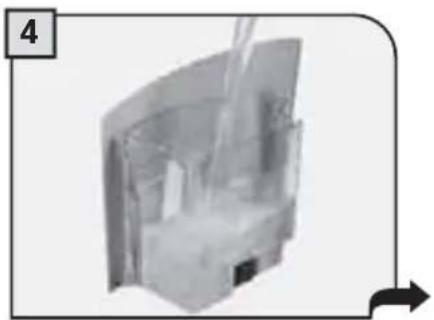
Fill the tank with fresh drinking water. Do not exceed the "max" level indicated on the water tank. Once filled place the tank back into the machine.
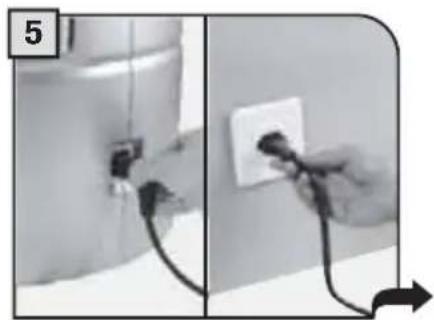
Attach the female end of the power cord to the machine. Insert the male end into the power outlet (see data tag).
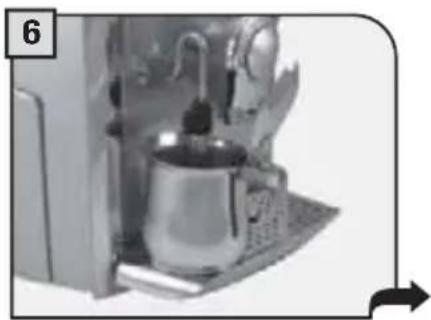
Place a container beneath the hot water spout.
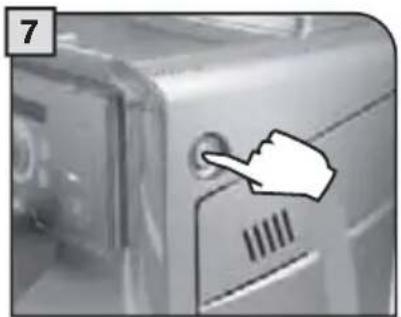
Press the main power button to the "ON" position.
The machine automatically primes the water circuit.
Water may not be dispensed into the container.
The machine is now ready for use.
This should not be considered a malfunction.
TO ASSESS WATER HARDNESS, SEE "WATER HARDNESS MENU" ON PAGE 20.
SETTING THE LANGUAGE
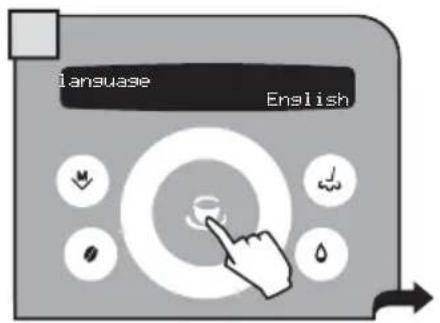
When the machine is switched-on for the first time, it requires the selection of the desired language. This allows you to adjust the parameters of the beverages to the typical parameters of the country where the machine is used. This is why some languages are differentiated also by country.
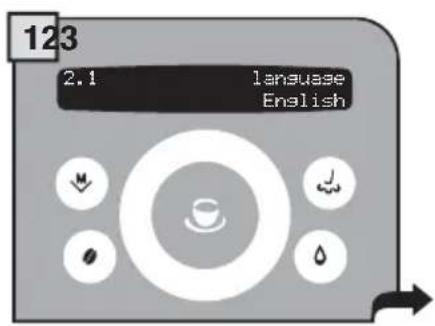
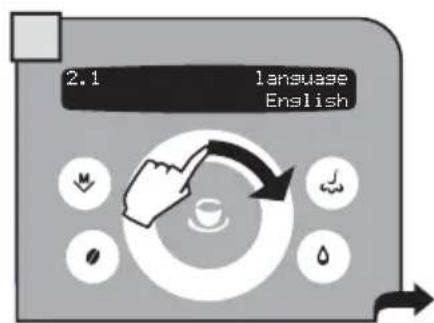
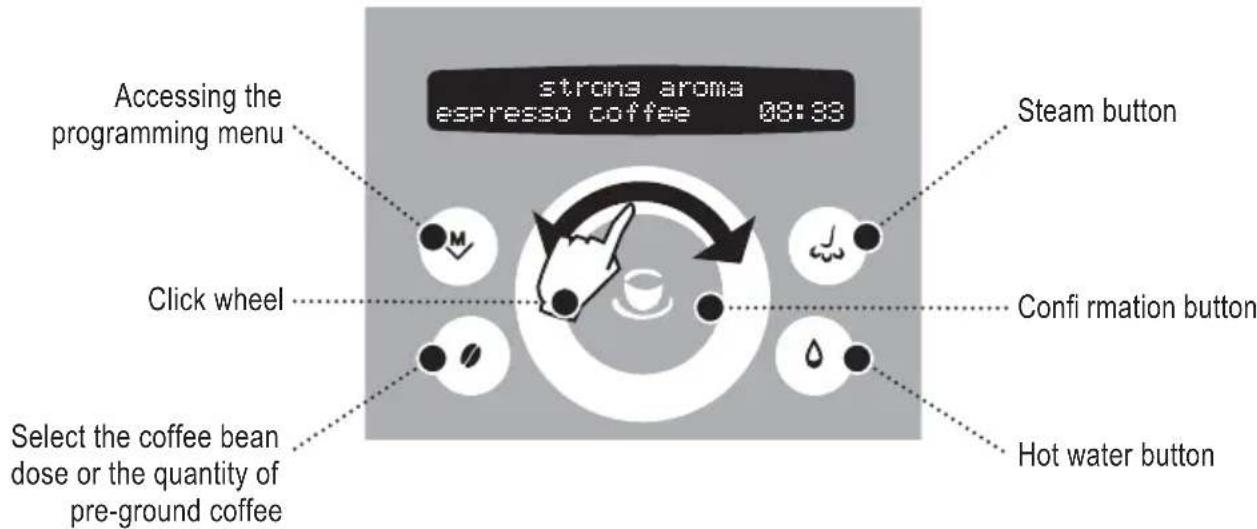
Select the desired language by navigating the click wheel with your finger.
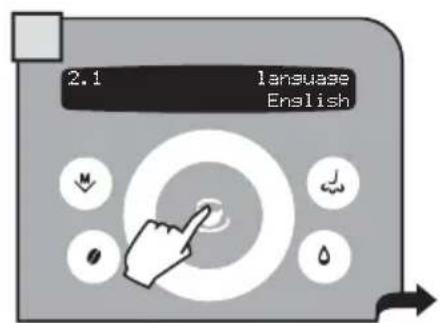
When the desired language is displayed, press
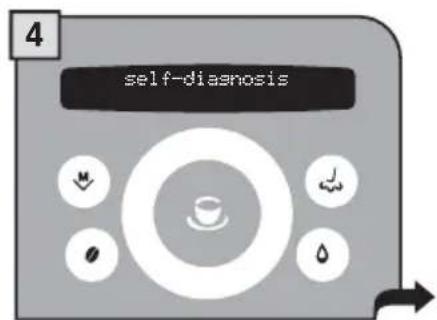
The machine starts and displays all the messages in the selected language.
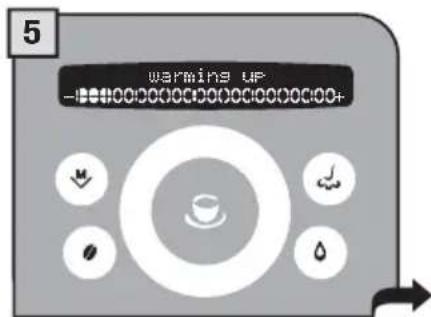
Wait until the machine completes the heating stage.
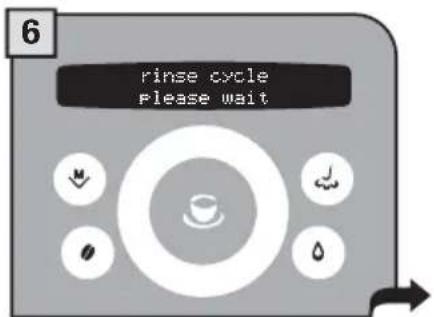
When the right temperature is reached, the machine performs a rinse cycle of the internal circuits.
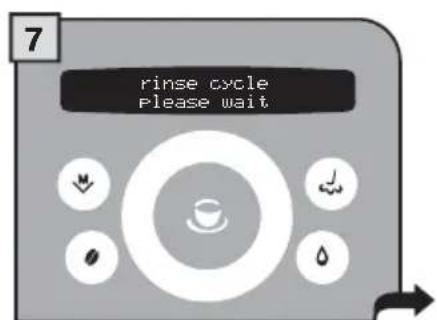
A small quantity of water is dispensed. Wait for this cycle to be completed automatically. See page 21 to enable/disable the function.

The screen for product dispensing appears on the display.
"AQUA PRIMA" WATER FILTER
To improve the quality of the water you use, and guarantee longer machine life at the same time, it is recommended that you install the "Aquaa Prima" water fi Iter. After installation, go to the fi Iter initialization program (see programming). In this way, the machine advises the user when the fi Iter must be replaced.
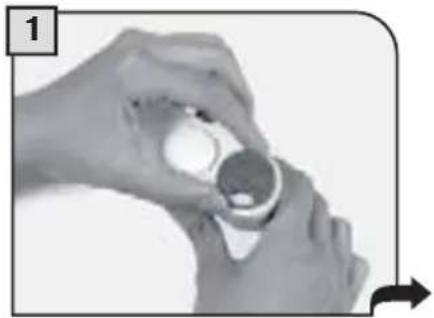
Remove the "Aqua Prima" water fi tter from its packaging. Enter the date of the current month.
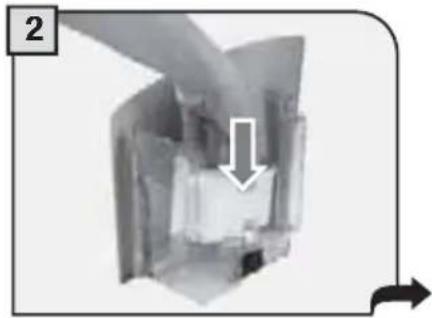
Insert the fi liter in its place within the empty tank (see fi gure); Press down until it clicks into place.
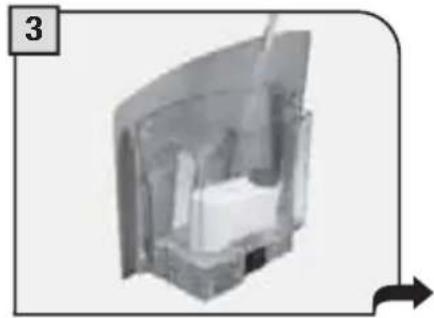
Fill the tank with fresh drinking water. Let the fi Iter soak in the full tank for 30 minutes for correct initialization.
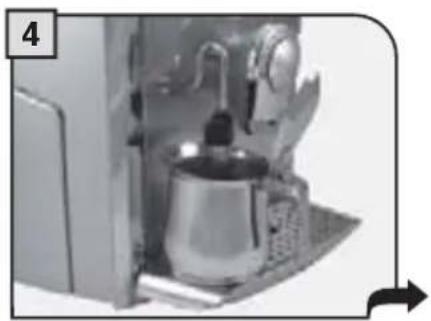
Place a container beneath the steam/hot water spout.
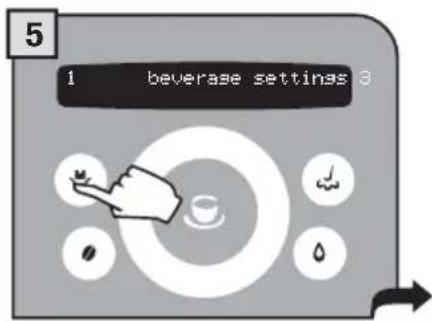
Press
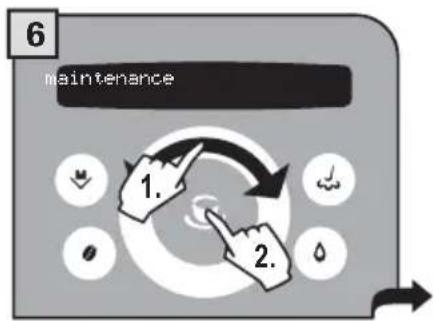
Select "maintenance" and press the button.
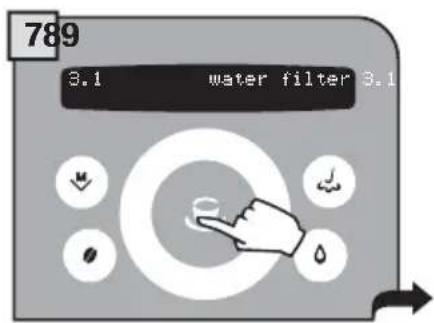
Press again.
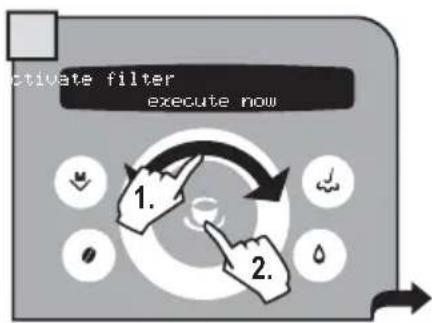
Select "activate filter" and press the button.
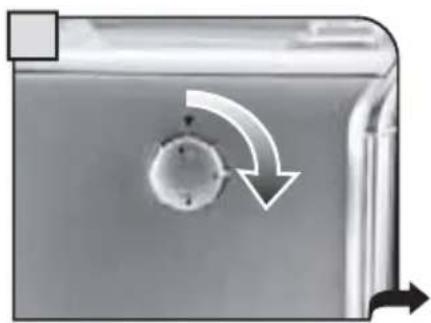
Turn the knob to the position. Water dispensing begins.
When the machine has finished, turn the knob until it is in the rest position. Press a few times until the "exit" message is displayed. Then press . The machine is now ready for use.
- Press the button twice to make 2 cups.
This operation can be performed up until the grinding of the first cup is complete.

- To brew 2 cups, the machine dispenses half of the entered quantity and briefly interrupts dispensing in order to grind the second serving of coffee.
Coffee dispensing is then restarted and completed.
(OPTI-DOSE) INDICATES THE GROUND COFFEE QUANTITY
It is possible to choose three options (strong, medium and mild) by pressing the button.
These indicate the quantity of coffee the machine grinds for each beverage. This button is also used to select the pre-ground coffee function.
SELECT THE AMOUNT OF COFFEE TO BE GROUND BEFORE DISPENSING THE BEVERAGE.




The Gaggia coffee machine allows using all types of coffee beans available on the market (except caramelized ones).
However, coffee is a natural product and its features may change according to its origin and blend. With some coffee blends it could happen that, after choosing the coffee, it is not brewed and the machine returns to the initial status.
In such cases, reduce the quantity of coffee to be ground (e.g.: from "strong" to "medium"), using this function.
COFFEE INTENSITY
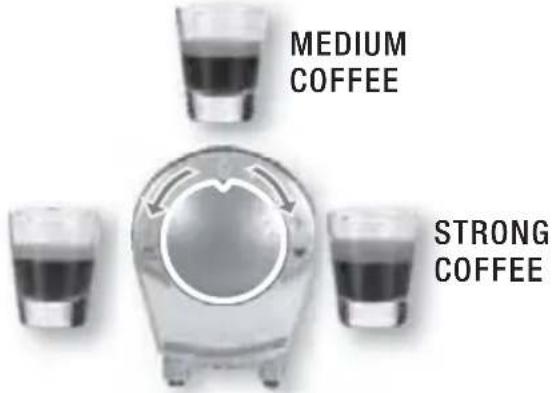
The E-Plus System has been carefully designed to give your coffee the intense taste you desire. Simply turn the knob and you will notice that the coffee goes from mild intensity to strong intensity.
E-PLUS SYSTEM - ESPRESSO PLUS SYSTEM
To adjust the intensity of the brewed coffee. The coffee may even be adjusted while brewing. This adjustment has an immediate effect on the selected type of brewing.
MILD COFFEE
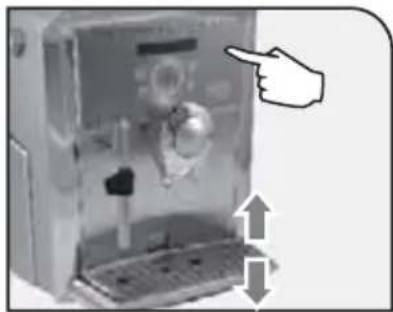
Adjust the drip tray before dispensing any products so as to use any kind of cup.
To raise the drip tray, slightly press on the upper key. To lower the drip tray, slightly press on the lower key. When the desired height is reached, release the key.
Note: empty and clean the drip tray daily.
COFFEE GRINDER ADJUSTMENT
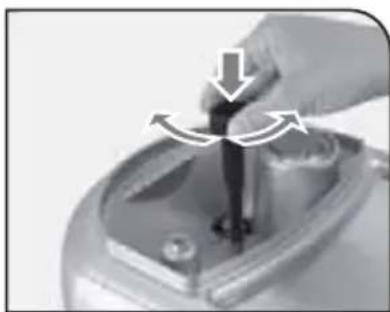
The machine enables a slight adjustment of the coffee grinder. Coffee may be ground according to your own tastes.
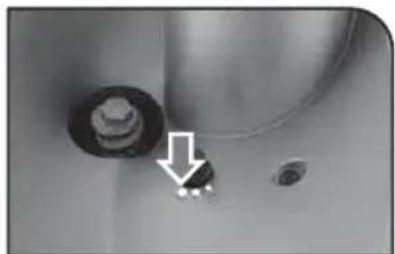
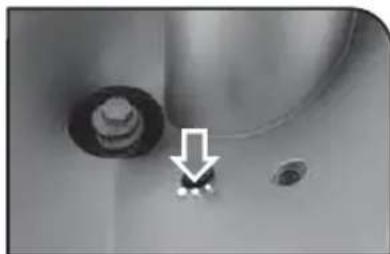
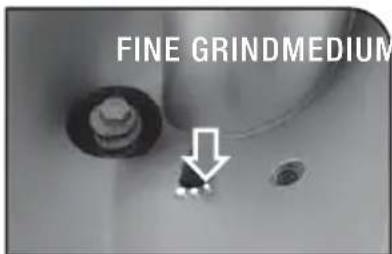
The adjustment must be performed by means of the pin located inside the coffee bean hopper. This must be pressed and turned using the supplied key only. Press and turn the pin one notch at a time. You must brew 2-3 coffees before you will taste a change.
The references located inside the container indicate the grind setting.

COFFEE BREWING CAN BE STOPPED AT ANY TIME BY PRESSING THE BUTTON AGAIN.

THE STEAM SPOUT MAY REACH HIGH TEMPERATURES: DANGER OF SCALDING. DO NOT TOUCH IT WITH BARE HANDS.
Check that all the containers are clean. To carry out this operation, follow the instructions in the "Cleaning and Maintenance" section (see page 34).
To brew 2 cups, the machine dispenses the first coffee and briefly stops dispensing in order to grind the second serving of coffee. Coffee dispensing is then restarted and completed.
ESPRESSO / COFFEE / LONG COFFEE
This procedure shows how to dispense an espresso. To dispense another type of coffee, select it by navigating the click wheel with your finger. Use appropriate espresso or coffee cups so that the coffee will not overflow.
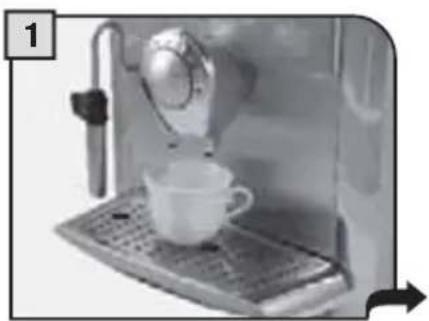
Position 1 - 2 cup(s) to dispense an espresso
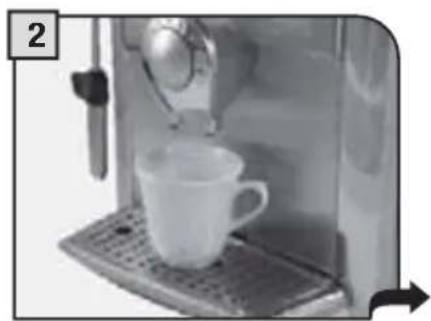
Position 1 - 2 cup(s) to dispense a regular coffee or a long coffee
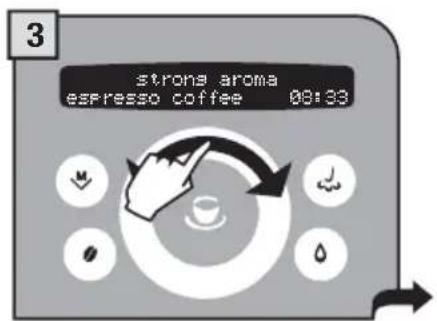
Select the desired beverages by navigating the click wheel with your finger.

If desired, select the quantity of coffee to be ground by pressing the button one or more times.

Press the button: once for 1 cup and twice for 2 cups. The machine begins dispensing the selected beverage.
The machine ends dispensing automatically on the basis of the quantity determined by the manufacturer. It is possible to customize this quantity (see page 16).
dispensing beverages with ground COFFEE
The machine allows you to use pre-ground and decaffeinated coffee.
Pre-ground coffee must be poured into the appropriate compartment positioned next to the coffee bean hopper. Only use coffee ground for espresso machines and never coffee beans or instant coffee.

WARNING: ONLY PUT PRE-GROUND COFFEE INTO THE COMPARTMENT WHEN YOU WISH TO DISPENSE THIS TYPE OF BEVERAGE.
ONLY INSERT ONE SCOOP OF GROUND COFFEE AT A TIME. TWO CUPS OF COFFEE CANNOT BE DISPENSED AT THE SAME TIME.
The preparation of an espresso using pre-ground coffee is shown in the example given below. The customized choice of using pre-ground coffee is shown on the display.

Select the desired beverage by navigating the click wheel with your finger.
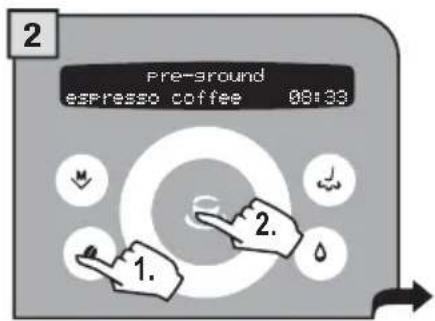
Select the function by pressing the button until the pre-ground option appears. Press the button to confirm.
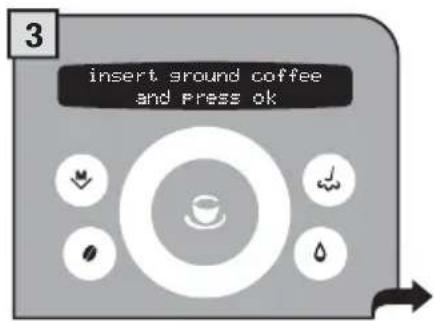
A message reminds the user to pour ground coffee into the appropriate compartment.
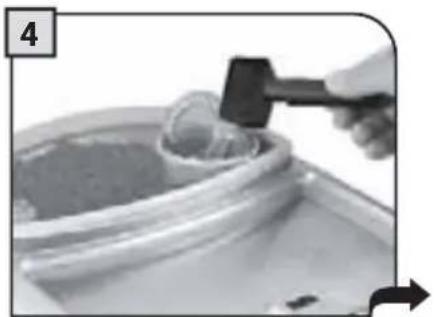
Pour one scoop of ground coffee into the appropriate compartment using the measuring scoop provided.
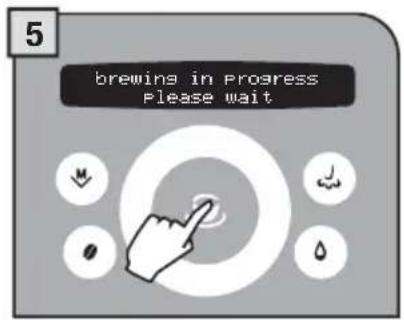
Press the button to start brewing.
Note:
- If brewing does not start within 30 seconds from the appearance of the message (3), the machine will return to the main menu and discharge any inserted coffee into the coffee grounds drawer;
- If no pre-ground coffee is poured into the compartment, only water will be dispensed;
- If the dose is excessive or if 2 or more scoops of coffee are added, the machine will not dispense the beverage and the coffee in the compartment will be discharged into the grounds drawer.
12 BEVERAGE DISPENSING
HOT WATER DISPENSING

DISPENSING MAY BE PRECEDED BY SHORT SPURTS OF HOT WATER AND SCALDING IS POSSIBLE. THE HOT WATER/STEAM SPOUT MAY REACH HIGH TEMPERATURES: DO NOT TOUCH IT WITH BARE HANDS. USE THE APPROPRIATE HANDLE ONLY.
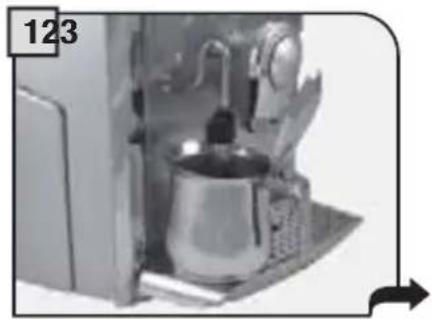
Place a container beneath the steam/hot water spout.
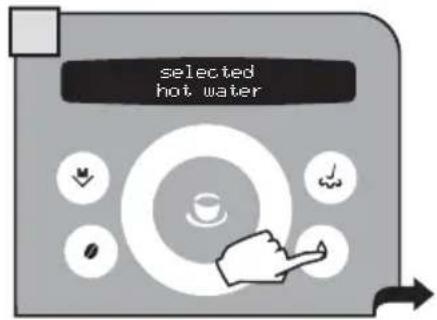
Press the button.
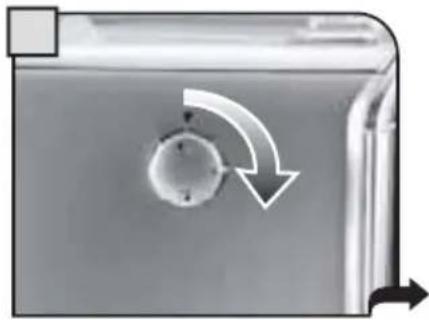
Turn the knob to the 位置.

The display shows "brewing in progress... hot water"
Wait until the machine has dispensed the desired quantity of water.
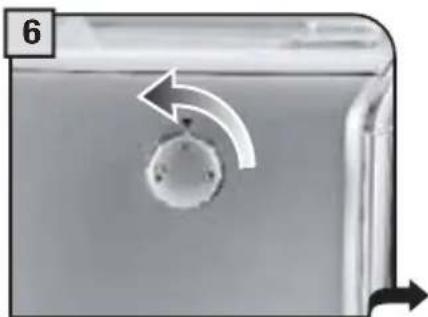
When the machine has dispensed the desired quantity, turn the knob until it is in the rest position ().
7
To dispense another cup of hot water, repeat this operation.
DISPENSING STEAM

DISPENSING MAY BE PRECEDED BY SHORT SPURTS OF HOT WATER AND SCALDING IS POSSIBLE. THE HOT WATER/STEAM SPOUT MAY REACH HIGH TEMPERATURES: DO NOT TOUCH IT WITH BARE HANDS. USE THE APPROPRIATE HANDLE ONLY.
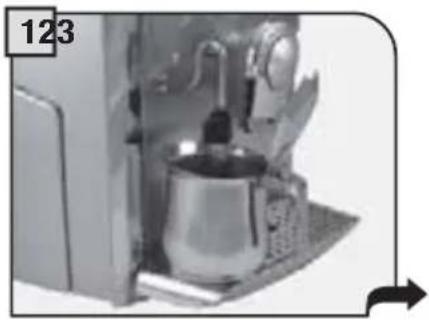
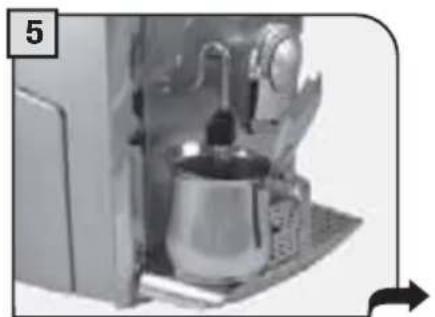
Place a container with the beverage to be warmed up beneath the steam spout.
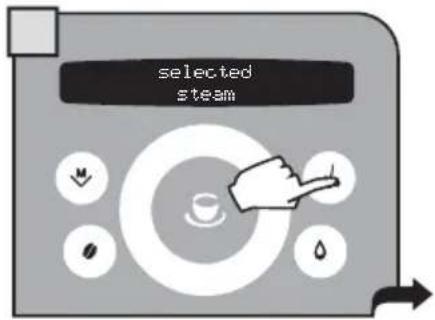
Press the button.
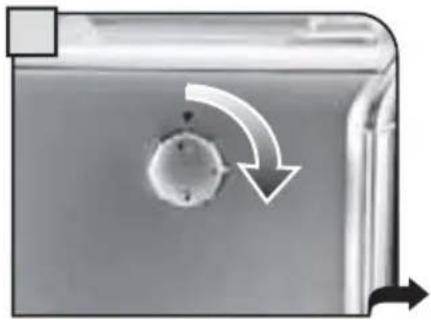
Turn the knob to the position.
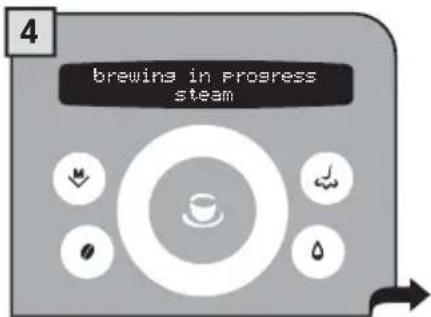
The display shows "brewing in progress... steam"
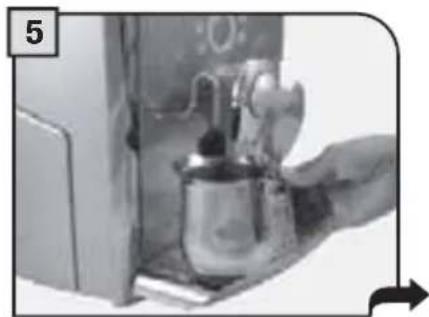
Heat the beverage; move the container while heating.
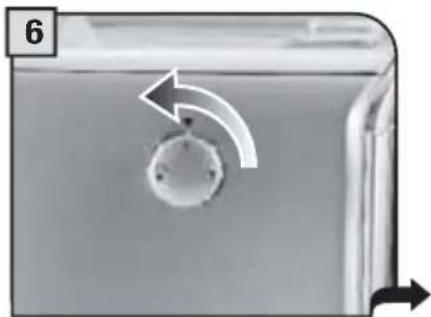
When you have finished, turn the knob until it is in the rest position () .
After dispensing, clean the steam spout as described on page 34.
MAKING CAPPUCCINO

DISPENSING MAY BE PRECEDED BY SHORT SPURTS OF HOT WATER AND SCALDING IS POSSIBLE. THE HOT WATER/STEAM SPOUT MAY REACH HIGH TEMPERATURES: DO NOT TOUCH IT WITH BARE HANDS. USE THE APPROPRIATE HANDLE ONLY.
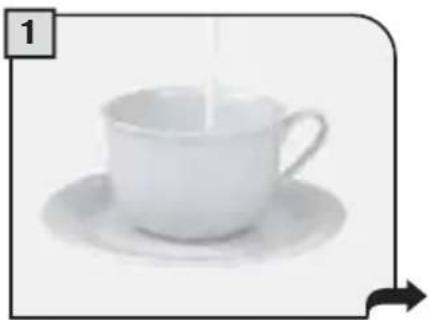
Fill 1/3 of the cup with cold milk.
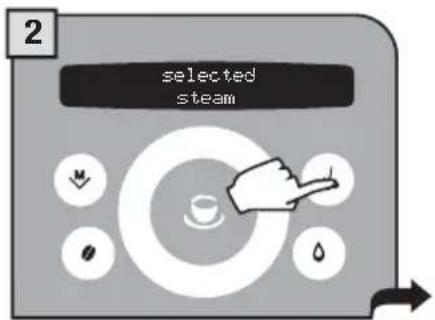
Press the button.
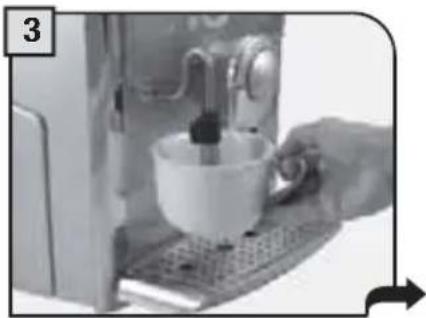
Immerse the steam spout in the milk.
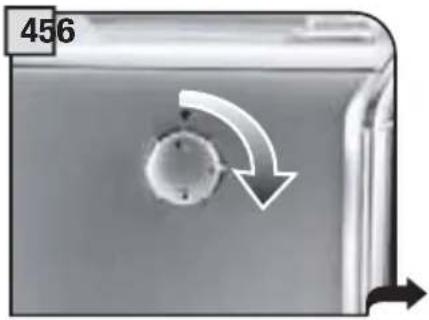
Turn the knob to the 110 position.
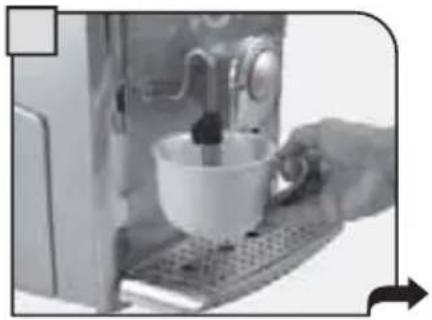
Froth the milk by gently swirling the cup.
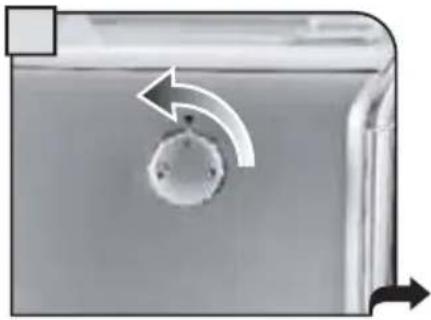
When you have finished, turn the knob until it is in the rest position () .
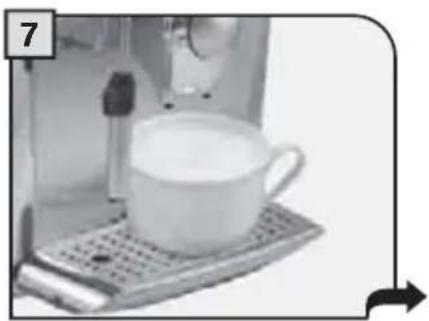
Place the cup beneath the dispensing head.

Press the button once: coffee dispensing begins.
After dispensing, clean the steam spout as described on page 34.
To dispense 2 cappuccinos:
- froth two cups of milk by following step 1 to 6;
- dispense two coffees by following steps 7 and 8 (in this case, press the

button twice).
This device, which may be purchased separately, enables you to easily and comfortably prepare delicious cappuccinos.

Warning: before using the Milk Island, read the manual and all precautions carefully for correct use.
Important note: the quantity of milk in the carafe must never be below the "MIN" minimum level nor exceed the "MAX" maximum level. Thoroughly clean all the Milk Island components after use.

To guarantee best results when preparing cappuccino, we recommend using cold (0 - 8^ / 32 - 45^) , partially skimmed milk.
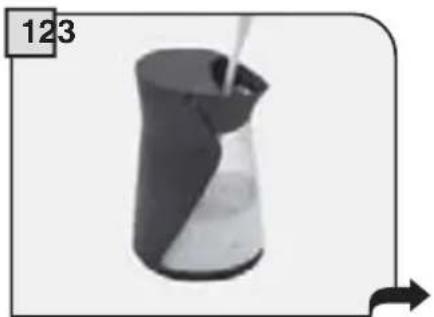
Fill the milk carafe with the quantity of milk desired (between the MIN and MAX levels indicated).
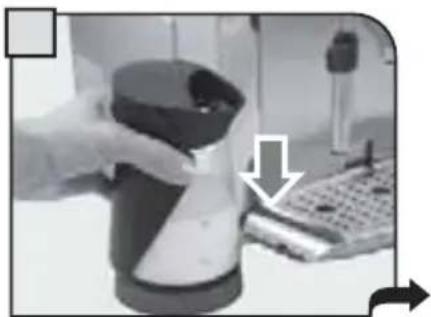
Place the milk carafe onto the base of the Milk Island. Check that the light on the base is green.
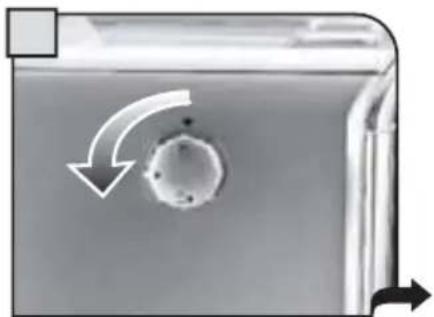
Turn the knob to the position.
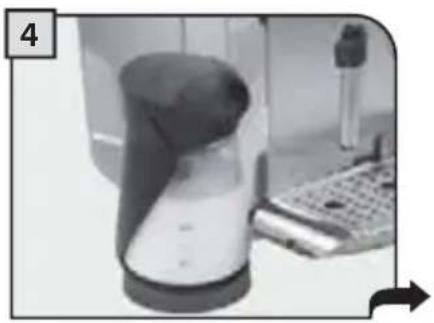
Wait for the milk to be frothed.
The machine will stop automatically after dispensing steam continuously for 2 minutes. To dispense more steam turn the knob to the () position and then back to the position.
When the desired emulsion has been reached, turn the knob until it is in the rest position (
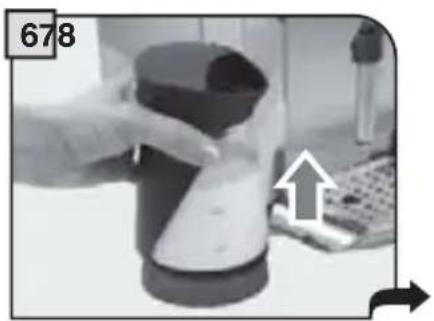
Remove the carafe using the handle.
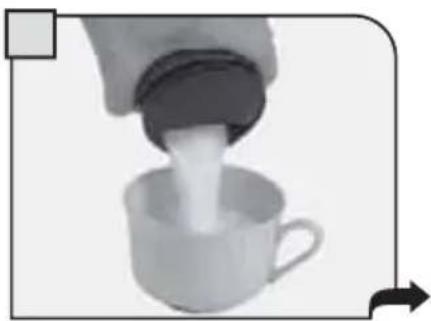
Gently swirl the carafe and pour the milk into the cup.
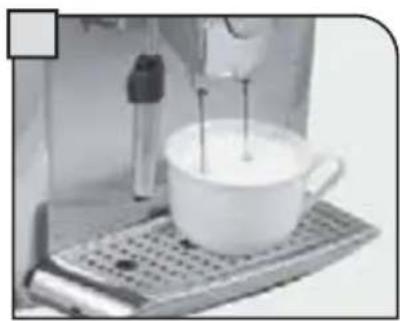
Position the cup with frothed milk under the dispensing head. Dispense coffee into the cup.
Every beverage can be programmed according to your individual tastes.
1. PROGRAMMING FOR SELF-LEARNING
You can program the quantity of coffee and/or milk you wish to be dispensed into the cups when you press the button for any beverage.
Select the type of beverage you want to program, then press and hold the button until the display shows
(for example):
Programming
espresso coffe
The machine dispenses coffee.
When the required amount is reached, press the button again.
The display shows:
saved
espresso coffee
The dispensed quantity of coffee and/or milk is memorized and replaces any previous settings.
2.PROGRAMMING FROM THE "BEVERAGE SETTINGS" MENU
To adjust the settings for preparing beverages: press the button and select "beverage settings" by navigating the click wheel with your finger.
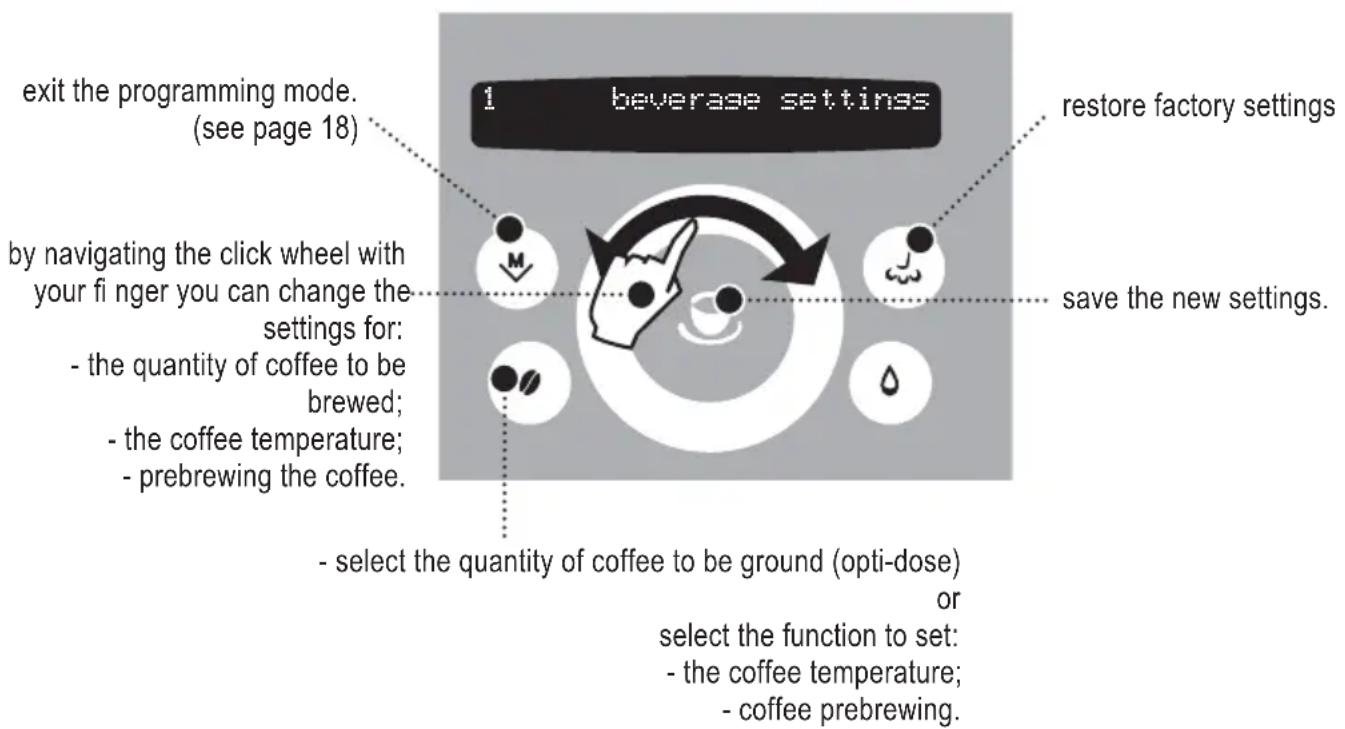
In this phase you can:
The following page describes how to program coffee beverages; the settings to program each beverage may differ depending on the type of beverage.
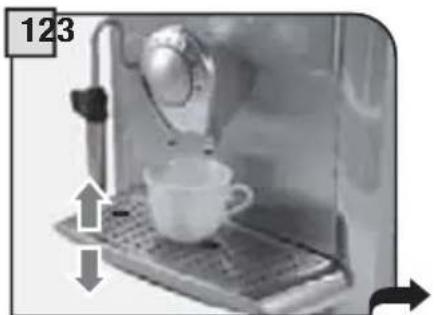
Check that the water and coffee bean container are full; place the cup under the dispensing head.

Press the M button.
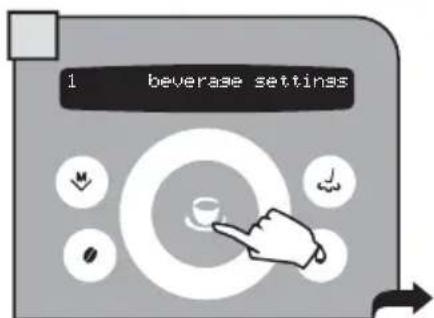
Select "beverage settings". Press the button to confirm.
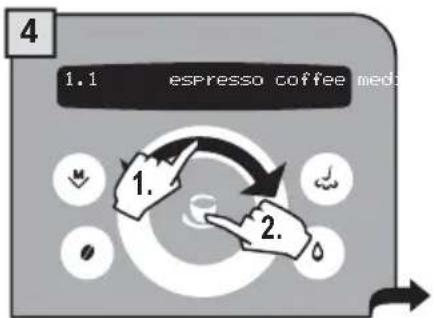
Select the beverage to program. Press the button to confirm.
When the settings are changed, the message on the display starts fl ashing. When the changes are stored the message stops fl ashing.
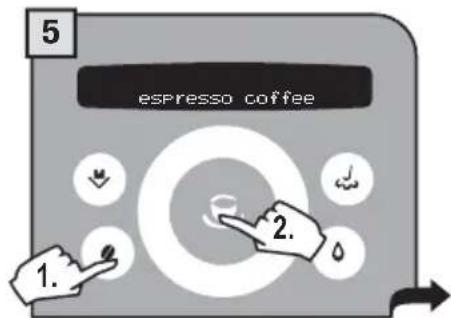
Press the button a few times to adjust the quantity of coffee to be ground or select the use of pre-ground coffee. Press the button to save.
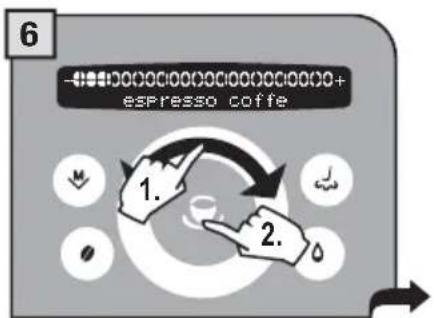
Change the coffee quantity by navigating the click wheel with your finger; confirm with

Press the button for more than two seconds to access the other settings to program.

Change the temperature setting (high, medium, low) by navigating the click wheel with your finger. Press the button to save.

Press the button to select the prebrew setting.
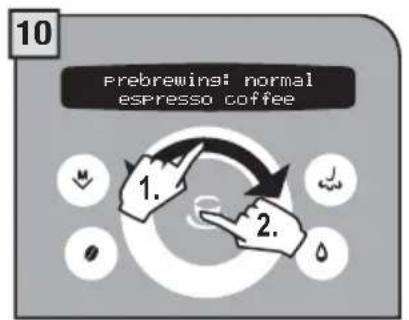
Change the prebrew value (normal, long, off) by turning the click wheel with your finger. Press the button to save.
Prebrewing: the coffee is slightly dampened before brewing to bring out the full aroma of the coffee which acquires an excellent taste.
Some of the machine's functions can be programmed to customize operations according to your individual preferences.
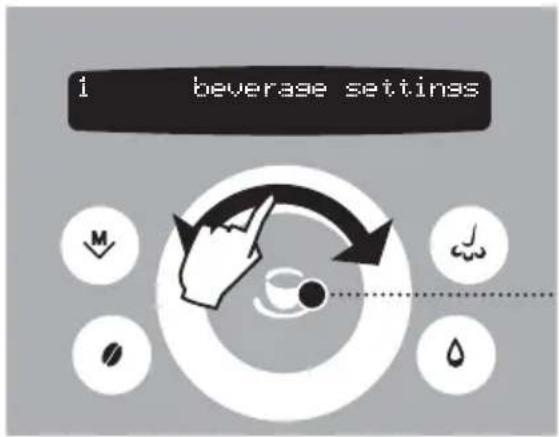
Press the button to: confirm the selection; save the new settings.
1 Press the M button.
2 Navigate the click wheel with your finger to:
- select the functions
- change the function settings.
1 beverage settings
Beverage setting (see page 16)
4 energy saving
Energy saving (see page 31)
2 machine settings
Machine settings (see page 19)
5 special functions
Special functions (see page 33)
3 maintenance
Maintenance (see page 25)
To exit the programming mode:
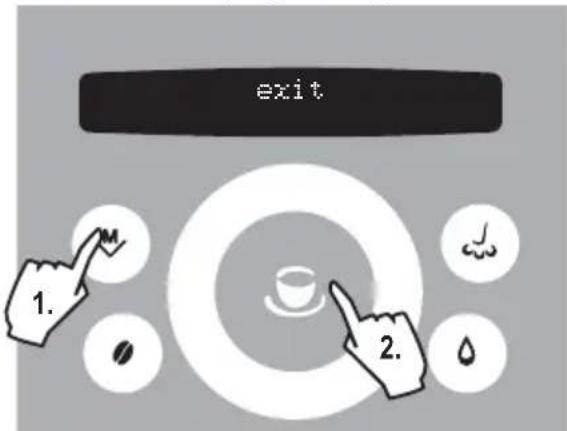
MACHINE SETTINGS
To change the machine's operation settings, press the button, select "machine settings" and press the button. Navigate the click wheel with your finger to:

set the menu language.

set the water hardness.

set/activate the acoustic alarms.

activate/deactivate the "Aqua Prima" water fi lter alarm

set the coffee circuit rinse cycle.

activate/deactivate the operation of the cup warming surface

To set the current time, date and hour format to display.
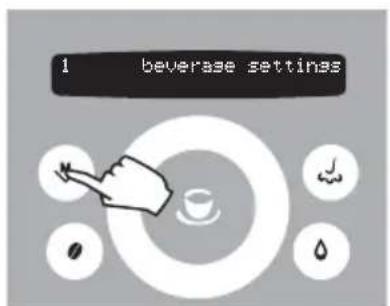
To exit any level of "machine settings" without saving the changes made, press the button. For example:
"LANGUAGE" MENU

machine settings > language. To change the language of the display.
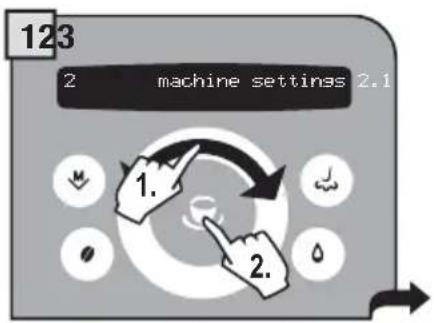
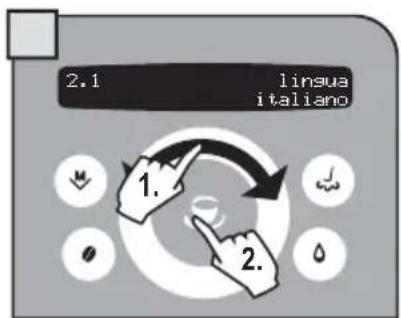
Select the desired language. After selected, the machine displays all the messages in the language selected.
"WATER HARDNESS" MENU

machine settings >water hardness
With the "Water hardness" function you can adapt your machine to the degree of hardness of the water you use, so that the machine will request descending at the right moment.
Hardness is expressed on a scale from 1 to 4. The machine is preset at value 3.
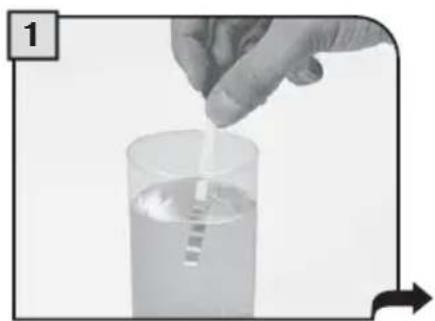
Immerse the water hardness tester included with the machine in water for one second.
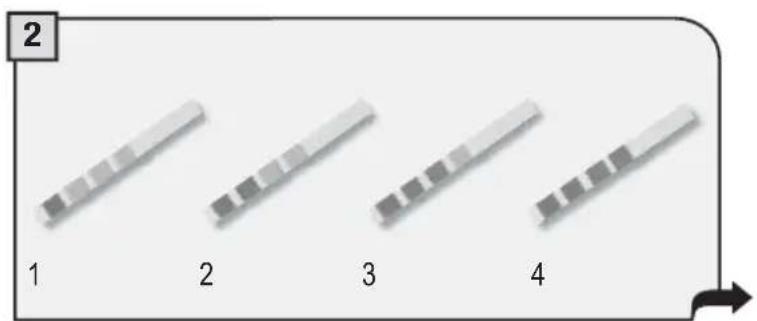
Check the value.
The test can be used for one measurement only.
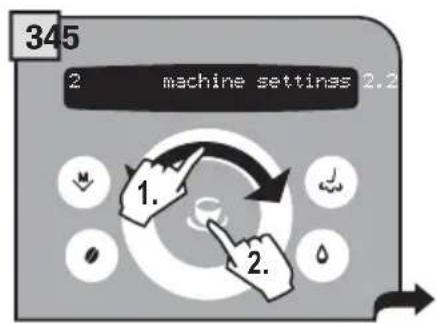
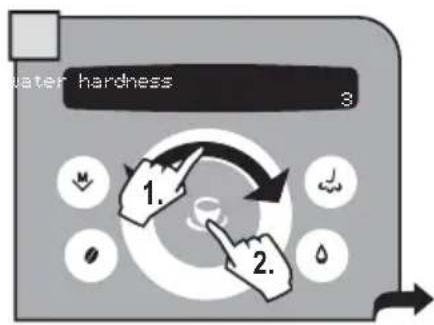
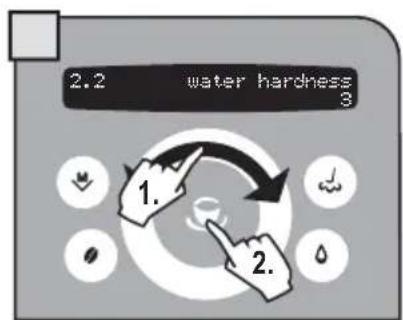
Set the water hardness obtained from the test and save it.
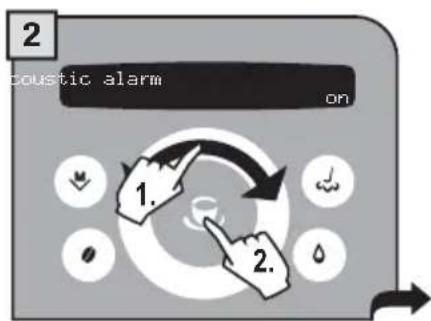
"ACOUSTIC ALARM" MENU

machine settings >acoustic alarm
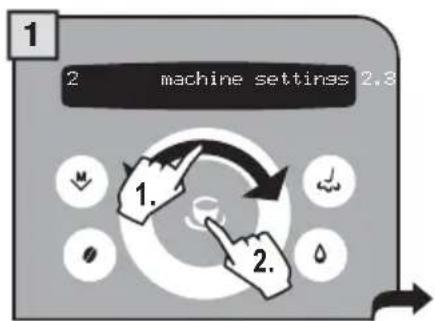
To turn on/off a tone each time a button is pressed.
3
Select by navigating the click wheel with your finger. It is possible to set:
-on
-off
Press the button to save.
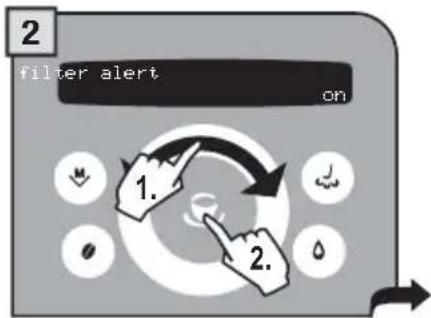
"FILTER ALARM" MENU

machine settings >filter alert
To turn on/off signalling the need to change the "Aquaa Prima" water fi Iter. The machine informs the user when the "Aquaa Prima" fi Iter needs to be replaced.
3
Select by navigating the click wheel with your finger. It is possible to set:
-on
-off
Press the

button to save.
"RINSE" MENU

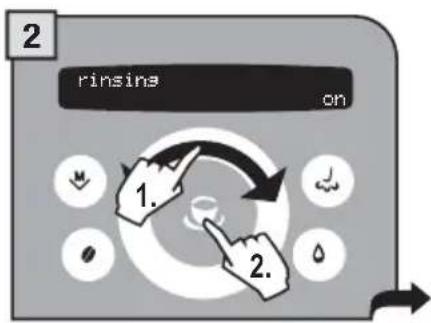
machine settings >rinsing
The rinse setting cleans the internal circuits in order to guarantee that the beverages are only made with fresh water. The function is enabled as default by the manufacturer. Note: This rinse cycle is performed every time the machine is turned on after the warming phase.
3
Select by navigating the click wheel with your finger. It is possible to set:
-on
-0ff
Press the

button to save.
"CUP WARMING SURFACE" MENU

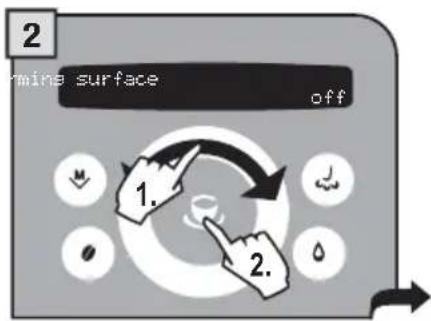
machine settings >cup-warming surface
To turn on/off the operation of the cup warming surface located on the top of the machine. A warm cup allows you to fully savour the coffee and taste its full aroma.
3
Select by navigating the click wheel with your finger. It is possible to set:
-0n
-off
Press the

button to save.
22 PROGRAMMING THE MACHINE
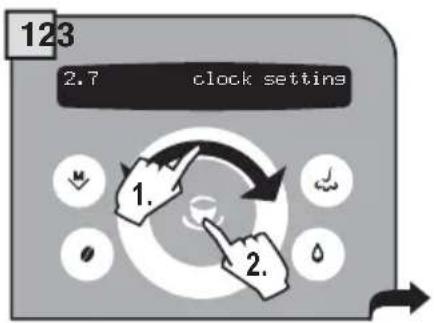
"CLOCK SETTING" MENU

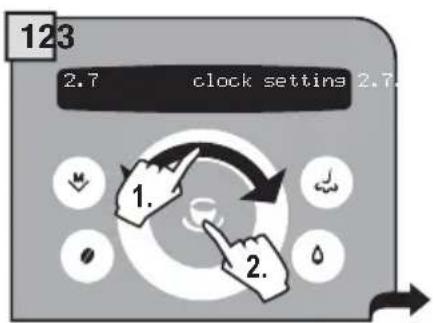
machine settings clock settings
To set the current time, date and hour format to display.
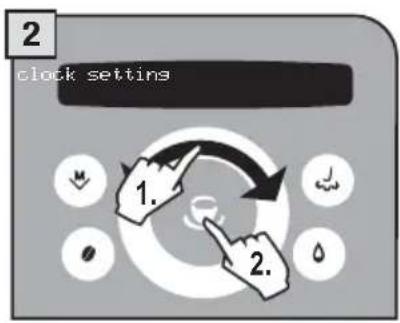
In this menu you can set:
- the current time (hour and minutes)
- the hour format (24 hours - AM/PM)
- the current date (day - month - year - day of the week)
- the date format (American - international).
Time setting

machine settings > clock setting > time setting
To set the current time on the machine
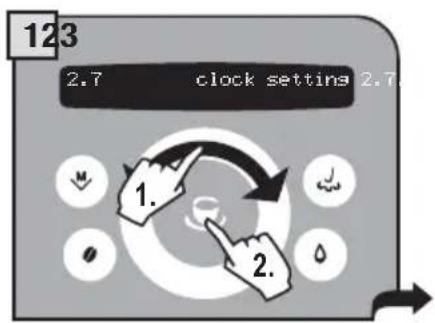
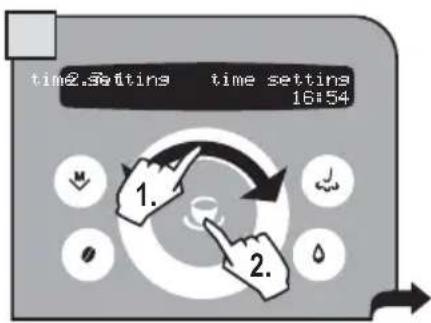
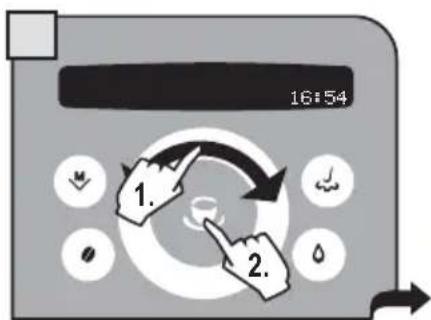
Set the time by navigating the click wheel with your finger.
Save using the button.
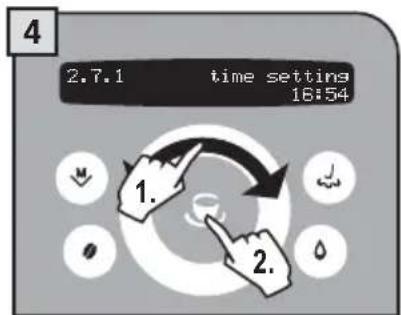
Set the minutes by navigating the click wheel with your finger.
Save using the button.
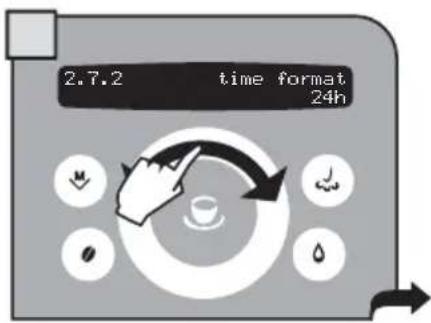
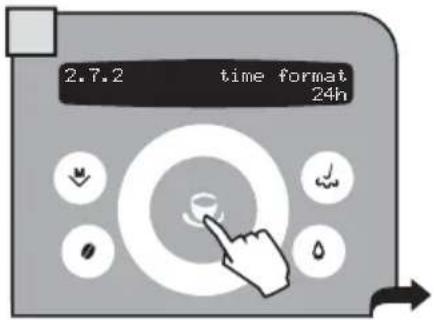
Time format

machine settings > clock setting > time format
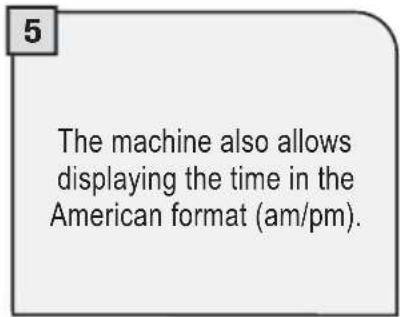
To set the time view mode. This setting adjusts all clock functions to either "am/pm" or "24 hour" formats.
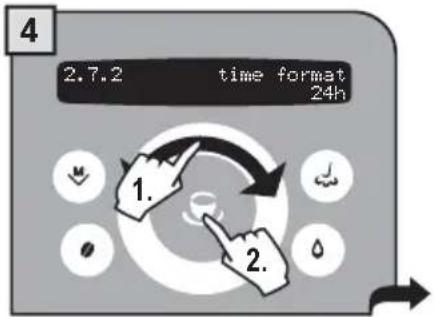
Date setting

machine settings > clock setting > date setting
To set the date (day, month, year, day of the week).
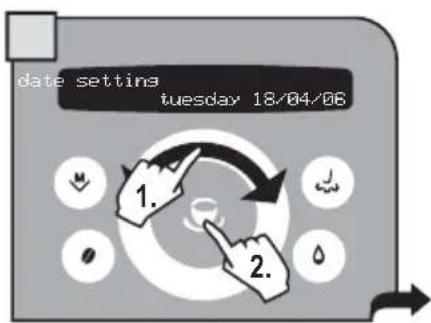
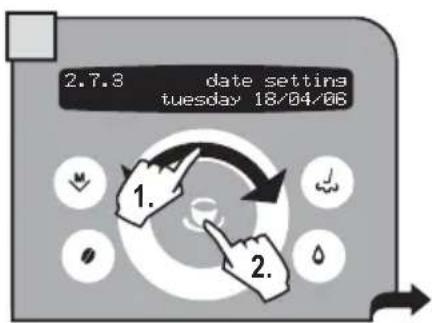
Select the day and press the button to confirm.

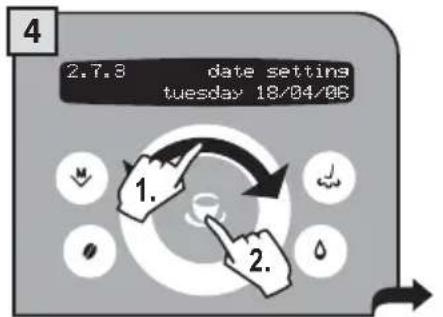
Select the month and press the button to confirm.

Select the year and press the
The day of the week is automatically set according to the set date.
Date format

machine settings >clock setting > date format
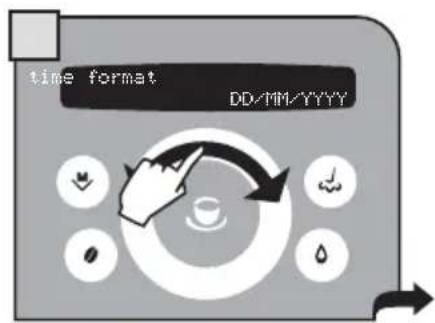
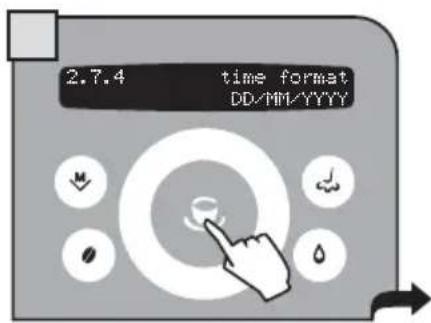
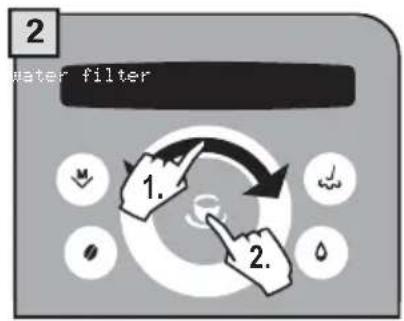
To set the date view mode. The modifi cation of this setting adjusts all the parameters that require viewing/ setting the date.

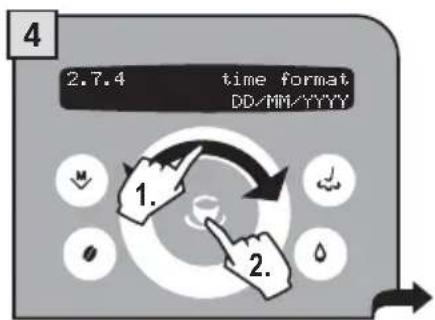
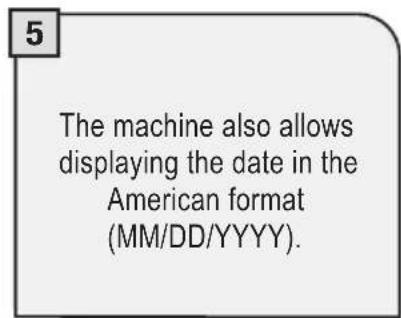
MAINTENANCE
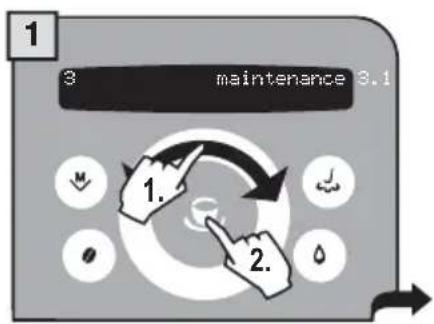
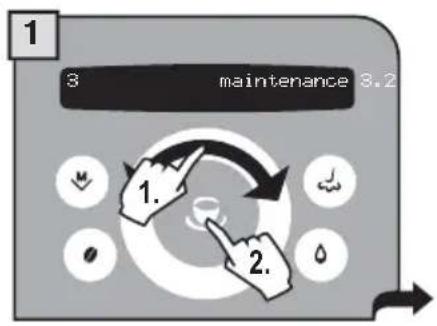
To access the machine's maintenance programs, press the button, select "maintenance" and press the button. Navigate the click wheel with your finger to:
3.1 water filter
access the specific "Aqua Prima" water fi lter menu
3.2 descalina
access the specific descending menu.
3.3 GROUPWash
wash the Brew Group.
"WATER FILTER" MENU

maintenance > water filter . To manage the “Aqua Prima” water filter
In this menu you can:
- check the number of litres before replacement;
- turn the fi lter state on/off;
- load/initialize the fi lter.
Litres remaining

maintenance > water filter > litres left
To display how many litres of water can still be treated before changing the "Aqua Prima" water filter.
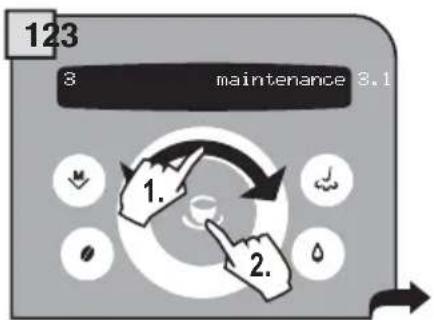
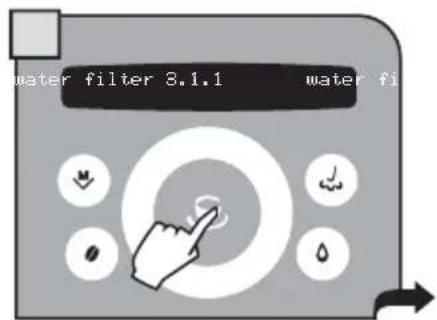
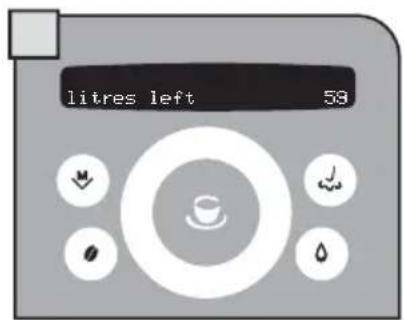
Filter state

maintenance >water filter >filter status
To turn the fi ler check on/off; the machine checks when the "Aqua Prima" water fi ler needs to be changed and informs the user. This function must be activated when the fi ler is installed.
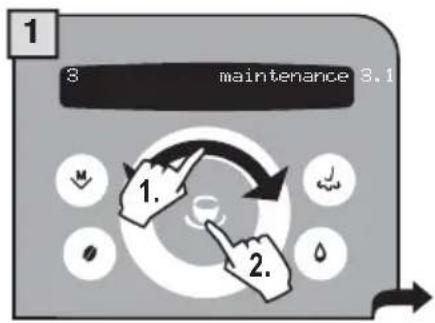
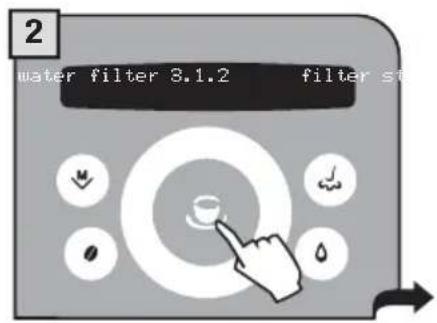
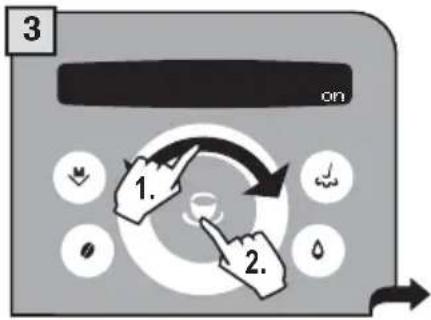
4 Select by navigating the click wheel with your finger. It is possible to set: -on -off Press the button to save.
Load filter

maintenance > water filter > activate filter
To initialize the "Aqua Prima" fi Iter; this must be carried out when you install a new fi Iter.
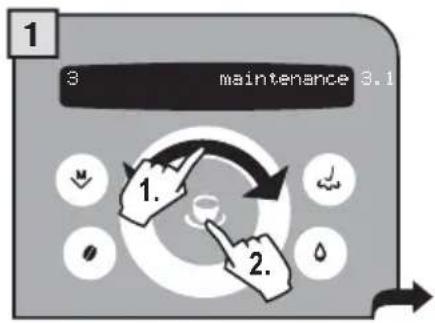
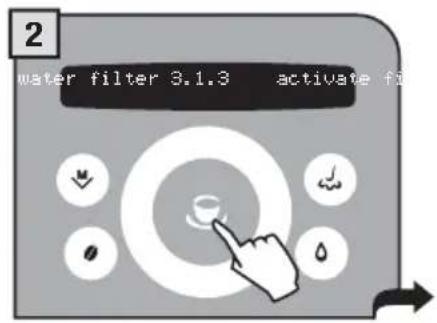
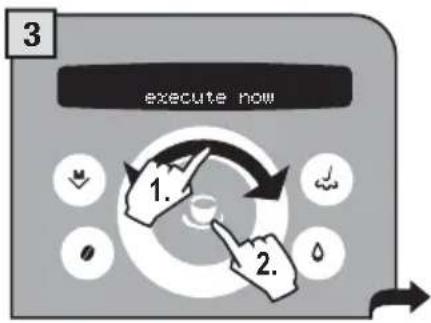
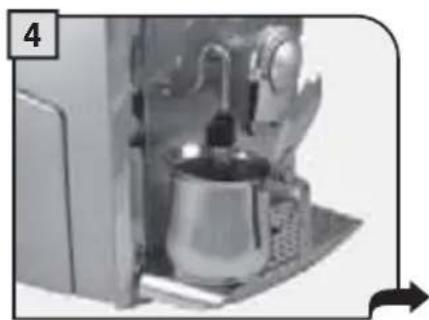

Place a container beneath the steam spout.
Turn the knob to the reference.
"DESCALING" MENU

maintenance > decalining. To manage the decalcification of the machine's circuits.
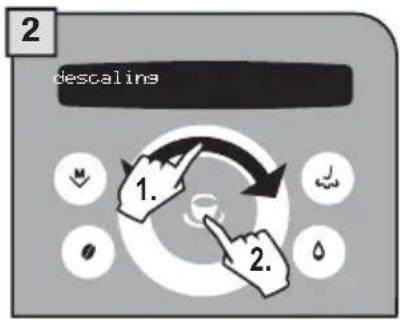
In this menu you can:
- check the number of litres before descaling;
- carry out the machine descending cycle.
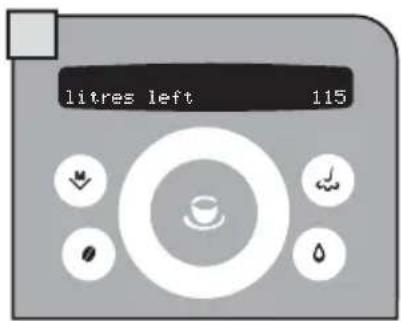
Litres remaining

maintenance > descalng > litres left
To display how many litres of water can still be used before the machine requests a descending cycle.
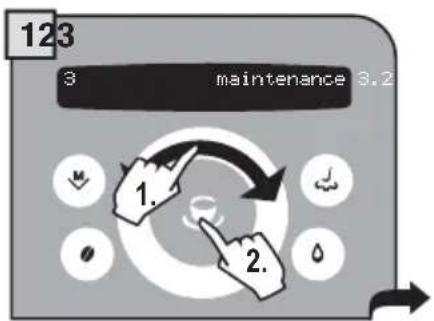
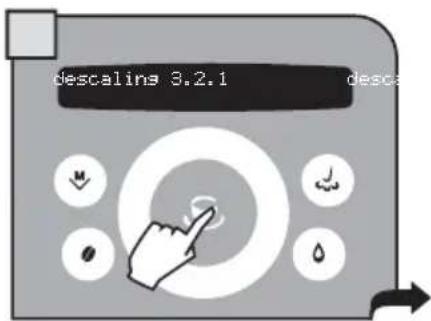
Dscaling cycle

maintenance>descaling>execute now
To perform the automatic descending cycle. Descaling is necessary every 3-4 months when water dispenses more slowly than normal or when the machine indicates it. The machine must be turned on and will automatically manage the distribution of the descending agent.
A PERSON MUST BE PRESENT DURING THE OPERATION.
WARNING! NEVER USE VINEGAR AS A DESCALER.
For the descending process use a non-toxic and/or non-harmful descending solution for coffee machines, commonly available on the market. The used solution is to be disposed of according to the manufacturer's instructions and/or regulations in force in the country of use.
Note: before beginning the descending cycle make sure that:
1. a large enough container is positioned under the water spout;
2. THE "AQUA PRIMA" FILTER HAS BEEN REMOVED.
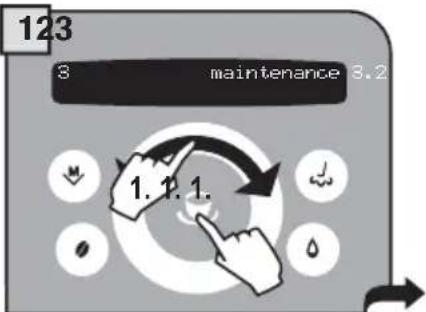
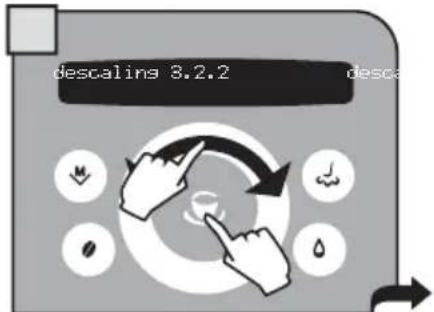
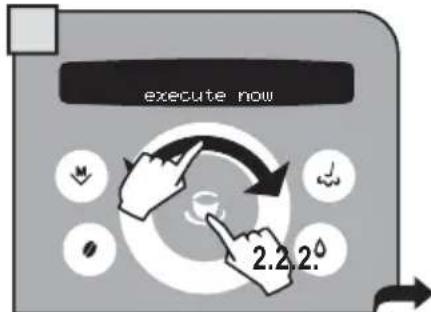
Descaling is carried out at a controlled temperature. If the machine is cold, you must wait until it has reached the right temperature; otherwise you must cool the boiler as follows:
If the boiler needs to be heated, the machine does so automatically. When the heating stage is complete, the "open water/steam knob" message appears. Then proceed as described in point 5.
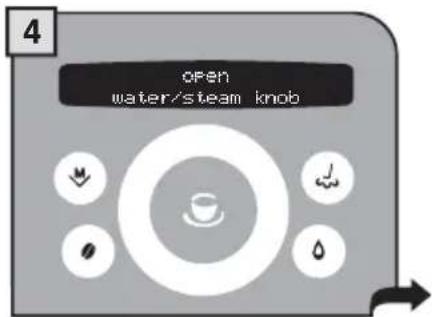
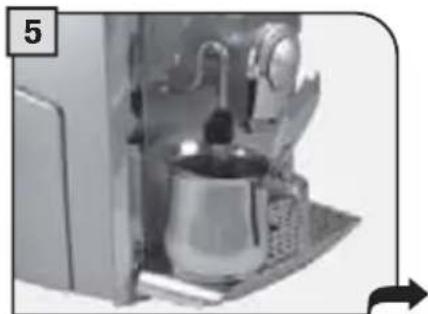
Place a container beneath the steam spout.
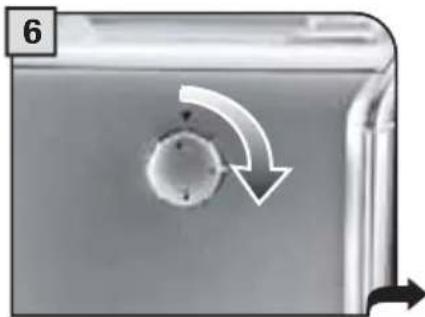
Turn the knob to the reference.
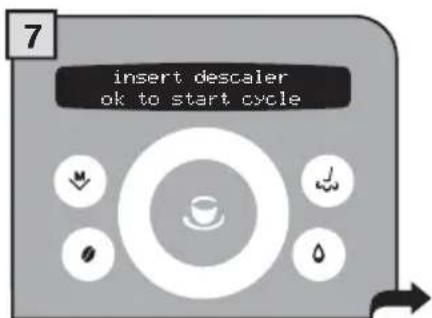
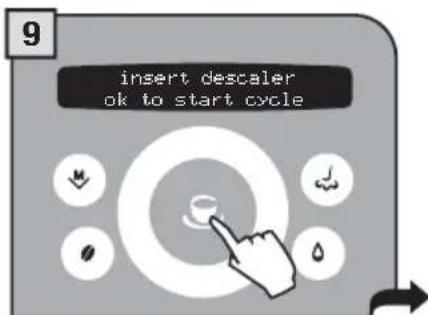
When the following message appears, the heater is at the right temperature
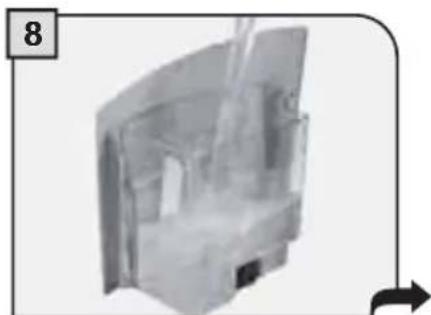
Pour the descending solution into the tank. Insert the tank into the machine.
Press the button to start.
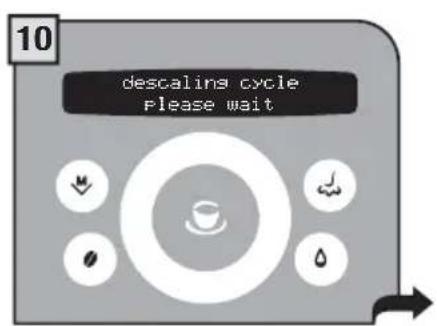
The machine begins to dispense the descending solution through the hot water spout. The dispensing occurs at predetermined intervals, in order to allow the solution to be more effective.
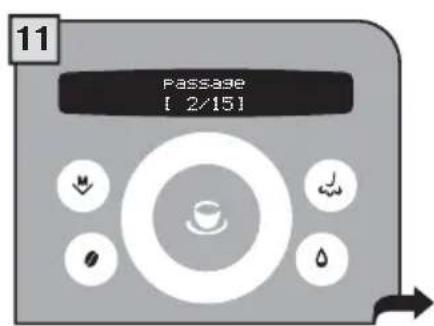
The intervals are displayed in such a way as to check the state of progress of the process.
When the solution is finished the following message appears on the display:
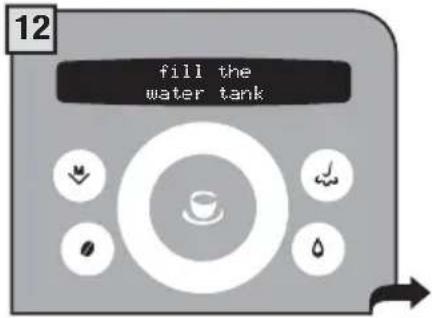
Remove the water tank, rinse with fresh drinking water to eliminate traces of descending solution, then refill with fresh drinking water.
Insert the tank with fresh drinking water.
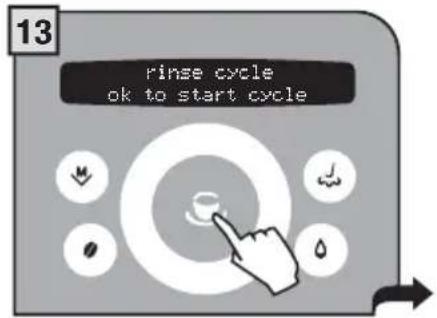
Rinse the machine's circuits by pressing the button.
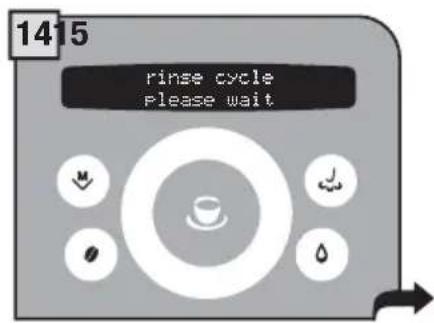
The machine performs the rinse cycle. During the rinse cycle, the machine may require the water tank to be filled.
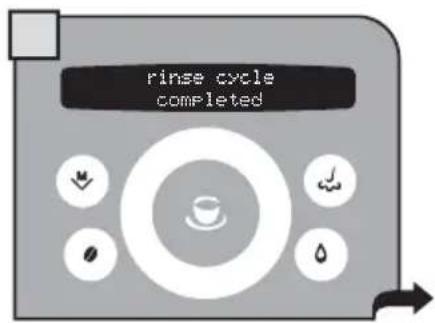
When the rinse cycle is finished the following screen appears. Then the display shows the maintenance screen.
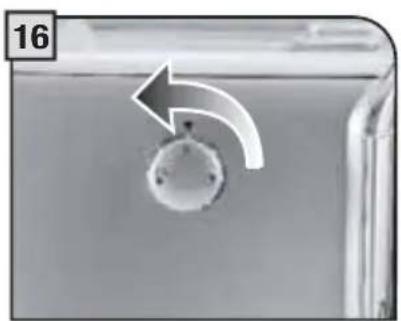
Turn the knob until it is in the rest position () .
Check the quantity of water in the tank and install the "Aqua Prima" water filter again, if desired.
When descending is complete, return to the main menu to dispense beverages.
Brew Group Washing
maintenance group wash
To clean the machine's internal circuits used for brewing coffee.
To wash the Brew Group, simply clean with water as shown on page 35.
This wash completes the maintenance process of the Brew Group.
We recommend carrying out this cycle on a monthly base or every 500 coffees using the tablets, which can be purchased separately at your local dealer.
Note: before performing this function make sure that:
- a large enough container is positioned under the spout;
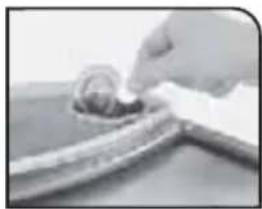
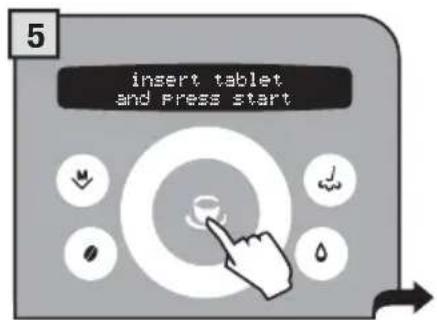
- the appropriate tablet for cleaning the Brew Group has been inserted into the compartment for pre-ground coffee;
- the water tank contains a suffi cient quantity of water.
THE WASH CYCLE CANNOT BE INTERRUPTED.
A PERSON MUST BE PRESENT DURING THE OPERATION.
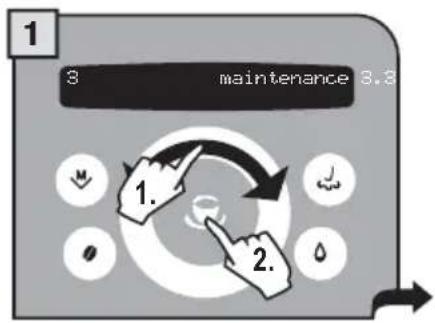
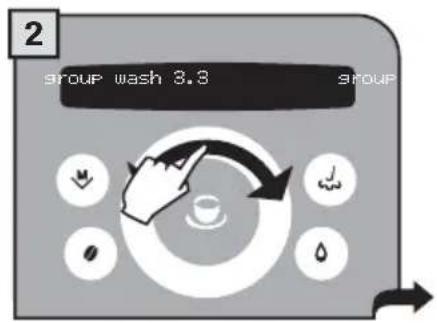
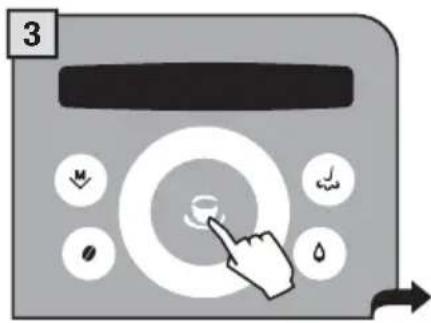
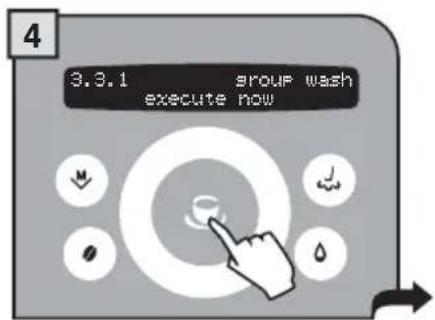
Press button to confirm.
Insert the tablet as shown above. Press to start.
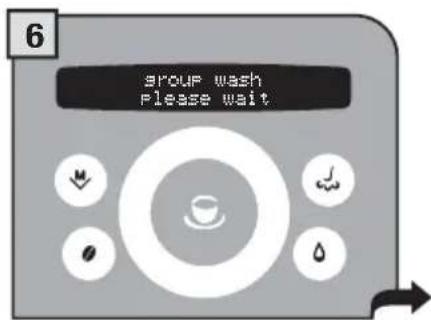
Wait for the cycle to end.
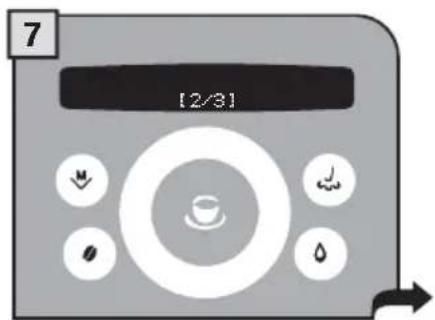
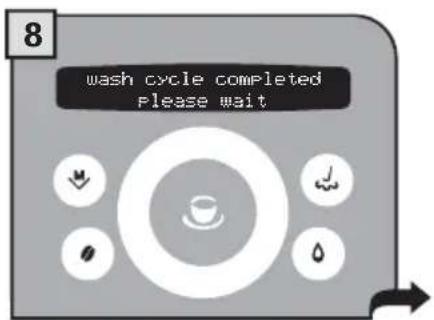
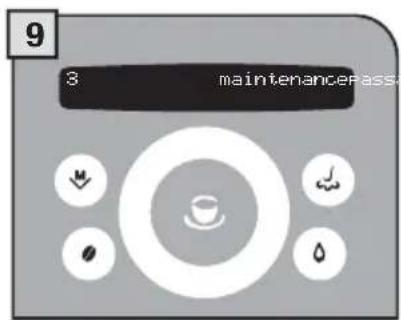
You can check the status of washing.
The Brew Group has been washed.
Exiting programming mode.
(see page 18)
ENERGY SAVING
To adjust the energy saving parameters, press the button, select "energy saving" and press the button. Navigate the click wheel with your finger to:

Set the time which must pass after the last product dispensing before the machine enters the energy saving mode.

Set the machine's turn on/off times (one setting for each day of the week)

Enable/disable the machine's turn on/ off times programmed for the days of the week.
TURN OFF DELAY

energy saving > turn-off delay
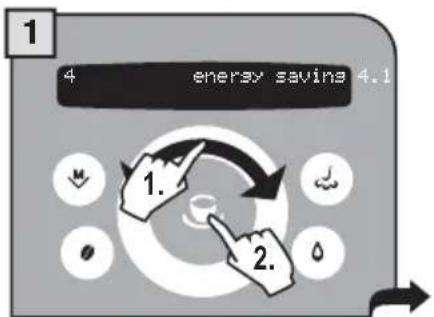
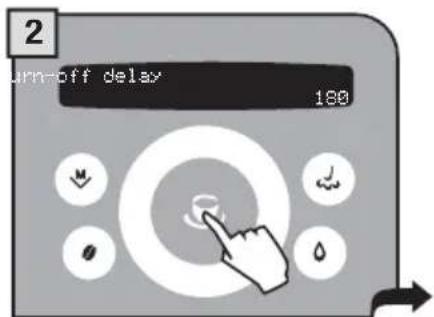
By default, the off delay time is set at 180 minutes.
3
Select by navigating the click wheel with your finger. It is possible to set:
-15 minutes -min
-180 minutes -max
Press the button to save.
TIMER SETTING

energy saving > timer setting
The set times (timer) for the days of the week will only operate if this function is activated. If this is not the case, the timers will have no effect on the machine's operation.
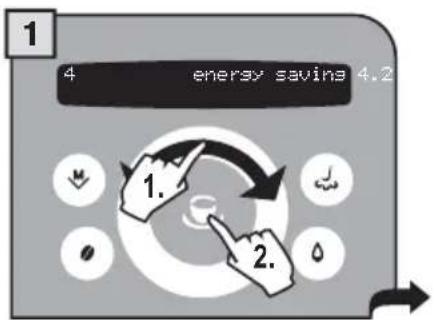
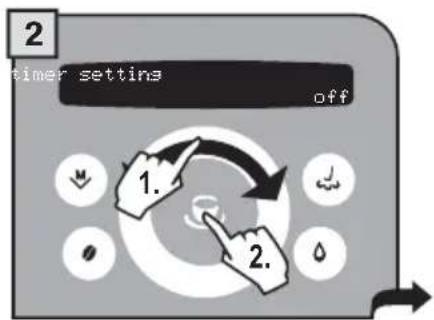
3
Select by navigating the click wheel with your finger. It is possible to set:
-0n
-off
Press the button to save.
"MONDAY" TIMER SETTING

energy saving >monday
This and the following menus are used to set the turn on/off times for each day of the week. The procedure described below shows how to set the turn on/off times for "Monday". To set the turn on/off times for the other days of the week, follow the same procedure after selecting the desired day.
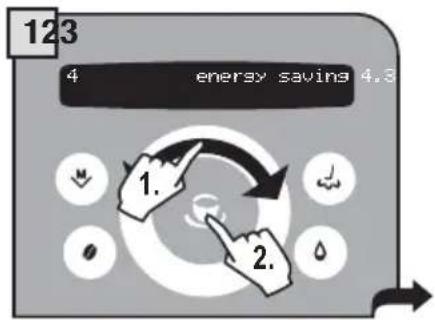
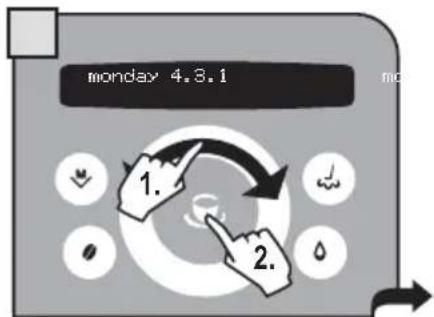
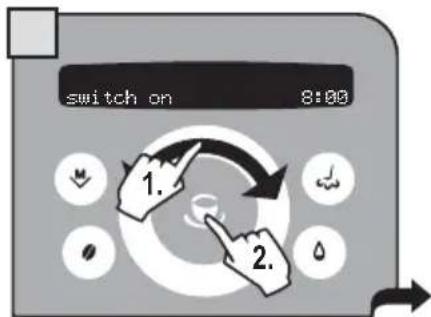
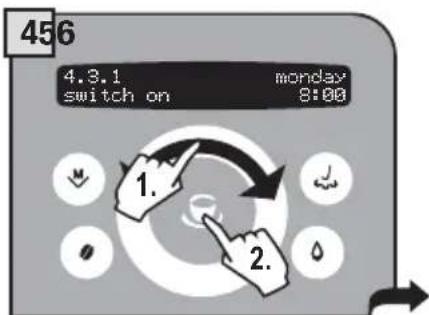
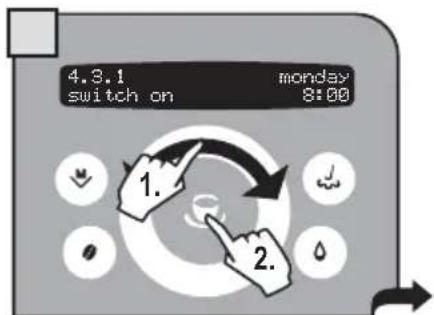
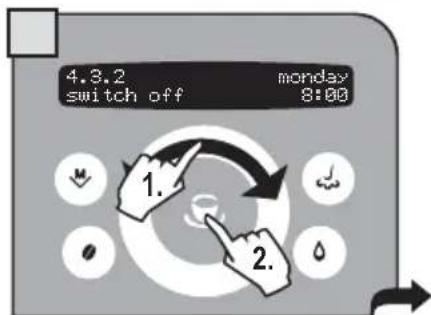
Set the turn on time by navigating the click wheel with your finger.
Set the minutes by navigating the click wheel with your finger.
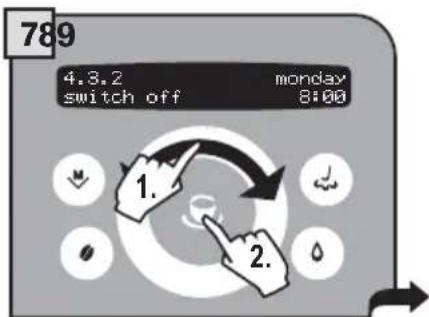
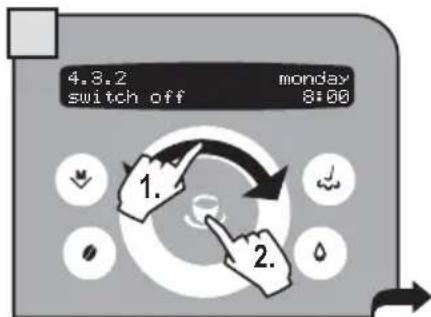
Set the turn off time by navigating the click wheel with your finger.
Set the minutes by navigating the click wheel with your finger.
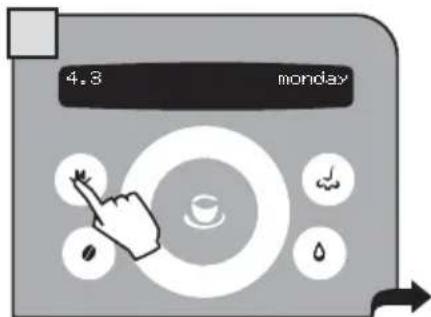
Press to exit the programming of the selected day.
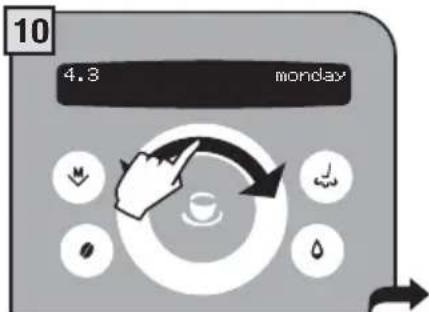
Navigate the click wheel with your finger to select the other days you want to program.
SPECIAL FUNCTIONS
This menu allows you to access special functions present on the machine.
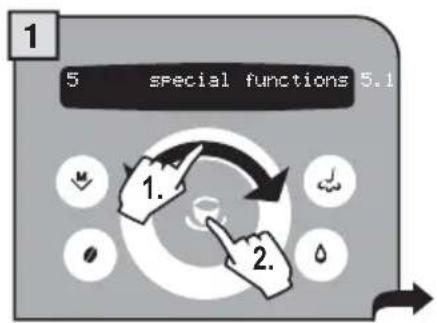
Press the button to access and select "special function" and press the wheel with your finger to:

ton. Navigate the click
5.1 reset settings execute now
restore the basic machine operating parameters.
RESTORE SETTINGS
MENU>special function>reset settings
The function for restoring all the factory settings is contained in this menu. This function is particularly important for restoring the basic parameters.
ALL THE CUSTOM SETTINGS WILL BE LOST AND CANNOT BE RECOVERED. AFTER RESTORING FACTORY SETTINGS, YOU WILL NEED TO RE-PROGRAM ALL THE MACHINE FUNCTIONS, IF DESIRED.
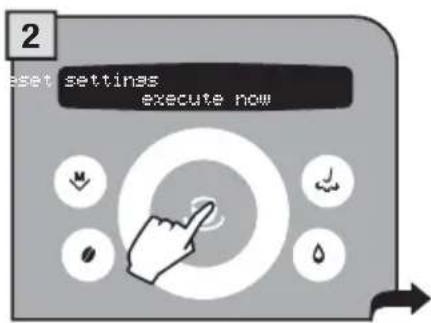
Select by pressing the button.
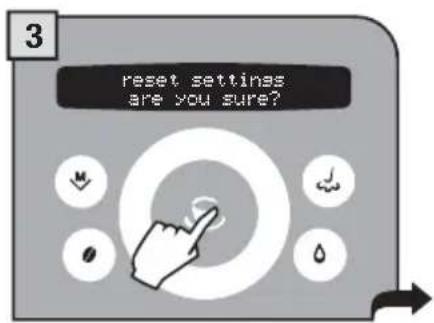
Press the button to reset.
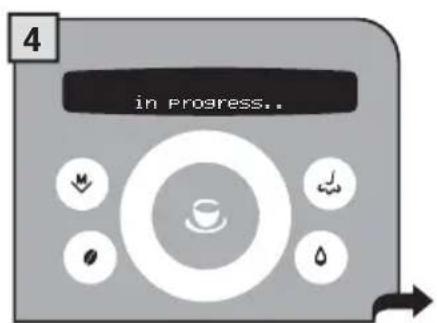
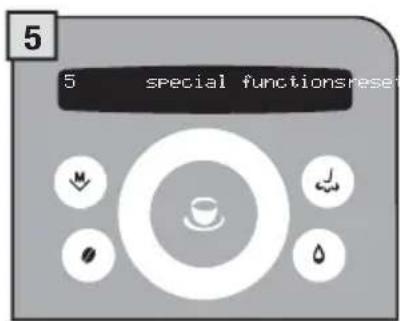
The display shows the parameter reset confirmation.
All parameters have been restored. Exit programming mode.
During normal operation, the "empty grounds" message may appear. This operation must be performed when the machine is on.

Remove the grounds drawer.
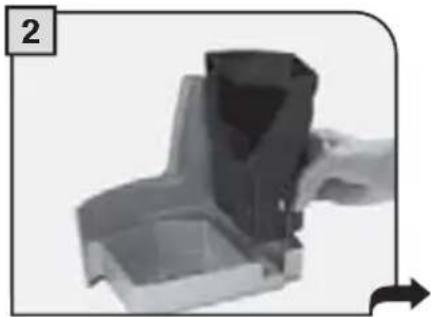
Empty and clean it.
If you remove grounds with the machine off or when not signaled on the display, the count of the grounds emptied into the drawer is not reset. For this reason the machine might display the "empty grounds" message even after preparing just a few coffees.
GENERAL MACHINE CLEANING
The cleaning described below must be performed once a week.
Note: if water remains in the tank for several days, do not use it.
WARNING! Never immerse the machine in water.
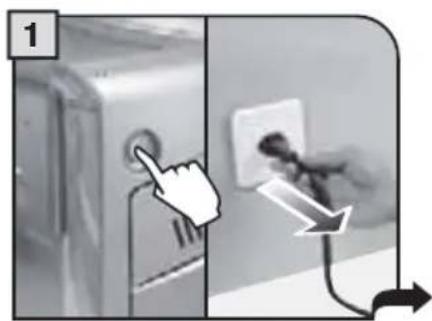
Switch off the machine and unplug it.
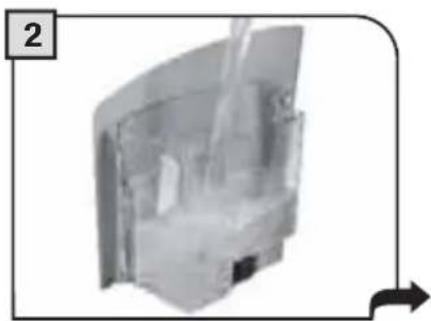
Clean the tank and the cover.
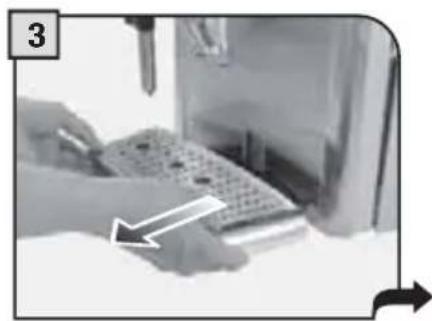
Remove the drip tray.
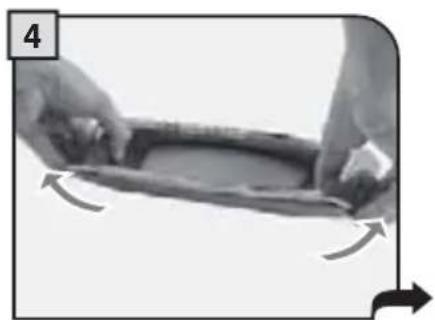
Remove the upper part of the drip tray and wash it all with running water.
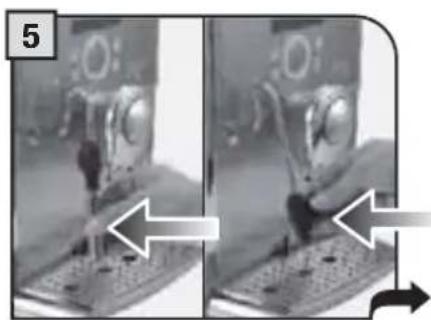
Remove the end part of the steam spout; remove and wash the steam spout support. Then reinsert it.
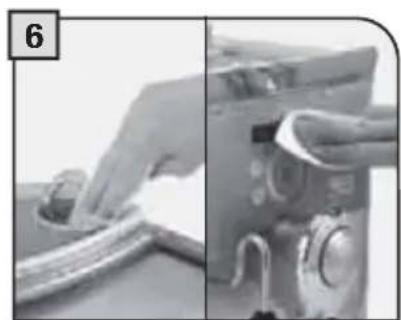
Clean the pre-ground coffee compartment with a dry cloth. Clean the display.
CLEANING THE BREW GROUP
The Brew Group must be cleaned at least once a week. Before removing the group, remove the coffee grounds drawer as shown in fig.1 on page 34.
Wash the Brew Group with lukewarm water.
Lubricate the Brew Group after approximately 500 brewing cycles. The grease for the Brew Group's lubrication may be purchased in authorized service centres.
WARNING! Do not wash the Brew Group with detergents that can compromise its correct operation. Do not wash in the dishwasher.
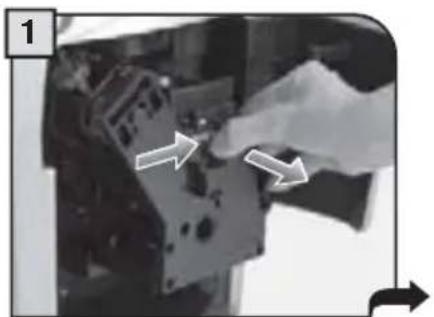
Press the PUSH button to remove the Brew Group.
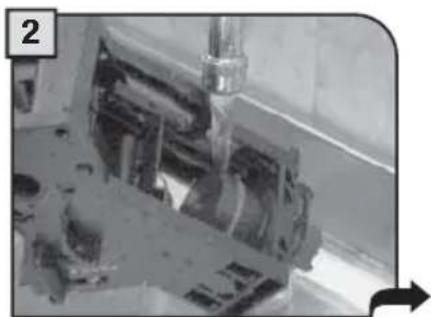
Wash the Brew Group and the fiiter and dry.
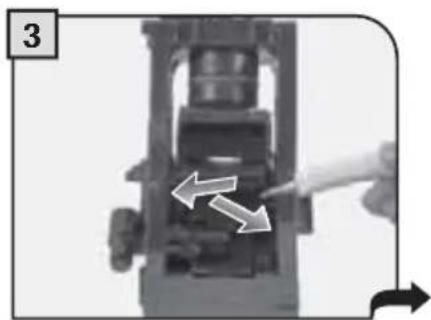
Lubricate the Brew Group guides using the supplied lubricant.
Apply the lubricant evenly on both side guides.
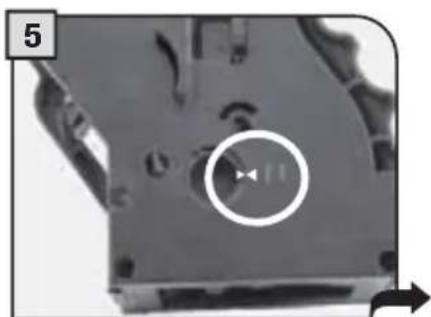
Make sure the Brew Group is in rest position; the two references must match.
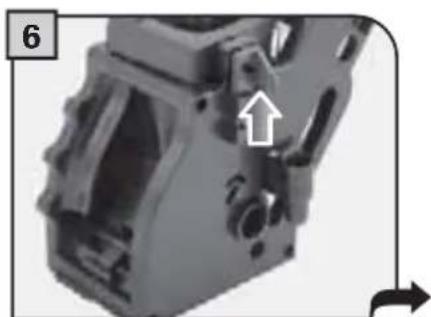
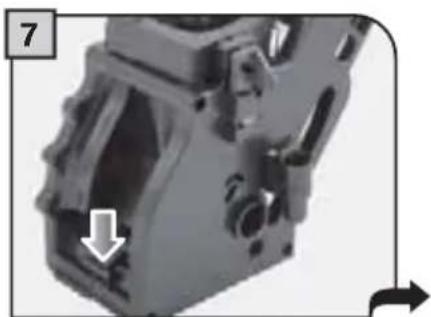
Make sure the components are in the correct position. The hook shown must be in the correct position; to check its position, firmly press the "PUSH" button.
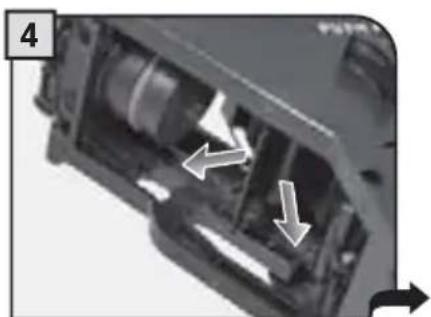
The lever on the rear part of the group must be in contact with the group base.
Insert the washed and dried Brew Group. DO NOT PRESS THE "PUSH" BUTTON.
Insert the coffee grounds drawer. Close the service door.
| GUIDEMESSAGE THAT APPEARS HOW TO | MOVE THEMESSAGE |
| out of service (xx)restart to fix... | Where (xx) identifi es an error code.Turn off and after 30 seconds turn the machine on again to restore normal operation.If the problem persists, call the service centre and give the code (xx) shown on the display. |
| close coffee bean lid | Close the coffee bean hopper cover to be able to make a beverage. |
| fill container with coffee | Put coffee beans into the bean hopper. |
| insert the brew group | Insert the brew group in its place. |
| insert grounds drawer | Insert the coffee grounds drawer. |
| empty grounds | Warning that does not block the machine. Proceed as for the next alarm. |
| empty grounds drawer | Remove the grounds drawer and empty the grounds into an appropriate container (See page 34, steps 1 and 2.).Note: The grounds drawer must be emptied only when the machine requires it and when the machine is turned on. If you empty the drawer with the machine turned off it will not record the emptying operation. |
| close door | In order for the machine to operate, the side door must be closed. |
| fill the water tank. | The tank must be removed and refl lled with fresh drinking water. |
| empty the drip tray | Open the side door and empty the drip tray located under the Brew Group.Warning: if this operation is performed when the machine is on, it will record the coffee grounds drawer emptying and will reset the relative counter; therefore, it is necessary to empty the coffee grounds as well. |
| change the filter | The Aqua Prima fi lter must be replaced in the following cases:1. 60 litres of water have been dispensed;2. 90 days have passed since its installation;3. 20 days have passed and the machine has not been used.Note: this message only appears when "on" has been selected in the water fi lter function (See page 21). |
| carafe missingmilk island missing | The steam knob has been turned to the position and either the Milk Island has not been installed or the carafe is not positioned correctly. Install the Milk Island or position the carafe correctly.Otherwise, turn the knob until it is in the rest position (●). |
| descale | A descending cycle must be performed on the machine's internal circuits. |
| stand-by... | Press the button. |
| energy saving... |
PROBLEMS CAUSES SOLUTIONS
| The machine does not turn on. The machine is not connected to the power source. | Connect the machine to the power source. |
| The plug has not been plugged into the back of the machine. | Insert the plug into the machine's power socket. |
| Hot water or steam is not dispensed. | The hole of the steam spout is clogged. Clean the hole of the steam spout using a pin. |
| Coffee has little crema. The coffee blend is unsuitable or coffee is not freshly roasted. | Change coffee blend. |
| Turn the E-Plus System knob leftwards. Turn the E-Plus System knob rightwards. | |
| The Brew Group does not come out. | The Brew Group is out of place. Turn the machine on. Close the service door. The Brew Group is automatically placed in the correct position. |
| Coffee grounds drawer is inserted. Remove the grounds drawer fi rst, then the Brew Group. | |
| Coffee is not brewed. Water tank is empty. Fill the water tank and prime the circuit again. | |
| Brew group is dirty. | Clean the Brew Group. |
| Coffee is brewed slowly. Coffee is too fi ne. Change coffee blend. Decrease the dose. | |
| Brew group dirty. | Clean the Brew Group. |
| Coffee leaks out of the dispensing head. Dispensing head is clogged. Clean the dispensing holes with a soft cloth. | |
| The machine grinds the coffee, but is not brewed in the cup. The “Opti-dose” adjustment is not optimal. | Set the “Opti-dose” adjustment (see page 8). |
Please contact the service centre for any problems not covered in the above table or when the suggested solutions do not solve the problem.
SOS
IN CASE OF EMERGENCY
IMMEDIATELY UNPLUG THE CORD FROM THE OUTLET.
ONLY USE THE APPLIANCE
-
Indoors.
-
For preparing coffee, hot water and for frothing milk.
- For domestic use.
- This appliance is not intended for use by persons (including children) with reduced physical, sensory or mental capabilities, or lack of experience and knowledge, unless they have been given supervision or instruction concerning use of the appliance by a person responsible for their safety.
Children should be supervised to ensure that they do not play with the appliance.

PRECAUTIONS FOR THE USE OF THE MACHINE
- Do not use the machine for purposes other than those indicated above, in order to avoid danger.
- Do not introduce any substances other than those indicated in the instruction manual.
- During the normal filling of any reservoirs, all nearby reservoirs must be closed.
- Fill the water tank only with fresh drinking water: Hot water and/or any other liquid may damage the machine.
- Do not use carbonated water.
- Do not put fingers or any material other than coffee beans in the coffee grinder.
- Before manipulating the coffee grinder, turn of the machine's main switch and unplug the cord.
- Do not put instant coffee or whole bean coffee in the ground coffee container.
- Only use your finger when operating the LCD screen.

CONNECTION TO ELECTRICAL POWER
The connection to the electrical network must be carried out in accordance with the safety regulations in force in the user's country.
The machine must be connected to a socket which is:
- compatible with the type of plug installed on the machine;
- suitably sized to comply with the ratings shown on the machine identificaitc plation.
- effectively grounded.
The power cord must not:
- come into contact with any type of liquid: danger of electric shocks and/or fire;
- be crushed and/or come in contact with sharp surfaces;
- be used to move the machine;
be used if damaged; - be handled with damp or wet hands;
- be wound in a coil when the machine is being operated.
- Be tampered with.
INSTALLATION
- Choose a solid, stationary fl at surface (no more than 2^ of inclination).
- Do not install the machine in areas where water could be sprayed.
- Optimal operational temperature: 10^ - 40^ / 50 - 104 degrees Fahrenheit
maximum humidity: 90% . - The machine should be installed in an adequately lit, ventilated, hygienic location and the electric socket should be within easy reach.
- Do not place on heated surfaces!
- Install it at least 10cm / 4 from the walls and cooking surfaces.
- Do not use in places where the temperature may drop to a level equal to and/or lower than 0^ / 32 degrees Fahrenheit. If the machine has been exposed to such conditions notify the customer service center, who will have to carry out a safety check.
- Do not use the machine near inflamm ammable and/or explosive substances.
- The machine must not be used in an explosive or volatile atmosphere or where there is a high
concentration of dust or oily substances suspended in the air.
- Do not install the machine on top of other appliances.
DANGERS
- The appliance must not be used by children and persons who have not been informed of its operation.
- The appliance is dangerous to children. When left unattended, unplug from the electrical outlet.
- Keep the coffee machine packaging out of the reach of children.
- Never direct the jet of hot water and/or steam towards yourself or others. Danger of scalding.
- Do not insert objects through the appliance's openings. (Danger! Electrical Current!).
- Do not pull out the plug by yanking on the power cord or touching it with wet hands.
- Warning. Danger of burning when in contact with hot water, steam and the hot water spout.
FAILURES
- Do not use the appliance if a failure has been verified or suspected, for example after being dropped.
- Any repairs must be performed by an authorized customer service center.
- Do not use the appliance with a defective power cord. The manufacturer or its customer service center will have to replace the power cable if damaged. (Caution! Electrical Current!)
- Turn off the appliance before opening the service door. Danger of burns!
CLEANING / DESCALING
- For cleaning the milk and coffee circuits use only recommended detergents provided with the machine. These detergents must not be used for other purposes.
- Before cleaning the machine, the main switch must be turned to OFF (0), unplugged from the socket and cooled down.
- Keep the appliance from coming into contact with splashes of water or immersing in water.
- Do not dry the machine's parts in conventional or microwave ovens.
- The machine and its components must be cleaned and washed after the machine has not been used for a certain period.
REPLACEMENT PARTS
For safety reasons, use only original replacement parts and original accessories.
WASTE DISPOSAL
- The packing materials can be recycled.
- Appliance: unplug the appliance and cut the power cord.
- Deliver the appliance and power cord to a service center or public waste disposal facility
This product complies with eu directive 2002/96/ec.
The symbol on the product or on its packaging indicates that this product may not be treated as household waste. Instead it shall be handed over to the applicable collection point for the recycling of electrical and electronic equipment.
By ensuring this product is disposed of correctly, you will help prevent potential negative consequences for the environment and human health, which could otherwise be caused by inappropriate waste handling of this product. For more detailed information about recycling of this product, please contact your local city office, your household waste disposal service or the shop where you purchased the product.
FIRE SAFETY
In case of fire, use Carbon Dioxide extinguishers (CO_2) .
Do not use water or dry-powder extinguishers.

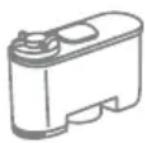
ADDITIONAL INFORMATION FOR CORRECTLY USING THE "AQUA PRIMA" FILTER.
Please follow these simple instructions to correctly use the "Aqua prima" fi Iter:
- Keep the "Aqua prima" fi iter cool and away from sunlight; the room temperature should be between +5^ and +40^ ;
- Do not use the filter in temperatures over 60^ .
- If the coffee machine is not used for 3 days, we recommend washing the "Aqua prima" fi tter;
4 If the coffee machine is not used for more than 20 days, it is advisable to replace the fi lter. - To store an already opened fi lter, seal it in a nylon bag and keep in the fridge; do not store it in the freezer to avoid damaging the fi lter properties.
- Before using the fi Iter, leave it to soak in the water tank for 30 minutes.
- Once it is taken out of its pack, do not keep the filter in the open air.
- The fi tter must be replaced 90 days after opening the packing or after treating 60 litres of drinking water.
TECHNICAL DATA
| Nominal voltage | See label on the appliance |
| Power rating | See label on the appliance |
| Power supply | See label on the appliance |
| Shell material | ABS - Thermoplastic |
| Size (w x h x d) | 320 x 370 x 415 mm - 12.60" x 14.57" x 16.34" |
| Weight | 9 Kg - 19.8 lbs |
| Cable length | 1200 mm - 47.24" |
| Control panel | Front (display 2 x 24 characters) |
| Water tank | 1.7 liters - 57.5 oz / Removable |
| Coffee bean hopper capacity | 250 grams - 8.9 oz / coffee beans |
| Pump pressure | 15 bar |
| Boiler | Stainless steel |
| Coffee grinder | With ceramic burrs |
| Quantity of ground coffee | 7 - 10.5 grams / 0.25 - 0.37 oz. |
| Grounds drawer capacity | 14 |
| Safety devices | Boiler pressure safety valve – Double safety thermostat. |
EC DECLARATION OF CONFORMITY
EC 73/23, EC 89/336
EC92/31, EC93/68
Gaggia s.p.a.
declare under our responsibility that the product:
to which this declaration relates is in conformity with the following standards or other normative documents :
- Safety of household and electrical appliances - General requirements EN 60335-1(2002) + A1(2004) + A2(2006) + A11(2004) + A12(2006)
- Safety of household and electrical appliances - Part 2-1 Particular requirements for appliances for heating liquids EN 60335-2-15(2002) + A1(2005)
- Household and similar electrical appliances - Electromagnetic fields - methods for evaluation and measurement EN 50366 (2003) + A1 (2006).
- Household and similar electrical appliances - safety - Part 2-14 Particular requirements for kitchen machines EN 60335-2-14 (2006).
- Electromagnetic compatibility (EMC) - Requirements for household appliances, electric tools and similar apparatus - Part 1 Emission EN 55014-1 (2000) + A1 (2001) + A2 (2002).
- Electromagnetic compatibility (EMC) Part. 3^ limits - Section 2 : Limits for harmonic current emissions (equipment input current ≤ 16A for phase) - EN 61000-3-2 (2000)
- Electromagnetic compatibility (EMC) Part 3^ : Limits - Section 3: Limitation of voltage changes, voltage fluctuations and flicker in public low-voltage supply systems, for equipment with rated current ≤ 16 A for phase and not subject to conditional connection EN 61000-3-3 (1995) + A1 (2001)
- Electromagnetic compatibility - Requirements for household appliances, electric tools and similar apparatus - Part 2. Immunity - Product family standard EN 55014-2 (1997) + A1 (2001)
Following the provision of the directives: EC 73/23, EC 89/336, EC 92/31, EC 93/68
IMPORTANT
(OPTI-DOSE) INDICATION DE LA QUANTITE DE CAFÉ MOULU 8
RÉGLAGES 9
DENSITE DU CAFÉ 9
RéGLAGE DE LA HAUTEUR DU BAC D'ÉGOUTTEMENT 9
RÉGLAGE DU MOULIN À CAFÉ. 9
DISTRIBUTION DE LA BOISSON 10
CAFE EXPRESSO/CAFE/CAFE ALLONGE 10
DISTRIBUTION DE LA BOISSON AVEC DU CAFÉ MOULU 11
DISTRIBUTION D'EAU CHAUBE 12
DISTRIBUTION VAPEUR 13
DISTRIBUTION CAPPUCCINO 14
MILK ISLAND (EN OPTION) 15
PROGRAMMATION BOISSON 16
1.PROGRAMMATIONPOURAUTO-APPRENTISSAGE 16
(OPTI-DOSE) INDICATION DE LA QUANTITÉ DE CAFÉ MOULU
The manufacturer reserves the right to change the features of the product without prior notice.