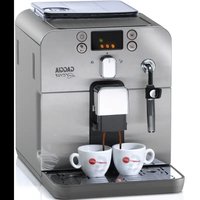
Espresso Elite - Coffee machine GAGGIA - Free user manual and instructions
Find the device manual for free Espresso Elite GAGGIA in PDF.


| Product type | Automatic espresso machine |
| Brand | Gaggia |
| Model | Espresso Elite |
| Dimensions (W x H x D) | 256 x 320 x 432 mm |
| Weight | 8.45 kg |
| Power supply | 220-240 V, 50/60 Hz (see rating plate) |
| Rated power | See rating plate |
| Pump pressure | 15 bar |
| Boiler | Stainless steel |
| Water tank capacity | 1.2 L, removable |
| Coffee bean container capacity | 260 g (beans) |
| Grounds container capacity | 8 doses |
| Grind adjustment | 5 settings (coarse to fine) |
| Aroma setting | Mild, medium, strong, pre-ground |
| Coffee length setting | Programmable by button (espresso/long) |
| Height-adjustable spout | Yes, for small and large cups |
| Functions | Whole bean coffee, pre-ground coffee, hot water, steam for cappuccino |
| Water filter | Intenza (optional) |
| Gaggia Adapting System | Self-adjusting for any type of coffee |
| Automatic stand-by | After 60 minutes of inactivity |
| Display | LED with symbols |
| Body material | Thermoplastic / Metal |
| Power cord length | 1.2 m |
| Safety devices | Thermal cut-out |
| Recommended maintenance | Descale every 2-3 months with GAGGIA product |
Frequently Asked Questions - Espresso Elite GAGGIA
User questions about Espresso Elite GAGGIA
0 question about this device. Answer the ones you know or ask your own.
Ask a new question about this device
Download the instructions for your Coffee machine in PDF format for free! Find your manual Espresso Elite - GAGGIA and take your electronic device back in hand. On this page are published all the documents necessary for the use of your device. Espresso Elite by GAGGIA.
USER MANUAL Espresso Elite GAGGIA
natural_image
Line drawing of a modern coffee machine with control panel and tray (no text or symbols)ISTRUZIONI PER L'USO OPERATING INSTRUCTIONS BEDIENUNGSANLEITUNG MODE D'EMPLOI
CE
LEGGERE ATTENTAMENTE QUESTE ISTRUZIONI D'USO PRIMA DI UTILIZZARE LA MACCHINA.
READ THESE OPERATING INSTRUCTIONS CAREFULLY BEFORE USING THE MACHINE.
natural_image
Line drawing of a modern coffee machine with control panel and side-mounted buttons (no text or symbols)GENERALITÀ
natural_image
Line drawing of a portable electronic device with open door and internal components (no text or symbols)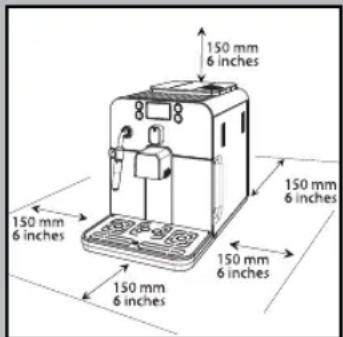
natural_image
Diagram of a device with a device emitting a light beam, showing internal components and a directional arrow (no text or symbols)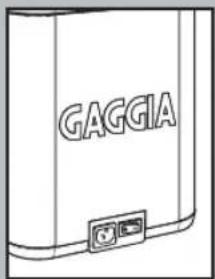
INSTALLAZIONE
natural_image
Illustration of a hand operating a device with a curved arrow indicating motion (no text or symbols present)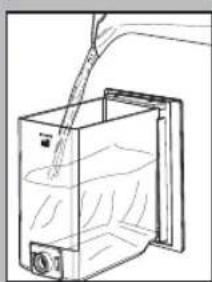
natural_image
Line drawing of a container with liquid being poured into it, no text or symbols present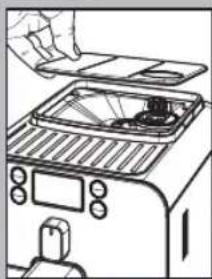
natural_image
Line drawing of a toaster oven with a hand placing the lid (no text or symbols)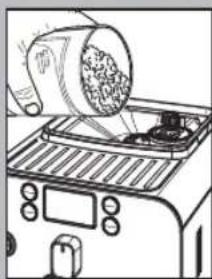
natural_image
Line drawing of a toaster oven with a cylindrical object being placed on top (no text or symbols)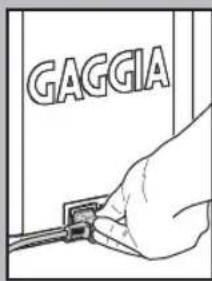
natural_image
Simple line drawing of an electrical outlet with a cable inserted (no text or symbols)natural_image
Line drawing of a hand holding a transparent container with a small object inside (no text or symbols)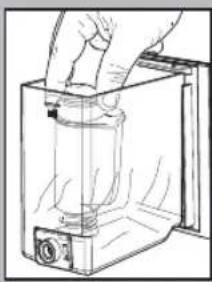
natural_image
Hand holding a cylindrical object inside a transparent container (no text or symbols visible)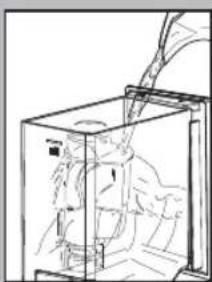
natural_image
Line drawing of a mechanical device inside a transparent enclosure, showing internal components and motion lines (no text or symbols)B = Acqua media (standard)
C = Acqua dura
natural_image
Diagram of a kitchen appliance with a lid and grater, showing a handle and outlet (no text or symbols)natural_image
Illustration of a hand using a mechanical device to press or install a component, with no visible text or symbols.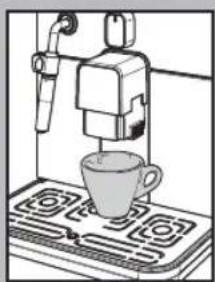
natural_image
Illustration of a coffee machine with a cup on a stove (no text or symbols visible)natural_image
Illustration of a coffee maker using a steamer machine on a gas stove (no text or symbols visible)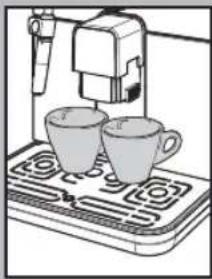
natural_image
Illustration of a coffee machine with two cups on a portable stove (no text or symbols visible)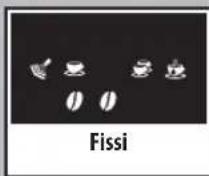
Regolazione "Aroma"
natural_image
Line drawing of a toaster with a cloth partially inserted into the top panel (no text or symbols)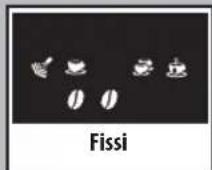
natural_image
Illustration of a hand using a pipette to test a glass in a container on a tray (no text or symbols visible)natural_image
Illustration of a laboratory setup with a beaker, tubing, and a control panel (no text or symbols visible)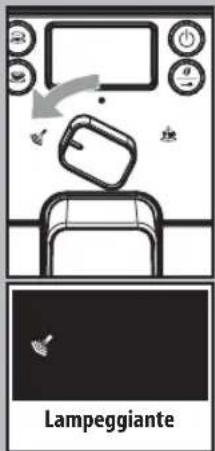
natural_image
Diagram of a hand operating a device with a gray arrow indicating motion (no text or symbols present)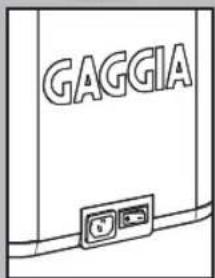
natural_image
Illustration of a hand holding a tool with a downward arrow, next to a circuit board (no text or symbols visible)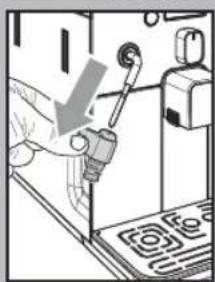
natural_image
Person using a handheld device to adjust or install a component, with no visible text or symbolsnatural_image
Illustration of a hand using a tool to press or install electronic components (no text or symbols visible)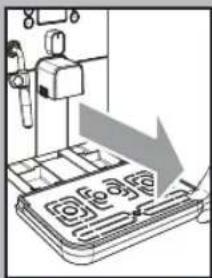
natural_image
Illustration of a mechanical device with a downward arrow and grid pattern (no text or symbols)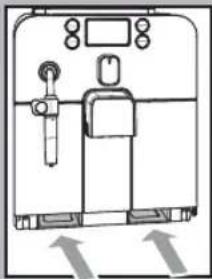
natural_image
Simple line drawing of a medical or laboratory equipment setup with no visible text, numbers, or symbols.natural_image
Diagram of a machine tool interacting with a door, showing internal components and an arrow indicating direction (no text or symbols present)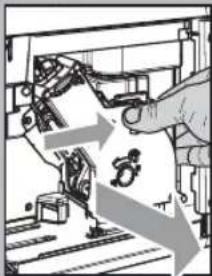
natural_image
Illustration of a hand operating a mechanical device with arrows indicating motion or process (no text or symbols present)Gruppo caff è
natural_image
Line drawing of a hand operating a mechanical device with gears and tools (no text or symbols)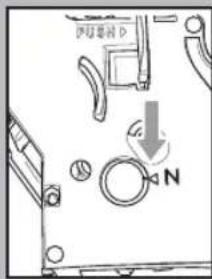
natural_image
Technical line drawing of a mechanical component with a downward arrow indicating a cut or assembly (no text or symbols present)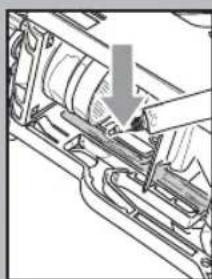
natural_image
Mechanical assembly diagram showing a hand inserting a component into a housing (no text or symbols visible)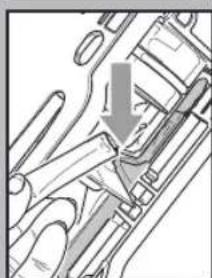
natural_image
Mechanical assembly diagram showing a valve mechanism with a downward arrow (no text or labels)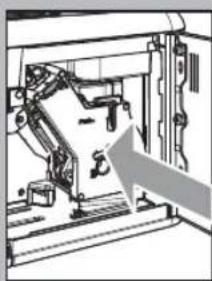
natural_image
Mechanical assembly diagram showing a robotic arm and frame structure with an arrow indicating motion direction (no text or symbols)natural_image
Hand inserting a component into a device (no text or symbols visible)natural_image
Line drawing of a container with liquid being poured into a larger vessel (no text or symbols)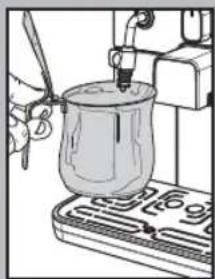
natural_image
Illustration of a hand using a pipette to press a glass jar on a tray (no text or symbols visible)natural_image
Line drawing of a hand pouring liquid into a container with a side panel (no text or symbols)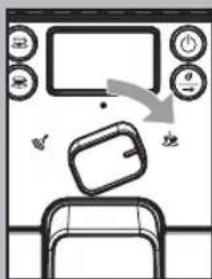
flowchart
graph TD
    A["Fisso"] --> B["Reactor with fan, keyboard, mouse, and monitor"]
    B --> C["Boiler with water pouring into a microwave oven"]
    C --> D["Boiler with coffee cup on stove"]
    D --> E["Fissi"]
    E --> F["Boiler with hand, keyboard, mouse, and monitor"]
    F --> G["Fissi"]
flowchart
graph TD
    A["Kitchen with food tray, hand holding cup"] --> B["Recovery of cooking pot"]
    B --> C["Storage unit with fan, keyboard, and monitor"]
    C --> D["Fisso branding: 12.5% zoom"]
    D --> E["Storage unit with fan, keyboard, and monitor"]
    E --> F["Fisso packaging: 12.5% zoom"]
natural_image
Hand inserting a device into a device with an arrow indicating the process (no text or symbols present)When using electrical appliances, basic safety precautions should always be followed, including the following:
- Read all instructions.
- Do not touch hot surfaces. Use handles or knobs.
- To protect against fire, electric shock and injury to persons do not immerse cord, plugs, or appliance in water or other liquid.
- Close supervision is necessary when the appliance is used by or near children.
- Unplug from outlet when not in use and before cleaning. Allow to cool before putting on or taking off parts, and before cleaning the appliance.
- Do not operate any appliance with a damaged cord or plug or after the appliance malfunctions, or has been damaged in any manner. Return appliance to the nearest authorized service facility for examination, repair or adjustment.
- The use of accessory attachments not recommended by the appliance manufacturer may result in fire, electric shock or injury to persons.
- Do not use outdoors.
- Do not let cord hang over edge of table or counter, or touch hot surfaces.
- Do not place on or near a hot gas or electric burner, or in a heated oven.
- Always attach plug to appliance first, then plug cord into wall outlet. To disconnect, turn any control to "off", then remove plug from wall outlet.
- Do not use appliance for other than intended use.
- Save these instructions.
SAVE THESE INSTRUCTIONS
CAUTION
This appliance is for household use only. Any servicing, other than cleaning and user maintenance, should be performed by an authorized service center. Do not immerse machine in water. To reduce the risk of fire or electric shock, do not disassemble the machine. There are no parts inside the machine serviceable by the user. Repair should be done by authorized service personnel only.
- Check voltage to be sure that the voltage indicated on the nameplate corresponds with your voltage.
- Never use warm or hot water to fill the water tank. Use cold water only.
- Keep your hands and the cord away from hot parts of the appliance during operation.
- Never clean with scrubbing powders or harsh cleaners. Simply use a soft cloth dampened with water.
- For optimal taste of your coffee, use purified or bottled water. Periodic descaling is still recommended every 2-3 months.
- Do not use caramelized or flavored coffee beans.
INSTRUCTIONS FOR THE POWER SUPPLY CORD
A. A short power-supply cord (or detachable power-supply cord) is to be provided to reduce risks resulting from becoming entangled in or tripping over a longer cord.
B. Longer detachable power-supply cords or extension cords are available and may used if care is exercised in their use.
C. If a long detachable power-supply cord or extension cord is used,
-
The marked electrical rating of the detachable power-supply cord or extension cord should be at least as great as the electrical rating of the appliance
-
If the appliance is of the grounded type, the extension cord should be a grounding-type 3-wire cord, and
-
The longer cord should be arranged so that it will not drape over the counter top or table top where it can be pulled on by children or tripped over.
natural_image
Line drawing of a modern coffee machine with control panel and side-mounted buttons (no text or symbols)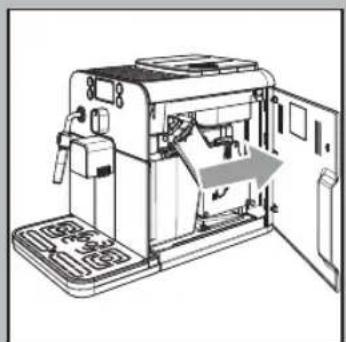
natural_image
Line drawing of a portable electronic device with open door and internal components (no text or symbols)GENERAL INFORMATION
The coff ee machine is suitable for preparing espresso coff ee using either coff ee beans or ground coff ee and is equipped with a device to dispense steam and hot water. The structure of the machine has been designed for domestic use only and is not suitable for continuous professional-type operation.
Keep these operating instructions in a safe place and make them available to anyone who may use the coffee machine.
For further information or in case of problems that are not included or not completely explained in these instructions, please contact an authorized service center.

Warning. No liability is held for damage caused by:
- Incorrect use not in accordance with the intended purposes;
• Repairs not carried out by authorized service centers;
• Tampering with the power cord;
• Tampering with any parts of the machine; - Storage or use of the machine at a temperature outside the operating temperature range (+15°C / +45°C);
- The use of non-original spare parts and accessories.
In these cases, the warranty shall be deemed null and void.
SAFETY REGULATIONS

Never allow water to come into contact with any of the electrical parts of the machine: Danger of short circuit! Steam and hot water may cause scalding!
Do not direct the steam/hot water wand towards body parts. Carefully handle the steam/hot water wand by its grip: Danger of scalding!
Intended Use
The coff ee machine is intended for domestic use only. Do not make any technical changes or use the machine for unauthorized purposes since this would create serious hazards! The appliance is not to be used by persons (including children) with reduced physical, mental or sensory abilities or with limited experience and/or expertise, unless they are supervised by a person responsible for their safety, or they are instructed by this person on how to properly use the machine.
Power Supply - Power Cord
Only connect the coffee machine to a suitable socket.
The voltage must correspond to that indicated on the machine label located on the inside of service door.
Never use the coffee machine if the power cord is defective or damaged.
If damaged, the power cord must be replaced by the manufacturer or an authorized service center. Do not pass the power cord around corners, over sharp edges or over hot objects and keep it away from oil. Do not use the power cord to carry or pull the coffee machine.
Do not pull out the plug by the power cord or touch it with wet hands. Do not let the power cord hang freely from tables or shelves.
For the Safety of Others
Keep children under control to prevent them from playing with the product. Children are not aware of the risks related to electric household appliances. Do not leave the machine packaging materials within the reach of children.
Danger of Burns
Never direct the steam/hot water wand towards yourself or others: Danger of scalding! Always use the handles or knobs provided.
Machine Location - Suitable Location for Operation and Maintenance
For best use, it is recommended to:
- Choose a safe, level surface, where there will be no danger of overturning it or being injured.
- Choose a location that is sufficiently well-lit, clean and near an easily reachable socket.
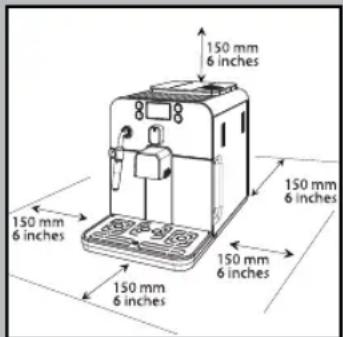
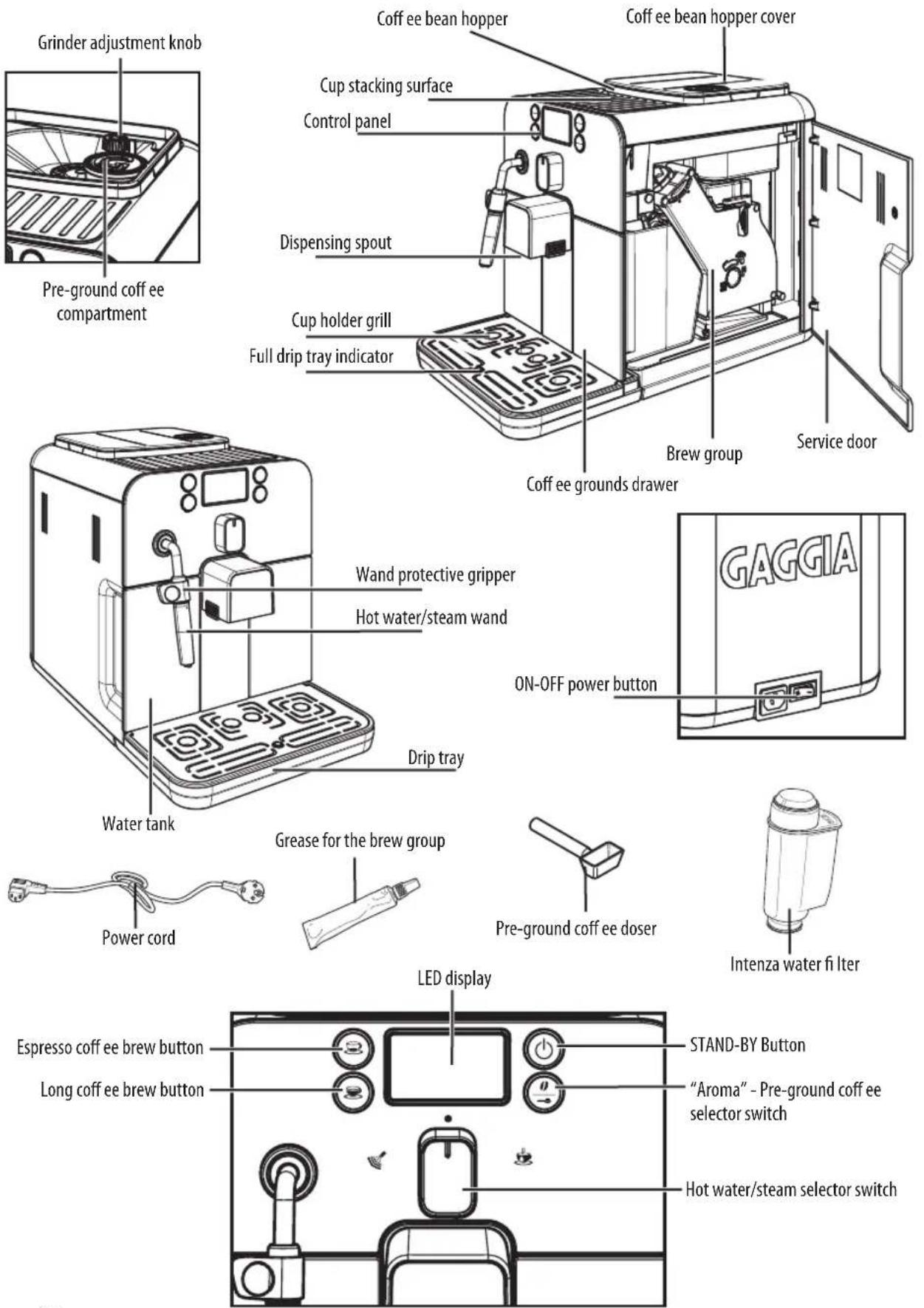
- Provide for a minimum distance from the sides of the machine as shown in the illustration.
- During machine turning on/off, it is recommended to place an empty glass under the dispensing head.
Do not keep the machine at a temperature below 0^ C ( 32^ F).
Frost may damage the machine.
Do not use the coffee machine outdoors.
In order to prevent its housing from melting or being damaged, do not place the machine on very hot surfaces and close to open flames.
Storing the Machine - Cleaning
Before cleaning the machine, turn it off by pressing the "STAND-BY", button, and then switch the power button to "0". Remove the plug from the socket.
Wait for the machine to cool down.
Never immerse the machine in water!
It is strictly forbidden to tamper with the internal parts of the machine.
Water left in the tank for several days should not be consumed. Wash the tank and fill it with fresh drinking water.
If the machine will not be used for a long time, dispense water from the steam wand, and carefully clean the Pannarello (if supplied), then turn it off and unplug it.
Store it in a dry place, out of the reach of children.
Keep it protected from dust and dirt.
Servicing / Maintenance
In case of failure, problems or a suspected fault resulting from the falling of the machine, immediately remove the plug from the socket.
Never attempt to operate a faulty machine.
Servicing and repairs may only be carried out by authorized service centers.
All liability for damages resulting from work not carried out by professionals is declined.
Fire Safety Precautions
In case of fire, use carbon dioxide (CQ) extinguishers. Do not use water or dry powder extinguishers.
natural_image
Diagram of a device with a device emitting a light beam, showing internal components and a directional arrow (no text or symbols)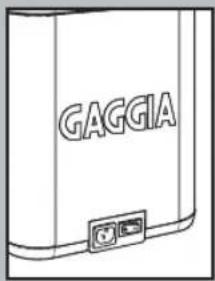
INSTALLATION
For your safety and the safety of others, carefully follow the instructions provided in the "Safety Regulations" section.
Machine Packaging
The original packaging has been designed and constructed to protect the machine during transport. We recommend keeping the packaging material for possible future transport.
Preliminary Operations
- Remove the coff ee bean hopper cover and the drip tray with grill from the packaging.
- Remove the coff ee machine from the packaging and position it in a place that meets the requirements described in the safety regulations.
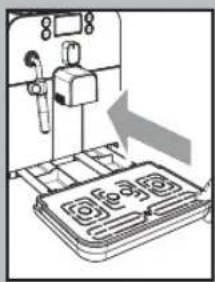
- Place the drip tray with grill into its appropriate seat on the machine. Make sure it is fully inserted to its limit stop.
- Insert the coffee bean hopper cover.
Note: Insert the plug in the machine and in the wall socket only when indicated and check that the power button is switched to "0".
i Important note: Carefully read the explanatory descriptions of all the warnings the machine displays to the user via the lights on the control panel display (see section "Display Warnings").
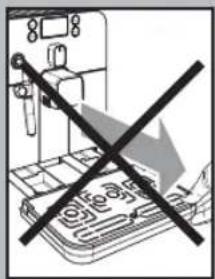
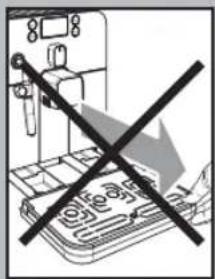
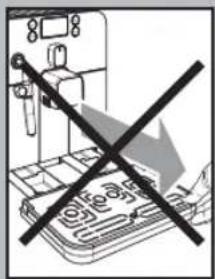
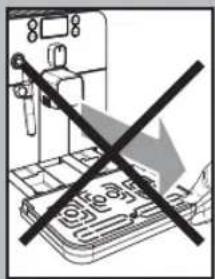
NEVER remove the drip tray when the machine is turned on. Wait a couple of minutes after turning on/off, as the machine will be carrying out a rinse/self-cleaning cycle (see section "Rinse/Self-cleaning Cycle").
natural_image
Illustration of a hand operating a device with arrows indicating motion (no text or symbols)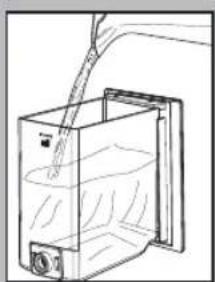
natural_image
Line drawing of a container with liquid being poured into it, no text or symbols present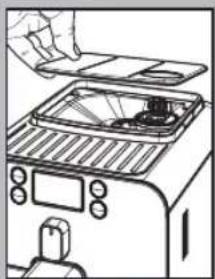
natural_image
Line drawing of a toaster oven with a hand placing a tray (no text or symbols)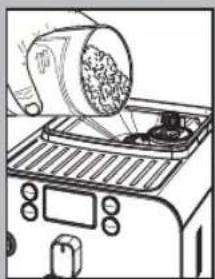
natural_image
Illustration of a toaster oven with a cylindrical object being placed on top (no text or symbols visible)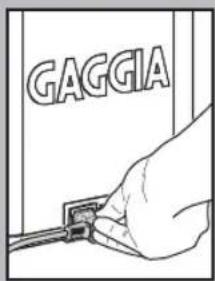
natural_image
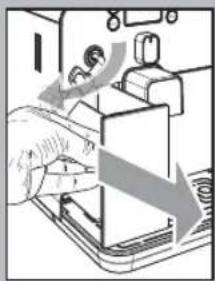
Line drawing of a cable inserted into an electrical outlet socket (no text or symbols)- Remove the water tank from its seat.
- Rinse and fi ll it with fresh water making sure that it is not filled exceeding the MAX level indicated in the water tank. Put the water tank back in its seat.
Fill the tank only with fresh, non-sparkling water. Hot water or any other liquid may damage the tank and/or the machine. Do not turn on the machine when the tank is empty: Make sure there is enough water in the tank.
- Remove the coff ee bean hopper cover.
Note: The hopper may be provided with different safety features according to the regulations of the country of use of the machine.
- Slowly pour the coff ee beans into the hopper.
Only coffee beans must be put into the coffee bean hopper. Ground coffee, instant coffee or any other object may damage the machine.
- Replace the coffee bean hopper cover.
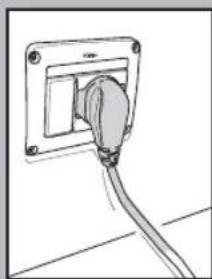
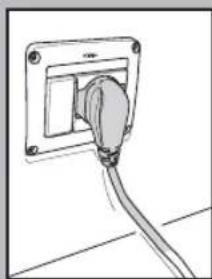
- Insert the plug into the socket on the back of the machine.
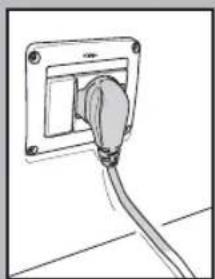
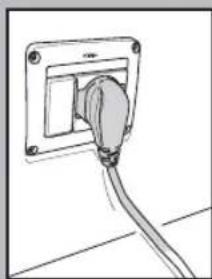
- Insert the plug of the other end of the cable into a wall socket with suitable power voltage.
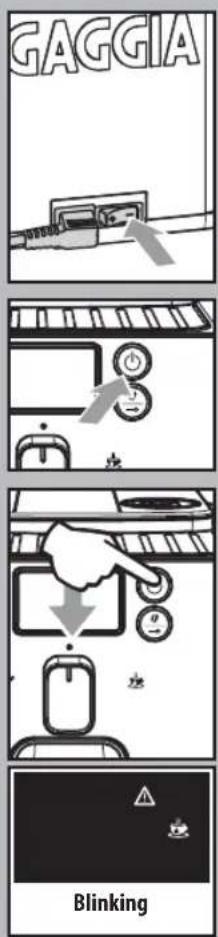
- Switch the power button to "I" to turn the machine on.
- The "STAND-BY" button blinks.
- Make sure the selector switch is in the "●" position; if this is not the case, set it to that position.
- To turn the machine on simply press the "STAND-BY" button.
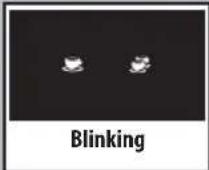
- The blinking icons shown in the picture warn that the circuit must be primed.
Note: Before starting the machine for the first time, and after long periods of inactivity, prime the water circuit.

Circuit Priming
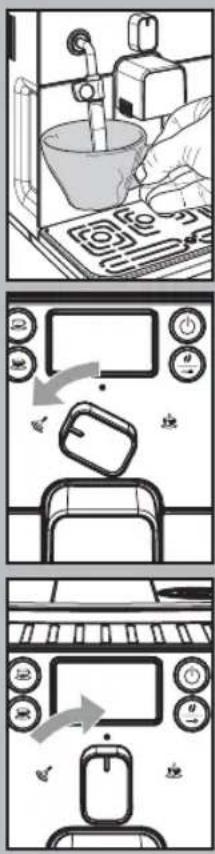
• To prime the water circuit, place a container under the steam wand (Pannarello, if supplied).
- Turn the selector switch clockwise to set it to the "💡" position. The machine starts the automatic priming of the circuit by letting out a preset quantity of water through the Pannarello.
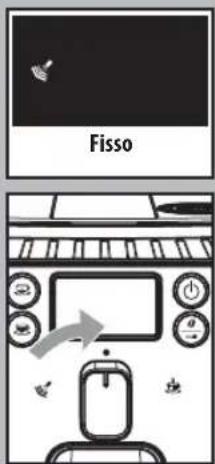
Once the circuit has been primed, the icons shown in the figure will start to blink.
Turn the selection knob back to its central position "●".
- The icons displayed blink slowly to show that the machine is warming up.
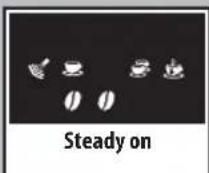
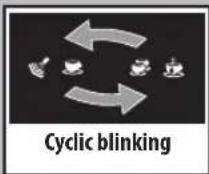
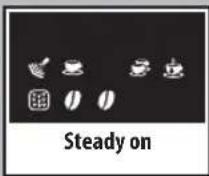
When warm-up is complete, the machine performs a rinse cycle of the internal circuits. During this phase, the icons displayed will blink in sequence. - When the operations described above are completed, the icons on the display will illuminate.
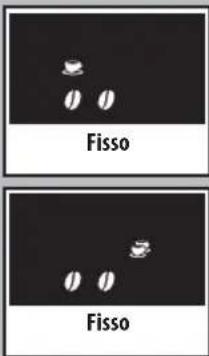
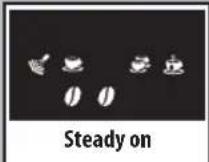
The display will appear as shown to the side. The displayed aroma is the factory setting when the machine is switch on for the first time, or it is the same as the aroma that was selected for the last brewed coffee.
The machine is then ready to brew beverages.
• To brew coffee, dispense hot water or steam, and properly use the machine, carefully follow the instructions provided.

Using the machine for the first time or after a long period of inactivity.
These simple operations will make it possible to always brew excellent coffee.
1 Place a large container under the dispensing spout.
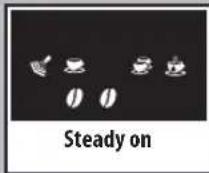
2 Before starting the procedure, check that the following icons are displayed.
3 Select the pre-ground coffee function by pressing the " 🔥 " button one or more times.
Do not add the pre-ground coffee to the compartment.
The icon will appear on the display.
4 Press the button to brew a long coffee.
5 Wait until brewing is completed and empty the water tank.
6 Repeat the operations from step 1 to step 5 for 3 times; then continue with step 7.
7 Place a container under the steam wand (Pannarello, if supplied).
8 Turn the selector switch clockwise to set it to the "☐" position.
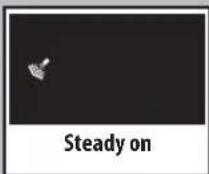
Steady on
Steady on
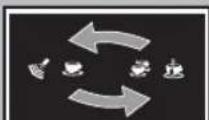
Cyclic blinking
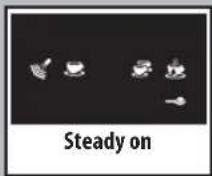
The following icon will be displayed.
9 Dispense water until the no water signal is displayed, then turn the selector switch counter-clockwise to set it to the "●" position.
10 At the end, fill the water tank again. Then the products can be brewed as described in the following sections.
Rinse/Self-cleaning Cycle
This cycle allow rinsing the coff ee circuits with fresh water.
The cycle is carried out:
- At machine start (with cold boiler)
• After priming the water circuit (with cold boiler) - During the Stand-by preparation phase (if a coffee product has been brewed)
- During the phase of activating the stand-by mode after pressing the "STAND-BY" button (if a coffee product has been brewed).
A small amount of water will be dispensed to rinse and heat all the machine components; during this phase the icons blink in sequence.
Wait for the cycle to finish automatically. You can stop dispensing by pressing either coffee button and/or the "Stand-by" button.
natural_image
Line drawing of a hand holding a transparent container with a small object inside (no text or symbols)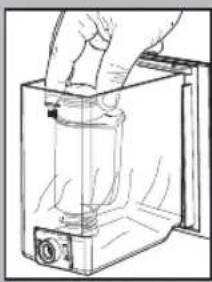
natural_image
Hand holding a cylindrical object inside a transparent container (no text or symbols visible)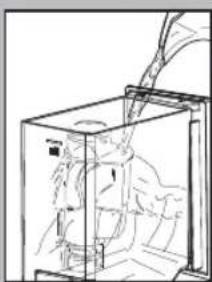
natural_image
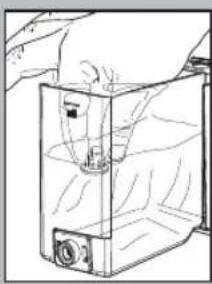
Line drawing of a mechanical device inside a transparent enclosure, showing internal components and motion lines (no text or symbols)"INTENZA" water fi Iter.
To improve the quality of the used water, it is advisable to install the water filter.
Remove the water filter from its packaging, immerse it vertically (with the opening positioned upwards) in cold water and delicately press the sides so as to let the air bubbles out.
Remove the small white filter from the tank and store it in a dry place sheltered from dust.
Set the Intenza Aroma System as specified on the box.
A = Soft water
B = Medium water (standard)
C=Hard water
Put the water filter into the empty tank. Press it until its limit stop.
Fill the tank with fresh drinking water and reinsert it into the machine.
Dispense the water in the tank by using the hot water function (see the "Hot water dispensing" section).
Fill the water tank again. The machine is now ready to be used.

Note: If there is no Intenza water filter, insert the small
white fi Iter previously removed into the water tank.
ADJUSTMENTS
The machine that you have bought allows for certain adjustments that will permit you to use it to its full potential.
Gaggia Adapting System
Coffee is a natural product and its characteristics may change according to its origin, blend and roast. The Gaggia coffee machine is equipped with a self-adjusting system that allows the use of all types of coffee beans available on the market (non caramelized).
- The machine automatically adjusts itself in order to optimise the extraction of the coffee, ensuring perfect compression of the tablet to obtain a creamy espresso coff ee that will release all the aromas, regardless of the type of coff ee used.
- The optimisation process is a learning process that requires the brewing of a certain number of coffees to allow the machine to adjust the compactness of the ground coffee.
- Attention should be given to special blends, which require grinder adjustments in order to optimise the extraction of the coff ee (see the "Coff ee Grinder Adjustment" section).
Coff ee Grinder Adjustment
Warning! The grinder adjustment knob, inside the coff ee bean hopper, must be turned only when the grinder is working. Do not pour ground and/or instant coff ee into the coff ee bean hopper.
Do not insert any material other than coff ee beans into the hopper. The grinder contains moving parts that may be dangerous. Therefore, do not insert fingers and/or other objects. The grind setting may only be adjusted using the knob. Turn off the machine and unplug it from the socket before carrying out any type of operation inside the coffee bean hopper. Do not pour coff ee beans when the coff ee grinder is working.
natural_image
Diagram of a device with a speaker emitting sound waves, showing no text or symbolsThe machine allows slight adjustments to the coffee grinder to adapt it to the kind of coffee used.
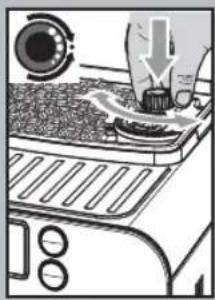
To make any adjustment, press and turn the knob inside the coffee bean hopper.
Press and turn the knob by one notch at a time and brew 2-3 cups of coffee; this is the only way to notice differences in grind.
The reference marks inside the coffee bean hopper indicate the grind setting. There are 5 different grind settings to choose from with the following references:
Large Mark - Coarse Grind Small Mark - Fine Grind.
Adjusting the Coff ee Length
The machine allows you to adjust the amount of brewed coffee according to your taste and/or the size of your cups.
natural_image
Illustration of a coffee maker using a cup on a counter, with no visible text or symbols.Each time the "3" or "buttons" are pressed and released, the machine brews a pre-set amount of coffee, as per factory settings. This amount may be reprogrammed to your taste. Each button may be individually programmed for a specific brew setting.
natural_image
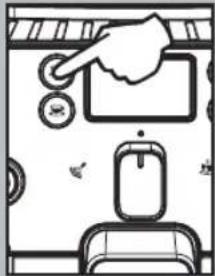
Simple line drawing of a hand pressing down on a device with buttons and a sink (no text or symbols)As an example, the following procedure describes the programming of the button " ", which is normally associated with espresso coffee.
- Place a cup under the dispensing spout.
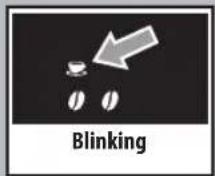
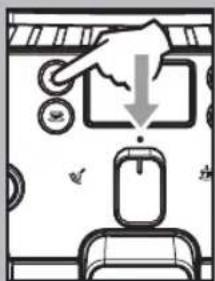
- Hold the "button pressed for 5 seconds to enter the programming mode; the "icon will blink quickly and the coffee will start to be brewed; the icon will flash during the whole coffee brewing cycle.
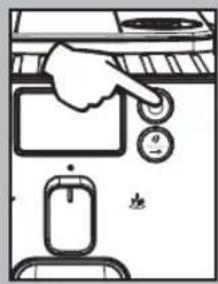
- Press the "button again when the amount of coffee in the cup reaches the desired level.
natural_image
Illustration of a hand holding a mechanical device with an upward arrow, no text or symbols present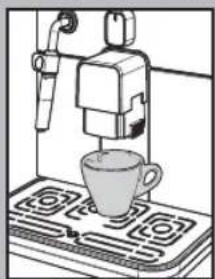
natural_image
Illustration of a coffee machine with a cup on a counter (no text or symbols visible)At this point the button "is programmed; each time it is pressed and released, the machine will brew the same amount of coffe that was just programmed.
The same operation can be repeated for the "button. If the "or "button is pressed twice to brew coffee, the machine will brew double the stored quantity.
Standby
The machine is designed for energy saving. The machine automatically turns off after 60 minutes of inactivity.
The "☐" button blinks when the machine is in stand-by mode.
Note: During the turning off phase, the machine performs a rinse cycle, if a coffee product has been brewed.
Warning: When turning the machine on after it has been turned completely off, the machine will be in stand-by mode
To turn the machine on again simply press the STAND-BY button (if the power button is set to "I"). In this case the machine will go through the rinse cycle only if the boiler is cold.
Dispensing Spout Adjustment
Most cups on the market can be used with this coffee machine.
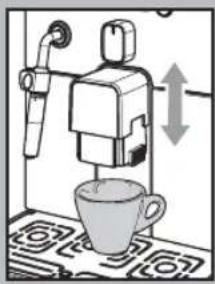
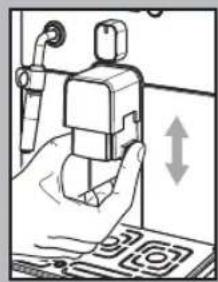
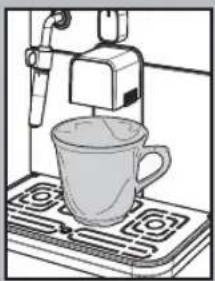
The height of the dispensing spout may be adjusted to better fit the dimensions of the cups that you wish to use.
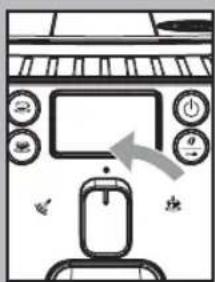
Manually move the dispensing spout up or down to adjust its height by placing your fingers as shown in the figure.
The recommended positions are:
For use with small cups;
natural_image
Illustration of a coffee maker using a cup on a stove (no text or symbols visible)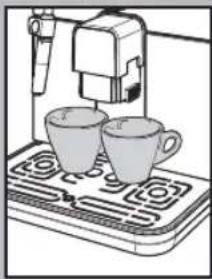
natural_image
Illustration of a coffee machine with two cups on a gas stove (no text or symbols visible)
For use with large cups.
- Two cups can be placed under the dispensing spout for brewing two coffees at the same time.
"Aroma" Adjustment
The machine is set-up for an amount of coffee to grind to be adjusted from 7 g to 10.5 g per coffee.
Four choices are possible by pressing and releasing the "0" button (mild, medium or strong aroma, and ground coffee).
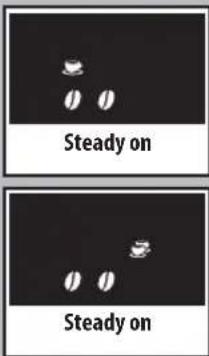
Selection can be made when the beans appear on the display.
Each time the "0" button is pressed and released, the aroma changes by one degree:
$$ \begin{array}{l} ⓞ = \text { Mild aroma } \ ⓜ = \text { Medium aroma } \ ⓞ Ⓞ Ⓠ = \text { Strong aroma } \ \end{array} $$
Selection must be made prior to selecting the coffee. The system sets the aroma according to the personal taste of the user.
After selecting "Strong aroma", the function for brewing coffee with pre-ground coffee is displayed.
This selection is displayed by the icon on the side.
Refer to the relevant section to use this function.
COFFEE BREWING

Note: Should the machine not brew coffee, make sure that ter tank contains water.

Before brewing coffee, check the messages on the display.
Check that the water tank and coffee been hopper are full.

Leave the selector on the coffee position "●" during sensing phase.

Before brewing the coffee, adjust the height of the di-
spensing spout according to your needs, and select the aroma or the pre-ground coff ee.
Using Coff ee Beans
- To brew coff ee, press and release: the "button" button to select the desired aroma. the "button" button for an espresso coffee; the "button" button for a long coff ee.
• The brewing cycle then starts:
To brew 1 cup of coffee, press the "or" button once. The display will show the icon.
To brew 2 cups of coffee, press the "or" button twice. The display will show the icon.

To brew 2 coffees, the machine automatically grinds and
doses the correct amount of coffee. Brewing two coffees requires two grinding cycles and two brewing cycles, which the machine carries out automatically.
• After the prebrewing cycle, coffee begins to come out of the dispensing spout.
- Coffee brewing stops automatically when the pre-programmed level is reached; however, it is possible to interrupt coffee brewing by pressing the
button initially pressed.
The machine is adjusted to brew a true Italian espresso coffee. This feature may slightly lengthen the brewing time, allowing the intense fl avour of the coff ee to develop fully.
Using Pre-ground Coff ee
This function allows using pre-ground and decaff einated coffee.
Pre-ground coffee must be poured into the appropriate compartment positioned next to the coff ee bean hopper. Only use ground coff ee for espresso machines and never coff ee beans or instant coff ee.
i Note:
- If no pre-ground coffee is poured into the compartment, only water will be dispensed;
- If the dose is excessive and 2 or more measuring scoops of coffee are used, the machine will not brew the product. Also in this case, the machine will run an empty cycle and discharge any ground coffee into the coffee grounds drawer.
To brew coffee:
- Press and release the "O" button until the pre-ground coffee function icon is displayed.
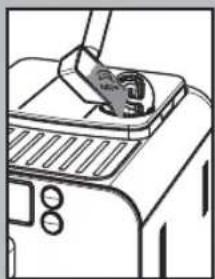
- Lift the pre-ground coffee compartment cover.
- Add 1 only 1 scoop of pre-ground coffee to the compartment. Use the measuring scoop supplied with the machine to perform this operation. Then, close the cover.
natural_image
Line drawing of a toaster oven with a hand inserting a card into the top panel (no text or symbols)Warning: Only add pre-ground coffee to the compartment. Other substances and objects may cause severe damage to the machine. This damage will not be covered by warranty.
Press and release:
the"button for an espresso coffee;
the"button for a long coffee.
- The brewing cycle then starts. After the prebrewing cycle, coffee begins to come out of the dispensing spout.
- Coffee brewing stops automatically when the pre-programmed level is reached; however, it is possible to interrupt coffee brewing by pressing the button initially pressed.
After dispensing the product, the coffee beans configuration of the machine is restored.
i Repeat the operations described above to brew other coff ees.
DISPENSING HOT WATER
Warning: At the beginning, short spurts of hot water may come out. Danger of scalding. The hot water wand may reach high temperatures. Never touch it with bare hands.
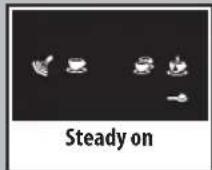
- Before dispensing hot water, check that the following icon is displayed.
When the machine is ready, proceed as follows:
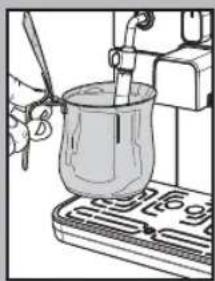
- Place a container under the steam wand (Pannarello, if supplied).
natural_image
Illustration of a hand using a pipette to test a beaker on a test tube (no text or symbols visible)
flowchart
graph TD
    A["Steady on"] --> B["Blank State"]
    B --> C["Blinking State"]
    C --> D["Empty State"]
    D --> E["Empty State"]
    style A fill:#f9f,stroke:#333
    style B fill:#ccf,stroke:#333
    style C fill:#cfc,stroke:#333
    style D fill:#fcc,stroke:#333
    style E fill:#cff,stroke:#333
- Turn the selector switch clockwise to set it to the " ” position.
- Only the following icon will be displayed steady on.
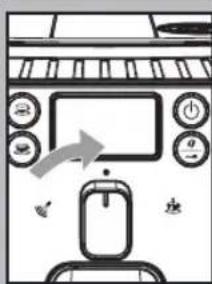
- Fill the cup with hot water to the desired level; to stop hot water dispensing, turn selector switch counter-clockwise back to the “●” position. The machine returns to the normal operating mode.
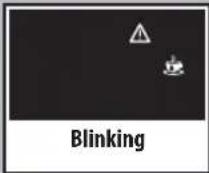
Occasionally, after turning the selector switch, hot water may not be dispensed and the following displayed icon will start blinking. Simply wait until the end of the warm-up phase, at which point hot water will be dispensed from the Pannarello.
STEAM DISPENSING / PREPARING A CAPPUCCINO
Steam may be used to froth milk for a cappuccino, as well as to reheat other beverages.
Danger of scalding! Brewing may be preceded by small jets of hot water. The steam wand may reach high temperatures. Never touch it with bare hands.
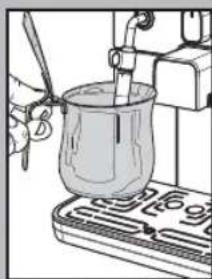
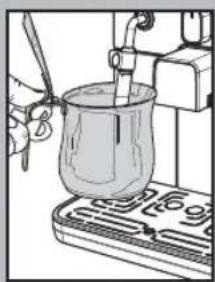
i Important note: immediately after using the steam to froth the milk, clean the steam wand (or Pannarello when provided). When the machine is ready, brew a small amount of hot water in a glass and clean the steam wand (or Pannarello when provided) externally. In this way, all parts will be perfectly clea-
natural_image
Illustration of a laboratory setup with a beaker, tubing, and a tray (no visible text or symbols)ned and free of any milk residue.
To prepare your cappuccino, we recommend discharging the water in the steam wand.
• To discharge the water in the steam wand, place a container under the steam wand (Pannarello, if supplied).
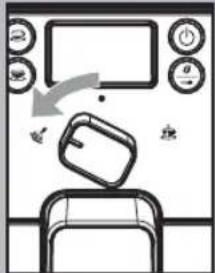
- When the machine is ready to brew coff ee, turn selector switch counterclockwise to set it onto the "💡" position. Residual water may come out of the steam wand (Pannarello, if supplied).
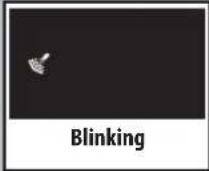
- The icon blinks during the preheating time required by the machine.
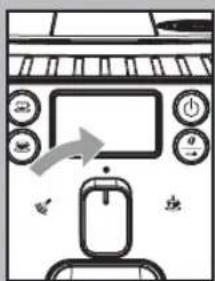
- Steam dispensing will begin when the icon is displayed steady on; soon after, only steam will begin to come out.
- Turn the selector switch clockwise and set it back to the "●" position to stop dispensing steam.
- Fill 1/3 of the container you wish to use to prepare the cappuccino with cold milk.
To ensure better results when preparing a cappuccino, use cold milk straight from the fridge.
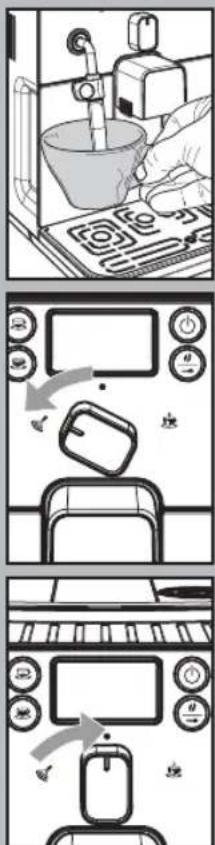
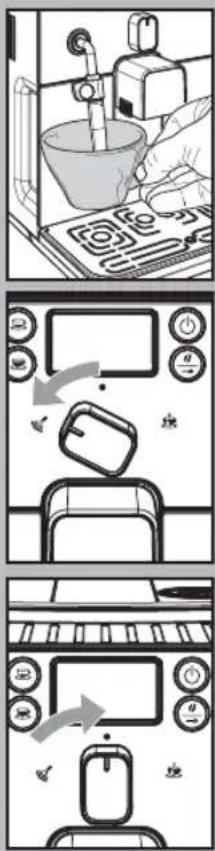
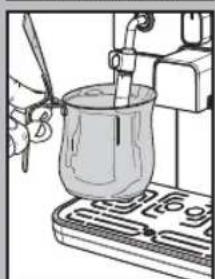
- To heat the milk directly in the cup, immerse the steam wand (Pannarello, if supplied) in the milk to be heated.
- Turn the selector switch counterclockwise to set it to the " 🔊" position. Rotate the container and move it gently up and down to obtain uniform foam.
- After dispensing steam for the desired time, turn the selector switch clockwise and set it back to the "●" position to stop dispensing steam.
• The same procedure can be used to heat other beverages.
After using the steam wand (Pannarello, if supplied), wash it as described in the "Cleaning and Maintenance" section.
After using steam to prepare a beverage, it is possible to brew coffee or to dispense steam straight after.
If the selector switch is left on the central position "●", the machine, in order to save energy, automatically reaches the temperature needed to dispense coffee.
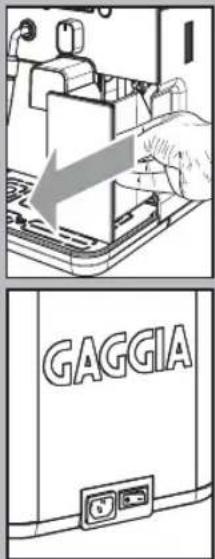
CLEANING AND MAINTENANCE
General Cleaning
• Empty and clean the coffee grounds drawer daily, with the machine turned on.
Note: We recommend emptying the container if the machine is not going to be used for some days.
- Maintenance and cleaning operations can only be carried out when the machine is cold and disconnected from the electric network.
- Do not immerse the machine in water.
- Do not wash any of its parts in the dishwasher.
- Do not use sharp objects or harsh chemical products (solvents) for cleaning.
- Use a soft, dampened cloth to clean the machine.
- Do not dry the machine and/or its components using a microwave and/or standard oven.
After preparing milk beverages, dispense hot water from the steam wand (Pannarello, if supplied) to obtain a thorough cleaning.
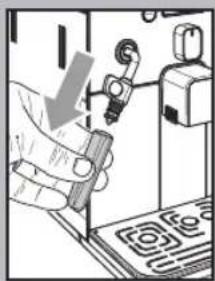
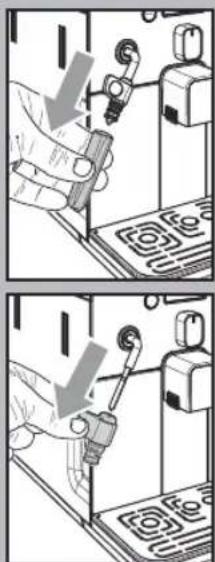
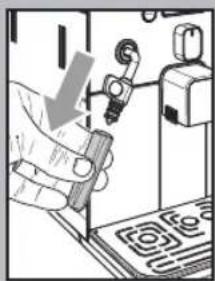
- Every day, after heating the milk, remove the external part of the Pannarello (if supplied) and wash it with fresh drinking water.
-
Clean the steam wand weekly. In order to do this, perform the following operations:
-
Remove the external part of the Pannarello (for standard cleaning);
- Remove the upper part of the Pannarello from the steam wand;
- Wash the upper part of the Pannarello with fresh drinking water;
- Wash the steam wand with a wet cloth and remove any milk residue;
- Replace the upper part in the steam wand (make sure it is completely inserted).
natural_image
Illustration of a hand using a tool to press or install electronic components (no text or symbols visible)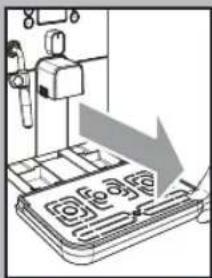
natural_image
Illustration of a mechanical device with a downward arrow and grid pattern (no text or symbols)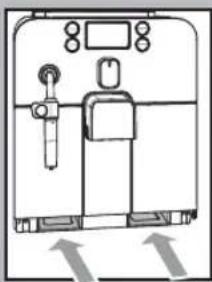
natural_image
Simple line drawing of a refrigerator with doors, legs, and a door (no text or symbols)Reassemble the external part of the Pannarello.
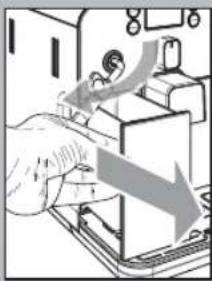
• We recommend cleaning the water tank daily. For an easier removal of the water tank, move the steam wand / Pannarello upwards:
- Remove the small white fi Iter in the water tank and wash it under running drinking water.
- Reposition the small white filter in its housing by gently pressing and turning it at the same time.
- Fill the water tank with fresh drinking water.
- Empty and clean the drip tray daily. Perform this operation also when the float is raised.
- Also clean the seat of the tray every week through the openings on the bottom of the machine.
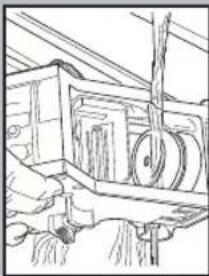
natural_image
Line drawing of a hand operating a mechanical device with gears and levers (no text or symbols)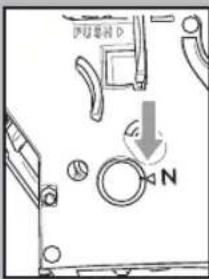
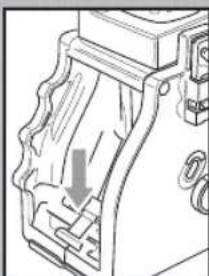
natural_image
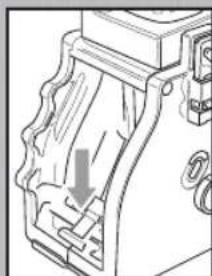
Technical line drawing of a mechanical component with a downward arrow indicating a cut or assembly (no text or symbols present)- Wash the brew group with lukewarm water and carefully clean the upper filter.
• Thoroughly wash and dry all the parts of the brew group.
• Thoroughly clean the inside of the machine.
• Make sure that the two reference signs match up.
- Make sure that the lever is in contact with the brew group. Press the "PUSH" button to make sure that the brew group is in the correct position.
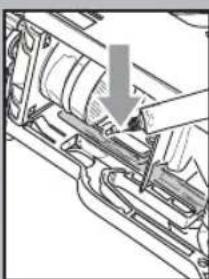
i Lubricate the brew group after approximately 500 brewing cycles. The grease to lubricate the brew group may be purchased at authorised service centres.
- Lubricate the brew group guides using the supplied grease only.
-
Apply the grease evenly on both side guides.
-
Insert the brew group in its seat until it locks into place WITHOUT pressing the "PUSH" button.
- Insert the coff ee grounds drawer. Close the service door.
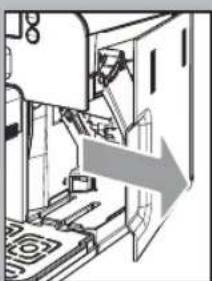
natural_image
Diagram of a machine tool interacting with a door, showing internal components and a directional arrow (no text or symbols)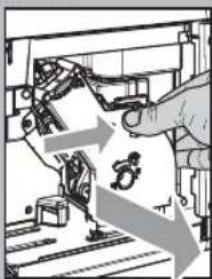
natural_image
Illustration of a robotic arm interacting with a mechanical device, showing motion arrows (no text or symbols)Brew Group
- The brew group should be cleaned every time the coff ee bean hopper is filled or at least once a week.
- Turn off the machine by pressing the ON/OFF button and remove the plug from the socket.
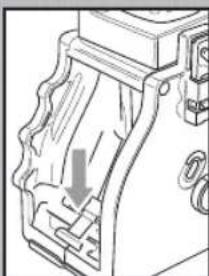
- Remove the coffee grounds drawer. Open the service door.
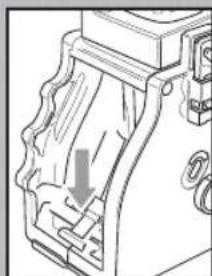
- To remove the brew group, pull it by the handle and press the «PUSH» button. The brew group must be washed only with lukewarm water with no detergent/soap.
natural_image
Mechanical assembly diagram showing a hand operating a component with a downward arrow indicating motion (no text or symbols present)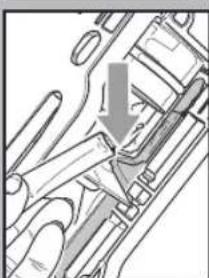
natural_image
Mechanical assembly diagram showing a valve mechanism with a downward arrow (no text or labels)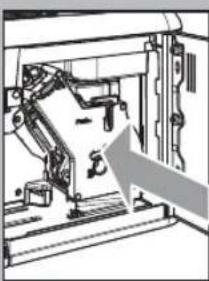
natural_image
Mechanical assembly diagram showing a robotic arm interacting with a rail, with an arrow indicating motion direction (no text or symbols present)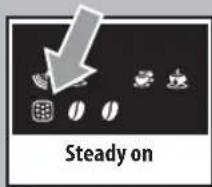
DESCALING
Limescale normally builds up with the use of the appliance.
The machine must be descaled when the icon appears on the display.
i Important note: It is recommended to refer to the next section, "Remarks on Descaling", for some tips about keeping the machine in perfect working order.
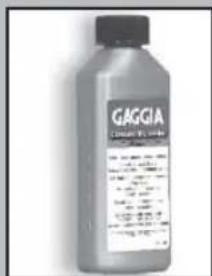
Only use the GAGGIA descaling solution. Its formula has been designed to ensure better machine performance and operation for its whole operating life. If correctly used, it also avoids alterations in the brewed product.
natural_image
Hand inserting a key into a device with a lock, no visible text or symbolsWarning! Never drink the descaling solution or any products dispensed until the cycle has been carried out to the end. Never use vinegar as a descaling solution.
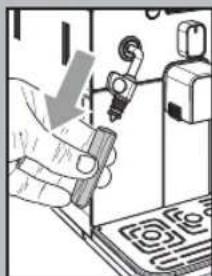
Before descaling, remove the Pannarello (if supplied) from the steam wand as described in the "Cleaning and Maintenance" section.
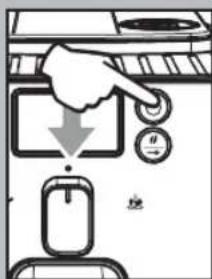
- Turn the machine on by pressing the "STAND-BY" button. Wait for the machine to finish its rinse cycle and warm up.
Warning! Remove the "Intenza" filter before adding the descaling solution.
- Pour the entire content of the GAGGIA concentrated descaling solution into the water tank, and then fi ll the tank with fresh drinking water up to the MAX level. Place the tank back in the machine.
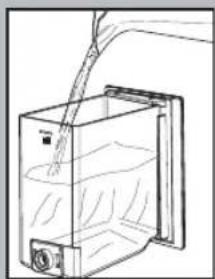
natural_image
Line drawing of a container with liquid being poured into it, no text or symbols present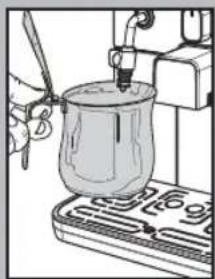
natural_image
Illustration of a hand using a pipette to test a glass jar on a stand (no text or symbols visible)1 Place a container below the steam wand.
Use a container of at least 1 litre capacity. If you do not have a container of this capacity, once it is filled close the knob, empty the container and then place it again under the wand and repeat the procedure.
English
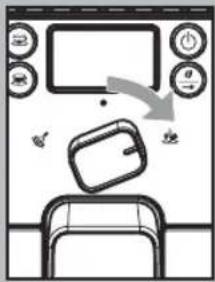
2 Only after adding the descaling solution in the tank, turn the selector switch clockwise to position "☐", and then dispense 2-3 cups of water (approx. 150 ml).
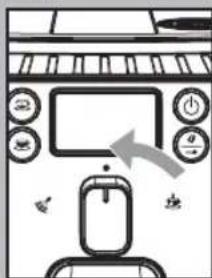
3 Stop dispensing by turning the selector switch back to its central position "●".
4 Allow the descaling solution to work for 15-20 minutes.
5 Repeat steps 2 and 3 at intervals of 3 minutes, until there is no descaling solution left in the water tank.
6 When the icon is displayed, rinse the water tank thoroughly and refi ll it with fresh drinking water.
7 Empty the container used to collect the liquid dispensed by the machine and place it under the steam wand.
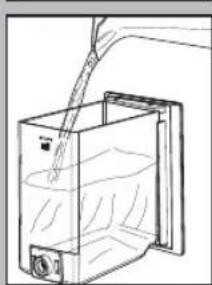
natural_image
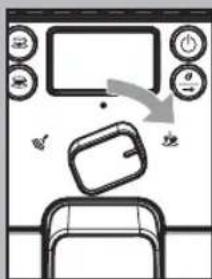
Line drawing of a hand pouring liquid into a container with a side panel (no text or symbols)8 Turn the selector switch clockwise to set it to the " ” position. The machine rinse cycle starts.

flowchart
graph TD
    A["Steady on"] --> B["Window with Dish Icon"]
    B --> C["Reactor with Microwave"]
    C --> D["Middle Dish with Oven"]
    D --> E["Steady on"]
    E --> F["Back menu with Dish Icon"]
    F --> G["Back menu with Oven Icon"]
    G --> H["Back menu with Dish Icon"]
9 When the water in the tank is finished, the icon on the side is displayed to indicate that the selector switch must be brought back to the "●" position.
10 Rinse the water tank thoroughly and refi ll it with fresh drinking water.
11 Empty the container used to collect the liquid dispensed by the machine.
12 Place a large container under the dispensing spout.
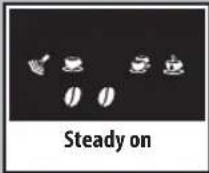
13 Before starting the procedure, check that the following icons are displayed.
14 Select the pre-ground coffee function by pressing the "0" button one or more times.

Do not add the pre-ground coffee to the compartment.
The icon will appear on the display.

flowchart
graph TD
    A["Start: Hand Cutting"] --> B["Step 1: Stabilizing in Oven"]
    B --> C["Step 2: Stabilizing in Dish"]
    C --> D["Step 3: Stabilizing on Screen"]
    D --> E["Step 4: Steady on Screen"]
    E --> F["End: Table with TV"]
15 Press the button to brew a long coffee.
16 Wait until brewing is completed and empty the container with water.
17 Repeat the operations from step 12 to step 16 for 3 times; then continue with step 18.
18 Place a container under the steam wand (Pannarello, if supplied).
19 Turn the selector switch clockwise to set it to the "☐" position.
The following icon will be displayed.
20 Dispense water until the no water signal is displayed, then turn the selector switch counter-clockwise to set it to the "●" position.
21 At the end, fill the water tank again.
The descaling cycle is complete. Then, the products can be brewed.
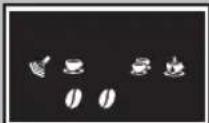
Steady on
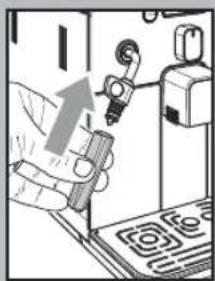
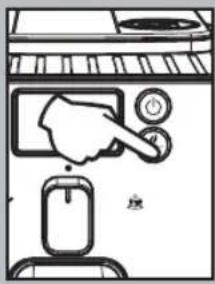
22 Hold the " 🔥 " button pressed for 6 seconds to reset the machine and cancel the descaling alarm signal.
Reassemble the external part of the Pannarello.
If the machine is switched off during the descaling cycle, next time the machine is switched on the cycle must be repeated from the beginning.
The descaling solution must be disposed of according to the manufacturer's instructions and/or regulations in force in the country of use.
After completing the descaling cycle, wash the brew group as described in the "Brew Group" section in the "Cleaning and maintenance" section.
Remarks on Descaling
The previous section explains the correct operations to perform to descale the machine.
The machine you have purchased is equipped with advanced software to check the quantity of used water in order to provide reliable information about the right time to carry out descaling operations.
This software has been programmed for standard water hardness.
In case of especially hard water (high calcium content), descaling cycles might have to be carried out more frequently, even if the machine does not display warning signals.
Even if the machine is not used often (e.g. 1 coffee per day), it is recommended to perform descaling cycles more frequently.
In these specific cases, it is recommended to perform descaling cycles every 1-2 months, even if the machine does not signal it.
CONTROL PANEL DISPLAY
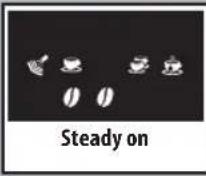
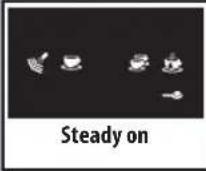
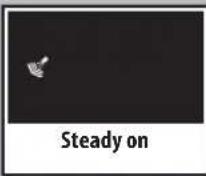
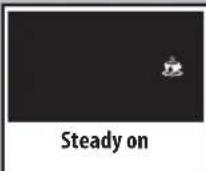
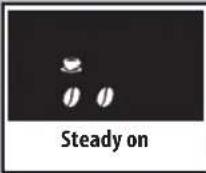

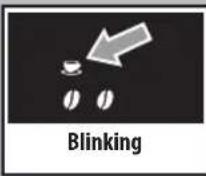
Ready Signals
• The machine is ready for brewing coffee from bean and hot water dispensing.
- The machine is ready for pre-ground coffee brewing.
• The machine is in the steam dispensing phase.
• The machine is in the hot water dispensing phase.
• The machine is brewing 1 espresso coffee or a long coffee.
• The machine is brewing 2 espresso coff ees or 2 long coff ees.
- The machine is programming the amount of coffee to be brewed each time the "button" or "button is pressed.
Warning Signals
• The machine is warming up to brew coffee and dispense hot water or steam.
- The machine is performing the rinse cycle. Wait until the machine stops the operation.
• The machine needs a descaling cycle.
• The machine needs water circuit priming.
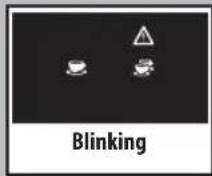
Alarm Signals
- Return the hot water / steam knob to its correct position.
- Insert the brew group in the machine.
- Close the service door.
• Empty the coffee grounds drawer.
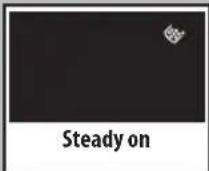
- Insert the coffee grounds drawer.
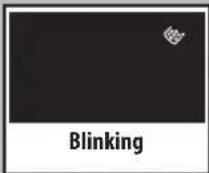
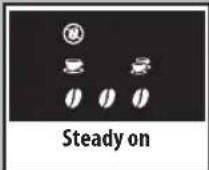
- No coffee beans in the coffee bean hopper. After refilling the hopper, the cycle can be restarted.
- Fill the water tank.
TROUBLESHOOTING
| Machine Actions Causes Solutions | ||
| The machine does not turn on. The machine is not connected to the power source. | Connect the machine to the power source. | |
| The coffee is not hot enough. The cups are cold. Warm the cups with hot water. | ||
| No hot water or steam is dispensed. The hole of the steam wand is clogged. Clean the hole of the steam wand using a pin.Make sure that the machine is turned off and has cooled before performing this operation. | ||
| Pannarello is dirty (if supplied). Clean the Pannarello. | ||
| The coffee has little crema.(see note) | The coffee blend is unsuitable, the coffee is not freshly roasted or the grind is too coarse. | Change coffee blend or adjust the grind as explained in the “Coff ee Grinder Adjustment” section. |
| The machine takes a long time to warm up or the amount of water dispensed from the wand is too little. | The machine circuit is obstructed by limescale build-up. | Descale the machine. |
| The brew group does not come out. | The brew group is out of place. | Turn the machine on. Close the service door. The brew group automatically returns to the correct position. |
| Dregdrawer is inserted. | Remove the dregdrawer first, then the brew group. | |
| The machine grinds the coffee beans but no coffee comes out.(See note) | Water tank is empty. | Fill the water tank and prime the circuit (section “Using the Machine for the First Time”). |
| Brew group is dirty. | Clean the brew group (section “Brew Group”). | |
| Circuit is not primed. | Prime the circuit (section “Using the Machine for the First Time”). | |
| Rare event that occurs when the machine is automatically adjusting the dose. | Brew a few coffees as described in section “Gaggia Adapting System”. | |
| The dispensing head is dirty. | Clean the dispensing head. | |
| The coffee is too weak.(see note) | Rare event that occurs when the machine is automatically adjusting the dose. | Brew a few coffees as described in section “Gaggia Adapting System”. |
| Coffee is brewed slowly.(see note) | The coffee grind is too fine. | Change coffee blend or adjust the grind as explained in the “Coffee Grinder Adjustment” section. |
| The circuit is not primed. | Prime the circuit (section “Using the Machine for the First Time”). | |
| The brew group is dirty. | Clean the brew group (section “Brew Group”). | |
| Coffee leaks out of the dispensing head. | The dispensing head is clogged. | Clean the dispensing head and its holes. |
Note: These problems can be considered normal if the coffee blend has been changed or if the machine has just been installed. In this case wait until the machine performs a self-adjusting operation as described in section "Gaggia Adapting System".
Please contact Gaggia Customer Service or an authorized service center for any problems not covered in the above table or when the suggested solutions do not solve the problem.
TECHNICAL SPECIFICATIONS
The manufacturer reserves the right to make changes to the technical specifications of the product.
| Nominal Voltage - Power Rating - Power Supply | See label on the inside of the service door |
| Housing material | Thermoplastic material/Metal |
| Size (w x h x d) | 10" x 12.5" x 17"(256 x 320 x 432 mm) |
| Weight | 18.6 lbs. (8.450 kg) |
| Power Cord Length | 47"(1.2m) |
| Control Panel | Front side |
| Pannarello (only available for certain models) | Special for cappuccinos |
| Water tank | 1.2 litres – Removable type |
| Coffee Bean Hopper Capacity | 9.2 oz. (260 g) |
| Dregdrawer Capacity | 8 |
| Pump pressure | 15 bar |
| Boiler | Stainless steel type |
| Safety Mechanisms | Thermal fuse |
MACHINE DISPOSAL
- The packing materials can be recycled.
- Appliance: Unplug the appliance and cut the power cord.
- Deliver the appliance and power cord to a service center or public waste disposal facility.
This product complies with eu directive 2002/96/ec.

The symbol ■ on the product or on its packaging indicates that this product may not be treated as household waste. Instead it shall be handed over to the applicable collection point for the recycling of electrical and electronic equipment. By ensuring this product is disposed of correctly, you will help prevent potential negative consequences for the environment and human health, which could otherwise be caused by inappropriate waste handling of this product. For more detailed information about recycling of this product, please contact your local city office, you household waste disposal service or the shop where you purchased the product.
EC DECLARATION OF CONFORMITY YEAR 09 EC 2006/95, EC 2004/108,
GAGGIA S.P.A.
20087 Robeco sul Naviglio (MI) Italy
declare under our responsibility that the product :
to which this declaration relates is in conformity with the following standards or other normative documents :
- Safety of household and electrical appliances - General requirements EN 60335-1(2002) + A1(2004) + A2(2006) + A11(2004) + A12(2006) + A13(2008)
- Safety of household and electrical appliances - Part 2-15 Particular requirements for appliances for heating liquids EN 60335-2-15(2002) + A1(2005)
- Household and similar electrical appliances - Electromagnetic fields - methods for evaluation and measurement EN 50366 (2003) + A1 (2006).
• Household and similar electrical appliances - safety - Part 2-14 Particular requirements for kitchen machines EN 60335-2-14 (2006). - Electromagnetic compatibility (EMC) - Requirements for household appliances, electric tools and similar apparatus - Part 1 - Emission EN 55014-1 (2006).
- Electromagnetic compatibility (EMC) - Part. 3^ Limits - Section 2 : Limits for harmonic current emissions (equipment input current ≤ 16A for phase) EN 61000-3-2 (2006)
- Electromagnetic compatibility (EMC) - Part 3^ : Limits - Section 3 : Limitation of voltage changes, voltage fluctuations and flicker in public low - voltage supply systems, for equipment with rated current ≤ 16 A for phase and not subject to conditional connection EN 61000-3-3 (1995)+ corr.(1997) + A1 (2001) + A2 (2005).
- Electromagnetic compatibility - Requirements for household appliances, electric tools and similar apparatus - Part 2. Immunity - Product family standard EN 55014-2 (1997) + A1 (2001)
following the provisions of the Directives: EC 2006/95, EC 2004/108.
natural_image
Line drawing of a modern coffee machine with control panel and side-mounted buttons (no text or symbols)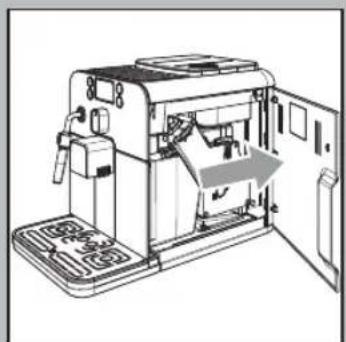
natural_image
Line drawing of a portable electronic device with open door and internal components (no text or symbols)ALLGEMEINES
natural_image
Diagram of a device with a control panel and an arrow indicating direction (no text or symbols present)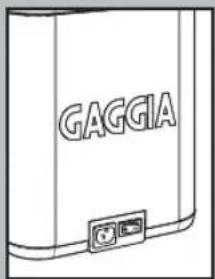
INSTALLATION
natural_image
Illustration of a hand operating a mechanical device with a downward arrow indicating motion (no text or symbols present)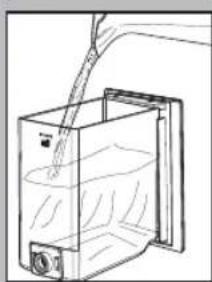
natural_image
Line drawing of a container with liquid being poured into it, no text or symbols present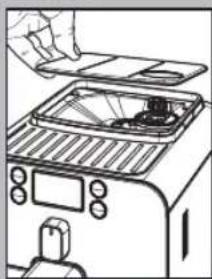
natural_image
Line drawing of a toaster oven with a hand placing the lid (no text or symbols)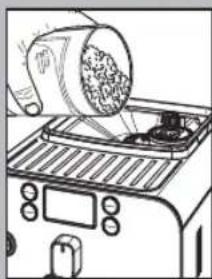
natural_image
Line drawing of a toaster oven with a cylindrical lid pouring contents (no text or symbols)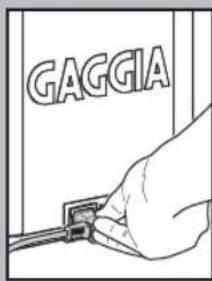
natural_image
Line drawing of a cable inserted into an electrical outlet (no text or symbols)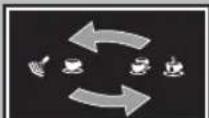
Zyklisch blinkend
natural_image
Line drawing of a hand holding a transparent container with a small object inside (no text or symbols)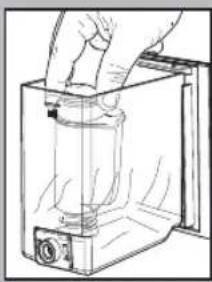
natural_image
Hand holding a cylindrical object inside a transparent container (no text or symbols visible)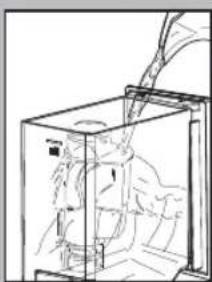
natural_image
Line drawing of a mechanical device inside a transparent enclosure, showing internal components and motion lines (no text or symbols)Wasserfi Iter "INTENZA".
natural_image
Diagram of a mechanical device with a valve and fan assembly (no text or symbols)natural_image
Illustration of a coffee maker using a cup on a tray, with no visible text or symbols.natural_image
Illustration of a hand using a mechanical device to interact with a digital display (no text or symbols visible)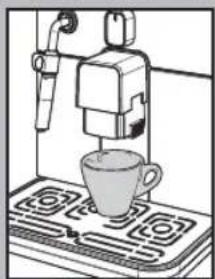
natural_image
Illustration of a coffee machine with a cup on a stove (no text or symbols)natural_image
Two-panel line drawing showing a coffee machine with a cup on a stovetop and two cups on a gas stove (no text or symbols)Einstellung "Aroma"
natural_image
Line drawing of a toaster oven with a hand inserting a card into the top tray (no text or symbols)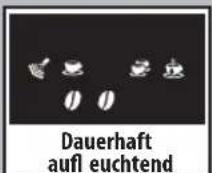
natural_image
Illustration of a hand using a tool to lift a glass container on a stand (no text or symbols visible)natural_image
Illustration of a laboratory setup with a beaker, tubing, and a tray (no visible text or symbols)natural_image
Diagram of a hand operating a device with a gray arrow indicating direction (no text or symbols present)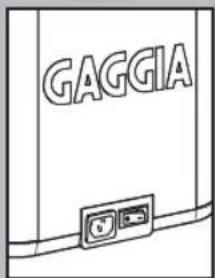
natural_image
Illustration of a hand holding a tool with a hook, next to a device (no text or symbols visible)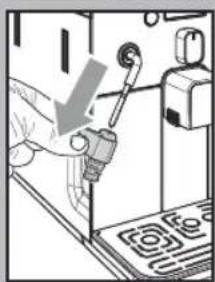
natural_image
Illustration of a hand using a tool to press or install a device (no text or symbols visible)natural_image
Illustration of a hand using a tool to press or install electronic components (no text or symbols visible)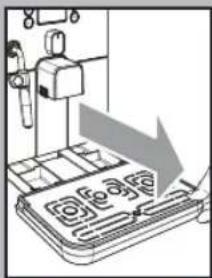
natural_image
Illustration of a mechanical device with a downward arrow indicating a process or operation (no text or symbols present)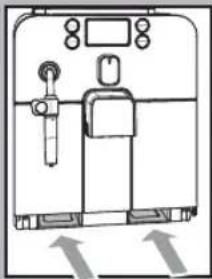
natural_image
Simple line drawing of a medical or laboratory equipment setup with no visible text, numbers, or symbols.natural_image
Line drawing of a hand operating a mechanical device with gears and tools (no text or symbols)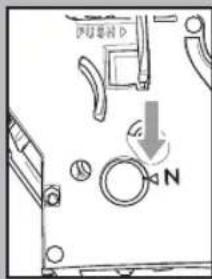
natural_image
Technical line drawing of a mechanical component with a downward arrow indicating a cut or assembly (no text or symbols present)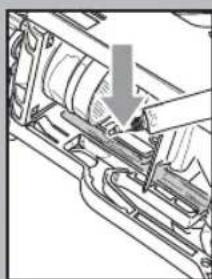
natural_image
Mechanical assembly diagram showing a hand inserting a component into a housing (no text or symbols visible)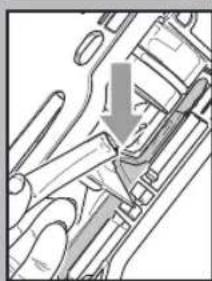
natural_image
Mechanical assembly diagram showing a valve or actuator with a downward arrow indicating motion (no text or symbols present)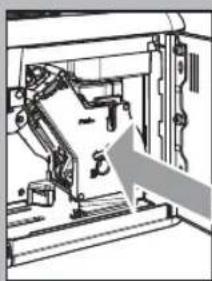
natural_image
Mechanical assembly diagram showing a robotic arm and frame structure with an arrow indicating motion direction (no text or symbols)natural_image
Mechanical assembly diagram showing a door mechanism with an arrow indicating direction (no text or symbols present)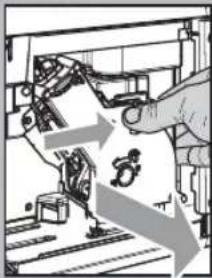
natural_image
Illustration of a robotic arm operating a mechanical device with motion arrows indicating movement (no text or symbols)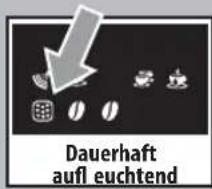
natural_image
Hand inserting a component into a device (no text or symbols visible)natural_image
Line drawing of a container with liquid being poured into a larger vessel (no text or symbols)natural_image
Illustration of a hand using a pipette to press a glass jar on a tray (no text or symbols visible)natural_image
Line drawing of a hand pouring liquid into a container with a side panel (no text or symbols)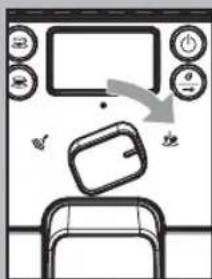
natural_image
Hand inserting a device into a device with an arrow indicating the process (no text or symbols visible)2006/95/EG, 2004/108/EG,
ENTSORGUNG
natural_image
Line drawing of a modern coffee machine with control panel and side-mounted buttons (no text or symbols)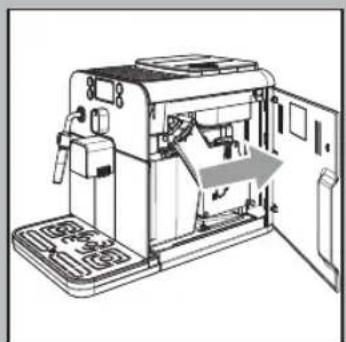
natural_image
Line drawing of a portable electronic device with open door and internal components (no text or symbols)GÉNÉRALITÉS
natural_image
Diagram of a device with a device emitting a light beam, showing internal components and a directional arrow (no text or symbols)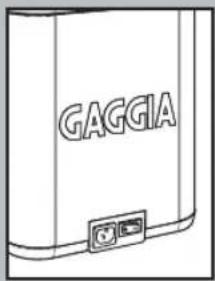
MISE EN PLACE
natural_image
Illustration of a hand operating a device with a curved arrow indicating motion (no text or symbols present)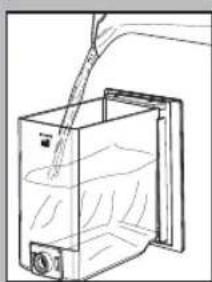
natural_image
Line drawing of a container with liquid being poured into it, no text or symbols present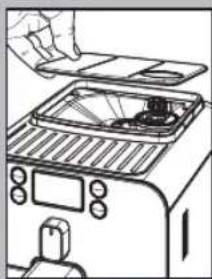
natural_image
Line drawing of a toaster oven with a hand placing a tray (no text or symbols)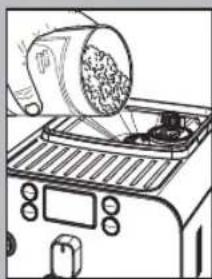
natural_image
Line drawing of a toaster oven with a cylindrical lid emitting granular material (no text or symbols)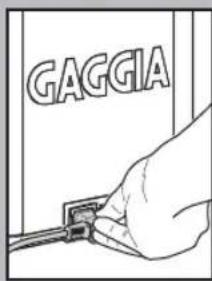
natural_image
Line drawing of a cable inserted into an electrical outlet socket (no text or symbols)natural_image
Line drawing of a hand holding a transparent container with a small object inside (no text or symbols)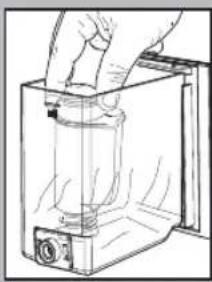
natural_image
Hand holding a cylindrical object inside a transparent container (no text or symbols visible)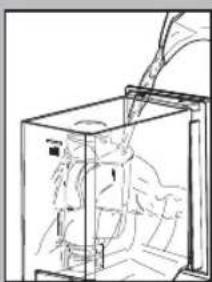
natural_image
Line drawing of a mechanical device inside a transparent enclosure, showing internal components and motion lines (no text or symbols)natural_image
Diagram of a kitchen appliance with a lid and fan, showing a handle and outlet (no text or symbols)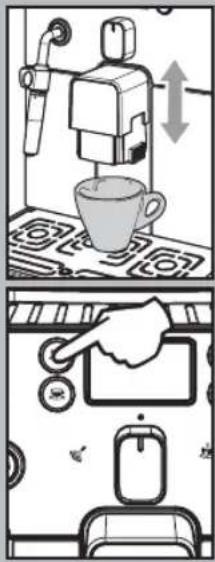
natural_image
Illustration of a hand using a mechanical device to press or install a component, with no visible text or symbols.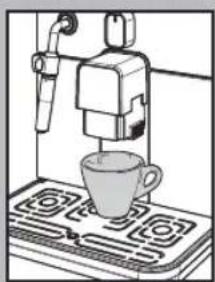
natural_image
Illustration of a coffee machine with a cup on a gas stove (no text or symbols)natural_image
Two-panel line drawing showing a coffee machine on a stovetop, with two cups placed below (no text or symbols)Avec café en grains
natural_image
Line drawing of a toaster oven with a hand inserting a small object into the top panel (no text or symbols)natural_image
Illustration of a laboratory setup with a beaker, tubing, and a control panel (no text or symbols visible)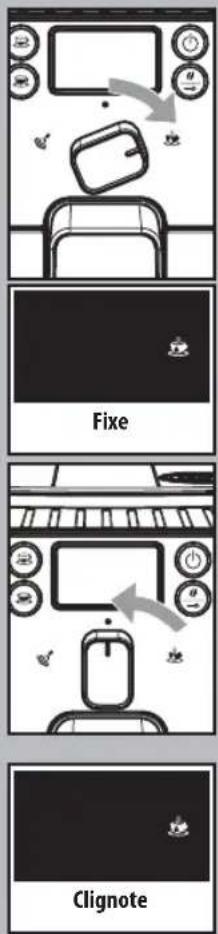
flowchart
graph TD
    A["Fixe"] --> B["Clignote"]
    B --> C["End"]
natural_image
Illustration of a laboratory setup with a beaker, tubing, and a tray (no visible text or symbols)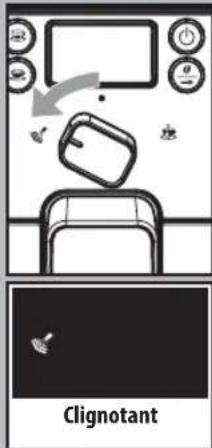

natural_image
Illustration of a hand using a tool to press or install electronic components (no text or symbols visible)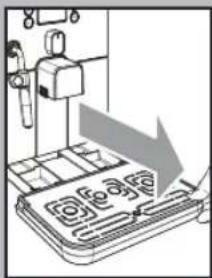
natural_image
Illustration of a mechanical device with a downward arrow indicating a process or operation (no text or symbols present)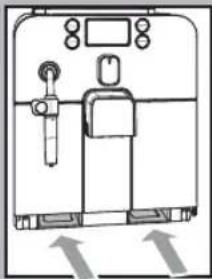
natural_image
Simple line drawing of a medical or laboratory equipment setup with no visible text, numbers, or symbols.natural_image
Line drawing of a hand operating a mechanical device with gears and levers (no text or symbols)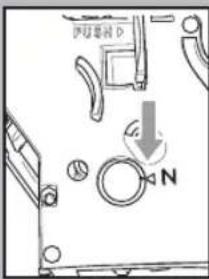
natural_image
Technical line drawing of a mechanical component with a downward arrow indicating a cut or assembly (no text or symbols present)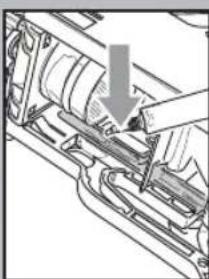
natural_image
Mechanical assembly diagram showing a hand inserting a component into a housing (no text or symbols visible)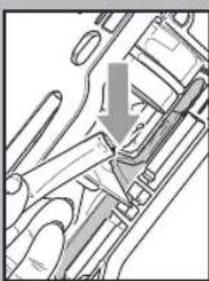
natural_image
Mechanical assembly diagram showing a valve or actuator with a downward arrow indicating motion (no text or symbols present)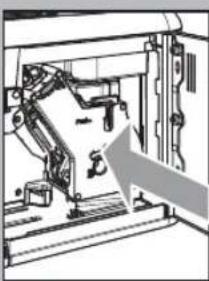
natural_image
Mechanical assembly diagram showing a robotic arm mounted on a frame with an arrow pointing to a component (no text or symbols visible)natural_image
Mechanical assembly diagram showing a door mechanism with an arrow indicating direction (no text or symbols present)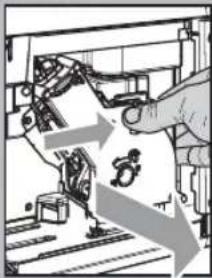
natural_image
Illustration of a robotic arm operating a mechanical device with motion arrows indicating movement (no text or symbols)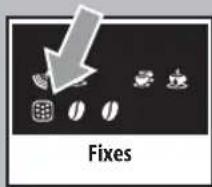
DÉTARTRAGE
natural_image
Hand holding a small electronic component with a switch, next to a device (no visible text or symbols)natural_image
Line drawing of a container with liquid being poured into a larger vessel (no text or symbols)natural_image
Illustration of a hand using a pipette to press a glass jar on a tray (no text or symbols visible)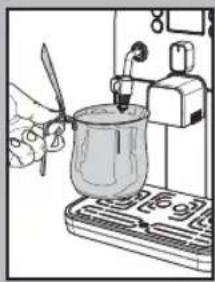
natural_image
Illustration of a hand using a tool to test a glass jar on a stove (no text or symbols visible)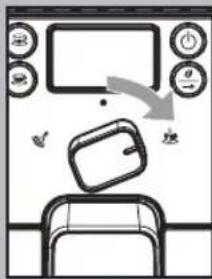
DÉCLARATION CE DE CONFORMITÉ
AN 09
2006/95/CE, 2004/108/CE.
GAGGIA S.P.A.
20087 Robeco sul Naviglio (MI) Italy
The manufacturer reserves the right to change the features of the product without prior notice.
- GENERALITÀ
- INSTALLAZIONE
- Regolazione "Aroma"
- Gruppo caff è
- SAVE THESE INSTRUCTIONS
- CAUTION
- INSTRUCTIONS FOR THE POWER SUPPLY CORD
- GENERAL INFORMATION
- SAFETY REGULATIONS
- Intended Use
- Power Supply - Power Cord
- For the Safety of Others
- Danger of Burns
- Machine Location - Suitable Location for Operation and Maintenance
- Storing the Machine - Cleaning
- Servicing / Maintenance
- Fire Safety Precautions
- INSTALLATION
- Machine Packaging
- Preliminary Operations
- Circuit Priming
- Using the machine for the first time or after a long period of inactivity.
- Do not add the pre-ground coffee to the compartment.
- Rinse/Self-cleaning Cycle
- "INTENZA" water fi Iter.
- ADJUSTMENTS
- Gaggia Adapting System
- Coff ee Grinder Adjustment
- Adjusting the Coff ee Length
- Standby
- Dispensing Spout Adjustment
- "Aroma" Adjustment
- COFFEE BREWING
- Using Coff ee Beans
- Using Pre-ground Coff ee
- i Note:
- To brew coffee:
- Press and release:
- DISPENSING HOT WATER
- STEAM DISPENSING / PREPARING A CAPPUCCINO
- To prepare your cappuccino, we recommend discharging the water in the steam wand.
- CLEANING AND MAINTENANCE
- i Lubricate the brew group after approximately 500 brewing cycles. The grease to lubricate the brew group may be purchased at authorised service centres.
- Brew Group
- DESCALING
- Remarks on Descaling
- CONTROL PANEL DISPLAY
- Ready Signals
- Warning Signals
- Alarm Signals
- TECHNICAL SPECIFICATIONS
- MACHINE DISPOSAL
- GAGGIA S.P.A.
- ALLGEMEINES
- Wasserfi Iter "INTENZA".
- Einstellung "Aroma"
- ENTSORGUNG
- GÉNÉRALITÉS
- MISE EN PLACE
- Avec café en grains
- DÉTARTRAGE
- DÉCLARATION CE DE CONFORMITÉ
Brand : GAGGIA
Model : Espresso Elite
Category : Coffee machine