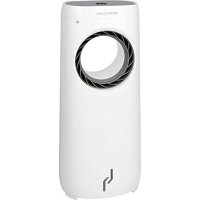
PCLK 3088 - Fan ProfiCare - Free user manual and instructions
Find the device manual for free PCLK 3088 ProfiCare in PDF.


| Product type | Air cooler fan with humidifier |
| Brand | ProfiCare |
| Model | PCLK 3088 |
| Net weight | 6.65 kg |
| Power supply | 220-240 V~, 50 Hz |
| Power consumption | 80 W |
| Protection class | II |
| Recommended room area | Up to 20 m² |
| Number of speeds | 3 (low, medium, high) |
| Ventilation modes | Normal, Sleep, Nature |
| Timer (delayed shut-off) | 0.5 to 7.5 hours |
| Oscillation | Yes |
| Remote control | Yes (CR2025 battery included) |
| Connectivity | Wi-Fi 2.4 GHz (802.11 b/g/n) with Smart Life - Smart Living app |
| Water tank | Yes, with MIN and MAX marks |
| Cooling plates | 2 plates included |
| Filter | Washable honeycomb filter |
| Castors | 4 castors with locking brakes |
| Cleaning | Housing with dry cloth; tank and filter washable with water |
| Safety | Overheating protection (automatic cut-off?); delayed shut-off; unplug before maintenance |
Frequently Asked Questions - PCLK 3088 ProfiCare
User questions about PCLK 3088 ProfiCare
0 question about this device. Answer the ones you know or ask your own.
Ask a new question about this device
Download the instructions for your Fan in PDF format for free! Find your manual PCLK 3088 - ProfiCare and take your electronic device back in hand. On this page are published all the documents necessary for the use of your device. PCLK 3088 by ProfiCare.
USER MANUAL PCLK 3088 ProfiCare
PykoBODCTBO no 3KcNpyataun
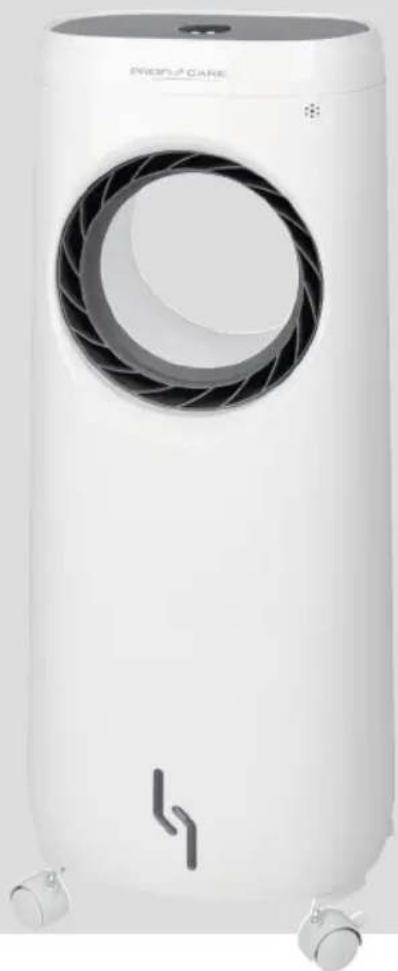
Ventilator/Luftkuhler PC-LK 3088
- 1 x drucken = (sleep)
- iOs 10.0 of hoger
Android 4.4 of hoger
Notification de accomplishment de directiva 36
Eliminación 36
- Premere 1 x = sleep)
Chiavi Wi-Fi supportate: WPA/WPA2
Thank you for choosing our product. We hope you will enjoy using the appliance.
Symbols in this Instruction Manual
Important information for your safety is specially marked. It is essential to comply with these instructions in order to avoid accidents and prevent damage to the appliance:

WARNING:
This warns you of dangers to your health and indicates possible injury risks.

CAUTION:
This refers to possible hazards to the appliance or other objects.

NOTE:
This highlights tips and information.
Contents
Overview of the Components. 3
General Notes. 45
Special Safety Precautions for this Appliance.. 46 Handling Batteries. 47
Intended Use 47
Unpacking the Appliance 47
Scope of Delivery 48
Overview of the Components 48
Roller Assembly 48
Remote Control 48
Changing the Battery of the Remote Control 48
Notes for Use 48
Location 48
Water. 48
Fill with Water 48
Freezer Packs 49
Electrical Connection 49
Information on the App "Smart Life - Smart Living"....49
Information on How to Use the App. 49
System Requirement for Use of the App 49
Commissioning via the App 49
Disconnecting the Wi-Fi 49
Reset Wi-Fi connection 49
Operation 49
Switching the Appliance On / Off 50
Speed Level 50
Wind Change Functions. 50
Time-delayed Switch-off. 50
Oscillation. 50
Air Humidifier. 50
Refill Water. 50
End of Operation 50
Cleaning 51
Housing 51
Water Tank. 51
Filter Cover and Honeycomb Filter. 51
Storage 51
Troubleshooting 51
Technical Data 51
Notice of Directive Conformity 51
Disposal 51
Battery Disposal 51
Meaning of the "Dustbin" Symbol 52
General Notes
Read the operating instructions carefully before putting the appliance into operation and keep the instructions including the warranty, the receipt and, if possible, the box with the internal packing. If you give this appliance to other people, please also pass on the operating instructions.
- The appliance is designed exclusively for private use and for the envisaged purpose. This appliance is not fit for commercial use.
- Do not use it outdoors. Keep it away from sources of heat, direct sunlight, humidity (never dip it into any liquid) and sharp edges. Do not use the appliance with wet hands. If the appliance is humid or wet, unplug it immediately.
- When cleaning or putting it away, switch off the appliance and always pull out the plug from the socket (pull the plug itself, not the lead) if the appliance is not being used and remove the attached accessories.
- The appliance and the mains lead have to be checked regularly for signs of damage. If damage is found the appliance must not be used.
- Use only original spare parts.
- In order to ensure your children's safety, please keep all packaging (plastic bags, boxes, polystyrene etc.) out of their reach.

WARNING:
Do not allow small children to play with the plastic foil.
There is a danger of suffocation!
Special Safety Precautions for this Appliance
- Disconnect the appliance from the mains supply when refilling with water or during cleaning.
- Do not leave the appliance unattended for hours at a time. Do not leave your home whilst the appliance is in operation.
- Never stick fingers or other objects through the protection grid.
- Watch out for long hair! It can be caught in the fan owing to the air turbulence!
- Operate the appliance only once it is completely assembled.
- Select a stable base to avoid the tipping of the fan during use!
- Do not place the appliance immediately next to stoves or other sources of heat.
- When the appliance is in operation, it must not be moved.
- Handle the appliance with extreme caution when there is water in the water tank.
- Drain the water from the water tank when the appliance is not in use.
- Note that high air humidity can encourage the growth of biological organisms in the environment.
- The area in which the appliance is situated must not be permitted to become damp or wet. Output must be reduced if dampness is discovered. If the output cannot be reduced, then the appliance should only be used periodically. Absorbent materials such as carpeting, curtains, drapes or tablecloths must not be permitted to become damp.
- The appliance must be disconnected from the mains during filling and cleaning.
-
The appliance must be cleaned prior to emptying and storing as well as prior to the next use.
-
Do not repair the appliance by yourself. Always contact an authorized technician. If the supply cord is damaged, it must be replaced by the manufacturer, its service agent or similarly qualified persons in order to avoid a hazard.
- This appliance can be used by children aged from 8 years and above and persons with reduced physical, sensory or mental capabilities or lack of experience and knowledge if they have been given supervision or instruction concerning use of the appliance in a safe way and understand the hazards involved.
Children shall not play with the appliance. - Cleaning and user maintenance shall not be made by children without supervision.
CAUTION:
Do not immerse the appliance into water for cleaning. Please follow the instructions as stipulated in the chapter "Cleaning".
Handling Batteries
WARNING:
- Do not expose batteries to excessive heat such as sunlight, fire or similar. There is a risk of explosion!
- Batteries are not toys. Keep away from children.
- Do not open batteries by force.
- Avoid contact with metal objects (rings, nails, screws, etc.). There is a risk of short circuit!
- A short circuit could cause the battery to heat up excessively or even to catch fire, resulting in injuries.
- For your own safety, cover the battery terminals with adhesive tape during transport.
- In case of battery leakage, make sure not to rub the liquid into your eyes or mucous membranes. In case of contact, wash your hands and rinse your eyes with clear water. Seek medical attention if any discomfort persists.
- Non-rechargeable batteries are not to be recharged.
- Batteries are not to be disposed of together with domestic wastes. Dispose of the used batteries at the relevant collection bin or at your dealer's.
CAUTION:
- Different battery types or new and used batteries must not be used together.
CAUTION:
- Batteries can leak and lose battery acid. If the remote control is not used for a long period of time, remove the batteries.
Intended Use
This appliance acts as a fan and / or air cooler, air humidifier. It is intended exclusively for this purpose and may only be used as such. It may only be used in the manner described in these instructions for use. The appliance must not be used for commercial purposes.
Any other use of this appliance is considered to be contrary to the intended use and may result in damage to materials or even personal injury.
The manufacturer does not assume any liability for damages resulting from improper use.
Unpacking the Appliance
- Remove the appliance from the package.
- Remove all packaging material such as films, filler, cable holders and cardboard.
-
Check the delivery contents for completeness.
-
Should the package contents be incomplete or damages be found, do not take the appliance into operation. Take it immediately back to the dealer.
NOTE:
Dust or production residues can be located on the appliance. We recommend to clean the appliance as described under "Cleaning".
Scope of Delivery
1×aircooler
4×castors
8×screws
2 × freezer packs
1 × remote control with button cell type CR2025
Overview of the Components
1 Ventilation grille
2 Control panel
3 IR receiver for remote
4 Air intake filter with internal honeycomb filter
5 Water tank
6 Castors
7 Water tank lock
8 Roller locking brake
Control Panel
9 COOLER button (Air humidifier)
10 SWING button (Oscillation)
11 TIMER button (Time-delayed switch-off)
12 Display
13 WIND button (Wind change functions)
14 SPEED button (Speed level)
15WiFi button
16 ON/OFF button (Switching the appliance on / off)
Roller Assembly
- Place a covering, such as a blanket or something similar, on the floor and lay the basic appliance on its back.
- Using 2 screws for each, fasten the rollers to the bottom of the appliance. Use a Phillips-tip screwdriver to do this.
- Set the appliance upright once again.
Remote Control
NOTE:
The button cell in the battery compartment of the remote control has been secured with a foil for transport. This will extend the durability of the battery. Before initial use please remove this foil so that the remote control is ready for operation.
The range of the remote control is limited.
When using the remote control, please ensure that there are no obstacles placed between it and the sensor on the appliance.
Changing the Battery of the Remote Control
If the range of the remote control is reduced during use, please proceed as follows:
- Open the battery compartment on the bottom of the remote control by holding the lever inwards and pulling out the battery compartment.
- Replace the button cell with a battery of the same type (CR2025). Ensure correct polarity.
- Then close the battery lid.
Notes for Use
Location
- A suitable location is a non-slip, even surface.
- Press the roller locking brake downward.
- Do not place the appliance onto wood, to avoid deformation due to moisture.
- Watch out for electrical devices close by. They must not get wet.
- Keep a distance of 2 meters from electrical equipment and delicate furniture to protect these from moisture.
- The appliance works more effectively if you have the windows and doors closed during operation.
NOTE:
Do not forget to air on a regular basis.
Water
- Only use distilled or boiled, cold tap water without additives.

CAUTION:
Do not fill the water tank with water from clothes dryers and water with additives (such as scented oils, perfume, softeners, or other chemicals). Doing so may damage the appliance.
- Replace the water every 3 days, even if it has not yet been used.
- Remove the water from the water tank if the appliance is out of use for long periods.
Fill with Water
- Open the lock of the water tank located on the rear panel. For unlocking, turn it counter-clockwise.
- Pull the water tank out a little
- Hold the water tank firmly with one hand. Fill the water tank. Pay attention to the MIN and MAX labels while doing this.
- Slide the water tank back into the appliance.
- Close the lock by turning it clockwise.
Freezer Packs
If you would like to make the ambient air cooler as well, then proceed as follows:
- Use the freezer packs included in the accessories.
- Unscrew the screw cap and fill the freezer packs with water. Do not pass the MAX label.
- Replace the screw cap.
- Allow the freezer packs to freeze and then place them in the water tank.
Electrical Connection
- Before inserting the plug into the socket. Make sure that the mains voltage to be used matches that of the appliance. You can find this information on the nameplate.
- Connect the appliance to a duly installed protective contact socket. A signal will sound indicating that the appliance is ready for use.
Information on the App "Smart Life - Smart Living"
The Smart Life - Smart Living app is available for android and iOS. Scan the corresponding QR code to get directly to the download.
NOTE:
Depending on the provider, there may be costs involved in downloading the app.

Google Play App Store

Information on How to Use the App
This appliance allows you to operate the appliance via your home network. A prerequisite is a permanent Wi-Fi connection to your router and the free app "Smart Life - Smart Living".
You can easily access all functions of the appliance via the app. Since the app constantly improved, we cannot provide a more detailed description here.
We recommend disconnecting the appliance from the power supply when you are away from home to prevent unintentional switching on while you are on the road!
System Requirement for Use of the App
- iOs 10.0 or higher
Android 4.4 or higher
Commissioning via the App
-
Install the "Smart Life - Smart Living" app. Create a user account.
-
Activate the Wi-Fi function in the settings of your appliance.
- Place the appliance within 5 meters of your router.
- Switch on the appliance using the ON/OFF button.
- Press the WiFi button on the appliance. The control lamp will flash.
- Launch the app and select "+"
- Select the "Air cooler" menu and follow the instructions on the display.
NOTE:
The Wi-Fi will be deactivated after 2 minutes have passed if the appliance is not able to establish a connection with the mobile telephone. Press the WiFi button on the appliance again to connect the appliances.
- After the appliance has been successfully connected, the control lamp will glow continuously. Now you can operate the appliance using the app.
NOTE:
The appliance can only be operated with 2.4 GHz routers.
5 GHz routers are not supported.
Disconnecting the Wi-Fi
If you want to disconnect the existing Wi-Fi connection (control lamp lit), proceed as follows:
- Press the WiFi button. The control lamp will go out.
NOTE:
If you want to re-establish the Wi-Fi connection, press the WiFi button. The control lamp will light up again.
Reset Wi-Fi connection
If you would like to reset the existing Wi-Fi connection (control lamp lit), proceed as follows:
- Press and hold down the WiFi button for approx. 5 seconds. The control lamp will blink.
- The Wi-Fi connection will be disconnected and the appliance is removed from the app at the same time.
NOTE:
If you want to re-establish the Wi-Fi connection, proceed as described in the paragraph "Commissioning via the App".
Operation
You can operate the appliance using the remote control as well as the buttons on the switch housing. The functions are identical.
i NOTE:
- The buttons on the appliance are sensor touch buttons. In order to perform the corresponding function gently touch the buttons. Whenever a button is pressed, it will be confirmed by a beep sound.
NOTE:
- The buttons can only be pressed once the appliance has been switched on by using the ON/OFF button.
Switching the Appliance On/Off
Use the ON/OFF button to switch the appliance on or off. The appliance always starts at the lowest speed.
Speed Level
Press the SPEED button to select one of the three different speeds:
low medium high
Wind Change Functions
The appliance has the two special functions:
(sleep) and nature). The speed of the fan buries between the functions.
Press the WIND button to switch these functions on.
- Press 1 x = sleep)
Relax in this mode with rich wind variants. By pressing the SPEED button you can change the speed level.
- Press 2 x = Nature)
This mode simulates natural wind movement. By pressing the SPEED button you can change the speed level.
- Press 3x = Normal Mode
Choose the speed level by pressing the SPEED button.
Time-delayed Switch-off
You can set a time-controlled switch-off for the appliance.
NOTE:
- This is only possible when the appliance is switched on.
Each time you press the TIMER button, the operating time will be extended by thirty minutes. The numbers 0.5, 1, 2 and 4 will appear in the display. The numbers must be partially added to determine the time setting. - Use the TIMER button to select a time setting between 0.5 and 7.5 hours.
- Upon expiry of the timer, the appliance will switch off automatically.
Oscillation
If you select the SWING function, the ventilation grille will turn. The control lamp lights up.
Air Humidifier
CAUTION:
If there is little or no water in the water tank, the appliance will beep for 10 seconds and the control lamp will flash.
In addition to the fan, you can switch on the air cooler / humidifier. To do so, press the COOLER button. The control lamp *rights up. This function is suitable for rooms up to 20 m². This depends on ceiling height, climate etc. You can use the freezer packs to cool the air additionally.
Adding a pleasant level of humidity provides the following benefits:
It ensures a healthy room climate and thus your well-being.
- A relative humidity ranging from 45% to 65% can provide for pleasant air humidity.
We recommend using this air humidifier at temperatures between 5^ and 40^ and low humidity.
- It prevents the raising of dust and is therefore ideally suited for allergy sufferers.
- Your skin is supplied with moisture.
- It protects your furniture from drying out and prevents a forming of gaps in parquet or wood floors.
- Electrostatic charge in the air is suppressed.
Refill Water
- Switch off the appliance.
- Disconnect the plug from the mains.
- Proceed as described under "Fill with Water".
End of Operation
- Switch off the appliance.
- Disconnect the plug from the mains.
- Open the lock of the water tank located on the rear panel. For unlocking, turn it counter-clockwise.
- Pull the water tank out as far as possible without damaging the visible pipe.
- Wipe the water tank dry with a cloth or sponge.
- If you are not going to use the appliance for a prolonged period of time, allow the ventilator to operate at maximum speed for 20 minutes. This helps to dry the inside of the appliance.
Cleaning

WARNING:
- Always remove the mains plug before cleaning the appliance!
- Make sure no water enters the openings of the appliance during cleaning. Otherwise this might result in an electric shock or fire.

CAUTION:
- Do not use a wire brush or any abrasive items.
- Do not use any acidic or abrasive detergents.
Housing
- Clean the outside of the appliance with a dry cloth without any additives.
- If the appliance is very dirty wet a cloth with water and then wipe the appliance dry once you have finished.
Water Tank
Wipe the water tank dry with a cloth or sponge.
Filter Cover and Honeycomb Filter
Remove the filter cover. In the filter cover, you will find a honeycomb filter. Remove this.
Clean these parts carefully under slow-running water. Let them dry completely before you put the parts back in place.

CAUTION:
Put the appliance into operation only once it is completely assembled.
Storage
- Clean the appliance as described. Let the accessories dry completely.
We recommend that you store the appliance in its original packaging when it is not to be used for a longer period.
Always store the appliance at a well ventilated and dry place outside the reach of children.
Troubleshooting
| Problem Possible Cause Solution | ||
| Appliance does not work. | The appliance has no power supply. | Check the mains outlet. |
| Defective electronics. | Seek advice from a dealer or service centre. | |
| There is a bad smell. | The water is too old or dirty. | Change the water and clean the water tank. |
Technical Data
Model: PC-LK 3088
Power supply: 220 - 240 V~, 50 Hz
Power consumption: .80 W
Protection class: II
Net weight: approx. 6.65kg
Networked standby power consumption: 0,6 W
WLAN
Supported network: 802.11 b/g/n
Maximum radio-frequency power transmitted: 100 mW
Frequency range: 2.4 GHz
Channels: 1-13
Supported Wi-Fi keys: WPA / WPA2
The right to make technical and design modifications in the course of continuous product development remains reserved.
Notice of Directive Conformity
Hereby, Clatronic International GmbH declares that the radio equipment type PC-LK 3088 is in compliance with Directive 2014 / 53 / EU.
Furthermore, the appliance is in compliance with the requirements of the RoHS directive 2011 / 65 / EC & (EU) 2015 / 863.
The full text of the EU declaration of conformity is available at the following internet address: www.sli24.de
In the "Download" area, please enter the model name PC-LK 3088.
Tested for operation in Great Britain.
Disposal
Battery Disposal
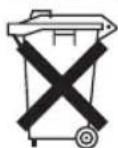
As a consumer you are obliged by law to return old batteries/accumulators.
Remove the battery from the remote control before disposing of the appliance.
Return the batteries to a collection facility for the collection of old batteries or hazardous waste. Contact your local authority for more information.
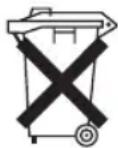
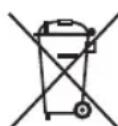
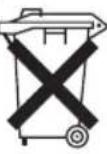
Meaning of the "Dustbin" Symbol
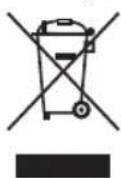
Protect our environment: do not dispose of electrical equipment in the domestic waste. Please return any electrical equipment that you will no longer use to the collection points provided for their disposal.
This helps avoid the potential effects of incorrect disposal on the environment and human health.
This will contribute to the recycling and other forms of re-utilisation of electrical and electronic equipment. Information concerning where the equipment can be disposed of can be obtained from your local authority.
Instrukcja obslugi
BkIIOUeHHe I BbIKIOUeHHe annapaTa
IcnoB3yTe KhoNky ON/OFF Dn BKnIOUeHn I BbIKIOUeHn yCTpoiCTBa. Pn BKnIOUeHn np6Op BCerda NaHHaet pa6OtaTb Ha MmHMaJIbHOJ CKOPoCTn.
Ckopoctb
HaxMMTe Ha KhoNky SPED, YTo6bI BbI6paTb Ondy n3 TpEx CKOpOCTe:

Hn3Ka

CpeHnra

BbICOKa
PexnmbcmehBeTp
Pnp6op IMeet DBA CneuaNbHbIXpeXIMa:
(sleep) n (nature). B 3ntx Dbyx peximax no-pa3Homy n3MeHReTc YNCIO o60pOtOB BEHTnIaTopa.
YtO6bl BKNIOHTb 3TN peKIMbI HAXMITE Ha KHONIKy
WIND.
- 1 pa3 haxaTb = (sleep)
Paccna5nItebc 3TINm peXNMOM 6laorOapar Bapn- anTAM Betpa. HaxIma KONKy SPEED, Bbl MoKeTe N3MeHnTb CKOpocTb.
- 2 pa3 hαkaTb = nature)
3TOT pexmm mmtnpyet eCTeTBehHOe DbIXeHHe Be-tpa. Haxmam KhONky SPEED, Bbl MoXeTe N3MeHHTbCKOPOCTb.
- 3 pa3 hαkaTb = HopMaIbHbI peKIM
Bb6peTe ypoBeHb ckOpocTn, HaxIMa KHOIky SPEED.
BbIKIOueHHe c 3aepKko NO BpeMeHH
BbIMoKeTe yctaHOBtBpEm OTKIIOUeHnnp6opa.

ITPIMEYAHNA:
3TO BO3MOXHO TOIbKO B TOM Cnyae, KOrda npi6op BKIOHcH.
Ipn KaJOM HaxKATNI KHOJIKN 念 TIMER, BpeMpaobToI yBeJIuHbAeTcHa TpUdauT MInHyT. HaDnCnIee OTO6paKaHOTc UcPbI 0.5,1,2 n4.LuPbI Heo6xOIMMo YactNUH Do6aBnTb K HaCTpoNKeBpemHn.
C NOMOJIbHO KHOIIK TIMER BbIepeITHe HAcTPOIKy BpemeHnB DnnaJana3OHe O T,0,5do7,5YacOB.
-ПОИСТЕЧENINВРЕМЕНТаIMЕРа yCTpoICTBOaBTOMaTNUCHEKNOTKJIQUHTCRA.
Pekn m nobopoTa
Ecnn Bb6panpekm SWING,pewetka BeHTnIaTopa nobopauBaetc. TOpnt INdKATOP
YBnaXnTeIb Bo3dyxa

BHIMAHNE:
EcInB6aUKeOCTAnocbMaIO BOIbI ININBOda3aKOH- Hnacb, npin6Op Bblaet 3ByKOBo CnHAn B TeueHne 10cekyHn BKNluoayeTcNHNkAtop
BdoonHeHneKpe6pam OxnaJdeHn BblMOxete BKNIO- 0aTb OxnaIteNb-KoHNuOHeP Bo3dyxa/yBnAKnHTeNb. DnTaTO HaxMNTe KONKy COOLER.Fopnt INdkaTop TakaayHKn npiroHa dnnomeueHn do20 m². 3To 3abNCIT OT BlicOTBI NOTOKa,KnIMata nT.d.DoONHHTeNBHO DnOxNaXDeHn BO3dyxa MoXHO NcONb3OBaTb OXnADNTeJI.
IobabneHnepnTHorO yPOBn BIIaXHOCTN Daet CNeyIOuIe IpeMMyueCTBa:
BbIXOHaMouHocTb: 100 mW
Yactotnbl dnaana3OH: 2,4GHz
KaHabl: 1-13
ПодерхиBaemье Кюч Ni-Fi... .WPA / WPA2
CoxpaHeNo npavo Ha TexHnueckne I KOHCTpyKUIOHHbIe H3MeHeHnB pamkax npoDoJIkaIOuSeIcra pa3pa6OtKn npodykTa.
Данhoe yctpoCTBO COOTBETCTByET BcEM TEkyuIM dIpeKTNbAM CE, TAKIM KAK 3JIeKTPOMaHTHAR COBMECTMOCt b HN3KOE HAnpRjEHe; OHO pON3BeDEHO B COOTBETCTBN C HOBeIMMn PpaBnAmm TEXHKn 6e3OnaCHOCTN.
Yttnn3aun
YTNJN3aIINcNoJIb3OBAHHO6aTapeKn
Kak nokyataJIb, Bbl opnduceKn 6o3aHbI BO3BpaUaTb nCNoJIb3OBAHHbIe 6atapeKn / aKKMyJyTopbl.
I3BNeKITE 6aTapeiKy n3 nybTa dNCTaH- cIOHOHorO ynpabIeHn IpeD yTNIN3aCne np60pa.
BepnTe 6aTapeKy Ha nyHKT c6opa cTapbIX 6batapeek nnn onacbIX OTXoOB. ObpaauTeCb K MeCTbIM BnaCTaM dIpyonyuHn8 bOoe noDpObHo INΦopMaun.
3NaueHne CnMBOJa KOp3Ha
3aunTaOkpykaUoie CpeBb:HeOnyckaTcYtINImaUNA 3NeKtponpnbopOB BmecTe C 6blTOBbIMN OTOdAMN.
Yttnn3aun yCTapeBwe TeXHKn HHeCnpabHBbIX 3JKeTPOpnp6OpOB pOn3BODITcB rOpOdCKNX npEeMHbIX NyHKtax.
He donyckaIte He npabunbHoy yTnIn3aunm OTXoOB. 3TO HAnocHT Bpe OkpykaIoUe CpeDe N Oka3bIaBET HeRaTINBHOe BO3dJeCTBne Ha 3DopOBBe IIOei.
Oka3bBaIte codeiCTBne nporpaMMe yTuIN3aunn n Dpyrnm fopMaM nepepaBoTKn 3NeKtpoHHoN n 3NeKtpuYeckoTexHKn.
HOpMaIHO O NyHKTx yTNIN3aUN 6bITOBOy TEXNKN MOXHO NOJUHTB B MECTbIX OpraHAX Blactn.
jglsl jolal
aJbJbJ 00 Jalld
Joo doosu la oolcIgilpjo cIglae aea Joo oolcIy algl Cyljbl Joo jolalll Jao ne psoaill jagno ayall j
Jolg. 0nbl Cylalgl aal yll bll gao jy Jyabla h
"olaillgiovio"jor jiao
a 1y
Joo a 1g Jzalla jaojol no yalbi
aaiiia aaiii iaiii 1511 0e oaii 1
Joo joo joo Joo Joo joo oolc Joo Joo Joo Joo Joo Joo Joo Joo Joo Joo Joo Joo Joo Joo Joo Joo Joo Joo Joo Joo Joo Joo Joo Joo Joo Joo Joo Joo Joo Joo Joo Joo Joo Joo Joo
jolal jgl jslly aalebl clogle1 de JgaoaJ Sae 1abla Jylo jog
Jaiu 1000. aalaoagul 10000001000100013
.
3.3.16 UgUgUgUgUgUgUgUgUgUgUgUgUgUgUgUgUgUgUgUgUgUgUgUgUgUgUgUgUgUgUgUgUgUgUgUgUgUgUgUgUgUgUgUgUgUgUgUgUgUgUg
Joo 205
jglj 12a.ogj glagb gajl jgai plal gai gii ci 13] .6
Jus 20 20 20
j
olub ado
jglg113
J 2
. "0111 422" Jauw i joo go lo5 gil .3
a
jglsl 1
.2
#
:
!jglg
.
Lgolglb
acgj.(nature) (sleep) :jlaa jlaa
即为 g( x) = x - ax^2 + bx + c
WIND
(sleep) C =
jjbszallyaswnnssie.aldizobgallc
SPEED
(nature)
hdeally aaswll xuie gauill 1gall 2o aaggl oia slai
SPEED
a2all aagg=1y0 1
SPEEDjde haoally as wllgoo jol
a g1y
jLJI JJJJ 1aIy aIg bIg
:ab
jgljzaiy jllgjgy
gssuiei ciag yueo 0TIMER jge bao 0
a3b10 2.2a11114g2g1g0.5p3j1y j
1
aLw7,5g0,5y CglllsljlyG TIMER
Lai jglgjglgglg
j1j0y1j
G 1
PS_ O = 1 = PQ · AQ = 2t
glglbjj
:
jglj jlaa. 1061 aie g l 1061 jao laa oosg j
a5011 10 10
Wu paal .alg 10/1gall 50 J Jaua 1sLg. a9gbl J aIolly
aBglio sGclwog. OOLER JJ Jc b
0g2g612j1j119 00 j 0sall jglplzolly jglzll
a aallll alalil gall "algl 100
.
= ab - 2a
jilai elai! jai 15! jao 80 Jw-Fi Jbi aei jai jao jiaqalqi o g6l WiFi jj jai. Ugaoobi slalgl jagll
.5jyJyJyJyJyJyJy
J 1
lg10 = lg1
111 1
a. a. b. c. d. e.
Jusll 1g jgl gdl glc ic a Joo jao
ab = 12
i
pBlziluy
U
.1000 10000
:4.5
#
100 100 100 100
S ACD = S COD + S BDO - S CDO
. doluljwal juj 1000 ayil3 JS olalj
.
olbl 1
JaaJIyIaJI.aaJIaJIaOgUJI yOgUJIolJIjI JIJIaJIaJI
.
- 0 若 a1 < a < a2 ,则 a1 + 1,0 a1 + 1,a_2 + 1
MIN 1olololololololololololololololololololololololololololololololololololololol
. 1 all MAX9
.5.201 0.201 1.201 1.201 1.201
5 .dclwll yjLc oJ
#
aIull cIgblol gJ 000000000000000000000000000000000000000000
CtlaobblgoaotbIuaaillcglgpaibol.
IMAX adle jgljy. dUly uagul Ugge 1og yglg 2
- | x - 2| = | x - 3|
oljol joljolgao pa dazuaaull cllg 0j1 A
1 1
$$ \left. \right.\left. \right.\left. \right.\left. \right.\left.\left.\left.\left.\left.\left.\left.\left.\left.\left.\left.\left.\left.\left.\left.\left.\left.\left.\left.\left.\left.\left.\left.\left.\left.\left.\left.\left.\left.\left.\right.\right.\right.\right.\right.\right.\right.\right.\right.\right.\right.\right.\right.\right.\right.\right.\right.\right.\right.\right.\right.\right.\right.\right.\right.\right.\right.\right.\right.\right. $$
$$ \therefore \times 1 0 0 0 0 0 0 0 0 0 0 0 0 0 0 0 0 0 0 0 0 0 0 $$
$$ \therefore \frac {1}{2} \times 8 $$
$$ 0 0 0 0 0 0 0 0 0 0 0 0 \times 2 $$
$$ \therefore \text {C R} 2 0 2 5 \text {E g i j j j d a l b e g o d o y j e s k e l l j k q x 1} $$
cIgSbI de aOe oRbi
$$ \bar {a} _ {\mathrm {g}} \bar {a} _ {\mathrm {s}} \bar {a} _ {\mathrm {c}} \bar {a} _ {\mathrm {d}} \bar {a} _ {\mathrm {s}} \bar {a} _ {\mathrm {c}} \bar {1} $$
$$ \mathrm {p s} \text {s o l l} 2 $$
$$ S _ {\Delta A D E} = \frac {1}{2} \times 3 \times 3 = 6 $$
$$ a _ {i j k l} = \sum_ {j} a _ {j k l} + \sum_ {l} a _ {j k l} $$
$$ \therefore \text {x} = 1 6 $$
$$ o l o l \cup j o j o j 3 7 $$
$$ \therefore \square \text {a l l} \square \text {a l l} 2 1 5 8 $$
$$ \cos \alpha \vert = 0 $$
$$ \left(\mathrm {e} _ {\mathrm {j}} \mathrm {g} _ {\mathrm {j}} ^ {\mathrm {i}} \cup_ {\mathrm {j}} \mathrm {g} _ {\mathrm {j}} ^ {\mathrm {j}} \right. \mathrm {c o O L E R} _ {\mathrm {j}}; 9 $$
$$ (j j \text {a d} j) S W I N G j 1 0 $$
$$ (\text {c g} _ {i j} \text {f a} _ {i j}) \text {T I M E R} j; 1 1 $$
$$ \dot {\omega} \dot {a} \dot {a} \dot {a} \dot {a} 1 2 $$
$$ \left(\text {e l l l o l l} _ {j} \text {u s i} _ {j} \text {u s i} _ {j} \text {u s i}\right) W I N D j j 1 3 $$
$$ (\bar {a} s _ {\text {r e l}}) \text {S P E E D} j 1 4 $$
$$ \text {W i F i} _ {j j} 1 5 $$
$$ (j \text {区} j \text {区} \text {区} \text {区} \text {区} \text {区} \text {区} \text {区} \text {区} \text {区}) O N / O F F j 1 6 $$
#
J 1
$$ 0. 8 A B $$
dai piai jialjai Jaiyai jaiyai logio JS iayiyai y.2
$$ \therefore \mathrm {U} _ {\mathrm {i}} \mathrm {U} _ {\mathrm {j}} \mathrm {U} _ {\mathrm {k}} \mathrm {U} _ {\mathrm {l}} \mathrm {U} _ {\mathrm {m}} \mathrm {U} _ {\mathrm {n}} $$
$$ . 3 $$
1
$$ : a b = y _ {0} $$
j0 000000000000000000000000000000000000000000000000
Jue jue saojil jie Juaai yiyuuiyui
.0g 100000000000000000000
Sall jg jg gge ggsy 1
jgl 13 gge 1g jie 1
Culjuljuljogol
A
S OBC = S COD + S BOC - S BOC
- a : b^2 - 1 = 0 ; b : 1
i. i. 1
即 ab ≥ 0 3b ≥ 0 .
(Lg)g1g
18.31.11 2. ,,2,
JjUJolgog Clllgl jiljI Joo yu Iylo 10g 2
.5g261 g3g11 j0 4c9g2ab1g0g21g
125 00000000000000000000000000000000
pa 1. Cuaa jy gai aol5 xg all cui 151.4
gUJ 0J.
120 = 100
i
jai jai jai goi iui jai jai lii jai lalao gji jia jy j
"ddddd" pss 3 20861 goss u
jI 1
.
.
WJU.
1
BAC = = 4t = 5t = 2t
1,2,3,4 1,3,4
.0JU
.
.0161 jzj 3 161 0g9 dsc uuui jiu jiu jiu goo
JlssyI Jg jgs y Iouic obl jz no obl
.
J 1
g d 1 1 1 1 1 1 1 1 1 1 1 1
.
.
J111 111 111 111 111 111 111
1
n n nn nn nn nn nn nn nn nn nn nn nn nn nn nn nn nn nn nn nn nn nn nn nn nn nn nn nn nn nn nn nn nn nn nn nn nn nn nn nn nn nn nn nn nn nn nn nn nn nn nn nn nn nn nn nn nn nn nn nn nn nn nn nn nn nn nn nn nn nn nn nn nn nn nn nn nn nn nn nn nn nn nn nn nn nn nn nn nn nn nn nn nn nn nn nn nn nn nn nn nn
1 1
aaiiiaib1 jblb1 1g5jdl 1s uis g aiol aee bju jlgai plduwly aoalll laoe
jLJIJI JIaBIL

"1 1 1 1 1 1 1 1 1 1 1 1 1 1 1 1 1 1 1 1 1 1 1 1
80
80
80
80
80
80
80.
79. olui iueo
79.
79
79.
79
79. _____I am still poor, but I'm still in class.
79
79.
79
78
78.
78. "aoloal 3 guio" jao
#
1 1 1 1 1 1 1 1 1 1 1 1 1 1 1 1 1 1 1 1 1 1 1 1 1 1 1 1 1 1 1 1 1 1 1
.
(aLw sla g lalba dauo y) aybllg o aalldaag
gl bj jall j51. alao ayg jall paxy y.0sall h
. gall de ly balsll sall e jil
151 (Jusgll lww g dnnn ylll w) 153 yyssll jll
jglal plaiw jie aegll Lgai gai iiai
Jgluio jIu (Lgagjjuaalg yolllg
:y
y 1
#
jglpluulwuyu wui j Jolu. uua 1d
pulwyylllwlaljgoj
L 1000000000000000000000000000000000000000000000000000000
:

jblao 0g jy g ddo sblae aol y jao jll i do jao
:4

1
- Ventilator/Luftkuhler PC-LK 3088
- Symbols in this Instruction Manual
- WARNING:
- CAUTION:
- NOTE:
- Contents
- General Notes
- Special Safety Precautions for this Appliance
- Handling Batteries
- Intended Use
- Unpacking the Appliance
- Scope of Delivery
- Overview of the Components
- Control Panel
- Roller Assembly
- Remote Control
- Changing the Battery of the Remote Control
- Notes for Use
- Location
- Water
- Fill with Water
- Freezer Packs
- Electrical Connection
- Information on the App "Smart Life - Smart Living"
- Information on How to Use the App
- System Requirement for Use of the App
- Commissioning via the App
- Disconnecting the Wi-Fi
- Reset Wi-Fi connection
- Operation
- i NOTE:
- Switching the Appliance On/Off
- Speed Level
- Wind Change Functions
- Time-delayed Switch-off
- Oscillation
- Air Humidifier
- Refill Water
- End of Operation
- Cleaning
- Housing
- Water Tank
- Filter Cover and Honeycomb Filter
- Storage
- Technical Data
- WLAN
- Notice of Directive Conformity
- Disposal
- Battery Disposal
- Meaning of the "Dustbin" Symbol
- Instrukcja obslugi
- BkIIOUeHHe I BbIKIOUeHHe annapaTa
- Ckopoctb
- PexnmbcmehBeTp
- WIND.
- BbIKIOueHHe c 3aepKko NO BpeMeHH
- ITPIMEYAHNA:
- Pekn m nobopoTa
- YBnaXnTeIb Bo3dyxa
- BHIMAHNE:
- Yttnn3aun
- YTNJN3aIINcNoJIb3OBAHHO6aTapeKn
- 3NaueHne CnMBOJa KOp3Ha
- jglsl jolal
- #
- :
- SPEED
- = ab - 2a
- J 1
- ab = 12
- i
- U
- :4.5
- olbl 1
- 1
- cIgSbI de aOe oRbi
- 1
- jI 1
Brand : ProfiCare
Model : PCLK 3088
Category : Fan