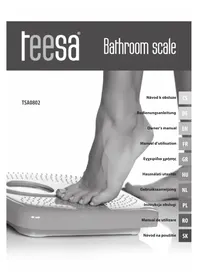
TSA0802 - Scale Teesa - Free user manual and instructions
Find the device manual for free TSA0802 Teesa in PDF.



| Product Type | Bioelectrical impedance scale with body composition analysis |
| Brand | Teesa |
| Model | TSA0802 |
| Technology | Bioelectrical impedance analysis (BIA) |
| Maximum capacity | 150 kg |
| Units of measurement | kg, lb, st |
| Platform material | Tempered glass |
| Display | LCD screen |
| User memory | 10 users (P0 to P9) |
| Measurement functions | Weight, body fat percentage, water, muscle, bone, BMI, basal metabolism |
| Power supply | 1 CR2032 battery |
| Startup/shutdown | Automatic |
| Recommended use | Flat and stable surface, barefoot |
| Safety | Do not use by persons with pacemakers or pregnant women; keep out of reach of children; protect from moisture and extreme temperatures |
| Maintenance | Clean with a slightly damp soft cloth; do not use chemicals |
| Repairability | Do not disassemble; repair reserved for qualified personnel |
| Use | Private domestic use; non-medical |
| Error indicators | "Lo" for low battery, "Err" for overload, "Err2" for fat measurement error, "FATL" if <5%, "FATH" if >50% |
Frequently Asked Questions - TSA0802 Teesa
User questions about TSA0802 Teesa
0 question about this device. Answer the ones you know or ask your own.
Ask a new question about this device
Download the instructions for your Scale in PDF format for free! Find your manual TSA0802 - Teesa and take your electronic device back in hand. On this page are published all the documents necessary for the use of your device. TSA0802 by Teesa.
USER MANUAL TSA0802 Teesa
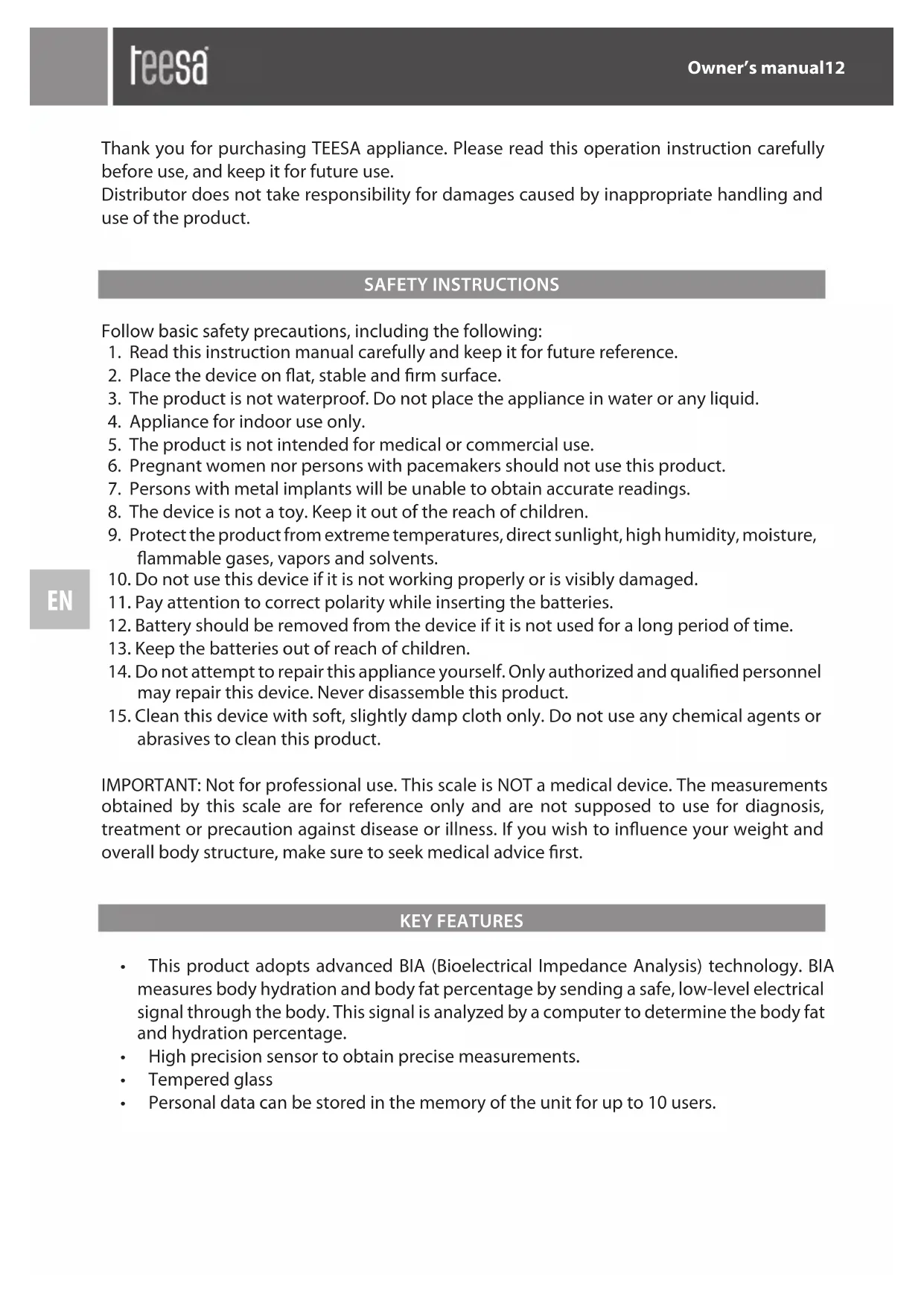
Thank you for purchasing TEESA appliance. Please read this operation instruction carefully before use, and keep it for future use.
Distributor does not take responsibility for damages caused by inappropriate handling and use of the product.
SAFETY INSTRUCTIONS
Follow basic safety precautions, including the following:
- Read this instruction manual carefully and keep it for future reference.
- Place the device on flat, stable and firm surface.
- The product is not waterproof. Do not place the appliance in water or any liquid.
- Appliance for indoor use only.
- The product is not intended for medical or commercial use.
- Pregnant women nor persons with pacemakers should not use this product.
- Persons with metal implants will be unable to obtain accurate readings.
- The device is not a toy. Keep it out of the reach of children.
- Protect the product from extreme temperatures, direct sunlight, high humidity, moisture, flammable gases, vapors and solvents.
- Do not use this device if it is not working properly or is visibly damaged.
- Pay attention to correct polarity while inserting the batteries.
- Battery should be removed from the device if it is not used for a long period of time.
- Keep the batteries out of reach of children.
- Do not attempt to repair this appliance yourself. Only authorized and qualified personnel may repair this device. Never disassemble this product.
- Clean this device with soft, slightly damp cloth only. Do not use any chemical agents or abrasives to clean this product.
IMPORTANT: Not for professional use. This scale is NOT a medical device. The measurements obtained by this scale are for reference only and are not supposed to use for diagnosis, treatment or precaution against disease or illness. If you wish to influence your weight and overall body structure, make sure to seek medical advice first.
KEY FEATURES
- This product adopts advanced BIA (Bioelectrical Impedance Analysis) technology. BIA measures body hydration and body fat percentage by sending a safe, low-level electrical signal through the body. This signal is analyzed by a computer to determine the body fat and hydration percentage.
High precision sensor to obtain precise measurements.
Tempered glass
Personal data can be stored in the memory of the unit for up to 10 users.
BUTTONS
SET


- SET: power on, select, confirm
Up
Down
OPERATION
- Prior to first use, make sure the battery is inserted, and the insulating strip is taken out. Pay attention to correct polarization.
Put the scale on even, stable, flat floor. - Under the weighing condition, when the display show "0.0" you can press "UNIT" on the back of the scale to choose units (kg, st, lb).
MEASURING WEIGHT, BODY FAT, HYDRATION PERCENTAGE
Weight:
- Stand on the scale erectly and maintain your balance. Display will indicate your weight.
- After weighing, the scale will automatically turn off if no further using.
SETTING AND STORING PERSONAL DATA IN MEMORY
Set personal data
- Press SET key. Use key to select your personal user's number (p0-p9). Once you reach the personal key you wish to use, press SET to confirm.
Hint: The digital P0-P9 represents each of 10 users. Remember this number for future reference.
- Press on to choose male or female when the gender symbol flashes on the screen and then press SET to confirm.
- Press to choose age (10-80), press SET to confirm.
- Press to choose height (100-240), press SET to confirm.
Measuring weight, body fat, hydration percentage
- Stand bare foot on scale, maintain contact with electrodes.
- Your weight will be display first.
- Continue to stand erectly; the screen will display measurements sequentially (fat percentage, hydration (TBW - total body water percentage), muscle percentage, bone weight, BMI, minimum daily calories requirement)
Body fat percentage and hydration chart:
| Age Female | Male Note | ||||
| Fat % Hydratio | % Fat % Hydratio | % | |||
| ≤ 30 4.0-20 | 566.0-54.7 4.0 | 15.5 66.0-58.1 underweight | |||
| 20.6-25.0 57.6 | 51.6 15.6-20.0 58 | .0-55.0 healthy | |||
| 25.1-30.5 51.5 | 47.8 20.1-24.5 54 | .9-51.9 overweight | |||
| 30.6-80.0 47.7 | 13.8 24.6-80.0 51 | .8-13.8 obese | |||
| > 30 4.0-25 | 0 66.0-51.6 4.0 | 19.5 66.0-55.4 underweight | |||
| 25.1-30.0 51.5 | 48.1 19.6-24.0 55 | .3-52.3 healthy | |||
| 30.1-35.0 48.0 | 44.7 24.1-28.5 52 | .2-49.2 overweight | |||
| 35.1-80.0 44.6 | 13.8 28.6-80 49.1 | -13.8 obese | |||
Muscle percentage chart:

| Muscle percentage | ||
| Female Male | ||
| Moderate | >34% | >40% |
Bone weight chart:
| Female | |||
| Body weight | <45 kg | 45-60 kg | >60 kg |
| Bone weight | >1.8 kg | >2.2 kg | >2.5 kg |
| Male | |||
| Body weight | <60 kg | 60-75 kg | >75 kg |
| Bone weight | >2.5 kg | >2.9 kg | >3.2 kg |
Minimum daily calories requirement
Minimum daily calories requirement represents the minimum amount of calories human body consumes to keep it functioning (breathing, physiological processes etc.). Please note, the value obtained by this scale depends on several various factors (sex, body type, height, age etc.) and may consume from 45% to 70% of the total daily energy consumption.
Note: the scale displays estimated minimum daily calories value. The actual value may differ from the one measured by the scale.
IMPORTANT: The charts presented above are for reference only.
Tips:
- To ensure accurate measurements, we suggest using scale at the same time every day.
- Place the scale on flat stable and firm surface.
- Do not place scale on wet, extremely hot or cold surfaces.
- Do not jump or stomp on the scale.
- Do not attempt to disassemble the scale.
- Do not wear shoes when standing on the scale.
- Never submerge the unit in water. Use clean, soft, slightly damp cloth to clean this device.
- "Lo" on scale display indicate that the battery is out of power. Replace the battery.
- "Err" on the scale display indicates overload.
- "Err2" display indicates fat percentage measurement error.
- If body fat percentage is less than 5% , indicator displays "FATL" If more than 50% indicator displays "FATH"
SPECIFICATION
Maximum load: 150kg
Minimal load: 6 kg
Division: 0,1 kg
Weight unit: kg / lb / st
Function keys
LCD Display
10 users memory
Measures: weight, body fat, muscle and bone percentage, hydration, BMI, daily calories requirement
Auto on/off function
Power supply: CR2032 battery
English
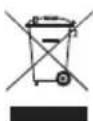
Correct Disposal of This Product
(Waste Electrical & Electronic Equipment)


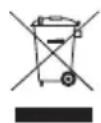
(Applicable in the European Union and other European countries with separate collection systems) This marking shown on the product or its literature, indicates that it should not be disposed with other household wastes at the end of its working life. To prevent possible harm to the environment or human health from uncontrolled waste disposal, please separate this from other types of wastes and recycle it responsibly to promote the sustainable reuse of material resources. Household users should contact either the retailer where they purchased this product, or their local government office, for details of where and how they can take this item for environmentally safe recycling. Business users should contact their supplier and check the terms and conditions of the purchase contract This product should not be mixed with other commercial wastes for disposal.
Made in China for Lechpol Electronics Leszek Sp.k., ul. Garwolinska 1, 08-400 Mietne.
Mováða Bapouc: kg / lb / st
πλκτραλειούργιων
Oθóvn LCD
10 uvnuec xonotwv
MeTpá: βapoc, ωμatikó λiioc, πoooτó μuωv kai ootωv, εvudatωση, ΔMΣ, anaitnŋημερnoiw θερμiδωv
Follow basic safety precautions, including the following:
- Read this instruction manual carefully and keep it for future reference.
- Place the device on flat, stable and firm surface.
- The product is not waterproof. Do not place the appliance in water or any liquid.
- Appliance for indoor use only.
- The product is not intended for medical or commercial use.
- Pregnant women nor persons with pacemakers should not use this product.
- Persons with metal implants will be unable to obtain accurate readings.
- The device is not a toy. Keep it out of the reach of children.
- Protect the product from extreme temperatures, direct sunlight, high humidity, moisture, flammable gases, vapors and solvents.
- Do not use this device if it is not working properly or is visibly damaged.
- Pay attention to correct polarity while inserting the batteries.
- Battery should be removed from the device if it is not used for a long period of time.
- Keep the batteries out of reach of children.
- Do not attempt to repair this appliance yourself. Only authorized and qualified personnel may repair this device. Never disassemble this product.
- Clean this device with soft, slightly damp cloth only. Do not use any chemical agents or abrasives to clean this product.
IMPORTANT: Not for professional use. This scale is NOT a medical device. The measurements obtained by this scale are for reference only and are not supposed to use for diagnosis, treatment or precaution against disease or illness. If you wish to influence your weight and overall body structure, make sure to seek medical advice first.
KEY FEATURES
- This product adopts advanced BIA (Bioelectrical Impedance Analysis) technology. BIA measures body hydration and body fat percentage by sending a safe, low-level electrical signal through the body. This signal is analyzed by a computer to determine the body fat and hydration percentage.
High precision sensor to obtain precise measurements.
Tempered glass
Personal data can be stored in the memory of the unit for up to 10 users.
BUTTONS
SET


- SET: power on, select, confirm
Up
Down
OPERATION
- Prior to first use, make sure the battery is inserted, and the insulating strip is taken out. Pay attention to correct polarization.
Put the scale on even, stable, flat floor. - Under the weighing condition, when the display show "0.0" you can press "UNIT" on the back of the scale to choose units (kg, st, lb).
MEASURING WEIGHT, BODY FAT, HYDRATION PERCENTAGE
Weight:
- Stand on the scale erectly and maintain your balance. Display will indicate your weight.
- After weighing, the scale will automatically turn off if no further using.
SETTING AND STORING PERSONAL DATA IN MEMORY
Set personal data
- Press SET key. Use key to select your personal user's number (p0-p9). Once you reach the personal key you wish to use, press SET to confirm.
Hint: The digital P0-P9 represents each of 10 users. Remember this number for future reference.
-
Press on to choose male or female when the gender symbol flashes on the screen and then press SET to confirm.
-
Press to choose age (10-80), press SET to confirm.
- Press to choose height (100-240), press SET to confirm.
Measuring weight, body fat, hydration percentage
- Stand bare foot on scale, maintain contact with electrodes.
- Your weight will be display first.
- Continue to stand erectly; the screen will display measurements sequentially (fat percentage, hydration (TBW - total body water percentage), muscle percentage, bone weight, BMI, minimum daily calories requirement)
Body fat percentage and hydration chart:
| Age Female | Male Note | ||||
| Fat % Hydration | % Fat % Hydration % | ||||
| ≤ 30 4.0-20 | 566.0-54.7 4.0- | 15.5 66.0-58.1 underweight | |||
| 20.6-25.0 57.6- | 51.6 15.6-20.0 58.0-55.0 healthy | ||||
| 25.1-30.5 51.5- | 47.8 20.1-24.5 54.9-51.9 overweight | ||||
| 30.6-80.0 47.7- | 13.8 24.6-80.0 51.8-13.8 obese | ||||
| > 30 4.0-25 | 066.0-51.6 4.0- | 19.5 66.0-55.4 underweight | |||
| 25.1-30.0 51.5- | 48.1 19.6-24.0 55.3-52.3 healthy | ||||
| 30.1-35.0 48.0- | 44.7 24.1-28.5 52.2-49.2 overweight | ||||
| 35.1-80.0 44.6- | 13.8 28.6-80 49.1-13.8 obese | ||||
Muscle percentage chart:
| Muscle percentage | ||
| Female Male | ||
| Moderate | >34% >40% | |
Bone weight chart:
| Female | |||
| Body weight <45 kg | 45-60 kg | >60 kg | |
| Bone weight | >1.8 kg | >2.2 kg | >2.5 kg |
| Male | |||
| Body weight <60 kg | 60-75 kg | >75 kg | |
| Bone weight | >2.5 kg | >2.9 kg | >3.2 kg |
Minimum daily calories requirement
Minimum daily calories requirement represents the minimum amount of calories human body consumes to keep it functioning (breathing, physiological processes etc.). Please note, the value obtained by this scale depends on several various factors (sex, body type, height, age etc.) and may consume from 45% to 70% of the total daily energy consumption.
Note: the scale displays estimated minimum daily calories value. The actual value may differ from the one measured by the scale.
IMPORTANT: The charts presented above are for reference only.
Tips:
- To ensure accurate measurements, we suggest using scale at the same time every day.
- Place the scale on flat stable and firm surface.
- Do not place scale on wet, extremely hot or cold surfaces.
- Do not jump or stomp on the scale.
- Do not attempt to disassemble the scale.
- Do not wear shoes when standing on the scale.
- Never submerge the unit in water. Use clean, soft, slightly damp cloth to clean this device.
- "Lo" on scale display indicate that the battery is out of power. Replace the battery.
- "Err" on the scale display indicates overload.
- "Err2" display indicates fat percentage measurement error.
- If body fat percentage is less than 5% , indicator displays "FATL" If more than 50% indicator displays "FATH"
SPECIFICATION
Maximum load: 150kg
Minimal load: 6 kg
Division: 0,1 kg
Weight unit: kg / lb / st
Function keys
LCD Display
10 users memory
Measures: weight, body fat, muscle and bone percentage, hydration, BMI, daily calories requirement
Auto on/off function
Power supply: CR2032 battery
Netherlands
GREUTATE CORPORALA, GRASIME CORPORALA, APA DIN CORP
Greutate:
- Stati nemiscat si nu coborati de pecantar pana la terminarea masuratorilor si afisarea rezultatelor.
- Dupa afisarea valorii pe ecran cantarul se opreste automat.