TSA0806 - Scale Teesa - Free user manual and instructions
Find the device manual for free TSA0806 Teesa in PDF.



User questions about TSA0806 Teesa
0 question about this device. Answer the ones you know or ask your own.
Ask a new question about this device
Download the instructions for your Scale in PDF format for free! Find your manual TSA0806 - Teesa and take your electronic device back in hand. On this page are published all the documents necessary for the use of your device. TSA0806 by Teesa.
USER MANUAL TSA0806 Teesa
Thank you for purchasing TEESA appliance. Please read this operation instruction carefully before use, and keep it for future use. Distributor does not take responsibility for damages caused by inappropriate handling and use of the product.
SAFETY INSTRUCTIONS
In order to reduce the risk of fire, electric shock, or any other injury, follow basic safety precautions applied when using any electrical device, including the following:
-
Read this instruction manual carefully, even if you are familiar with the appliance. Keep the manual for future reference.
-
Product intended for household use only.
-
Do not use the product for purposes different from displayed in this operating manual.
-
Do not place the appliance in water or any liquid. Keep it away from moisture and humidity.
-
The device is not a toy. Keep it out of the reach of children and pets.
-
Protect the product from extreme temperatures, direct sunlight, high humidity, moisture, flammable gases, vapors and solvents.
-
Do not use this device if it is not working properly or is visibly damaged.
-
Please handle the product carefully. Pressure, impacts or fall even from a low height can damage the product.
-
Do not overload the scale!
-
Do not attempt to repair this appliance yourself. Only authorized and qualified personnel may repair this device. Never disassemble this product.
-
Clean this device with soft, slightly damp cloth only. Do not use any chemical agents or abrasives to clean this product.
PRODUCT DESCRIPTION
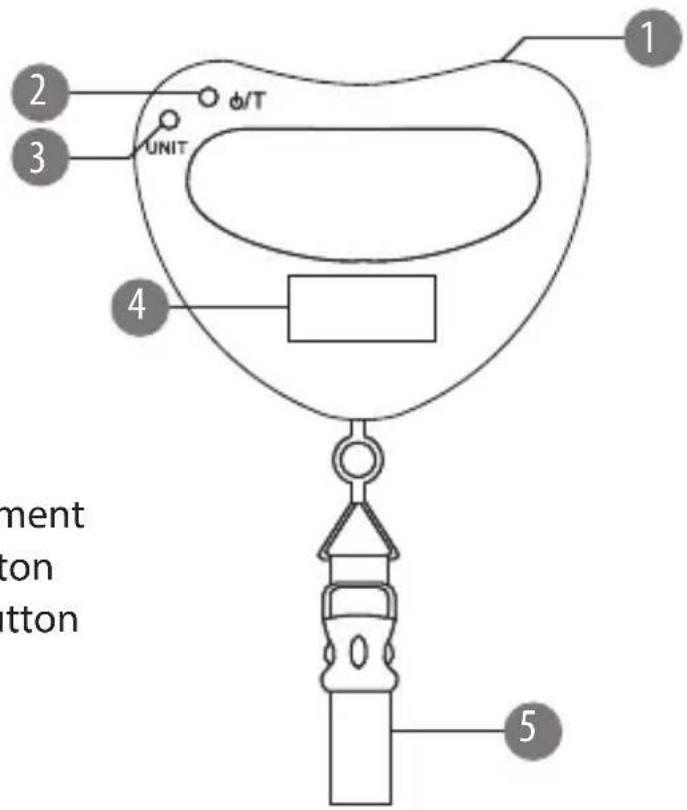
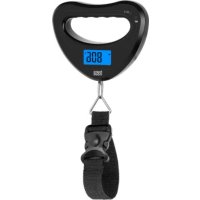
text_image
1 2 3 UNIT φ/T 4 5 ment ton button- Battery compartment
- Power/TARE button
- Unit selection button
- Display
- Belt
BATTERY INSTALLATION
- Open the battery cover at the top of the scale.
- Insert 2x AAA battery with correct polarization.
- Close the cover.
Note: When the battery is low, battery indicator appears on the display. Please replace the batteries with new ones.
TURN ON/OFF
Hold the scale upright. Press the power button. When the display shows 0.00 it is ready to be used.
The scale will automatically turn off after 60 seconds after finishing weighing. If you want to turn off the scale manually, press and hold the power button.
WEIGHING STEPS
- Hang the goods at the belt.
- When the weight is established, the data will be locked and the LCD will display HOLD.
- If you press the power button the data will be unlocked and you can weigh further goods.
- If the scale is overloaded it will show Err. Remove the weight from the scale to avoid damaging the scale.
TARE FUNCTION
If you use a container, hang it at the belt, press the power button to reset to 0.00 and then put the goods you want to weigh into the container. This way you get the net weight of the goods.
UNIT SELECTION
Press the UNIT button to select desired unit: g, kg, lb or oz.
SPECIFICATION
LCD display
Tare function
Hold function
Auto power off after 60 seconds
Low battery and overload indicator
Ergonomic handle
Technical data
Maximum load: 40 kg
Division: 10 g
Weight unit: g / kg / lb / oz
Power supply: 2x AAA battery (not included)
Belt length: 143 mm
Weight: 189 g
Dimensions: 140x107x24 mm
English
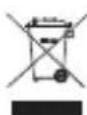
Correct Disposal of This Product
(Waste Electrical & Electronic Equipment)


(Applicable in the European Union and other European countries with separate collection systems) This marking shown on the product or Its literature, indicates that It should not be disposed with other household wastes at the end of its working life. To prevent possible harm to the environment or human health from uncontrolled waste disposal, please separate this from other types of wastes and recycle it responsibly to promote the sustainable reuse of material resources. Household users should contact either the retailer where they purchased this product, or their local government office, for details of where and how they can take this item for environmentally safe recycling. Business users should contact their supplier and check the terms and conditions of the purchase contract This product should not be mixed with other commercial wastes for disposal.
Made in China for Lechpol Electronics Leszek Sp.k., ul. Garwolińska 1, 08-400 Miętne.
Dimensions: 140x107x24 mm
France
BESCHRIJVING VAN HET PRODUCT
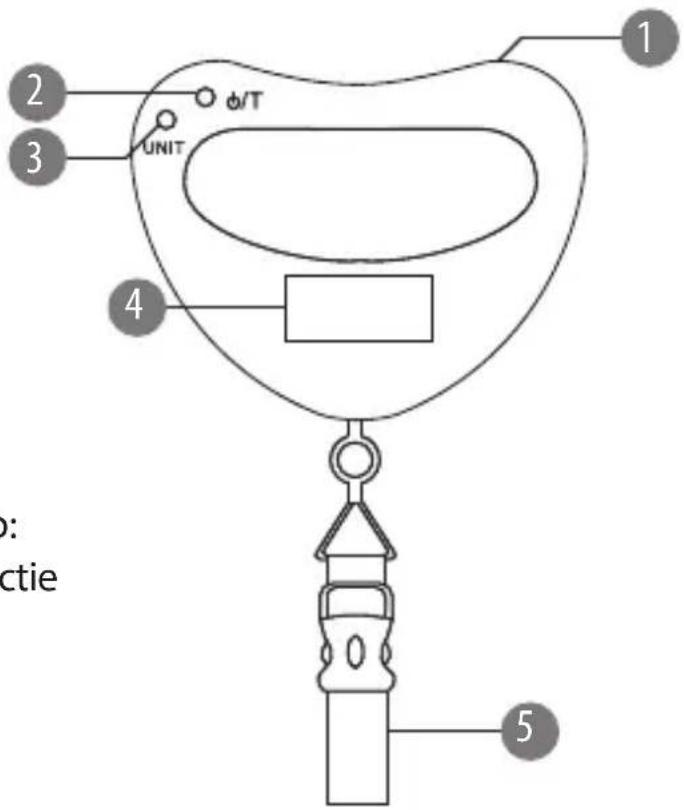
Wymiary: 140x107x24 mm
Poland