CADENZA61 - TV Stand SANUS - Free user manual and instructions
Find the device manual for free CADENZA61 SANUS in PDF.

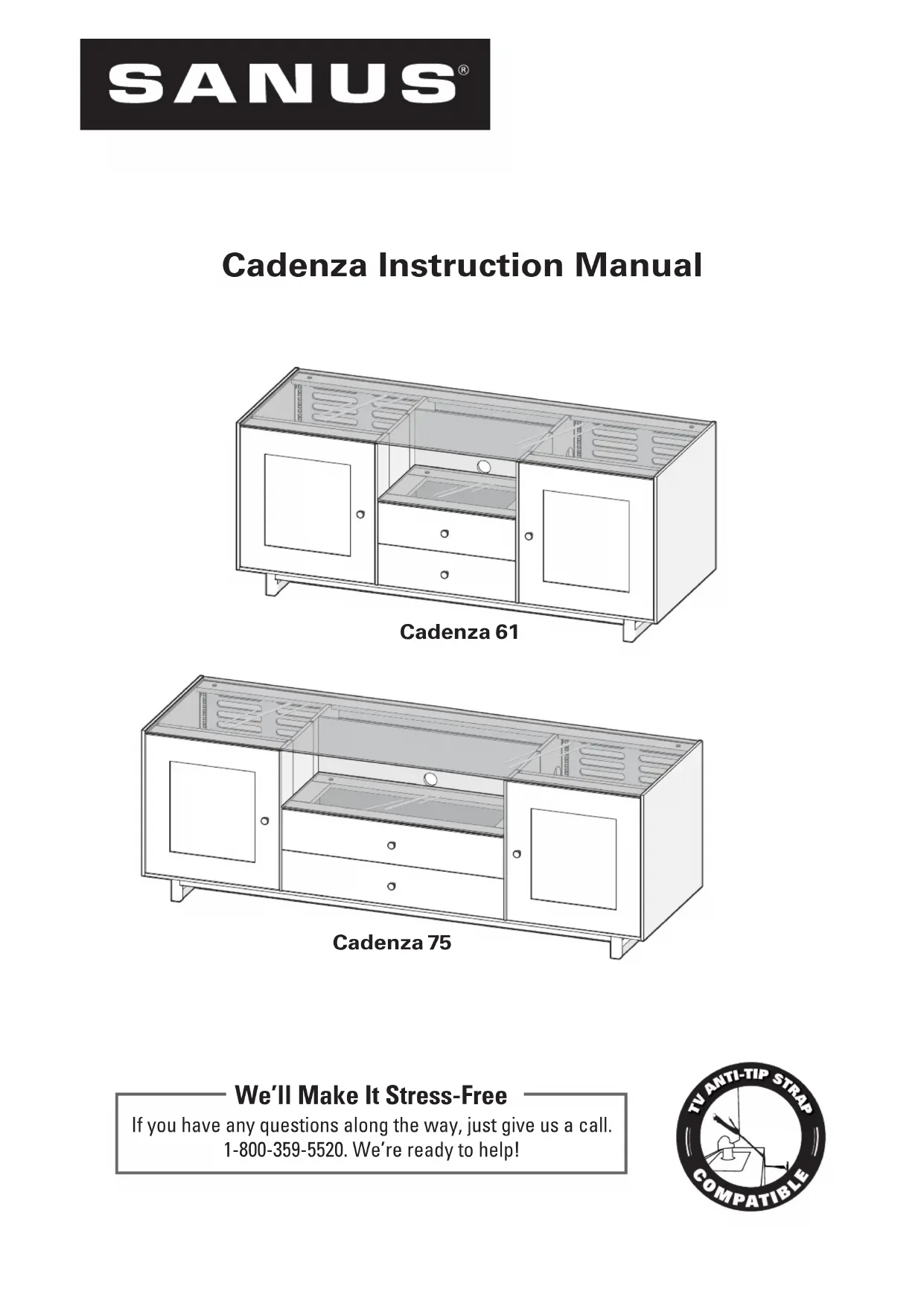


| Product Type | TV Cabinet |
| Brand | SANUS |
| Model | CADENZA61 |
| Material | Natural wood and tempered glass |
| Number of levels | 1 adjustable glass shelf, 1 top glass panel |
| Doors | 2 doors with soft-close mechanism |
| Drawers | With soft-close |
| Back panel | Removable with magnets |
| Soundbar compatibility | Yes (retractable brackets) |
| Door grilles | Optional (included) for speakers |
| Care | Clean with a soft, damp cloth, then dry |
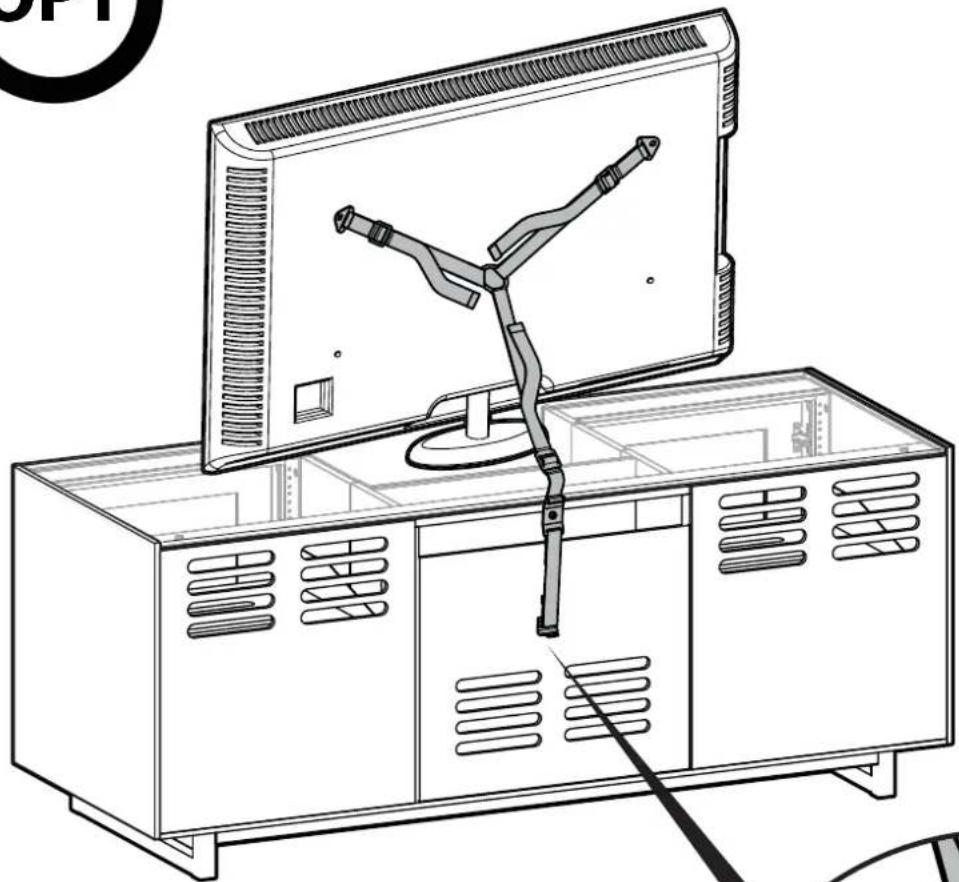
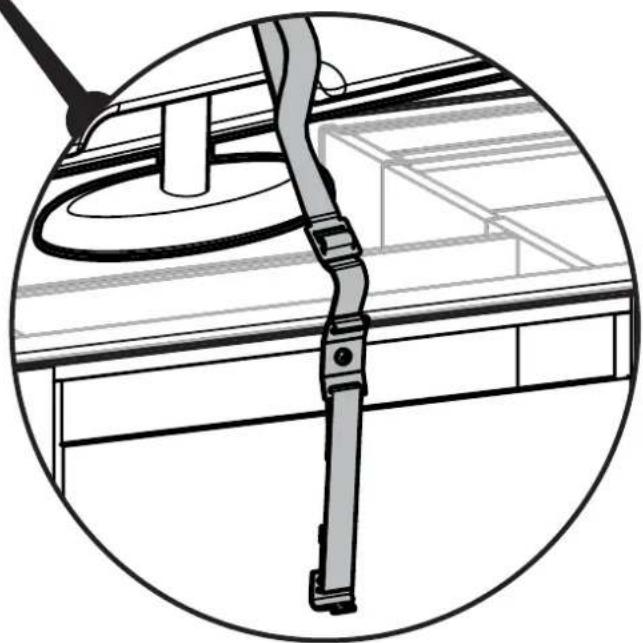
| Safety | Anti-tip strap sold separately (ELM701) |
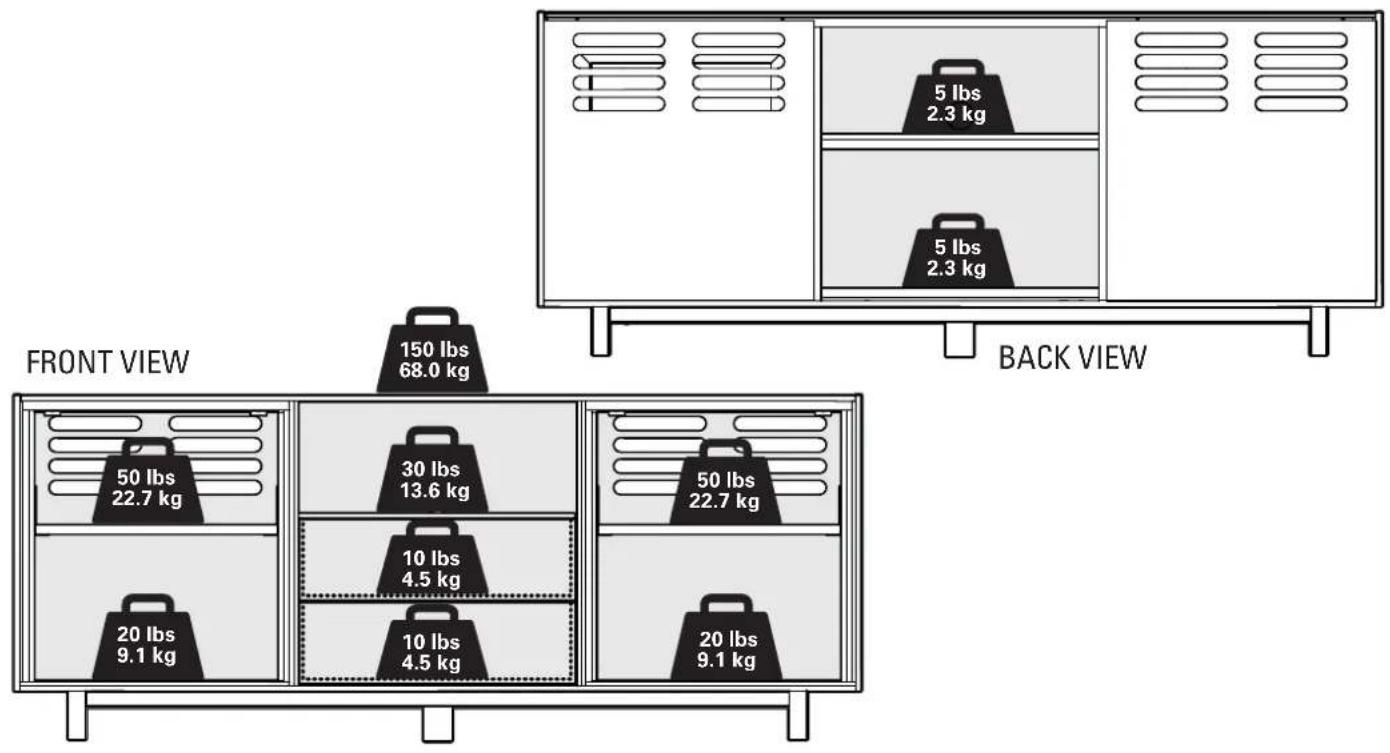
| Maximum load | Respect the limits indicated in the manual (page 2) |
| Intended use | For flat-screen TVs only |
| Warning | Do not allow children to climb or hang on the unit |
| Box contents | Cabinet, legs, glass shelf, glass panel, grilles, hardware |
Frequently Asked Questions - CADENZA61 SANUS
User questions about CADENZA61 SANUS
0 question about this device. Answer the ones you know or ask your own.
Ask a new question about this device
Download the instructions for your TV Stand in PDF format for free! Find your manual CADENZA61 - SANUS and take your electronic device back in hand. On this page are published all the documents necessary for the use of your device. CADENZA61 by SANUS.
USER MANUAL CADENZA61 SANUS
We'll Make It Stress-Free
If you have any questions along the way, just give us a call. 1-800-359-5520. We're ready to help!

Weight Limits
Cautions and Care
CARE INSTRUCTIONS
For wood with a natural finish, dust regularly with a soft dry cloth. When needed, wipe with a clean, damp, cloth and wipe dry.
CAUTION: Avoid potential personal injuries and property damage!
Serious or fatal crushing injuries can occur from furniture failure. To prevent failure:
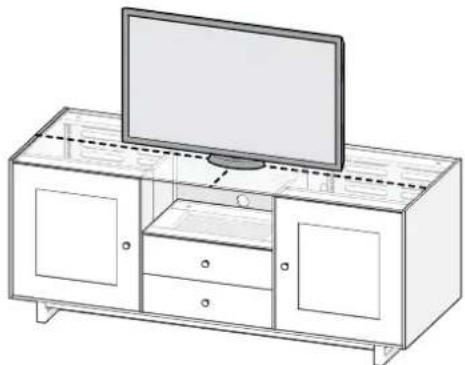
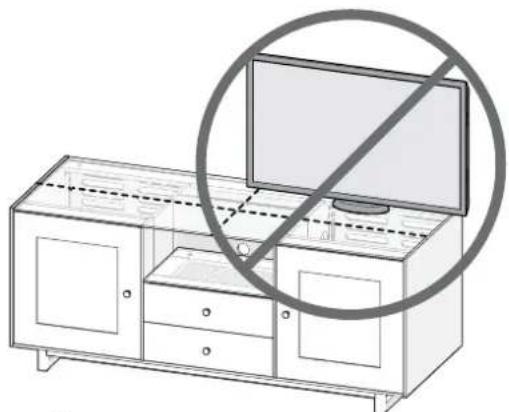
- This product is designed for use with flat panel TVs ONLY.
- Do not exceed rated weight limits.
- Place heaviest items in the lowest shelves.
- Never allow children to climb or hang on shelves or doors.
Always unload furniture before moving. - Use of anti-tip restraints may only reduce, but not eliminate, the risk of failure.
- Do not use this product for any purpose not explicitly specified by manufacturer.
If you do not understand these instructions, or have doubts about the safety of the installation, assembly or use of this product, contact Customer Service or call a qualified contractor.
- Manufacturer is not responsible for damage or injury caused by incorrect assembly or use.
- To prevent tipping, be sure to center your fl at panel TV (NO CRTs) on the top of your furniture.
Supplied Parts and Hardware
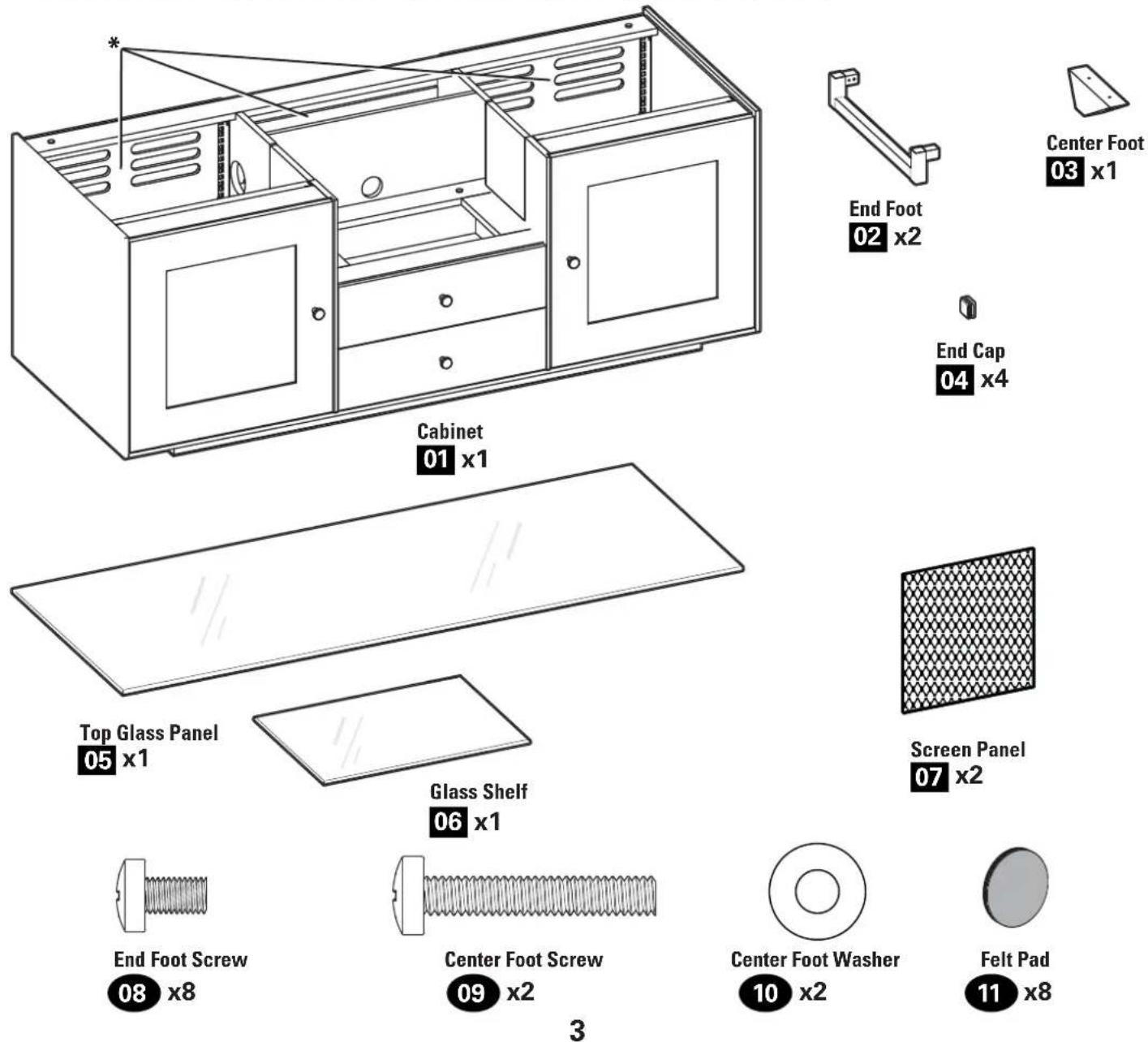
WARNING: This product contains small items that could be a choking hazard if swallowed.
Before starting assembly, verify all parts are included and undamaged. If any parts are missing or damaged, do not return the damaged item to your dealer; contact Customer Service. Never use damaged parts!
*AWARNING: This product contains a magnet. If an implanted medical device such as a pacemaker or implantable cardioverter defibrillator (ICD) is in use, magnetic fields may affect the operation of those devices, resulting in serious injury or death. If you have an implanted medical device, keep at least 13~cm (5 in.) between your device and the magnet. Please consult with your physician or medical professional prior to using this product.
CAUTION: Avoid potential personal injuries and property damage!
Tempered glass has been chosen for this product because of its strength and safety characteristics. However, tempered glass should still be handled with care to avoid possible property damage or personal injury.
- Mishandling during shipping, assembly, or use may result in damage that can weaken the tempered glass.
Periodically check the glass to look for chips, cracks, or deep scratches.
- If chips, cracks, or deep scratches are found, discontinue use and contact customer service.

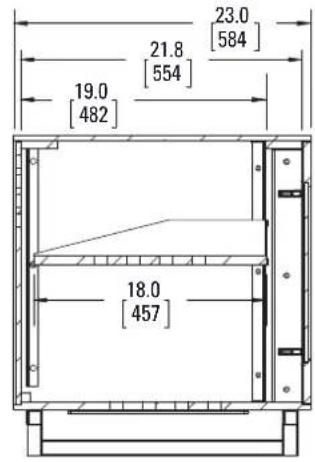
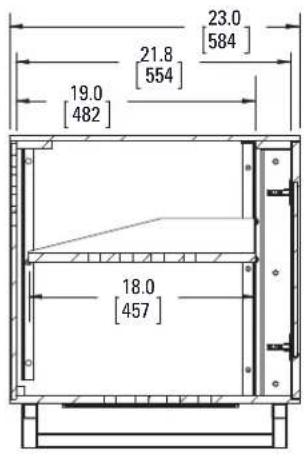
Cadenza 61
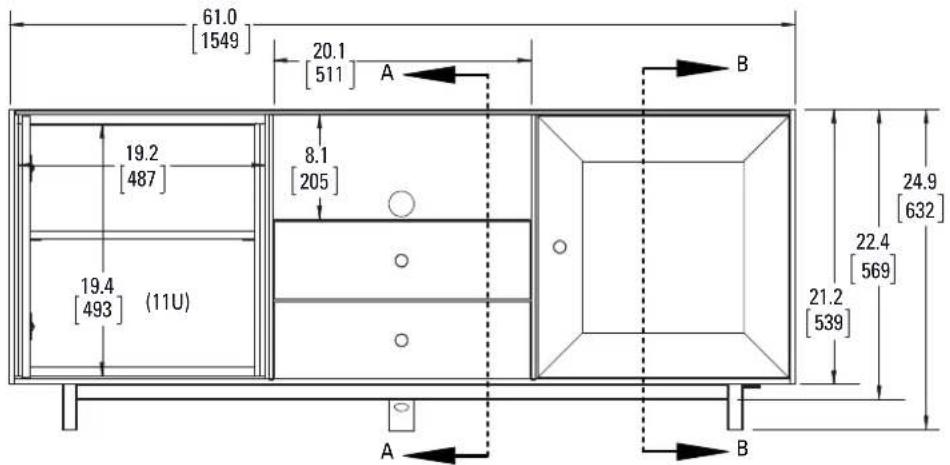
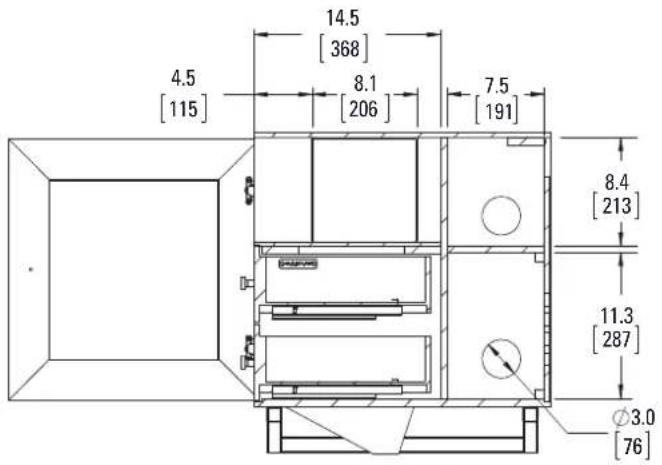
A-A B B

Cadenza 75
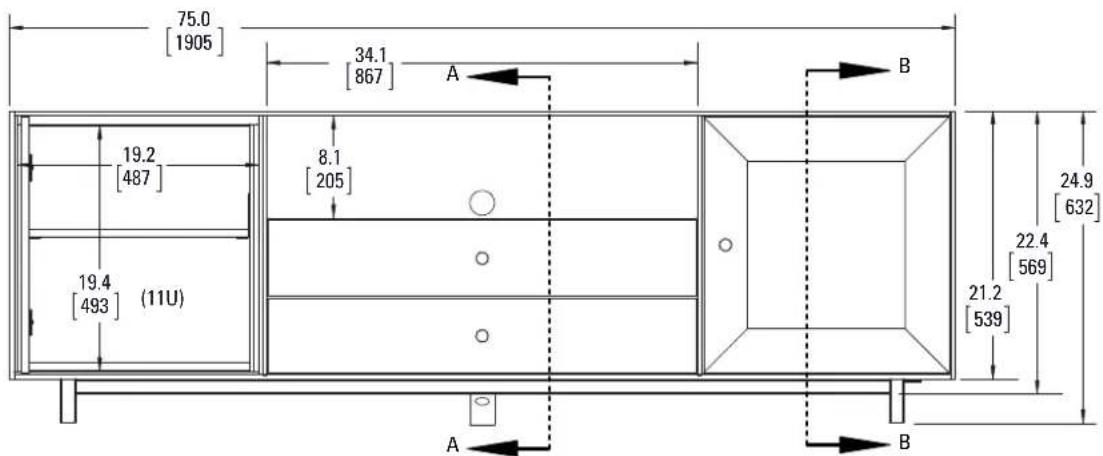
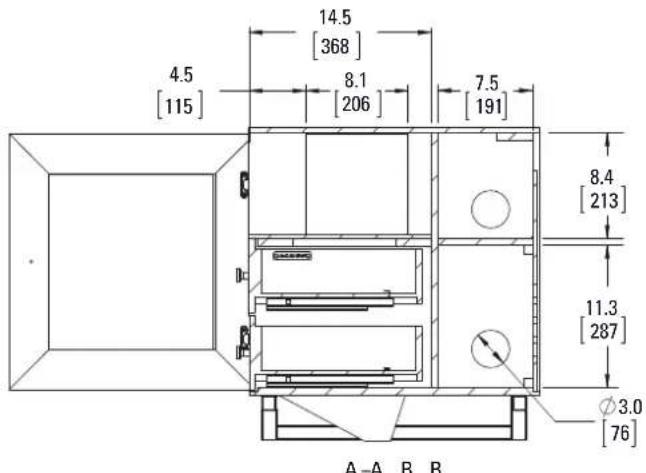
1 Feet
Parts and Hardware for STEP 1
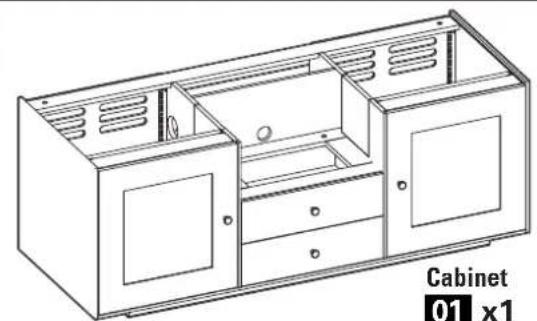
01 x1
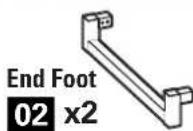

End Foot Screw
08 x8

Center Foot
03 x1
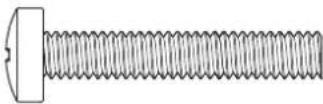
Center Foot Screw
09 x2

End Cap

04x4
Center Foot Washer
10x2
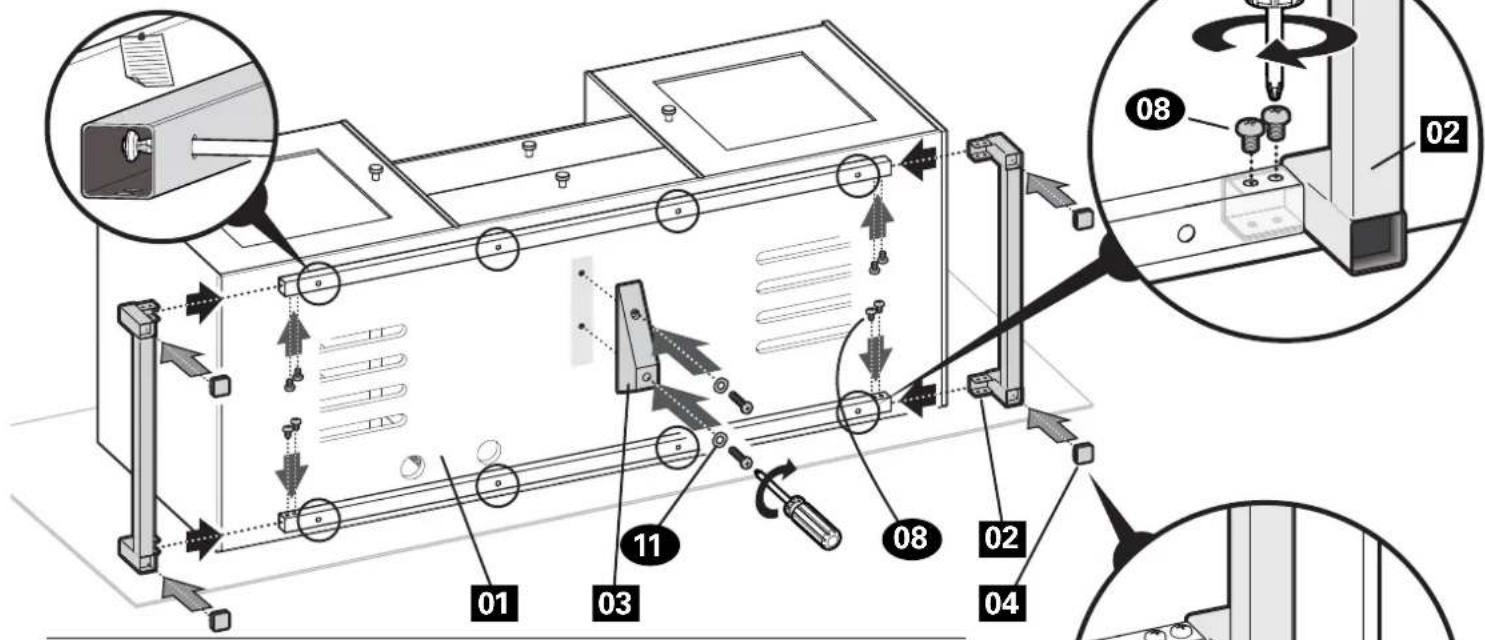
Carefully lift the cabinet 01 and lay it on its back onto a protective surface.
Slide the end feet 02 into the square tubing and secure using eight end foot screws 08.
NOTE: It may be necessary to loosen the screws holding the railing onto the bottom of the cabinet in order to install the feet 02. After feet 02 are installed, tighten all screws.
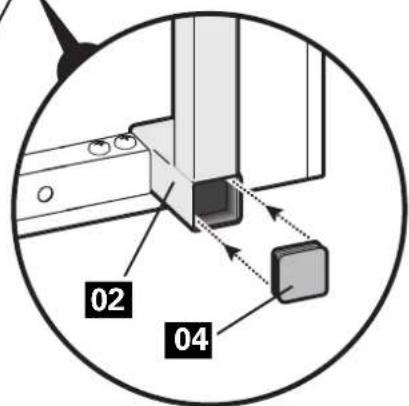
Press the end caps 04 into the end feet 02.
Install the center foot 03 using two center foot screws 09 and two washers 10.
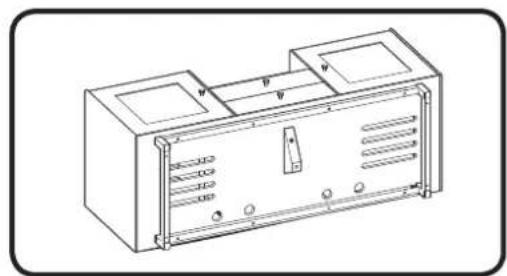
Carefully lift and set the cabinet 01 upright on its feet.

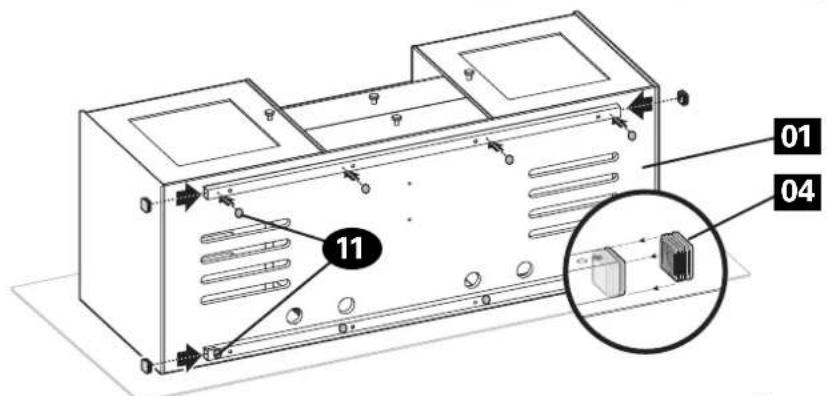
For cabinet install to sit closer to the floor:
Press the end caps 04 into the square tubing on the cabinet 01
Place felt pads 11 along the square tubing.
Do not use the end feet 02, center foot 03 or screws 08 and 09.
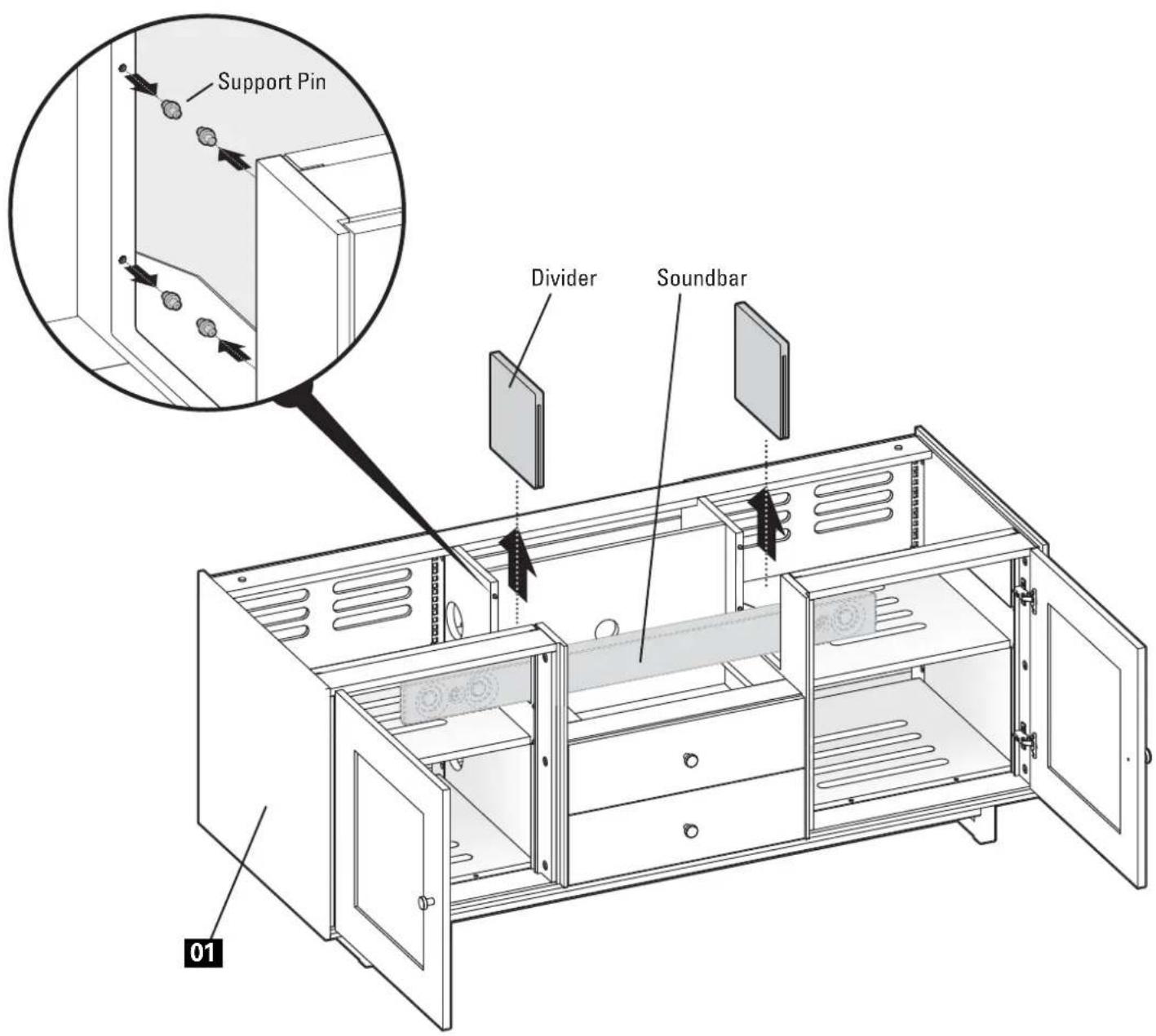
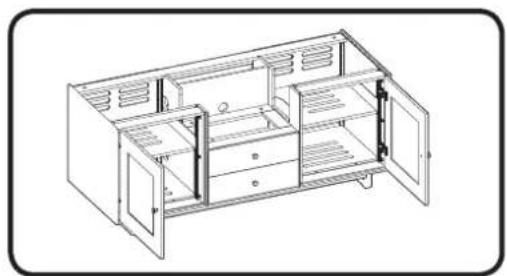
2 Soundbar Preparation (optional)

To make room for a soundbar or other long equipment:
Remove the dividers on one or both sides of cabinet 01.
Remove the support pins from cabinet 01
NOTE: See STEP 5 on PAGE 9 to switch the front door panels with mesh screens to accommodate the speakers.
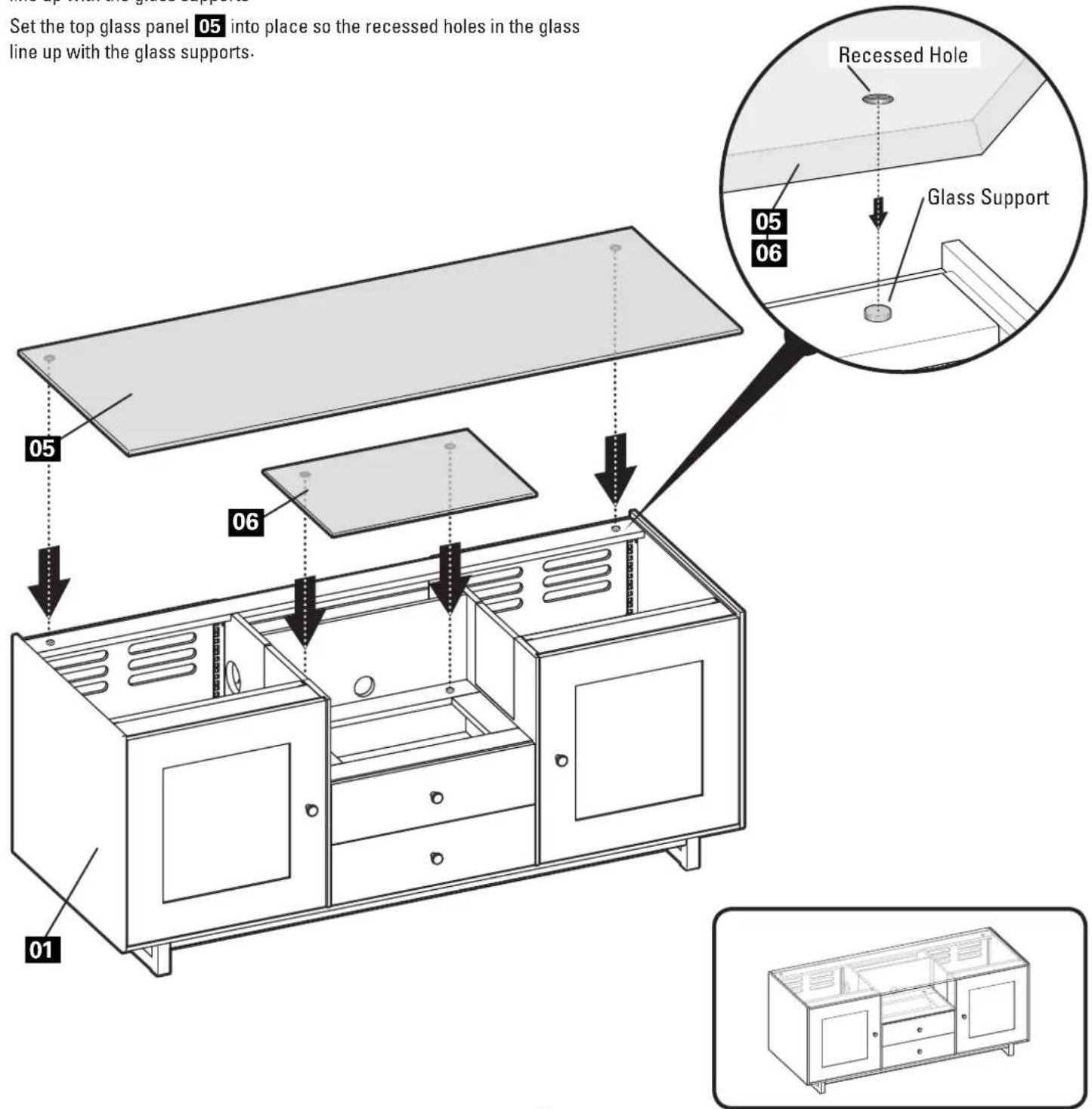
3 Glass Panels
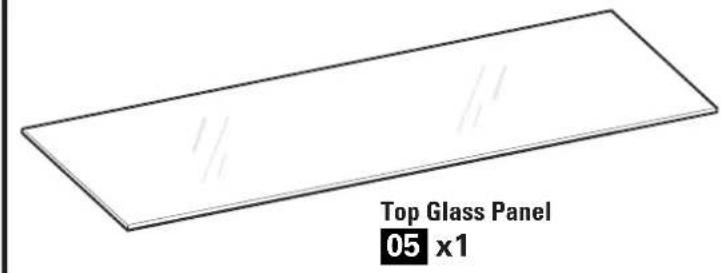
Parts for STEP 3
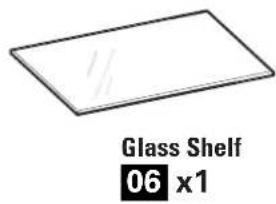
Set the glass shelf 06 into place so the recessed holes in the glass line up with the glass supports.
Set the top glass panel 05 into place so the recessed holes in the glass line up with the glass supports.
4 Shelf Adjustment
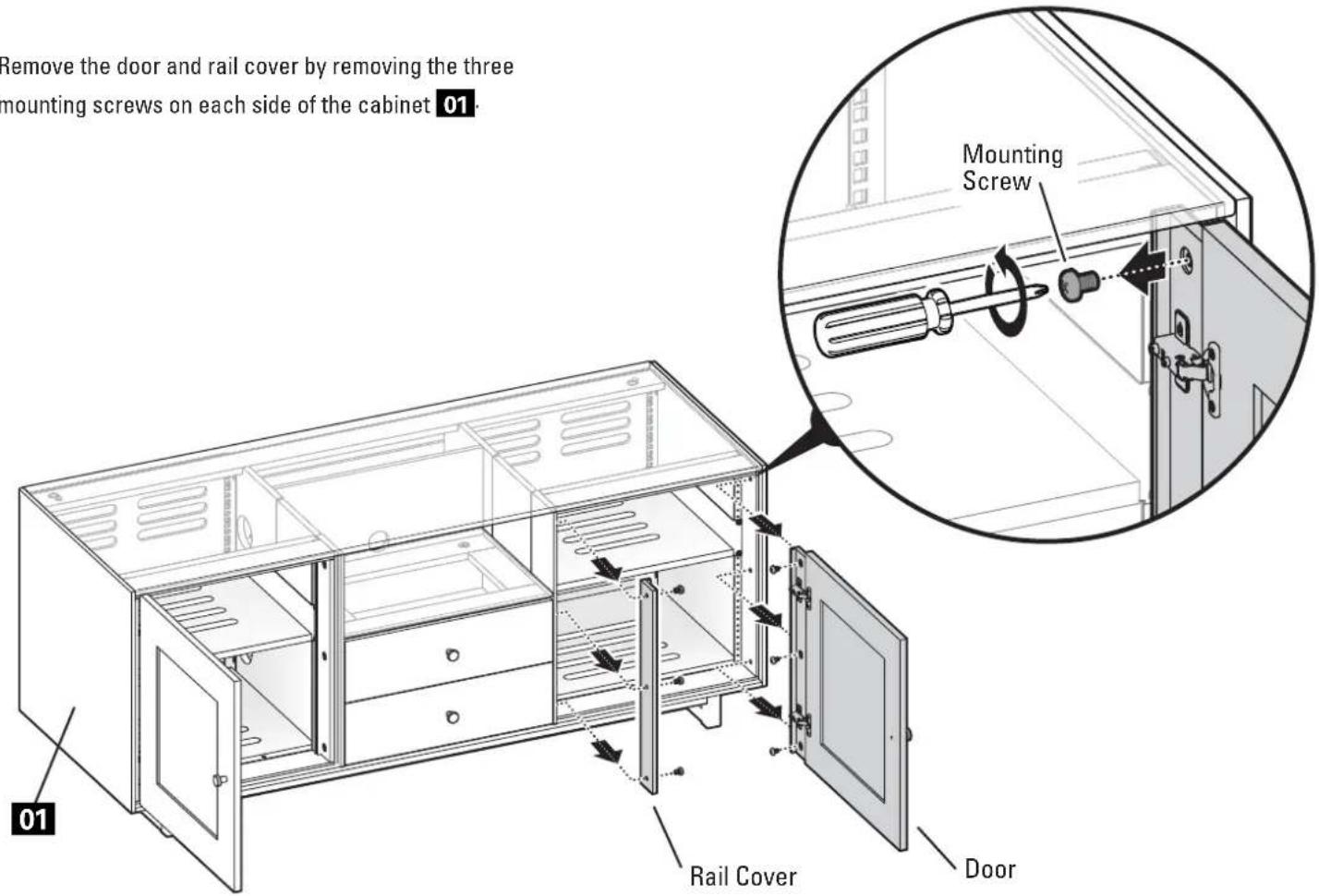
Remove the door and rail cover by removing the three mounting screws on each side of the cabinet 01
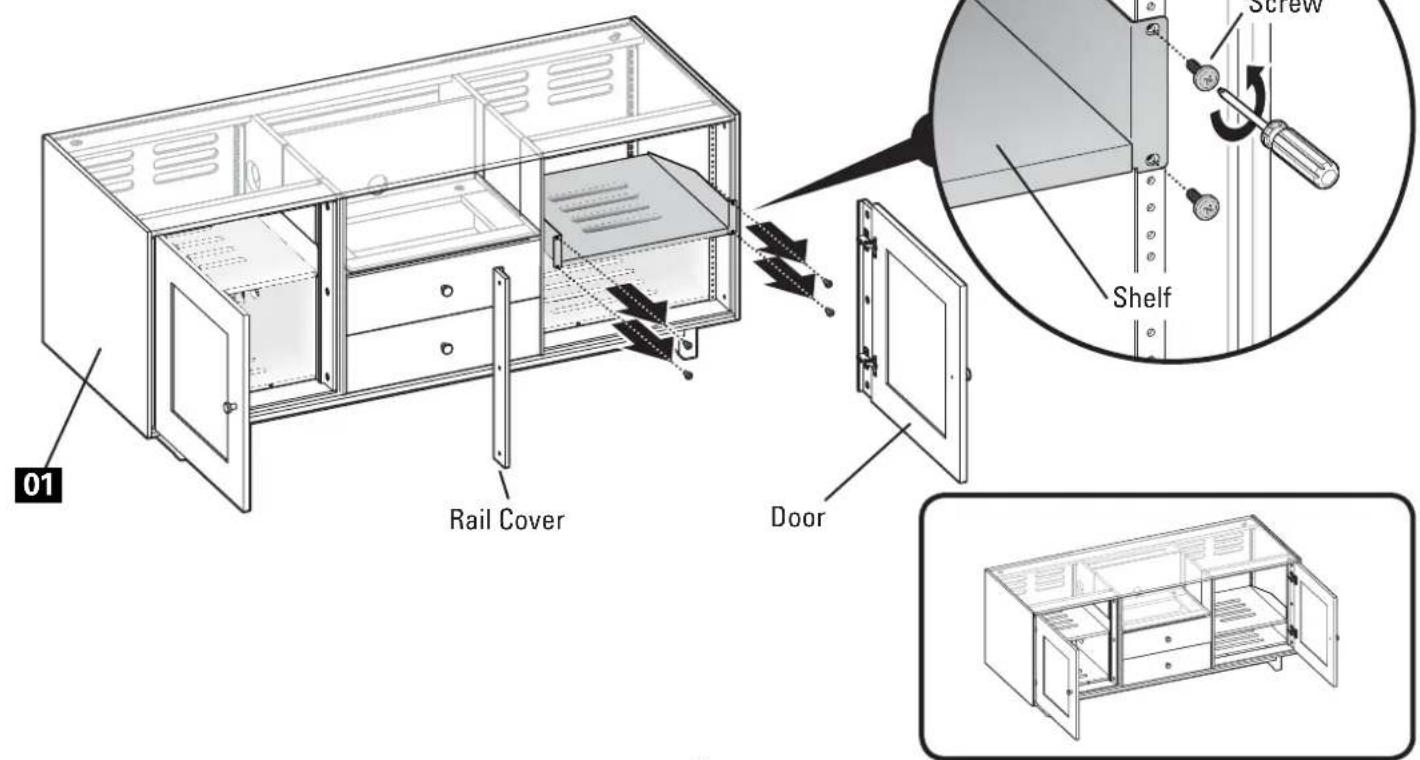
Remove the four rack screws holding the shelf in place.
Reposition the shelf and secure with the four rack screws.
Reattach the door and rail cover using the mounting six screws.
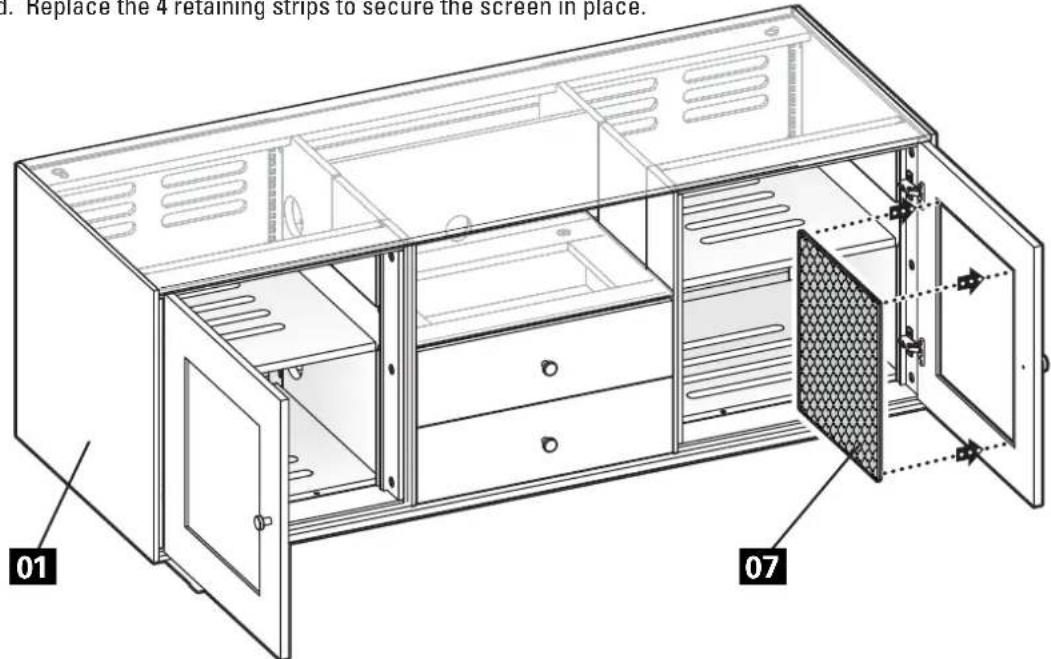
5 Door Screens (optional)
Parts for STEP 5
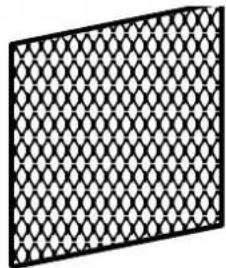
Screen Panel
07 x2

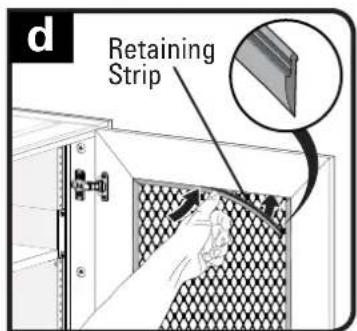
To utilize speakers behind the doors, inside the cabinet:
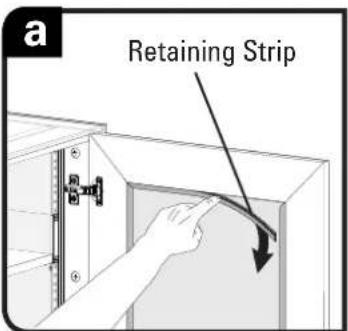
a. Pull the 4 retaining strips from the back of the door frame.
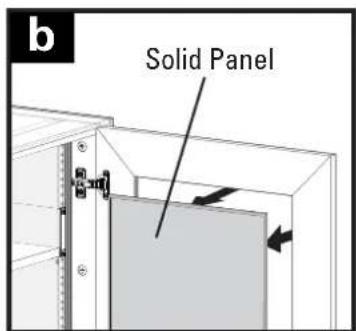
b. Remove the solid panel.
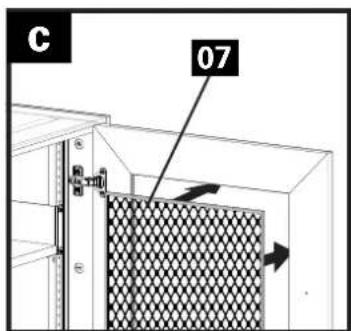
c. Install the screen panel 07 into the door.
d. Replace the 4 retaining strips to secure the screen in place.
REMOVING THE BACK PANELS
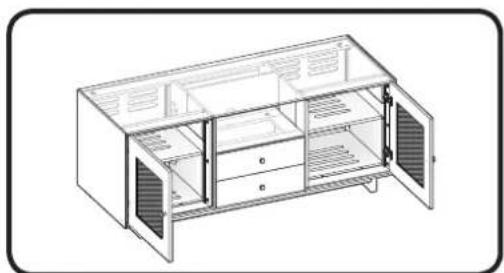
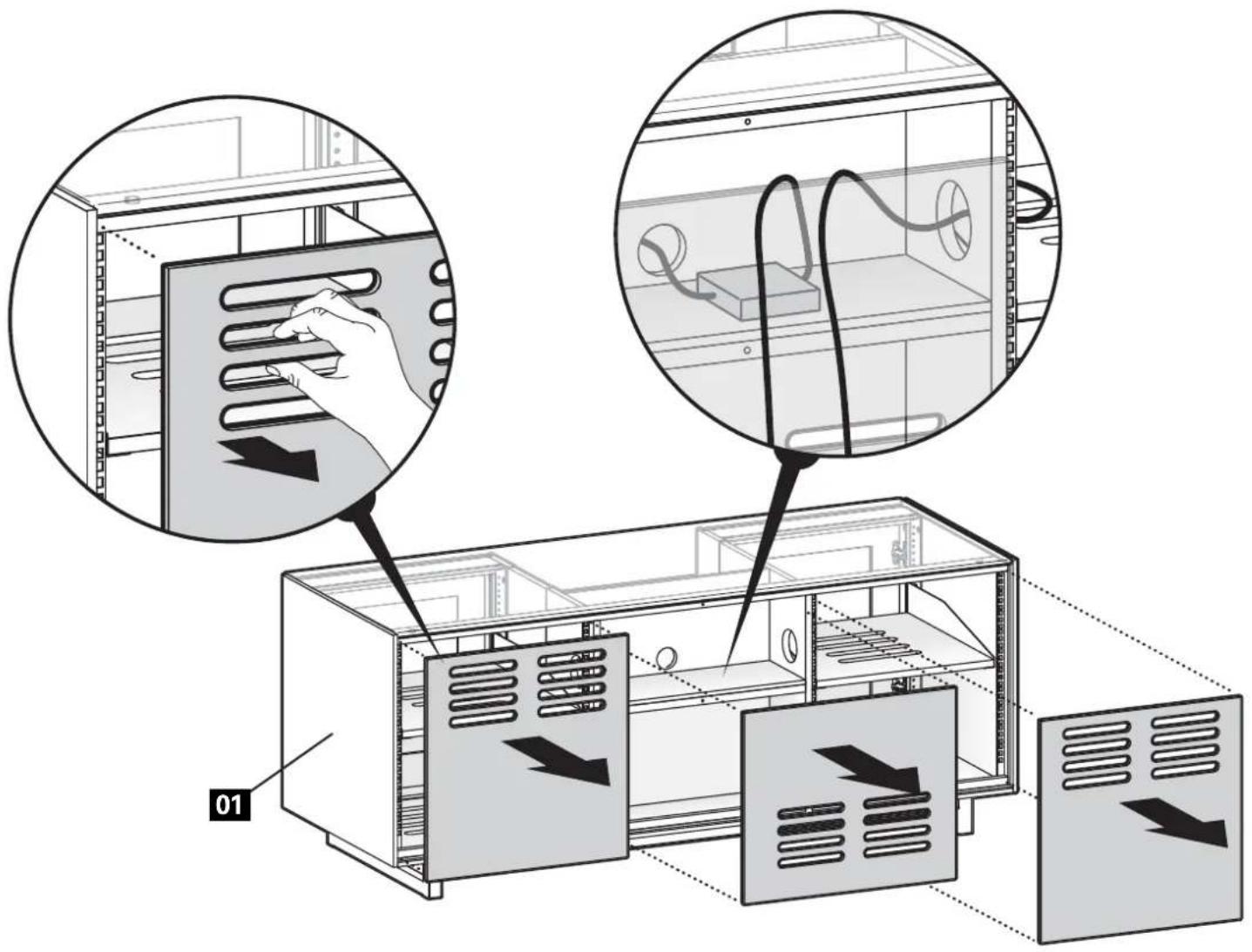
Remove the magnetic back panels of cabinet 01 by pulling away from the cabinet. Replace by lining up the panels and allowing the magnets to catch the cabinet 01.
CABINET DOORS AND DRAWERS
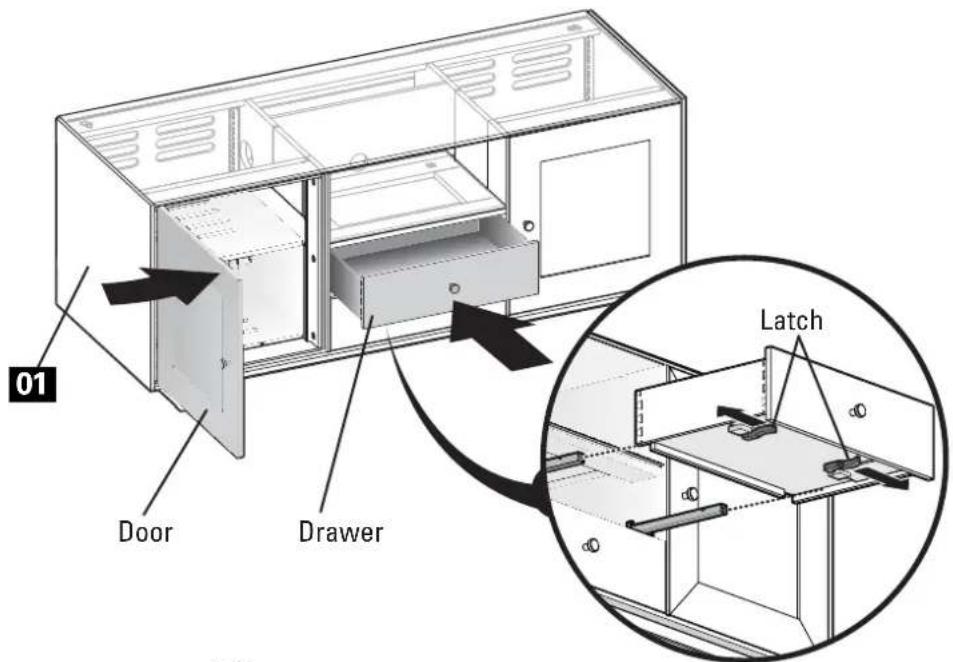
The doors and drawers include an automatic closing mechanism.
Simply close the doors or drawers until you feel the auto close feature take effect, then release and allow the door or drawer to finish closing on its own.
Removal:
Doors - See STEP 4 on PAGE 8
Drawers - Pull outward on the latches on the underside of the drawer while pulling the drawer out and off the drawer rails.
NOTE: Hold the latches outward while installing the drawers.

Thank you for choosing Sanus! Please take a moment to let us know how we did:

Call us: 800-359-5520

Email us: info@sanus.com

Leave a review: sanus.com

Find us on Facebook: SANUS Foll us on Twitter @sanussystems
Milestone AV Technologies and its affiliated corporations and subsidiaries (collectively, "Milestone"), intend to make this manual accurate and complete. However, Milestone makes no claim that the information contained herein covers all details, conditions, or variations. Nor does it provide for every possible contingency in connection with the installation or use of this product. The information contained in this document is subject to change without notice or obligation of any kind. Milestone makes no representation of warranty, expressed or implied, regarding the information contained herein. Milestone assumes no responsibility for accuracy, completeness or sufficiency of the information contained in this document.
©2013 Milestone AV Technologies, a Duchossois Group Company. All rights reserved. Sanus is a division of Milestone. All other brand names or marks are used for identificati cation purposes and are trademarks of their respective owners.