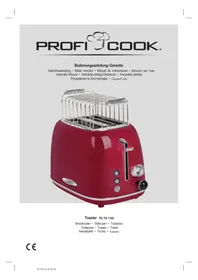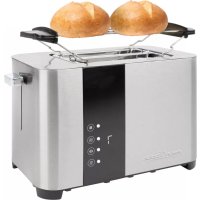
PCTA 1250 - Toaster PROFICOOK - Free user manual and instructions
Find the device manual for free PCTA 1250 PROFICOOK in PDF.



| Product type | Toaster |
| Brand | ProfiCook |
| Model | PCTA 1250 |
| Power supply | 220-240 V~, 50/60 Hz |
| Power | 750-850 W |
| Protection class | I |
| Net weight | approx. 1.3 kg |
| Number of slots | 2 |
| Functions | Toasting, defrosting, reheating, cancel |
| Browning control | 7 progressive levels |
| Crumb tray | Yes, removable |
| Bun accessory | Yes, removable with metal hooks |
| Automatic shut-off | Yes |
| Housing material | Heat-resistant plastic |
| Cable length | Approx. 0.8 m (can be wound under the appliance) |
| Maintenance | Clean with a damp cloth, do not immerse |
| Safety | Crumb tray serving as thermal shield |
Frequently Asked Questions - PCTA 1250 PROFICOOK
User questions about PCTA 1250 PROFICOOK
0 question about this device. Answer the ones you know or ask your own.
Ask a new question about this device
Download the instructions for your Toaster in PDF format for free! Find your manual PCTA 1250 - PROFICOOK and take your electronic device back in hand. On this page are published all the documents necessary for the use of your device. PCTA 1250 by PROFICOOK.
USER MANUAL PCTA 1250 PROFICOOK
Be sure to read the separately enclosed safety instructions first.
Instruction Manual
Thank you for choosing our product. We hope you will enjoy using the appliance.
Read the instruction manual and the separately enclosed safety instructions very carefully before using this appliance.
Keep these documents, including the warranty certificate, receipt and, if possible, the box with the inner packaging in a safe place. If you pass the appliance on to a third party, always include all the relevant documents.
Symbols in this Instruction Manual
Important information for your safety is specially marked. It is essential to comply with these instructions in order to avoid accidents and prevent damage to the appliance:

WARNING:
This warns you of dangers to your health and indicates possible injury risks.

CAUTION:
This refers to possible hazards to the appliance or other objects.
Content
Overview of the Components 3
Unpacking the Appliance 7
Overview of the Components/ Scope of Delivery 7
Warnings for the Use of the Appliance 7
Notes for Use 7
Operation 8
Cleaning 8
Storage. 8
Troubleshooting 9
Technical Data. 9
Disposal. 9
Unpacking the Appliance
- Remove the appliance from its packaging.
- Remove all packaging material, such as foils, filling material, cable ties and cardboard packaging.
- Check the scope of delivery for completeness.
- If the contents of the packaging are incomplete or if damage can be detected, do not operate the appliance. Return it to the dealer immediately.
- There may still be dust or production residues on the appliance. We recommend that you clean the appliance as described under "Cleaning".
Overview of the Components / Scope of Delivery
1 Toasting slot
2 Carriage lever
3 button "cancel"
4 button "defrost"
5 1ton "degree of browning"
6 button "reheat"
7 Control lamps
8 "Degree of browning" indicator
9 Crumb tray
10 Housing
Without Illustration
Removable bread roll attachment
Warnings for the Use of the Appliance

WARNING:
- Do not carry or lift the appliance during operation, but first switch it off and then disconnect the mains plug. Wait until the appliance has cooled down.
- Only operate the appliance under supervision!
- Do not operate the appliance without the crumb tray in place, as it also serves as a heat shield.
- Do not insert forks, knives or similar into the toasting slot.
- There is a risk of burns when removing smaller bread slices!
-
Do not overload the bread roll attachment! Do not place more than one bread roll on the bread roll attachment!
-
Only set the selector switch for the degree of browning to a maximum of level 3.
- Wait one minute between toasting.
- Never spread fat or butter on the roll. Fat can drip down and catch fire!
Notes for Use
Before First Use
To remove the protective layer on the heating coil, you should operate the appliance about three times without toasting food. Select the highest browning level.
Slight smoke and odours are normal during this process.
Make sure there is sufficient ventilation.
Mains Cable
Unwind the mains cable completely. Pass the cable through the cable guide at the back of the appliance.
Electrical Connection
Check that the mains voltage you want to use matches that of the appliance. You will find the information on the type plate.
Buttons
The buttons on the appliance cannot be used until the appliance has been switched on with the lever.
Operation
- Unwind the mains cable completely.
- Only connect the appliance to a properly installed earthed socket.
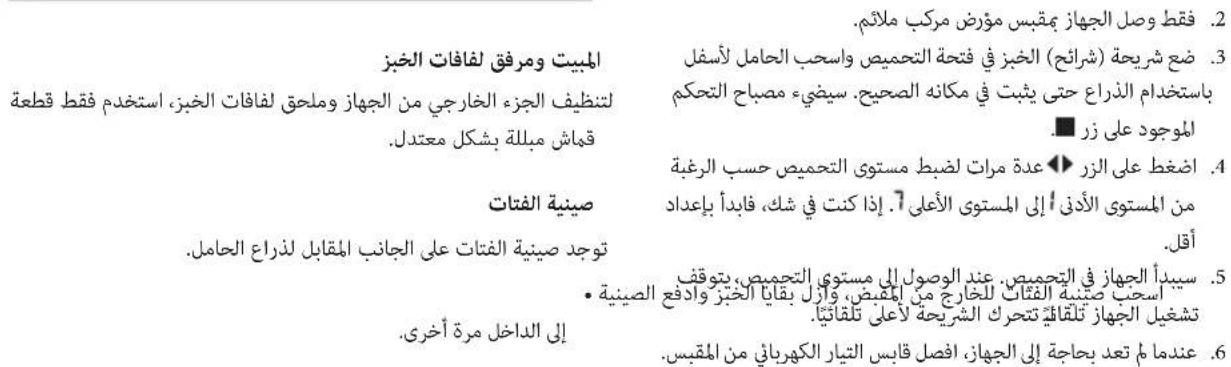
- Place the bread slice(s) in the toast slot and pull the carriage down with the lever until it locks into place. The control lamp on the button lights up.
- Press the button repeatedly to adjust the browning level as desired from the lightest level to the darkest level. If in doubt, start with a smaller setting.
-
The appliance starts to toast. When the set browning level is reached, the appliance switches off automatically. The slide moves up automatically.
-
When you no longer need the appliance, disconnect the mains plug from the socket.
Special Functions
To use the desired special functions, press the respective button after pressing the lever down.
The corresponding control lamp indicates the function.
| ■ | Cancel | To stop the toasting process prematurely. |
| ※ | Defrost | For defrosting and then toasting frozen bread. |
| sss | Reheat | To reheat bread that has already been toasted. |
Bread Roll Attachment (Removable)
Do you want to warm up or toast bread rolls?
- Fold down the metal hooks from the bread roll attachment.
- Place the bread roll attachment on the toasting slot.
- Operate the appliance as described previously.
To store the bread roll attachment again to save space, simply fold up the metal hooks again.
Cleaning

WARNING:
- Always unplug the appliance from the mains and let it cool down before cleaning.
- Do not immerse the appliance in water! It could cause an electric shock or fire.

CAUTION:
- Do not use a wire brush or other abrasive objects.
- Do not use harsh or abrasive cleaners.
Housing and Bread Roll Attachment
To clean the outside of the appliance and the bread roll attachment, use only a moderately damp cloth.
Crumb Tray
The crumb tray is located on the opposite side of the carriage lever.
- Pull out the crumb tray by the handle, remove the bread residues and push the tray back in.
Storage
- Clean the appliance as described.
We recommend storing the appliance in its original packaging if you do not intend to use it for a long period of time.
Always store the appliance out of the reach of children in a well-ventilated and dry place.
Winding Device for Mains Cable
You can wind up the mains cable at the bottom part.
Troubleshooting
| Problem Possible Cause Remedy | ||
| The appliance has no function. | The appliance has no power supply. Check the power socket with another appliance. | |
| Insert the mains plug correctly. | ||
| Check the house fuse. | ||
| The appliance is defective. Contact our service or a specialist. | ||
| The bread is getting too dark. The toasting level is too high. Select a lower toasting level. | ||
| The bread is too light. The toasting level was set too low. Select a higher toasting level. | ||
| The toasting slide no longer moves up. | A slice of bread has jammed in the chute. | WARNING: Pull the mains plug out of the socket! Let the appliance cool down! |
| Free the bread slice with an insulated object, e. g. a wooden stick. If necessary, turn the toaster over so that the bread slice falls out. | ||
Technical Data
Model: PC-TA 1250
Power supply: 220-240 V~, 50/60 Hz
Power consumption: 750-850 W
Protection class:
Net weight: approx. 1.3kg
The right to make technical and design modifications in the course of continuous product development remains reserved.
This appliance has been tested according to all applicable, current CE directives and built according to the latest safety regulations.
Disposal
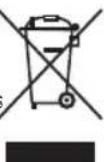
Meaning of the "Dustbin" Symbol
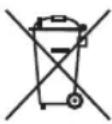
Protect our environment: do not dispose of electrical equipment in the domestic waste.
Please return any electrical equipment that you will no longer use to the collection points provided for their disposal.
This helps avoid the potential effects of incorrect disposal on the environment and human health.
This will contribute to the recycling and other forms of re-utilisation of electrical and electronic equipment.
Information concerning where the equipment can be disposed of can be obtained from your local authority. Your dealer and contractual partner is also obliged to take back the old appliance free of charge.
BELANGRIJK:
CTC Clatronic Sp. z 0.0
Ul. Brzeska 1
45-960 Opole
Usuwanie
Yka3bIbaeT Ha BO3MOxHyO ONaCHOCTb In3dEInna n dpynx OKpyXaHOuNX PpeDMetOB.
CoapedkaHne
Obop deTanei npibopa 3
Pacnakovka npnbopa. 30
063op etane npnbopa/KomnneKt noctabkn. 30
IpeDynpexdengnno nncnoB3oBaHnupn6opa. 30
PpIMeuaHnno nncnoJIb3ObaHnna 31
31
Ynctka 31
Xpahene 32
UcTpaHHe HeNoIaOk 32
TexHHueckne daHHbIe 32
Yttnn3a.. 32
PacnaKOBka np6opa
1.ИЗБLEКТЕпрбориУЯкOBК.
2. YdaJInte BCE ynaKOBOHyIbe MaTePnAJIbI, TAKHe KaK foJIbra, HanoNHTeJIb, Ka6eJIbHbIe CTaXKn I KapToHHaY naKOBka.
3.Поберп Te KOMЛJEKT NOCTaBKN Ha KOMJIeKTHOCTb.
4. EcIN coDEpKIMoe ynaKOBKn HeNoIHOe INN ecN MoXHo 6bHApYkNTb NOBpeKdEHHa, He 3KcNpyATnpyIte np6Op. HEmeDnEHo BepHITe erO dInepy.
5. Ha np6ope moXeT ocTaBaTbCЯ nbIb nI npO3BODCTBeHHbIe OCTaTKI.MbI peKOMeHnyem OUnCTHTb np6Op, KaK OINcAHO B pa3dene «UncTkA»
O63op Detanei npnbopa / KomnJIeKT noCTaBKn
1 Pnpoe3b JnI npJkaPbAHnI
2 PbHar Kapetkn
3 KhoPiKa ■ «OTMeHa»
4 KhoPiKa pa3mopaxnBaHne»
5 KhoNka «CTeHb noJxapuBaHnra
6 KhoNka SSS «NOBTOpHbI HArpeB»
7 KOHTpoJIbHbIe NaMnbl
8 INHdkaTOp «CTeHb noJxapuBaHnA»
9Поддондя Кршек
10 Kopnyc
Be3 pncyHka
CbeHna hacaKa dny 6yNoyeK
PpeDynpexdEHHNo nCnOJb30BaHnIO np6opa

IPENDYNPEXDEHNE:
He npenocnte Hne noHnmaTe npnbop Bo Bpempaobtbl, chayana BbIKIOHTe erO, a 3aTEM OTcoedHHnte cTeByu Bnky. NdoXdnte, noka npnbop OCTbIHET.
3KcNpyatnpyTe np60 ToIbKO IOI npncMOTpOM!
He BknoaIte np6op 6e3 yctahOBJIeHHoro noIOHOA Iy KPOweK, TaK KaK OH TaKKe CnyKNT TepNo3aUHT-HbIM 3KpaHOM.
- He BCTabJIte BUNK, HOKN T. N. B rHe3do dIy TOCTOB.
CuyecTByeT onaHocTb oxora npu n3BneHn H60JIbIHX IOMTKOB XnE6a!

IPEyIPEXEHENIE:
He neperepykaite hacaikdy dny6ynoeK! He knaiTe 60nee oHnO 6ynooukHa hacaikdy dny6ynoeK!
- YCTAHOBITE CEJIeKTopHbI NpeekIIOUaTeJIb CTeNEHN IODJXapNBaHn TOnbKO Ha MaKcMJaHbHbI yPOBeHb 3.
- POnOxKdTe OndHy MNHy TMy MeJy POnJkapBaHnEm.
- Hnkorda He HaMa3bIbAte Xkp Nn MacNo Ha 6bynochy. Knp MoKeT CTeybHn3 n 3arOpetcbc!
PpmeHnno nCNoB3OBAHn
Ipeep nepBbIM NcNOJb3OBaHHeM
UTo6bI ydaJIbTb 3aUHTbI cNoI Ha HArpeBaTeIbHOI cnnpaII, Heo6xOIMo TpI pa3a BkIIOuHTb Ipn6Op 6e3 npdkapINBaHnI npOyKTOB. Bbl6epnte cambl BbcOKm ypoBeHb NpaKapINBaHnI.
He6oJIbWoi DbIM n 3aIaxn YBIIaOTcH HopMaJIbHbIM RAJIeHNEM BO BpEm 3TOrO npOcecca. Y6eINTEcB HAIINUINOCTaTOOH BEHTINJauN.
CetEBoi Ka6eIb
Iopnoctbpo pa3moTaTe ceTeBOJ Ka6eB. Ipponyctnte Ka6eB UpeE3 HnpaBIAIOUyO dIra Ka6eJI Ha 3aDHe IaHEnI np6opa.
3NeKtpnueckoe noKnHoueHne
Y6eIntecb, YTO HAnpRKeHHe B CeTn, KOTOpoe Bbl XOTITE nCIOJIb3OBaTb, COOTBETCTByet HAnpRKeHnIO npi6opa. IHopmaunO bTOM yka3aHa Ha fIpMehHO TabniuKe.
KhoNk
KhONKnHa np6ope He moYt 6bITNcNOJb3OBAHbl, noka np6op He 6ydt BKJIOUeH c NOMOuB pIyara.
3Kcnnyataun
1.ПОИнOCtьюразмOTaIte cTeBOI Ka6eIb.
2.ПодклюатepибopToькКпразиьHoуctановн Ho3a3eMneHNo pO3ETke.
3.ПомecntteLOMTNK(И)хлебаВгнeзdoДЯTOCTOBи NOTHHTe KapeTky BnI3СnomOuьpo pyIHaRa,пOKA OHa He 3aФИКСИPyETc.3aRopaeTcKOHTpOblHaЯ JAmNoUka Ha KhoNKe ■.
4. HaximMaTe KhoNky HeckObKO pa3, YTO6bI OTPeryLInPoBaTb yPOBeHb NOpymaHbAHHa NIO KeNaHnO OT camoro CBETJoro yPOBHa Ido camoro TemHoro yPOBHa? EcIn eCTb comHeHnA, HauHnte C MeHSeH nactPonKn.
5. Пибор Начнл РджарьтTOCTbl. Пи ДОСТИЖЕН 3аданно уровь пожарьань рибор abTomaTчecкв bblIOUcaTeC. 3acNoHka abTomaTчeCKn nepemeuaetc BBePx.
6. Ecn np6op 60nbHe H HyKeH, BbInbTe CeTeByIO BnIKy n3 po3eTkn.
CneuaalbHbe yHKm
YTO6bI NcIOJIb3OBAbT HxKHbIE CNEUaJIbHbIe FyHKUIM, HaxMITE COOTBeTCTByIOUyIO KHOJky NocJe HaXaTnaPBuHaRa BnI3.
COOTBETCTBYUZAA KOHTPObHa JIaMnYka3bIbAeT Ha yHKLNIIO.
CetBoi Ka6eJb MoXHO HamOtaTb Ha HIXKHO YoacTb.
TpOAnDnA KpOwEK
Подон Дякpoшek pacnoJoxKeH Ha npOTnBONJIOxHOn CTOpOHe OT pbHara KapetKn.
- BbITaHNTe NOdoN DnK KPOwEk 3a pyuKy, ydaIaNTe OCTaTKxNt6aN BCTaBbTe NOdoN O6paTHo.
YcTpaHHeH HeNoJaOK
J. J. J. J. J. J. J. J. J. J. J. J. J. J. J. J. J. J. J. J. J. J. J. J. J. J. J. J. J. J. J. J. J. J. J. J. J. J. J. J. J. J. J. J. J. J. J. J. J. J. J.
jglj jn jnl
"aaal al gioo" jor gao
3 15y
.
Joo aaiolgai aaiyajj 00 jao
aillgao biai
alaiobd aowllg aulll 5y1 wj j owlb
a a a a a a a a a a a a a a a a a a a a a
Joo 1
auiyiyg ailyygl 126b1p126w0dgl y
j0 jalil jSe gill jSlyly aalebi lloglebl 1gall jSe
gulll 1y jy yj yj yj yj yj yj yj yj
blao aolll jglll oolawlgljog

1
jz
Lolc sbg
.0gjhtalbghal galsjgl jhokagabolol
0jololololololololololololololololololololololololololololololololololololololololololololololololololololololol
| ### | ### | ### |
| ### | ### | ### |
| ### | ### | ### |
J 1
40xuogjubcyl
"abilll pwh 3 gbi glll lgl
5.jgallality gogjil. jglallge tyll cialo gl jzogy
P
Ji 1
y_g Joaia
puluul 1i bai / ci gki li de aole ojbi
a 1
法一:
"
"Jzj4
"aaaann aa j0j 5
"zssssssssss
Soo 7
"aaannn aa 8
9
10
0g 0
yJyU JJIaI yJyU CJIaI yJyU
jglalpuiuxiyjy
y = - 2x + 23
yjgjLj.
lae jalol yjg jzai jyssll
!山山山山山山山山山
gai i gai Ka 1i 1i 1i 1i 1i 1i 1i
.0j,0j,0j
aannnnn aodad 3d dduo lo g jySsw g y
Joo 1
1
J 1
S OBC = S COD + S BDO - S BOC
103 15g216
S BCD = S COD + S BDO - S BOC
a1 = 2,a2 = - 4, b_1 = 4
Jusu 10000000000000000000000000000000000000000
1
jz
gJyI pluZwUy Ia
yjglj jzj 1000
aagaaeggge 2000
gss g no sbl jall n zai aolac slgl gale gaaal giljll
aagaae

J 15
0gjg j 111111111111111111111111111
j0000
L
jglal plidaly giau j Jolc liqio yj
auiu Juaio Jauo aai jil joi Jauo g Jauo Jauo
oLg u 10
j50 3 1111111111111111111
j 150000000000000000000000000000000000
.
pduwyyl
LlloLwIe Iblauuauo aolglal oiae lloLg
gllgoggogg gglll ooljllg jgrall
jglzly
:
jblao 0g jyag ddo yblae aolly jo jorll iia joi
a. lool ool alao
4.5 3
1 1
S = 12t
Lg26b1
- _____C. .
36
36
36
36
35
35
35 - 34
34
gaiy
1.0gJ 10j
2. l0| S | l0l0gg0 心
.5g261 3g311 jao 4c0aab 18g2all
3 15g264 ab5 29
4.
juljololololololololololololololololololololololololololololololololololololololololololol
GARANTIEKARTE
warranty card · garantiekaart · carte de garantie · scheda di garanzia · tarjeta de garantia · cartao de garantia · garantikort · karta gwarancyjna · zaru.cnli list · kartica jamstva · carte de garantie · fapaunnoHa Kapta · zaru.cnly list · garancijski list · garanciajegy · rapaHTiHmΦOpMynap · fapaHTnHbTanoH
PC-TA 1250
24 Monate Garantie gemäß Garantieerklarung - 24 months warranty according to warranty declaration - 24 maanden garantie volgens garantieverklaring - 24 mois de garantie selon la déclaration de garantie - 24 messi de garanzia seconde la dichiarazione di garanzia - 24 meses de garantia de acuero con la déclaracion de garantia - 24 mezes de garantia, de accordo a sua déclaration de garantia - 24 manedes garanti i henhold til garantibeteingenslese - 24 misiesc gwarancjna podastawie owiadczcnia gwarancjnego - zaruka 24 mescu podle prohlasef o zaruce - 24 mesecno jamstvo u skladu s jamstvenom deklaracionjem - 24 luni garantie conform declaratie de garanjie - 24 mecua rapaunur a cbotertcbrne c rapaunonhana dekpanaqrna - 24-mesacna zaruka podfa vhylasenia o zaruke - 24-mesecna garancija, skladno z garancjsko izavo - 24 honap garancia a garanciafeletetelekben leirtak szerint - rapahtra na 24 micui bIDNOIDHO npo npa raptHIO - raptHTN - 24 mecua cornaccho zarneneHHBM rapaHTNHIM papaRbAM -
Kaufdatum, Handlsterpmel, Unterschied - date of purchase, dealer stamp, signature - aankoepdatum, dealerpmel, handbeking - date d'achat, tampon du concessionaire, signature - data di acquisto, timbre di rienditore, forn - fecha de compra, sellio del distribuiator, forn - data de compria, carimbo di distribuiator, assinatura - kippsdato, forhandlisterpemel, signature - data zakupi, pieczec spradleyce, podis - datum zakupeni, ruklo proteje, podis - datum koupivne, zig trogovae, podis - data ochichne, stampli furzuniluri, semnata - Data na nojikna, neu - datn nojogana, nojno - datum nakuki, pecliata obchodnica/ predaje, podis - datum napka, zig trogovae, podis - visilaris datuma, kereskede belyegroje, aliraks - datra npodbanna, nevata npodana, npiec - Data npodopeternen, ilram npodjanu, nojno -
PROFI COOK.
www.proficook-germany.de
PROFI COOK.
Internet: www.proficook-germany.de
Made in P.R.C.