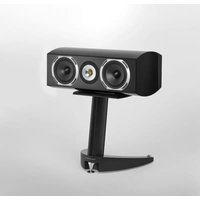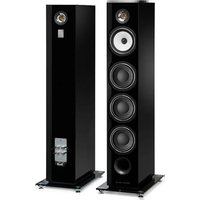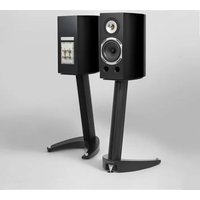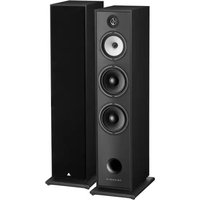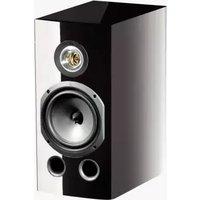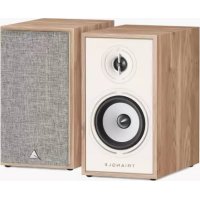
Borea BR02 - Speaker TRIANGLE - Free user manual and instructions
Find the device manual for free Borea BR02 TRIANGLE in PDF.


| Technical specifications | TRIANGLE Borea BR02 speaker, 2-way, 8 Ohms impedance, nominal power 120W, sensitivity 90 dB, frequency response 50 Hz - 20 kHz. |
|---|---|
| Usage | Designed for indoor use, ideal for home audio systems, compatible with amplifiers and AV receivers. |
| Maintenance and repair | Clean regularly with a soft cloth, avoid exposure to moisture. In case of malfunction, contact an authorized service center for repair. |
| Safety | Do not expose to extreme temperatures or moisture. Avoid placing near heat sources. Unplug before any handling. |
| General information | Dimensions: 1000 x 200 x 300 mm, weight: 10 kg. 2-year warranty, available in several finishes. |
Frequently Asked Questions - Borea BR02 TRIANGLE
User questions about Borea BR02 TRIANGLE
0 question about this device. Answer the ones you know or ask your own.
Ask a new question about this device
Download the instructions for your Speaker in PDF format for free! Find your manual Borea BR02 - TRIANGLE and take your electronic device back in hand. On this page are published all the documents necessary for the use of your device. Borea BR02 by TRIANGLE.
USER MANUAL Borea BR02 TRIANGLE
Owner's manual & Warranty
SOMMAIRE / SUMMARY
MODE D'EMPLOI - FRANÇAIS 5
Unpacking 22
Installation precautions / Caution 23
Connecting the speakers 25
Speaker description 26
Remote control description 28
Pairing remote control procedure 29
Using the remote control 29
Connecting sources 30
Bass and treble adjustments / Auto standby feature 36
INFORMATIONS TECHNIQUES / TECHNICAL INFORMATION 37 INSTRUCTIONS DE SECURITE / SAFETY INSTRUCTION 38 GARANTIE / WARRANTY 40
MODE D'EMPLOI
FRANÇAIS
Enceinte BOREA Bluetooth
Modèles concernés :
BOREA BR02 Connect, BOREA BR03 Connect, TEA06-C, TEA06-B, TEA06-AZ, TEA06-BB, TEA06-BA, TEA06-BO, TEA07-C, TEA07-B, TEA07-AZ, TEA07-BB, TEA07-BA, TEA07-BO, TEA07-BP
DEBALLAGE
BOREA Connect Speaker
Concerned models :
BOREA BR02 Connect, BOREA BR03 Connect, TEA06-C, TEA06-B, TEA06-AZ, TEA06-BB, TEA06-BA, TEA06-BO, TEA07-C, TEA07-B, TEA07-AZ, TEA07-BB, TEA07-BA, TEA07-BO, TEA07-BP
UNPACKING
Open the box and take out the speakers and accessories. If you notice any defects in one of the elements as you unpack, please get in touch with your reseller.
Before disposing of the packaging*, make sure there is nothing left inside.
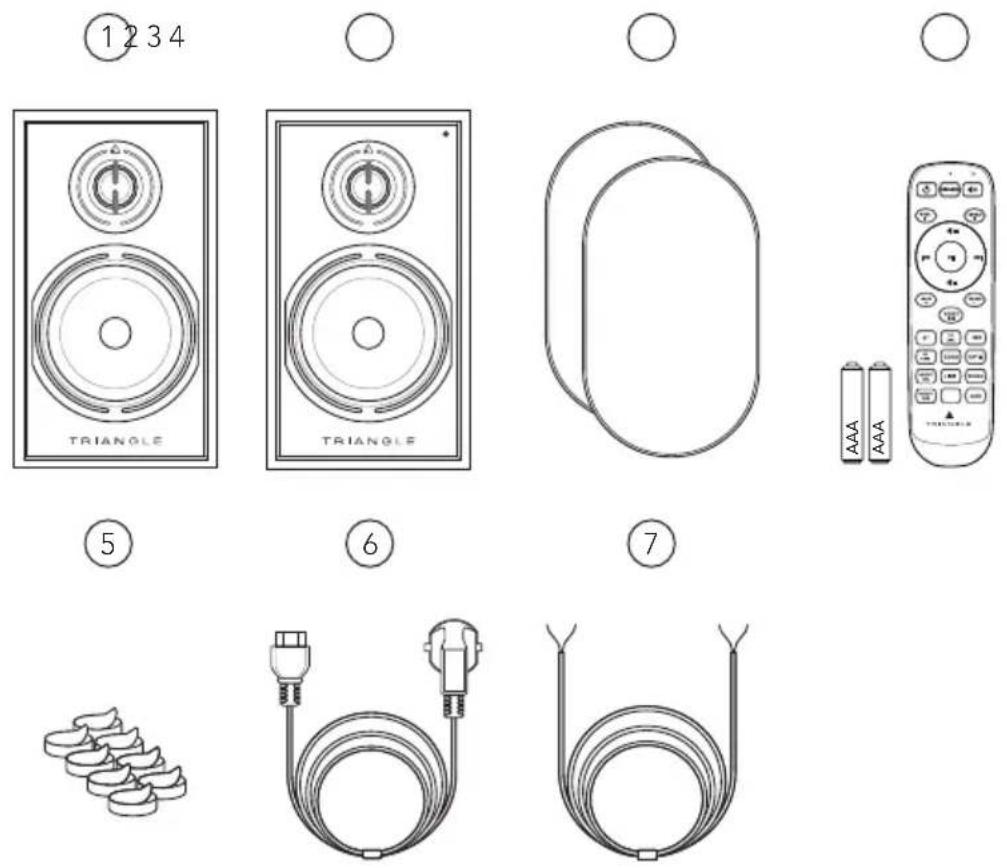
Included in box :
- 1 x passive loudspeaker BOREA Connect
- 1 x active loudspeaker BOREA Connect (indicator light on the front)
- 2 × protection masks
- 1 x remote control, incl. 2 AAA batteries
- 8 × adhesive anti-slip feet to place below the speakers
- 1 x AC power cord
- 1 × 3 meters speaker cable to link the loudspeakers

- PLEASE DO NOT THROW AWAY THE PACKAGING!
If you need service or want to return your product, please send it in the original packaging including all inserts. In case of damage due to alternative packaging your dealer cannot guarantee product support.
INSTALLATION PRECAUTIONS
Before the installation
Before making any connections, turn off the devices. Be sure to always set the active speaker switch to OFF before removing or plugging connection cables. Do not plug in the power cord before all connections are made.
Moving the device
Always remove the power cord and disconnect the cables between all components when moving the device. This will prevent a short-circuit or the damage to the plugs or connection cables.
Before turning on the device
Check one last time if all the connections are correct.
Locations to avoid
Install your speakers in a temperate place and avoid humid locations or direct sunlight.
Recycling
Protection of the environment: your products contain valuable materials which can be recovered or recycled. Take them to the appropriate collection points.
CAUTION
Use the product in the environment with the temperature between -10^ / 14^ and 40^ / 104^ ; otherwise, it may damage your product.
For the following equipment
Product Name: Borea Connect Speaker
Brand Name: TRIANGLE
Model No.:BOREA BR02 Connect, BOREA BR03 Connect, TEA06-C, TEA06-B, TEA06-AZ, TEA06-BB, TEA06-BA, TEA06-BO, TEA07-C, TEA07-B, TEA07-AZ, TEA07-BB, TEA07-BA, TEA07-BO, TEA07-BP.
TRIANGLE Hi-Fi (E-mail: info@trianglehifi.com) hereby declares that this Borea Connect Speaker, Model: BOREA BR02 Connect, BOREA BR03 Connect, TEA06-C, TEA06-B, TEA06-AZ, TEA06-BB, TEA06-BA, TEA06-BO, TEA07-C, TEA07-B, TEA07-AZ, TEA07-BB, TEA07-BA, TEA07-BO, TEA07-BP is in compliance with Radio Equipment Regulations 2017 (SI 2017 No. 1206, as amended by SI 2019 No. 696).

The full text of the UK declaration of conformity is available at the internet address: https://www.trianglehifi.com/en/uk-declaration-of-conformity/
The RF distance between body and product is 0mm
Bluetooth Version: Bluetooth V5.1 (Only EDR)
Frequency Range: 2402-2480MHz
Max.RF Output Power: 4dBm (EIRP)
2.4GHz
Frequency Range: 2464MHz Receiving
CONNECTING THE SPEAKERS
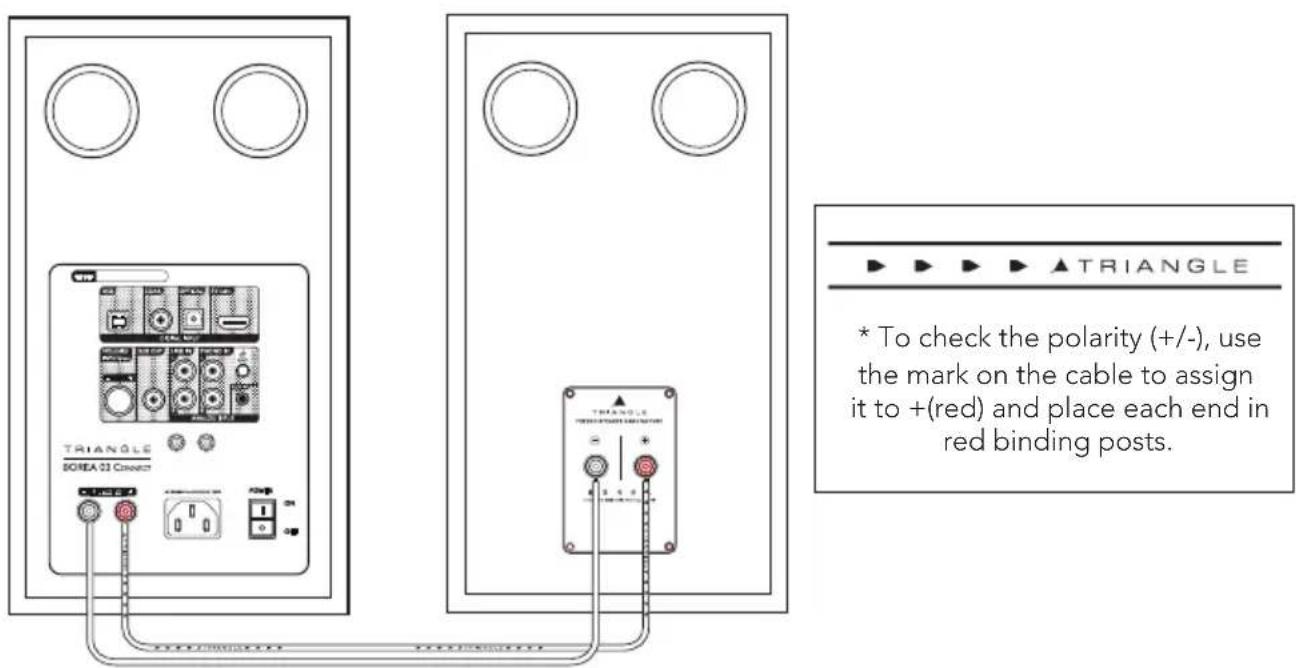
The speakers must be interconnected with the speaker cable provided. (White cable mentioning "High purity OFC Copper cable").
Ensure that the speaker connection polarity is correct: The red and black terminals on the passive and active speakers must be connected respectively to each other. To help with the set-up, the connection cable indicating "TRIANGLE High purity OFC Copper cable" is dedicated to the red terminal (+).
To respect the stereophony, it is necessary to place the active speaker to the right of the listener when facing the speakers.
Powering On
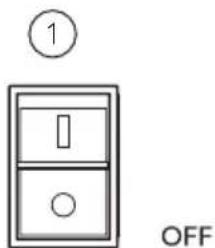
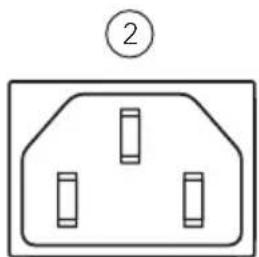
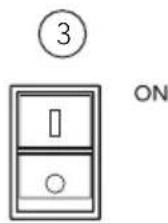
Once you have checked the amplifier on the active speaker is set to the "OFF" position, plug the power cord into the designated input and into an AC power outlet. The speakers are then ready for use and can be turned on.
DESCRIPTION OF THE SPEAKER (FRONT PANEL)
- Active speaker
- Passive speaker
- Source indication: Blue LED: BLUETOOTH Light Blue LED: USB PC/MAC
Green LED: LINE IN
Yellow LED:PHONO IN
White LED: TV ARC
Purple LED: OPTICAL
Orange LED: COAXIAL
Light Green LED: AUX
Red LED:STANBY
- Magnetic protection mask* (1 pair)
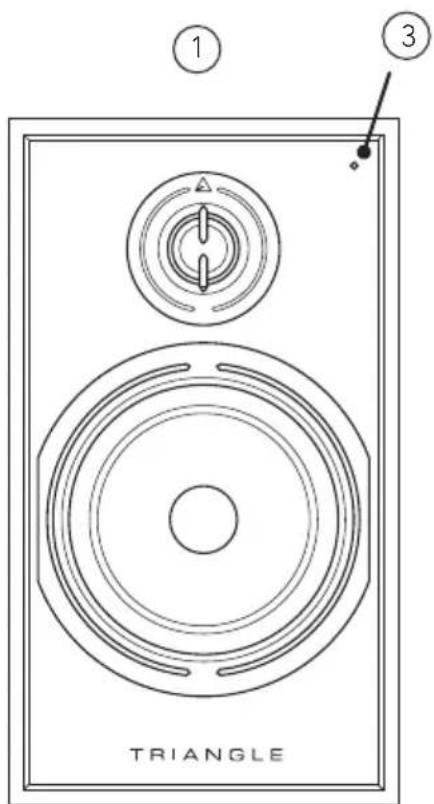
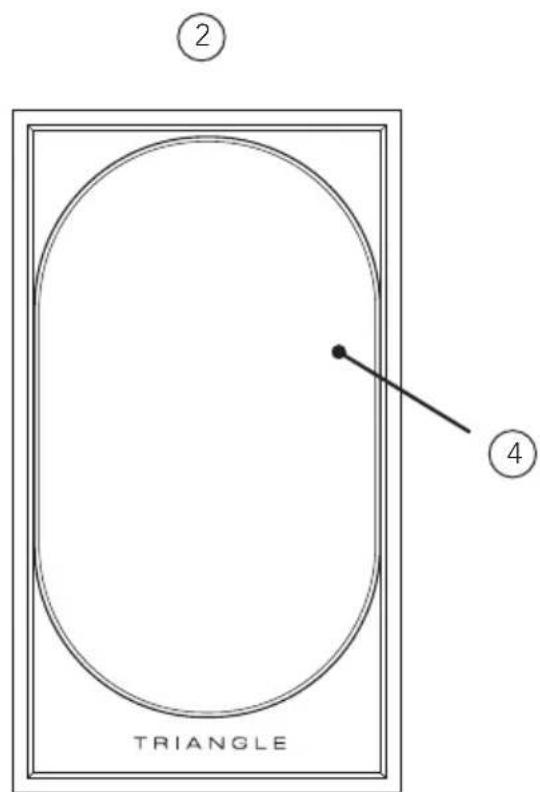
- For optimal use and perfect sound reproduction, it is recommended to remove the magnetic masks when listening.
DESCRIPTION OF THE SPEAKER (REAR PANEL)
- USB input
- Coaxial input (For stereo signal only)
- Optical input (For stereo signal only)
- TV/ARC input (For stereo signal only)
- Subwoofer output
-
Volume control / Input select (1)
-
Terminal of the active speaker
- LINE IN input
- PHONO IN input (+ Ground pin)
- AUX input (Mini-Jack 3.5 mm)
- AC outlet
- Power switch
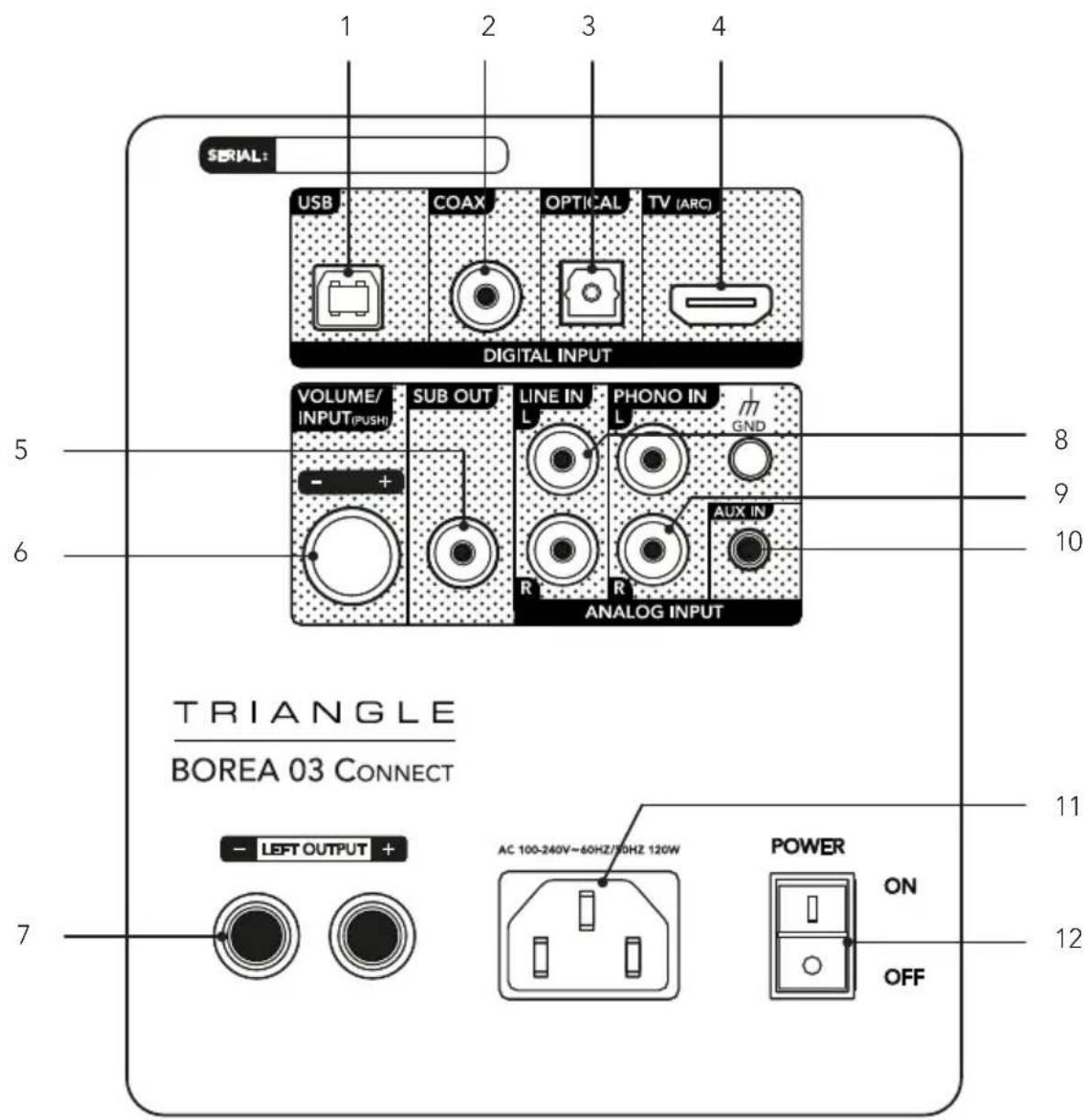
(1) The volume knob adjusts the volume of the speakers. When you press it, you can also select the desired input.
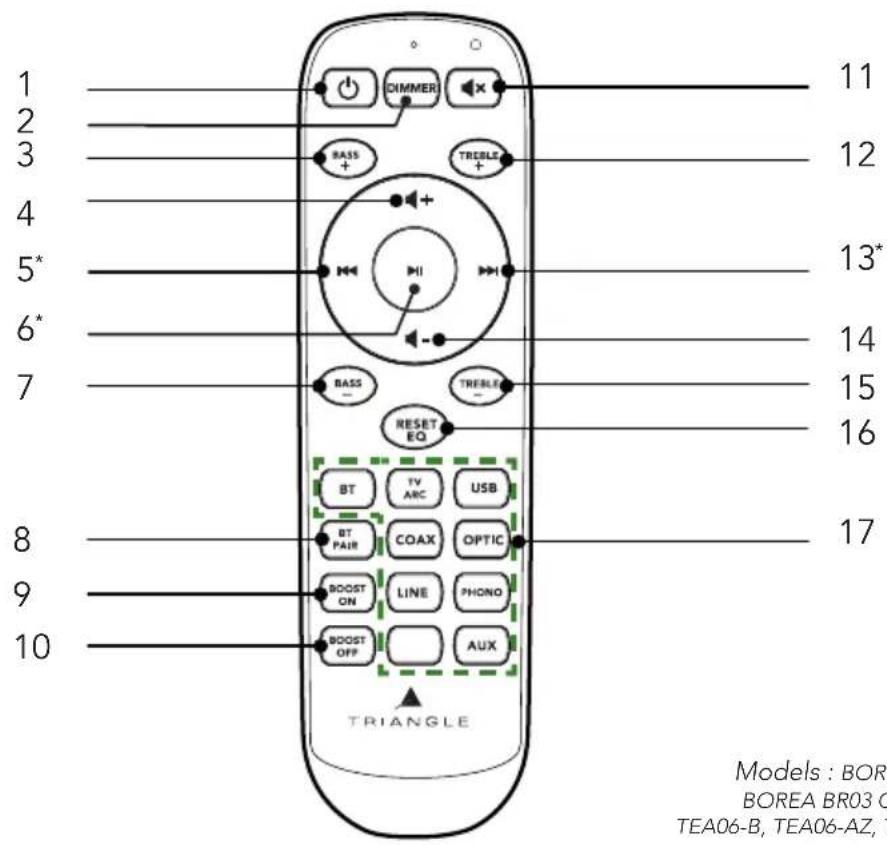
DESCRIPTION OF THE REMOTE
The remote control operates via radio waves. You don't need to point it towards the BOREA Connect speakers to control them. It allows the speakers to be controlled from more than 15 meters away, regardless of obstacles (walls, furniture, etc.).
- Power on / Standby
- DIMMER function (1)
- Increasing bass
- Increasing the volume
- Previous Track*
- Play/Pause*
- Decreasing bass
- BT PAIR function (1)
-
Activing BASS BOOST function (1)
-
Deactiving BASS BOOST function ^(1)
- Mute
- Increasing treble
- Next track*
- Turning volume down
- Decreasing treble
- Reset default equalizer + Pair remote control(1)
- Source selection buttons
REMOTE
Models:BOREA BR02 Connect,
BOREA BR03 Connect, TEA06-C
TEA06-B, TEA06-AZ, TEA06-BB, TEA06-
BA, TEA06-BO, TEA07-C, TEA07-B,
TEA07-AZ, TEA07-BB, TEA07-BA,
TEA07-BO, TEA07-BP
Frequencies :
2464MHz 2.RF
Potency output :
3.87dBm (EIRP)
PAIRING PROCEDURE
The remote control for your BOREA Connect speaker is radio-controlled and factory-paired with the speaker. If your remote control does not work, has been replaced or if the batteries have been changed, it is necessary to pair it again with your speakers.
Please turn ON the speaker with the back panel switch and wait for 3 seconds. Press continuously «EQ reset» button on the remote for 5 seconds while watching the speaker LED on the front panel. This LED will blink a couple of time after successful pairing (within a few seconds).
USING THE REMOTE CONTROL
1- BT PAIR button
The BOREA Connect speakers have the capability to memorize 8 devices. The 9^th Bluetooth connection will replace the first connected device. This function allows you to disconnect a Bluetooth source to connect a new one. Press and hold the button «BT PAIR» to activate this function when using the Bluetooth input of the BOREA Connect. The indicator light on the front panel should now blink blue.
You can use your smartphone, tablet or computer to select the BOREA Connect in the list of available Bluetooth devices.
2-BASS BOOST ON/BASS BOOST OFF button
At low volumes, we hear the low frequencies differently than at medium or high volumes. This function balances the low frequencies at low volume and adapts gradually when the volume changes. It is particularly recommended when listening to ambient music.
The BASS BOOST function adapts itself to the speaker volume.
3- DIMMER button
The DIMMER function allows you to deactivate the indicator light on the front of the active speaker. Press and hold the «DIMMER» button. The indicator light will only blink when using the remote control. It will also be active when the speakers are in standby mode.
4- RESET EQ button
The RESET EQ function resets the sound settings to their defaults. (Factory settings)
CONNECTING SOURCES
The BOREA Connect speakers can be paired with a variety of sources. Here are the various options:

Wireless Connection via Bluetooth
Sampling: 48 KHZ/24BITS
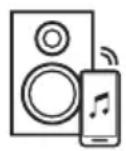
This connection enables you to send music wirelessly thanks to the latest version Bluetooth 5.1 aptX HD technology. AptX HD is a coding that allows you to stream music via Bluetooth with a sound close to CD quality to your BOREA Connect speakers. The reach is approximately 10 meters, according to the environment and the obstacles met. The BOREA Connect speakers have the capability to memorize 8 devices.
The BOREA Connect speakers let you play music from any Bluetooth-enabled sources: smartphone, tablet, computer... To do so :
▶ Slide the power switch on the back to the ON position to activate your BOREA Connect speakers.
- Select the «Bluetooth» input using the «VOLUME/INPUT» button on the back of the speaker or the «BT» button on the remote control. The indicator light should blink blue until a Bluetooth source (your phone, tablet, computer, etc.) is connected.
- When you search on your Bluetooth device (refer to the device user manual if needed), the speakers should appear under the name «BOREA 02 CONNECT» or «BOREA 03 CONNECT», you can then connect to them. Your speakers are now linked to your Bluetooth device and ready to play music. The connection will be done automatically next time you switch on your speakers if your Bluetooth device is available.
The BT PAIR function allows you to disconnect a Bluetooth source to connect a new one (See page 13).
With the remote control of the BOREA Connect, you can change track, play and pause your music on the speakers when using Bluetooth. (See page 29)
- You can change the volume of the BOREA Connect from your Bluetooth source using the physical buttons on your device or directly from the music app used. We recommend setting the volume on your device to maximum and then adjusting the sound on the speakers via the remote control or the volume knob on the back of the active speaker.
- When connecting a Bluetooth device with a volume control, be careful of the volume level. If the level is too low, the BOREA speakers will not be audible. We recommend setting the volume of your Bluetooth device to three quarters and the volume of the speaker to the minimum to begin adjusting with the remote control of the BOREA Connect.

Connection via HDMI
Sampling: 96KHZ/24BITS
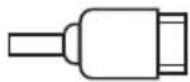

The TV ARC input enables you to connect your speakers to your television. To do so:
- Check that your TV and HDMI cable are compatible with HDMI ARC technology.
- Connect your HDMI cable to the back of the active speaker and on your television, on the HDMI ARC input.
In your TV settings, set the sound output to PCM (Stereo). - Select TV input from the TV ARC button on the remote control. The white indicator light indicates that the source is on the «TV ARC» input.
- Your system is ready to operate.

This connection will allow you to turn on your speakers at the same time as your TV and adjust the volume with the TV remote control.*

Connection via USB cable
Sampling: 384KHZ/32BITS

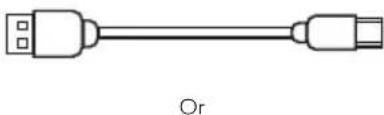




The USB-B input allows you to connect your speakers to a computer. You can use a USB-A or USB-C to USB-B type cable.
Connect the USB cable to the «USB» input then the other end to your device.
- Select the USB input from the USB button on the remote control. The light blue indicator light indicates that the source is on the «USB» input.
In the computer settings, select the «TRIANGLE BOREA CONNECT» speakers as the audio output.
Your system is then ready to operate.

The USB input allows you to send your audio files with the highest quality.
*Compatibility may vary depending on TV models.

Connection via an optical cable
Sampling: 192KHZ/24BITS

SPDIF
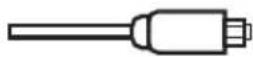
The optical input enables you to connect your speakers to any audio devices with an optical output: audio player, DVD player, television... To do so:
Plug one end of the optical cable into the back of the active speaker in the «OPTICAL» and the opposite end into your device.
In your device settings, set the sound output to PCM (Stereo).
- Select the optical input from the OPTIC button on the remote control. The purple indicator light indicates that the source is on the «OPTICAL» input.
Your system is ready to operate.

Connection via a coaxial cable
Sampling: 192KHZ/24BITS
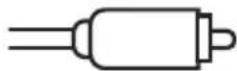

COAXIN
The coaxial input enables you to connect your speakers to any audio devices with a coaxial output: CD player, DVD/Blu-ray player, television... To do so:
Plug one end of the coax cable into the back of the active speaker in the «COAX» and the opposite end into your device.
- Select the coaxial input from the COAX button on the remote control. The orange indicator light indicates that the source is on the «COAX» input.
Your system is ready to operate.

Connection via a 3.5mm mini-jack cable
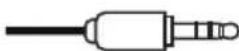

A 1/8-inch (3.5mm) jack cable (included) enables you to connect your speakers to any audio devices with 3.5mm output: smartphone, audio player, tablet, computer, television... To do so:
Plug one end of the jack connector into the «AUX» terminal and the opposite end into your device.
- Select the auxiliary input from the AUX button on the remote control. The light green indicator light indicates that the source is indeed on the «AUX» input.
- Your system is ready to operate.

Connecting a turntable
When connecting a turntable, the BOREA speaker MUST be powered off.
Turntable Without Phono Preamplifier
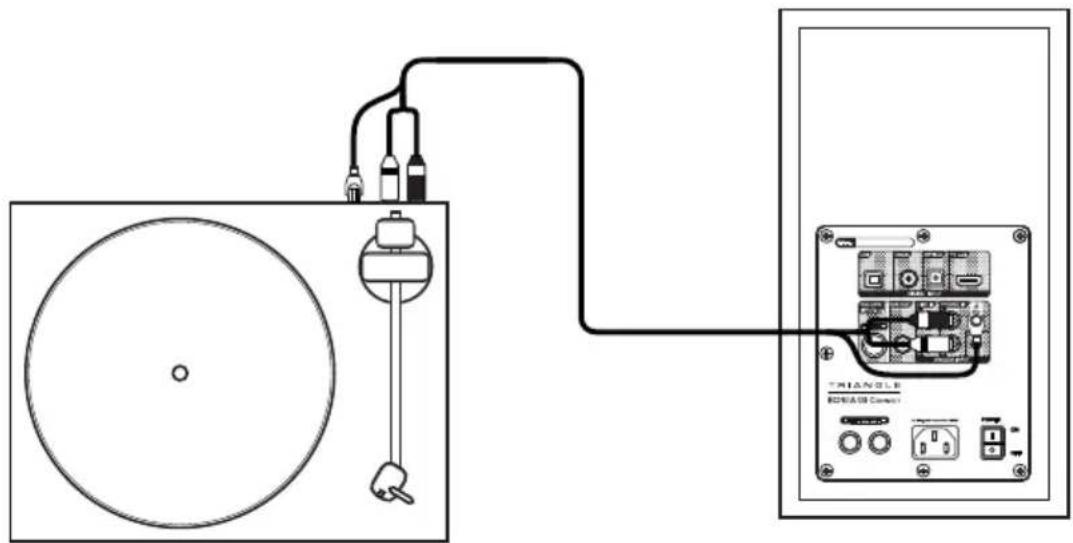
If you have a turntable without a built-in phono preamplifier:
Connect the RCA cable from the turntable to the «PHONO IN» input on the speaker.
- Connect the fork (also called ground cable) to the GND socket provided for this purpose on the back of your powered speaker.
- Press the PHONO button on the remote. The yellow indicator light indicates that the source is on the «PHONO IN» input.
- Your system is ready to operate.

Connection of other RCA type sources
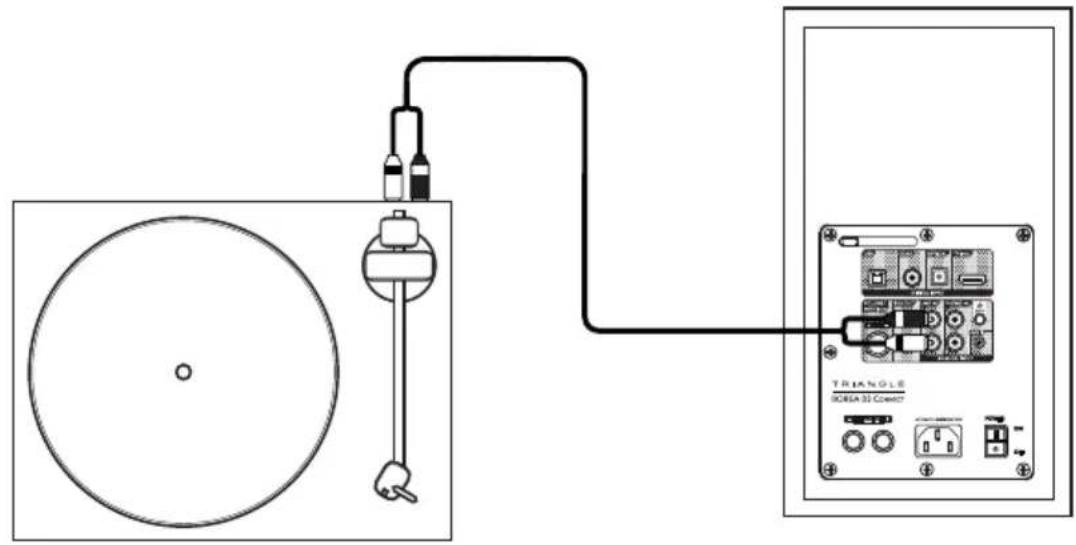
Turntable With Phono Preamplifier
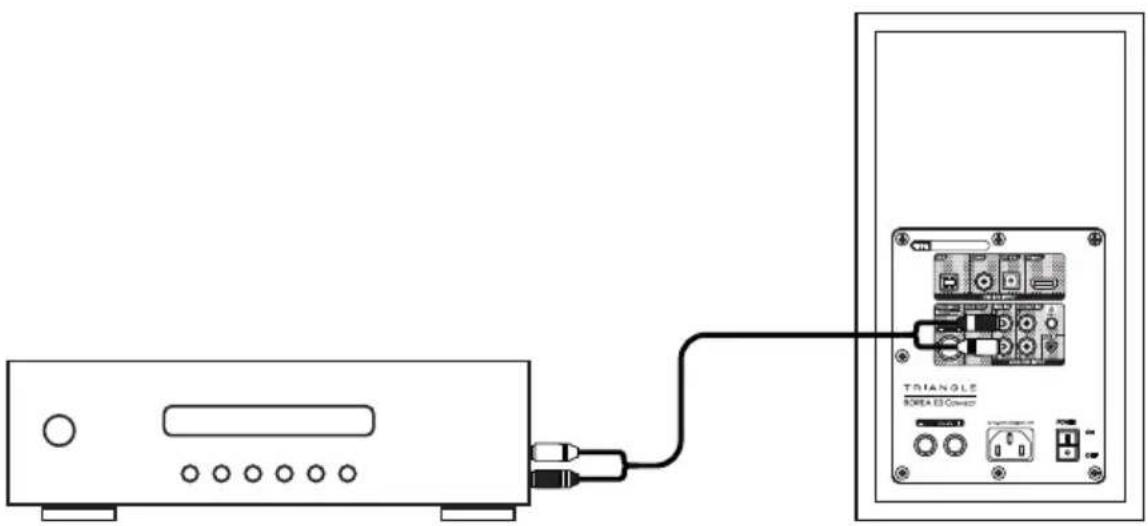
If you have a turntable with an integrated phono preamplifier or a CD player:
Connect the RCA cable from your source to the "LINE IN" input on the speaker.
Press the LINE button on the remote. The green indicator light indicates that the source is on the «LINE IN» input.
Your system is ready to operate.
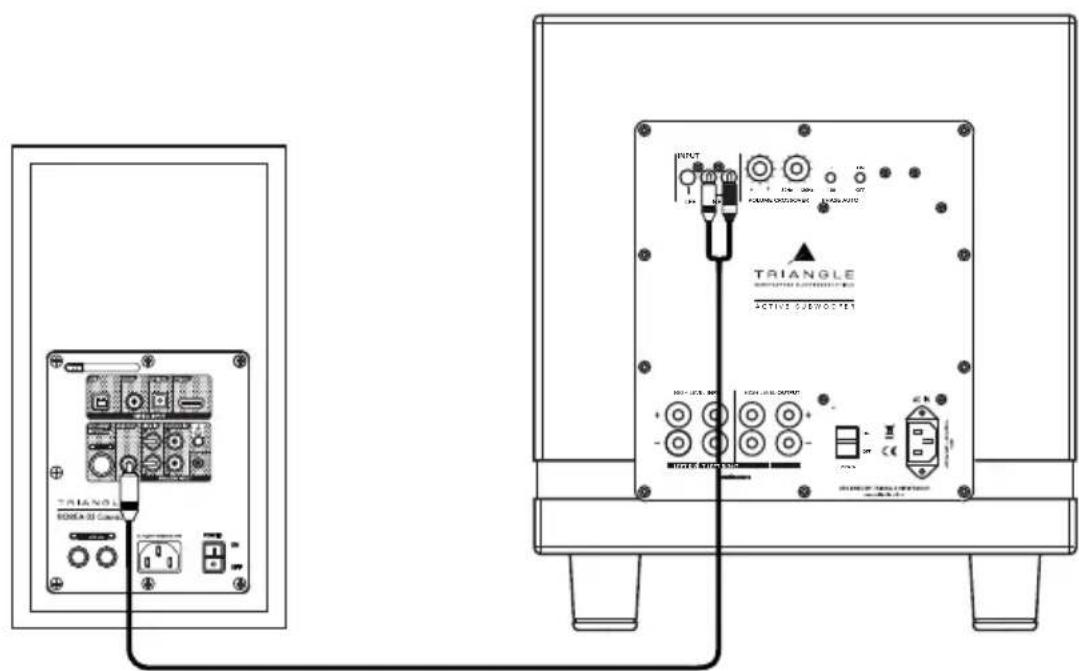
Connecting a subwoofer
The BOREA Connect speakers have a subwoofer output allowing the connection to a subwoofer.
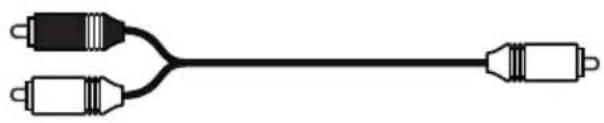
Use a RCA to 2 RCA cable (Y-cable) to connect the SUB output of the powered speaker and the 2 LINE IN inputs of your subwoofer.
Adjust the volume of the subwoofer and its crossover frequency so that the sound is consistent between your speakers and the subwoofer. The subwoofer should blend in well with your speakers without being overpowering.
BASS AND TREBLE ADJUSTMENTS
Your BOREA Connect speakers have an equalizer that enables you to adjust the low and high frequencies as you like.
Adjusting the amount of bass
With the «Bass +» and «Bass -» buttons on the remote control, you have access to 15 positions in 2dB steps over a range between 30 and 500Hz . The default setting is 0dB.
The low-frequency output will increase or decrease each time the remote control is pressed.
Adjusting the amount of treble
With the «Treble +» and «Treble →» buttons on the remote control, you have access to 15 positions in 2dB steps over a range between 1000 and 20kHz . The default setting is 0dB. The high-frequency output will increase or decrease each time the remote control is pressed.
When the speaker goes on standby, the settings will be stored for the next use. To restore the factory presets, you just need to press the «EQ RESET» button on the remote (See page 29).
AUTO STANDBY FEATURE
If no signal is received for 15 minutes, the speakers will automatically switch to standby. To exit the standby mode, simply switch the speakers back on with the remote.
BOREA CONNECT
| Spécifications techniques Technical specifications | BOREA BR02 CONNECT BOREA BR03 CONNECT | |
| Type | Enceintes actives bass-reflex Active speakers | Enceintes actives bass-reflex Active speakers |
| Diamètre haut-parleurs Driver diameters | 13 cm / Dôme 25mm 5" / 1" Dome | 16.5 cm / Dôme 25mm 6.5" / 1" Dome |
| Sensibilité enceintes Sensitivity | 89 dB/m 90 dB/m | |
| Bande passante Bandwidth (+/- 3dB) | 56 Hz - 22 KHz 47 Hz - 22 KHz | |
| Puisance Amplificateur Amplifier Power output | 2 x 50W 2 x 60W | |
| Entrées Inputs | Aux mini-jack 3.5mm, Optical Toslink, RCA LINE, Phono MM,TV ARC, USB, Bluetooth 5.1 aptX HD | Aux mini-jack 3.5mm, Optical Toslink, RCA LINE, Phono MM,TV ARC, USB, Bluetooth 5.1 aptX HD |
| Format Audio Audio format | MP3, WMA, APE, FLAC, WAV, Apple Lossless | MP3, WMA, APE, FLAC, WAV, Apple Lossless |
| Sortie Output | Caisson de grave Subwoofer | Caisson de grave Subwoofer |
| Dimensions (LxHxP) | 176 x 310 x 274 mm 6.92 x 12.2 x 10.8 inches | 206 x 360 x 314 mm 8.1x 14.1 x 12.36 inches |
| Poids Net de l'enceinte active Active speaker net weight | 6.1 kg 13.45 lbs | 7.6 kg 16.76 lbs |
| Poids Net de l'enceinte passive Passive speaker net weight | 5.1 kg 11.24 lbs | 6.6 kg 14.55 lbs |
| Poids Brut avec packaging Gross weight (pair) | 12.6 kg 27.78 lbs | 15.8 kg 34.83 lbs |
INSTRUCTIONS DE SECURITE
WARNING: Read carefully all the safety instructions before using the device.
- Keep these safety instructions for future reference.
- Do not use this apparatus near water or liquid.
- Only clean with a dry and soft cloth.
- Make sure the openings (vents) on the device are not blocked.
- Do not install near any heat sources such as radiators, stoves, or any other apparatus (including amplifiers) that produce heat.
- Only use accessories specified by the manufacturer.
- Be sure that the stand/table/furniture is strong enough to support the apparatus (stand, shelf, furniture...).
- Protect the power cord from being walked on or pinched, particularly at the plugs, and protect the connector where it exits from the apparatus.
- Unplug the apparatus during lightning storms or when it's unused for long periods of time.
- The plug of the apparatus must fit with the outlet. Never modify the plug in any way. The apparatus should be connected to a mains socket outlet with protective earthing connection.
- Refer to your authorized TRIANGLE dealer or qualified service personnel if the apparatus is damaged in any way. For example, if the power cord or the wall outlet is damaged, liquid has been spilled or objects have fallen on the apparatus, the apparatus has been exposed to rain or moisture, does not operate normally, or has been dropped.
GARANTIE / WARRANTY
Thanks for buying a TRIANGLE product.
We want you to enjoy your purchase to the fullest. The first step is an easy registration of your product. By doing this, you will benefit from helpful tips, products support, special offers and a 1 year extension warranty.
Online registration
Register your product easily online at the following address: http://register.trianglehifi.com/
Note on the warranty
Your TRIANGLE loudspeakers are warranted for 2 years. This warranty takes effect from the date of purchase and covers any manufacturing defect or damage your loudspeakers could suffer as a result of these same defects. This warranty is granted solely to the first owner of the product and is not transmittable in the case of resale. To validate your warranty, you will need to register online or mail the warranty coupon to TRIANGLE. Please note, this warranty is voided if any fault arises from ill-treatment or careless handling of the product.
The following are excluded from this warranty:
- A burned voice-coil caused by overloading the loudspeaker
- Any fault occurring from professional usage (public sound systems, PA systems, etc.)
- Any fault resulting from storage in areas of high humidity
- Improper use of the product (hearing too loud, unsuitable amplifier, etc.)
- A pierced or torn membrane
A torn suspension - Any fault resulting from a mechanical shock (e.g. if dropped or handled roughly)
- Any fault arising from servicing by anyone other than an authorized TRIANGLE service technician
- Damaged cabinets due to mishandling
www.trianglehifi.fr
facebook.com/trianglehifi

instagram.com/trianglehifi

twitter.com/trianglehifi

TRIANGLE
MANUFACTURE ELECTROACQUSTIQUE