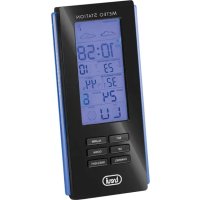
ME 3108 RC - Weather Station Trevi - Free user manual and instructions
Find the device manual for free ME 3108 RC Trevi in PDF.



| Product type | Wireless outdoor sensor weather station |
| Brand | Trevi |
| Model | ME 3108 RC |
| Station power supply | 3 AAA batteries (not included) |
| Outdoor sensor power supply | 2 AAA batteries (not included) |
| Maximum number of outdoor sensors | 3 |
| Sensor transmission range | 30 m (RF 433 MHz) |
| Indoor temperature range | 0°C to +50°C |
| Outdoor temperature range | -30°C to +60°C |
| Indoor humidity range | 20% to 95% |
| Radio-controlled reception | 77.5 kHz (DCF) |
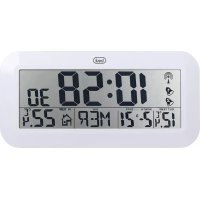
| Clock functions | Radio-controlled or manual, 12/24h display, alarm, snooze |
| Weather forecast | Barometer-based, for 12 to 24 hours |
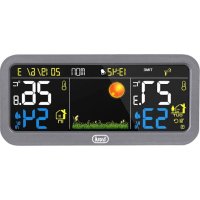
| Display | Indoor/outdoor temperature, humidity, trend, moon phase, date |
| Temperature units | °C or °F selectable |
| Min/max memory | Temperature and humidity |
| Temperature alarm | Adjustable for max and min values |
| Outdoor sensor included | Yes (1) |
| Warranty | 24 months from manufacturing date |
Frequently Asked Questions - ME 3108 RC Trevi
User questions about ME 3108 RC Trevi
0 question about this device. Answer the ones you know or ask your own.
Ask a new question about this device
Download the instructions for your Weather Station in PDF format for free! Find your manual ME 3108 RC - Trevi and take your electronic device back in hand. On this page are published all the documents necessary for the use of your device. ME 3108 RC by Trevi.
USER MANUAL ME 3108 RC Trevi
eng METEO STATION WITH
EXTERNAL SENSOR
fra THERMOMÉTRE NUMÉRIQUE
AVEC CAPTEUR EXTERNE
deu DIGITALTHERMOMETER
MIT AUSSENSensor
esp TERMOMETRO DIGITAL
COM SENSOR EXTERNO
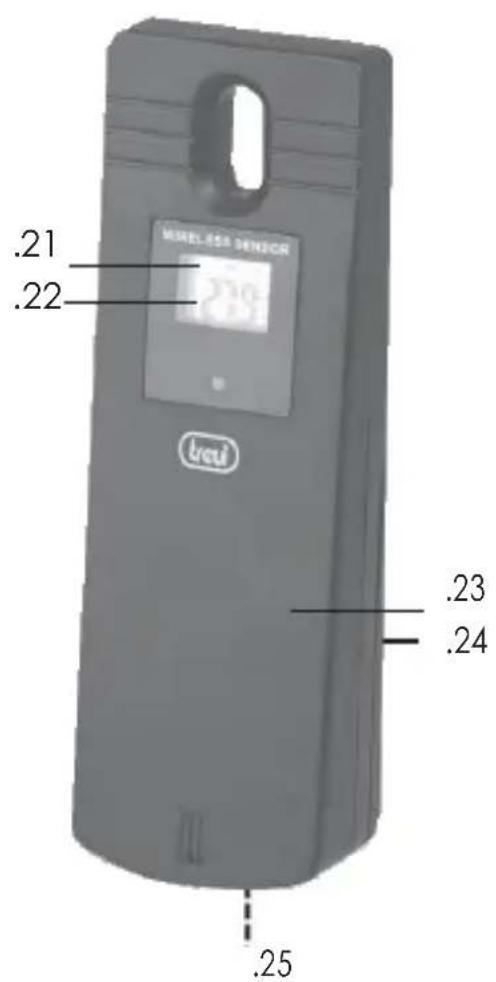
OPIS KOMANDI
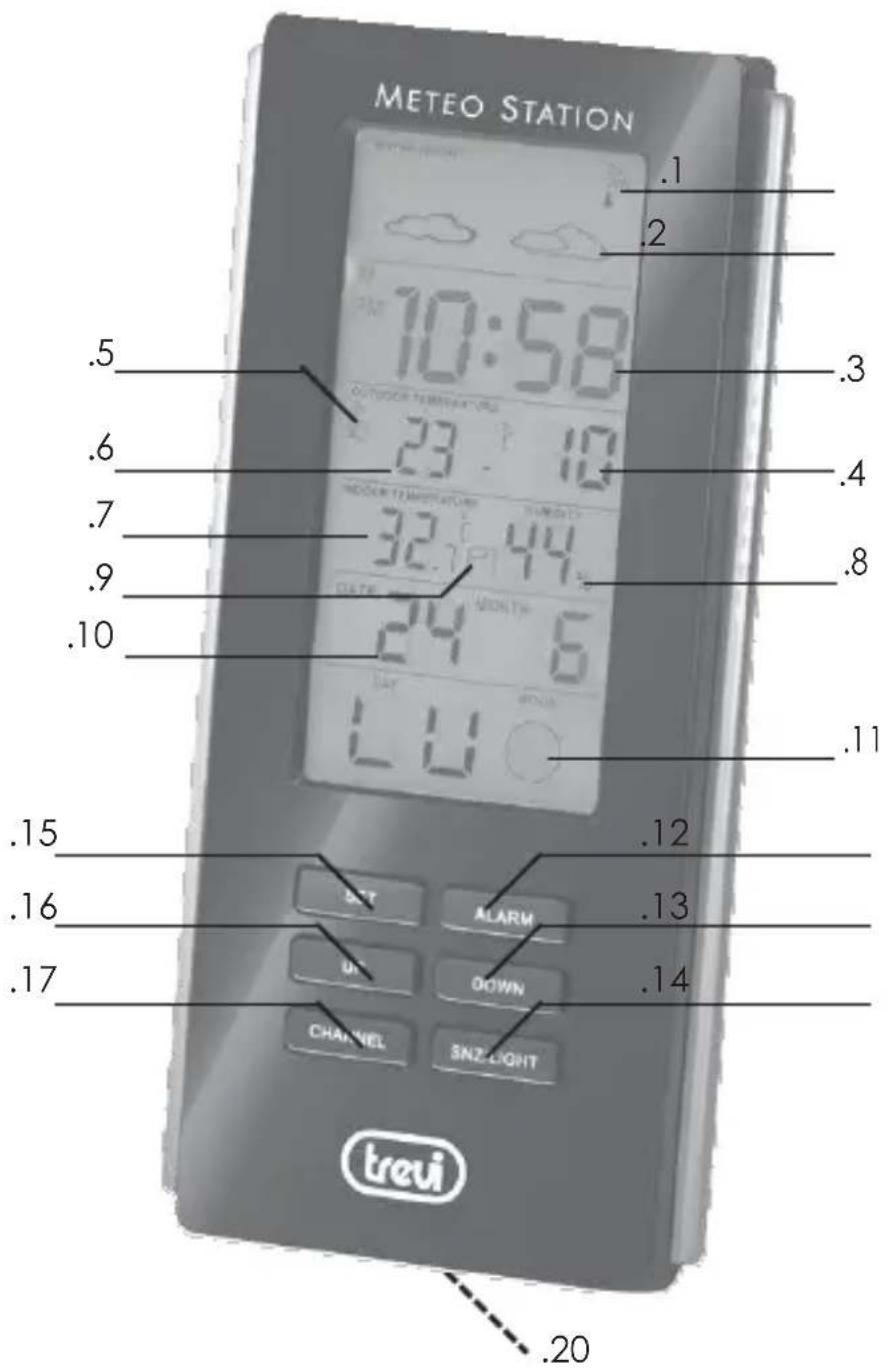
- Radiokontrola vretena
- Meteorološki symboli
- Sat
- Sekundi
- Vanjski senzor
- Vanjski senzor temperature
- Temperatura
- Unutarnja vlgaa
- Unutarnja temperatura
- Dater
- Mjeseceve faze
- Tipka ALARM, aktivacija i deaktivacija alarma
- Tipka DOWN, odabir stupnjeva ^ C / oF
- Tipka SNZ/LIGHT
- Tipka SET,postavljanje datumai sati
- Tipka UP, odabir vremenskog okvira 12/24 sati
- Tipka CHANNEL, odabir kanala vanjskog senzora
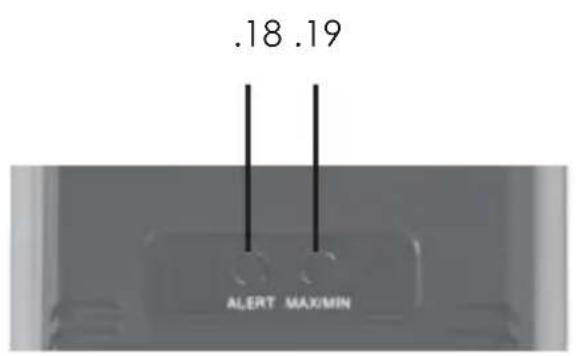
- Tipka ALERT maksimalna i minimala temperatura alarma
- Tipka MAX/MIN, prikaz minimale i maksimalne temperature
- Odjeljak za baterije (3xAAA)
- Vanjski kanal senzora
- Vanjska temperatura
- Tipka CH, odabir kanala vanjskog senzora
- Tipka C/F, odabir stupnjeva °C/°F
- Odjeljak za baterije (2xAAA)
NAPAJANJE
METEO STANICA
Prijenos: 30m, RF 433MHz, 10mW
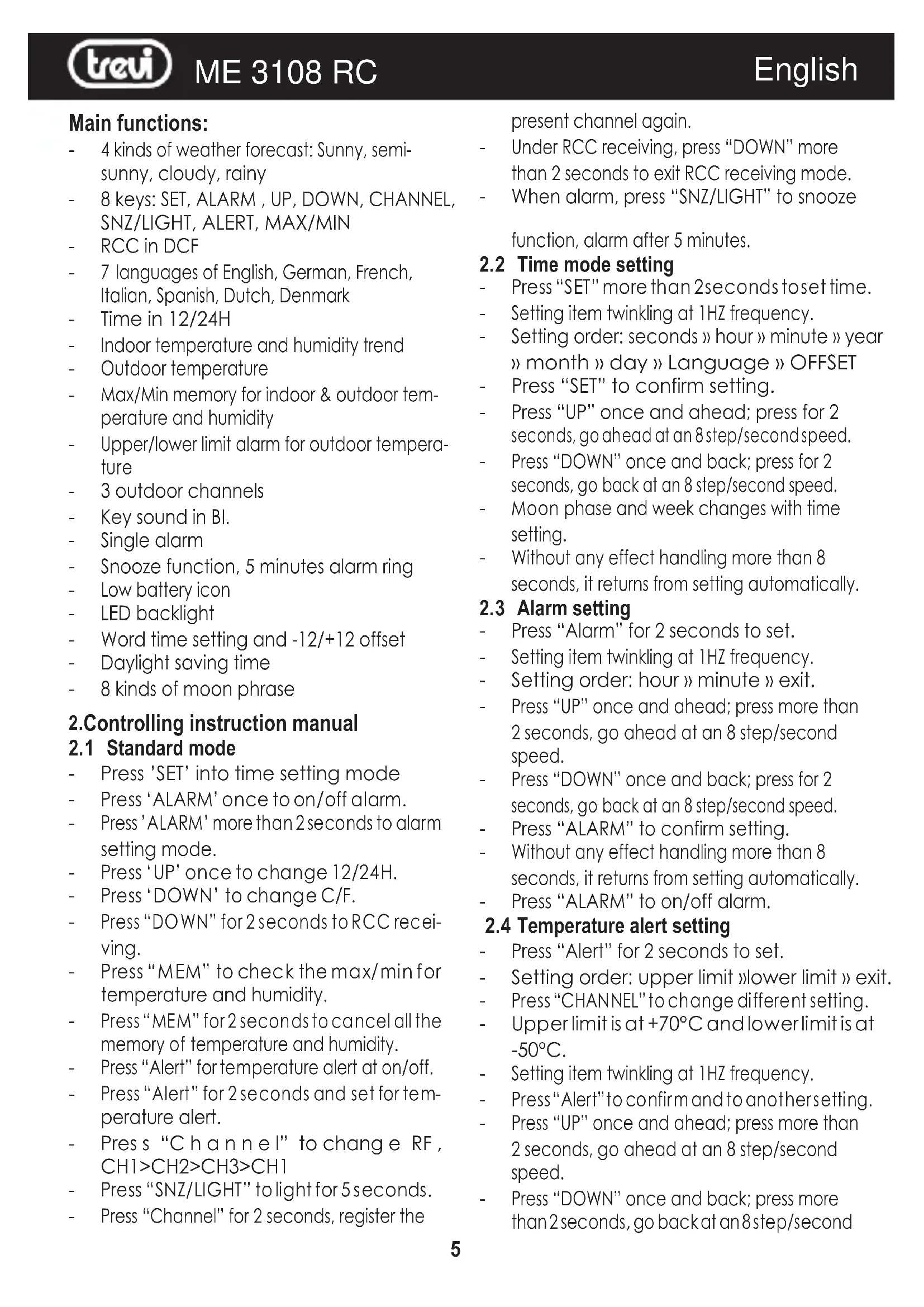
- 4 kinds of weather forecast: Sunny, semisunny, cloudy, rainy
- 8 keys: SET, ALARM, UP, DOWN, CHANNEL, SNZ/LIGHT, ALERT, MAX/MIN
RCC in DCF - 7 languages of English, German, French, Italian, Spanish, Dutch, Denmark
Time in 12/24H - Indoor temperature and humidity trend
Outdoor temperature
Max/Min memory for indoor & outdoor temperature and humidity - Upper/ lower limit alarm for outdoor temperature
- 3 outdoor channels
Key sound in Bl. - Single alarm
- Snooze function, 5 minutes alarm ring
Low battery icon - LED backlight
Word time setting and -12/+12 offset
Daylight saving time - 8 kinds of moon phrase
2. Controlling instruction manual
2.1 Standard mode
- Press 'SET' into time setting mode
- Press 'ALARM' once to on/off alarm.
- Press 'ALARM' more than 2 seconds to alarm setting mode.
- Press 'UP' once to change 12/24H.
- Press 'DOWN' to change C/F.
- Press "DOWN" for 2 seconds to RCC receiving.
- Press "MEM" to check the max/min for temperature and humidity.
Press "MEM" for 2 seconds to cancel all the memory of temperature and humidity.
Press "Alert" for temperature alert at on/off. - Press "Alert" for 2 seconds and set for temperature alert.
Pres s "C h a n n e l" to change RF, CH1>CH2>CH3>CH1
Press "SNZ/LIGHT" to light for 5 seconds.
Press "Channel" for 2 seconds, register the
present channel again.
Under RCC receiving, press "DOWN" more than 2 seconds to exit RCC receiving mode.
- When alarm, press "SNZ/LIGHT" to snooze
function, alarm after 5 minutes.
2.2 Time mode setting
Press "SET" more than 2 seconds to set time.
- Setting item twinkling at 1HZ frequency.
- Setting order: seconds » hour » minute » year » month » day » Language » OFFSET
- Press "SET" to confirm setting.
- Press "UP" once and ahead; press for 2 seconds, go ahead at an 8 step/second speed.
- Press "DOWN" once and back; press for 2 seconds, go back at an 8 step/second speed.
Moon phase and week changes with time setting.
Without any effect handling more than 8 seconds, it returns from setting automatically.
2.3 Alarm setting
Press "Alarm" for 2 seconds to set.
- Setting item twinkling at 1HZ frequency.
- Setting order: hour » minute » exit.
- Press "UP" once and ahead; press more than 2 seconds, go ahead at an 8 step/second speed.
- Press "DOWN" once and back; press for 2 seconds, go back at an 8 step/second speed.
Press "ALARM" to confirm setting.
Without any effect handling more than 8 seconds, it returns from setting automatically.
Press "ALARM" to on/off alarm.
2.4 Temperature alert setting
Press "Alert" for 2 seconds to set.
- Setting order: upper limit lower limit exit.
- Press "CHANNEL" to change different setting.
- Upper limit is at +70^ C and lower limit is at -50^ C .
- Setting item twinkling at 1HZ frequency.
- Press "Alert" to confirm and to another setting.
- Press "UP" once and ahead; press more than 2 seconds, go ahead at an 8 step/second speed.
- Press "DOWN" once and back; press more than 2 seconds, go back at an 8 step/second
speed.
- Without any effect handling more than 8 seconds, it returns from setting automatically.
- Finish setting, alert is on.
3.0 Open or reset
- The LCD display fully is for 3 seconds when changing new battery or resetting, then with a sound Bl into the normal state, testing temperature and humidity, after receiving RF for 3 minutes no matter receive or not, it will exit after 7 minutes.
3.1 RF receiving function
- Receiving RF for 3 minutes automatically after testing temperature and humidity when assembled battery.
- Press "CHANNEL" for 2 seconds to cancel the register of present channel.
- When the registered CH temperature haven't received effect symbol in the same ID code in 60 minutes, the CH will be display “--.” Then start to receive for 3 minutes.
The Synchronizing cycle is CH1=57S, CH2=67S, CH3=79S. - Priority: When RF meets RCC, RCC receiving first and then RF receiving; When alarm meets RCC, alarms first, then RCC receiving, finally
RF receiving.
3.2 RCC receiving
RCC receiving controlling:
- When start or re-set, automatically receive RCC after 3 minutes.
- Press "DOWN" 2 seconds to RCC receiving by force.
- Automatically receive every day
- Automatically receiving time: At 1:00,2:00,3:00,4:00,5:00 am. each day, automatically enter RCC receiving. Meanwhile, at 1:00,2:00,3:00 must be receiving. If it fails in receiving at 3:00, it will continue to receive at 4:00,5:00,if it received successfully at 4:00, it will not receive again that day. Otherwise it will continue to receive at 5:00,whatever it receives successfully or not at 5:00,it will beno longer receiving,receiving RCC (up to) DCF time is 7 minutes.
RCC receiving icon
- If entered RCC receiving, the RCC symbol will be blinking at the frequency of 1HZ.
- If received the signal, the RCC symbol will be static and the arc figure will be blinking at the frequency of 1 Hz.
- If the signal is weak and hard to find out the correct signal, the symbol will be blinking at the frequency of 1HZ, then the arc figure will disappear.
- If the symbol is received successfully, its symbol will be full displayed and exit receiving state.
If it is receiving rcc, press "DOWN" 2 seconds to exit receiving, and press "SNZ/LIGHT" to light and no function to press other key.
If it fails received on that day, receiving rcc again would be 1:00 am at the next day - If it meets alarms, it will exit RCC receiving and enter into alarm under receiving RCC.
- When received the DST icon, it will be displayed on the LCD.
- When RCC symbol is displayed, RCC symbol will disappear after resetting the time.
3.3 Alarm setting
- When it alarms, press "SNZ/LIGHT" to start snooze and exit with any other keys.
3.5 Weather forecast
- Weather forecast is for the next 24H.
- Weather forecast: Sunny > Semi-sunny > Cloudy > Rainy
- Forecast should be accurate under the normal and ventilated condition, and it will occur the deviation when at indoor or in air-conditioned environment.
3.6 Temperature alert:
Default value of temperature alertis +70^ highest and -50^ lowest.
The relevant temperature and alert symbol will be twinkling if it alerts.
- It will be only display alert symbol twinkling not temperature display if the temperature alert is not for present Channel.
Alert Sound:
b. BI for 5 seconds every minute;
c. Alert will stop until the temperature is within default value;
Alert stops:
a. press any key to stop the alert sound but the corresponding temperature and symbol is still twinkling.
b. Alert will stop automatically until the temperature is within default value.
c. Press "ALERT" to off temperature alert.
3.7 Temperature trend and comfort icon
If current temperature or the accumulative temperature is more than 1^ in an hour, arrow will display rising.
If current temperature or the accumulative temperature is less than 1^ in an hour, arrow will display falling.
- Whatever arrow displays rising, falling or horizontal, if temperature changes is within +/- 1^ C in an hour, arrow will display horizontal.
TECHNICAL DATA
Weather Station:……0°C to+50°C
Indoor humidity: ....... from 20% to 95%
external sensor ... from -30 °C to+ 60 °C
Channels: max. 3 external sensors
Receiving radio control signal: 77.5 KHz
Transmission: 30m, RF433MHz, 10mW
Feed unit: 0.1 °C for the temperature
1% for moisture
Power 3xAAA weather station
2xAAA sensor estern
USERS INFORMATION pursuant to Legislative Decree No. 49 of March 14, 2014
"Implementation of Directive 2012/19/EU
on Waste Electrical and Electronic Equipment (WEEE)"
This wheeled bin symbol on the product indicates that at the end of its life must be collected separately from other waste. The user must, therefore, take the remote control integrates the essential components that got to its life to the
appropriate differentiated collection centers for electronic and electro-technical waste, or return it to the dealer when purchasing anew appliance of equivalent type, in terms of one to one, or one to zero for equipment having longer side of less than 25~cm .Appropriate separate collection for the decommissioned equipment for recycling, processing and environmentally compatible disposal helps prevent negative impact on the environment and human health and promotes recycling of the materials making up the product. Illegal dumping of the product by the user entails the application of administrative sanctions stated in Legislative Decree n. Legislative Decree No.49 of March 14, 2014.
WARRANTY
- This unit is guaranteed for a period of 24 months from the date of production printed on the product itself or on label on product.
- The warranty is valid only if the unit has not been tampered with. The warranty is valid only at authorized TREVI assistance centres, that will repair manufacturing defects, excluded replacement of labels and removable parts.
- TREVl is not liable for damage to people or things caused by the use of this unit or by the interruption in the use of this unit.
DESCRIPTION DES COMMANDES
Transmission: 30m, 433 MHz RF, de 10 m
Simplified EU Declaration Of Conformity
Hereby Trevi Spa declares that the radio equipment type ME 3108 RC
is in compliance with Directive 2014/53/EU. The full text of the EU declaration of conformity is available at the following internet address www.trevi.it

Made In China



- eng METEO STATION WITH
- fra THERMOMÉTRE NUMÉRIQUE
- deu DIGITALTHERMOMETER
- esp TERMOMETRO DIGITAL
- OPIS KOMANDI
- NAPAJANJE
- METEO STANICA
- Controlling instruction manual
- Standard mode
- Time mode setting
- Alarm setting
- Temperature alert setting
- Open or reset
- RF receiving function
- RCC receiving
- Alarm setting
- Weather forecast
- Temperature alert:
- Temperature trend and comfort icon
- TECHNICAL DATA
- on Waste Electrical and Electronic Equipment (WEEE)"
- WARRANTY
- DESCRIPTION DES COMMANDES
- Simplified EU Declaration Of Conformity
Brand : Trevi
Model : ME 3108 RC
Category : Weather Station