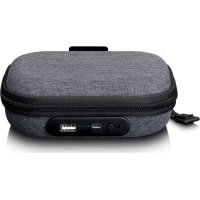
PBC20 - Power bank LENCO - Free user manual and instructions
Find the device manual for free PBC20 LENCO in PDF.


| Product Type | Portable Battery (Power Bank) |
| Brand | Lenco |
| Model | PBC20 |
| Dimensions | 143.5 mm (H) x 113.5 mm (W) x 50.5 mm (D) |
| Weight | Approximately 160 g |
| Battery Capacity | 2200 mAh (Lithium-ion 3.7 V) |
| Power Input | 5 V / 1 A (micro USB port) |
| Power Output 1 | 5 V / 0.5 A (integrated micro USB cable) |
| Power Output 2 | 5 V / 1 A (USB-A port) |
| Charging Time | Approximately 3 hours (with a 1 A adapter) |
| Operating Temperature | 0 to 45 °C |
| Included Accessories | Micro USB cable, mini USB to micro USB adapter, wrist strap, storage pouch, user manual |
| Main Functions | Charging digital devices (MP3 players, Bluetooth headphones, etc.), automatic charging detection, integrated thermal protection |
| Charge Indicator | 4 LEDs (levels 0-25%, 25-50%, 50-75%, 75-99%, full charge) |
| Maintenance and Cleaning | Clean with a soft, dry cloth. Do not use solvents. |
| Safety | Thermal protection, do not expose to water, heat sources, or strong magnetic fields. Do not open the casing. |
| Spare Parts and Repairability | Built-in battery not user replaceable. No spare parts available. |
| General Information | CE marking. Non-professional use. Warranty according to manufacturer's conditions. |
Frequently Asked Questions - PBC20 LENCO
User questions about PBC20 LENCO
0 question about this device. Answer the ones you know or ask your own.
Ask a new question about this device
Download the instructions for your Power bank in PDF format for free! Find your manual PBC20 - LENCO and take your electronic device back in hand. On this page are published all the documents necessary for the use of your device. PBC20 by LENCO.
USER MANUAL PBC20 LENCO
USER MANUAL Carrying case with powerbank for audio player and earphones
Usage of controls or adjustments or performance of procedures other than those specied herein may result in hazardous radiaon exposure.
This unit should not be adjusted or repaired by anyone except qualified service personnel.
KEEP THESE INSTRUCTIONS IN MIND:
- Do not use this device near water.
- Clean only with a slightly damp cloth.
- Do not cover or block any venlaon openings. When placing the device on a shelf, leave 5cm (2^ ) free space around the whole device.
- Install in accordance with the supplied user manual.
-
- Don't step on or pinch the power adaptor. Be very careful, particularly near the plugs and the cable's exit point. Do not place heavy items on the power adaptor, which may damage it. Keep the enre device out of children's reach! When playing with the power cable, they can seriously injure themselves.
-
- Unplug this device during lightning storms or when unused for a long period.
- Keep the device away from heat sources such as radiators, heaters, stoves, candles and other heat-generang products or naked ame.
- Avoid using the device near strong magnec elds.
- Electrostac discharge can disturb normal usage of this device. If so, simply reset and restart the device following the instrucon manual. During le transmission, please handle with care and operate in a stac-free environment.
- Warning! Never insert an object into the product through the vents or openings. High voltage ows through the product and inserting an object can cause electric shock and/or short circuit internal parts. For the same reason, do not spill water or liquid on the product.
- Do not use in wet or moist areas such as bathrooms, steamy kitchens or near swimming pools.
- Do not use this device when condensaon may occur.
- Although this device is manufactured with the utmost care and checked several mes before leaving the factory, it is sill possible that problems may occur, as with all electrical appliances. If you nose smoke, an excessive build-up of heat or any other unexpected phenomena, you should disconnect the plug from the main power socket immediately.
- This device must operate on a power source as specied on the specicaon label. If you are not sure of the type of power supply used in your home, consult your dealer or local power company.
-
- The socket outlet must be installed near the equipment and must be easily accessible.
-
- Do not overload ac outlets or extension cords. Overloading can cause re or electric shock.
-
- Devices with class 1 construcon should be connected to a main socket outlet with a protecve earthed connecn.
-
- Devices with class 2 construcon do not require a earthed connecn.
- Keep away from rodents. Rodents enjoy bing on power cords.
-
- Always hold the plug when pulling it out of the main supply socket. Do not pull the power cord. This can cause a short circuit.
- Avoid placing the device on any surfaces that may be subject to vibraons or shocks.
- To clean the device, use a so dry cloth. Do not use solvents or petrol based uids. To remove severe stains, you may use a damp cloth with dilute detergent.
- The supplier is not responsible for damage or lost data caused by malfuncon, misuse, modicaon of the device or baery replacement.
- Do not interrupt the conneccon when the device is formatting or transferring les. Otherwise, data may be corrupted or lost.
- If the unit has USB playback funcon, the usb memory sck should be plugged into the unit directly. Don't use an usb extension cable because it can cause interference resulting in failing of data.
- The apparatus shall not be exposed to dripping or splashing and make sure that no objects lled with liquids, such as vases, are placed on or near the apparatus.
-
- To completely disconnect the power input, the mains plug of the apparatus shall be disconnected from the mains, as the disconnect device is the mains plug of apparatus.
- If the unit works with battery, Battery shall not be exposed to excessive heat such as sunshine, re or the like.
- Attenon should be drawn to the environmental aspects of battery disposal.
- The apparatus can only be used in moderate extremely cold or climates warm environments should be avoided.
- The rang label has been marked on the boom or back panel of the apparatus.
- This device is not intended for use by people (including children) with physical, sensory or mental disabilities, or a lack of experience and knowledge, unless they're under supervision or have received instrucons about the correct use of the device by the person who is responsible for their safety.
- This product is intended for non professional use only and not for commercial or industrial use.
- Make sure the unit is adjusted to a stable posion. Damage caused by using this product in an unstable posion or by failure to follow any other warning or precaun contained within this user manual will not be covered by warranty.
- Never remove the casing of this apparatus.
- Never place this apparatus on other electrical equipment.
- Do not use or store this product in a place where it is subject to direct sunlight, heat, excessive dust or vibraon.
- Do not allow children access to plasc bags.
- Only use aachments/accessories specied by the manufacturer.
- Refer all servicing to qualified service personnel. Servicing is required when the apparatus has been damaged in any way, such as the power supply cord or the plug, when liquid has
been spilled or objects have fallen into the apparatus, when the apparatus has been exposed to rain or moisture, does not operate normally, or has been dropped.
- *Do not use a damaged power cord or plug or a loose outlet. Doing so may result in re or electric shock.
- Prolonged exposure to loud sounds from personal music players may lead to temporary or permanent hearing loss.
INSTALLATION
- Unpack all parts and remove protective material.
- *Do not connect the unit to the mains before checking the mains voltage and before all other connecns have been made.
*Those instrucon are related only to products using power cable or AC power adaptor.
Accessories:
User manual

Micro USB cable

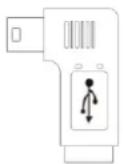
Mini to Micro USB adaptor
A. Product Layout
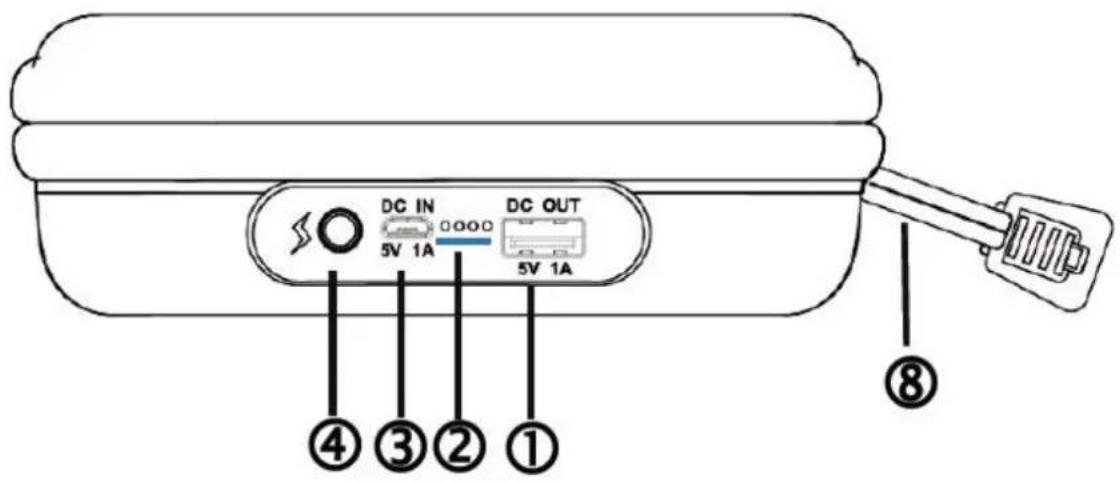
(1) USB-A port (Output 2, 5V 1A)
(2) Power Indicator
(3) Micro USB port (Input)
(4) Baery Check Buon
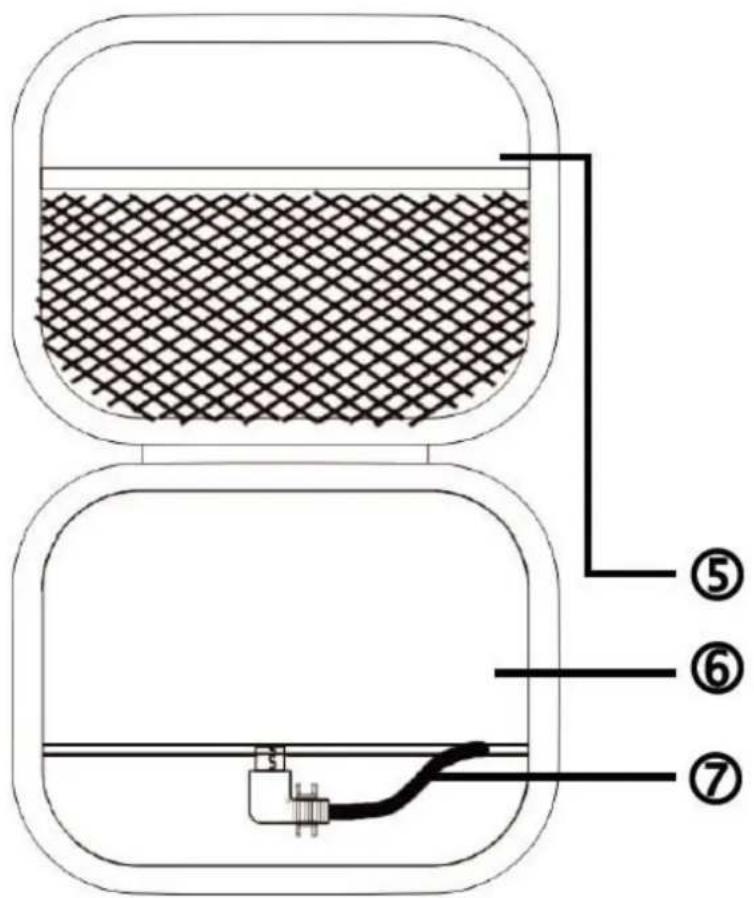
(5) Storage Mesh Bag
(6) Storage Space
(7) Micro-USB cable (output 1, 5V 0.5A)
(8) Hand Strap
B. About Power Bank baery
Make sure your PBC-20 is fully charged on its rst use.
When recharging your PBC-20 or charging a device with your PBC-20, make sure you use a standard charging cable (USB to micro USB).
If all indicators go o when charging a device with your PBC-20, recharge your PBC-20 shortly.
Disconnect the PBC-20 case to avoid further discharge once your device is fully charged.
Note:
The PBC-20 contains a built-in temperature monitor sensor. If it measures that the baery pack temperature is outside acceptable limits it will control and stop the charging funcon. The charging funcon will be automacally restored when the detected baery pack temperature returns to within normal limits.
C. Charge Power Bank case
Plug the Micro USB connector of the cable into the PBC-20 input port and the other end into a USB power adapter (not included), or USB-A port on your laptop computer. The indicator lights will ash and then stay on solid one by one as the charging progresses.
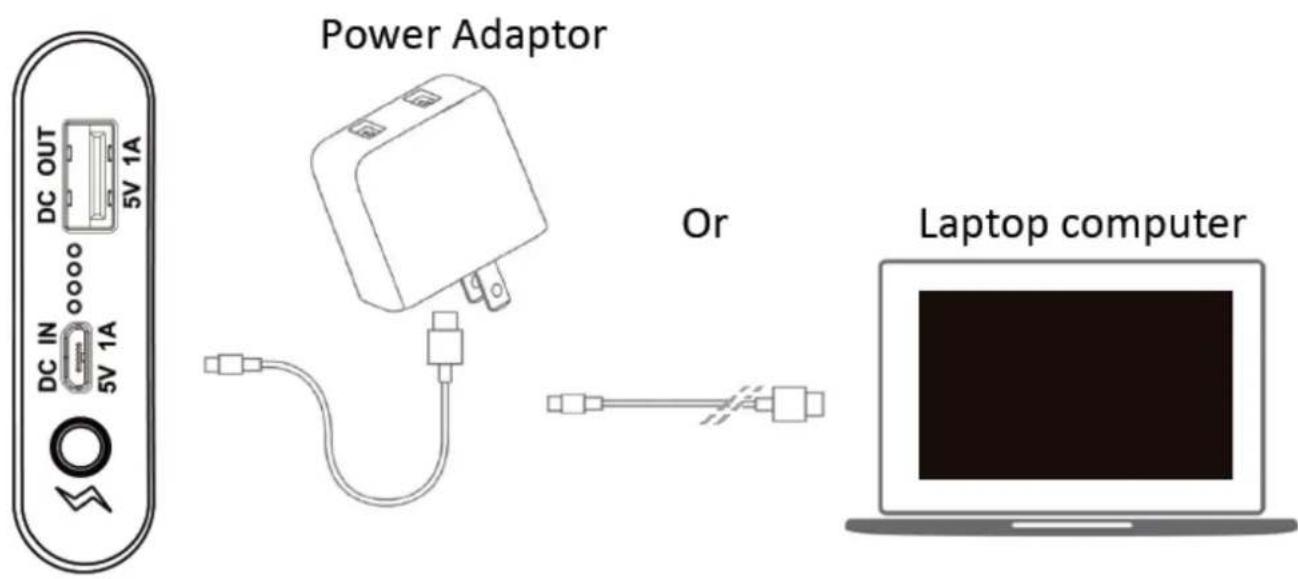
The Indicator shows charging condition as follows
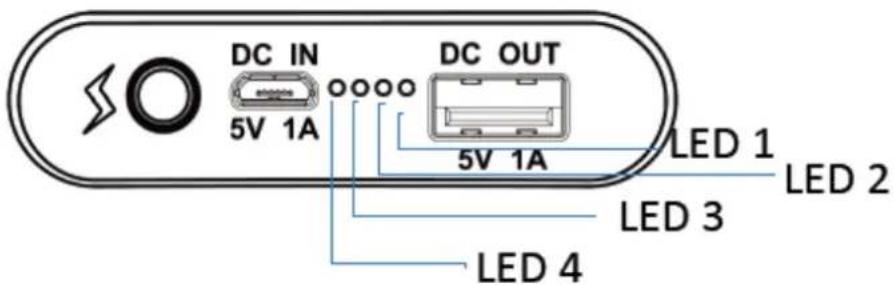
| Power level | LED 1 | LED 2 | LED 3 | LED 4 |
| 0 – 25% | Blinking | O | O | O |
| 25 – 50% | On | Blinking | O | O |
| 50 – 75% | On | On | Blinking | O |
| 75 – 99% | On | On | On | Blinking |
| Fully charged | On | On | On | On |
| Charging error | Blinking | Blinking | Blinking | Blinking |
Note: The check buon is not an ON/OFF switch. The PBC-20 automacally detects operational states, and no buon clicks are needed. When the PBC-20 becomes empty, the indicator lights will turn o within one minute.
D. Charging your device
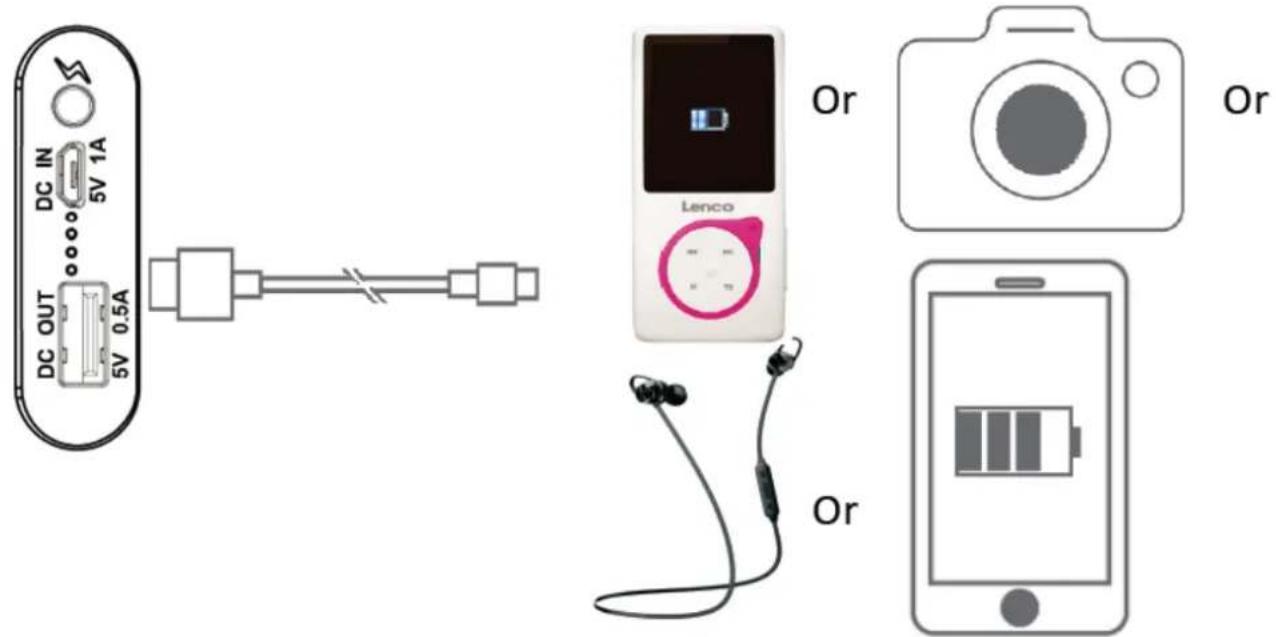
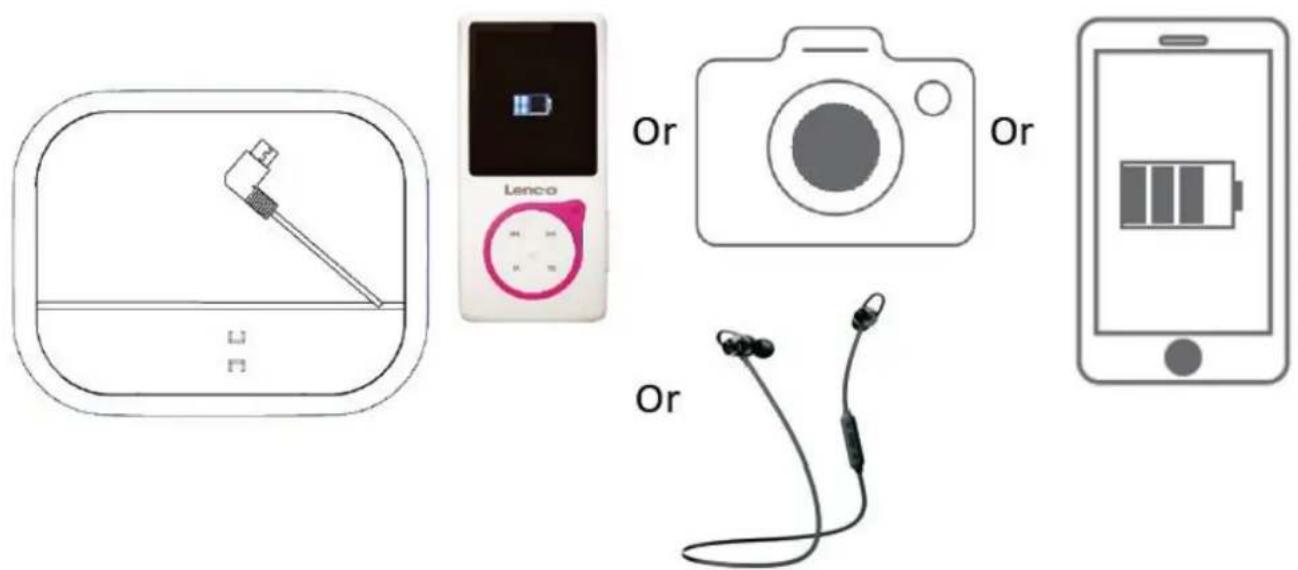
Connect your digital device (MP3 player, Bluetooth earphone or other device) to the USB-A connector outside of the case or to the micro USB cable inside of the case. A mini to micro USB adaptor is included in case your connector has mini USB format.
As charging is in progress, the PBC-20 indicator lights will be ashing.
- USB-A port (Output 2: 5V 1A)
- Micro USB-cable, installed inside the PBC-20 (Output 1: 5V 0.5A)
Tip: Using quality charge cable not only improves energy eciency and shortens the charge me, but also reduces the risk of potenal damage to your device and PBC-20
E. FAQ
-
Why not charging?
-
The cable is not properly or rmly connected.
-
The power bank case energy is already empty.
-
The USB cable is not compatible.
- Why some digital products can't be charged?
The charging voltage of device must be DC 5V.
The charged device is not compatible with the PBC-20.
| F. Speccaon | |
| Dimension | 143.5mm (H) x 113.5mm (W) x 50.5mm (D) |
| Weight | Approx. 160g |
| Baery | Cylinder Lithium-ion baery 3.7V, 2200mAh |
| Power Source | DC Input: 5V 1A DC output 1: 5V 0.5A DC output 2: 5V 1A |
| Charging me | Approx. 3 hours (1A adaptor, standard cable) |
| Operang Temperature | 0 to 45°C |
G. Disclaimer
Updates to Firmware and/or hardware components are made regularly. Therefore some of the instrucon, specicaons and pictures in this documentaon may die slightly from your parcular situaon. All items described in this guide for illustraon purposes only and may not apply to parcular situaon. No legal right or entlements may be obtained from the descripon made in this manual.
H. Disposal of the Old Device
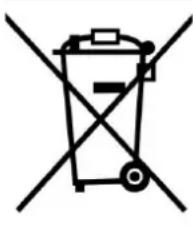
This symbol indicates that the relevant electrical product or battery should not be disposed of as general household waste in Europe. To ensure the correct waste treatment of the product and baery, please dispose them in accordance to any applicable local laws of requirement for disposal of electrical equipment or baeries. In so doing, you will help to conserve natural resources and improve standards of environmental
protecon in treatment and disposal of electrical waste (Waste Electrical and Electronic Equipment Direcve).
I. CE Marking

Hereby, Lenco Benelux B.V., Thermiekstraat 1a, 6361 HB Nuth, The Netherlands, declares that this product is in compliance with the essenal EU directive requirements. The declaraon of conformity may be consulted via techdoc@commaxxgroup.com
J. Service
For more informaon and helpdesk support, please visit www.lenco.com Lenco Benelux BV, Thermiekstraat 1a, 6361 HB, The Netherlands.
LET OP:
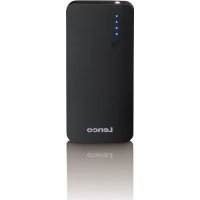
Brand : LENCO
Model : PBC20
Category : Power bank