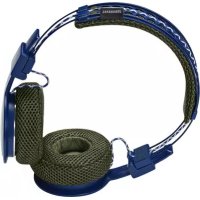
Hellas - Earphones URBANEARS - Free user manual and instructions
Find the device manual for free Hellas URBANEARS in PDF.



| Technical Features | In-ear headphones, Bluetooth connectivity, 14 hours battery life, 10 meters range. |
|---|---|
| Usage | Designed for daily use, compatible with most Bluetooth devices, ideal for listening to music and making calls. |
| Maintenance and Repair | Regularly clean the ear tips with a soft cloth, avoid exposure to water, consult customer service for repairs. |
| Safety | Avoid prolonged use at high volume to prevent hearing damage, do not use while driving or crossing roads. |
| General Information | Lightweight, ergonomic design, available in multiple colors, 2-year warranty. |
Frequently Asked Questions - Hellas URBANEARS
User questions about Hellas URBANEARS
0 question about this device. Answer the ones you know or ask your own.
Ask a new question about this device
Download the instructions for your Earphones in PDF format for free! Find your manual Hellas - URBANEARS and take your electronic device back in hand. On this page are published all the documents necessary for the use of your device. Hellas by URBANEARS.
USER MANUAL Hellas URBANEARS
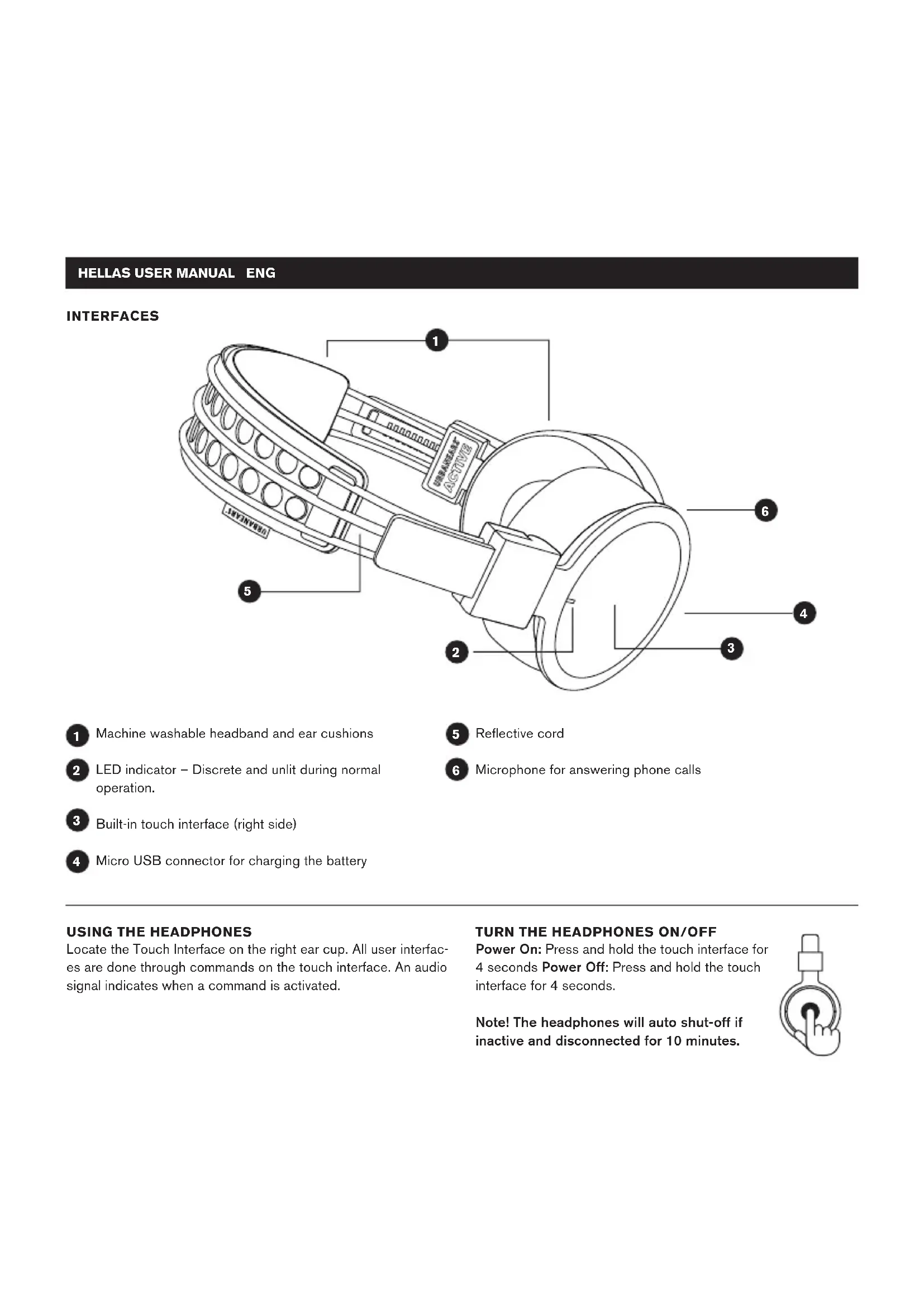
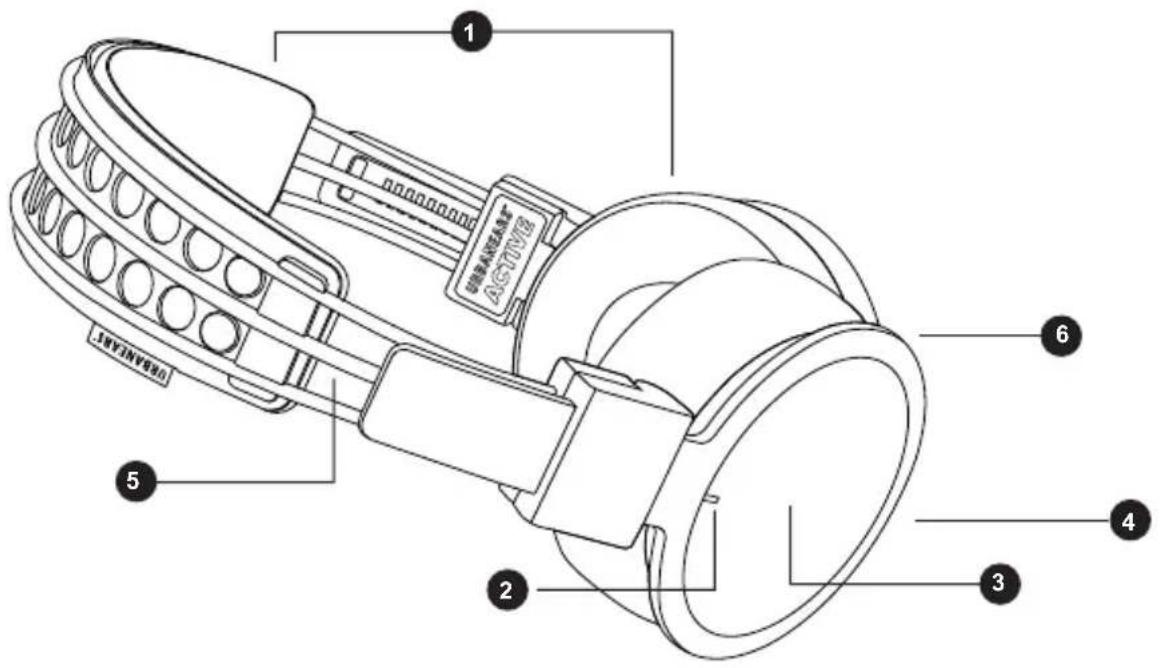
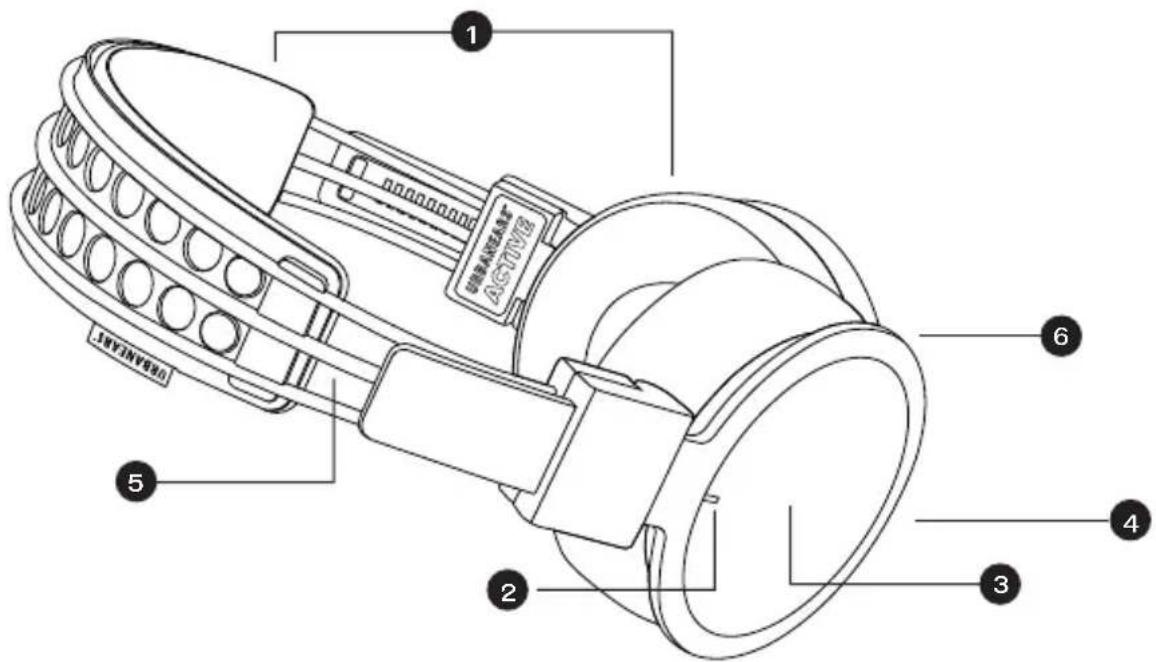
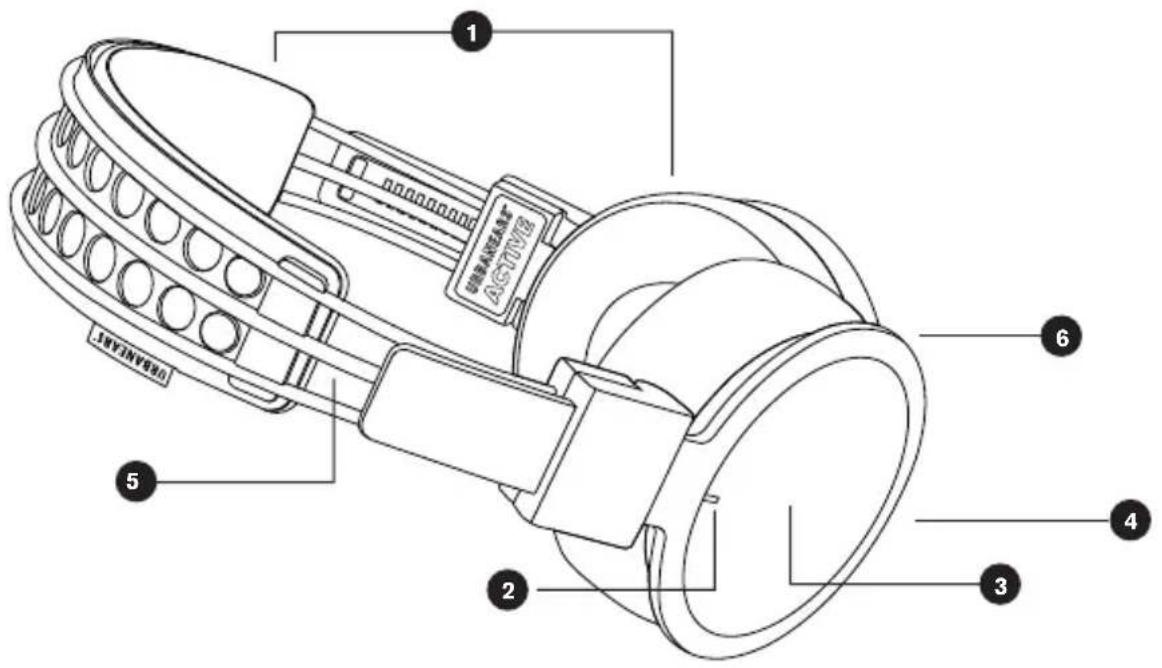
Machine washable headband and ear cushions
5 Reflective cord
2 LED indicator - Discrete and unlit during normal operation.
6 Microphone for answering phone calls
3 Built-in touch interface (right side)
Micro USB connector for charging the battery
USING THE HEADPHONES
Locate the Touch Interface on the right ear cup. All user interfaces are done through commands on the touch interface. An audio signal indicates when a command is activated.
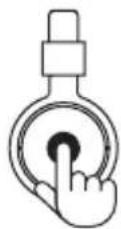
Power On: Press and hold the touch interface for 4 seconds Power Off: Press and hold the touch interface for 4 seconds.
Note! The headphones will auto shut-off if inactive and disconnected for 10 minutes.
HELLAS USER MANUAL ENG
CONNECTING TO A BLUETOOTH® ENABLED SOUND SOURCE
Follow the steps below when pairing your headphones with your sound source (smartphone, tablet or computer) for the first time.
- If the device is turned off: Keep holding the touch interface for 4 seconds.
- Select and connect to HELLAS on your sound source, according to its user manual.
After the initial pairing, the two devices will auto-connect when they are switched on and within the range of 10 meters.
CONTROLS

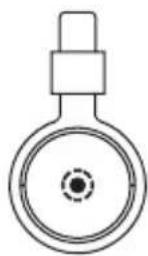
PLAY/PAUSE/ ANSWERCALL
Single tap

HANG UP/ REJECT CALL
Double tap
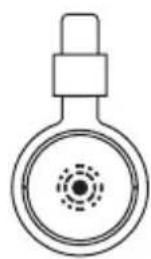

DECREASE VOLUME
Swipe downward
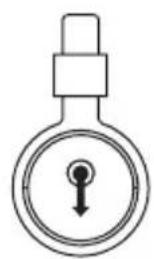

PREVIOUS SONG
Swipe backward
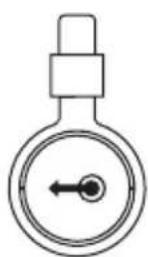

NEXT SONG
Swipe forward
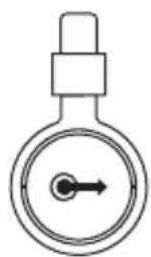

INCREASE VOLUME
Swipe upward
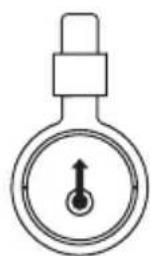
CHARGING
Plug the headphones into a USB power source using the micro USB cable. The USB cable can only be used for charging. 2 hours charge gives approximately 14 hours of playback at medium volume.
Charge the battery before using the headphones for the first time.
HELLAS USER MANUAL
ENG
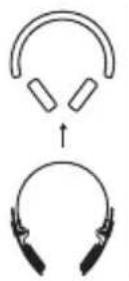
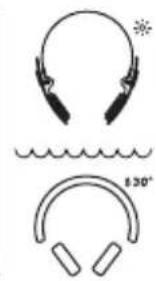
CLEANING THE HEADPHONES
Detach the washable headband and ear cushions and machine-wash in 30^ C (Cold/Cool). Clean the headphones with a soft, dry cloth.
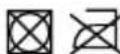
Note! Do not use liquids or sprays. Happy sweating!



LED INDICATOR
Status
Indicates
Red (continuous) Battery charging
White (continuous) Fully charged and connected to a USB power source.
Blue (fast blinking) Pairing mode, waiting to pair
White (Slow blinking) Waiting to connect
White (10 sek interval) Connected and switched on
Off Headphones are switched off or in normal
TROUBLE SHOOTING
Problem
Action
Not powering on Charge the headphone using the USB cable.
Make sure the headphone is off before turning it on.
Not charging Make sure the USB power source is switched on.
The LED indicator is red while charging and white when fully charged.
Not pairing Move the devices closer to each other and away from any interference or obstruction.
Make sure the headache is not connected to a different sound source when entering the pairing mode.
Disable and enable Bluetooth® communication on your sound source.
No sound
Make sure the headache is on and connected.
Make sure the sound source is playing.
Poor sound quality Move the devices closer to each other and away from any interference or obstruction.
IMPORTANT SAFETY INSTRUCTIONS
- Set your sound source to low volume before using the headphones.
- Do not use these headphones when operating a motor vehicle, a bicycle, or machinery or where your inability to hear outside sounds may present a danger to you or others.
- Using these headphones limits your ability to hear noises around you, regardless of listening volume. Please use caution when using these headphones.
HELLAS USER MANUAL ENG
-Do not drop, sit on, or allow the headphone to be immersed in water.
-Keep away from fire, water, and high voltage equipment.

Not suitable for children under age three. Contains small parts, which may be a choking hazard.

Long-term exposure to loud music or sounds may cause hearing loss. To prevent possible hearing damage, do not listen at high volume levels for long periods.

This is not household waste. Instead it shall be handed over to the applicable collection point for the recycling of electrical and electronic equipment. This product was produced after Jan 1 2006.
For any questions or concerns contact: support@urbanears.com Zound Industries International AB
Box 6063
10231 Stockholm, Sweden
FCC WARNING
Any Changes or modifications not expressly approved by the party responsible for compliance could void the user's authority to operate the equipment. This device complies with part 15 of the FCC Rules. Operation is subject to the following two conditions: (1) This device may not cause harmful interference, and (2) this device must accept any interference received, including interference that may cause undesired operation. This equipment complies with FCC radiation exposure limits set forth for an uncontrolled environment. Note: This equipment has been tested and found to comply with the limits for a Class B digital device, pursuant to part 15 of the FCC Rules. These limits are designed to provide reasonable protection against harmful interference in a residential installation. This equipment generates, uses and can radiate radio frequency energy and, if not installed and used in accordance with the instructions, may cause harmful interference to radio communications. However, there is no guarantee that interference will not occur in a particular installation. If this equipment does cause harmful interference to radio or television reception, which can be determined by turning the equipment off and on, the user is encouraged to try to correct the interference by one or more of the following measures:
- Reorient or relocate the receiving antenna.
- Increase the separation between the equipment and receiver.
- Connect the equipment into an outlet on a circuit different from that to which the receiver is connected.
- Consult the dealer or an experienced radio/TV technician for help.
IC WARNING
This device complies with Industry Canada license-exempt RSS standard(s). Operation is subject to the following two conditions: (1) this device may not cause interference, and (2) this device must accept any interference, including interference that may cause undesired operation of the device.
Designed in Stockholm · Produced in China The Bluetooth® word mark and logos are registered trademarks owned by Bluetooth SIG, Inc. and any use of such marks by Zound Industries AB is under license.
ADMINISTRATIVE REGULATIONS ON LOW POWER RADIO WAVES RADIATED DEVICES WARNING:
ARTICLE 12
Without permission granted by the NCC, any company, enterprise, or user is not allowed to change frequency, enhance transmitting power or alter original characteristic as well as performance to an approved low power radio-frequency devices.
ARTICLE 14
The low power radio-frequency devices shall not influence aircraft security and interfere legal communications; If found, the user shall cease operating immediately until no interference is achieved.
The said legal communications means radio communications is operated in compliance with the Telecommunications Act.
The low power radio-frequency devices must be susceptible with the interference from legal communications or ISM radio wave radiated devices.
MODE D'EMPLOI HELLAS FR
INTERFACES
Zound Industries International AB
Box 6063
Zound Industries International AB
Box 6063
Zound Industries International AB
Box 6063
S UBERN DES OPFH RERS
Zound Industries International AB
Box 6063
MATIKAN/NYALAKAN HEADPHONE
MEMBERSIHKAN HEADPHONE
Zound Industries International AB
Box 6063
10231 Stockholm, Swedia
Zound Industries International AB
Box 6063
Zound Industries International AB
Box 6063
PpmeaHHe He nCnObn3yIe XnDkne CpeCTBa nn cnpen. He 6oTecb B3MOKHyTb!




CBETOIOHbI INHMKATOP
CtaTyc O3HaayaeT
TopKpaChbIM CBeTOM AkkyMylrTop 3apxkaetc.
Tognt 6eIbIM CBeTOM YcToPoiCTBO NOnHOCtBIO 3aApXeHO IN OIOKnIOyeHO K IcTOHnKy NITAHn USB.
BbICPo Mmraet CnHm CBeTOM PeKIm NpDKIIOUeHnOxNJaET NpDKIIOUeHnA.
MeHHeHHo Muraet 6eBbIM CBeTOM OxuDaHne NpKIOUeHn.
Miraet 6eIbIM CBeTOM C INHTepBaON B 10 ckyH yCTPOINCTBO NOKJIIOUeHO IN BKIOUeHO.
He ropnt HayuHKn BbIKIOueHb nn EKcNpyATnpYOTcB WtTaTHOM pexime.
YCTPAHEHNE HENCPABHOCTEIN
PpO6nema PeuHne
YcTPOINCTBO HE BKNIOUaETC 3ApAInTe HauWNKn, nCNoNb3yr USB-Ka6enb.
Ipeep BknoeHnem y6eTeScb, yTo HayuHKn BbIKIOueHbl.
YcTpoIcTBo He 3apJxKaeTc8 Y6eIITecb, yTO nCTOuHnK nTuHaHn USB BKJIouHeN.
CbeToIOIOHbI INHINKaTOp np3apRkde ropnt KpaChbIM, a npn pONHom 3apJe - 6eJIbIM LBeTOM.
YcTpoNCTBO He NODKNIOaEcTcI NOMecNTe YcTPOINCTBa 6nJKe dpyr K dpyry n OTOBUNbTe NOaJIbWe OT NCTOCHNka NOMex INI npenrTCTBn.
IpebeoHauyuHKnBpeKIM NOKIOueHry, y6eNTecbBTOM, 1TO OHHe NIOKIOueHbIKpyromy nCTOUYHKy 3Byka.
BbIKIOUHTe n CHOBA BKNIOUHTe Bluoteoth Ha NcTOHnke 3Byka.
Het 3Byka Y6eIntecb, yTo HayuHnKn BkLIOyeHbI n OndKIOueHbIK NCTOCHNY 3Byka.
Y6eIntecb, yTO nCTOuHnK 3ByKa HAXoDITcB Pexkme BocIpon3BepeHnA.
IIOXoe KaueCTBO 3Byka NOMeCTHe yCToHcBa DpyK npyR nOToBnHbTe NoaJIbWe OTNCTOCHNkA NOMex IINn PpeTCTBn.
IPABUNATEXHNIKBE3ONACHOCTN
- Npeed Tem KaK NoB3OBaTbCay HayuHKaMn, yCTaHOBnTe Ha NcToHnke 3ByKa He6oJb7yU rPOMKOctb.
- He noIb3yIeTcB 3TNMn HayuHnKamn BO BpeMa ynpaBHeHnA bTOMo6HnE, BeNocnPeDom nnn npOn3BOdCTBeHHbIM o6OpuyObaHnEM nnn B cnyaX, KOrDa HecnOco6HocTB cnblwTaOkpyKaHOune 3ByKn MoKeT PpeCTabrTo OnaCHocTb DnA Bac nnDpynx IHOe.
- IcnoIb3OBaHHe 3nX HayuHKnOB OrpaHnUHaBaeT BaSy Bo3MOxHocTb CbluTaB OkpykaIOuIe 3ByKn He3aBNCmO O TypOBH rPOMKoCTn. POnkanyIcTa, co6IIOaIte MepbI npedocTopoXHocTn pN IcNoJIb3OBaHnn 3nX HayuHKnOB.
HELLAS PYKOBODTOIJIb3OBATEJPYC
- He poHnIe HayuHnKn, He caIaNTecb Ha Hnx n He nprykaTe nx B Body.
-ДержпгЕИХВдалиOTOrнЯ,ВОдьИВбOKOBOLTHOROоборуданя.

He noDxOuNT dIy deTe B Bo3paTe Do 3-x net. CopejNt MeKne deTaII, KOToPbIe MOrT npEcdTabnB onaHocb ydyweHnA.

BpeyIbTaTe nnIteHBO3DeIcTBnrgPOMKoM3bIKN BO3MOXHa nOTePraeHnBa3MOXHO NOBpeKdHnCnyxHe CnyaTe rPOMKyU My3bIKy Ha nPoTaeHn nnIteHBOrBOpeMeHn.

HayshnKHe OTHoCtca K 6bIOBbIM OTXoam. IVcIeJeT cdaTb CcneuaHIN3npOBaHHbI pyHK npmeMa BTOpcbIpbA dna nocJeUoSei nepepa6OToKn 3eKeTpueckoro I 3eKeTpOHHO 6OpOyOBaHH. 3dennie 6bINO bInyUeHo nocle 1 Hbapr 2006 roda.
UcTpoIcTBO COOTBeCTByeT UAcTn 15 npaBnI PhedepaIbHOJ KOMnCCm CBa3N CUSA. Pnp EKcnnyatauIN cJeNyET yuHTbIaTB dBa MomeHtA: (1) 3TO yCtpoIcTBO MoKeT He 6bITb NToCHouHnKOM BpeHbIX NOMex; n (2) 3TO yCtpoIcTBO pearInpyet Ha BCE NOctTyNaIOUne IomExn, B Tom YncNe I Te, 4TO MOrY T pNBeCTN K HEnCpPaBHoCTAm.
3To uHpOBoe yCTpoiCTBO KnaCba BOTbeaet Tpe6oBaHnM CTaHapTa 6e3oNaChocTu ICES-003 (KaHaJa).
Ecn y Bac Bo3nKnn npo6JeMbI nn BOpocb, o6paTntecb no aDpecy support@urbanears.com
C/O Zound Industries International AB
Box 6063
10231 Stockholm, Stueu
Pa3pa6oTaHO B CToKroJbme -H3roTobJeHo B Kntae
CNoBecHb3nK nIoroTnbl BleothoBraJIOTc3apeNtCTpnpOBaHHbIMTOBaPbIMn 3HaKaAMn BteothSIG,Inc.,nIIO6oe nCIOJIb3OBAHHe TaKx 3HaKOB Zound Industries AB ocyueCTBnEeTc Ha OCHOBAHJINIeH3nn.
HELLAS
m
1
5
2 Wuaaunnnnna- nuuuuluaaauuaaun
6
3
4 Micro USB
mnnn
(Touch Interface)
[1]
y:
nnuuang! nuov=Jolauoaluaunlulnuu 10 u
![URBANEARS Hellas - [1] - 1](/content/2026/03/437609/images/f6d62140e3d601bc05a3045636a5dff52eba70aa4faf93d90f7ad43b337f3465.jpg)
HELLAS
n (BLUETOOTH)
1
- wuanyunruan: 4
- lnonuaiaea HELLAS nnnnnae aee
10 1
muaa

n/nyn/
W W W W W W W W W W W W W W W W W W W W W W W W W W W W W W W W W W W W W W W W W W W W W W W W W W W W W W W W W W
1ouauanrnnnnaaennn (Bluetooth
y
2020年1月1日
y
aannnnnnaeennnnnne
- 1
- 1
- nslnywnnnnnaanennnnnnnnnnnnnnnnnnnnnnnnnnnnnnnnnnnnnnnnnnnnnnnnnnnnnnnnnnnnnnnnnnnnnnnnnnnnnnnnnnnnnnnnnnnnnnnnnnnnnnnnnnnnnnnnnnnnnnnnnnnnnnnnnnnnnnnnnnnn
- aenwennn nn nnnn nn nn nn nn nn nn
HELLAS
- 1


1
1 Wn.2549
15 100000000000000000000000000000000000000000000000000000000
aunnnnnae aannnnnnae B naanennnnae nnnnns ICES-003 000
wnnnnnaaannnnaanana nannnnnnae support@urbanears.com
Zound Industries International AB
Box 6063
10231 Stockholm, Sweden
anunununonanon
yannnnaa nlln Bluetooth uunnnn nn nnnn nn nnnn nnnn nnnn nnnn nnnn nnnn nnnn nnnn nnnn nnnn nnnn nnnn nnnn nnnn nnnn nnnn nnnn nnnn nnnn nnnn nnnn nnnn nnnn nnnn nnnn nnnn nnnn nnnn nnnn nnnn nnnn nnnn nnnn nnnn nn
HELLAS用户手册 中文
界面介绍
Zound Industries International AB
Box 6063
10231 Stockholm, Sweden
Stockholm 设计·中国制造
Zound Industries International AB
Box 6063
10231 Stockholm, Sweden
Designed in Stockholm - Produced in China
support@urbanears.com
Zound Industries International AB
Box 6063
10231 Stockholm, Sweden
土默喜樂里士贝日人·中国士
bellrupstS® wirdt maKoJ& roHgNn bellrupst SIG, Inc g h#h #h 1000000000000000000000000000000000000000000000000000000000000000000000000000000
FCC
iJtJtJtJtJtJtJtJtJtJtJtJtJtJtJtJtJtJtJtJtJtJtJtJtJtJtJtJtJtJtJtJtJtJtJtJtJtJtJtJtJtJtJtJtJtJtJtJtJtJtJ t J t J t J t J t J t J t J t J t J t J t J t J t J t J t J t J t J t J t J t J t J t J t J t J t J t J t J t J t J t J t J t J t J t J t J t J t J t J t J t J t J t J t J t J t J t J t J t J t J t J t
陆正君吴陆正国:Huizhou flex three electronic
engineering go.,Ltd/china
新元年:2015年5月
INJZI-1H:MSIP-CRM-Dte-ELLAS
達當國單車緒信是前和高人能有成息,就
釋
URBANEARS.COM
© 2016 Zound Industries. All rights reserved. The headphone, packaging, logo and wordmark are intellectual properties of Zound Industries International AB. Centralplan 15, 111 20 Stockholm, Sweden. The Bluetooth® word mark and logos are registered trademarks owned by Bluetooth SIG, Inc. and any use of such marks by Zound Industries International AB is under license. For Declaration of Conformity, please refer to www.urbanears.com
