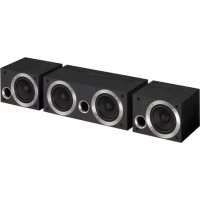
SES21CRK - Pregnant PIONEER - Free user manual and instructions
Find the device manual for free SES21CRK PIONEER in PDF.



| Product Type | Column (bookshelf) loudspeaker 2-way |
| Brand | PIONEER |
| Model | SES21CRK |
| Configuration | 2-way with passive radiator |
| Impedance | 8 Ω |
| Frequency Response | 40 Hz - 20 kHz |
| Sensitivity | 84 dB (1 m, 1 W) |
| Maximum Input Power | 150 W |
| Woofer | 16 cm cone × 1 |
| Passive Radiator | 16 cm cone × 1 |
| Tweeter | 5.2 cm cone × 1 |
| Dimensions (W × H × D) | 220 mm × 910 mm × 247 mm |
| Weight (with grille) | 8.7 kg |
| Cabinet Type | Bass-reflex with magnetic shielding |
| Supplied Accessories | Speaker cords (×2), front grilles (×2), instruction manual |
| Cabinet Maintenance | Dry or slightly damp soft cloth (diluted neutral cleaner). Do not use solvents. |
| Safety Precautions | Do not install near heat sources, on unstable surfaces, or at height without secure fastening. Disconnect before connection. |
| Wall Mounting | Possible with reinforced cord and plastic attachment (not supplied). Wall must support the weight. |
| Front Grille | Removable (pull from the base then the top). |
| Connection | Respect polarity: red wire to (+) terminal, black to (-) terminal. |
Frequently Asked Questions - SES21CRK PIONEER
User questions about SES21CRK PIONEER
0 question about this device. Answer the ones you know or ask your own.
Ask a new question about this device
Download the instructions for your Pregnant in PDF format for free! Find your manual SES21CRK - PIONEER and take your electronic device back in hand. On this page are published all the documents necessary for the use of your device. SES21CRK by PIONEER.
USER MANUAL SES21CRK PIONEER
natural_image
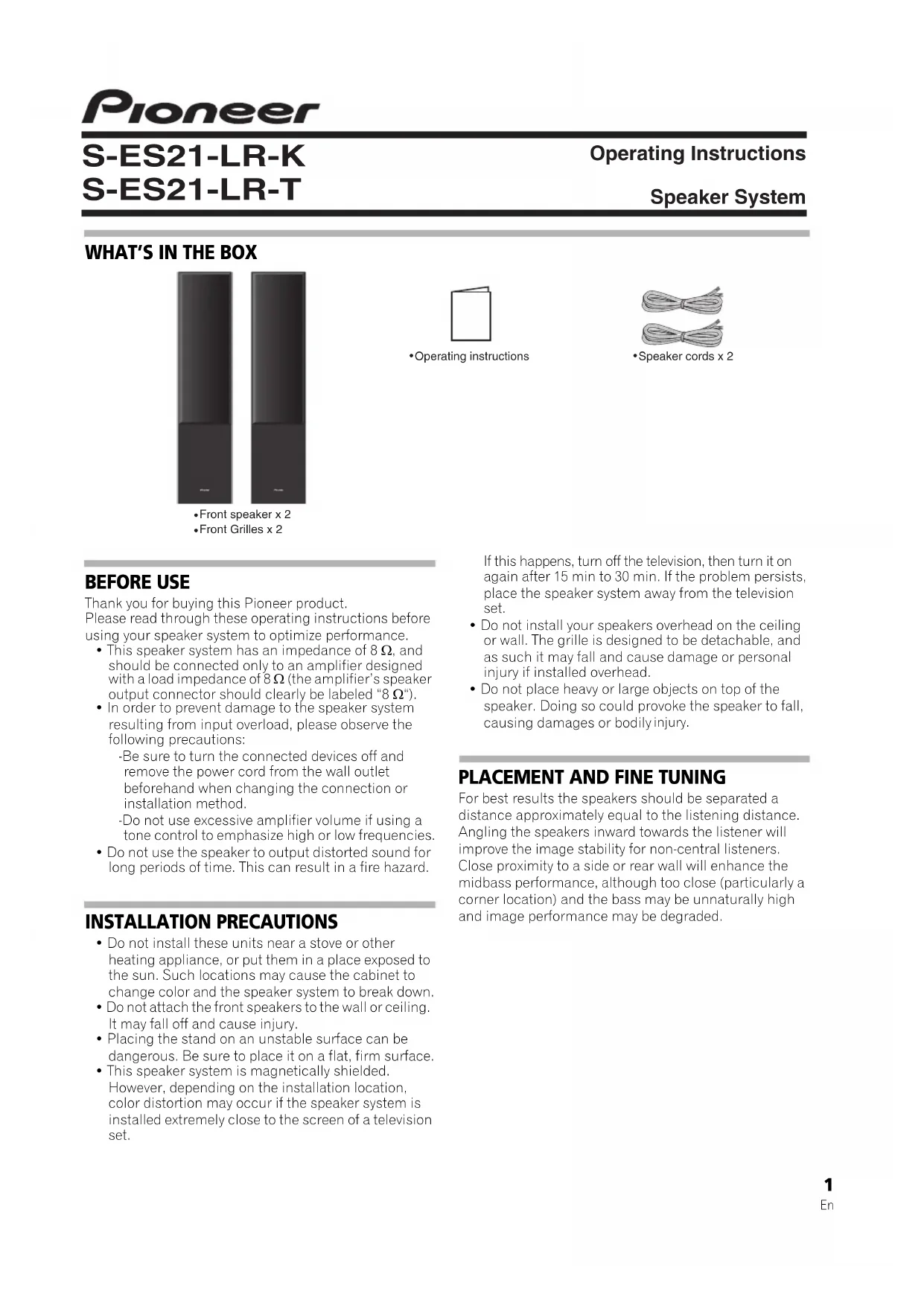
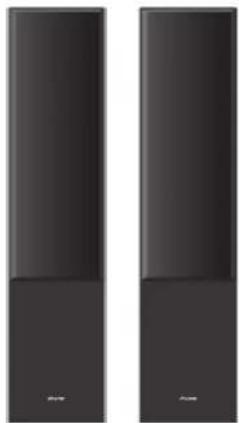
Two identical dark rectangular panels with no visible text, numbers, or symbols.- Front speaker x 2
- Front Grilles x 2

- Operating instructions
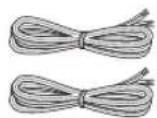
- Speaker cords x 2
BEFORE USE
Thank you for buying this Pioneer product.
Please read through these operating instructions before using your speaker system to optimize performance.
- This speaker system has an impedance of 8 , and should be connected only to an amplifier designed with a load impedance of 8 (the amplifier's speaker output connector should clearly be labeled "8 ").
- In order to prevent damage to the speaker system resulting from input overload, please observe the following precautions:
-Be sure to turn the connected devices off and remove the power cord from the wall outlet beforehand when changing the connection or installation method.
-Do not use excessive amplifier volume if using a tone control to emphasize high or low frequencies.
- Do not use the speaker to output distorted sound for long periods of time. This can result in a fire hazard.
INSTALLATION PRECAUTIONS
- Do not install these units near a stove or other heating appliance, or put them in a place exposed to the sun. Such locations may cause the cabinet to change color and the speaker system to break down.
- Do not attach the front speakers to the wall or ceiling. It may fall off and cause injury.
- Placing the stand on an unstable surface can be dangerous. Be sure to place it on a flat, firm surface.
- This speaker system is magnetically shielded. However, depending on the installation location, color distortion may occur if the speaker system is installed extremely close to the screen of a television set.
If this happens, turn off the television, then turn it on again after 15 min to 30 min. If the problem persists, place the speaker system away from the television set.
- Do not install your speakers overhead on the ceiling or wall. The grille is designed to be detachable, and as such it may fall and cause damage or personal injury if installed overhead.
- Do not place heavy or large objects on top of the speaker. Doing so could provoke the speaker to fall, causing damages or bodily injury.
PLACEMENT AND FINE TUNING
For best results the speakers should be separated a distance approximately equal to the listening distance. Angling the speakers inward towards the listener will improve the image stability for non-central listeners. Close proximity to a side or rear wall will enhance the midbass performance, although too close (particularly a corner location) and the bass may be unnaturally high and image performance may be degraded.
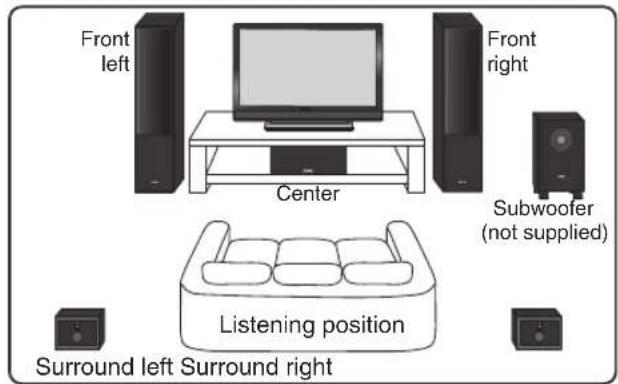
STANDARD SURROUND SETUP
This is a standard multichannel surround sound speaker setup for optimal 5.1 channel home theater sound.
MAKING AMPLIFIER SETTINGS
Before connecting the speakers, please read the operating instructions supplied with your amplifier to select the speaker setting of amplifier :
• FRONT SPEAKERS : LARGE
CONNECTING YOUR SYSTEM

Important
Make sure all equipment is turned off before making any connections.
- Correct wiring of your speakers is essential for achieving the best sound quality. Be careful to ensure proper polarity of connection.
CAUTION
These speaker terminals carry HAZARDOUS LIVE voltage. To prevent the risk of electric shock when connecting or disconnecting the speaker cables, disconnect the power cord before touching any uninsulated parts.
D3-4-2-2-3 A1 En
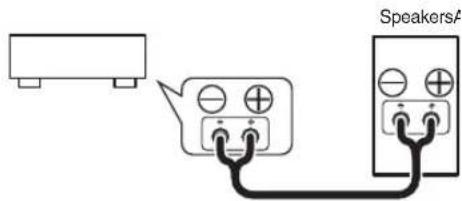
Connect to the speaker terminals on the rear of the amplifier.
Connect the red marked speaker cord to the red (+) terminal and the other cord to the black (−) terminal as shown below (for more details, refer to your amplifier instruction manual).

Note
After connecting the plugs, pull lightly on the cords to make sure that the ends of the cords are securely connected to the terminals. Poor connections can create noise and interruptions in the sound.
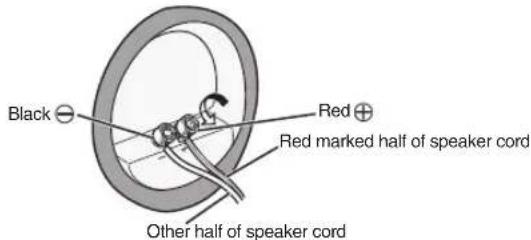
Connect to the speaker terminals on the rear of the speakers.
Unscrew the terminals on the speaker and insert the red marked speaker cord into the red (+) terminal and the other cord into the black (−) terminal as shown below.
SECURING THE FRONT SPEAKERS
• Pass a commercially-available reinforced string through the plastic catch to securely support the speaker to the wall. Be sure that the wall to which you fasten the speaker is strong enough to support the weight of the speaker. After fastening the speaker, make sure that it does not fall over.
• The speaker can incur damage in the event of a fall.
- Do not attach the plastic catch directly to the wall. It should only be used in conjunction with reinforced string to prevent the speaker from falling.
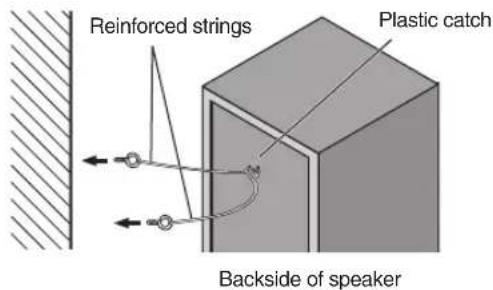
Pass and tie two reinforced strings through the plastic catch, and fasten the speaker to the wall as shown above.

Note
- If you are unsure of the quality and strength of the walls, consult a professional for advice.
- Pioneer is not responsible for any accidents or damage that result from improper installation.
CABINET MAINTENANCE
Use a polishing cloth or dry cloth to wipe off dust and dirt. When the cabinet is very dirty, clean with a soft cloth dipped in some neutral cleanser diluted five or six times with water, and then wipe again with a dry cloth. Do not use furniture wax or cleaners.
Never use thinners, benzine, insecticide sprays and other chemicals on or near the cabinets, since these will corrode the surfaces.
ATTACHING / DETATCHING THE GRILLE
The front grille of this speaker system is removable. Proceed as follows:
- To detach the grille, grab it by its bottom with both hands and toward you to separate the bottom part of the grille from the speaker.
- Next, grab the top part of the grille and gently pull it toward you to remove the top portion.
- To replace the grille, align the holes in the front of the speaker's corners with the projections on the grille, and push each of the corners into place.
TROUBLESHOOTING
Symptom Possible cause Remedy
| No sound | Bad speaker cord or connection.Amplifier is off.Volume control is at zero. | Connect correctly or replace cord.Turn on amplifier.Slowly turn up volume. |
| Sound is distorted. | Extreme signal condition. | Turn down the amplifier's output level (volume, bass control, bass boost) to lower the level. |
SPECIFICATIONS
Enclosure .... Bass-reflex floorstanding type (magnetically shielded)
Configuration 2-way
Woofer 16 cm cone x1
Passive radiator 16 cm cone x1
Tweeter 5.2 cm cone x1
Impedance 8Ω
Frequency response 40 Hz to 20 kHz
Sensitivity (1 m, 1 W) .....84 dB
Maximum input power.... 150 W
Exterior dimensions
Weight (Including grille) 8.7 kg
SUPPLIED ACCESSORIES
Speaker cords....2
Front Grilles....2
Operating instructions

Note
Specifications and design subject to possible modification without notice due to improvements.
© 2013 PIONEER CORPORATION.
All rights reserved.

If you want to dispose this product, do not mix it with general household waste. There is a separate collection system for used electronic products in accordance with legislation that requires proper treatment, recovery and recycling.
Private households in the member states of the EU, in Switzerland and Norway may return their used electronic products free of charge to designated collection facilities or to a retailer (if you purchase a similar new one).
For countries not mentioned above, please contact your local authorities for the correct method of disposal.
By doing so you will ensure that your disposed product undergoes the necessary treatment, recovery and recycling and thus prevent potential negative effects on the environment and human health.
K058b_A1_En
CONTENU DE L'EMBALLAGE
natural_image
Two identical dark rectangular panels with no visible text, numbers, or symbols on the surfaces.© 2013 PIONEER CORPORATION.
natural_image
Two identical dark rectangular panels with a white base, no text or symbols visible© PIONEER CORPORATION, 2013.
Все права защищены.

natural_image
Two identical dark rectangular panels with no visible text, numbers, or symbols.© 2013 PIONEER CORPORATION.
All rights reserved.
© 2013 PIONEER CORPORATION.
PIONEER ELECTRONICS (USA) INC.
P.O. BOX 1540, Long Beach, California 90801-1540, U.S.A. TEL: (800) 421-1404
PIONEER ELECTRONICS OF CANADA, INC.
340 Ferrier Street, Unit 2, Markham, Ontario L3R 2Z5, Canada TEL: 1-877-283-5901, 905-479-4411
PIONEER EUROPE NV
Haven 1087, Keetberglaan 1, B-9120 Melsele, Belgium TEL: 03/570.05.11
PIONEER ELECTRONICS ASIACENTRE PTE. LTD.
253 Alexandra Road, #04-01, Singapore 159936 TEL: 65-6472-7555
PIONEER ELECTRONICS AUSTRALIA PTY. LTD.
5 Arco Lane, Heatherton, Victoria, 3202, Australia, TEL: (03) 9586-6300
PIONEER ELECTRONICS DE MEXICO S.A. DE C.V.
Blvd.Manuel Avila Camacho 138 10 piso Col.Lomas de Chapultepec, Mexico, D.F. 11000 TEL: 55-9178-4270
K002*_B5_Ru

- BEFORE USE
- INSTALLATION PRECAUTIONS
- PLACEMENT AND FINE TUNING
- STANDARD SURROUND SETUP
- MAKING AMPLIFIER SETTINGS
- CONNECTING YOUR SYSTEM
- Important
- CAUTION
- Connect to the speaker terminals on the rear of the amplifier.
- Note
- Connect to the speaker terminals on the rear of the speakers.
- SECURING THE FRONT SPEAKERS
- CABINET MAINTENANCE
- ATTACHING / DETATCHING THE GRILLE
- TROUBLESHOOTING
- SPECIFICATIONS
- SUPPLIED ACCESSORIES
- CONTENU DE L'EMBALLAGE
- PIONEER ELECTRONICS (USA) INC.
- PIONEER ELECTRONICS OF CANADA, INC.
- PIONEER EUROPE NV
- PIONEER ELECTRONICS ASIACENTRE PTE. LTD.
- PIONEER ELECTRONICS AUSTRALIA PTY. LTD.
- PIONEER ELECTRONICS DE MEXICO S.A. DE C.V.
Brand : PIONEER
Model : SES21CRK
Category : Pregnant