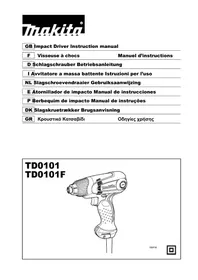
TD0101 - Screwdriver MAKITA - Free user manual and instructions
Find the device manual for free TD0101 MAKITA in PDF.


| Product type | Impact driver |
| Brand | Makita |
| Model | TD0101 / TD0101F |
| Dimensions (L x W x H) | 184 mm x 67 mm x 192 mm |
| Net weight | 0.99 kg (according to EPTA 01/2003) |
| Power supply | Single-phase mains current, voltage identical to that on the rating plate (double insulation, no earthing) |
| No-load speed | 0 - 3,600 min⁻¹ |
| Impacts per minute | 0 - 3,200 min⁻¹ |
| Max. tightening torque | 100 N·m |
| Machine screw capacity | 4 - 8 mm |
| Standard bolt capacity | 5 - 14 mm |
| High tensile bolt capacity | 5 - 10 mm |
| Safety level | Double insulation (Class II) |
| Sound pressure level (LpA) | 90 dB(A), uncertainty 3 dB(A) |
| Sound power level (LWA) | 101 dB(A), uncertainty 3 dB(A) |
| Vibration emission (impact tightening) | 7.5 m/s², uncertainty 1.5 m/s² |
| Reverse function | Clockwise and counterclockwise rotation |
| LED light (model TD0101F) | Integrated lighting |
| Socket bit | Quick release system (pull the sleeve) |
| Hanging hook | Removable, can be installed on both sides |
| Maintenance | Clean with a dry cloth; do not use solvents |
| Spare parts | Carbon brushes, bits, brush holder caps, hook, adjustable centering piece |
| Repairability | Repair by Makita authorized service center only |
| Intended use | Screwing in wood, metal and plastic |
Frequently Asked Questions - TD0101 MAKITA
User questions about TD0101 MAKITA
0 question about this device. Answer the ones you know or ask your own.
Ask a new question about this device
Download the instructions for your Screwdriver in PDF format for free! Find your manual TD0101 - MAKITA and take your electronic device back in hand. On this page are published all the documents necessary for the use of your device. TD0101 by MAKITA.
USER MANUAL TD0101 MAKITA
GB Impact Driver Instruction manual
F Visseuse à chocs
ENGLISH (Original instructions)
Explanation of general view
| 1. Switch trigger | 8. Fastening torque | 15. Screw |
| 2. Lamp | 9. Fastening time (S) | 16. Hook |
| 3. Reversing switch lever | 10. Proper fastening torque | 17. Groove |
| 4. Bit | 11. High tensile bolt | 18. Bumper |
| 5. Sleeve | 12. Limit mark | 19. Hammer case cover |
| 6. Bit-piece | 13. Screwdriver | |
| 7. Standard bolt | 14. Brush holder cap |
SPECIFICATIONS
| Model TD0101/TD0101F | ||
| Capacities | Machine screw 4 mm - | 8 mm |
| Standard bolt | 5 mm - 14 mm | |
| High tensile bolt | 5 mm - 10 mm | |
| No load speed (min-1) | 0 - 3,600 | |
| Impacts per minute (min-1) | 0 - 3,200 | |
| Max. fastening torque | 100 N·m | |
| Dimensions (L x W x H) | 184 mm x 67 mm x 192 mm | |
| Net weight | 0.99 kg | |
| Safety class | ☐/II | |
- Due to our continuing programme of research and development, the specifications herein are subject to change without notice.
- Specifications may differ from country to country.
Weight according to EPTA-Procedure 01/2003
Intended use ENE033-1 The tool is intended for screw driving in wood, metal and plastic.
Power supply ENF002-2
The tool should be connected only to a power supply of the same voltage as indicated on the nameplate, and can only be operated on single-phase AC supply. They are double-insulated and can, therefore, also be used from sockets without earth wire.
General Power Tool Safety Warnings GEA010-1
WARNING Read all safety warnings and all instructions. Failure to follow the warnings and instructions may result in electric shock, fire and/or serious injury.
Save all warnings and instructions for future reference.
IMPACT DRIVER SAFETY WARNINGS GEB012-4
-
Hold power tool by insulated gripping surfaces, when performing an operation where the fastener may contact hidden wiring or its own cord. Fasteners contacting a "live" wire may make exposed metal parts of the power tool "live" and could give the operator an electric shock.
-
Always be sure you have a firm footing. Be sure no one is below when using the tool in high locations.
- Hold the tool firmly.
- Wear ear protectors.
SAVE THESE INSTRUCTIONS.
WARNING:
DO NOT let comfort or familiarity with product (gained from repeated use) replace strict adherence to safety rules for the subject product. MISUSE or failure to follow the safety rules stated in this instruction manual may cause serious personal injury.
FUNCTIONAL DESCRIPTION
CAUTION:
- Always be sure that the tool is switched off and unplugged before adjusting or checking function on the tool.
Switch action (Fig.1)
CAUTION:
- Before plugging in the tool, always check to see that the switch trigger actuates properly and returns to the "OFF" position when released.
To start the tool, simply pull the switch trigger. Tool speed is increased by increasing pressure on the switch trigger. Release the switch trigger to stop.
Lighting up the lamp (Model TD0101F only) (Fig. 2)
CAUTION:
- Do not look in the light or see the source of light directly.
Connect the plug to light up the lamp. The lamp keeps on lighting while the plug is connected.
NOTE:
- Use a dry cloth to wipe the dirt off the lens of lamp. Be careful not to scratch the lens of lamp, or it may lower the illumination.
- Do not use thinner or gasoline to clean the lamp. Such solvents may damage it.
Reversing switch action (Fig. 3)
- This tool has a reversing switch to change the direction of rotation. Depress the reversing switch lever from the A side for clockwise rotation or from the B side for counterclockwise rotation.
CAUTION:
- Always check the direction of rotation before operation.
- Use the reversing switch only after the tool comes to a complete stop. Changing the direction of rotation before the tool stops may damage the tool.
ASSEMBLY
CAUTION:
- Always be sure that the tool is switched off and unplugged before carrying out any work on the tool.
Installing or removing driver bit or socket bit (Fig. 4)
Use only bits that has inserting portion shown in the figure.
For European and North & South American countries, Australia and New Zealand
| A=12 mm B=9 mm | Use only these type of bit. Follow the procedure (1). (Note) Bit-piece is not necessary. |
006348
For other countries
| A=17 mm B=14 mm | To install these types of bits, follow the procedure (1). (Note) Makita bits are these types. |
| A=12 mm B=9 mm | To install these types of bits, follow the procedure (2). (Note) Bit-piece is necessary for installing the bit. |
006349
- To install the bit, pull the sleeve in the direction of the arrow and insert the bit into the sleeve as far as it will go. Then release the sleeve to secure the bit. (Fig.5)
- To install the bit, pull the sleeve in the direction of the arrow and insert the bit-piece and bit into the sleeve as far as it will go. The bit-piece should be inserted
into the sleeve with its pointed end facing in. Then release the sleeve to secure the bit. (Fig. 6)
To remove the bit, pull the sleeve in the direction of the arrow and pull the bit out firmly.
NOTE:
- If the bit is not inserted deep enough into the sleeve, the sleeve will not return to its original position and the bit will not be secured. In this case, try re-inserting the bit according to the instructions above.
OPERATION (Fig. 7)
NOTE:
- The size of wood screw which can be fastened with this tool may differ depending upon the type of material to be fastened. Always perform a test operation to determine the size of wood screw.
Holding the tool
Hold the tool only by the handle when performing an operation. Do not touch the metal part.
The proper fastening torque may differ depending upon the kind or size of the screw/bolt, the material of the workpiece to be fastened, etc. The relation between fastening torque and fastening time is shown in the figures. (Fig. 8 & 9)
Hold the tool firmly and place the point of the driver bit in the screw head. Apply forward pressure to the tool to the extent that the bit will not slip off the screw and turn the tool on to start operation.
NOTE:
- Use the proper bit for the head of the screw/bolt that you wish to use.
- When fastening screw M8 or smaller, carefully adjust pressure on the switch trigger so that the screw is not damaged.
- Hold the tool pointed straight at the screw.
- If you tighten the screw for a time longer than shown in the figures, the screw or the point of the driver bit may be overstressed, stripped, damaged, etc. Before starting your job, always perform a test operation to determine the proper fastening time for your screw.
The fastening torque is affected by a wide variety of factors including the following. After fastening, always check the torque with a torque wrench.
- Driver bit or socket bit
Failure to use the correct size driver bit or socket bit will cause a reduction in the fastening torque.
- Bolt
Even though the torque coefficient and the class of bolt are the same, the proper fastening torque will differ according to the diameter of bolt.
- Even though the diameters of bolts are the same, the proper fastening torque will differ according to the torque coefficient, the class of bolt and the bolt length.
- The manner of holding the tool or the material of driving position to be fastened will affect the torque.
- Operating the tool at low speed will cause a reduction in the fastening torque.
MAINTENANCE
CAUTION:
- Always be sure that the tool is switched off and unplugged before attempting to perform inspection or maintenance.
- Never use gasoline, benzine, thinner, alcohol or the like. Discoloration, deformation or cracks may result.
Replacing carbon brushes (Fig. 10)
Remove and check the carbon brushes regularly. Replace when they wear down to the limit mark. Keep the carbon brushes clean and free to slip in the holders. Both carbon brushes should be replaced at the same time. Use only identical carbon brushes.
Use a screwdriver to remove the brush holder caps. Take out the worn carbon brushes, insert the new ones and secure the brush holder caps. (Fig. 11)
To maintain product SAFETY and RELIABILITY, repairs, carbon brush inspection and replacement, any other maintenance or adjustment should be performed by
Makita Authorized Service Centers, always using Makita replacement parts.
OPTIONAL ACCESSORIES

CAUTION:
- These accessories or attachments are recommended for use with your Makita tool specified in this manual. The use of any other accessories or attachments might present a risk of injury to persons. Only use accessory or attachment for its stated purpose.
If you need any assistance for more details regarding these accessories, ask your local Makita Service Center.
- Screw bits
- Socket bits
- Bit piece
- Adjustable locator with bit
·Hook
NOTE:
- Some items in the list may be included in the tool package as standard accessories. They may differ from country to country.
Hook (Fig. 12)
The hook is convenient for temporarily hanging the tool. This can be installed on either side of the tool.
To install the hook, insert it into a groove in the tool housing on either side and then secure it with a screw. To remove, loosen the screw and then take it out.
Adjustable locator with bit (Fig. 13)
To use the adjustable locator with bit, remove the bumper and then install it. The bumper can be removed by pulling forward.
Noise
ENG905-1
The typical A-weighted noise level determined according to EN60745:
Model TD0101F
Sound pressure level (L_pA) : 90 dB (A)
Sound power level L_WA 101 dB (A)
Uncertainty (K): 3 dB (A)
Wear ear protection.
Vibration
ENG900-1
The vibration total value (tri-axial vector sum) determined according to EN60745:
Model TD0101F
Work mode: impact tightening of fasteners of the maximum capacity of the tool
Vibration emission (a_h) .. 7.5~m / s^2
Uncertainty (K): 1.5m / s^2
ENG901-1
- The declared vibration emission value has been measured in accordance with the standard test method and may be used for comparing one tool with another.
- The declared vibration emission value may also be used in a preliminary assessment of exposure.
WARNING:
- The vibration emission during actual use of the power tool can differ from the declared emission value depending on the ways in which the tool is used.
- Be sure to identify safety measures to protect the operator that are based on an estimation of exposure in the actual conditions of use (taking account of all parts of the operating cycle such as the times when the tool is switched off and when it is running idle in addition to the trigger time).
For European countries only EC Declaration of Conformity
ENH101-15
We Makita Corporation as the responsible manufacturer declare that the following Makita machine(s):
Designation of Machine:
Impact Driver
Model No./ Type: TD0101F
are of series production and
Conforms to the following European Directives: 2006/42/EC
And are manufactured in accordance with the following standards or standardised documents:
EN60745
The technical documentation is kept by our authorized representative in Europe who is:
Makita International Europe Ltd.
Michigan Drive, Tongwell,
Milton Keynes, Bucks MK15 8JD, England
30.1.2009
Tomoyasu Kato Director
Makita Corporation
3-11-8, Sumiyoshi-cho,
Anjo, Aichi, 446-8502, JAPAN
ACCESSIONS FOURNIS EN OPTION
ATTENTION:
Michigan Drive, Tongwell,
Milton Keynes, Bucks MK15 8JD, Angleterre
30.1.2009
Tomoyasu Kato
Director
Makita Corporation
3-11-8, Sumiyoshi-cho,
Anjo, Aichi, 446-8502, JAPAN
Michigan Drive, Tongwell,
Milton Keynes, Bucks MK15 8JD, England
30.1.2009
Tomoyasu Kato
Direktor
Makita Corporation
3-11-8, Sumiyoshi-cho,
Anjo, Aichi, 446-8502, JAPAN
Michigan Drive, Tongwell,
Milton Keynes, Bucks MK15 8JD, Inghilterra
30.1.2009
Tomoyasu Kato
Direttore
Makita Corporation
3-11-8, Sumiyoshi-cho,
Anjo,Aichi,446-8502,JAPAN
WAARSCHUWING Lees alle
Michigan Drive, Tongwell,
Milton Keynes, Bucks MK15 8JD, England
30.1.2009
Tomoyasu Kato
Director
Makita Corporation
3-11-8, Sumiyoshi-cho,
Anjo, Aichi, 446-8502, JAPAN
ESPANOL (Instrucciones originales)
Michigan Drive, Tongwell,
Milton Keynes, Bucks MK15 8JD, Inglaterra
30.1.2009
Tomoyasu Kato
Director
Makita Corporation
3-11-8, Sumiyoshi-cho,
Anjo, Aichi, 446-8502, JAPAN
Michigan Drive, Tongwell,
Milton Keynes, Bucks MK15 8JD, Inglaterra
30.1.2009
Tomoyasu Kato
Director
Makita Corporation
3-11-8, Sumiyoshi-cho,
Anjo, Aichi, 446-8502, JAPAN
Michigan Drive, Tongwell,
Milton Keynes, Bucks MK15 8JD, England
30.1.2009
Tomoyasu Kato Direktor
Makita Corporation
3-11-8, Sumiyoshi-cho,
Anjo,Aichi,446-8502,JAPAN
UaTe oAeTis Poeiooioeic kai Tis oyniecs yia eavop
ПОЕДОПОIHSEIАФАLEIA ΠΙΑ TO KPOYΣTIKO KATΣABIΔI
GEB012-4
- Na kpatate To nAekptiKo epyaAeio aTTOIc moovmuEveC AaBec Otav EKTEAleite mA epyaia kaTa
TIV OTOIA O OPIKTnpaC mTOpE iA epTe oE ETTaPn Ie n opata KaWdi n e To Diko Tou KALWDIO TPOPOOiaac. Av OI OPIKTnpEc epOouv OE ETTaPn eKATIOI NAEKTPoPoPo KAldio, Ta EKTeEiEvA METAALIKA epn Tou NAEKTPiKO evyaleiou aYivouv KI auta NAEKTPoPoPa kai TOpE iVa TpokAne iNAEKPToIIAnxi aTo xeiPiOn.
Kpatnma Tou epyaaleiou
KpatnoTe To epyaIeio mOvo aTIO Tn IaBn otav EkTeIe Katoia epyaia. Mny ayyizTe to tAALko Tmu.
H kaataaann potnouoqicns mtopeiv a diaapeepiavaloya
mu to eiooc n to meyeooc tsnc biac/tou mTou Aoviou, tou
uAIOOU TO AVIKEIEVOU TPOTEPEWETAI, KTA. H oxeon
metau TNC potnnc ouoqicng kai Tou xpvou ouoqi ng
deixveta tOa diaypmaata.(Eik.8kai 9)
KpatnoTe Otaepa To epyaleio kai totoeTneTo akpo TnsmuTnc BiWmuToC tnv KepaAn Tns BiDac. NIEOTe TpOc Ta EumptoTo epyaleio Etoi wote n mutn va mny viAiotpnoei
aTn 3iDka kai EvpyoToIOTe To epyaleio yia va EekivnoTe Tn Aetoupyia.
ZHMEIΩΣH:
XpnoiopoTIOInote TnV KATAANAnmuTnvi TnV KEpaAn TnC BiOAC/Tou μTouAoviou Tou EITUeTEva XpnoiopoTIOInoETE.
Kata to Biomega M8 Biog n iikpoteps, TIEOTe EPPOOxTNV OKavdaaN-diaKoTTn EtOI wote n BiDa va npv Taei Znmu.
Na kpaTATE Oepyaleio euethetaiae Tbiδa.
Eav oipieTe Tnv BiDa yia napaTavw xpov aTIO otI
deixvouv ta oxediaypaumuata, n BiDa n n akpn tou
katoaiou evexetai va utpevtarci, va
napaopoppei, va naezi ngia kTA. Piv apxioeTe Tnv
epyaia oc, EKTAEOTe TAVTa mia dokiuaotikn
Aeitoupyia ia va kaOpiaeTe Tov katalAnlo xpov
oouphiqyia tn BiDa oac.
H potn ouoqicns einnpeaezetai aioia uepia toiklia Tnapayovtwv ouuTEPIaauBavovwTwv akolouthetav. Meta anto tn ouoqigen, eaeyTe ravta tn potn n eva klei potnncs.
- Mutn trpuntaviou n mutn utdooxns H m n xpnan tou oawotou uey eouc ts nutns tou tputtavio n tnc mutnc ts uto doxns 0a npokaleoia pia eioan nts potnns ouqipngs.
- Mtnoulóvi
Akopa k av o ouvtaleotnc potnnc ka n katnyopia toulaoviou eivai o i idoi, n kataaan potn suoqiengs 0a diapepei ouwva u Tn diapetpo Tou toulaoviou.
Akoua ki av oi diapeptoiwv mtouloviv evivaio iioi, n kataaanpottn ouoqipng 0a diaqpeoi uawva me tn diapetpo tou mtouloviou, Tnv kaoiou ptowuoviokai to mokoc tou mtouloviou.
aTOTeAouv TApaywyn Oe eipka
Euupopwovotai e tic akoloutheta Eupwntaikes
OsnyieS:
2006/42/EK
Kai kataokeuaovtaoumuwa e Ta Tnapakatw npotuna
Michigan Drive, Tongwell,
Milton Keynes, Bucks MK15 8JD, England
30.1.2009
Tomoyasu Kato
△euθuvtns
Makita Corporation
3-11-8, Sumiyoshi-cho,
Anjo,Aichi,446-8502,JAPAN
Makita Corporation
Anjo, Aichi, Japan
884879C992 www.makita.com