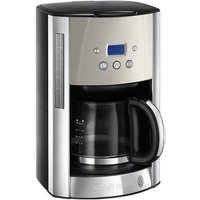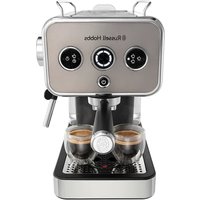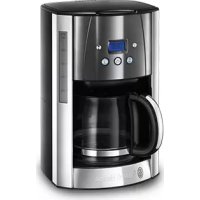
Luna Moonlight - Coffee machine RUSSELL HOBBS - Free user manual and instructions
Find the device manual for free Luna Moonlight RUSSELL HOBBS in PDF.


| Features | Details |
|---|---|
| Machine type | Filter coffee machine |
| Tank capacity | 1.25 liters |
| Power | 1000 watts |
| Keep warm function | Yes, up to 40 minutes |
| Anti-drip system | Yes |
| Filter | Permanent filter included |
| Dimensions | 30 x 22 x 25 cm |
| Weight | 1.5 kg |
| Usage | Easy to use with a simple control panel |
| Maintenance | Easy to clean thanks to removable parts |
| Safety | Automatic shut-off after 40 minutes |
| Warranty | 2 years |
Frequently Asked Questions - Luna Moonlight RUSSELL HOBBS
User questions about Luna Moonlight RUSSELL HOBBS
0 question about this device. Answer the ones you know or ask your own.
Ask a new question about this device
Download the instructions for your Coffee machine in PDF format for free! Find your manual Luna Moonlight - RUSSELL HOBBS and take your electronic device back in hand. On this page are published all the documents necessary for the use of your device. Luna Moonlight by RUSSELL HOBBS.
USER MANUAL Luna Moonlight RUSSELL HOBBS
Follow basic safety precautions, including:
This appliance can be used by children aged from 8 years and above and persons with reduced physical, sensory or mental capabilities or lack of experience and knowledge if they have been supervised/instructed and understand the hazards involved.
Children shall not play with the appliance.
Cleaning and user maintenance shall not be done by children unless they are older than 8 and supervised.
Keep the appliance and cable out of reach of children under 8 years.
Misuse of the appliance may cause injury.
The surfaces of the appliance will get hot. Residual heat will keep the surfaces hot after use.
Don't immerse the appliance in liquid.
If the cable is damaged, it must be replaced by the manufacturer, its service agent, or someone similarly qualified, to avoid hazard.
- Sit the appliance on a stable, level, heat-resistant surface.
- Keep the appliance and cable away from the edges of worktops.
- Don't use accessories or attachments other than those we supply.
- Don't use the appliance for any purpose other than those described in these instructions.
- Don't use the appliance if it's damaged or malfunctions.
HOUSEHOLD USE ONLY
PARTS
- Lid
- Slot
- Filter holder
-
Paper filter #4 (not supplied)
-
Carafe
- Hotplate
Dishwasher - top rack
BEFORE USING FOR THE FIRST TIME
Fill the reservoir to the max mark, and run the appliance without coffee.
FILLING
- Remove the carafe from the hotplate.
- Open the lid.
-
Fill the reservoir with the exact amount of water required. Note that the brewing process will use all of the water that you put in the reservoir.
-
Make sure that the filter holder is pressed down all the way into position. It will click when correctly installed.
- Put a #4 paper filter into the filter holder.
- The reservoir is calibrated to give 12 large cups (at 125ml per cup) and 18 small cups (at 83ml per cup). For each large cup, add 6g of ground filter coffee and for each small cup add 4g.
- Close the lid.
- Replace the carafe on the hotplate.
SET THE CLOCK
It isn't necessary to set the clock to use your coffee maker but you will need to set it if you want to use the timer functions.
- Put the plug into the power socket.
-
Use the h and min buttons to set the correct time in 24 hour format.
-
The clock will retain its settings until the coffee maker is unplugged.
COFFEE STRENGTH
Pressing the 1-4 button will make the brewed coffee slightly stronger. You can also use it if you are only brewing a partial carafe of coffee (i.e. not completely filling the reservoir). Your coffee maker will then alter the brewing process so your coffee will have about the same strength as it would if you had made a full carafe.
MAKING COFFEE
Note: If you want to use the coffee strength feature press the 1-4 button before pressing the button. The 1-4 button will light up.
- Press the button - the icon will appear on the display. The button will light up.
- Shortly afterwards, coffee will start to drip into the carafe.
- If you want to stop the coffee maker while it's brewing, press the button.
- Once brewed, the hotplate will keep the carafe warm for up to 40 minutes.
USING THE TIMER
Note: Make sure the clock is set to the correct time. Use the h and min buttons.
- Set the timer to the time you want to start brewing.
a) Press the button.
b) Use the h and min buttons to set the time you want brewing to start.
If you don't press either the h or min buttons within 5 seconds, the coffee maker will revert to "normal", and the current time will show. Press the ① button to start again.
- When the time is programmed, press the button. The ① button will light up and the ④ icon will appear on the display. Your coffee maker is now set to make coffee at the selected time.
- If you want to use the coffee strength feature when using the timer, press the 1-4 button now. The 1-4 button will light up.
If you want to cancel the timer before brewing has started, press the button.
If you want to stop the coffee maker while it's brewing, press the button.
KEEP WARM/AUTO SHUT-OFF
- Your coffee maker will keep the coffee warm for about 40 minutes.
- 40 minutes after brewing your coffee maker will shut down and the time of day will be displayed.
- To wake the appliance, press the min button.
A QUICK CUP
If you want a quick cup of coffee before the brewing cycle has finished:
- You can remove the carafe at any time. The non-drip valve will prevent coffee dripping on to the hotplate.
- To prevent the filter holder overflowing, replace the carafe on the hotplate within about 20 seconds.
- When you replace the carafe on the hotplate the non-drip valve opens to let any remaining coffee through.
CARE AND MAINTENANCE
- Unplug the appliance and let it cool.
- Tip the contents of the filter holder into the bin.
- Wipe all surfaces with a clean damp cloth.
- Press the lever at the rear of the carafe lid, above the handle, to open the carafe lid.
- Hand wash the carafe and filter holder.
- Replace the filter holder. Make sure that the filter holder is pressed down all the way into position. It will click when correctly installed.
- Close the lid, and press down to lock it.
You may wash these parts in the top rack of a dishwasher.
DESCALING
After 60 brewing cycles, the display will show CL, to indicate that the appliance needs.
descaling.
To turn this function off, press the 1-4 and ① buttons together, and hold them for 3 seconds.
- Use a proprietary brand of descaler suitable for use in plastic-bodied products. Follow the instructions on the package of descaler.
- Products returned under guarantee with faults due to scale will be subject to a repair charge.
RECYCLING
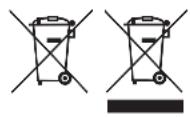
To avoid environmental and health problems due to hazardous substances, appliances and rechargeable and non-rechargeable batteries marked with one of these symbols must not be disposed of with unsorted municipal waste. Always dispose of electrical and electronic products and, where applicable, rechargeable and non-rechargeable batteries, at an appropriate official recycling/collection point.
SO STEllen SIE DIE UHR
APENAS PARA USO DOMÉSTICO
ESQUEMAS
BEHANDLING OG VEDLIKEHOLD
BAKHBIE MEPbI INPEIOCTOPOXHOCTN
CneyuIte oCHOBbIM INHCTpyKcIaM NO 6e3ONaCHOCTN, BKIOUaY CneyuOuIe:
IcnoJb3OBAHne daHHoro yCTpoiCtBa DeTbMn CTapwe 8 JeT, IucaMn C OrpaHnueHHbIMN fN3nueCKmN, CeHCOPHBIMN IIN YMCTBeHHbIMN CnOCo6HOCTaMn, HeIOCTaTKOM ONbITa IIN 3HaHn JOnyckaeTcR npI UcNOBnKoHTPOJI NII INHCTpykTaJa I OCO3HaHnCBraHHbIX PnCKOB. DeTAM 3aPpeSeHo INrpaTb C yCTPOiCTBOM.
Ounstky n o6cnyxnbHne yctpoiCTBa MOryT BbINOJIrTaIeTI cTapwe 8 Iet npn ycNoBn Ha6JIIODeHn B3PocIbIMN.
XpaHnte yctpoiCTBO n Ka6eIb B HeIOCTyINHom dIaTeI Do 8 let MeCTe. HenpaBnIbHoe IcnoIb3OBAHne np6opa MoKeT npNBecTu K TpaBMe.
Поверхноctи пибopa harpebaOTc.3a cuet octatoyHOro TeIla NOBepxHOCTN 6ydUT OCTaBaTbCra ropaymN nocJe nCNoIb3OBaHnY.
He norpykaite np6op B xndKocTb.
Ecn Ka6eIb NOBpeKJeH, OH dOJIKeH 6bITb 3aMeHeH npOn3BOJnteIeM, cepBnCHbIM aReHTOM nI IN dpyrIM KBaINΦuNpOBaHHbIM IIncOM dIy IpeDOrBpaUeHn ONaCHOCTn.
- UctaHaBnBaIe npu6Op Ha yCTOuINByIO, rOpN3oHTaJIbHyIO, TepMoCToIKyIO NOBepxHOCTb.
- UcpoiCTBO n Ka6eIb He DoJIxHbI paCnOJaTaTbCHa KpaIO pa6Oyero cToIa.
- IcnoIb3yIte ToIbKO npHaJdIeXHocTn HacaIKN OT npOn3BoIuTeJIa.
- Пибор He может pa60taTb OT BHeшнero TaMepa ИИДиCTaHцINOHHOСNTeMbI ynpabNeHnA.
He nocnoj3yntpeip6op,ecn OH noBpejdeHnn pa6oTaTc nepe6oAMN.
TOJIbKOДЛЯБblTOBOrOИСПОЛьЗOBAHNIA
NJIIOCTPAUIN
- Kpbioka
- Pa3bem
3.Дерхаельфиltpa - ByMaXHbI ΦnIbTp #4 (B KOMnJIeKTHe
BXOДNT)
NEPEI INPBBIM NcIOJIb3OBAHnEM PINBOPA
HanoHNHe pe3epByap BOOn Do MaKcImaIbHOJ OTMeTKn (max) IN BkJIIOUHTe np6Op 6e3 Kofoe.
HANOJIHEHNE
- Chmunte pe3epByap c noctabkn.
- OTKpoTe KpbIuKy.

- 3aONHnTb eMKoCTb HxKhblIM KOINueCTBOM BObl. O6paTInTe BHNMaHne, YTO B npOecce npiroTOBHeHna 6yJeT NcNolb3OBaTbCBA BCA BOda, KOTopaa ectb B pe3epByape.
- Y6eHNTecb, yTO dePkaTeIb fNlbTpHa HxKaT Do ynopa. DOnJKeH NocblaTaBcXapaKTEpHbI uenQk, O3HaauOuNi, yTO yCTaHOBKa BblONHeHa npaBnBHo.
- PackpojTe 6ymaxhbln fHnbTp #4 nI nomecnte erO B depeXaTeNb fHnbTpa.
- Pe3epByap otKaJIIN6pOBaH ha npriROToBHeHne 12 6OJbux (125 Ml Ha yawKy) n 18 MaIeHbKnx Yawek KoFe (83 Ml Ha yawKy). Do6abIyTe no 6 r MoIOTOro KoFe Ha KaJdyU 6OJbWyo YawKy n no 4 r KaJdyU MaIyU yawKy.
- 3aKpOte KpbIshKy.
- YcTaHOBnte rpaΦnH Ha NOCTaBky.
HACTPOIKA YACOB
Hactpoika yacob Heo63aTeNbHa IJRA NCNoB3OBaHnKoFeBapKn, HO HyxHa IJRA NOb3OBaHnA FyHKcIyMaT TaMepa.
- BctabBte BNlky Bpo3eTKy.
2.ДЯ yctaHOBKN npaBnIbHbIX NOKa3aTeNeB BpeMeHN B 24-ycOBOM φOpMaTe UcNoIb3yIte KhoNKn h (u) u min (MnH). - Yacbi 6ydyT coxpaHЯTb cBOe 3HaueHne, noka KoΦeBapKa OTKIIOUeHa OTeN.
KPENOCTb KOΦE
Пи Нжати Кноги 1-4 заварени Кофе NOJyHTс HeMHORO Kpenue.Мохно пользOBaTbCЯ eIO ТAKKE пи 3abapuBaHи KoфeВ MeHbWeM OБьeme,ЧЕ мбем ГрафиHa (T.e. пи 3anONHeHn pe3epByapa He Do KOHca).
B 3TOM cIyuae Kofoebapka n3MeHraet npOceC pnproTOBHeHn, n Kofo nOlyuaeTc TaKoJKe KpeNoCTn, KaN Kofoe n3 PONHO rpaΦnHa.
ПИГ罗ВLEнгКоФЕ
PpimueaHne. IyncnOb3OBaHn yHKcnn nprirotOBneHn KpeNKOro Kofo haxmTe KHONKy
1-4 nepeH haxaTneM KhoNKn p. KhoNka 1-4 3acBETnTcR.
1. Haxmnte n otnyctnte Khonky Ha dncnnee oTo6pa3ntc Khonka 3acBETNTcra.
2. Yepe3 HeKOTOpoe BpeMa Kofoe HaHT KaNaTb B pe3epByap.
3. Ecnn HxKHO OCTaHOBNTb pa6Otu KoΦeBaPkn BO BpeM npouceca npnroTOBneHn KaΦe, Haxmnte KhoNkY p.
4. Посné того кak Koфe 6удET 3aBapeH, поставka 6удET до 40 мнHyт поогревыт графин, утобbl OH OCTaBaICr TeПьIM.
ICNIOJIb3OBAHNE TAIMEPA
y6eNTecb, yTO Ha yacax BbICTaBHeNo npabnIbHoe BpeM. NcnoJIb3yIte KHOKN h (u) n min (MH).
1.ДЯТOrOуTO6bIHaayaTb npriROTOBneHne Kofoe,yCTaHOBnTe HxKHOe BpeMa Ha TaIMepe. a) HaxMnTe KhoNky①.
b) C nomoouk HONOK h min 3aadte Bpem Haana npuroTOBneHn Kooe.
Ecn He HaxMaTb KnaBnuy h (u) nn KnaBnuy min (MnH) B TeueHne 5 cekyHd, KofoeBaPka BepHeTcB pexm «normal» (o6bUHbI), n OTo6pa3ntcBpeM. ChOba HaxMnte u ydepXnBaTe KhoNky 日
-
Посл TeToK KaK Bbl 3aДaIb BpeM, HaxMMte KhoNky p.KhONka 3acBETnTc, nHa dncPlee NOBtCra 3HaQoK .Teepb KofoeBapKa HAcTpoEHa Ha npuroTOBJeHne Kofoe B 3aDaHHoe BpeM.
-
Дя IncnoIb3OBaHnЯ ФункUn npuroTOBneHnЯ KpeNKOrO Kofoe C nOMoUbTo TaIMepa Haxmnte KhoNky 1-4 ceuac.
-ДясбрcaТаIMepaпepeнHaayanmpnroTOBHeHnaHxMnte KHOkKy. - Ecni Huxho octaHOBNTb pa6Otu KofoeBaPKN BO BpeM npocecca npiroTOBneHn Ka, HaxmTe KHOJKy p.
ABTOMATUHECKOE OTKJIIOUCHNE/HEAKTUBHbI PEXUM
- KoΦeBaPka 6yIeT B TeueHne 40 MInHyT NODePrKnBaTb TempepaTyPy KoΦe.
- Yepe3 40 MInHyT nOcNe npuROToBHeHnKoΦeBaPka BbIKIouHTc, n OTO6pa3NtCra TeKyUee Bpemr CYtOK.
3.ДЯ BOЗВРашЕну yCТPoIcTБa n3 cPЯцero peЖIMa HaxMITE KHOПКу min.
БbvICTPЯ YAWKA
Ecn Heo6xoJMo 6bictpo HaJIbTb yaIky Kofo do 3aBepWeHn cIKna npiroTOBJeHn:
- Bы можete сят b rpaфин B lioboe bpema. HenoTeKaIoUni KlaanH He donyckaet nonadahn Kaenb Kofo Ha noCTaBky.
- UTo6bI depKataB fNtpa He nepenONHnnc, BepHnte rpaΦnH Na nOCTaBky B TeueHne 20 cekyHd.
- Пи установке графина на Meсято неюдекаюши Кларан OTКpoeТс, чTo6bl сntb octaTKI Kofoe.
YXODI OBCJYKINBAHNE
- Otkliounte npu6op ot po3eTkn i daIte emy ocTbITb.
- BbI6poCbTe coeepxHmOe depKaTeIaΦnIbTpBa MycOpHoe BeIpo.
3.ПоТпЕ NOВЕРХHOCТУИСТОМ ВДАЖНОТКАнБЮ. - Haxmte Ha pbyar Ha 3aHne CTOpOHe KpbIshKn rpaΦnHa, Had pyuKoJ dJa TOrO, yTo6bI OTKpbITb KpbIshKy rpaΦnHa.
5.ДержateлбфиьТраиграфинСледуETMbITbВpyHyIO. - YcTaHOBnTe DepeKaTeIb FInbTpHa MeCTO. Y6eINTEcB, yTO DepeKaTeIb FInbTpHa HaxaT Do ynpa. DOnJxeh NocblwaTbCra XapaKTePbHb IeLqOK, O3HaayAoUm, yTO yCTaHOBka BbINOJIHeHa IpaBnIbHO.
- 3akponTe KpbIuKy I npnxMnte ee do 3aueKnBaHna.

3TnIeTaJIIMOJHOMbITbHaBepXHeN NOLKe NOCyDOMoeHOn MaunHbl.
YDAJEHNE HAKINI
- Посл 60 uKIOB npiroTOBHeHЯ duCnlee 6ydt MrraTb CL, yka3bIbAЯ Ha To, yTO C np6opa Heo6xOIMO ydaIITb HAKINb.
- UTo6bI BblKJIIOUHTb 3Ty yHKcNIO, HaxMMTe KHOJKN 1-4 n ① nydepxnBaIte nx B TeueHne 3 ceKyHd.
- Истору щостroю дд удалися нахлл, похаяшейд пл actikobix TOBAPOB. Cledу щнструкшия на устриctve.
ToBapbl, Bo3BpaueHHbIe no rapaHTn C nONOMkAmn BCneCTBne HaKnPi, 6ydyT noJnxKaTb PnAthypeMOHTy.

IOBTOPHA INEPEPABOTKA
Bo n36eXaHHe BO3DeIcTBnBpeINbIX BeIeCTB Ha OKpykaUOyU CpeDy IN 3dOpOBBe npI6Opbl N 6aTapeN ODHopa3OBORO INM MHOropa3OBORO INCNoJIb3OBaHnA, NOMeueHHbIe ODNIM I3 3Tnx CmMBOLOB, Heo6xOIMO yTNIIIN3npOBaTb OTdJIbHO OT HeCOPTIPOBaHHbIX 6bITOBbIX OTXODOB.
06aTeIbHO yTnIIN3npyIte 3JIeKTpueckne n 3JIeKTPoHbIe n3dJIIn, a TaKKe (ecn 3TO npIMeHMo) 6aTapeN ODHopa3OBORO nII MHorOPa3OBORO nCNoIb3OBaHnB CooTBeTCTByIOuIX OΦNuAaNbHbIx NyHKTaX NOBTopHO npepa6OTKn / c6opa OTxODOB.
"normal" 5 5 (a) min j (aclw) h j
. 1234567890
ai a ai all i = 1,2,3,4, ,2k + 1
aal glg a gall gll i al lal lgl
1-4 jll bcual (gajll cagall pladilwie iay gill gail aalal 3
155 - j 此
.1
g/
aiee 2 . gllg o 20d aiei o gai lgl biaill o gai iisla jSaa
g 100 g 100 g 100 g 100 g 100 g 100 g 100 g 100 g 100 g 100 g 100 g 100 g 100 g 100 g 100 g 100 g 100 g 100 g 100 g 100 g 100
.()minj jjllbital,jjialblay
#
: jssll o gdlgall gall jg s jis
1
20 1 1 1 1 1 1 1 1 1 1 1 1 1 1 1 1 1
aiaia 0e g j zj y j clawll baiill piai pi aia i ai So jy Jai laic .3
aalgl aie
.1
.2
a 3
cIe 11111111111111111111111111111
Jalil
iLd ydd jy d 10.6
.
jglg jgrjilall Jala Jjieelbll Aali 1a 8d gall aill jal jilll Jala
Aidaii Jauy Bautol GlaBail 7
1 1
Jyjai Jy jia jia aaii jia jia jia jia jia
aillbbsolc? 1-4 jj bial