D2 Synchro - Digital timer switch ABB - Free user manual and instructions
Find the device manual for free D2 Synchro ABB in PDF.

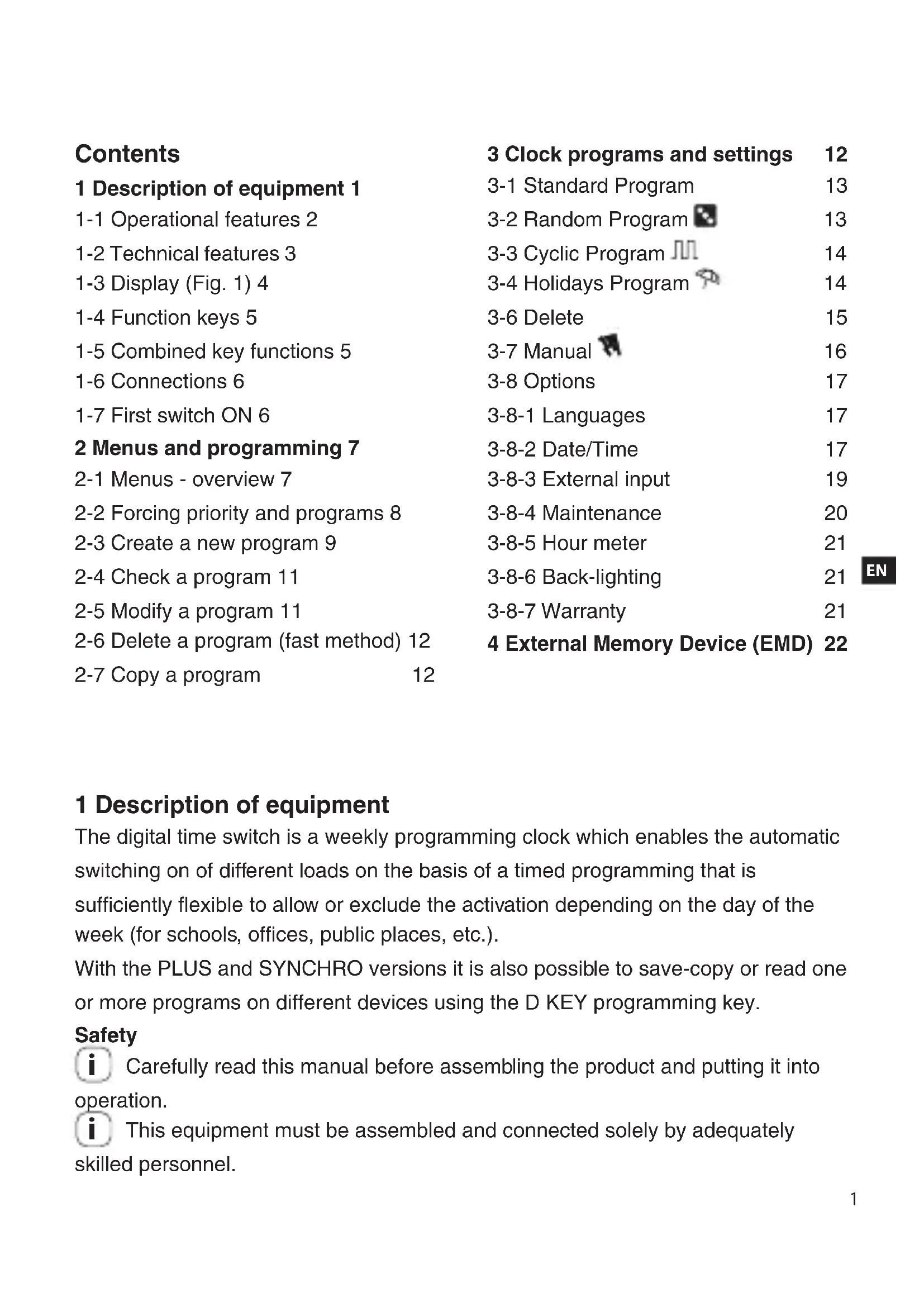


| Product type | Digital time switch |
| Brand | ABB |
| Model | D2 Synchro |
| Supply voltage | 230 V AC +/- 10% (50-60 Hz) |
| Number of outputs | 2 (relay) |
| Output type | Potential-free changeover relay contact (N.O. 16(10)A / N.C. 16(2)A) |
| Memory programs | 64 |
| Special programs | Random, Cyclic, Holidays |
| External input | Yes (remote override) |
| Manual override | Yes (permanent or temporary) |
| External memory (EMD) | Yes (D KEY) |
| GPS/DCF77 receiver | Optional |
| Protection degree | IP20 |
| Operating temperature | -5 °C to +55 °C |
| Storage temperature | -10 °C to +65 °C |
| Power consumption (dual output) | 7.8 VA |
| Cable cross-section | 1...6 mm² |
| Power reserve (lithium battery) | 6 years |
| Accuracy | +/- 0.5 s/day at 25 °C |
| Max controllable power | 3000 W (at 230 V) |
| Interface languages | French, English, German, Italian, Spanish, Swedish, Portuguese, Dutch, Russian, Polish, Greek |
| Standard | CE (EN60730-2-7) |
| Programmable maintenance | Yes (hour counter, maintenance message) |
| Backlight | Adjustable (fixed ON/OFF or timed 6 s) |
| Safety | Installation by qualified personnel; non-removable battery; disposal via selective sorting |
Frequently Asked Questions - D2 Synchro ABB
User questions about D2 Synchro ABB
0 question about this device. Answer the ones you know or ask your own.
Ask a new question about this device
Download the instructions for your Digital timer switch in PDF format for free! Find your manual D2 Synchro - ABB and take your electronic device back in hand. On this page are published all the documents necessary for the use of your device. D2 Synchro by ABB.
USER MANUAL D2 Synchro ABB
D1 2CSM258763R0621
D1 PLUS 2CSM257583R0621
D1 PLUS 24 2CSM256403R0621
D1 PLUS 110 2CSM258673R0621
D1 SYNCHRO 2CSM257493R0621
D2 2CSM256313R0621
D2 PLUS 2CSM277583H0621
D2 SYNCHRO 2CSM277363R0621
2CSM41021D6401
D1
D2
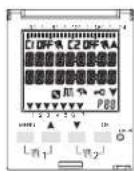
Digital time switch
1 Description of equipment 1
1-1 Operational features 2
1-2 Technical features 3
1-3 Display (Fig. 1) 4
1-4 Function keys 5
1-5 Combined key functions 5
1-6 Connections 6
1-7 First switch ON 6
2 Menus and programming 7
2-1 Menus - overview 7
2-2 Forcing priority and programs 8
2-3 Create a new program 9
2-4 Check a program 11
2-5 Modify a program 11
2-6 Delete a program (fast method) 12
2-7 Copy a program 12
3 Clock programs and settings 12
3-1 Standard Program 13
3-2 Random Program 13
3-3 Cyclic Program 14
3-4 Holidays Program 14
3-6 Delete 15
3-7 Manual 16
3-8 Options 17
3-8-1 Languages 17
3-8-2 Date/Time 17
3-8-3 External input 19
3-8-4 Maintenance 20
3-8-5 Hour meter 21
3-8-6 Back-lighting 21
3-8-7 Warranty 21
4 External Memory Device (EMD) 22
1 Description of equipment
The digital time switch is a weekly programming clock which enables the automatic switching on of different loads on the basis of a timed programming that is sufficiently flexible to allow or exclude the activation depending on the day of the week (for schools, offices, public places, etc.).
With the PLUS and SYNCHRO versions it is also possible to save-copy or read one or more programs on different devices using the D KEY programming key.
Safety
i Carefully read this manual before assembling the product and putting it into operation.
This equipment must be assembled and connected solely by adequately skilled personnel.
The equipment contains a non-removable battery and it must not be disposed of as urban waste but recycled in order to protect the environment. Failure to

comply with the requirements of EU Directive 2006/66, and the national legislations for implementation of this Directive, for the disposal of products at the end of their service life, is punishable by law.
1-1 Operational features
| Model (series) | D1 D1 | Plus | D1 Synchro | D2 D2 | Plus | D2 Synchro |
| Channels (circuits) 1 2 | ||||||
| Programs which may be memorised | 64 | |||||
| Special programs (Random, Cyclic, Holiday) | √ | |||||
| Weekly/annual time | √ | |||||
| External input | √ | √ | √ | √ | ||
| Manual forcing | √ | |||||
| External Memory Device EMD | √ | √ | √ | √ | ||
| GPS or DCF77 receiver (optional) | √ | √ | ||||
1-2 Technical features
| Power supply voltage 230 V AC +/- 10% | 110 V AC +/- 10% (D1 Plus 110)24 V AC / DC +/- 10% (D1 Plus 24) |
| Frequency 50-60 Hz | |
| Protection rating IP20 | |
| Outlet type Potential-free relay exchange contact;N.O. contact = 16(10)A / 250V~ (limited current with Resistance for Zero Crossing of high value);N.C. contact = 16(2)A / 250V~N.O./N.C. contacts = 16(2)A / 250V~ (D1 Plus 24, D1 Plus 110) | |
| Maximum AC output N.O. 16(10)A / N.C. 16(2)AN.O./N.C. 16(2) (D1 Plus 24, D1 Plus 110) | |
| Operating temperature from -5°C to +55°C | |
| Storage temperature from -10°C to +65°C | |
| Absorption/Self-consumption 6.5 VA single channel / 7.8 VA twin channel | |
| Cross-section of cables at terminals 1..6 mm2 | |
| CE standards LVD/EMC EN60730-2-7 | |
| Languages available on equipment Italian, English, German, French, Spanish, Swedish, Portuguese, Dutch, Russian, Polish, Greek | |
| Backup in case of power failure 6 years from first switch on, guaranteed by lithium battery | |
| Nominal pulse voltage | 4kV |
| Operational precision + 0.5 sec/day at 25°C | |
EN
| Maximum pilotable power | ||||
| [0WWK] |  |  |  |  |
| 3000W 3000W 1100W | 900W(125 μF) | 7W - 23W (max.23 lamps) | ||
| Models D1 PLUS 24 - D1 PLUS 110 | ||||
| 2300W 2300W 1000W | 500W(70 μF) | 7W - 23W (max.18 lamps) | ||
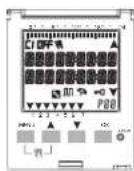
1-3 Display (Fig. 1)
| C1/C2 | Channel 1/Channel 2 OFF/ Channel deactivated | ||
| Manual forcing of channel ON / Channel active | |||
| Random programs Cyclic programs | |||
| Holidays icon Keyboard lock | |||
| GPS or DCF77 signal reception indication | Scroll up | ||
| P88 | Program no. selected P01-P64 | Scroll down | |
i The striped bar on the display also shows:
Progress, ref. Fig.2 (e.g. deletion ref. subsection 3-6).
Display hours, ref. Fig.3.
The display shows alternately (for a few seconds) the date and the time and the programs or forcings set.
1-4 Function keys
 | Enter main menu (from initial screen).Exit from any setting |
 | Scroll list upwards.Increase a numerical value or change a parameter.Hold down to display status of channel 1 until button is released (under normal operation). |
 | Scroll list downwards.Decrease a numerical value or change a parameter.Hold down to display status of channel 2 (twin channel models) until button is released (under normal operation). |
 | Confirm proposed setting. |
 | Reset equipment (NOTE: The programs and external input settings are not deleted). |
1-5 Combined key functions
| Function Combined keys | ||||
| Lock / unlock keys (→) |  | |||
| 2 secs. | ||||
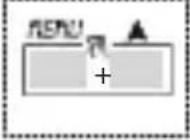
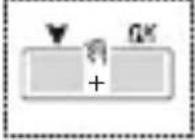
| Temporary manual forcing of channel 1 and 2 (ref. subsection 3-7).Alternate pressure to change it from TEMP ON to TEMP OFF. |  | 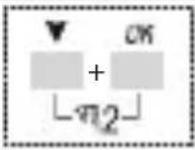 | ||
 |  | |||
| Function Combined keys | ||||
| Permanent manual forcing of channel 1 and 2 (ref. subsection 3-7).Press for 2 secs. to access PERM and alternate pressure to change it from PERM ON to PERM OFF. | 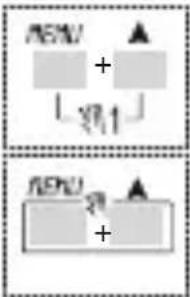 2 secs. 2 secs. | 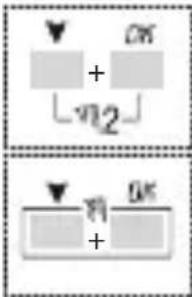 2 secs. 2 secs. | ||
| Return to AUTO mode (if any manual forcing has been activated). | 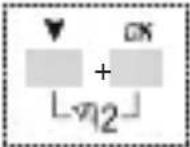 2 secs. 2 secs. | 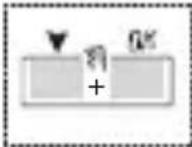 2 secs. 2 secs. | ||
i It is necessary to be on the initial screen to carry out any of the above-mentioned functions
1-6 Connections
i Maximum distance for external input: 100 m.
Connection of single channel and twin channel models
Ref. Fig. 5-1 to Fig.5-3.
Connection of Synchro models
Single channel or twin channel Synchro models with GPS or DCF77 Antenna.
Ref. Fig. 6-1 to Fig.6-2.
1-7 First switch ON
The equipment is supplied without any settings.
- Press RESET with a pointed object to unlock the equipment (ref. Fig.4).
Set following data:2.
LANGUAGES (ref. subsection 3-8-1).
DATE/TIME (Year, Month, Day, Time, Time Zone (ref. subsection 3-8-2)).
If there is a power failure, the Date/Time is memorised, and the digital switch: disables relay(s), deactivates back-lighting, if active,
displays flashing date and time for 2 minutes, and then changes to stand-by mode (display switched OFF) storing all the programmed data, until the mains power supply is reconnected or until a button which restarts the counter for the stand-by mode is pressed for more than 1 sec.
2 Menus and programming
2-1 Menus - overview
The menus listed from 1 to 8 are in the sequence present in the equipment.
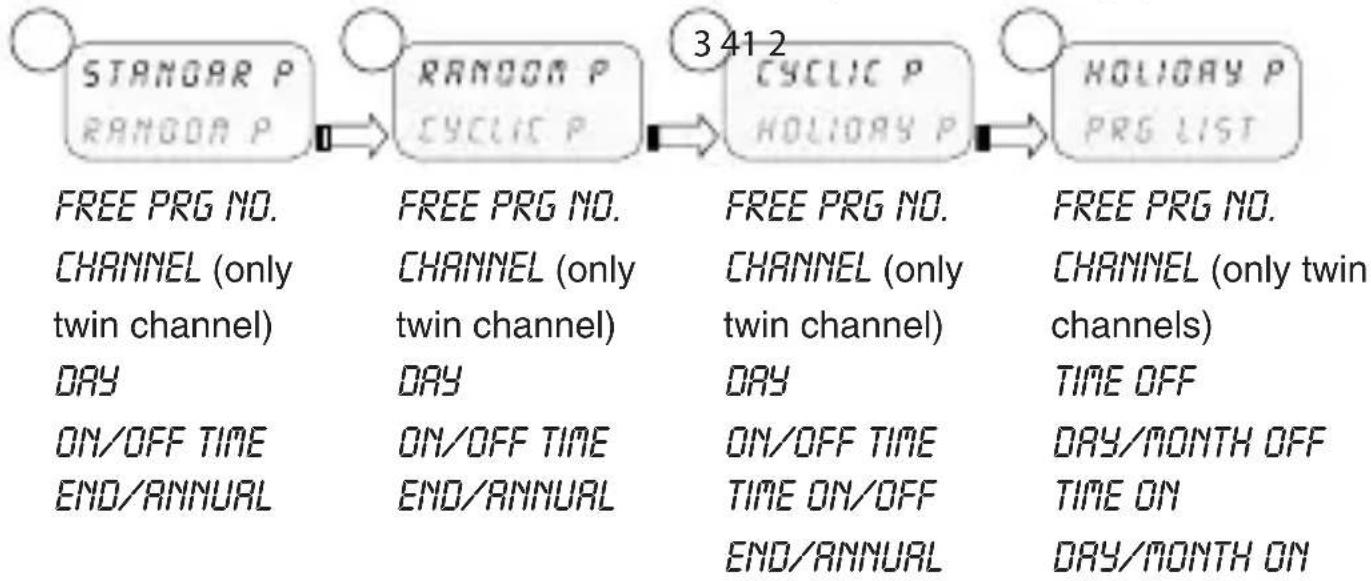
flowchart
graph LR
    A["STANDOAR P\nRANDOM P"] --> B["RANDOM P\nCYCIC P"]
    B --> C["CYCIC P\nHOLIDAY P"]
    C --> D["HOLIDAY P\nPRG LIST"]

    A --> E["FREE PRG NO.\nCHANNEL (only twin channel)\nDAY\nON/OFF TIME\nEND/ANNUAL"]
    B --> F["FREE PRG NO.\nCHANNEL (only twin channel)\nDAY\nON/OFF TIME\nEND/ANNUAL"]
    C --> G["FREE PRG NO.\nCHANNEL (only twin channel)\nDAY\nON/OFF TIME\nTIME ON/OFF\nEND/ANNUAL"]
    D --> H["FREE PRG NO.\nCHANNEL (only twin channels)\nTIME OFF\nDAY/MONTH OFF\nTIME ON\nDAY/MONTH ON"]
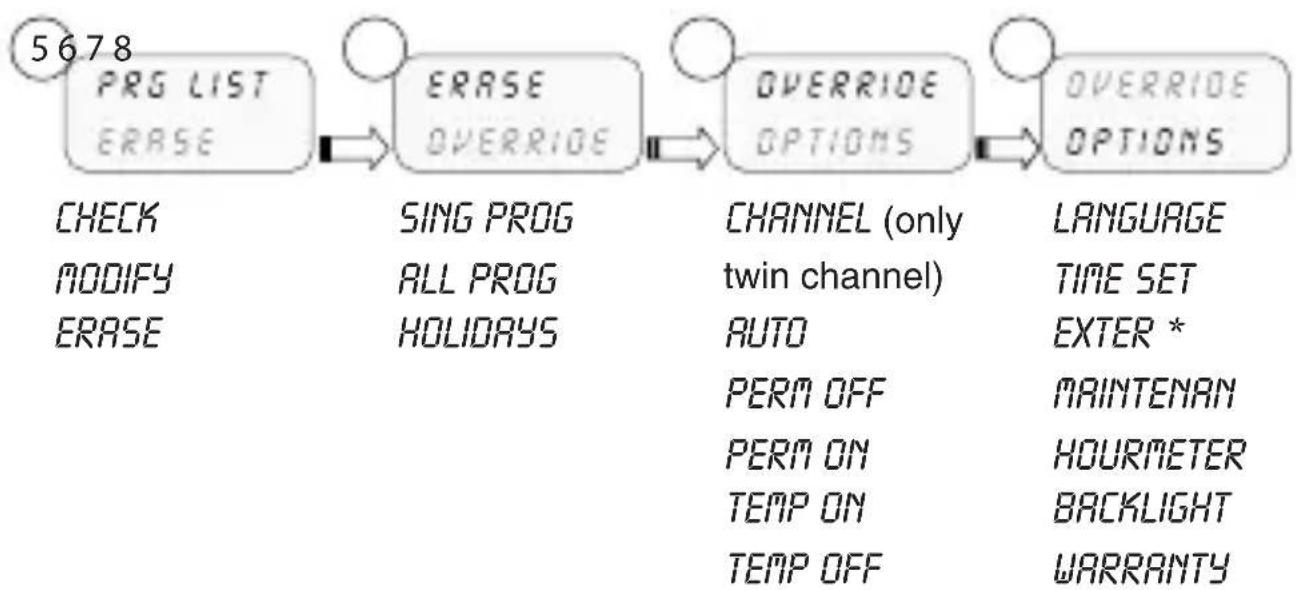
flowchart
graph LR
    A["5678 PRG LIST\nERASE"] --> B["ERASE\nOVERRIDE"]
    B --> C["OVERRIDE\nOPTIONS"]
    C --> D["OVERRIDE\nOPTIONS"]
    E["CHECK\nMODIFY\nERASE"] --> F["SING PROG\nALL PROG\nHOLIDAYS"]
    F --> G["CHANNEL (only twin channel)\nAUTO\nPERM OFF\nPERM ON\nTEMP ON\nTEMP OFF"]
    G --> H["LANGUAGE\nTIME SET\nEXTER *\nMAINTENAN\nHOURMETER\nBACKLIGHT\nWARRANTY"]
* Excluding Synchro models.
Press1. MENU.
The first menu which may be selected appears (P Standard)»
Scroll the various menus using keys ▲.
Confirm desired menu with 3. OK.
2-2 Forcing priority and programs
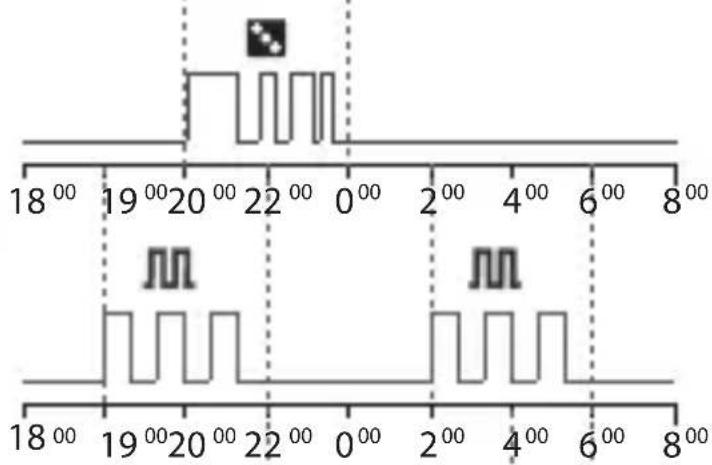
i A priority is assigned to every type of program, as shown alongside.
Take the priorities into consideration when various types of programs are programmed for the same period of time.
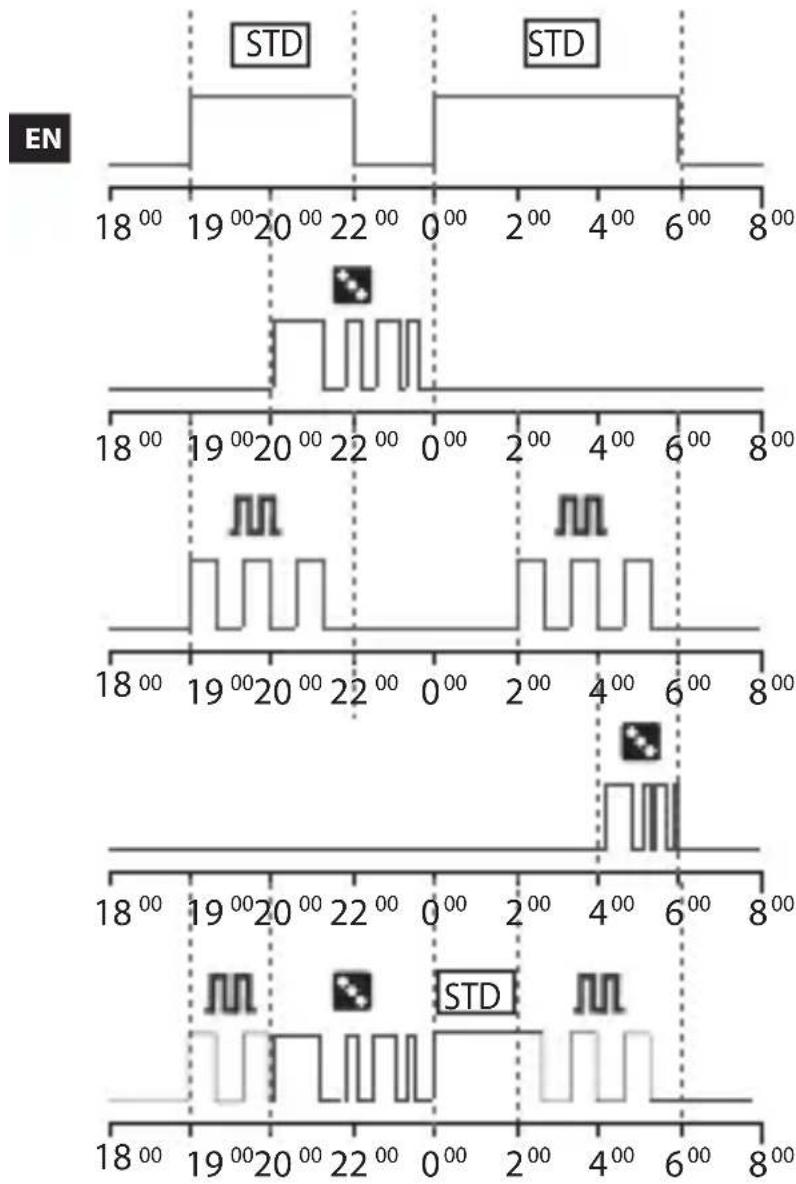
line
| Time (ns) | EN Level | STD Level | |-----------|----------|-----------| | 18 | 0 | 0 | | 19 | 0 | 0 | | 20 | 0 | 0 | | 22 | 0 | 0 | | 0 | 0 | 0 | | 2 | 0 | 0 | | 4 | 0 | 0 | | 6 | 0 | 0 | | 8 | 0 | 0 | | 18 | 1 | 1 | | 19 | 1 | 1 | | 20 | 1 | 1 | | 22 | 1 | 1 | | 0 | 1 | 1 | | 2 | 1 | 1 | | 4 | 1 | 1 | | 6 | 1 | 1 | | 8 | 1 | 1 | | 18 | 2 | 2 | | 19 | 2 | 2 | | 20 | 2 | 2 | | 22 | 2 | 2 | | 0 | 2 | 2 | | 2 | 2 | 2 | | 4 | 2 | 2 | | 6 | 2 | 2 | | 8 | 2 | 2 | | 18 | 3 | 3 | | 19 | 3 | 3 | | 20 | 3 | 3 | | 22 | 3 | 3 | | 0 | 3 | 3 | | 2 | 3 | 3 | | 4 | 3 | 3 | | 6 | 3 | 3 | | 8 | 3 | 3 | | 18 | 4 | 4 | | 19 | 4 | 4 | | 20 | 4 | 4 | | 22 | 4 | 4 | | 0 | 4 | 4 | | 2 | 4 | 4 | | 4 | 4 | 4 | | 6 | 4 | 4 | | 8 | 4 | 4 | | 18 | 5 | 5 | | 19 | 5 | 5 | | 20 | 5 | 5 | | 22 | 5 | 5 | | 0 | 5 | 5 | | 2 | 5 | 5 | | 4 | 5 | 5 | | 6 | 5 | 5 | | 8 | 5 | 5 | | Note: The data is extracted from the provided image. The labels 'STD' appear above the bars in the chart.Highest priority
| Manual forcing |
| External input |
| External Memory Device (EMD) |
| Holiday program |
| Cyclic/Random program |
| Standard program |
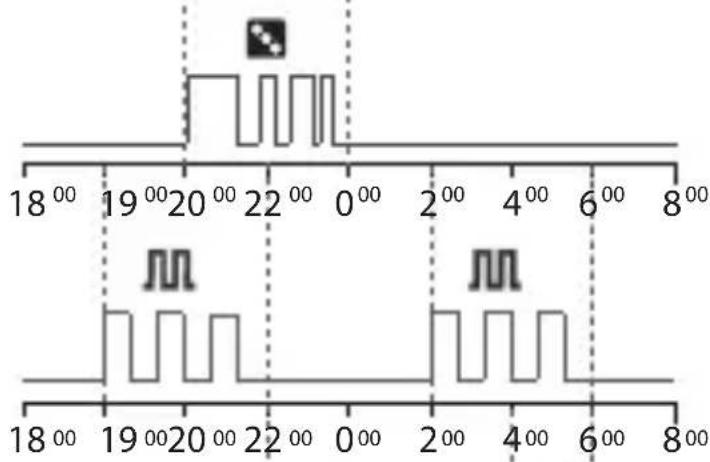
P01: Standard Program
ON 19:00 - OFF 22:00
P02: Standard Program
ON 00:00 - OFF 06:00
P03: Random Program
ON 20:00 - OFF 00:00
P04: Cyclic Program
ON 19:00 - OFF 22:00
P05: Cyclic Program
ON 02:00 - OFF 06:00
P06: Random Program
ON 04:00 - OFF 06:00
Behaviour of output load with programs from P01 to P06, according to the priorities.
2-3 Create a new program
Procedure valid for all types of programs Further settings are described in the individual programs.
Selection of program type (e.g. with P Standard):
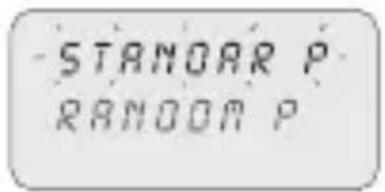
Press1. MENU.
Select program type using keys 2.
Press3. OK to confirm selection.
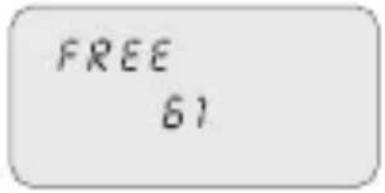
The number of free programs appears for 3 secs.»
The first program in the memory appears.»
Press4. for 2 secs.
The display shows the first empty program.»
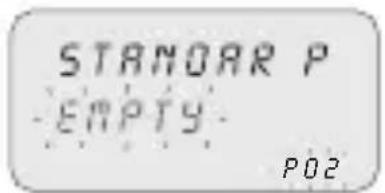
Press5. OK to confirm.
The program number is selected.»
Followed by channel setting.»
Select channel (only twin channel models)
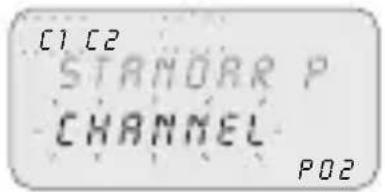
Set channel (twin channel) using keys

C1/C2 or both flash.»
Press2. OK to confirm.
The channel is set.»
Followed by day setting.»
Set day
Select the day or group of days in which the program must be executed.
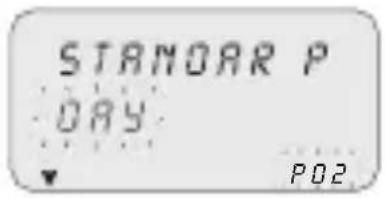
Set the day or group of days using keys ▲.▼
The flashing arrow indicates the day or group of » days selected.
Press2. OK to confirm.
Followed by TIME/ON setting.»
Set TIME/ON
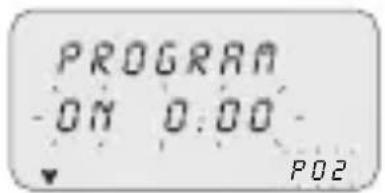
Set program start time using keys A in the format hh/mm.
i Single pressure of keys moves field by minutes. Prolonged pressure of keys moves field by hours
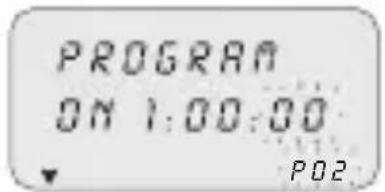
Press2. OK to confirm.
The seconds field appears.»
Set the seconds using keys 3.
Press4. OK to confirm.
The program start time has been set»
Followed by TIME/OFF setting.»
Set TIME/OFF
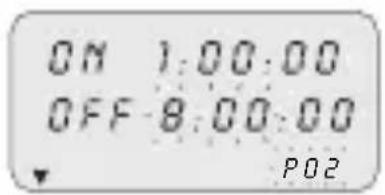
Set program end time using keys 1.
i Repeat operations as per TIME/ON.
Press2. OK to confirm.
The program end time has been set»
Press3. OK to confirm program end time.
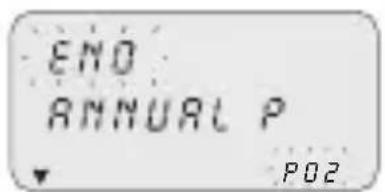
Set ANNUAL PERIOD
Enables a defined period to be set, in which the program set up previously must be executed.

The period defined in the annual program is repeated cyclically every year.
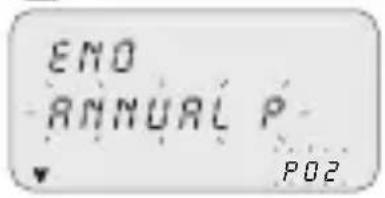
Set the start and end of the period in the format 1. dd/mm/-- using keys ▲▼.
Press2. OK to confirm every field. The annual period is set.»
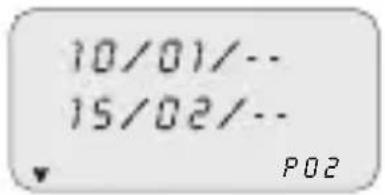
- Press MENU to exit programming.
2-4 Check a program
Access desired program menus (STANDARD P, CYCLIC P...) by pressing MENU.
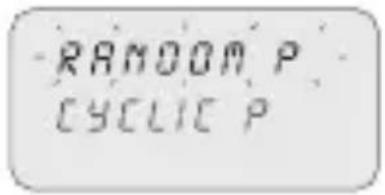
Select the program type from the menu (e.g. RAN-1. DOM P) using keys ▲▼.
Press2. OK to confirm.
The programs of the same type in the memory » are displayed.
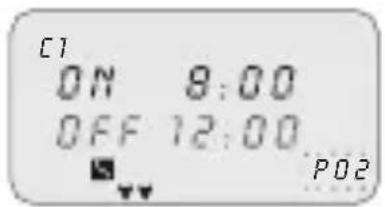
Select the program to be checked using keys 3. The display shows the settings cyclically.»
2-5 Modify a program
- Press OK to confirm program to be modified.
Set new values as described in subsection 2-3.2.
2-6 Delete a program (fast method)
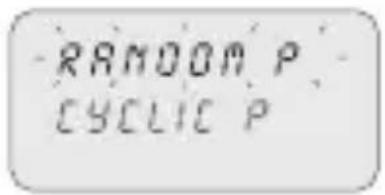
Select from the menu the program type to be deleted 1.
using keys ▲▼.
e.g. RANDOM P»
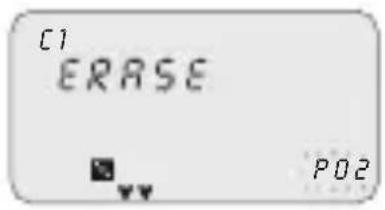
Press keys ▲ ▼ simultaneously for 2 secs.
The display shows "ERASE".»
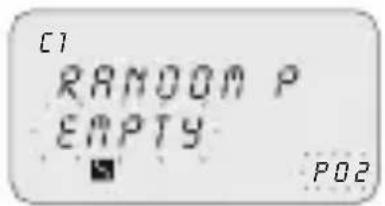
Press3. OK to confirm.
The display shows "EMPTY".»
The program is deleted.»
EN
2-7 Copy a program
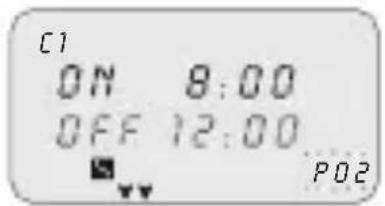
Select from the menu the program type to be copied 1.
(e.g. RANDOM P) using keys ▲▼.
The program number flashes.»
Press2. OK for approx. 3 seconds
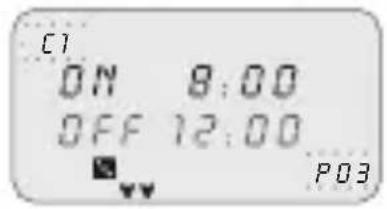
The program is copied in the first free position in » the memory.
The first modifiable data (channel) is displayed » flashing.
Modify data as described in subsection 2-3.3.
i
2 programs with the same data cannot coexist!
3 Clock programs and settings
- Press MENU to access available menus.
Scroll menus using keys 2. ▼ and press OK to confirm.
3-1 Standard Program
Enables a defined period of an ON and OFF cycle to be set up.
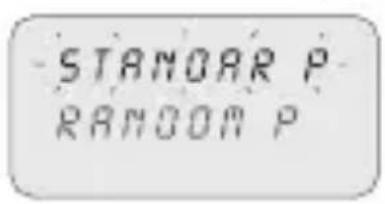
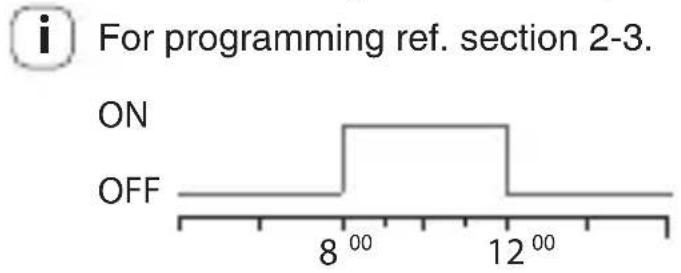
line
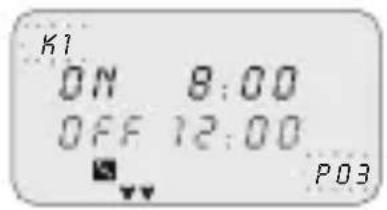
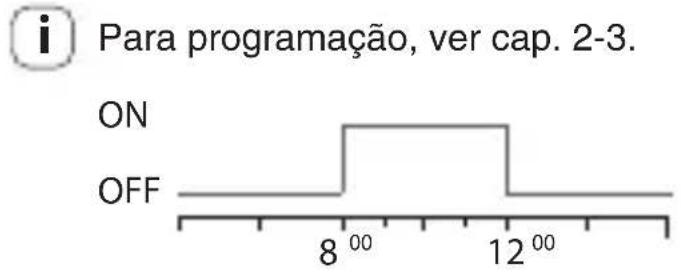
| Time | ON | OFF | |------|-----|-----| | 8 | | | | 12 | | |Example of set up from image:
Standard Program ON 8:00 - OFF 12:00.
3-2 Random Program

Enables one or more channels to be activated and deactivated in a random manner within an established period.
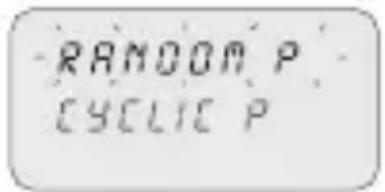
For programming ref. section 2-3.
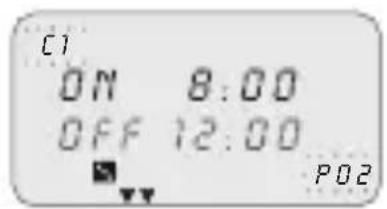
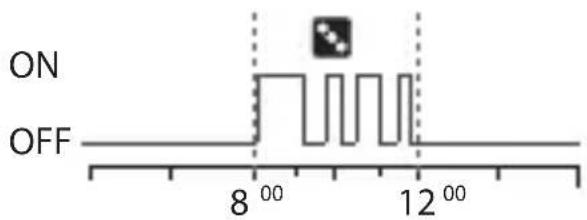
Example of set up from image:
Random Program ON 8:00 - OFF 12:00.
3-3 Cyclic Program
Enables a series of pulses to be executed within a defined period.

The ON time and the OFF time may vary from 1 sec. up to 23:59:59 hours
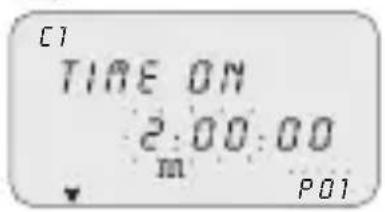

For programming ref. section 2-3.
In addition, set the time of 1. TIME ON and TIME OFF using keys ▲▼.
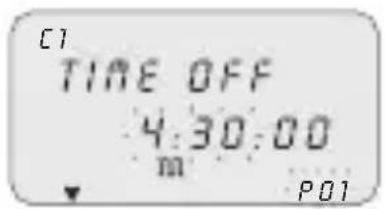
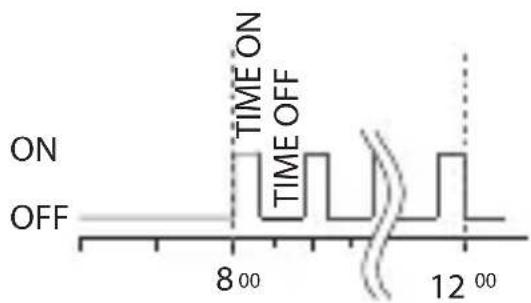
EN
Example of set up:
Cyclic Program ON 8:00 - OFF 12:00.
Timing of TIME ON 10 min and TIME OFF 15 min.
3-4 Holidays Program

This enables a period of suspension of the programs to be set, for example, for summer closing.
![[1] OFF 02:00 20/02/-- P06](/content/2026/03/436626/images/4b79fdd7c8797e6063d3a5a195a1f0ab5b4f825b170ee1ef65951017f82086f4.jpg)
Select HOLIDAY P as described under subsection 1.2-3.
Set the suspension start time (OFF) using keys 2. ▼. Press3. OK to confirm.
![[1] ON 06:00 15/04/-- P06](/content/2026/03/436626/images/4713f4d6088188e6704a55548f456a0f6ef0949b9e5bcaf4a7329d56acf89326.jpg)
Set suspension start date using keys ▲▼ in format dd/mm/--.
Set the suspension end time and date (ON) as per 5. operations 2 to 4.
3-5 PRG List
This menu enables any program in the memory to be displayed, modified or deleted.
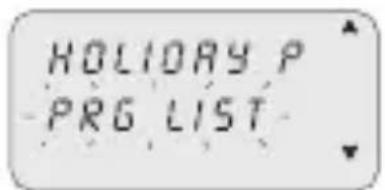
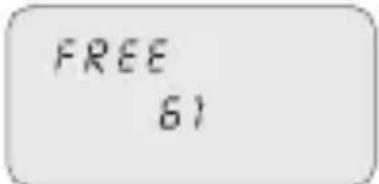
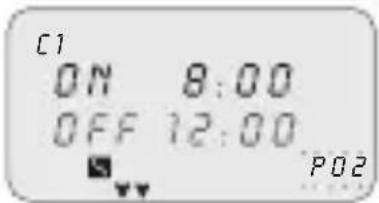
Scroll to "PRG LIST" using keys 1..
Press2. OK to confirm.
The number of free programs appears.»
The first program in the memory is displayed.»
Select the desired program using keys A.V.
i Ref. subsections 2-2 to 2-4 for details on checking, modifying or deleting data.
3-6 Delete
This menu enables different type of deletions to be made.
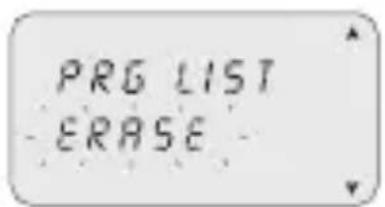
Scroll to 1. ERASE using keys
Press2. OK to confirm.
The type of deletion in the sub-menu is accessed » (ref. table below).
Select deletion type using keys ▶.
Press3. OK to confirm deletion.

Press MENU to cancel deletion.
| Sub-menu Function | |
| SING PROG Delete single programs selected | |
| ALL PROG | Delete all programsAll programs in the memory will be deleted! |
| HOLIDAY P | Delete all holiday programs |
3-7 Manual
This enables the status of the outputs to be forced manually regardless of active program. Possible settings:
| Forcing mode | Display symbol | Channel-Condition | Forcing function |
| AUTO C1 | C2 | No forcing on channel; management from program. | |
| PERM |  | C1 OnC2 On | Permanent channel activated. |
| PERM |  | C1 OFFC2 OFF | Permanent channel de-activated. |
| TEMP |  | C1 OnC2 On | Channel activated until next program activity. |
| TEMP |  | C1 OFFC2 OFF | Channel de-activated until next program activity. |
Activate a forcing
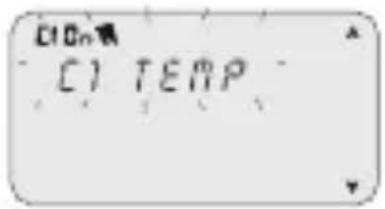
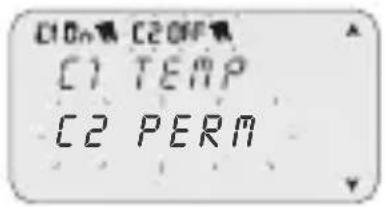
Select sub-menu "OVERRIDE" using keys A. .
Press2. OK to confirm.
Press combined keys (ref. subsection 1-6) to select 3. channel (only twin channel models).
The display shows information on channel(s) » (ref. table above).
Set type of forcing using keys 4.
Press5. OK to confirm selection.
It returns to the main screen.»
The display shows the type of forcing on the » channel.
De-activate a forcing
Press combined keys of the channel to be de-activated (ref. subsection 1-6) for 1. approx. 2 secs.
i Select "AUTO" mode to deactivate using the menu (ref. subsection "Activate a forcing").
3-8 Options
This enables various clock parameters to be set.
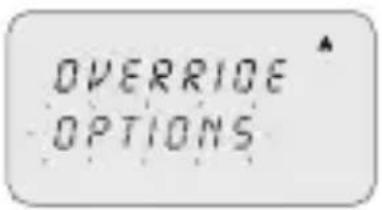
Select "OPTIONS" using keys ▲.
Press2. OK to confirm. The sub-menus follow.»
3-8-1 Languages
This enables the desired interface language to be set.
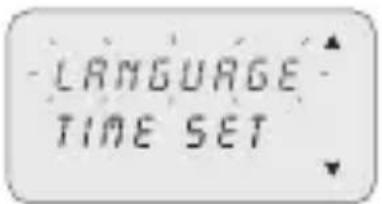
Select the "LANGUAGE" sub-menu using keys A.
Press2. OK to confirm.
Select the desired language using keys 3.
Press4. OK to confirm.
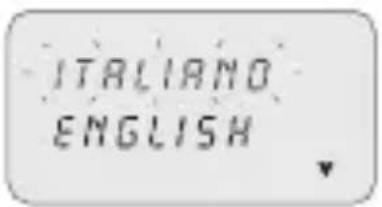
3-8-2 Date/Time
This enables the date and time of the equipment to be set.
i If the equipment is reset the date must be set again.
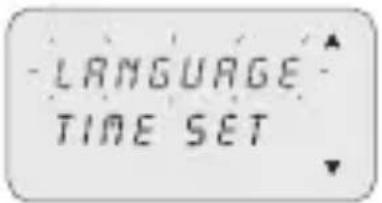
Select "TIME SET"1. using keys.
Press2. OK to confirm.
Set YEAR, MONTH, DAY, HOUR, MINUTES, 3.
respectively, using keys ▲▼.
i Single pressure of keys moves field by minutes. Prolonged pressure of keys moves field by hours
Press4. OK to confirm.
Date and time are set.»
Followed by "SUM/WIN" setting.»
Summer/winter time change
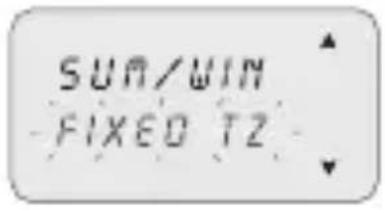
Select switching type using keys ▲.
Press2. OK to confirm.
Set values (ref. table) using keys ▲▼.
Press4. OK to confirm.
| Possible selections on display | Summer switching Winter | switching |
| NONE | None None | |
| EUROPE | Last Sunday in March Last | Sunday in October |
| USA | Second Sunday in March F | First Sunday in November |
| FREE TZ | Week/day (Sun.) freely programmed | Week/day (Sun.) freely programmed |
| FIXED TZ | Fixed date freely pro-grammed (e.g. 28/02) | Fixed date freely pro-grammed (e.g. 29/10) |
Time Zone GPS (only GPS and DCF77 models)
Set the local time by adding/subtracting the number of hours with respect to GMT, the so-called T ZONE (e.g. Italy, T ZONE +1).
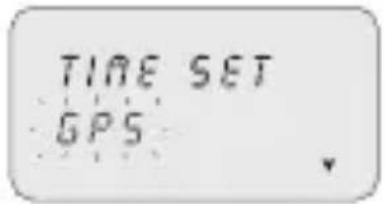
i After setting TIME SET (ref. subsection 3-8-2). Select "GPS" using keys ▲▼.
Press2. OK to confirm.
Select the SUM/WIN mode (ref. previous table).3.
Set number of T ZONE hours using keys ▲▼.
Press5. OK to confirm.
The time change has been set. »
It returns to the main screen.»
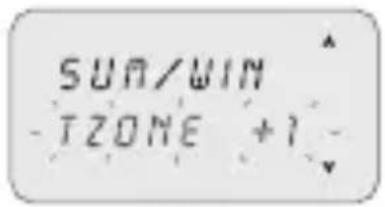
Time Zone DCF77 (only GPS and DCF77 models)
The receiver, on the contrary to the GPS, transmits the time with the summer/winter correction.
It is necessary to set the correct number of hours with respect to the Frankfurt position.
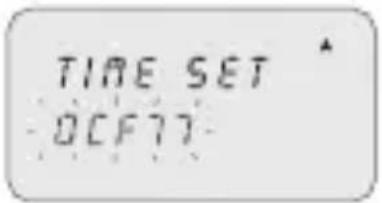
Select "DCF77" using keys A.V.
Press2. OK to confirm.
Set the T ZONE number as described in the previous 3. operations from 4 to 5.
3-8-3 External input
This enables manual ON and OFF forcing functions to be executed from a remote position, (ref. section 3), by means of buttons or switches.
i Function not available for the SYNCHRO models (the "EXT INPUT" item is not available in the "OPTIONS" menu).
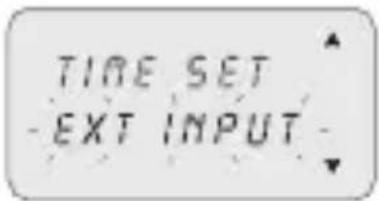
Select the "EXT INPUT" sub-menu using keys A.
Press2. OK to confirm.
Select switching type (ref. table below) using keys 3.

Press4. OK to confirm.
i In order to deactivate settings made, repeat actions from 1 to 2.
Press OK to confirm "DEACTIVAT" selection.
| Display selection | Channel C1 or C2 (twin channel) | Symbol Function External | control | |
| PERM ON | OFF |  | Permanent forcing of channel on ON or OFF. | 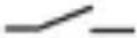 |
| TEMP | - |  | Temporary forcing of the channel until the next switching of a program set previously. | 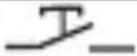 |
| Display selection | Channel C1 or C2 (twin channel) | Symbol Function External | control |
| TIMER ON | OFF | Forcing of a timed channel (e.g. stairway lighting control). Time may be set in format hh:mm:ss. |
3-8-4 Maintenance
This enables a period of operation in ON to be set for each channel. After this period, the clock signals the need for an intervention with the message “C1 MAINT” or “C2 MAINT”, alternating with the current data.
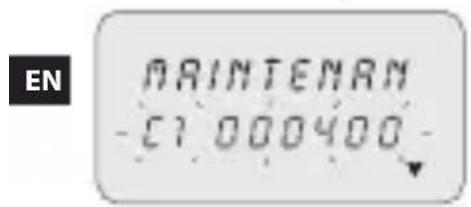
Select the "MAINTENAN" sub-menu using keys ▲.
C1 flashes.»
Select channel using keys ▲▼ (twin channel models).
Press3. OK to confirm.
Set number of hours using keys ▲.
Press5. OK to confirm.
i In order to modify or rest the values, follow instructions from 1 to 5.
Cancel maintenance notice
i Pressing the OK button on the main screen for 2 secs. eliminates the “MAINT” message shown on the display.
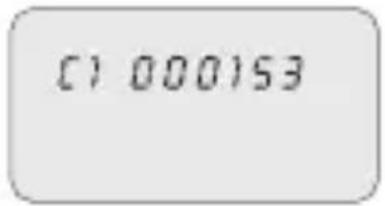
3-8-5 Hour meter
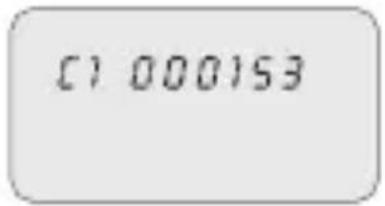
This enables the number of hours of the channels in the ON status to be displayed.
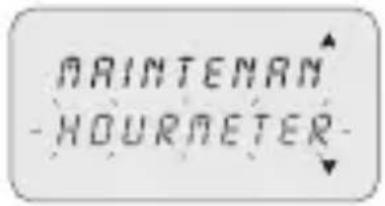
Select the "HOURMETER" sub-menu using keys A.
Press2. OK to confirm.
Select channel using keys △.
The display shows the hours of operation.»
i Press keys ▲+ ▼ to zero.
3-8-6 Back-lighting
This enables the display backlighting time to be set.
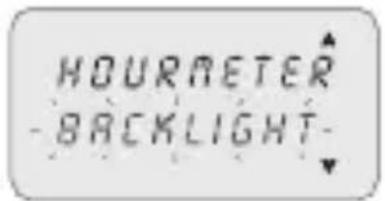
Select the "BACKLIGHT" sub-menu using keys ▲.
Press2. OK to confirm.
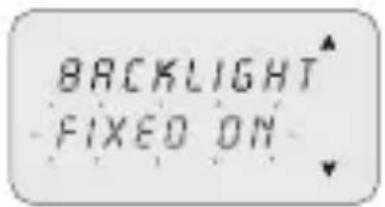
Select using keys 3. between: FIXED ON,
FIXED OFF or TEMP 6SEC.
Press4. OK to confirm.
3-8-7 Warranty
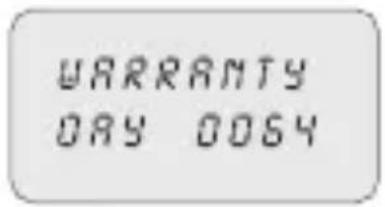
This enables the time since the putting into service of the clock to be displayed in days.
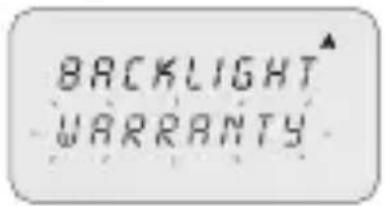
Select the "WARRANTY" sub-menu using keys 1..
Press2. OK to confirm.
The display shows the time, as described above.»
i Counter may not be zeroed.
4 External Memory Device (EMD)
The EMD is an external memory card, which is able to manage 64 programs, including the holidays.

The EMD is the D KEY programming key.
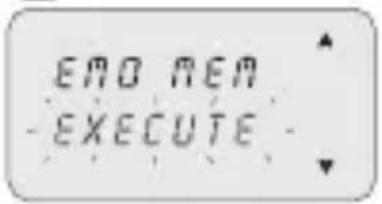
Insert the EMD.1.
The display shows the memory management » menu
Select the desired sub-menu (ref. table) using keys 2.

Press3. OK to confirm every selection.
| Sub-menu Function Notes | ||
| EXECUTE | Execute programs directly from EMD | The programs are executed only from EMD |
| SAVE->EMD | Save all clock memory on EMD | Overwrite all programs already present on EMD |
| LOAD<-EMD | Load all content from EMD on clock memory | Overwrite all programs present on clock |
| READ | Read programs from EMD Display only the programs present on EMD | |
| HOLID->EMD | Load Holiday programs from clock to EMD | Overwrite all Holiday programs present on EMD |
| HOLID<-EMD | Load Holiday programs from EMD to clock | Overwrite all Holiday programs present on clock |
| ERASE | Delete programs present on EMD | Permanently delete all EMD memory |
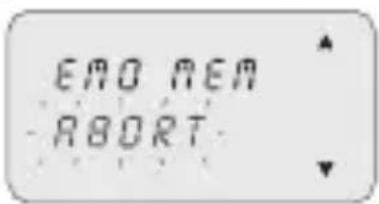
- Press MENU to exit.
Press2. OK to confirm "ABORT" selection.
The EMD is excluded from the clock.»
The EMD memory is no longer recognised.» Withdraw the EMD.3.
Sommario
inhabilita el/los relé/s,
Programa Standar ON hora 8:00, OFF hora 12:00.
3-2 Programa Casual
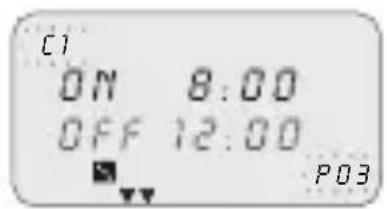
Programa Casual ON hora 8:00, OFF hora 12:00.
3-3 Programme cyclique 80
3-4 Programme Congés 80
3-6 Suppression 81
3-7 Manuel 82
3-8 Options 83
3-8-1 Langues 83
3-8-2 Régul H 83
désactive le(s) relais,
3-3 Programme cyclique
line
| Time | ON | OFF | |------|------|------| | 800 | High | Low | | 900 | High | Low | | 1000 | High | Low | | 1100 | High | Low | | 1200 | High | Low |line
| X-Axis (Time) | Value | |---|---| | 18 00 | Low | | 19 00 | High | | 20 00 | High | | 22 00 | Low | | 0 00 | High | | 2 00 | High | | 4 00 | High | | 6 00 | Low | | 8 00 | Low |DE
line
| Time (seconds) | Signal | | -------------- | ------ | | 18 | 18 | | 19 | 19 | | 20 | 20 | | 21 | 21 | | 22 | 22 | | 0 | 0 | | 2 | 2 | | 4 | 4 | | 6 | 6 | | 8 | 8 |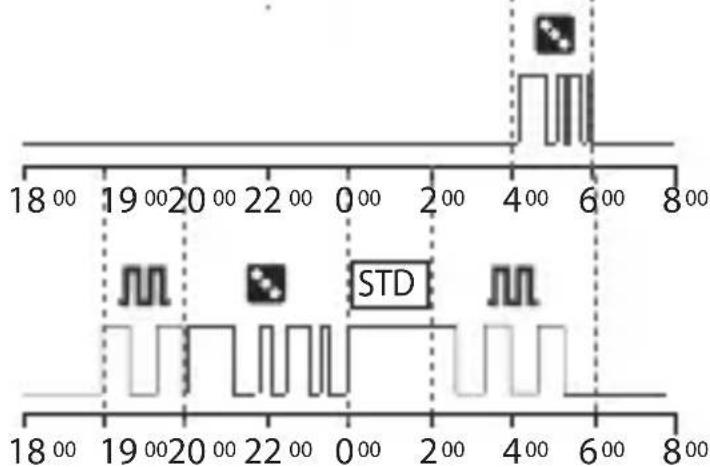
line
| Time | Value | |------|-------| | 18 | 0 | | 19 | 0 | | 20 | 0 | | 22 | 0 | | 0 | 0 | | 2 | 0 | | 4 | 0 | | 6 | 0 | | 8 | 0 |Höchste Priorität

line
| X-Axis (deg) | Value | |---|---| | 18 00 | Low | | 19 00 | High | | 20 00 | High | | 22 00 | Low | | 0 00 | High | | 2 00 | High | | 4 00 | High | | 6 00 | Low | | 8 00 | Low |SV
line
| Time | Signal 1 | Signal 2 | |------|----------|----------| | 18°00 | 0 | 0 | | 19°00 | 0 | 0 | | 20°00 | 0 | 0 | | 21°00 | 0 | 0 | | 22°00 | 0 | 0 | | 23°00 | 0 | 0 | | 24°00 | 0 | 0 | | 25°00 | 0 | 0 | | 26°00 | 0 | 0 | | 27°00 | 0 | 0 | | 28°00 | 0 | 0 | | 29°00 | 0 | 0 | | 30°00 | 0 | 0 | | 31°00 | 0 | 0 | | 32°00 | 0 | 0 | | 33°00 | 0 | 0 | | 34°00 | 0 | 0 | | 35°00 | 0 | 0 | | 36°00 | 0 | 0 | | 37°00 | 0 | 0 | | 38°00 | 0 | 0 | | 39°00 | 0 | 0 | | 40°00 | 0 | 0 | | 41°00 | 0 | 0 | | 42°00 | 0 | 0 | | 43°00 | 0 | 0 | | 44°00 | 0 | 0 | | 45°00 | 0 | 0 | | 46°00 | 0 | 0 | | 47°00 | 0 | 0 | | 48°00 | 0 | 0 | | 49°00 | 0 | 0 | | 50°00 | 0 | 0 | | 51°00 | 0 | 0 | | 52°00 | 0 | 0 | | 53°00 | 0 | 0 | | 54°00 | 0 | 0 | | 55°00 | 0 | 0 | | 56°00 | 0 | 0 | | 57°00 | 0 | 0 | | 58°00 | 0 | 0 | | 59°00 | 0 | 0 | | 60°00 | 0 | 0 | | 61°00 | 0 | 0 | | 62°00 | 0 | 0 | | 63°00 | 0 | 0 | | 64°00 | 0 | 0 | | 65°00 | 0 | 0 | | 66°00 | 0 | 0 | | 67°00 | 0 | 0 | | 68°00 | 0 | 0 | | 69°00 | 0 | 0 | | 70°00 | 0 | 0 | | Note: The data is extracted from the image and displayed as a PNG image. The labels for the x-axis are 'Time' (e.g., '18°' and '22°') and the y-axis is not explicitly labeled but corresponds to the time values. There is no additional data series in this view. The labels for the x-axis are 'Time' (e.g., '18°', '19°', etc.).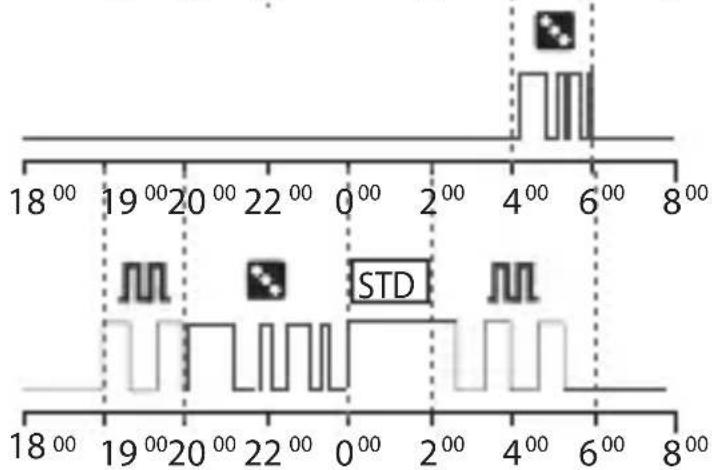
line
| Time (seconds) | Signal Value | | -------------- | ------------ | | 18 | 0 | | 19 | 0 | | 20 | 0 | | 22 | 0 | | 0 | 0 | | 2 | 0 | | 4 | 1 | | 6 | 1 | | 8 | 0 |Högsta prioritet
| Manuell forcering |
| Extern input |
| Externt minne (EMD) |
| Semesterprogram |
| Cykel-/Slumpprogram |
| Standardprogram |
P01: Standard program
ON 19:00 - OFF 22:00
P02: Standard program
ON 00:00 - OFF 06:00
P03: Slumpprogram
ON 20:00 - OFF 00:00
P04: Cykelprogram
ON 19:00 - OFF 22:00
P05: Cykelprogram
ON 02:00 - OFF 06:00
P06: Slumpprogram
ON 04:00 - OFF 06:00
3-1 Standard program
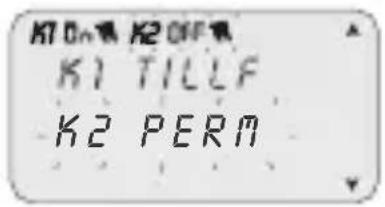
Välj undermenyn "MANUELL" med knapparna A. Bekräfta med 2. OK.
Välj med knapparna A OPTIONER".
Bekräfta med 2. OK.
Undermenyerna visas.»
3-8-1 Språk
Sätt i EMD-minnet.1.
line
| X-Axis | Value | |---|---| | 18 00 | Low | | 19 00 | High | | 20 00 | High | | 22 00 | Low | | 0 00 | High | | 2 00 | High | | 4 00 | High | | 6 00 | Low | | 8 00 | Low |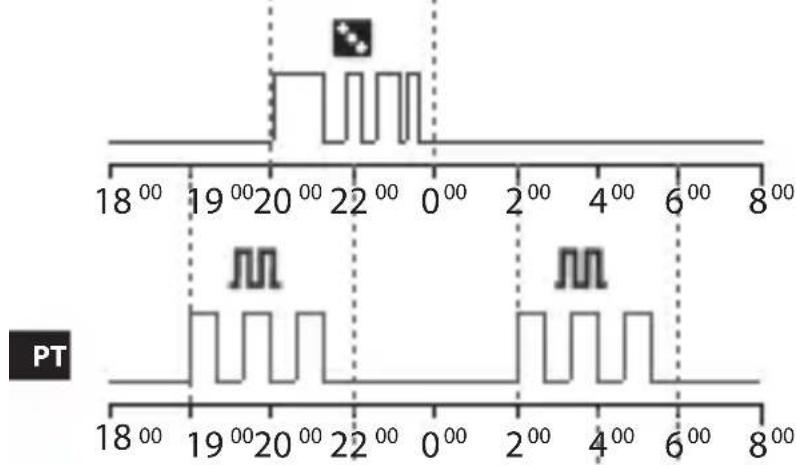
line
| Time (°) | Value | |----------|-------| | 18°00 | Low | | 19°00 | High | | 20°00 | Low | | 21°00 | High | | 22°00 | Low | | 0°00 | High | | 2°00 | Low | | 4°00 | High | | 6°00 | Low | | 8°00 | High |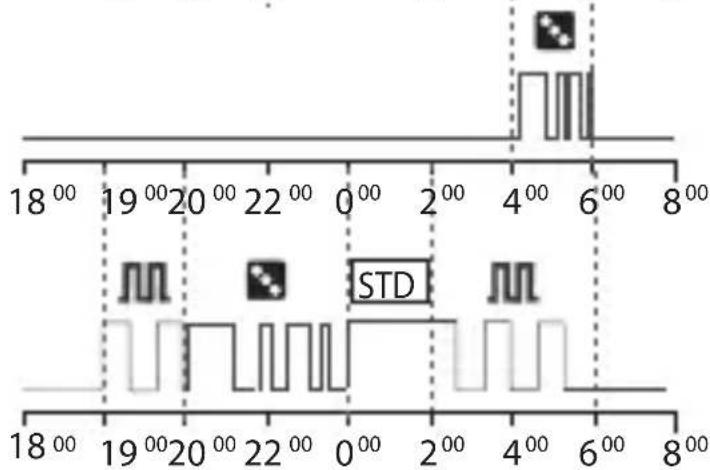
line
| Time | Value | |------|-------| | 1800 | 0 | | 1900 | 0 | | 2000 | 0 | | 2200 | 0 | | 000 | 0 | | 200 | 0 | | 400 | 0 | | 600 | 1 | | 800 | 0 |Maior prioridade
Premir a tecla 1. MENU.
Seleccionar o tipo de programa, utilizando as 2.
teclas ▲▼.
Seleccionar no menu o tipo de programa desejado 1. (p/ex. P Casual), utilizando as teclas ▲▼.
Confirmar com 2. OK.
line
| Time | ON | OFF | |------|------|-----| | 8 | ON | ON | | 12 | ON | ON |Programa Casual ON hora 08:00, OFF hora 12:00.
Seleccionar "DCF77", utilizando as teclas 1..
Confirmar com 2. OK.
Seleccionar o sub-menu "MANUTENC", utilizando 1. as teclas ▲▼.
Seleccionar o sub-menu "CRONOMET", utilizando 1. as teclas ▲▼.
Confirmar com 2. OK.
Seleccionar o canal, utilizando as teclas 3.
P03: Random programma
ON 20:00 - OFF 00:00
P04: Cyclisch programma
ON 19:00 - OFF 22:00
P05: Cyclisch programma
ON 02:00 - OFF 06:00
P06: Random programma
ON 04:00 - OFF 06:00
Bevestig met5. OK.
» De verandering is ingesteld.
line
| Time | STD Value | STD Pattern | |------|-----------|-------------| | 18:00 | 19:00 | Square Marker | | 19:00 | 20:00 | Square Marker | | 20:00 | 22:00 | Square Marker | | 22:00 | 0:00 | Square Marker | | 0:00 | 2:00 | Square Marker | | 2:00 | 4:00 | Square Marker | | 4:00 | 6:00 | Square Marker | | 6:00 | 8:00 | Square Marker | | 18:00 | 19:00 | Square Marker | | 19:00 | 20:00 | Square Marker | | 20:00 | 22:00 | Square Marker | | 22:00 | 0:00 | Square Marker | | 0:00 | 2:00 | Square Marker | | 2:00 | 4:00 & 6:00 | Square Marker | | 4:00 | 6:00 & 8:00 | Square Marker | | 6:00 | 8:00 | Square Marker | | 18:00 | 19:00 | Square Marker | | 19:00 | 20:00 | Square Marker | | 22:00 | 22:00 | Square Marker | | 22:00 | 0:00 | Square Marker | | 0:00 | 2:00 | Square Marker | | 2:00 | 4:00 & 6:00 | Square Marker | | 4:00 | 6:00 & 8:00 | Square Marker | | 6:00 | 18:00 | Square Marker | | 8:00 | 19:00 | Square Marker | | 18:00 | 22:00 | Square Marker | | 19:00 | 22:00 | Square Marker | | 22:00 | 22:00 | Square Marker | | 22:00 | 22:00 | Square Marker | | 22:37 | 22:37 | Square Marker | | 3:37 | 22:37 | Square Marker | | 4:37 | 22:37 | Square Marker | | 6:37 | 22:37 | Square Marker | | 8:37 | 22:37 | Square Marker | | 18:37 | 19:37 | Square Marker | | 19:37 | 22:37 | Square Marker | | 22:37 | 22:37 | Square Marker | | 22:37 | 22:37 | Square Marker | | 3:37 | 22:37 | Square Marker | | 4:37 | 22:37 | Square Marker | | 6:37 | 22:37 | Square Marker | | 8:37 | 22:37 | Square Marker | | 18:37 | 22:37 | Square Marker | | 19:37 | 22:37 | Square Marker | | 22:37 | 22:37 | Square Marker | | 3:37 | 22:37 | Square Marker | | 4:37 | 22:37 | Square Marker | | 6:37 | 22:37 | Square Marker | | 8:37 | 22:37 | Square Marker |PL
3-8-7 Gwarancja
- Description of equipment 1
- Menus and programming 7
- Clock programs and settings 12
- Description of equipment
- Safety
- 1-4 Function keys
- 1-5 Combined key functions
- 1-6 Connections
- Connection of single channel and twin channel models
- Connection of Synchro models
- 1-7 First switch ON
- Menus and programming
- 2-1 Menus - overview
- 2-2 Forcing priority and programs
- 2-3 Create a new program
- Selection of program type (e.g. with P Standard):
- Select channel (only twin channel models)
- Set day
- Set TIME/ON
- Set TIME/OFF
- Set ANNUAL PERIOD
- 2-4 Check a program
- 2-5 Modify a program
- 2-6 Delete a program (fast method)
- 2-7 Copy a program
- Clock programs and settings
- 3-1 Standard Program
- 3-2 Random Program
- 3-3 Cyclic Program
- EN
- 3-4 Holidays Program
- 3-5 PRG List
- 3-6 Delete
- 3-7 Manual
- Activate a forcing
- De-activate a forcing
- 3-8 Options
- 3-8-1 Languages
- 3-8-2 Date/Time
- Summer/winter time change
- Time Zone GPS (only GPS and DCF77 models)
- Time Zone DCF77 (only GPS and DCF77 models)
- 3-8-3 External input
- 3-8-4 Maintenance
- Cancel maintenance notice
- 3-8-5 Hour meter
- 3-8-6 Back-lighting
- 3-8-7 Warranty
- External Memory Device (EMD)
- Sommario
- 3-2 Programa Casual
- 3-3 Programme cyclique
- 3-8-1 Språk
- 3-8-7 Gwarancja
Brand : ABB
Model : D2 Synchro
Category : Digital timer switch