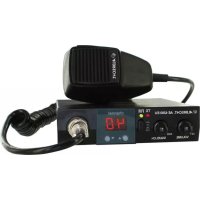
AE 4200 EU - Radio ALBRECHT - Free user manual and instructions
Find the device manual for free AE 4200 EU ALBRECHT in PDF.



| Product type | Multi-standard CB radio mobile/base station |
| Brand | Albrecht |
| Model | AE 4200 EU |
| Dimensions | 130 x 35 x 170 mm |
| Weight | 800 g |
| Power supply | 13.2 V DC (vehicle) or power adapter 12-13.8 V / 2 A |
| Maximum consumption | 1.2 A |
| Transmission power | 4 W |
| Available channels | 80 FM / 40 AM (according to country code) |
| Modulation | AM and FM selectable |
| Receiver sensitivity FM/AM | 0.8 µV (20 dB SINAD) |
| Audio output | 3 W into 8 ohms |
| Squelch | Manual adjustable and automatic (ASQ) |
| Connectors | 4-pin microphone jack, 3.5 mm external speaker output, antenna |
| Included accessories | Hand microphone, mounting bracket, microphone holder |
| Warranty | 2 years |
| Safety | Never transmit without an antenna connected |
| Maintenance and cleaning | Clean with a soft, dry cloth |
| Spare parts and repairability | Replaceable 2.5 A fuse, repair by authorized center |
| General information | Compliant with CE standards, multi-standard for use in Europe |
Frequently Asked Questions - AE 4200 EU ALBRECHT
User questions about AE 4200 EU ALBRECHT
0 question about this device. Answer the ones you know or ask your own.
Ask a new question about this device
Download the instructions for your Radio in PDF format for free! Find your manual AE 4200 EU - ALBRECHT and take your electronic device back in hand. On this page are published all the documents necessary for the use of your device. AE 4200 EU by ALBRECHT.
USER MANUAL AE 4200 EU ALBRECHT
73/23/EEC, 2004/108/EG and 99/5/EC
EN 60 950-1: 2006+Amendments 2010/11
All essential radio test suites have been carried out. /
This declaration is issued under our sole responsibility. Basing on not yet fully harmonised frequency applications, the CB radio may be used only in listed countries according to selected channel programming and according to the still existing national restrictions for AM + FM, if such should still apply.
© Alan Electronics GmbH, September 2014
2.1 Power Supply....13
2.2 Antenna Connection ....14
3 Controls 15
4 Operation....15
4.1 Switching on / Adjusting the volume....15
4.2 Channel Selection....15
4.3 Modulation Type 15
4.4 Squelch....16
4.5 ASQ Automatic Squelch 16
4.6 Transmit....16
5 Changing the country code....17
6 Connections....17
6.1 Microphone Socket MIC....17
6.2 Notes on data transmission....17
6.3 External Speaker 17
7 Warranty and Service....18
8 Disposal and Recycling....18
9 Specifications....18
10 Declaration of Conformity Ç Konformitätserklärung....19
11 Albrecht Radio Passport 20
1 Introduction
The AE 4200 EU can be operate as a mobile station in a car or with a suitable DC power supply as a base station. This device complies with the latest European CB standards. Due to its selectable CB standards it can be used throughout Europe. Please select only a CB standard that is allowed in the country of use. For details see the Albrecht Devices Passport at the end of this manual.
Features:
- Multi-standard device
80 channels FM, sowie 40 channels AM
40 channels FM, sowie 40 channels AM
40 channels FM, sowie 40 channels AM, PL frequencies
40 channels FM UK frequencies
40 channels FM CEPT
- Channel selection with up/down buttons on the radio
• Red LED channel display
• LED indicators for TX and modulation type (FM)
- 4-pin standard microphone socket (international standard)
- Socket for external loudspeaker
• ASQ Automatic squelch
A version for Austria without the capability of country-code switching is also available on request.
Scope of Delivery
Your AE 4200 EU is delivered ready to use with the following accessories.
- Mounting bracket
- Hand microphone
- Holder for microphone
2 Installation
Select the mounting location so that road safety is not affected by the device, or additional risk of injury in an accident arises. Check that the display can be seen, and the controls can easily accessed.
2.1 Power Supply
Car Operation
The red wire of the power cable is connected to the positive terminal of the power supply (+12 V), the black wire to the negative terminal.
If possible the radio should be connected directly to the vehicle battery, because it is to be expected that this is the point with the least interference from the electrical system. If the radio should turn off with the ignition key, connect the device behind the ignition switch. The AE 4200 EU stores the last setting and starts on the last used channel when you turn the ignition again.
Fuse in the Power Cable
The fuse protects against damage caused by technical defects or incorrect polarity. If this fuse is blown, first eliminate the error and then replace the blown fuse with a similar spare fuse (2.5 A). If the fuse burns several times, please give your radio to repair
Note especially for truck drivers
The maximum permissible operating voltage of the AE4200 EU is 15V. The transmit power of this device is stabilized and remains constant even with increasing voltage. At 24V system, an appropriate voltage converter from 24V to 12V is required. The compact and low-loss switching converter may be sufficiently EMI suppressed for standard car power consumers, such as radios, coolers or coffee machines, however, can still interfere with radio reception. Thus we cannot guarantee for proper CB reception when operating with switching converters.
The radio antenna is to be mounted from other antennas and interference sources as much as possible. CB antennas must be mounted usually in or on metal surfaces. A sufficiently large metal surface is essential for the function of the antenna. For installation on a fiberglass cabs or plastic wind deflectors, special ground less antennas (eg GL 27) can be used
Operation via AC adapter at the 230V mains
Operate your radio only at a special, stabilized radio power supply, which is capable to deliver at least 2A at 12 -13.8V DC. A well suitable power supply is Albrecht article no. 47500. Unregulated power supplies or battery chargers are unsuitable and can cause damage. Connect the red lead to the positive (+) terminal of the power supply, the black wire to the negative (-) terminal of the power supply
2.2 Antenna Connection
Connect the CB antenna to the ANT socket on the back of your AE 4200 EU. For maximum range, the antenna must be tuned to the CB radio range. For this use a VSWR meter. Tune the antenna to the best VSWR on a center channel.
Even if the standing wave ratio deteriorated to the highest and lowest channel up to 2, your antenna is still suitable. At an VSWR larger than 3, more than 25% of the transmission power is lost. A bad VSWR also points to defects in antenna, cable, or a short circuit in the antenna line.
Never transmit without connected antenna!
Installation instructions of the vehicle manufacturer
For installing the radio in a vehicle, please observe the relevant provisions of the vehicle manufacturer. If needed, ask your car dealer or manufacturer.
Safety Hints
Electromagnetic waves of radio equipment can affect sensitive other electronic devices in the immediate vicinity. Persons with pacemakers should consult where appropriate, the immunity of your pacemaker.
3 Controls
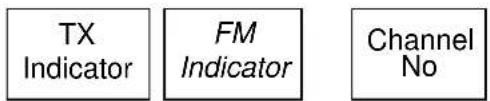
Front View
text_image
TX Indicator FM Indicator Channel No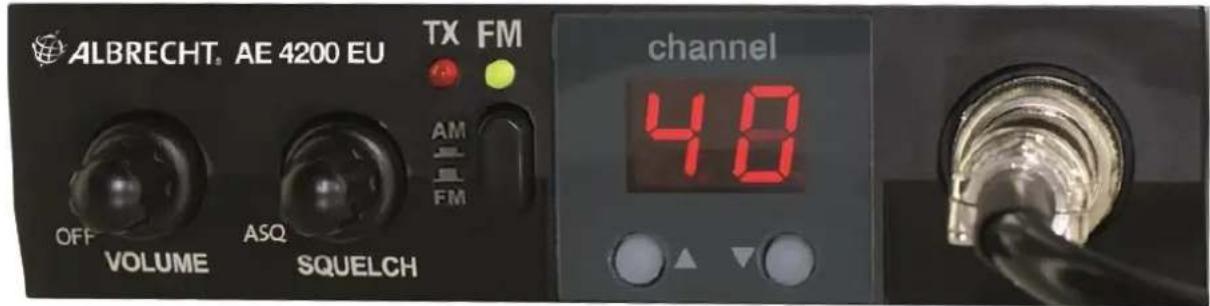
text_image
ALBRECHT. AE 4200 EU TX FM AM FM OFF VOLUME ASQ SQUELCH channel 40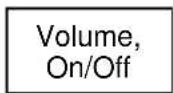
4 Operation
4.1 Switching on / Adjusting the volume
The on-off switch is combined with the VOLUME knob. To switch on:
- Turn the VOLUME knob from OFF position slightly to the right. The channel display lights up.
- Set the desired volume.
At every switch on of the device, the active country code is shown shortly.
| d4 80 FM, 40 AM Germany | |
| EC 40 FM CEPT Standard | |
| E 40 FM, AM 40 Europe | |
| PL 40 FM, AM 40 Poland | |
| U 40 + 40 UK FM UK |
In setting 'U' the special UK channels are accessible under channel number 41 to 80. The channel numbers 01 to 40 correspond to the CEPT channels.
4.2 Channel Selection
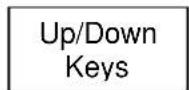
- Use the keys underneath the channel display to increment or decrement the channel number. The current channel is shown on the display.
If the buttons are held down, the channel number is continuously increased or decreased.
4.3 Modulation Type
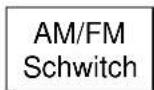
The AM/FM button selects between AM and FM. In FM mode, the green LED lights.
If due to your CB standard (Country Code) on a channel no AM operation is allowed (CEPT, and channel 41-80 in d4), the display shows 'Er' when the PTT button is pressed and the device will not send. The reception in AM is always possible
4.4 Squelch
Particularly in FM disturbs the noise when there is no received signal present. With the Squelch you can suppress this noise - but also signals that are too weak for proper reception.
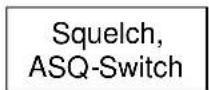
- The Squelch knob sets the threshold for the RX signal strength at which the loudspeaker is opened:
The more you turn the squelch knob clockwise, the stronger a signal must be to be heard in the speaker.
Setting for the highest sensitivity:
- Select a channel without signal
- Then turn the squelch knob careful so far to the right until the noise just disappears.
Without a signal the loudspeaker will be off, but will be switched on again, even for quite weak signals. To suppress weak stations, just turn the knob a little more to the right.
4.5 ASQ Automatic Squelch
The automatic squelch requires no further adjustment and works fully automatically with optimal sensitivity. To activate the ASQ turn the squelch knob fully to the left (you will hear a "click" when the switch snaps). To turn off the ASQ turn the Squelch knob slightly to the right until it clicks and then further up to the desired sensitivity of the normal squelch.
4.6 Transmit
Before transmitting you should check whether the selected channel is free, and that no other station is transmitting. When appropriate, turn the squelch and ASQ briefly off.
With the large Transmit button on the side of the microphone (also called PTT Push-To-Talk) you can switch between receiving and transmitting:
- Press the PTT button to send. The TX LED on the front panel lights up red.
- Release the button, to return to receive.
After pressing the PTT button, wait half a second and then begin speaking into the microphone in normal volume. The distance to the microphone should be 5-10 cm.
If you try to transmit in AM on a channel which is not allowed for AM, the channel display will show "Er" (for error, error). In this case the device won't transmit. For example, in the German 80/40 mode (country code Éd4É) the AM and FM reception is possible on all 80 channels, but you can transmit in AM only on channels 1-40, because channels 41 to 80 are only permitted for FM.
5 Changing the country code
Switch the device on while holding the channel down key. The active country code is shown on the display. Use the Up or Down key to select the number of the CB standard according to the following table.
| Country Code | Channels Usage | |
| d4 80 FM, 40 AM Germany | ||
| EC 40 FM | CEPT Standard | |
| E 40 FM, AM 40 Europe | ||
| PL 40 FM, AM 40 (0 Offset) Poland | ||
| U 40 FM | + 40 UK FM UK | |
Switch off the device. The selected new country code is shortly shown at the next switch-on.
6 Connections
6.1 Microphone Socket MIC
Your radio has a 4-pin standard socket, as is common in many international CB equipment. If other than the microphone supplied as standard to be used, please note that it is soldered right at all connector pins:
PIN 1 Microphone Input 6-10 mV / 1000 Ohm with supply for electret microphones
PIN 2 Ground and Shield
PIN 3 PTT-RX
PIN 4 PTT-TX
At the microphone jack, also other microphones and accessories may be connected instead of the supplied electret microphone.
6.2 Notes on data transmission
In some countries, also devices for data transfer (Packet Radio) may be attached to CB-radios. These are then connected to the MIC socket instead of the microphone.
6.3 External Speaker
On the back of the AE4200 EU there is a 3.5 mm mono socket for an external speaker (8 Ohm) The built-in speaker automatically turns off when a plug is inserted into this jack.
7 Warranty and Service
The manufacturer/reseller grants warranty for this product for two years from the date of purchase. This warranty covers any malfunction caused by defective components or incorrect functions during the warranty period. Damage caused by improper use, or external influences are excluded from the guarantee..
For warranty claims please contact your local dealer. The dealer will repair, exchange, or send your device to an authorized service center.
If you cannot reach your dealer, send your unit directly to a service address specified under 'www.service.alan-electronics.de'. Please attach your proof of purchase for the product and describe the malfunction as accurately as possible.
8 Disposal and Recycling
This radio was manufactured low-emission according to the European WEEE directive. Please note that electronic and electric devices are not to be disposed of with the household waste; return these devices to collection points. Returning devices is free of charge for end users, since the industry is covering the disposal costs. By returning the device to a collection point you contribute to the recycling of valuable raw materials
9 Specifications
Dimensions 130 x 35 x 170 mm ^4
Weight 800 gr
Supply Voltage 13,2 V
Current Consumption 1,2 A maximal
Transmitter
Frequency Error < +/- 300 Hz
TX Power 4 Watt
Spurious Transmissions < -54 dBm
Adjacent Channel Power < 20 μW
FM Deviation 1,9 kHz
AM Modulation Index 85-90%
Receiver
Sensitivity FM 0,8 KV (20 dB SINAD)
Sensitivity AM 1,5 KV (20 dB SINAD)
Audio Output 3 Watt into 8 Ohm
CE!
73/23/EEC, 2004/108/EG and 99/5/EC
EN 60 950-1: 2006+Amendments 2010/11
All essential radio test suites have been carried out. /
This declaration is issued under our sole responsibility. Basing on not yet fully harmonised frequency applications, the CB radio may be used only in listed countries according to selected channel programming and according to the still existing national restrictions for AM + FM, if such should still apply.
© Alan Electronics GmbH, September 2014
11 Albrecht Radio Passport
For your AE4200 EU the following rules for settings and usage apply
| Country | 80/40 | 40/40 | 40 FM | Remarks |
| Austria | ✕ | √ | √ | |
| Belgium | ✕ √ | √ | ||
| Bulgaria | ✕ √ | √ | ||
| Croatia | ✕ √ | √ | ||
| Cyprus | ✕ √ | √ | ||
| Czech Republic | √ √ | √ | ||
| Denmark | ✕ √ | √ | ||
| Estonia | ✕ √ | √ | ||
| Finland | ✕ √ | √ | ||
| France | ✕ √ | √ | ||
| Germany | √ √ | √ | Base stations in vicinity of the borders (except CZ) need a license for the operation on channels 41-80. | |
| Greece | ✕ √ | √ | ||
| Hungary | ✕ √ | √ | ||
| Iceland | ✕ √ | √ | ||
| Ireland | ✕ √ | √ | ||
| Italy | ✕ √ | √ | Registration for inhabitants required. Foreign Visitors free. | |
| Latvia | ✕ √ | √ | ||
| Liechtenstein | ✕ √ | √ | ||
| Lithuania | ✕ √ | √ | ||
| Luxembourg | ✕ √ | √ | ||
| Malta | ✕ × | √ | ||
| Monaco | ✕ √ | √ | ||
| Netherlands | ✕ √ | √ | ||
| Norway | ✕ √ | √ | ||
| Poland | ✕ √ | √ | ||
| Portugal | ✕ √ | √ | ||
| Romania | ✕ √ | √ | ||
| San Marino | ✕ √ | √ | ||
| Slovakia | √ √ | √ | In FM operation is only allowed on channels 1-40 and 70-80. | |
| Slovenia | ✕ √ | √ | ||
| Spain | ✕ √ | √ | Registration and regular fees for inhabitants required. Foreign Visitors free. | |
| Sweden | ✕ √ | √ | ||
| Switzerland | ✕ √ | √ | ||
| United Kingdom | ✕ × | √ |
Current state: March, 2015
1 Introduction....23
2 Installation 23
73/23/EEC, 2004/108/EG and 99/5/EC
EN 60 950-1: 2006+Amendments 2010/11
73/23/EEC, 2004/108/EG and 99/5/EC
EN 60 950-1: 2006+Amendments 2010/11
73/23/EEC, 2004/108/EG and 99/5/EC
EN 60 950-1: 2006+Amendments 2010/11