RACEMACHINE - Drone HAMA - Free user manual and instructions
Find the device manual for free RACEMACHINE HAMA in PDF.


| Brand | Hama |
| Model | RACEMACHINE |
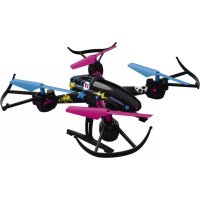
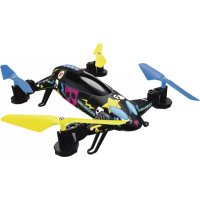
| Product type | 2-in-1 drone (drone/car) |
| Dimensions (L x W x H) | 310 x 310 x 70 mm |
| Diagonal width (without propeller) | 260 mm |
| Weight | 150 g |
| Rotor diameter | 145 mm |
| Drone power supply | Li-Po battery 900 mAh (replaceable) |
| Remote control power supply | 4 LR6/AA batteries (included) |
| Charging method | USB type A connection (cable included) |
| Full charging time | Approximately 1 hour |
| Flight time | 8-10 minutes |
| Maximum range | 100 m |
| Number of channels | 4 |
| Radio frequency | 2.4 GHz (2.413-2.461 GHz) |
| Max RF power | 0.29 mW EIRP |
| Onboard camera | Yes, recording format 720p / 30 fps |
| LED lighting | Monochrome |
| Flight modes | Normal mode, Actual Direction mode, looping |
| Speed levels | 2 (min and max) |
| Special functions | Altitude hold, automatic landing, emergency landing |
| Maintenance and cleaning | Slightly damp non-linting cloth, avoid harsh detergents |
| Safety | Protection against shocks and moisture, use away from dirt |
| Spare parts included | 4 spare rotor blades, 4 wheels, 2 flat wrenches |
| General information | For ages 14 and up under parental supervision, outdoor use only |
Frequently Asked Questions - RACEMACHINE HAMA
User questions about RACEMACHINE HAMA
0 question about this device. Answer the ones you know or ask your own.
Ask a new question about this device
Download the instructions for your Drone in PDF format for free! Find your manual RACEMACHINE - HAMA and take your electronic device back in hand. On this page are published all the documents necessary for the use of your device. RACEMACHINE by HAMA.
USER MANUAL RACEMACHINE HAMA
natural_image
Line drawing of a helicopter with propellers and control panels (no text or symbols)Operating Instructions
Bedienungsanleitung
Mode d'emploi
Instrukcja obsługi
Manual de utilizare
natural_image
Line drawing of a four-wheeled vehicle chassis with visible wheels and suspension (no text or symbols)GB
D
F
PL
RO


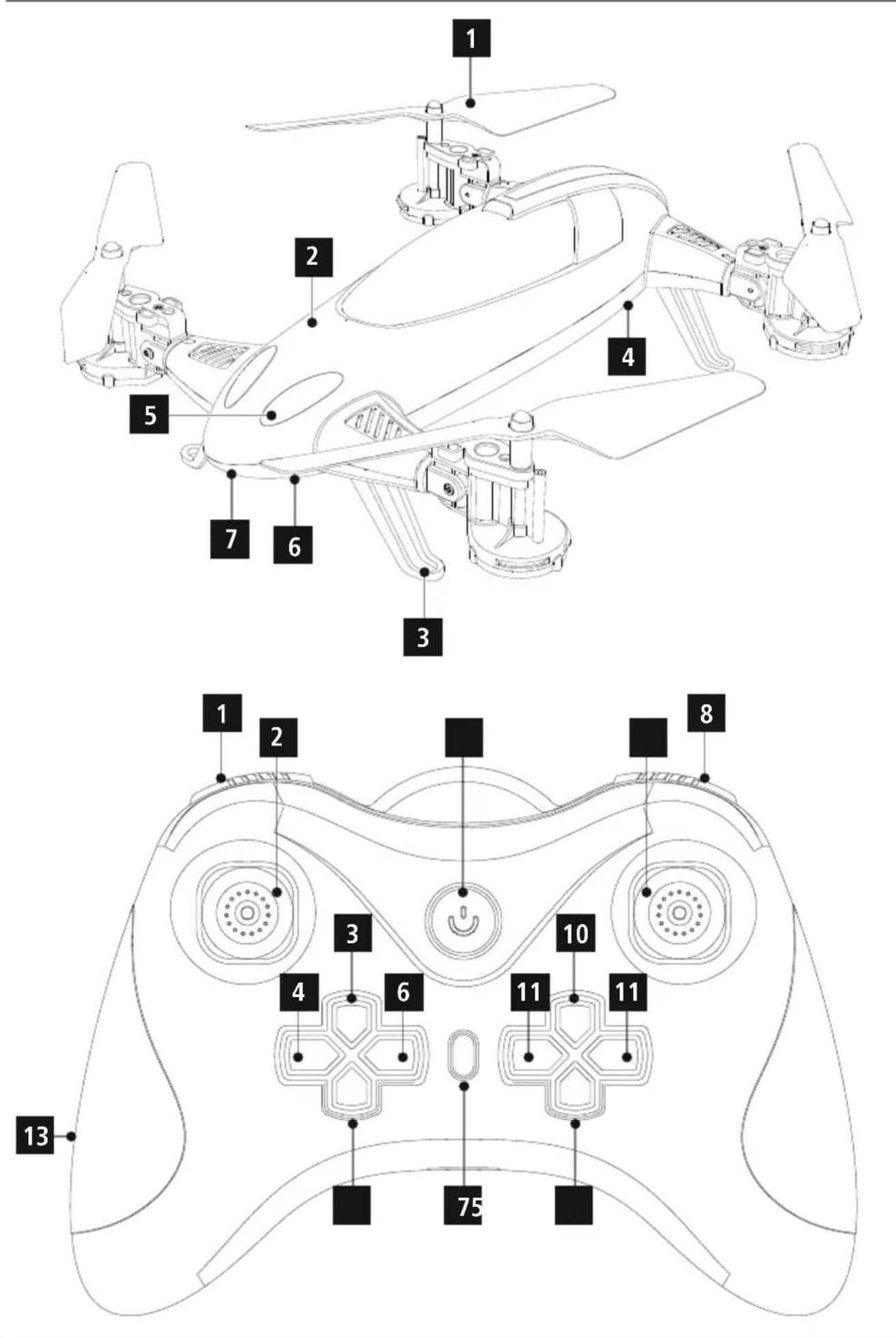
Controls and displays
| A: Model aircraft | ||
| 1 | Rotors | |
| 2 | Fuselage | |
| 3 | Landing/standing legs | |
| 4 | Battery bay | |
| 5 | LEDs | |
| 6 | Slide switch for OFF and Car/Drone mode | |
| 7 | Camera connection | |
| B: Remote control | ||
| 1 | Actual Direction mode | |
| 2 | Left control lever (climb/descend, turn left/right) | |
| 3 | H button (highest speed) | |
| 4 | Video button (record v ideo) | |
| 5 | L button (lowest speed) | |
| 6 | Photo button (take a p icture) | |
| 7 | Automatic takeoff/landing | |
| 8 | Loop | |
| 9 | Right control lever (left/right, forwards, backwards) | |
| 10 | Tweaking (trimming), forwards/ backwards | |
| 11 | Tweaking (trimming), left/right | |
| 12 | On/off button / L ED indicator | |
| 13 | Battery compartment | |
Thank you for choosing a H ama product.
Take your time and read the following instructions and information completely. Please keep these instructions in a safe place for future reference. If you sell the device, please pass these operating instructions on to the new owner.
- Explanation of Warning Symbols and Notes
| Warning |
| This symbol is used to indicate safety instructions or to draw your attention to specific hazards and risks. |
| (YGDZ) Note |
| This symbol is used to indicate additional information or important notes. |
2. Package contents
- 2-in-1 d rone
- 4xwheels
- 1 x remote control
- 1 x battery for the drone
- 1 x USB charging cable
- 2xwrench
- 4 x wheel nuts
- 4 x replacement rotor blades
- 1 x camera
• 1 x carrier film with stickers - 4 x AA batteries
- 2 x pylons including base
• 1 x drone takeoff/landing pad
• These operating instructions
3. Safety instructions
- The product is intended for private, non-commercial use only.
- Protect the product from dirt, moisture and overheating, and only use it in a dry environment.
- Do not drop the product and do not expose it to any major shocks.
- Do not operate the product outside the power limits given in the specifications.
- Make sure that you fly the drone in such a manner that you always have the product under control, and do not overestimate your capabilities.
- Keep hair, face, hands and loose clothing away from the product during operation. The rotors pose a risk of injury, as does the moving product in general.
- Keep the packaging material out of the reach of children due to the risk of suffocation..
- Do not modify the product in any way. Doing so voids the warranty.

Warning - Batteries
- Immediately remove and dispose of dead batteries from the product.
- Only use batteries (or rechargeable batteries) that match the specified type.
- Do not mix old and new batteries or batteries of a different type or make.
- When inserting batteries, note the correct polarity (+ and - markings) and insert the batteries accordingly. Failure to do so could result in the batteries leaking or exploding.
- Do not overcharge batteries.
- Keep batteries out of the reach of children.
- Do not short circuit the batteries/rechargeable batteries and keep them away from uncoated metal objects.
4. Legal regulations/limitations when operating model aircraft

Note
- The information on legal regulations set out in these instructions covers only the German regulations and laws at the time of printing. Before using the product in other countries, find out about the applicable regulations!
-
Please note that in accordance with §1, para. 2, no. 9 of the German Air Traffic Act (Luftverkehrsgesetz or LuftVG), a model aircraft is considered to be aircraft, and in accordance with §43 LuftVG, liability insurance is needed. Find out from your insurance provider whether your personal liability insurance already covers the control of a model aircraft.
-
A licence may be required for commercial use. Contact your local authorities (for example, public order office) to clarify the legal issues.
- If you take photos or videos with this product, their use is considered commercial if they are published on the Internet, for example, and you allow any associated advertising!
5. Operating environment and proper use
- This product is intended for use only in sporting and leisure activities.
- This product is intended for use by children aged 14 or older under parental supervision.
- This product is intended for use only outside buildings.
- There is a general prohibition on climbing and operating model aircraft:
• Over gatherings of people
• Over accident sites and disaster areas
• Over operation sites of state bodies (for example, police, authorities) and organisations with security responsibilities
• Over penal institutions
• Over industrial and energy generation plants (including solar parks)
• Over military facilities and restricted areas
• Over and near airfields/airports
• Over and near hospitals
• Over federal highways, federal waterways and railway facilities
• Over conservation areas
• Over stadiums
• Over amusement parks
• Note that special, extended regulations and prohibitions on climbing model aircraft apply in large cities such as Berlin, Hamburg, Cologne, etc.
- Respect the personal and property rights of others! Do not use camera drones to capture images of other people without first asking for their permission.
- Do not fly over third-party property!
- Do not fly near people, waters, radio masts or power lines, and do not frighten animals with the product!
- In areas where you are allowed to operate and climb a model aircraft, observe a maximum flying altitude of 100 m.
- In areas where you are allowed to operate and climb a model aircraft, only fly within the range of vision.
- In general, the following applies: Do not disturb your fellow human beings and your environment through actions that go against general decorum and/or that you yourself would consider to be a nuisance.
- The pilot in command of the drone is, in principle, liable for all damages that may be caused during a flight.
- Keep an eye on the battery of the drone. Land immediately if the battery loses power, so a s not to crash.
- Before flying, make sure the weather conditions are suitable.
• Always anticipate hazards when flying! Pay attention to both the drone and your environment.
- Do not use any technical devices to extend the range of vision.
- Unmanned aviation systems and model aircraft are obliged to give way to manned aircraft and manned balloons.
6. Getting started

Note
- Before getting started, familiarise yourself with the product and its operation, ideally under the guidance of a person who is experienced with similar products.
- The packaging can be used to store the product; it protects the product from dust and damage.
6.1 Remote control - inserting the batteries
- Open the battery compartment (13) and insert four AA batteries, observing correct polarity. Then close the battery compartment cover.
6.2 Model aircraft - charging the battery

Note
- The battery, drone and charging adapter included in the delivery go together and should always be used in combination.
natural_image
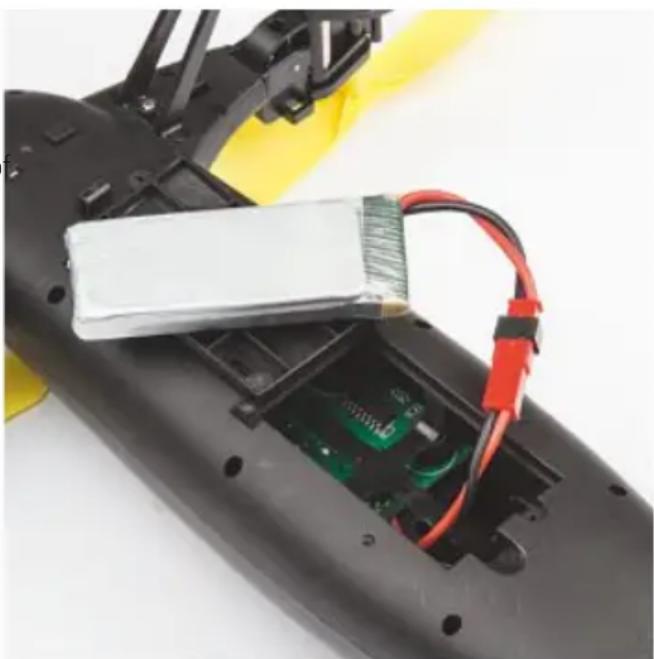
Close-up of a black remote control module with exposed circuit board and red-and-white wires, no visible text or symbols- Fully charge the battery of the drone before using it for the first time.
- Open the battery compartment cover of the battery bay (4) on the underside of the drone.
- Remove the battery of the drone.
-
Connect the supplied USB charging cable to the battery.
-
Connect the unused plug on the USB cable to an available USB port on your computer or another suitable USB charger. Please refer to the operating instructions for the USB charger used.
- The LED indicator of the USB charging plug is lit red during charging. When the battery is fully charged, the LED indicator goes out.
- Remove the connection cable from the battery bay (4) the drone.
- Connect the charged battery to the connection cable.
- Put the connected battery back into the battery bay (4) and then close the battery compartment cover.

Warning – rechargeable battery
- Only use suitable charging devices with USB connections for charging.
- As a rule, do not use charging devices or USB connections that are d effective and do not try to repair them yourself.
- Do not overcharge the product or allow the battery to completely discharge.
- Avoid storing, charging or using batteries in extreme temperatures.
- When stored over a long period of time, batteries should be charged regularly (at least every three months).
• After every flight and before charging, allow the motors and the battery to completely cool!
• Continually monitor charging! - Stop charging immediately if the battery becomes hot and/or deformed!
- Use a heat-resistant, fire-proof surface for charging!

Note - charging/battery capacity
- It takes approximately 1 hours to fully charge the battery.
- The battery comes partially charged. Initial charging may therefore take less time.
• After a charging time of 60 minutes, the flying time is approximately 8-10 minutes. - The actual flying time varies according to use of the product, the settings and ambient conditions (for example, temperatures below 5°C and above 25°C reduce battery capacity).
7. Flight mode
7.1 Flight control
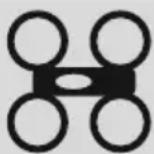
Move the slide switch (6) on the drone to the position of the drone symbol.
- Press the on/off switch (12) to switch on the remote control.

Note
- Control the drone only with minimal movements of the control levers so as to ensure smooth flight behaviour.
- Avoid jerky movements. The drone could get out of control.
- The direction specifications assume that the drone is in front of you and facing forward, or is in Actual Direction mode (see Section 7.4)
Taking off and climbing

Note
- The drone is equipped with an altitude assistant. The altitude that is set using the remote control is maintained automatically.
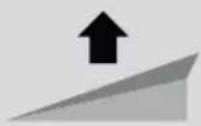
Left control
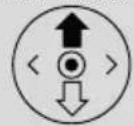
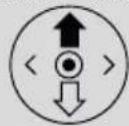
- To launch your drone or to gain altitude, press the Takeoff/Landing button (7) and then move the left control lever (2) on the remote control upwards.
Landing and descending
Left control
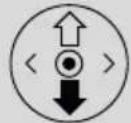
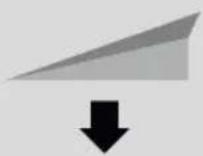
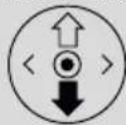
- To land the drone or to descend to a lower altitude, move the left control lever (2) on the remote control downwards. - Alternatively, while the drone is in flight, press the Automatic takeoff/landing button (7) to have the drone automatically land.

Note
- Make sure that the drone is above a flat, obstacle-free landing area and that the landing will not endanger anyone.
Flying left and right
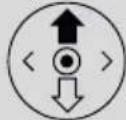
Right control
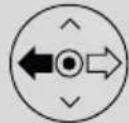
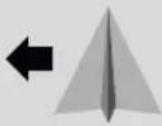
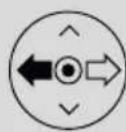
- To fly the drone left, move the right control lever (9) on the remote control to the left.
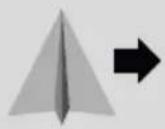
Right control
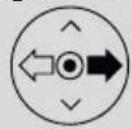
- To fly the drone right, move the right control lever (9) on the remote control to the right.
Flying forwards and backwards
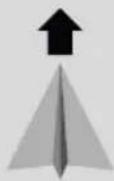
Right control
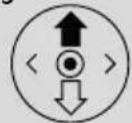
- To fly the drone forwards, move the right control lever (9) on the remote control upwards.
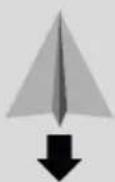
Right control
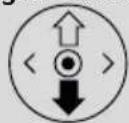
- To fly the drone backwards, move the right control lever (9) on the remote control downwards.
Turning left or right
natural_image
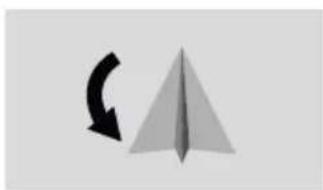
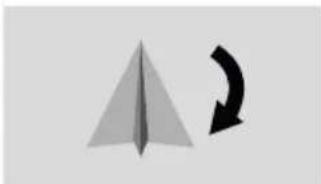
Simple geometric diagram showing a paper airplane with a curved arrow, no text or symbols present.Left control
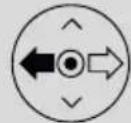
- To turn the drone left, move the left control lever (2) on the remote control to the left.
natural_image
Simple geometric diagram showing a paper airplane and a curved arrow (no text or symbols)Left control
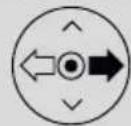
- To turn the drone right, move the left control lever (2) on the remote control to the right.
Loops - only for experienced pilots!

Note - Loops
- The battery of the drone must be fully charged to be able to use the loop function.
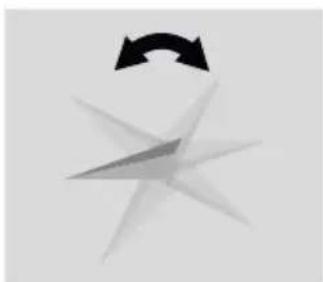
natural_image
Abstract graphic with a black curved arrow and starburst shape (no text or symbols)Right control
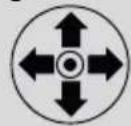
• Fly the drone at an altitude of approximately 3 m.
- Press and hold the Loop button (8).
- Move the right control lever (9) to control the loop direction.
7.2 Tweaking the control (trimming)

Note - Trimming
- The drone should be smooth and stable in the air, and should fly only in the direction that is set using the control.
• After a certain time, there may be slight directional tilts even though the control levers are in the resting/neutral position. - These directional tilts can be eliminated by trimming the control.
Left/right
- If the drone continually tilts to the right during the flight, briefly push the Tweaking button (11) to the left. Repeat this step until the drone is aligned.
- If the drone continually tilts to the left during the flight, briefly push the Tweaking button (11) to the right. Repeat this step until the drone is aligned.
Forwards/backwards
- If the drone continually tilts forwards during the flight, briefly push the Tweaking button (10) downwards. Repeat this step until the drone is aligned.
- If the drone continually tilts backwards during the flight, briefly push the Tweaking button (10) upwards. Repeat this step until the drone is aligned.
7.3 Actual Direction mode

- If Actual Direction mode is activated, the control of the drone when sending commands is guided by the position of the pilot.
- If you move the right control lever (9) upwards/downwards, the drone flies away from you / towards you.
- If you move the right control lever (9) to the left/right, the drone flies left/right.
- The flight direction and position of the drone is irrelevant in this mode.
• Make sure that you remain in the position that you take during calibration with the remote control.
Position the drone directly in front of you so that its fuselage points away from you and in the desired flight direction.
- Hold the remote control such that it points to the rear part of the drone in a direct line.
- Press the Automatic takeoff/landing button (7).
- Press the Actual Direction mode button (1) during the flight to activate the Actual Direction mode.
- The Actual Direction mode is confirmed through two signal tones and fast flashing of the drone's LED indicator (5).
- If you press the Actual Direction mode button (1) again, the mode is deactivated. A signal tone will sound and the LED indicator (5) of the drone is now constantly lit.
7.4 Speed levels

Note
- When you switch on the product, the drone is in low speed mode.
- Experienced pilots can increase the drone's speed by setting the top speed mode.
- Press the [H] button (3) to increase the drone's speed to the highest speed.
- Two signal tones confirm the highest setting.
- Press the [L] button (5) to limit the drone's speed to the lowest speed.
- A signal tone confirms the lowest setting.
7.5 Resetting the drone to neutral position

Note
- Frequent/incorrect trimming can result in misalignment of the drone.
- This can be eliminated by resetting the control to the neutral position.
- If the landing/standing legs (3) are damaged, precise alignment of the control is not possible.
-
In this case, the alignment must not be reset to the neutral position. This would influence the flight behaviour of the drone.
-
Position the drone on a flat horizontal surface.
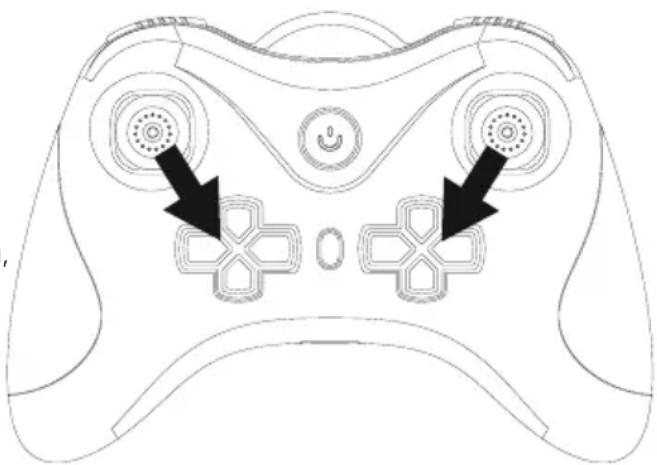
- Activate the highest speed as described in Section 7.4.
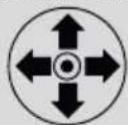
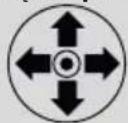
- Then move the two control levers as shown in the picture:
natural_image
Line drawing of a game controller with two black arrows pointing to the front and side views (no text or symbols)- A signal tone along with flashing of the drone's LED indicator (5) confirm the resetting of the control to the neutral position.
7.6 Emergency landing

Note
- If you lose control over the drone or need to quickly bring the drone to the ground, you can use the emergency landing function.
• Make sure you do not endanger anyone. - Make sure that no damage is caused through an emergency landing.
- Pay heed to the information on safety and the legal situation (see Sections 3 to 5).
- Press the buttons (1) and (8) simultaneously to get the drone to quickly descend.
7.7 Switching off the drone
- Land the drone.
- Move the slide switch (6) on the drone to the OFF position.
- Press the on/off switch (12) to switch off the remote control.
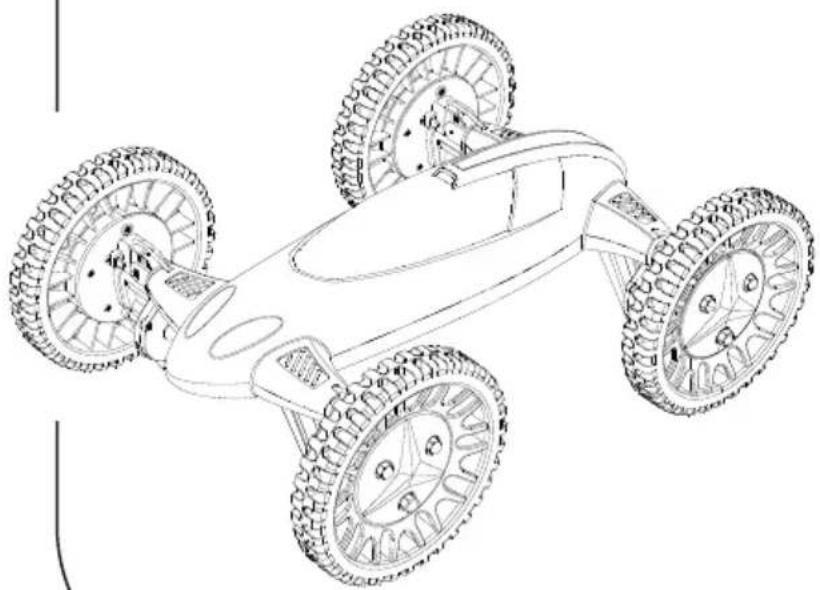
8. Car mode
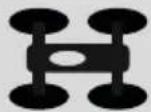
Move the slide switch (6) on the drone to the position of the car symbol.
8.1 Mounting the wheels
natural_image
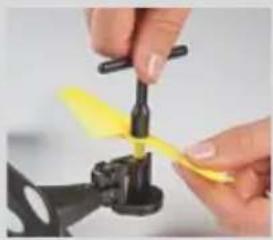
Close-up of hands assembling a propeller with yellow plastic wrap (no text or symbols visible)- Undo the nut of the rotor blade with the included socket wrench.
- Remove the rotor blade.
natural_image
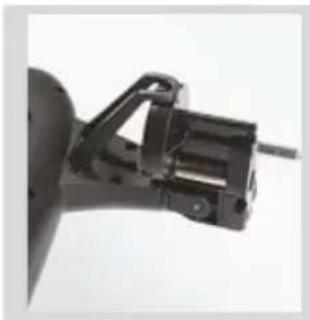
Close-up of a mechanical clamp or bracket component (no visible text or symbols)- Undo the locking on the underside of the rotor/ wheel fastening.
- Flip the mount of the rotor blade 90° upwards until it engages on the landing/standing legs (3).
natural_image
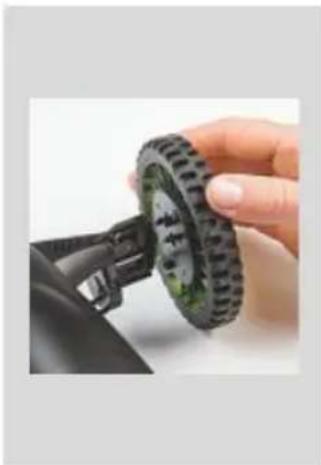
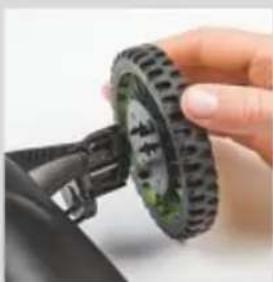
Close-up of a hand holding a black tire with green wheels, next to a small car component (no visible text or symbols)- Place the wheel on the mount.
• Make sure that you position the wheel as shown in the adjacent picture. - Press the wheel onto the mount until it clicks into place.
• Make sure that the two lugs of the wheel engage.
natural_image
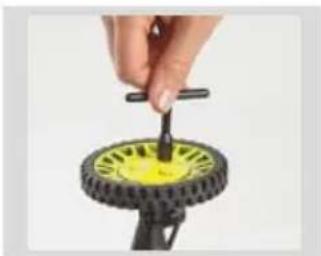
Hand holding a small black tool interacting with a yellow and black tire-like object (no text or symbols visible)- Fasten the wheel by tightening the nut with the included socket wrench.
8.2 Car control
Travel forwards/backwards
natural_image
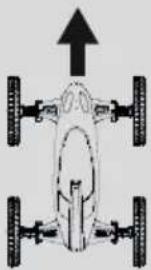
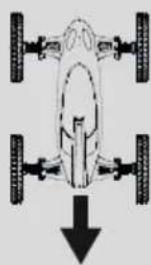
Top-down diagram of a vehicle showing four wheels with an upward arrow indicating motion or force (no text or symbols)Left control
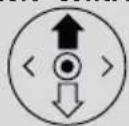
- To travel forwards with the car, move the left control lever (2) on the remote control upwards.
natural_image
Top-down diagram of a vehicle showing four wheels and a downward arrow (no text or symbols)Left control
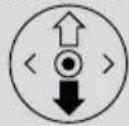
- To travel backwards with the car, move the left control lever (2) on the remote control downwards.
Travel left/right
natural_image
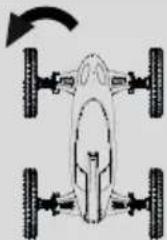
Top-down diagram of a vehicle showing front, rear, and side views with no text or symbolsRight control
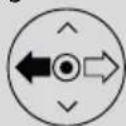
- To travel left with the car, move the right control lever (9) on the remote control to the left.
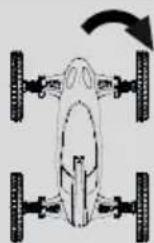
Right control
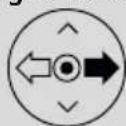
- To travel right with the car, move the right control lever (9) on the remote control to the right.
8.3 Speed levels

Note
- When you switch on the product, the car is in low speed mode.
-
Experienced pilots can increase the car's speed by selecting the top speed mode.
-
Press the [H] button (3) to increase the car's speed to the highest speed.
- Two signal tones confirm the highest setting.
- Press the [L] button (5) to limit the car's speed to the lowest speed.
- A signal tone confirms the lowest setting.
8.4 Dismounting the wheels
natural_image
Close-up of a hand holding a black mechanical tire with green wheels, next to a small car component (no visible text or symbols)- Undo the nut on the outside of the wheel using the included socket wrench.
- Press the lugs inwards to release the wheel.
- Remove the wheel and flip the drive motors back into the flight position.
- Now mount the rotor blades (see Section 10).
9. Camera

Note
- When using the camera, observe the legal regulations and limitations specified in Sections 4 and 5, as well as the allowed operating environment for drones!
9.1 Mounting the camera
natural_image
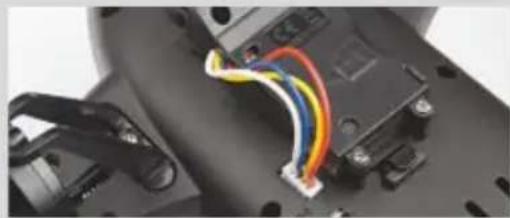
Close-up of a black electronic device with colored wires and connectors (no visible text or symbols)- Attach the camera to the underside of the drone. (A)
- Connect the camera by inserting the camera plug into the camera connection (7). (C)
9.2 Recording mode
- Insert a microSD card into the camera slot provided for the purpose (B).
- Press the Photo button (6) on the remote control to take a picture.
- Press the Video button (4) on the remote control to start/stop a video recording.
9.3 Retrieving the recorded material
- Remove the camera's microSD card.
- Connect the microSD card to your PC using the SD card reader.
- Transfer the image material to your PC to free up storage space on the camera.
- Delete the pictures/videos on the camera directly on your PC.
10. Mounting/changing the rotor blades
natural_image
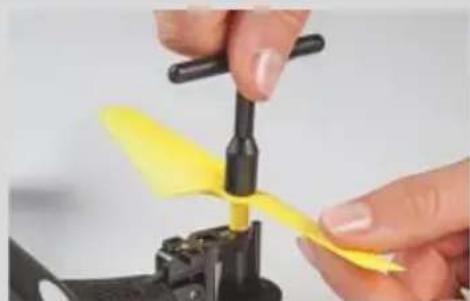
Close-up of hands assembling a yellow propeller component (no text or symbols visible)- If necessary, remove the existing rotor blade as described in Section 8.1 Mounting the wheels.
- Place the new rotor blade on the motor shaft. Make sure you mount the rotor blade marked 'A' on the motor shaft marked with the same letter ('A'); similarly, the rotor blade marked 'B' should be mounted on the motor shaft marked 'B'. Otherwise, the rotation direction will not be correct and no drive is generated.
- Secure the rotor blade using the nut and the included socket wrench.
11. Troubleshooting
| Problem Possible | cause Solution | |
| The drone stops for no apparent reason and/or does not launch. | The battery of the drone is weak or fully charge the battery of the empty. | |
| The batteries of the remote control are weak or empty. | Check the batteries of the remote control and replace them with new batteries if necessary. | |
| The rotors of the drone do not move | The drone's battery is not correctly connected to the drone. | Check the plug-in connection of the battery and the drone. |
| The battery of the drone is weak or fully charge the battery of the empty. | ||
| The batteries of the remote control are weak or empty. | Check the batteries of the remote control and replace them with new batteries if necessary. | |
| The drone rotates only around its vertical axis, overturns or does not launch. | The propellers of the drone are damaged or incorrectly arranged. | Check the propellers. Check the arrangement of the propellers and, if necessary, a ttach them as described in Section 10. Mounting/changing the rotor blades. |
| The drone pulls strongly in a particular direction. | The drone is not properly aligned. | Carry out tweaking as described in Section 7.2 Tweaking the control (trimming). |
| The drone won't perform loops. The battery charge is too low. | Fully charge the battery of the drone. | |
12. Care and Maintenance
- Only clean this product with a slightly damp, lint-free cloth and do not use aggressive cleaning agents.
- Make sure that water does not get into the product.
13. Warranty Disclaimer
Hama GmbH & Co KG assumes no liability and provides no warranty for damage resulting from improper installation/mounting, improper use of the product or from failure to observe the operating instructions and/or safety notes.
14. Service and Support
Please contact Hama Product Consulting if you have any questions about this product.
Hotline: +49 9091 502-115 (German/English)
Further support information can be found here:
www.hama.com
- Technical specifications
| Max. range: 100 m | |
| Number of channels 4 | |
| Recording format 720p/30fps | |
| Lighting Single-colour LEDs | |
| Camera Yes | |
| With (diagonal, without propellers) | 260 mm |
| Width x depth x height | 310 x 310 x 70 mm |
| Weight 150 g | |
| Rotor diameter 145 mm | |
| Battery requirement for drone | 1 x Lithium polymer battery (replaceable), |
| Capacity 900 mAh | |
| Battery requirement for remote control | 4 x A A battery |
| Type of charging USB-A | connection |
| Frequency range | 2.4 GHz |
16. Recycling Information
Note on environmental protection:
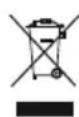
After the implementation of the European Directive 2012/19/EU and 2006/66/EU in the national legal system, the following applies: Electric and electronic devices as well as batteries must not be disposed of with household waste. Consumers are obliged by law to return electrical and electronic devices as well as batteries at the end of their service lives to the public collecting points set up for this purpose or point of sale. Details to this ard efined by the national law of the respective country. This symbol on the product, the instruction manual or the package indicates that a product is subject to these regulations. By recycling, reusing the materials or other forms of utilising old devices/batteries, you are making an important contribution to protecting our environment.
17. Declaration of Conformity

Hereby, Hama GmbH & Co KG declares that the radio equipment type [00126853] is in compliance with Directive 2014/53/EU. The full text of the EU declaration of conformity is available at the following internet address:
www.hama.com > 00126853 -> Downloads.
| Frequency band(s) | 2.413-2.461 GHz |
| Maximum radio-frequency power transmitted | 0.29 mW EIRP |
natural_image
Close-up of a black robotic device with exposed internal components and wiring, being handled by yellow gloves (no text or symbols visible)natural_image
Abstract starburst graphic with a curved arrow above it, no text or symbols presentRechter Hebel
natural_image
Line drawing of a game controller with two buttons and two pixelated buttons, no text or symbols presentnatural_image
Close-up of hands assembling a propeller with yellow plastic blades (no text or symbols visible)natural_image
Close-up of a mechanical clamp or bracket component (no visible text or symbols)natural_image
Close-up of a hand holding a black tire with green wheels, next to a black plastic component (no text or symbols visible)natural_image
Close-up of a hand using a tool to lift a yellow and black tire (no text or symbols visible)natural_image
Top-down view of a four-wheeled vehicle with an upward arrow indicating motion (no text or symbols)Linker Hebel
natural_image
Top-down diagram of a vehicle showing front, rear, and side views with a downward arrow (no text or symbols)Linker Hebel
natural_image
Top-down schematic of a vehicle showing front, rear, and side views with no text or symbolsRechter Hebel
natural_image
Close-up of a hand holding a black tire with green wheels, next to a mechanical component (no visible text or symbols)natural_image
Close-up of a mechanical component with colored wires and connectors (no visible text or symbols)natural_image
Close-up of hands assembling a yellow propeller component (no text or symbols visible)natural_image
Close-up of a black remote control module with exposed circuit board and battery, no visible text or symbolsnatural_image
Abstract starburst graphic with curved arrow above a shaded star shape (no text or symbols)natural_image
Line drawing of a game controller with two black arrows pointing to key buttons (no text or symbols)natural_image
Close-up of hands assembling a propeller into a black plastic component (no text or symbols visible)natural_image
Mechanical component with a curved bracket and mounting holes (no visible text or symbols)natural_image
Close-up of a hand holding a green and black tire component, with no visible text or symbols.natural_image
Close-up of a hand holding a small black tool next to a yellow and black tire-like object (no text or symbols visible)natural_image
Top-down diagram of a vehicle with four wheels and an upward arrow, no text or symbols presentnatural_image
Top-down diagram of a vehicle showing four wheels and a downward arrow (no text or symbols)natural_image
Top-down view of a four-wheeled vehicle with wheels and a curved arrow indicating rotation (no text or symbols)natural_image
Close-up of a hand holding a green-dotted tire next to a black mechanical component (no visible text or symbols)natural_image
Close-up of a mechanical component with colored wires and connectors (no visible text or symbols)natural_image
Close-up of hands using a yellow plastic tool to lift a yellow propeller component (no text or symbols visible)www.hama.com > 00126853 -> Downloads.
natural_image
Close-up of a black robotic device with exposed internal components and wiring, no visible text or symbolsnatural_image
Abstract starburst graphic with a curved arrow above a starburst shape (no text or symbols)Drażek prawy
natural_image
Line drawing of a game controller with two black arrows pointing to key buttons (no text or symbols)natural_image
Close-up of hands assembling a yellow propeller component (no text or symbols visible)natural_image
Close-up of a mechanical clamp or bracket component (no visible text or symbols)natural_image
Close-up of a hand holding a green and black tire component, with no visible text or symbols.natural_image
Hand holding a small black tool interacting with a yellow and black mechanical component (no text or symbols visible)natural_image
Top-down diagram of a vehicle showing four wheels and an upward arrow, no text or symbols presentDrażek lewy
natural_image
Top-down diagram of a vehicle chassis with four wheels and a curved arrow indicating rotation (no text or symbols)Drażek prawy