ManualGo.com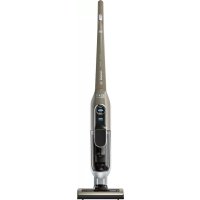
BBH73275 - Vacuum Cleaner BOSCH - Free user manual and instructions
Find the device manual for free BBH73275 BOSCH in PDF.



Download the instructions for your Vacuum Cleaner in PDF format for free! Find your manual BBH73275 - BOSCH and take your electronic device back in hand. On this page are published all the documents necessary for the use of your device. BBH73275 by BOSCH.
USER MANUAL BBH73275 BOSCH
£fH&¶*m*2f74(* 5f¤qG*8K
) solan- ge, bis der Akku vollständig entladen ist. Drehen Sie die Schrauben am Gehäuse heraus und nehmen Sie die Gehäuseschale ab, um den Akku zu entnehmen. Um eine Kurzschluss zu verhindern, trennen Sie die Anschlüsse am Akku einzeln nacheinander und iso- lieren Sie die Pole sofort. Auch bei vollständiger Entladung ist noch eine Rest- kapazität im Akku enthalten, die im Falle eines Kurz- schlusses freigesetzt werden kann.4 ence or knowledge if they are supervised or have been inst- ructed on the safe use of the appliance and have under- stood the potential dangers of using the appliance. Children must never play with the appliance. Cleaning and user mainte- nance must never be carried out by children without su- pervision. Plastic bags and films must be kept out of the reach of children and disposed of. >= There is a risk of suffoca- tion. Proper use To charge, only use the charging cable included in the scope of supply. The charging cable must only be connected and ope-rated as specified on the rating plate. The appliance must only be stored and charged in-doors. Do not expose the appliance to temperatures below 0 °C or above 40 °C. Never vacuum without the dust bag or dust container, motor protection or exhaust filter.>= This may damage the vacuum cleaner. Keep the vacuum cleaner away from your head when using nozzles and tubes. => This could cause injury. Do not use a damaged charging cable. Replace it with an original charging cable. When disconnecting the charging cable from the mains, pull the plug itself to remove it; do not pull on the power cord. Do not pull the charging cable over sharp edges or allow it to become trapped. Before carrying out any work on the vacuum cleaner, switch off the appliance and disconnect it from the charging cable and the mains. Do not operate the vacuum cleaner if it is damaged. If a fault is detected, switch off the appliance and dis-connect it from the charging cable and the mains. For safety reasons, only authorised after-sales service personnel are permitted to carry out repairs and fit replacement parts to the vacuum cleaner. In the following cases, you must stop the appliance immediately and contact the after-sales service: − If you have accidentally vacuumed up some liquid or liquid has entered the inside of the appliance; − If the appliance has been dropped and damaged. Protect the vacuum cleaner from outside weather con-ditions, moisture and sources of heat.Please keep this instruction manual for future refe-rence.When passing the vacuum cleaner on to a third party, please also pass on this instruction manual. Intended use This appliance is intended for domestic use only, not for commercial use. Only use this vacuum cleaner in accordance with the information provided in this ins-truction manual. In order to prevent injuries and damage, the vacuum cleaner must not be used for: Vacuuming persons or animals. Vacuuming up: − Hazardous, sharp-edged, hot or red-hot substances. − Damp or liquid substances. − Highly flammable or explosive substances and gases. − Ash, soot from tiled stoves and central heating systems. − Toner dust from printers and copiers. Spare parts, accessories Our original spare parts, original (special) accessories are designed to work with the features and require-ments of our vacuum cleaners. We therefore recom-mend that you only use our original spare parts, original (special) accessories. This will ensure that your vacuum cleaner has a long service life and that the quality of its cleaning performance will remain consistently high throughout. Please note Using unsuitable or inferior-quality spare parts, (spe-cial) accessories and dust bags can damage your vacuum cleaner. Damage caused by the use of such products is not covered by our guarantee. Safety information This vacuum cleaner complies with the recognised rules of technology and the relevant safety regulations. The appliance may be used by children over the age of 8 years and by persons with reduced physical, sensory or mental capacity or by per- sons with a lack of experi- en5 Do not pour flammable substances or substances con- taining alcohol onto the filters (dust bag, motor pro- tection filter, exhaust filter, etc.). The vacuum cleaner is not suitable for use on cons- truction sites. => Vacuuming up building rubble may damage the appliance. Switch off the appliance when it is not in use. The packaging is designed to protect the vacuum clea- ner from being damaged during transportation. We therefore recommend keeping the packaging for the purpose of future transportation. Batteries Your appliance is fitted with lithium-ion batteries which, for safety reasons, are only accessible to professional repair specialists. For battery replacement, please contact your nearest after-sales centre or an authorised specialist dealer. Notes on transport The lithium-ion batteries in the appliance are subject to the requirements of dangerous goods legislation. The batteries can be transported by the user by road without any further requirements. In the event that they are dispatched by a third party (e.g. transported by air or freight carrier), special requirements regarding packaging and identification must be met. In this case, a dangerous goods expert must be consulted when preparing the goods for dispatch. Information on disposal Vacuum cleaners, batteries, accessories and packaging should be recycled in an environmentally friendly manner. Do not dispose of the vacuum cleaner or the batteries in the household rubbish. Packaging The packaging is designed to protect the vacuum cleaner from being damaged during transportation. It is made of environmentally friendly materials and can be recycled. Dispose of packaging that is no lon- ger required at an appropriate recycling point. Old appliances This appliance contains rechargeable lithium-ion batteries. The appliance must therefore only be disposed of by an authorised after-sales service or dealer. Batteries Please follow the notes on transport. Integrated batteries may only be removed by speci- alist personnel for the purpose of disposal. Opening the housing shell may damage the vacuum cleaner. To remove the battery from the vacuum cleaner, press the on/off switch (Fig.
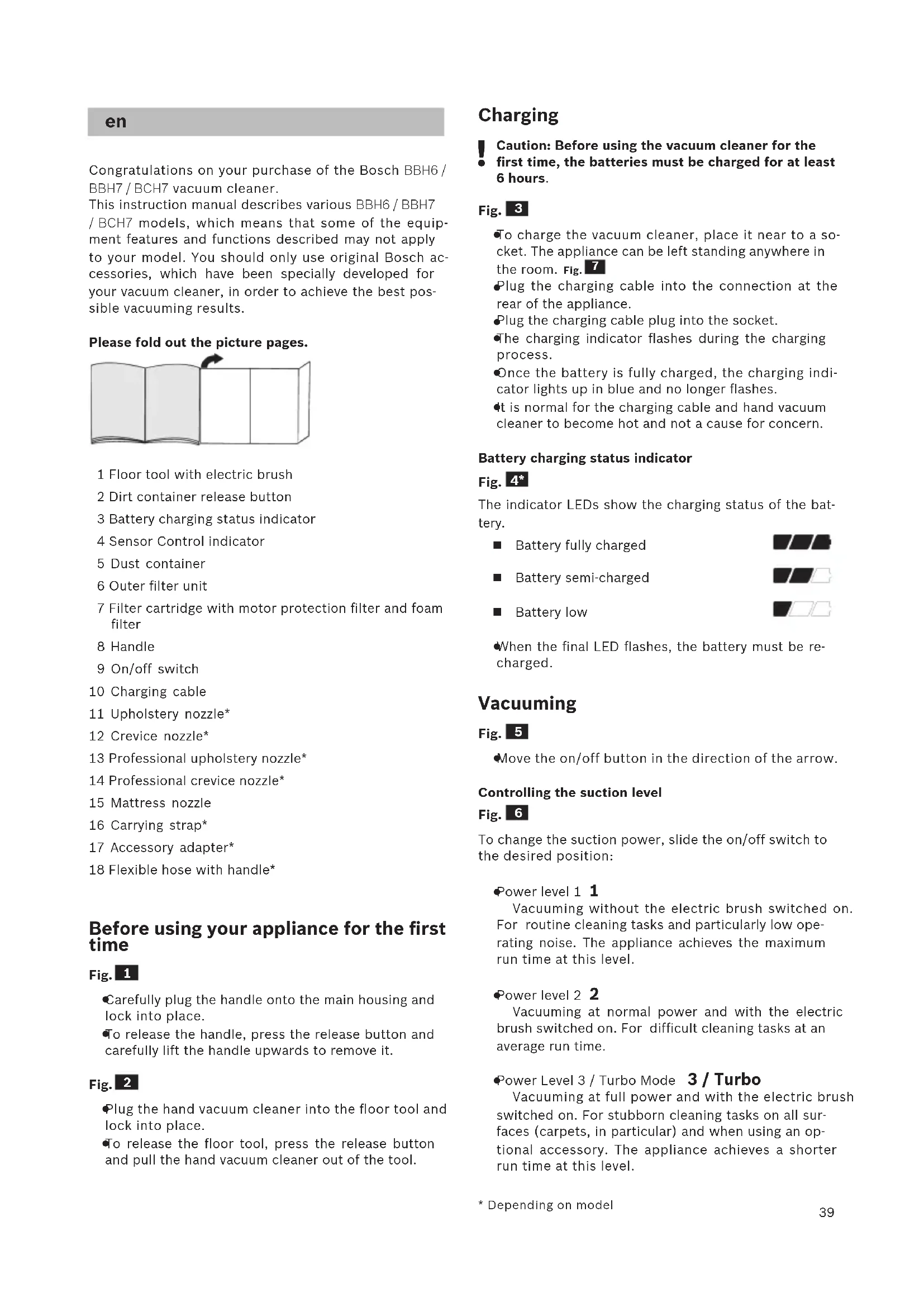
- je nach Ausstattung39 Congratulations on your purchase of the Bosch BBH6 / BBH7 / BCH7 vacuum cleaner. This instruction manual describes various BBH6 / BBH7 / BCH7 models, which means that some of the equip- ment features and functions described may not apply to your model. You should only use original Bosch ac- cessories, which have been specially developed for your vacuum cleaner, in order to achieve the best pos- sible vacuuming results. Please fold out the picture pages. 1 Floor tool with electric brush 2 Dirt container release button 3 Battery charging status indicator 4 Sensor Control indicator 5 Dust container 6 Outer filter unit 7 Filter cartridge with motor protection filter and foam filter 8 Handle 9 On/off switch 10 Charging cable 11 Upholstery nozzle* 12 Crevice nozzle* 13 Professional upholstery nozzle* 14 Professional crevice nozzle* 15 Mattress nozzle 16 Carrying strap* 17 Accessory adapter* 18 Flexible hose with handle* Before using your appliance for the first time Fig.
Carefully plug the handle onto the main housing and lock into place.
To release the handle, press the release button and carefully lift the handle upwards to remove it. Fig.
Plug the hand vacuum cleaner into the floor tool and lock into place.
To release the floor tool, press the release button and pull the hand vacuum cleaner out of the tool. Charging
Caution: Before using the vacuum cleaner for the first time, the batteries must be charged for at least 6 hours. Fig.
To charge the vacuum cleaner, place it near to a so- cket. The appliance can be left standing anywhere in the room. Fig.
Plug the charging cable into the connection at the rear of the appliance.
Plug the charging cable plug into the socket.
The charging indicator flashes during the charging process.
Once the battery is fully charged, the charging indi- cator lights up in blue and no longer flashes.
It is normal for the charging cable and hand vacuum cleaner to become hot and not a cause for concern. Battery charging status indicator Fig.
The indicator LEDs show the charging status of the bat- tery. Battery fully charged Battery semi-charged Battery low
When the final LED flashes, the battery must be re- charged. Vacuuming Fig.
Move the on/off button in the direction of the arrow. Controlling the suction level Fig.
To change the suction power, slide the on/off switch to the desired position:
Power level 1 1 Vacuuming without the electric brush switched on. For routine cleaning tasks and particularly low ope- rating noise. The appliance achieves the maximum run time at this level.
Power level 2 2 Vacuuming at normal power and with the electric brush switched on. For difficult cleaning tasks at an average run time.
Power Level 3 / Turbo Mode 3 / Turbo Vacuuming at full power and with the electric brush switched on. For stubborn cleaning tasks on all sur- faces (carpets, in particular) and when using an op- tional accessory. The appliance achieves a shorter run time at this level.
During short pauses in vacuuming, the appliance can be left standing anywhere in the room. To do this, tilt the vacuum cleaner forwards slightly in the direction of the nozzle.
Caution: When the appliance is left standing, it must be switched off, because if the brush is turning while the appliance is standing still, it could cause damage to the floor covering. Vacuuming with accessories Fig.
a) Plug the accessory adapter into the hand vacuum clea- ner and lock into place. To release the accessory adapter, press the release button and pull out the accessory adapter. b) Fasten the carrying strap to the handle. When doing so, lay down the appliance; do not rest it on the adapter or the hose. Fig.
Fit nozzles as required to the flexible hose with the ac- cessory adapter handle:
Upholstery nozzle for vacuuming upholstered furni- ture, curtains, etc.
Crevice nozzle for vacuuming crevices and corners, etc.
Vacuuming with the mattress nozzle For cleaning mattresses, upholstery, etc. After using the appliance Fig.
Switch off the appliance after vacuuming. Emptying the dust container Fig.
In order to achieve the best possible vacuuming re- sults, the dust container should be emptied after every use or, at the latest, when dust at one point in the dust container has reached the marking. We recommend that you not fill the dust container bey- ond the marking, as this leads to considerable soiling of the filter. When emptying the dust container, always check how dirty the outer filter unit is and, if necessary, clean it as detailed in the "Cleaning the outer filter unit" instruc- tions. Fig.
Caution: The filter can only be cleaned if the appli- ance is switched off. Never vacuum without the outer filter unit and its fitted filter cartridge. Fig.
Using the release button, unlock the dust container and remove it from the appliance. Fig.
Take the filter unit out of the dust container.
Remove any dirt which may have been lodged under- neath the container ejector opening.
Insert the filter unit into the dust container, making sure it is correctly seated.
Insert the dust container in the appliance, so that it 'clicks' audibly into place.
Caution: If you notice any resistance when inserting the dust container, check that the filter is complete and that the filter unit and dust container are correct- ly seated. Filter care Cleaning the plate filter Your appliance is equipped with a "Sensor Control" Function. This function constantly monitors whether your vacu- um cleaner is reaching its optimum power level. The indicator light lets you know when you need to clean the plate filter, so that the vacuum cleaner can reach its optimum power level once more. Fig.
Sensor Control The indicator lights up blue or is off when the appli- ance is working at its optimum level. Once the indica- tor turns red and flashes, the outer filter unit and filter cartridge must be cleaned. The appliance is automatically adjusted to power level
Cleaning the fluff filter The fluff filter should be cleaned at regular intervals in order to ensure optimum operation of the vacuum cleaner.
Please switch off the appliance to clean the outer filter unit.
Remove the dust container from the appliance. Fig.
Clean the outer filter unit. a) It is usually sufficient to lightly shake or tap out the whole filter unit when the dust container is emptied in order to dislodge any particles of dirt. b) If this is not sufficient, you can use a dry cloth to remo- ve dirt particles from the surface. Fig.
Switch the appliance off in order to clean the plate filter.
Caution: the filter can only be cleaned if the appli- ance is switched off.
To clean the plate filter, turn the knob at least three turns through 180°. You can also clean the filter if the suction is becoming less powerful, even if the indicator has not lit up. We recommend that you clean the plate filter each time before emptying the dust container. It must be clea- ned at the latest when the “Sensor Control” indicator lights up. Tapping out the plate filter Fig.
If the plate filter is particularly dirty, the dirt can also be tapped out.
Tap out the filter over a dustbin. The dirt will fall down out of the filter. Cleaning the floor tool Before carrying out any maintenance, switch off the vacuum cleaner and disconnect it from the charging cable. Fig.
a) Turn the rotary brush anti-clockwise to unlock it and pull it out to the side of the floor tool. b) Use scissors to cut through threads and hairs wound round the brush and then remove them. c) Slide the rotary brush in at the side of the floor tool and along the guide bar, and turn it clockwise to lock it in place.
Caution: The floor tool must only be put into operati- on with the brush roller fitted. Care Before cleaning the hand vacuum cleaner, it must be switched off and disconnected from the charging cable. The vacuum cleaner and plastic accessories can be cleaned with an ordinary plastic cleaner.
Caution: Do not use abrasive materials, glass- cleaning agents or all-purpose cleaning products. Never immerse the vacuum cleaner in water. Subject to technical modifications.
(XURSHDQ7UDGH&HQWHU%XLOGLQJWKÀRRU
%6+,NLDNHV6\VNHYHV6HUYLFH
(JRPL1LNRVLD/HINRVLD
PDLOWR&$8%RVFK#EVKJFRP
%6++RPH$SSOLDQFHV/LPLWHG
8QLWUG)ORRU North Block, Skyway House,
PDLOWRRDVWD¿HY#DYVHUYLFHN]
0D0DDGKHOL0DMHHGKHH0DJX
BOSCH Service centre,