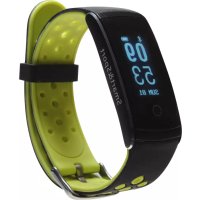
BFH13 - Smartwatch DENVER - Free user manual and instructions
Find the device manual for free BFH13 DENVER in PDF.



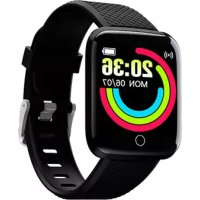
| Product Type | Smartwatch / fitness tracker |
| Brand | Denver |
| Model | BFH13 |
| Power | Li-Po 90 mAh battery, up to 15 days standby |
| Water Resistance | IP68 (resists immersion up to 1.5 m for 30 minutes) |
| Compatibility | iOS 8 or later, Android 4.4 or later |
| Bluetooth | Bluetooth 4.0 |
| Sensors | Heart rate monitor (HR), accelerometer |
| Main Functions | Heart rate monitoring, step counter, distance, calories, sleep tracking, sedentary reminder, smart alarm, notifications (calls, SMS, emails, calendar, social networks) |
| Display | Touch screen (touch zone) with LED display |
| Activation | Raise or shake your wrist to turn on the screen |
| Charging | Charging clip with USB connector (3 pins on the back) |
| Application | Obeat (available on App Store and Google Play) |
| Reset | Long press (10 seconds) on the touch zone in the Shutdown menu |
| Radio Frequency | 2.402 - 2.480 GHz |
| Transmitted Power | 4.0 dBm (max) |
| Maintenance | Clean with a soft, dry cloth. Do not use chemicals. |
| Disposal | Do not dispose of with household waste. Recycle according to local regulations. |
Frequently Asked Questions - BFH13 DENVER
User questions about BFH13 DENVER
0 question about this device. Answer the ones you know or ask your own.
Ask a new question about this device
Download the instructions for your Smartwatch in PDF format for free! Find your manual BFH13 - DENVER and take your electronic device back in hand. On this page are published all the documents necessary for the use of your device. BFH13 by DENVER.
USER MANUAL BFH13 DENVER
natural_image
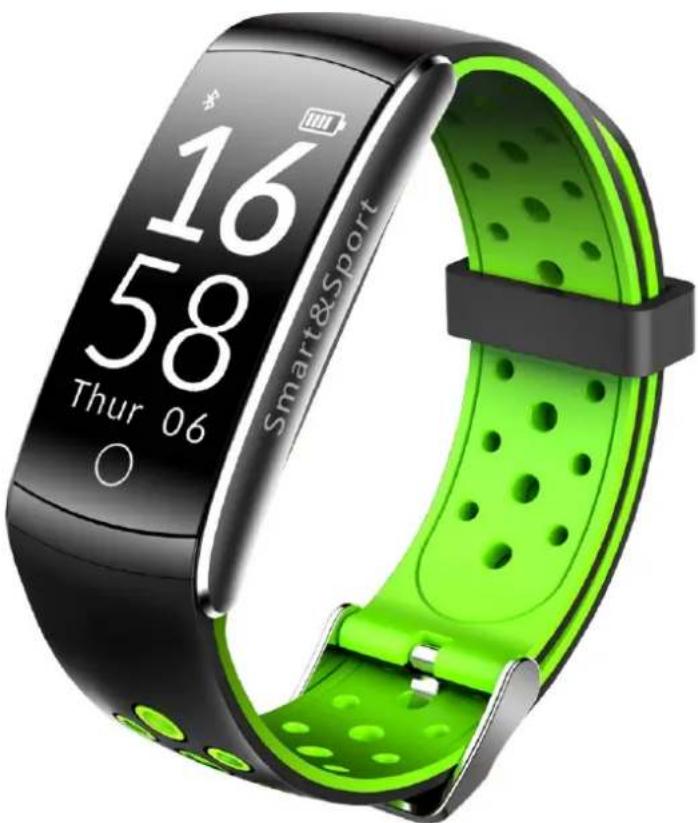
Smart&Sport smartwatch with green and black body, displaying time 16:58 on digital display (no text or symbols beyond branding)www.denver-electronics.com
1. Features
0.96" 96x64 OLED Display
Built-in HR sensor, monitor your heart rate
Monitor your daily acvity and sleep
Built-in sedentary reminder
Display SMS, emails, calendar events and social media activity
Smart wake-up, raise or shake your arm to wake up the device
Built-in 90mAh Li-poly baery, up to 15 days standby me
Comparable with iOS8 or above and Android 4.4 or above
IP68 waterproof
2. Download Obeat app
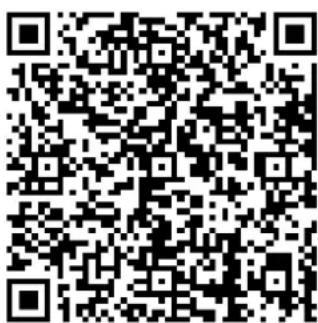
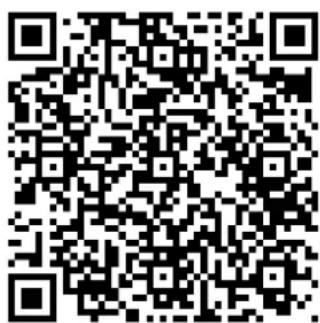
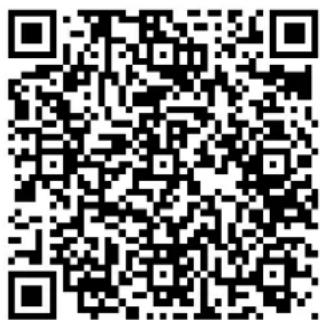
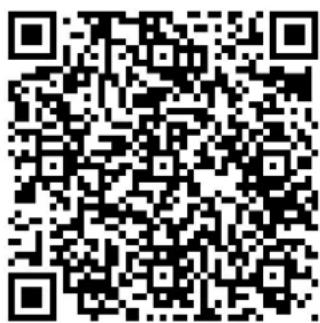
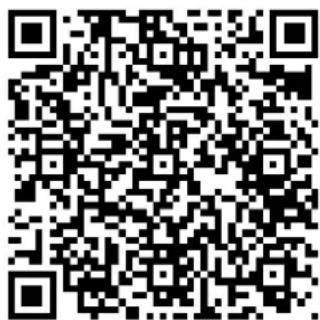
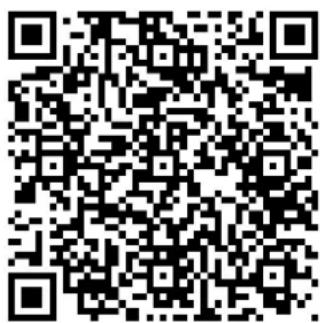
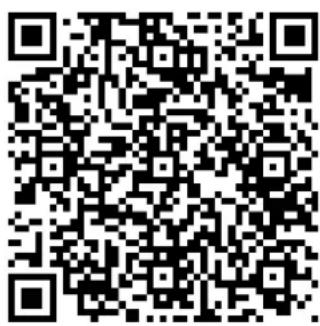
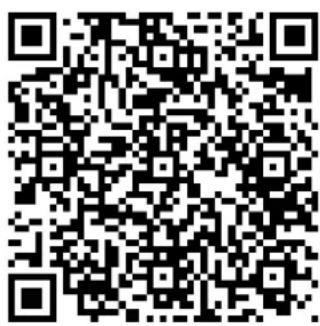
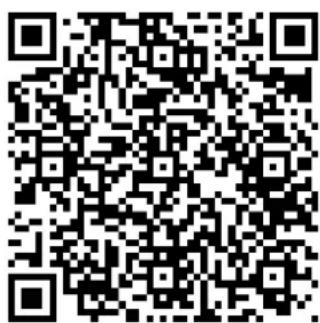
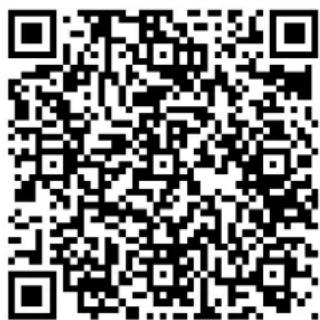
The tness band need to pair with the smart phone through app. Search for Obeat APP on Apple App Store or Google Play store for android version or scan below QR code to install Obeat APP.
Android
iOS
This device is enabled with Bluetooth 4.0, support phone with Android4.3/ iOS8.1 or above
3. Pair the device
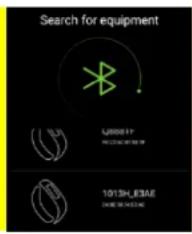
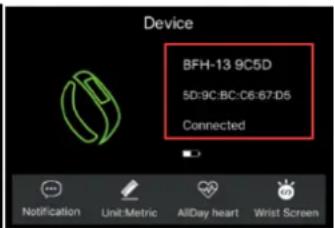
Please make sure the Bluetooth is ON in your smartphone sengs and then open app “Obeat”. Tap “Device” --> “BIND BRACELET”.
When searching and pairing device, please press on the touch
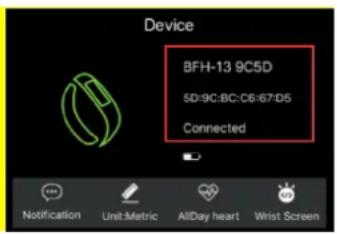
area of device and acvate the device (screen on). App will search the device automacally, select the device name in the smart phone searching list and connect the device to the app.
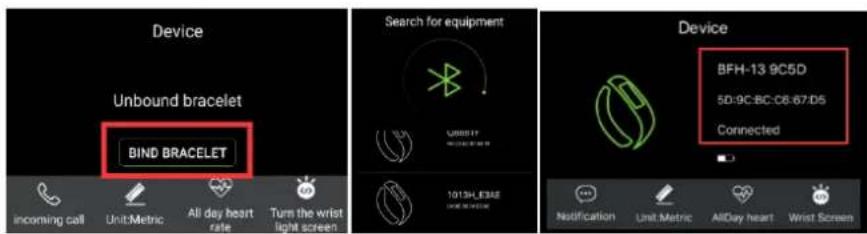
Aer binding successfully, all informaon on device will sync on APP, including me, steps, heart rate and nocaons reminder.
Note: Data on the smart bracelet will be reset at the end of each day. If you synced the data to APP before reset, the data could be stored on APP for a month.
4. Device Acvate & Charge
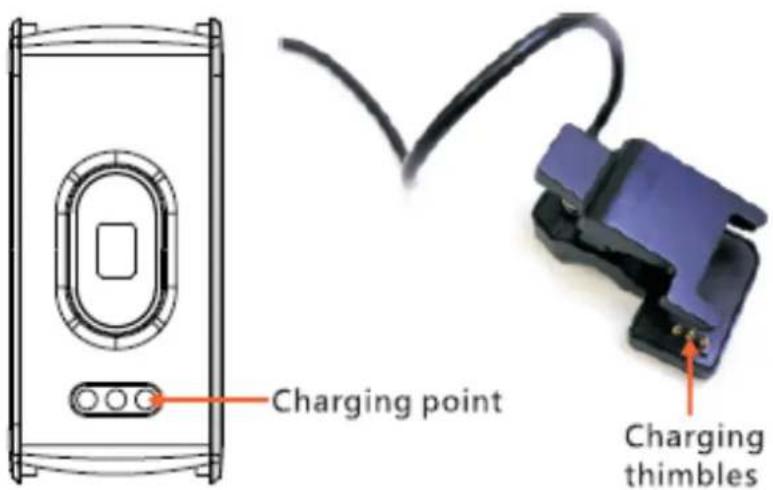
Make sure the device is charged before initial use. In case device is low on baery, connect the device to the charger clip and connect USB cable to your PC. The device will automacally boot up (please clamp the charging clip to the back 3 point posion of bracelet as below)
5. How to use
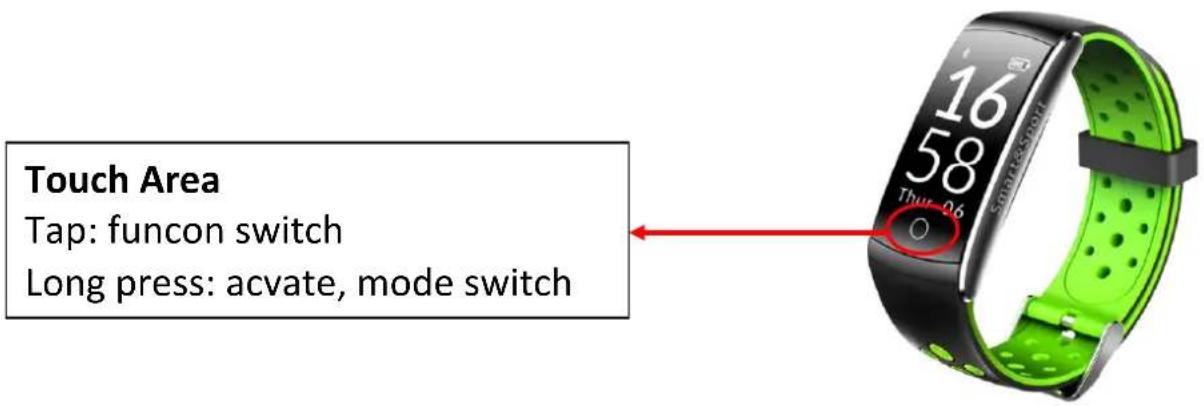
Once the device connected to the app successfully, it will sync your advies and sleep data automacally, please press the touch area on the device to switch into dierent display modes as following:
5.1 Normal Mode
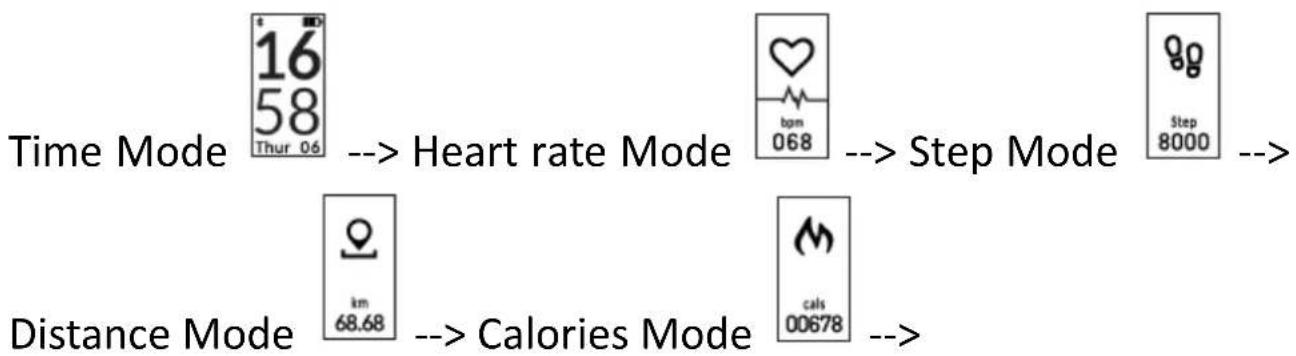

Note: Alarm mode will only display on the device aer switch turn ON in the APP.
Reset to factory default: Long press touch area around 10 seconds on Power o menu.
5.2 Nocaon Mode
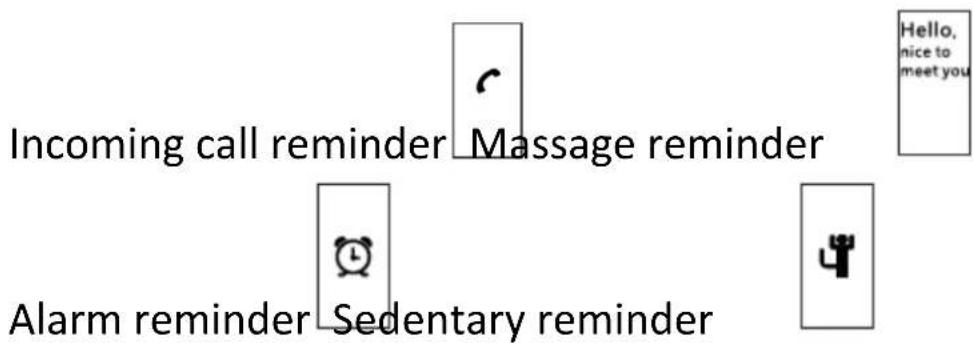
ALL RIGHTS RESERVED, COPYRIGHT DENVER ELECTRONICS A/S
DENVER®
denver-electronics.com

Electric and electronic equipment and included baeries contains materials, components and substances that can be hazardous to your health and the environment, if the waste material (discarded electric and electronic equipment and baeries) is not handled correctly.
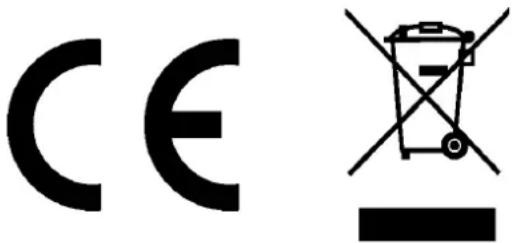
Electric and electronic equipment and baeries is marked with the crossed out trash can symbol, seen below. This symbol signifies that electric and electronic equipment and baeries should not be disposed of with other household waste, but should be disposed of separately.
As the end user it is important that you submit your used baeries to the appropriate and designated facility. In this manner you make sure that the baeries are recycled in accordance with legislature and will not harm the environment.
All cies have established collecon points, where electric and electronic equipment and baeries can either be submied free of charge at recycling staons and other collecon sites, or be collected from the households. Additional informaon is available at the technical department of your city.
Hereby, Inter Sales A/S declares that the radio equipment type BFH-13 is in compliance with Direcve 2014/53/EU. The full text
of the EU declaraon of conformity is available at the following internet address:
hp://www.denver-electronics.com/denver-b-13/
Operang Frequency Range: 2.402GHz—2.480GHz
Max Output Power: 4.0DB
Imported by:
DENVER ELECTRONICS A/S
Omega 5A, Soeen
DK-8382 Hinnerup
Denmark
www.facebook.com/denverelectronics
DENVER®
BFH-13 FITNESSBAND
Bedienungsanleitung
natural_image
Smart&Sport smartwatch with green and black body, displaying time 16:58 on digital display (no text beyond brand and date)www.denver-electronics.com
1. Funkonen
0,96" 96 x 64 OLED-Display
iOS
| EN | DE |
| Charging point | Ladepunkte |
| Charging thimbles | Ladese |
denver-electronics.com

natural_image
Smart&Sport smartwatch with green and black body, displaying time 16:58 on digital display (no text beyond brand and date)www.denver-electronics.com
1. Funkoner
0,96" 96 x 64 OLED-display
iOS
Når forbindelsen er opreet, vil alle informaoner i armbåndet blive synkroniseret med appen, herunder d, skridt, puls og diverse nokaoner.
natural_image
Smartwatch with green and black body strap, displaying time, date, and control knob (no readable text or symbols beyond branding)ALLE RETTIGHEDER FORBEHOLDES, COPYRIGHT DENVER ELECTRONICS A/S
DENVER®
denver-electronics.com

natural_image
Smart&Sport smartwatch with green and black body, displaying time 16:58 on digital display (no text or symbols beyond branding)www.denver-electronics.com
1. Caracteríscas
Pantalla OLED de 0.96" 96x64
natural_image
Close-up of a smartwatch with green and black body, displaying time approximately 16:58 (no readable text or symbols beyond branding)denver-electronics.com

natural_image
Smart&Sport smartwatch with green and black body, displaying time 16:58 on digital display (no text or symbols beyond branding)www.denver-electronics.com
1. Funces
0,96" 96x64 OLED-display
iOS
| EN | NL |
| Charging point | Laadpunt |
| Charging thimbles | Laadcontacten |
denver-electronics.com

natural_image
Smart&Sport smartwatch with green and black body, displaying time 16:58 on digital display (no text or symbols beyond branding)www.denver-electronics.com
1. Egenskaper
0,96 TUM 96x64 OLED-skärm
iOS
| EN | SE |
| Charging point | Laddpunkt |
| Charging thimbles | Laddningsckor |
5. Bruksanvisning
Pekområde
natural_image
Close-up of a green and black fitness tracker with display showing time, speed, and control buttons (no readable text or symbols beyond measurement indicators)denver-electronics.com

natural_image
Smart&Sport smartwatch with green and black body, displaying time 16:58 on screen (no text or symbols beyond brand and date)www.denver-electronics.com
1. Funksjoner
0.96" 96x64 OLED skjerm
Integrert 90mAh Li-poly baeri, opp I 15 dagers drisd
iOS
| EN | NO |
| Charging point | Ladepunkt |
| Charging thimbles | Ladenåler |
denver-electronics.com

natural_image
Smart&Sport smartwatch with green and black body, displaying time 16:58 on digital display (no text beyond brand and date)www.denver-electronics.com
1. Caractérisques
Ecran 0,96" 96 x 64 OLED
iOS
| EN | FR |
| Charging point | Point de chargement |
| Charging thimbles | Chargeur |
5. Instrucons d'ulisaon
Zone tacle
natural_image
Smartwatch with green and black body strap, displaying time approximately 16:58 (no text or symbols on the device itself)denver-electronics.com

natural_image
Smart&Sport smartwatch with green and black body, displaying time 16:58 on digital display (no text beyond brand and date)www.denver-electronics.com
1. Caraerische
Display OLED 96x64 da 0,96"
iOS
natural_image
Close-up of a green and black fitness tracker with display showing time, battery, and control buttons (no readable text or symbols beyond branding)denver-electronics.com

natural_image
Smart&Sport smartwatch with green and black body, displaying time 16:58 on digital display (no text or symbols beyond branding)www.denver-electronics.com
1. Ominaisuudet
iOS
| EN | FI |
| Charging point | Latausliitäntä |
| Charging thimbles | Latausnastat |
5. Käyöohje
Kosketusalue
denver-electronics.com
natural_image
Smart&Sport smartwatch with green and black body, displaying time 16:58 on digital display (no text or symbols beyond branding)www.denver-electronics.com
1. Funkcje
iOS
denver-electronics.com

natural_image
Smart&Sport smartwatch with green and black body, displaying time 16:58 on digital display (no text beyond brand and date)www.denver-electronics.com
1. Funcionalidades
Visor OLED 0,96" 96x64
iOS
| EN | PT |
| Charging point | Ponto de carregamento |
| Charging thimbles | Terminais de carregamento |
5. Como usar
Área de toque
natural_image
Smartwatch with green and black body, displaying time 16:58 and 'Thur-0.6' button, no readable text or symbols beyond brandingdenver-electronics.com

- Features
- Download Obeat app
- Pair the device
- Device Acvate & Charge
- How to use
- Normal Mode
- Nocaon Mode
- DENVER®
- Bedienungsanleitung
- Funkonen
- Funkoner
- ALLE RETTIGHEDER FORBEHOLDES, COPYRIGHT DENVER ELECTRONICS A/S
- Caracteríscas
- Funces
- Egenskaper
- Bruksanvisning
- Pekområde
- Funksjoner
- Caractérisques
- Instrucons d'ulisaon
- Zone tacle
- Caraerische
- Ominaisuudet
- Käyöohje
- Kosketusalue
- Funkcje
- Funcionalidades
- Como usar
- Área de toque
Brand : DENVER
Model : BFH13
Category : Smartwatch