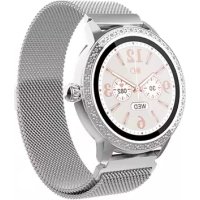
SW360S - Smartwatch DENVER - Free user manual and instructions
Find the device manual for free SW360S DENVER in PDF.



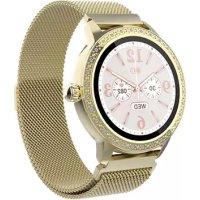
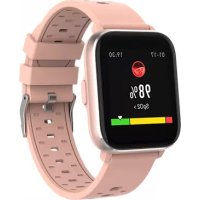
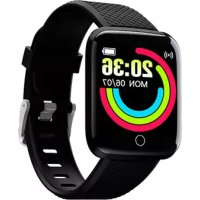
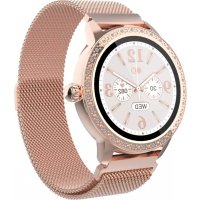
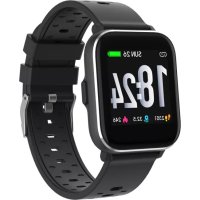
| Product type | Smartwatch |
| Brand | Denver |
| Model | SW360S |
| Screen | Color touch |
| Battery | Rechargeable lithium polymer |
| Charging time | Approximately 2 hours |
| Compatibility | iOS 10.0+ and Android 5.0+ |
| Connectivity | Bluetooth |
| Heart rate sensor | Yes |
| Sleep monitor | Yes (automatic from 9 PM to 9 AM) |
| Sport modes | Multiple |
| Alarm | Yes (adjustable on watch and app) |
| Weather | Yes (via connected app) |
| Music control | Yes (BT Music) |
| Remote camera | Yes |
| Sedentary reminder | Yes (configurable) |
| Timer | Yes |
| Menstrual tracking | Yes |
| Temperature range | 0°C to 40°C |
| Operating frequency | 2.402-2.480 GHz |
| Maximum output power | 2.22 dBm |
| Maintenance and cleaning | Clean with a soft, dry cloth. Avoid moisture. |
| Safety | Do not open, do not expose to extreme temperatures. Contains a lithium polymer battery. |
| Spare parts and repairability | No user-serviceable parts. Contact customer service for any repairs. |
Frequently Asked Questions - SW360S DENVER
User questions about SW360S DENVER
0 question about this device. Answer the ones you know or ask your own.
Ask a new question about this device
Download the instructions for your Smartwatch in PDF format for free! Find your manual SW360S - DENVER and take your electronic device back in hand. On this page are published all the documents necessary for the use of your device. SW360S by DENVER.
USER MANUAL SW360S DENVER
natural_image
Abstract geometric logo with a stylized letter 'D' inside a hexagonal shape (no text or symbols)denver
SW-360 SMARTWATCH
natural_image
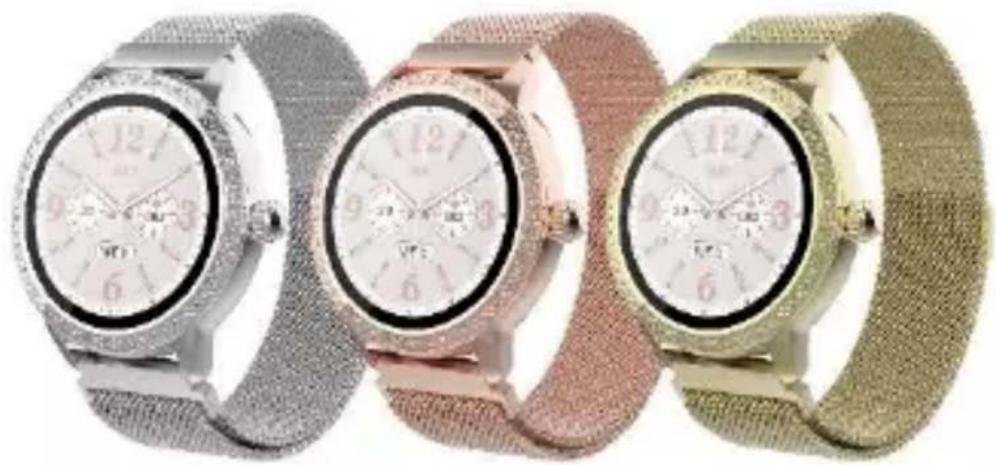
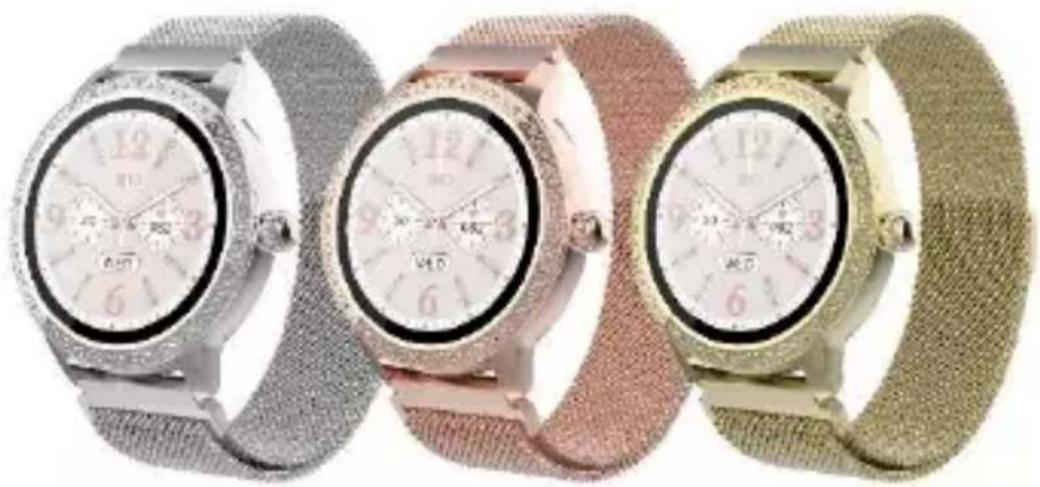
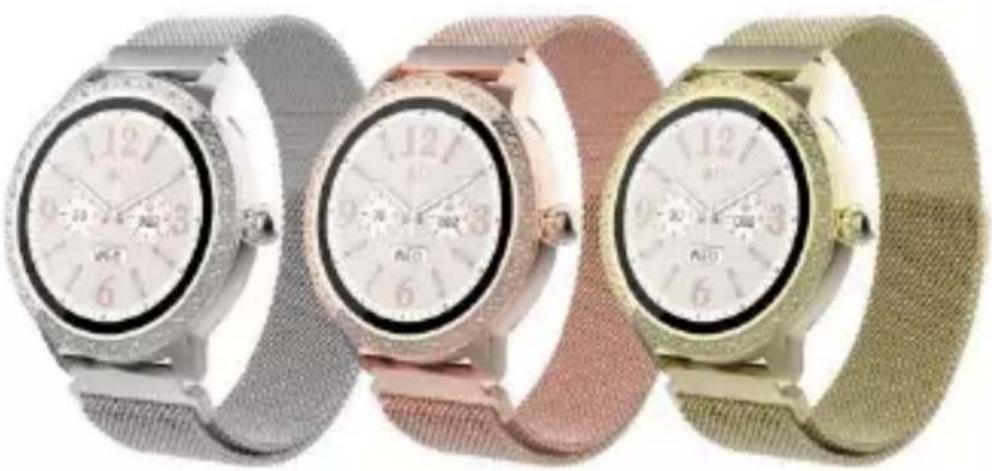
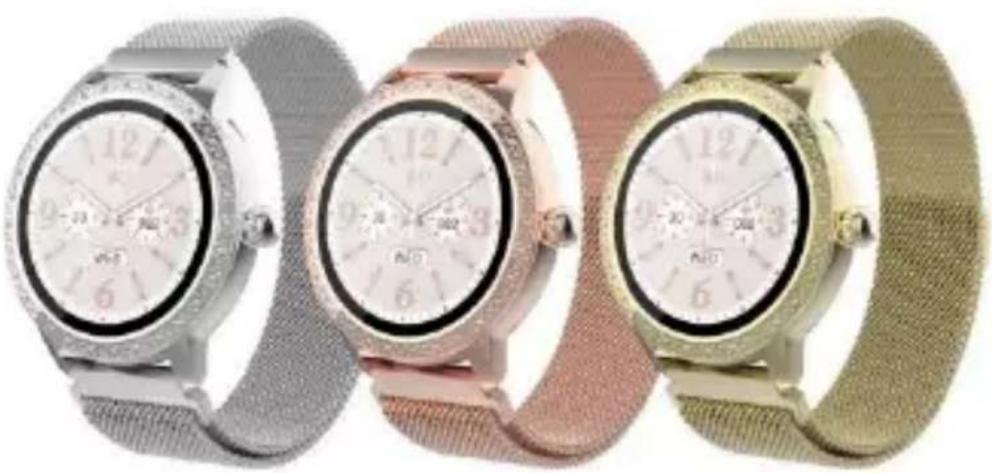
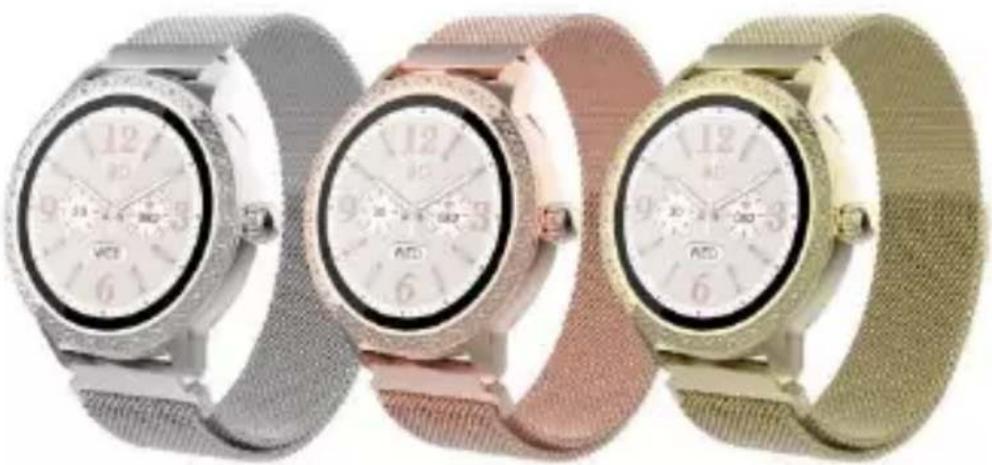
Three luxury wristwatches in different colors and designs, displayed side by side (no visible text or symbols)www.denver.com
www.facebook.com/denver.eu
ENGLISH
If the user manual is not printed in your local language, then please visit our website to see if it is available online for the device you have. Our website address is:
www.denver.eu
Safety information
Please read the safety instructions carefully before using the product for the first time and keep the instructions for future reference.
- This product is not a toy. Keep it out of reach of children.
- Warning: This product includes lithium polymer battery.
- Keep product out of the reach of children and pets to avoid chewing and swallowing.
- Product operating and storage temperature is from 0 degree Celsius to 40 degree Celsius. Under and over this temperature might affect the function.
-
Never open the product. Touching the inside electrics can cause electric shock. Repairs or service should only be performed by qualified personnel.
-
Please remove the Smart watch in case of any leakage or excessive heat from the product to avoid burns or rash.
-
Using other accessories than the ones delivered with the product can cause abnormal functionality.
1. In the box
- 1 x Smartwatch
- 1 x Charging Cable
- 1 x User's Guide
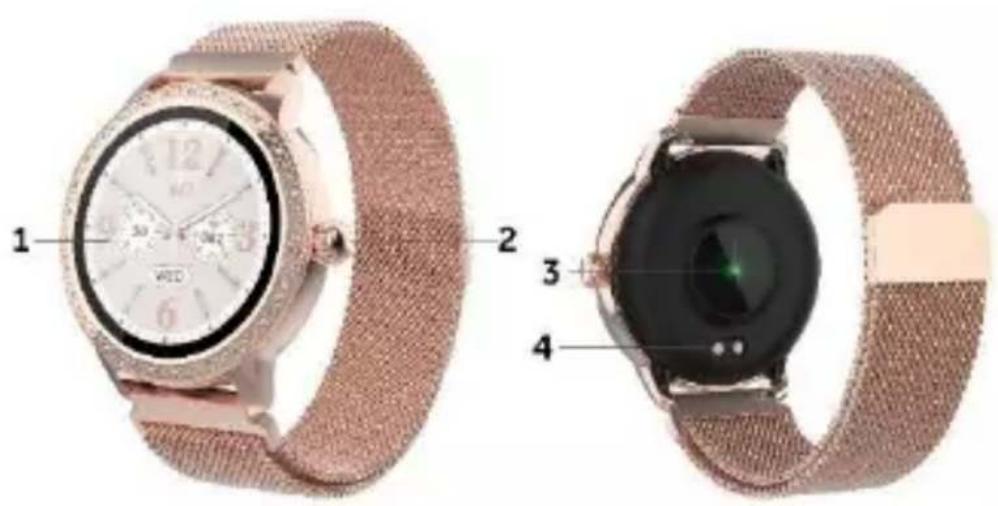
2. Front and Back View
1) Touch screen: shows watch data, swipe or touch the screen to select the functions
2) Side button: press and hold the side button to power on, press to return to clock face or turn the display off/on
3) Heart rate sensor
4) Charging contacts
3. Charging Your Smartwatch
1) Before using your smartwatch for the first time, please make sure it is fully charged.
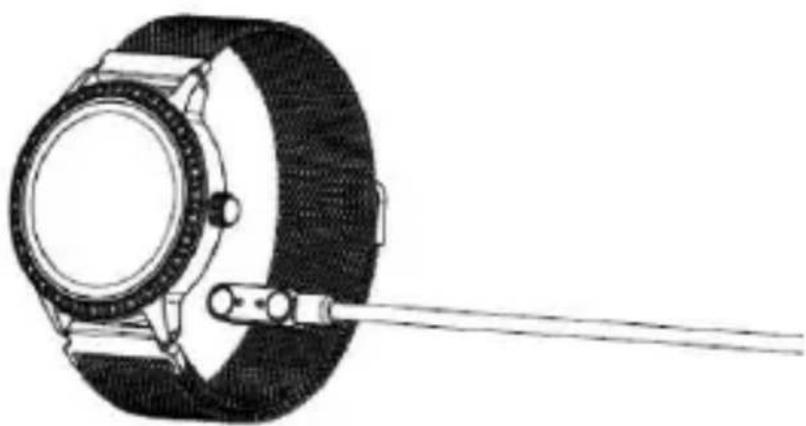
2) The smartwatch will take approximately 2 hours to fully charge. Once a power charger is connected, the smartwatch will charge automatically.
3) Make sure the charging pins on the charging cable fit correctly onto the charging contacts at the back of your Smartwatch, then connect the other end to a power source.
natural_image
Line drawing of a wristwatch with a strap and cable attachment (no text or symbols)4. Install, Connect or Disconnect the App
1) Before downloading the “Denver Smart Life Plus” app, please make sure that it is compatible with your smartphone. The app works with iOS 10.0 or above and Android 5.0 or above.
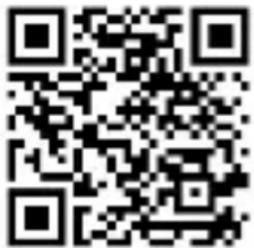
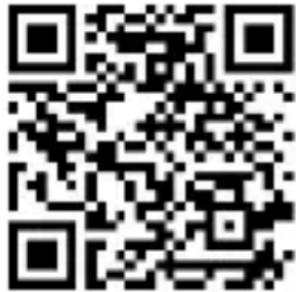
2) Search for the “Denver Smart Life Plus” app in the Apple Store or Google Play or scan the following QR code to install.
3) Turn on Bluetooth on your smartphone, open the “Denver Smart Life Plus” app and set your profile. Then tap “Connect Smartwatch” in settings and choose your smartwatch to connect.
4) To disconnect your smartwatch, please go to the app settings and tap “Disconnect Smartwatch”.
For iPhone, you also need to go to “Bluetooth” in your iPhone Settings to “Forget This Device”.
5. Use Instructions
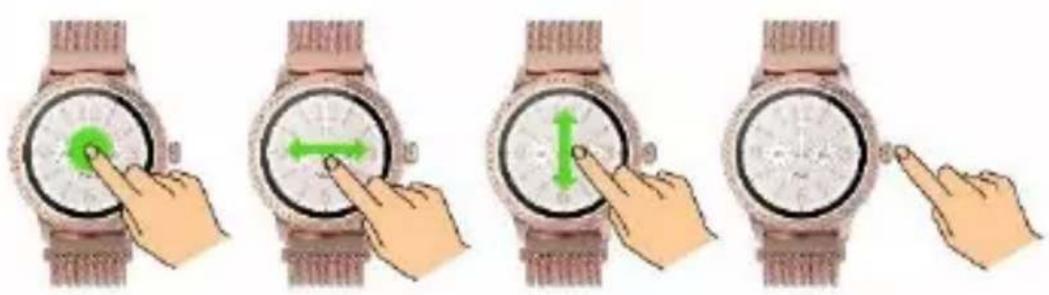
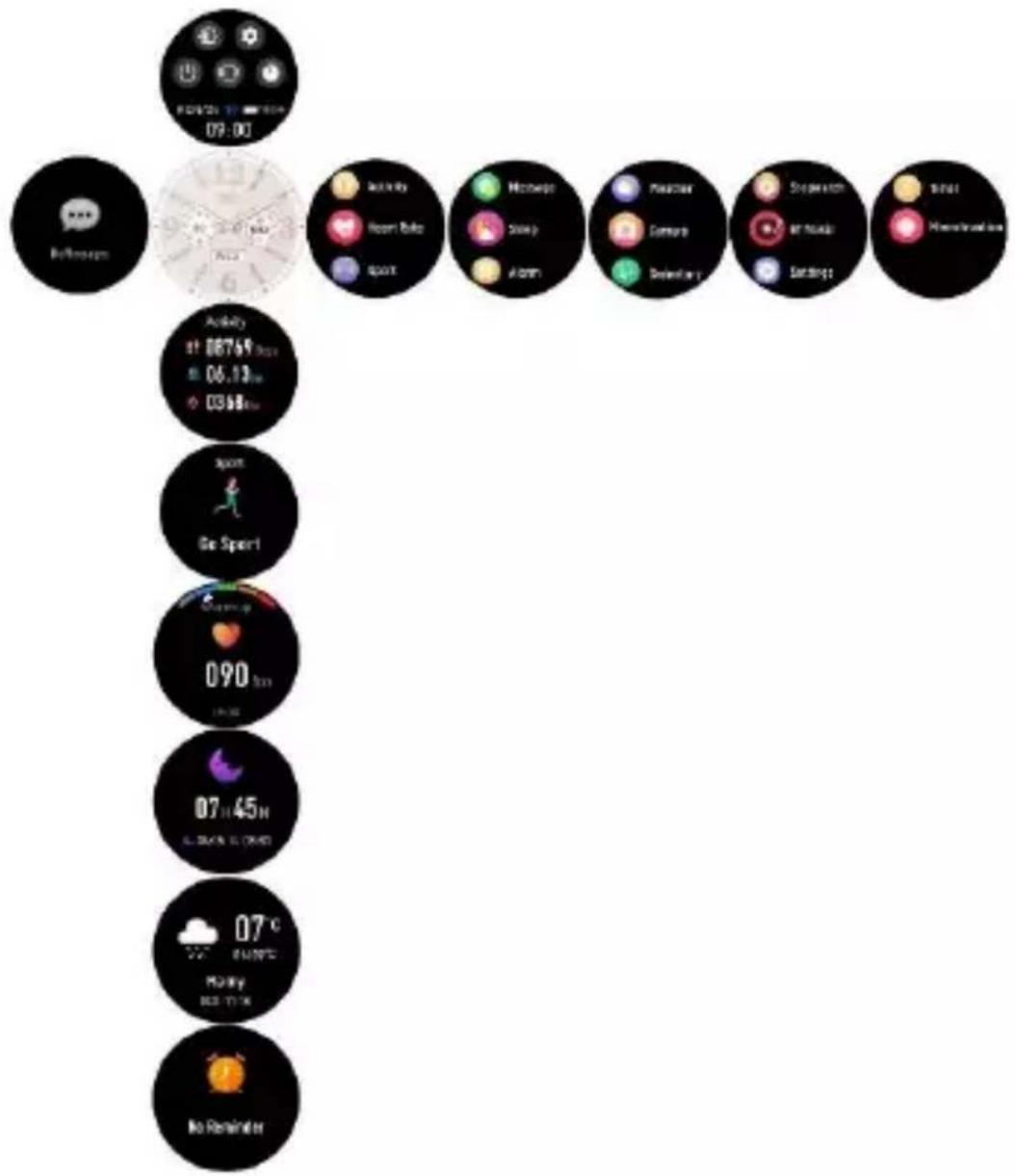
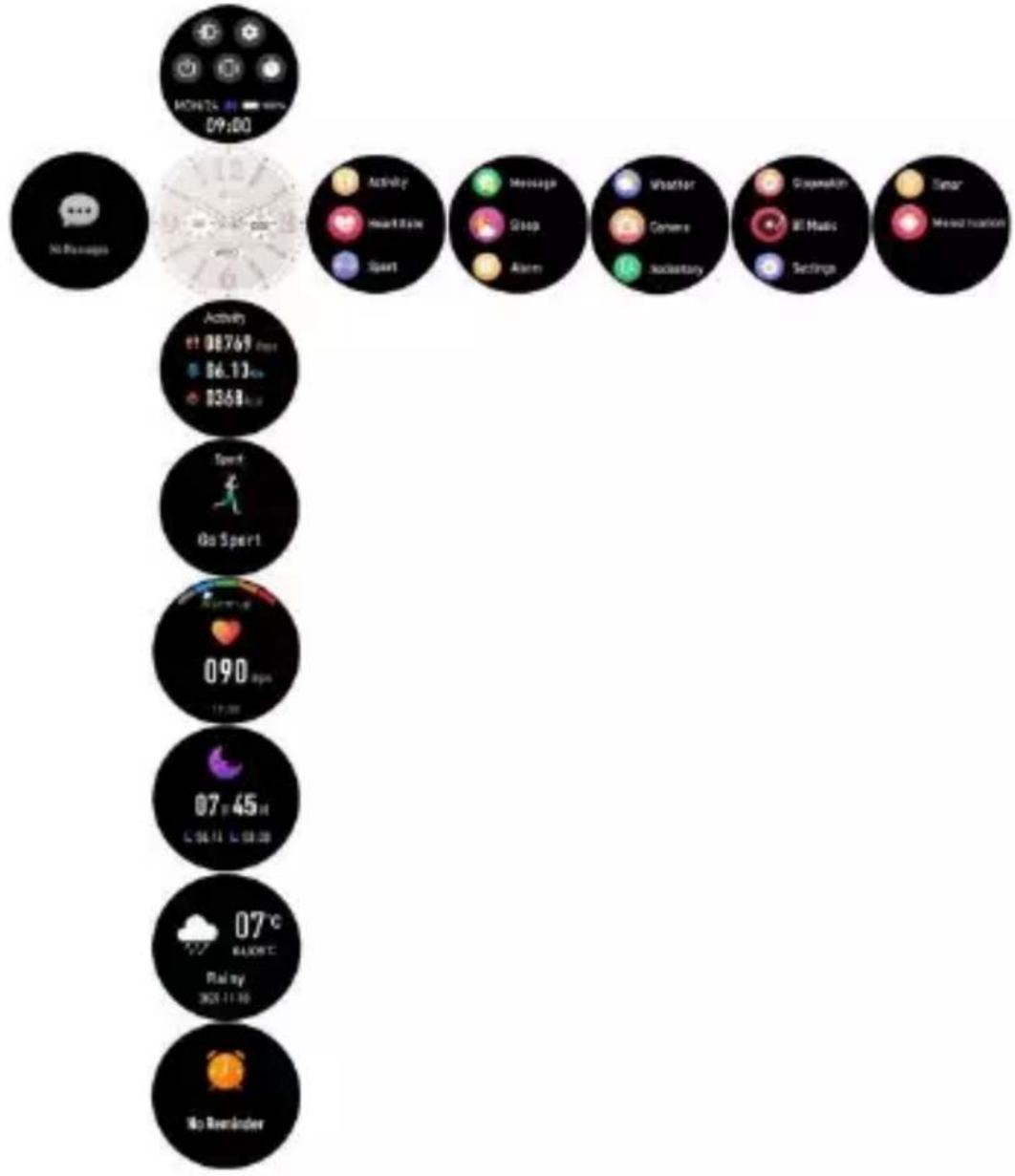
Press and hold the side button for 3 seconds to turn on your smartwatch. Swipe up/down or left/right to see more options.
natural_image
Four sequential illustrations of a wristwatch with hand gestures indicating finger movement (no text or symbols)- Main Menu
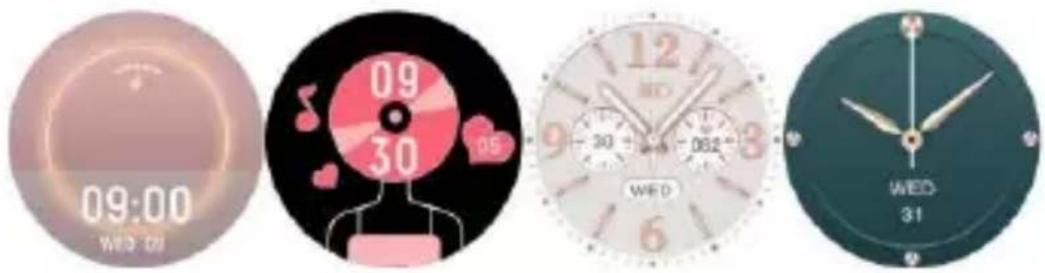
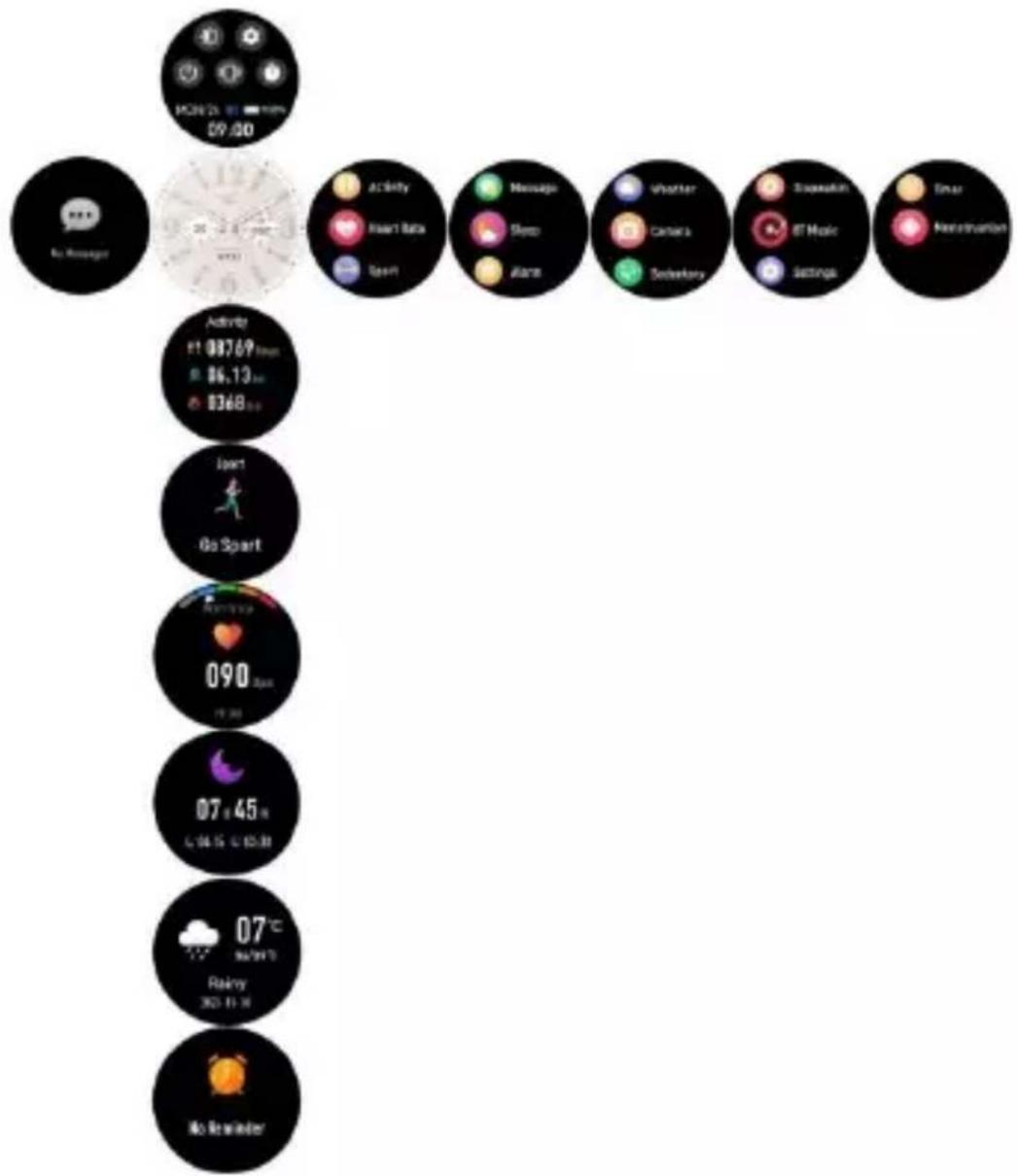
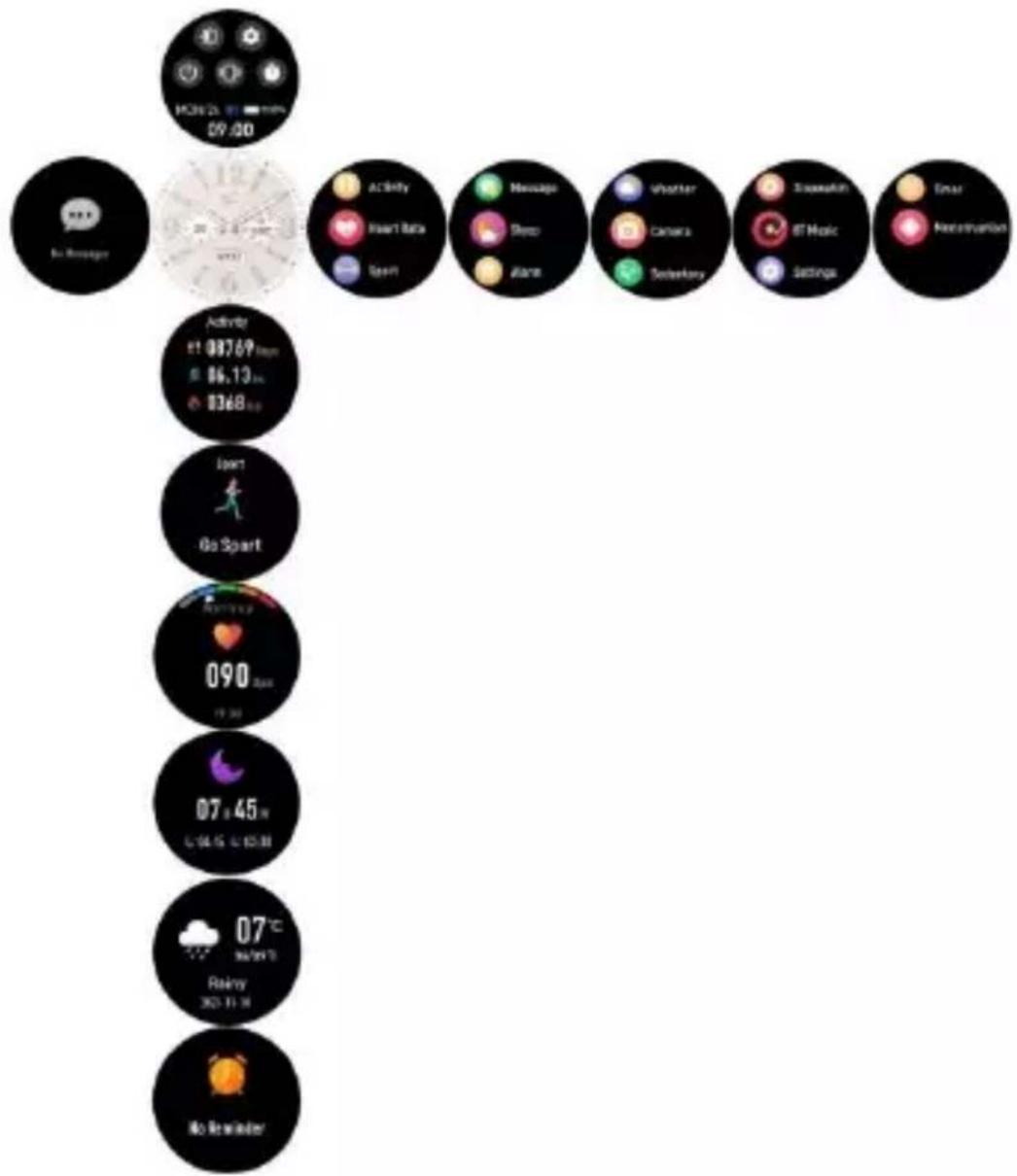
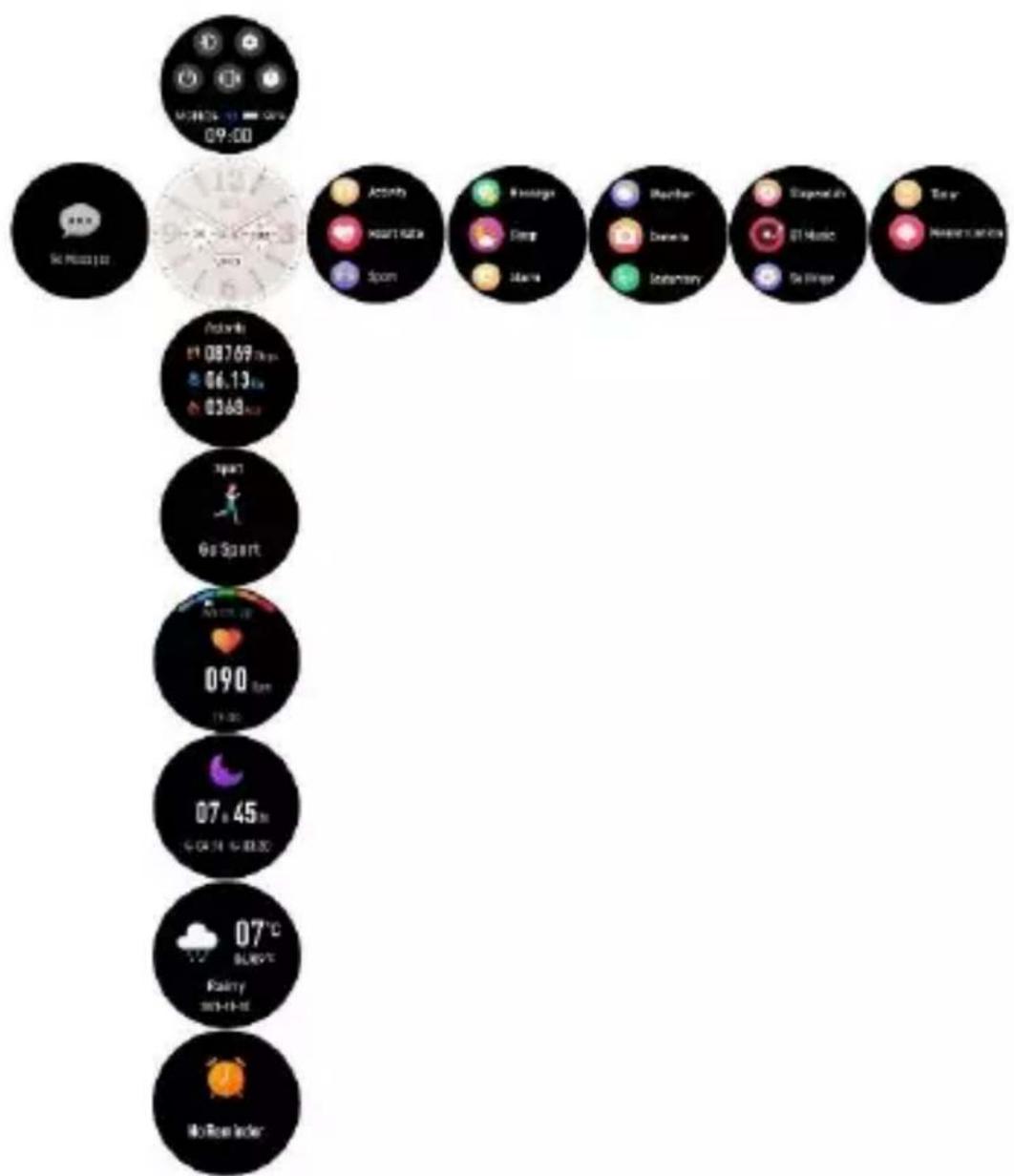
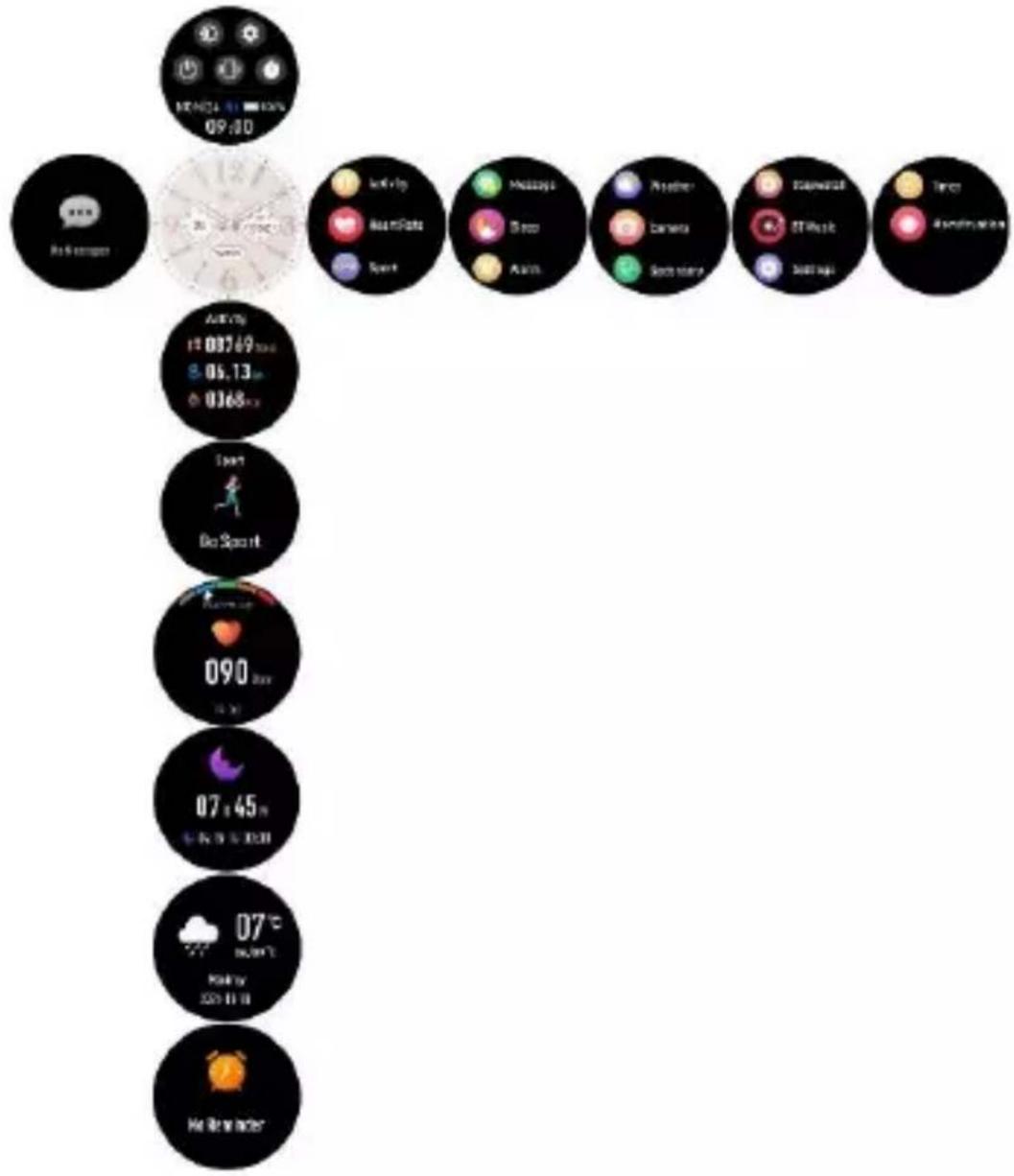
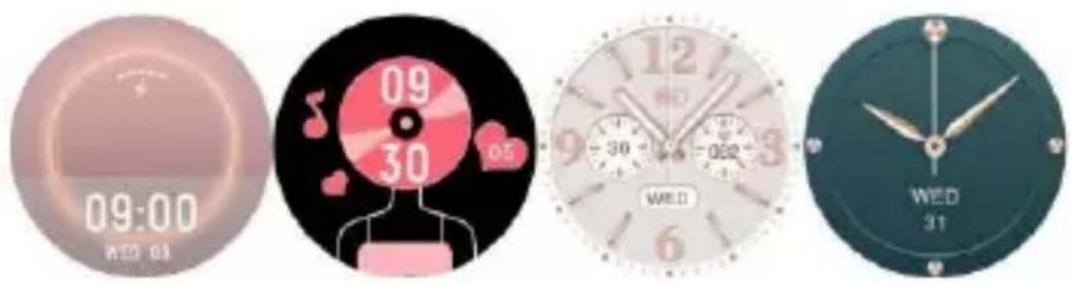
6.1 After turning on the smartwatch, the clock face is displayed. Press and hold and swipe left and right to choose a different clock face.
ENG-7
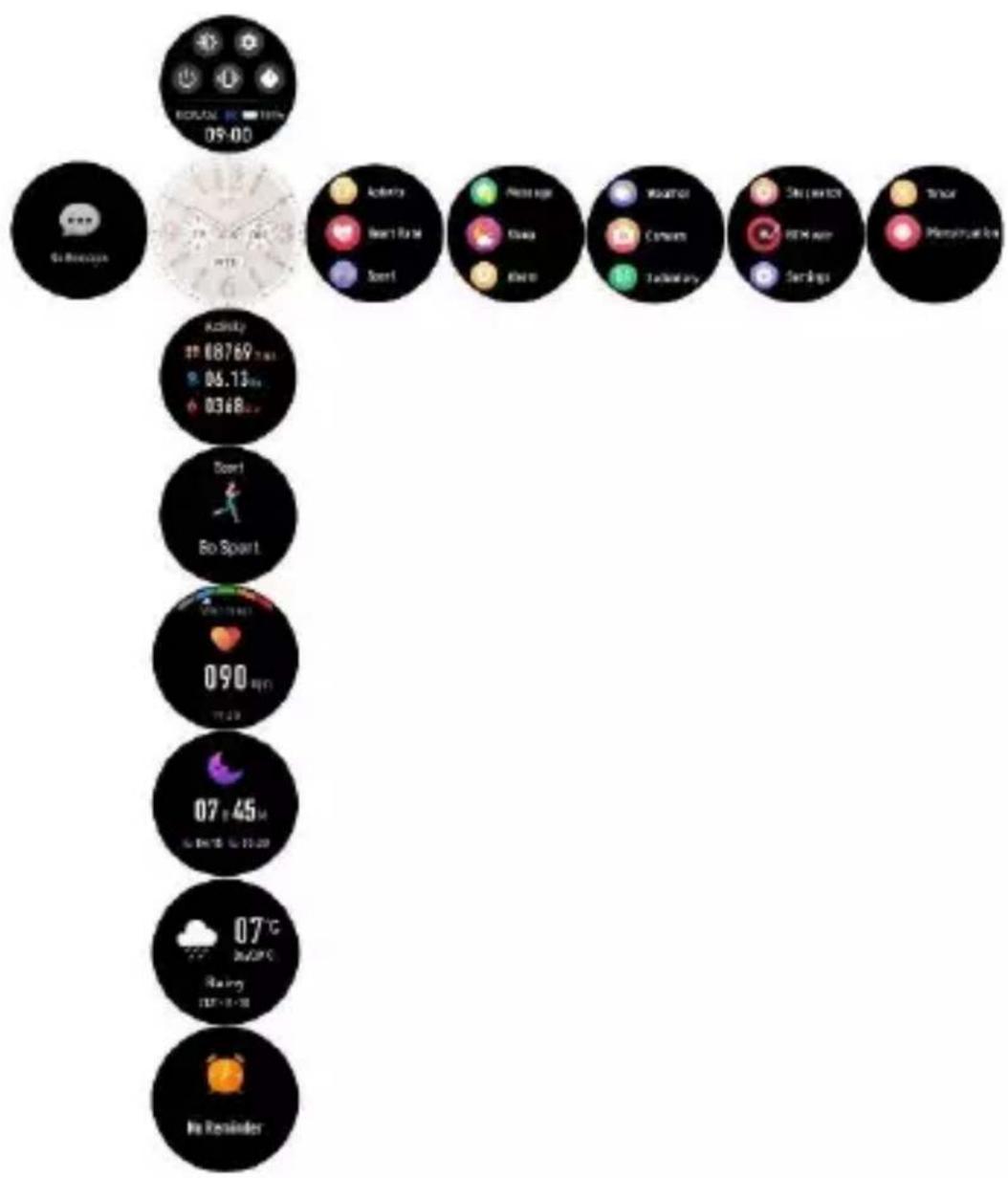
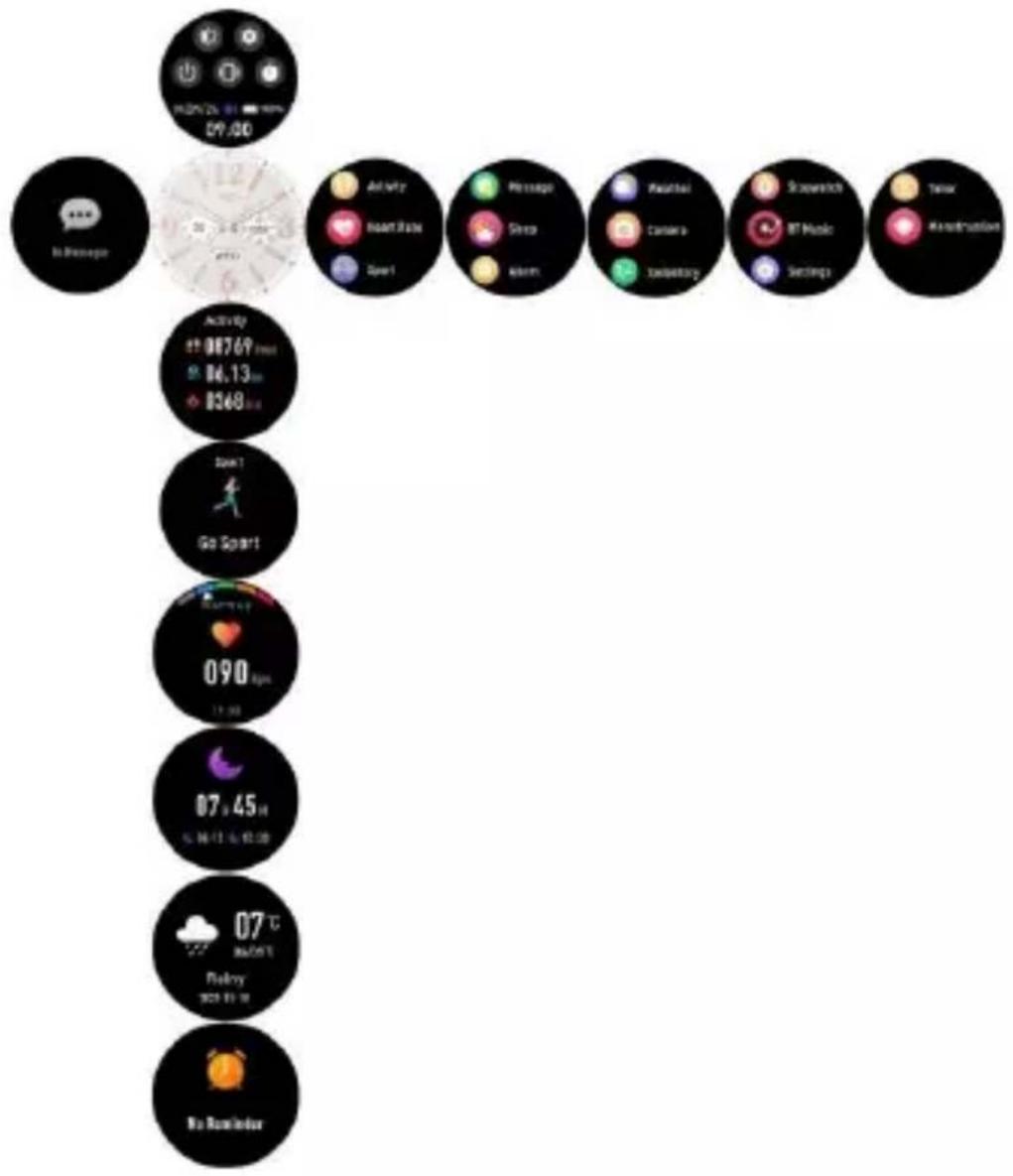
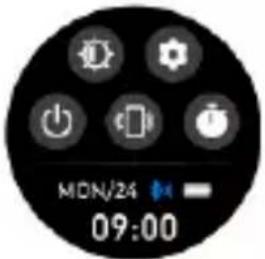
6.2 Shortcuts
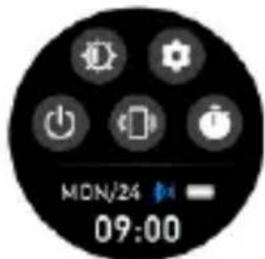
Screen brightness; tap the brightness icon to adjust (+/-) the screen brightness.
Settings.
Find phone; to find your smartphone.
Switch off your smartwatch.
Stopwatch.
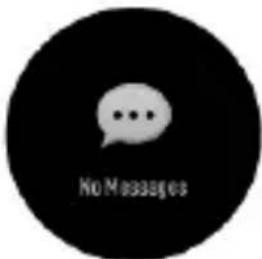
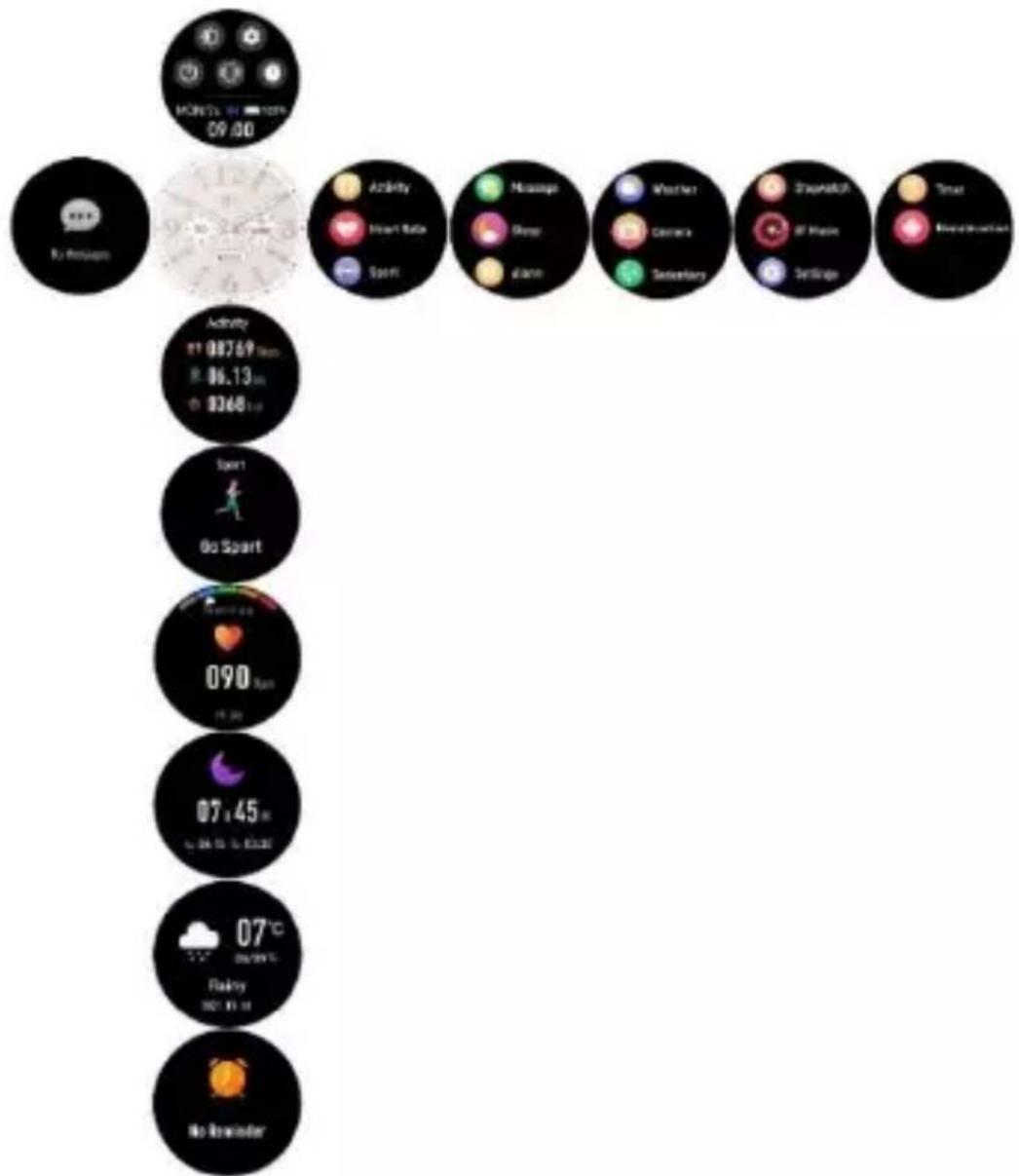
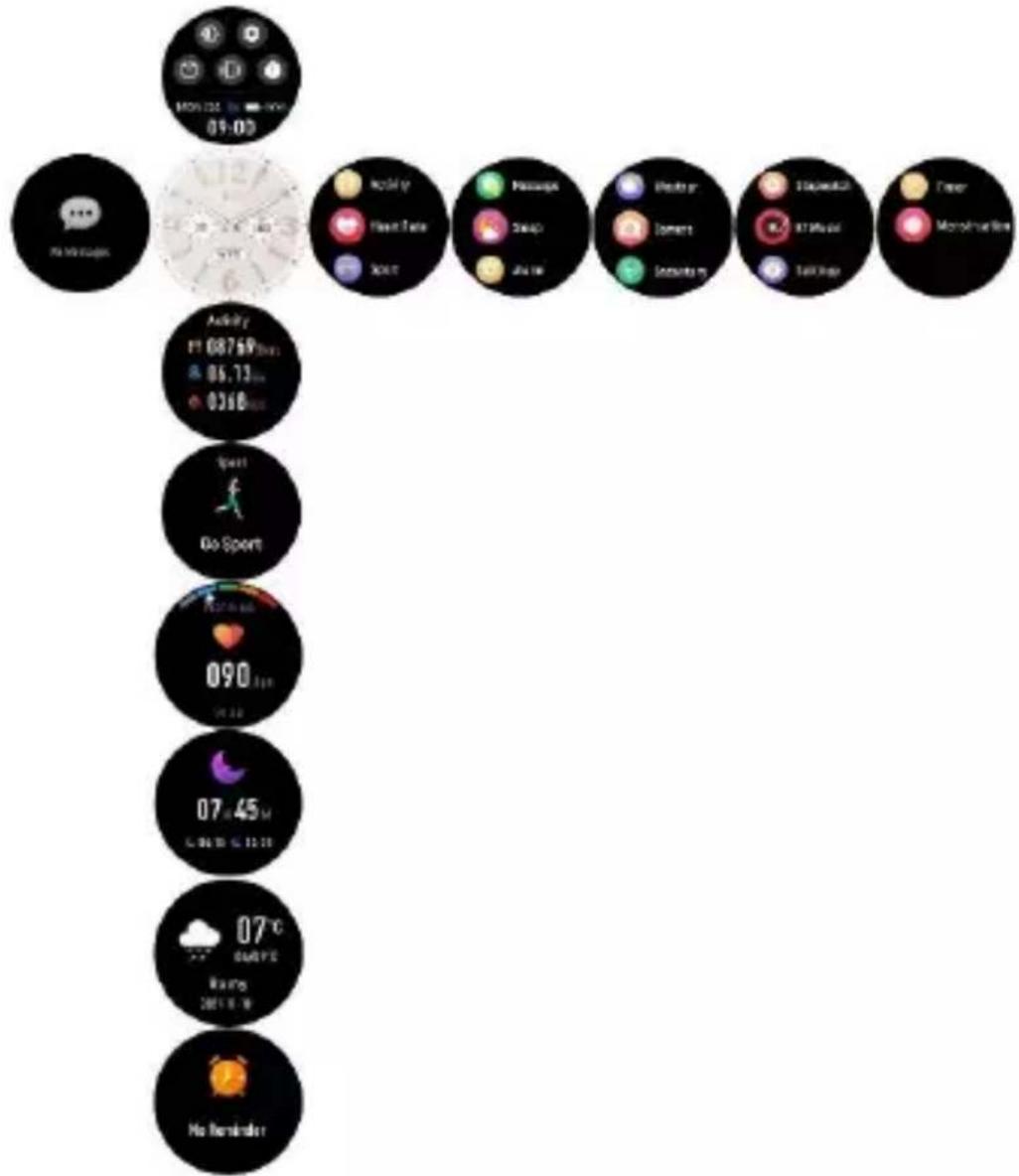
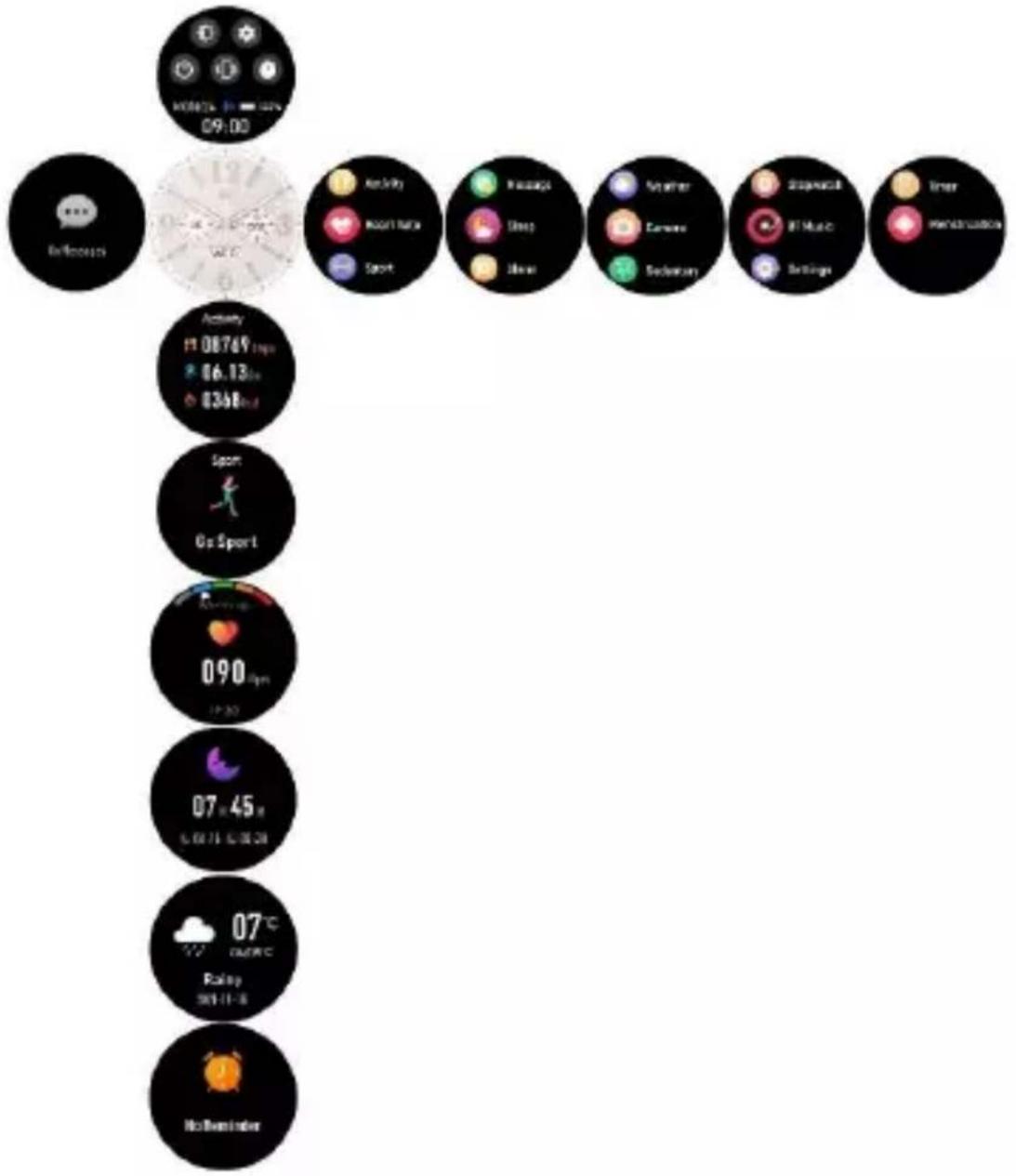
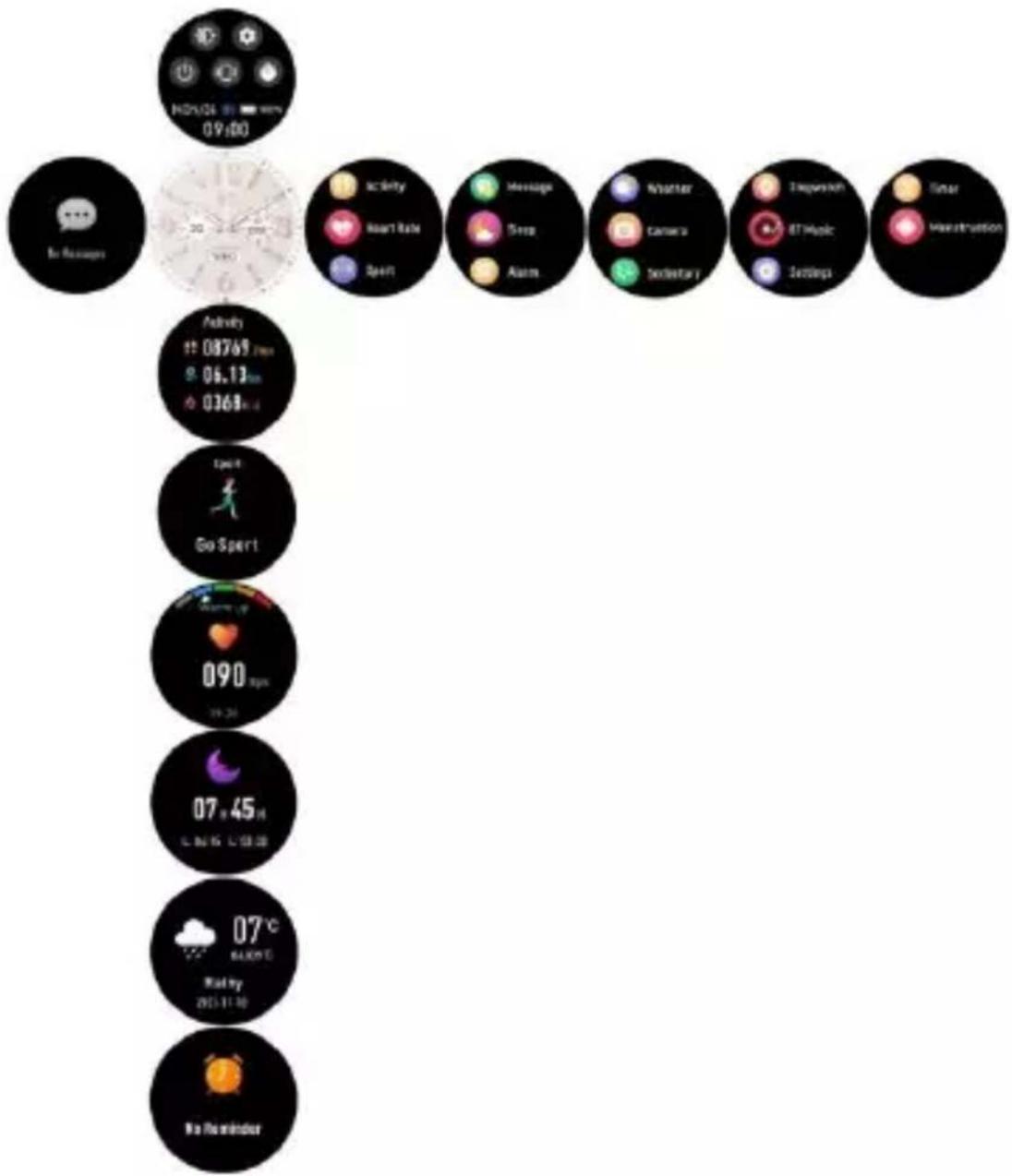
6.3 Messages: Slide from left to right on the clock face for checking your phone calls, SMS, QQ, WeChat, WhatsApp, Facebook and Twitter notifications, etc. The messages will be automatically deleted after you read them.
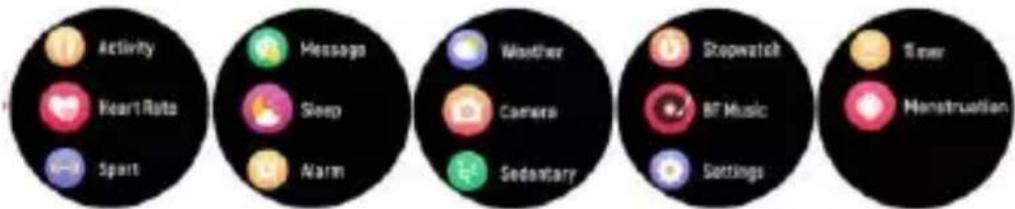
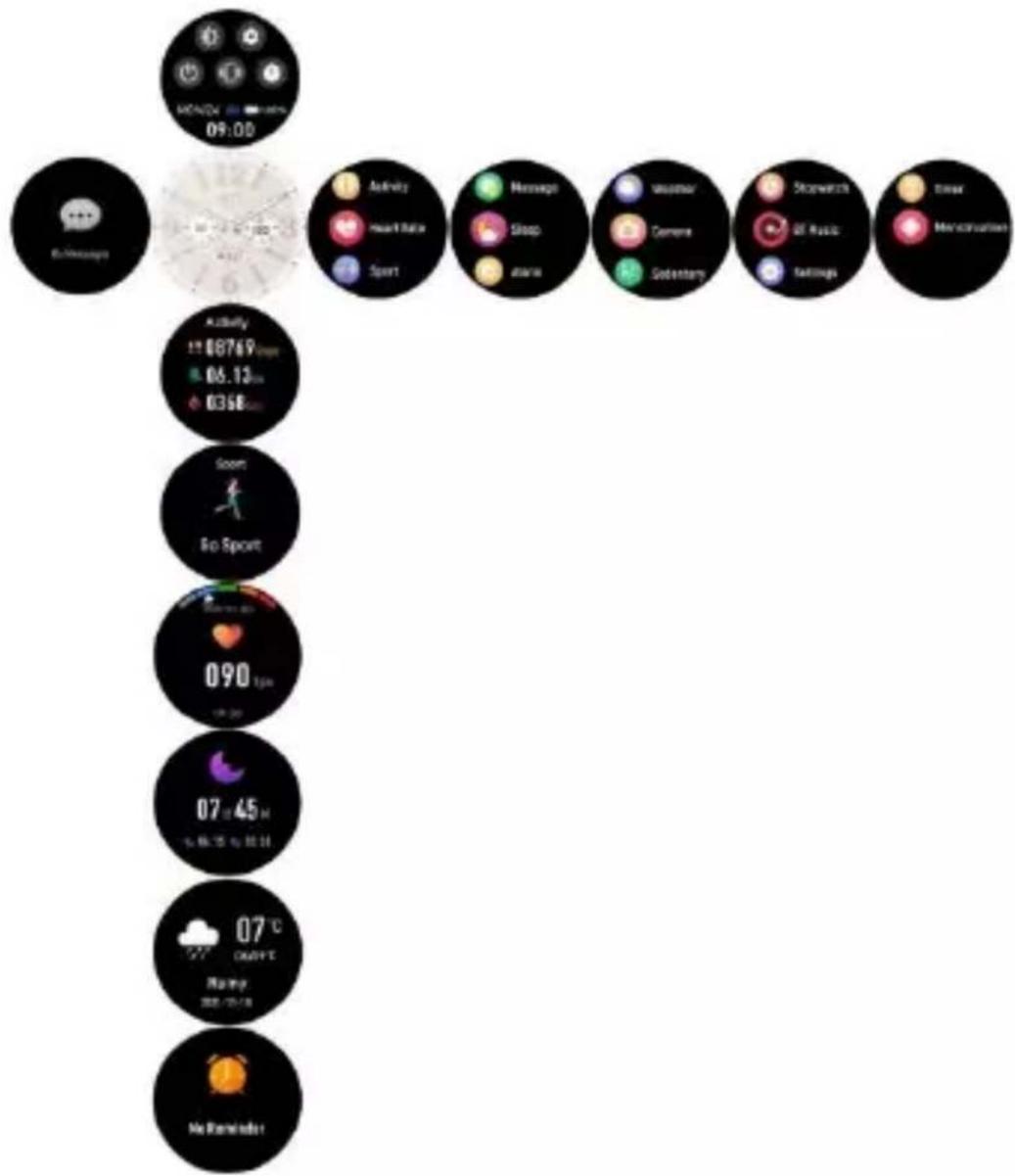
6.4 When the clock face is displayed, slide to the left to enter and view all menus.
Tap the icon to enter in the sub menu. Slide from left to right to return to the previous menu.
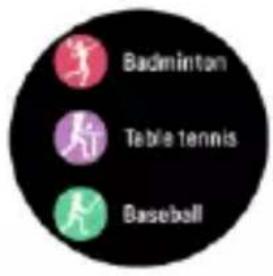
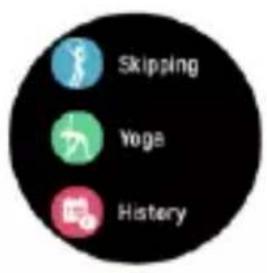
6.5 Sport: Tap the icon to enter the multiple sport modes. If you want to exit the sport menus, slide from left to right on the screen and tap the “” icon to finish your sport and save the sport data.
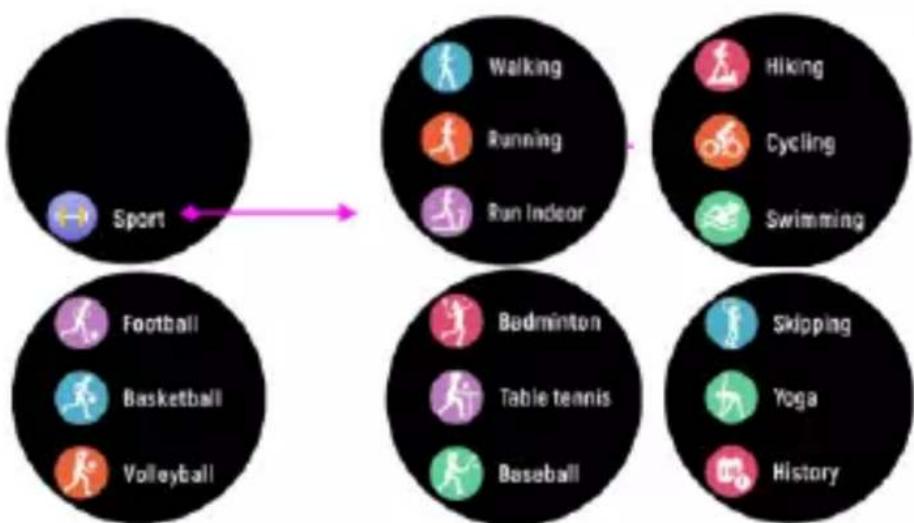
flowchart
graph LR
    A["Sport"] --> B["Walking"]
    A --> C["Running"]
    A --> D["Run Indoor"]
    E["Football"] --> F["Basketball"]
    E --> G["Volleyball"]
    H["Walking"] --> I["Running"]
    H --> J["Run Indoor"]
    K["Hiking"] --> L["Cycling"]
    K --> M["Swimming"]
    N["Football"] --> O["Table tennis"]
    N --> P["Baseball"]
    Q["Badminton"] --> R["Skipping"]
    Q --> S["Yoga"]
    T["History"] --> U["Skipping"]
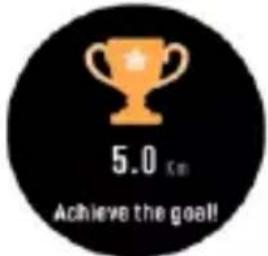
A reminder will pop up if your sport data has achieved your set goal. Too
little data will not be saved.
6.6 Heart rate monitor, tap the icon to monitor your current heart rate. To exit the heart rate monitor, slide from left to right on the screen.

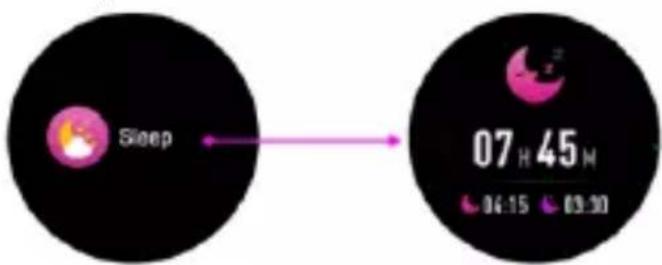
6.7 Sleep monitor, monitor your sleep between 9:00 p.m. and 9:00 a.m. automatically. When you get up the next day, the smartwatch will display your sleep report about the time of total sleep, light sleep and deep sleep.
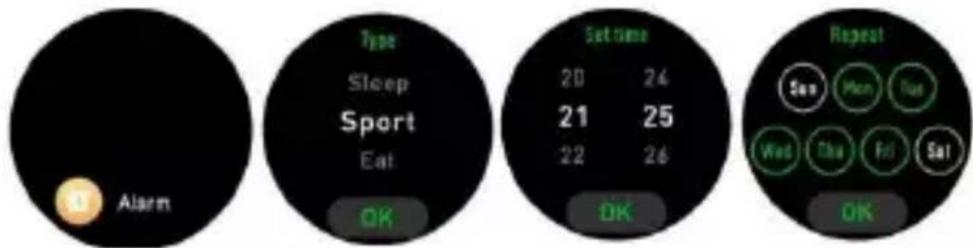
6.8 Alarm, you can set reminders in both the “Denver Smart Life Plus” app and the smartwatch itself. When the alarm time arrives, the alarm icon is animated and the smartwatch will vibrate.
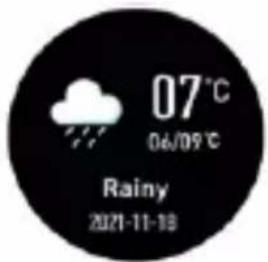
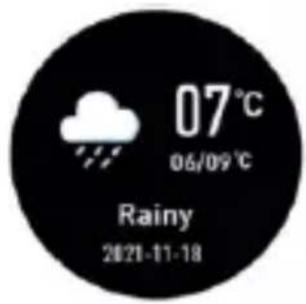
6.9 Weather, the smartwatch will display the weather when the connection with the app is established.
6.10 Camera, open the “Denver Smart Life Plus” app and then tap the camera icon on your smartwatch, you can take pictures remotely from your smart watch.
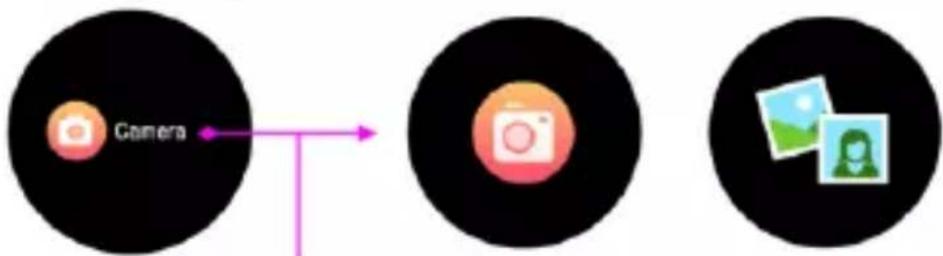
flowchart
graph LR
    A["Camera"] --> B["Camera Icon"]
    B --> C["Image Pair Image Icon"]
ENG-11
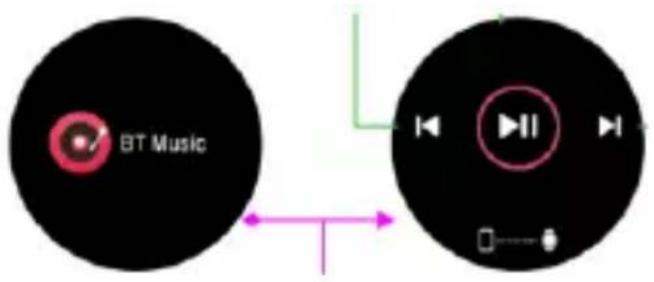
6.11 BT Music, tap the icon to control the music on your phone. You can select the previous/next song, and play/pause music. To exit music playback control, slide from left to right on the screen.
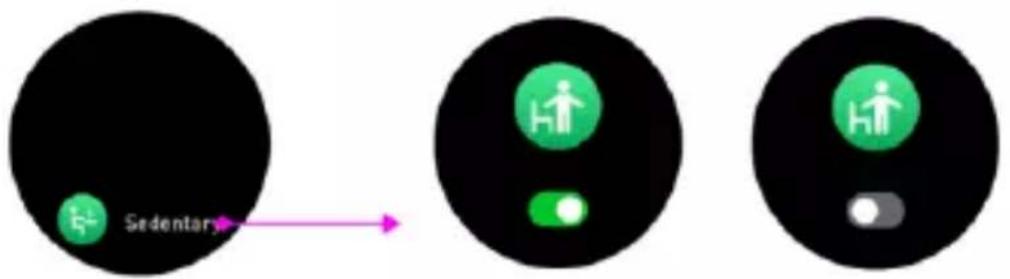
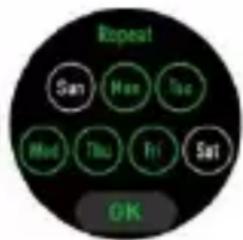
6.12 Sedentary, set the time interval (minutes), start time and end time in the app. You can turn on or off the sedentary reminder on your watch. Slide from left to right on the screen to exit.
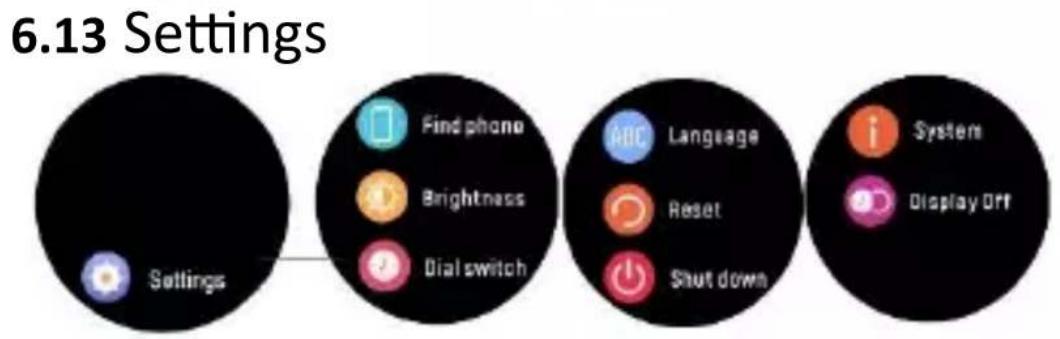
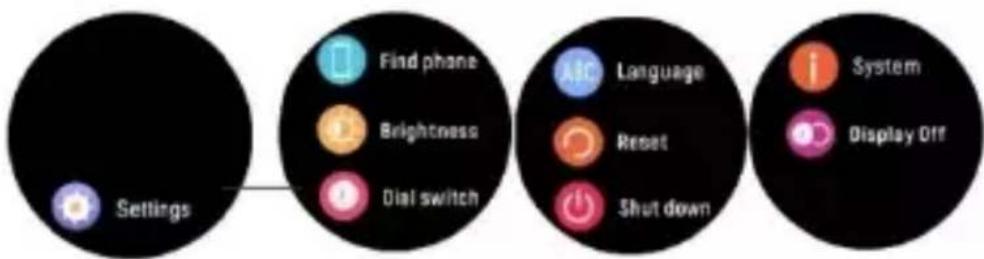
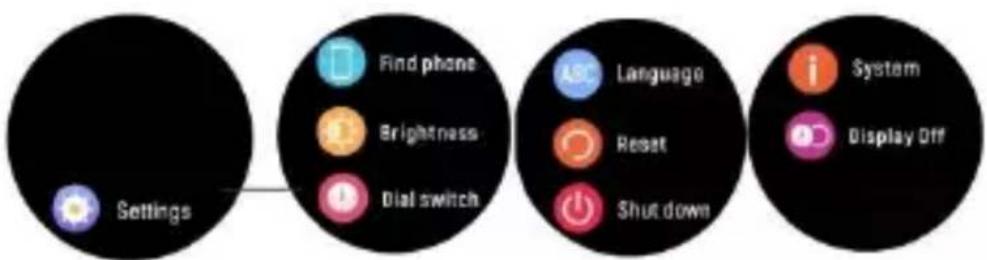
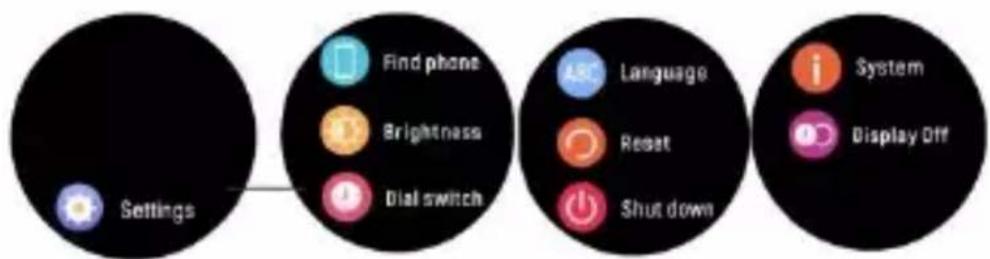
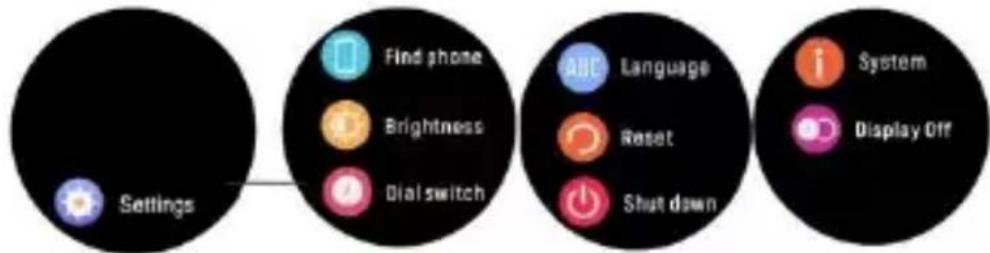
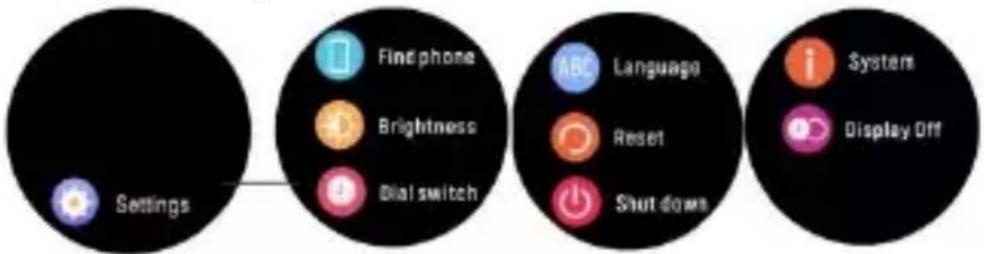
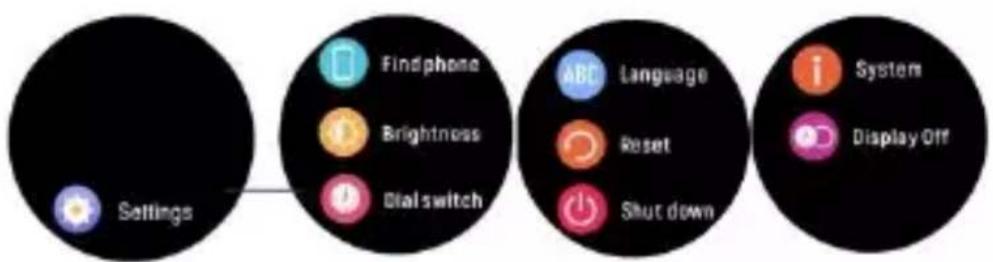
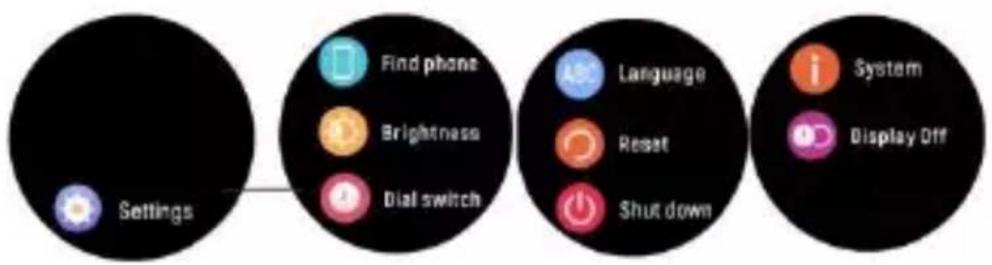
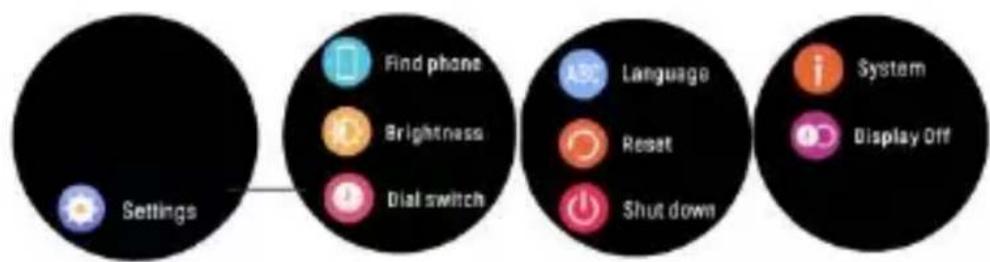
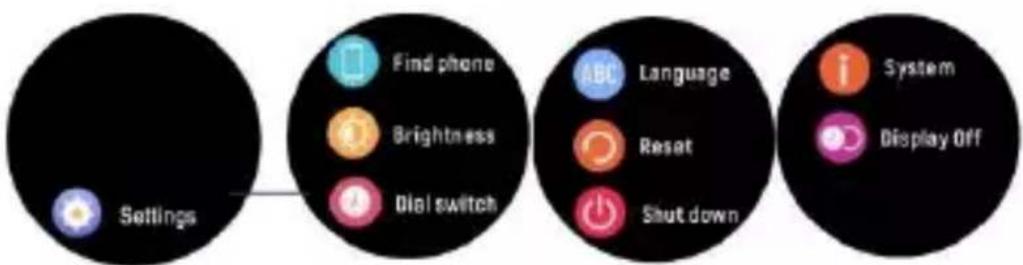
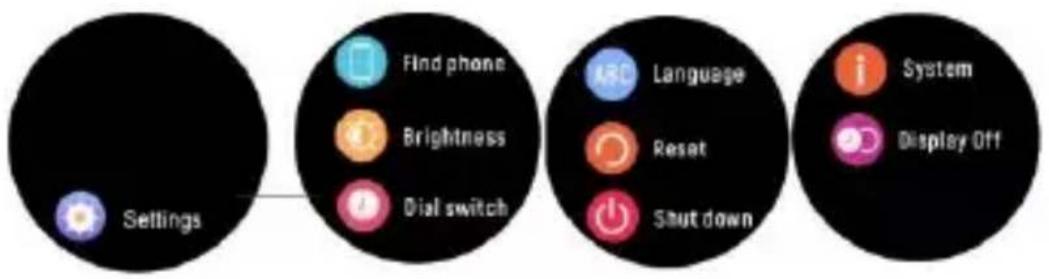
Find phone, find your smartphone.
Brightness, tap the brightness icon to adjust (+/-) the screen brightness.
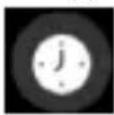
Dial switch, swipe left and right to choose a different clock face.
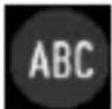
Language, set the display language of your watch.
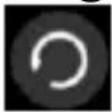
Reset, all data on the watch will be cleared.
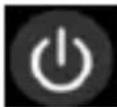
Shut down.
System, to find the MAC address, name, and software version of your smartwatch.
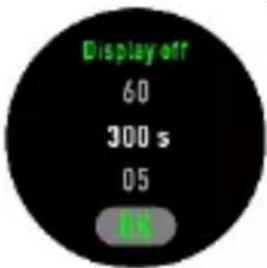
Display off, choose the display duration up to 300s.
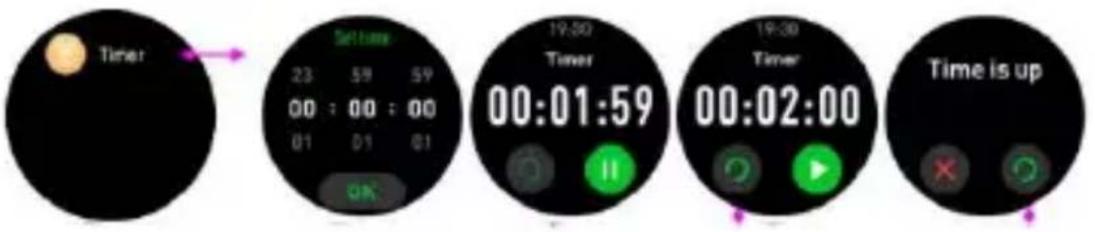
6.14 Timer
6.15 Menstruation
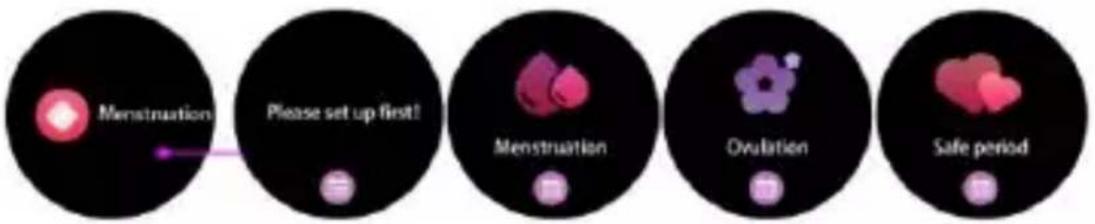
flowchart
graph LR
    A["Menstruation"] --> B["Please set up first!"]
    B --> C["Menstruation"]
    C --> D["Ovulation"]
    D --> E["Safe period"]
Please notice - All products are subject to change without any notice. We take reservations for errors and omissions in the manual.
ALL RIGHTS RESERVED, COPYRIGHT DENVER A/S

denver.eu
Electric and electronic equipment and included batteries contains materials, components and substances that can be hazardous to your health and the environment, if the waste material (discarded electric and electronic equipment and batteries) is not handled correctly.
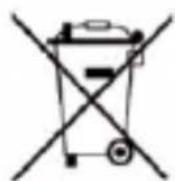
Electric and electronic equipment and batteries is marked with the crossed out trash can symbol, seen above. This symbol signifies that electric and electronic equipment and batteries should not be disposed of with other household waste, but should be disposed of separately.
As the end user it is important that you submit your used batteries to the appropriate and designated facility. In this manner you make sure that the batteries are recycled in accordance with legislature and will not harm the environment.
All cities have established collection points, where electric and electronic equipment and batteries can either be submitted free of charge at recycling stations and other collection sites, or be collected from the households. Additional
information is available at the technical department of your city.
Hereby, Denver A/S declares that the radio equipment type SW-360 is in compliance with Directive 2014/53/EU. The full text of the EU declaration of conformity is available at the following internet address:
denver.eu and then click the search ICON on topline of website. Write model number: SW-360. Now enter product page, and RED directive is found under downloads/other downloads.
Operating Frequency Range:
2.402\~2.480 GHz
Max Output Power: 2.22 dBm
DENVER A/S
Omega 5A, Soeften
DK-8382 Hinnerup
Denmark
www.facebook.com/denver.eu
denver
SW-360 SMARTWATCH
natural_image
Three luxury wristwatches in different colors and designs, displayed side by side (no visible text or symbols)natural_image
Line drawing of a wristwatch with a strap and cable attachment (no text or symbols)natural_image
Illustration of four steps of a hand interacting with a wristwatch, showing finger movement and directional arrows (no text or symbols)6. Hauptmenü
flowchart
graph LR
    A["Sport"] --> B["Walking"]
    A --> C["Running"]
    A --> D["Run Indoor"]
    A --> E["Hiking"]
    A --> F["Cycling"]
    A --> G["Swimming"]
    A --> H["Football"]
    A --> I["Basketball"]
    A --> J["Volleyball"]
    A --> K["Badminton"]
    A --> L["Table tennis"]
    A --> M["Baseball"]
    A --> N["Skipping"]
    A --> O["V Yoga"]
    A --> P["History"]
flowchart
graph LR
    A["Camera"] --> B["Image Source 1"]
    C["Image Source 2"] --> D["Image Source 3"]
flowchart
graph LR
    A["Sedestary"] --> B["Human Figure"]
    B --> C["Human Figure with Light Arrow"]
    C --> D["Human Figure with Light Arrow"]
6.12 Einstellungen
natural_image
Abstract geometric logo with a stylized letter 'D' inside a hexagonal shape (no text or symbols)denver
SW-360 SMARTUR
natural_image
Three luxury wristwatches in different colors and designs, displayed on a patterned strap (no visible text or symbols)natural_image
Line drawing of a wristwatch with a strap and cable attachment (no text or symbols)4. Installation, tilslutning og frakobling af appen
-
Inden du downloader appen "Denver Smart Life Plus", skal du sikre dig, at den er kompatibel med din smartphone. Appen fungerer med iOS 10.0 eller nyere og Android 5.0 eller nyere.
-
Søg efter appen "Denver Smart Life Plus" i Apple Store eller Google Play, eller scan følgende QR-kode for at installere.
natural_image
Four-panel illustration showing a hand interacting with a wristwatch, displaying the left face and right side of the dial (no text or symbols present)6. Hovedmenu
flowchart
graph TD
    A["Sport"] --> B["Walking"]
    A --> C["Running"]
    A --> D["Run Indoor"]
    E["Football"] --> F["Basketball"]
    E --> G["Volleyball"]
    H["Walking"] --> I["Cycling"]
    H --> J["Swimming"]
    K["Badminton"] --> L["Table tennis"]
    K --> M["Baseball"]
    N["Skipping"] --> O["Yoga"]
    N --> P["History"]
DEN-9
flowchart
graph LR
    A["Camera"] --> B["Camera Icon"]
    B --> C["Photo Icon"]
    C --> D["Image Icon"]
flowchart
graph LR
    A["Sedestary"] --> B["User Icon"]
    B --> C["User Icon"]
6.13 Indstillinger
flowchart
graph LR
    A["Settings"] --> B["Find phone"]
    B --> C["Brightness"]
    B --> D["Dial switch"]
    E["Language"] --> F["Reset"]
    E --> G["Shutdown"]
    H["System"] --> I["Display Off"]
natural_image
Abstract geometric logo with a stylized letter 'D' inside a hexagonal shape (no text or symbols)denver
SW-360 SMARTWATCH
natural_image
Three luxury wristwatches in different colors and designs, displayed side by side (no visible text or symbols)NED-3
3. Uw smartwatch opladen
natural_image
Line drawing of a wristwatch with a strap and cable attachment (no text or symbols)4. De app installeren, verbinden of loskoppelen
natural_image
Four sequential illustrations of a wristwatch with hand gestures indicating left and right motion (no text or symbols)- Hoofdmenu
flowchart
graph LR
    A["Sport"] --> B["Walking"]
    A --> C["Running"]
    A --> D["Run Indoor"]
    A --> E["Hiking"]
    A --> F["Cycling"]
    A --> G["Swimming"]
    A --> H["Football"]
    A --> I["Basketball"]
    A --> J["Volleyball"]
    A --> K["Badminton"]
    A --> L["Table 1 tennis"]
    A --> M["Baseball"]
    A --> N["Skipping"]
    A --> O["Yoga"]
    A --> P["History"]
flowchart
graph LR
    A["Camera"] --> B["Camera Icon"]
    B --> C["Photo Icon"]
flowchart
graph LR
    A["Sedestary"] --> B["User Icon"]
    B --> C["White Dot"]
6.13 Instellingen
natural_image
Three luxury wristwatches with textured soles and gold accents, displayed side by side (no visible text or symbols)FRA-3
natural_image
Line drawing of a wristwatch with a strap and cable attachment (no text or symbols)natural_image
Four illustrated frames showing a hand interacting with a wristwatch, demonstrating the step-by-step change in finger movement (no text or symbols present)6. Menu principal
flowchart
graph LR
    A["Sport"] --> B["Walking"]
    A --> C["Running"]
    A --> D["Rus Indoor"]
    A --> E["Hiking"]
    A --> F["Cycling"]
    A --> G["Swimming"]
    A --> H["Football"]
    A --> I["Basketball"]
    A --> J["Volleyball"]
    A --> K["Badminton"]
    A --> L["Table tennis"]
    A --> M["Baseball"]
    A --> N["Skipping"]
    A --> O["Yoga"]
    A --> P["History"]
flowchart
graph LR
    A["Sedentary"] --> B["Intermediate State"]
    B --> C["Final Step"]
FRA-13
6.13 Paramètres
natural_image
Three luxury wristwatches in different colors and designs, displayed side by side (no visible text or symbols)Guía de usuario
(ESPAÑOL)
ESP-3
3. Carga del smartwatch
natural_image
Line drawing of a wristwatch with a strap and cable, no text or symbols presentnatural_image
Illustration of four hand gestures on a wristwatch face, showing progressive movement with green arrows (no text or symbols)6. Menú Principal
flowchart
graph TD
    A["Sport"] --> B["Walking"]
    A --> C["Running"]
    A --> D["Run Indoor"]
    E["Football"] --> F["Basketball"]
    E --> G["Volleyball"]
    H["Walking"] --> I["Cycling"]
    H --> J["Swimming"]
    K["Badminton"] --> L["Table tennis"]
    K --> M["Baseball"]
    N["Skipping"] --> O["Yoga"]
    N --> P["History"]
flowchart
graph LR
    A["Camera"] --> B["Camera Icon"]
    B --> C["Photo Icon"]
natural_image
Three luxury wristwatches in different colors and designs, displayed side by side (no visible text or symbols)Guida utente
(ITALIANO)
ITA-3
natural_image
Line drawing of a wristwatch with a strap and cable attachment (no text or symbols)natural_image
Four-step illustration of a hand interacting with a wristwatch, showing finger movement and directional arrows (no text or symbols)6. Menu Principale
flowchart
graph LR
    A["Sport"] --> B["Walking"]
    A --> C["Running"]
    A --> D["Run Indoor"]
    B --> E["Hiking"]
    B --> F["Cycling"]
    B --> G["Swimming"]
    H["Football"] --> I["Basketball"]
    H --> J["Volleyball"]
    K["Badminton"] --> L["Table tennis"]
    K --> M["Baseball"]
    N["Skipping"] --> O["Yoga"]
    N --> P["History"]
natural_image
Three luxury wristwatches with textured designs and gold accents, displayed side by side (no visible text or symbols)natural_image
Close-up of a luxury wristwatch with a textured strap and circular dial, labeled parts 1 and 2 (no readable text or symbols beyond labels)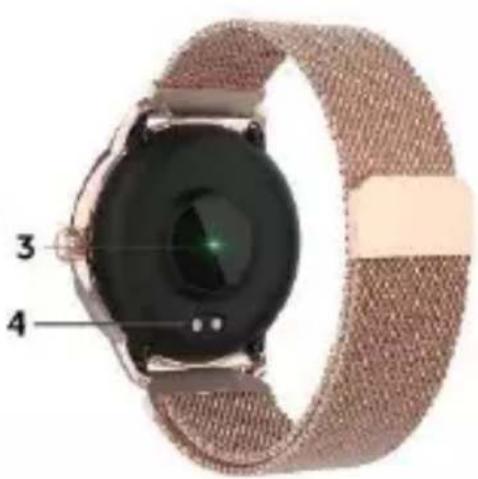
3. Carregar o Smartwatch
natural_image
Line drawing of a wristwatch with a strap and cable attachment (no text or symbols)natural_image
Four illustrated frames showing a hand interacting with a wristwatch, displaying the left face with green arrows (no text or symbols)- Menu Principal
flowchart
graph LR
    A["Sport"] --> B["Walking"]
    A --> C["Running"]
    A --> D["Run Indoor"]
    A --> E["Hiking"]
    A --> F["Cycling"]
    A --> G["Swimming"]
    A --> H["Football"]
    A --> I["Basketball"]
    A --> J["Volleyball"]
    A --> K["Badminton"]
    A --> L["Table tennis"]
    A --> M["Baseball"]
    A --> N["Skipping"]
    A --> O["Yoga"]
    A --> P["History"]
flowchart
graph LR
    A["Camera"] --> B["Camera"]
    B --> C["Photo Icon"]
POR-12
flowchart
graph LR
    A["Person with green icon"] -->|Secondary| B["Green icon with white dot"]
    B --> C["Gray icon"]
6.13 Definições
natural_image
Symbol of a trash bin crossed out by a diagonal line (no text or numbers present)
natural_image
Three luxury wristwatches in different colors and designs, displayed side by side (no visible text or symbols)Användarhandbok
(SVENSKA)
3. Laddar din smartklocka
natural_image
Technical line drawing of a wristwatch with attached sensor ring (no text or symbols)- Huvudmeny
flowchart
graph LR
    A["Sport"] --> B["Walking"]
    A --> C["Running"]
    A --> D["Run Indoor"]
    E["Football"] --> F["Basketball"]
    E --> G["Volleyball"]
    H["Badminton"] --> I["Table tennis"]
    H --> J["Baseball"]
    K["Hiking"] --> L["Cycling"]
    K --> M["Swimming"]
    N["Skipping"] --> O["Voga"]
    N --> P["History"]
flowchart
graph LR
    A["Sedentary"] --> B["Human Figure Icon"]
    B --> C["Human Figure Icon"]
6.13 Inställningar
Hitta telefon – hitta din smarttelefon.
natural_image
Abstract geometric logo with a stylized letter 'D' inside a hexagonal shape (no text or symbols)denver
SW-360 ÄLYKELLO
natural_image
Three luxury wristwatches in different colors and designs, displayed side by side (no visible text or symbols)Käyttöopas
(SUOMI)
Turvallisuustiedot
natural_image
Technical line drawing of a wristwatch with a strap and mechanical component (no text or symbols)natural_image
Four sequential illustrations of a hand interacting with a wristwatch, showing finger movement and directional arrows (no text or symbols)- Päävalikko
flowchart
graph LR
    A["Camera"] --> B["Photo Icon"]
    B --> C["Photo Icon + Photo Icon"]
flowchart
graph LR
    A["Sedestary"] --> B["User Icon"]
    B --> C["User Icon"]
6.13 Asetukset
natural_image
Abstract geometric logo with a stylized letter 'D' inside a hexagonal shape (no text or symbols)denver
SW-360 SMARTKLOKKE
natural_image
Three luxury wristwatches in different colors and designs, displayed side by side (no visible text or symbols)Brukerveiledning
(NORSK)
natural_image
Line drawing of a wristwatch with strap and cable attachment (no text or symbols)4. Installere, tilkoble eller frakoble appen
1) Før nedlasting av «Denver Smart Life Plus»-appen, må du sørge for at den er kompatibel med smarttelefonen din. Appen fungerer med iOS 10.0 eller over og Android 5.0 eller over.
natural_image
Four sequential illustrations of a wristwatch with hand gestures, showing progressive movement from left to right (no text or symbols)6. Hovedmeny
flowchart
graph LR
    A["Sport"] --> B["Walking"]
    A --> C["Running"]
    A --> D["Run Indoor"]
    E["Football"] --> F["Basketball"]
    E --> G["Volleyball"]
    H["Walking"] --> I["Hiking"]
    H --> J["Cycling"]
    H --> K["Swimming"]
    L["Badminton"] --> M["Table tennis"]
    L --> N["Baseball"]
    O["Skipping"] --> P["Voga"]
    O --> Q["History"]
6.9 Væ r; smartklokken viser væ ret när forbindelsen med appen er etablert.
flowchart
graph LR
    A["Camera"] --> B["Photo Icon"]
    B --> C["Image Icon"]
    C --> D["Photo Icon"]
flowchart
graph LR
    A["Sedestary"] --> B["User Icon"]
    B --> C["Switch"]
6.13 Innstillinger
Finn telefon; finn smarttelefonen din.
natural_image
Abstract geometric logo with a stylized white letter 'D' inside a black hexagonal shape (no text or symbols)denver
ZEGAREK INTELIGENTNY SW-360
natural_image
Three luxury wristwatches in different colors and designs, displayed side by side (no visible text or symbols)natural_image
Line drawing of a wristwatch with a strap and mechanical connector (no text or symbols)natural_image
Four-panel illustration showing a hand interacting with a wristwatch, displaying the left face and right side of the dial (no text or symbols present)6. Menu główne
flowchart
graph LR
    A["Sport"] --> B["Walking"]
    A --> C["Running"]
    A --> D["Run Indoor"]
    E["Football"] --> F["Basketball"]
    E --> G["Volleyball"]
    H["Badminton"] --> I["Table tennis"]
    H --> J["Baseball"]
    K["Hiking"] --> L["Cycling"]
    K --> M["Swimming"]
    N["Skipping"] --> O["Yoga"]
    N --> P["History"]
flowchart
graph LR
    A["Sedentary"] --> B["Intermediate State"]
    B --> C["Final State"]
6.13 Ustawienia
natural_image
Three luxury wristwatches in different colors and designs, displayed side by side (no visible text or symbols)Korisnički vodič
(HRVATSKI)
3. Punjenje pametnog sata
1) Prije prve upotrebe pametnog sata provjerite je li napunjen do kraja.
natural_image
Technical line drawing of a wristwatch with a strap and cable attachment (no text or symbols)4. Ugradite, spojite ili odspojite aplikaciju
1) Prije preuzimanja aplikacije "Denver Smart Life Plus" provjerite je li kompatibilna s vašim pametnim telefonom. Aplikacija radi s iOS 10.0 ili novijim i sustavom Android 5.0 ili novijim.
2) Potražite aplikaciju "Denver Smart Life Plus" u Apple Storeu ili Google Playu ili skenirajte sljedeći QR kod za instalaciju.
3) Uključite Bluetooth na svom pametnom telefonu, otvorite aplikaciju "Denver Smart Life Plus" i postavite svoj profil. Nakon toga u postavkama dodirnite "Connect Smartwatch" i odaberite svoj pametni sat za povezivanje.
natural_image
Four sequential illustrations of a wristwatch with hand gestures indicating finger movement (no text or symbols)- Glavni izbornik
6.1 Nakon uključivanja pametnog sata prikazuje se lice sata. Pritisnite i držite te prijeđite prstom ulijevo i udesno za odabir drugog lica sata.
6.2 Prečice
Svjetlina zaslona; dodirnite ikonu svjetline za podešavanje (+/-) svjetline zaslona.
Postavke.
Pronađi telefon, za pronalaženje svojeg pametnog telefona.
flowchart
graph LR
    A["Sport"] --> B["Walking"]
    A --> C["Running"]
    A --> D["Run Indoor"]
    E["Football"] --> F["Basketball"]
    E --> G["Volleyball"]
    H["Badminton"] --> I["Table tennis"]
    H --> J["Baseball"]
    K["Hiking"] --> L["Cycling"]
    K --> M["Swimming"]
    N["Skipping"] --> O["Yoga"]
    N --> P["History"]
flowchart
graph LR
    A["Sedentary"] --> B["Intermediate State"]
    B --> C["Final State"]
6.13 Postavke
Pronadite telefon, pronadite svoj pametni telefon.
(Push "2" for support)
For technical questions, please write
to:
support@denver.eu
For all other questions please write
to: denver@denver.eu
Germany
Denver Germany GmbH Service
Gutenbergstrasse 1
94036 Passau
Phone: +49 851 379 369 40
Repair-germany@denver.eu
Fairfixx GmbH
Repair and service
E-Mobility/Hoverboards/Balancebo
ards, Smartphones & Tablets)
Tel.: +49 851 379 369 69
Denver A/S Spain S.A
- denver
- SW-360 SMARTWATCH
- ENGLISH
- Safety information
- In the box
- Front and Back View
- Charging Your Smartwatch
- Install, Connect or Disconnect the App
- Use Instructions
- Shortcuts
- Hauptmenü
- Einstellungen
- SW-360 SMARTUR
- Installation, tilslutning og frakobling af appen
- Hovedmenu
- Indstillinger
- Uw smartwatch opladen
- De app installeren, verbinden of loskoppelen
- Instellingen
- Menu principal
- Paramètres
- Carga del smartwatch
- Menú Principal
- Menu Principale
- Carregar o Smartwatch
- Definições
- Laddar din smartklocka
- SW-360 ÄLYKELLO
- Turvallisuustiedot
- SW-360 SMARTKLOKKE
- Installere, tilkoble eller frakoble appen
- Hovedmeny
- Innstillinger
- ZEGAREK INTELIGENTNY SW-360
- Menu główne
- Ustawienia
- Punjenje pametnog sata
- Ugradite, spojite ili odspojite aplikaciju
- Prečice
- Postavke
- Germany
Brand : DENVER
Model : SW360S
Category : Smartwatch