SHBSP 800 A1 - Electric mower SILVERCREST - Free user manual and instructions
Find the device manual for free SHBSP 800 A1 SILVERCREST in PDF.



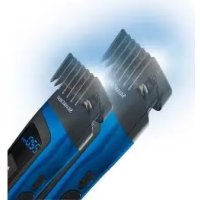
| Product type | Automatic beard and hair clipper with comb |
| Model | SHBSP 800 A1 |
| Brand | SilverCrest |
| Power supply | Li-Ion battery 3.7 V, 800 mAh (2.96 Wh) or mains via USB power adapter 5.0 V ⎓ 1.0 A |
| Operating time | Approx. 60 minutes (cordless) |
| Charging time | Approx. 90 minutes |
| Cutting lengths | 1.5 mm to 41.0 mm (with combs: 1.5 mm fixed; 4.0-22.0 mm in 0.5 mm steps; 23.0-41.0 mm in 1.0 mm steps) |
| Included accessories | 3 cutting combs, USB power adapter, USB cable, cleaning brush, oil bottle, travel bag |
| Main functions | Hair, beard, and contour cutting; speed adjustment (2 levels); memory function; transport lock; automatic shutoff |
| Display | Digital display: battery level (%), cutting length (mm), speed |
| Cleaning | Cutting head and combs washable with water; use the provided brush; oil the blades after each use |
| Safety | Child safety (use by persons over 8 years); water protection (do not immerse); automatic shutoff after inactivity |
| Warranty | 3 years (HOYER Handel GmbH) |
| Reparability | Spare parts available via after-sales service; integrated battery not replaceable |
| General information | Indoor use only; temperature 0 °C to 40 °C; humidity 40-85% |
Frequently Asked Questions - SHBSP 800 A1 SILVERCREST
User questions about SHBSP 800 A1 SILVERCREST
0 question about this device. Answer the ones you know or ask your own.
Ask a new question about this device
Download the instructions for your Electric mower in PDF format for free! Find your manual SHBSP 800 A1 - SILVERCREST and take your electronic device back in hand. On this page are published all the documents necessary for the use of your device. SHBSP 800 A1 by SILVERCREST.
USER MANUAL SHBSP 800 A1 SILVERCREST
shop.hoyerhandel.com

- Overview 31
- Intended purpose 33
- Safety instructions 33
- Items supplied 38
- Charging 39
- Operation 40
6.1 Mains operation 40
6.2 Transport lock 40
6.3 Overview of the functions 41
6.4 Switching on and off 42
6.5 Cutting length / comb attachments 43
6.6 Controlling the speed 45
7.Cutting hair 45
8.Cutting a hairline 46
9. Trimming a beard 46
10. Cleaning and care 47
11. Storage and transport lock 48
12. Disposal 49
13.Troubleshooting 50
14. Ordering accessories 51
15. Technical specifications 52
16. Warranty of the HOYER Handel GmbH ... 54
30



1. Overview
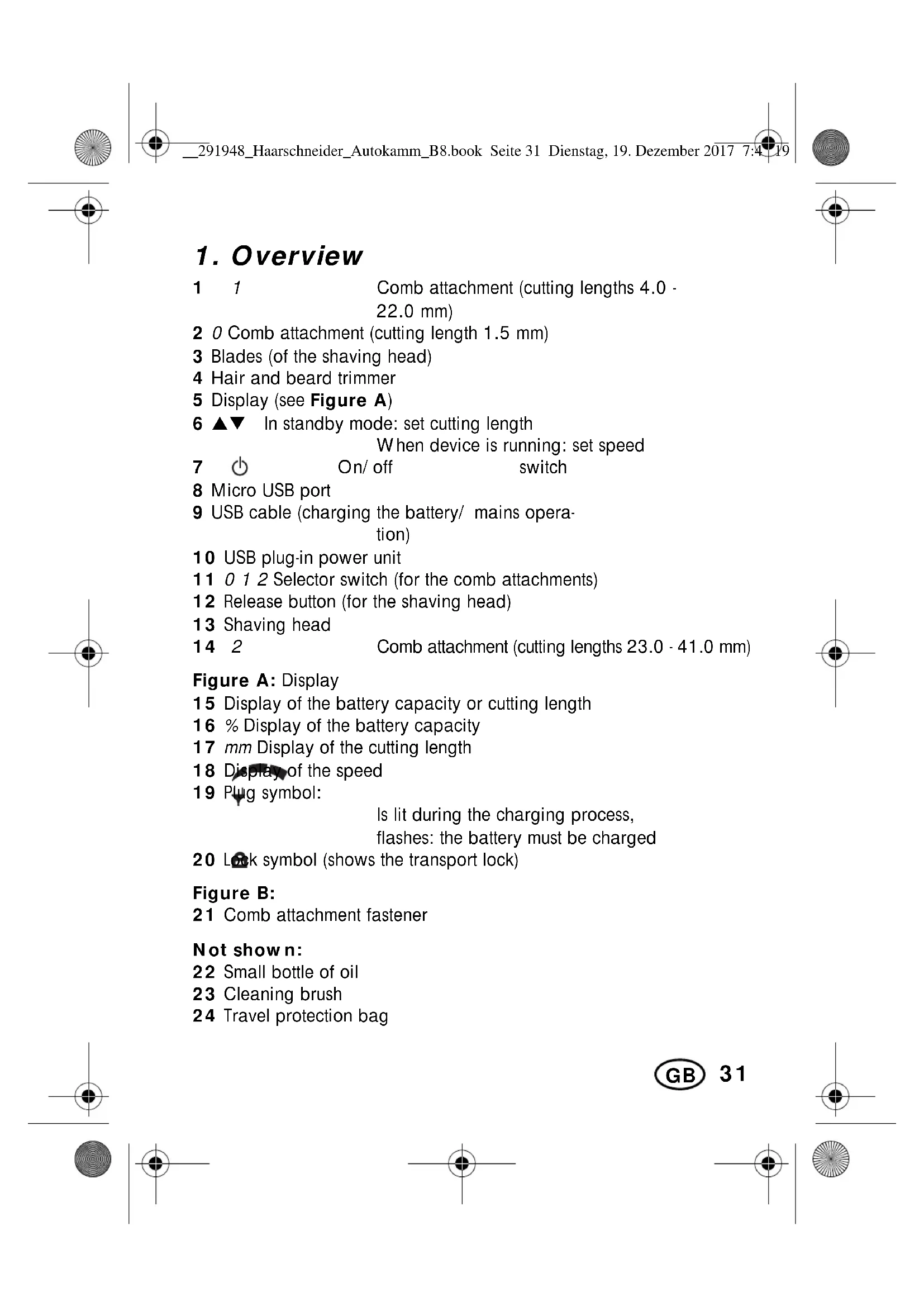
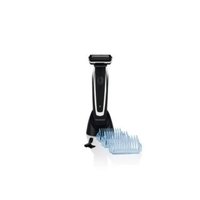
1 1 Comb attachment (cutting lengths 4.0 - 22.0 mm)
2 O Comb attachment (cutting length 1.5mm
3 Blades (of the shaving head)
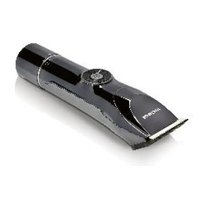
4 Hair and beard trimmer
5 Display (see Figure A)
6 ▲▼ In standby mode: set cutting length When device is running: set speed
7 On/off switch
8 Micro USB port
9 USB cable (charging the battery/ mains operation)
10 USB plug-in power unit
11 0 1 2 Selector switch (for the comb attachments)
12 Release button (for the shaving head)
13 Shaving head
14 2 Comb attachment (cutting lengths 23.0 - 41.0mm
Figure A: Display
15 Display of the battery capacity or cutting length
16 % Display of the battery capacity
17 mm Display of the cutting length
18 Dispers of the speed
19 Plug symbol:
Is lit during the charging process,
flashes: the battery must be charged
20 Lk symbol (shows the transport lock)
Figure B:
21 Comb attachment fastener
Not shown:
22 Small bottle of oil
23 Cleaning brush
24 Travel protection bag


Thank you for your trust!
Congratulations on your new hair and beard trimmer Autocomb.
For safe handling of the device and in order to get to know the entire scope of features:
- Thoroughly read these user instructions prior to initial use.
- Above all, observe the safety information!
- The device should only be used as described in these user instructions.
- Keep these user instructions for reference.
- If you pass the device on to someone else, please include this copy of the user instructions. The operating instructions are a part of the product.
We hope you enjoy your new hair and beard trimmer Autocomb!
32



2. Intended purpose
The hair and beard trimmer is exclusively provided for the cutting of human hair. Only use the device for dry hair.
The device is designed for private home use and must not be used for commercial purposes. The device must only be used indoors.
Foreseeable misuse
WARNING! Risk of material damage!
Do not use the device to cut artificial hair or animal hair.
3. Safety instructions
Warnings
If necessary, the following warnings will be used in these user instructions:
DANGER! High risk: failure to observe this warning may result in injury to life and limb.
WARNING! Moderate risk: failure to observe this warning may result in injury or serious material damage.
CAUTION: low risk: failure to observe this warning may result in minor injury or material damage.
NOTE: circumstances and specifics that must be observed when handling the device.



Instructions for safe operation
This device can be used by children from the age of 8 and people with restricted physical, sensory or intellectual abilities or people without adequate experience and/ or understanding, if they are supervised or instructed on how to use this device safely and if they are aware of the resulting dangers. Children must not play with the device. Cleaning and maintenance by the user must not be performed by children without supervision.
This device may be used by children aged 3 years or above with adult supervision.
- Only use the included original accessories for mains operation (USB plug-in power unit).
- The battery may only be charged with the original accessory (USB plug-in power unit).
WARNING! Keep the device dry.

DANGER for children
Children must not play with packing material. Do not allow children to play with plastic bags. There is a risk of suffocation.
- Keep the device out of the reach of children.
DANGER to and from pets and livestock
Electrical devices can represent a hazard to pets and livestock. In addition, animals can also cause damage to the device. For this reason you should keep animals away from electrical devices at all times.

DANGER! Risk of electric shock due to moisture
- Do not use this device in the vicinity of bathtubs, showers, washbasins or other vessels containing water.
Protect the device from moisture, water drops and water splashes. - Never touch the device with wet hands.
The device, the USB cable and the USB plug-in power unit must not be put into water or other liquids and must not be rinsed under running water. - If the device has fallen into water, pull out the USB plug-in power unit immediately, and only then remove the device from the water. Do not use the device again, but have this checked by a specialist.
Should liquid enter the device, have it checked before starting the device up again. - If the device is used in a bathroom, the USB plug-in power unit must be disconnected after use, as the proximity of water represents a danger, even when the device is switched off.
- Installation of a residual current device (FI/RCD) with a rated residual operating current of no more than 30mA is recommended to provide additional protection. Ask your electrician for advice. The installation should only be carried out by a qualified electrician.


DANGER! Risk of electric shock
-
Never put the device into operation if the device, the USB plug-in power unit or the USB cable is visibly damaged or if the device had been dropped.
-
Connect the USB cable to the device before plugging the USB plug-in power unit into a wall socket.
-
Only connect the USB plug-in power unit to a properly installed easy to access wall socket which supplies voltage matching the rating plate. The wall socket must continue to be easily accessible after the device is plugged in.
Ensure that the USB cable cannot be damaged by sharp edges or hot surfaces.
Ensure that the USB cable is not trapped or crushed.
- When removing the USB plug-in power unit from the wall socket, always pull the power unit and never the USB cable.
Pull the USB plug-in power unit out of the wall socket, ... after every use, after each charging process, if there is a fault, before connecting the device to the USB cable, before you clean the device and during thunderstorms.
To avoid any risk, do not make modifications to the device. Repairs must be carried out by a specialist workshop or the Service Centre.
DANGER from batteries
Do not expose the device to direct sunshine or heat. The ambient temperature should not be lower than 0^ or higher than +40^ .
The charging contacts on the device must not be connected by metallic objects.
The battery may only be charged with the original accessory (USB plug-in power unit).
Protect the battery against mechanical damages. Fire hazard!
36

- Should the electrolyte solution leak out of the battery, avoid contact with eyes, mucous membranes and skin. Rinse immediately with plenty of clean water and consult a doctor. The electrolyte solution can cause irritation.
The device is provided with a lithium-ion battery.
- The battery cannot be removed!
- This device must not be opened!
- The device with the installed battery must be disposed of properly.
WARNING! Risk of injury from cutting
The tips of the comb attachments and shaving head are sharp. Handle with care.
Do not use the device if the attachment shows damages.
- Switch off the device before pushing on or removing the attachments and each time before cleaning.
WARNING! Risk of injury
- Place the cable in such a way that no one trips over it or steps on it.
Do not use the device on open wounds, cuts, sunburn or blisters.
WARNING! Risk of material damage
Use the original accessories only.
- Never place the device on hot surfaces (e.g. hot plates) or near heat sources or open fire.
Do not cover the USB plug-in power unit to prevent overheating.
The mechanism for adjusting the cutting length of the comb attachments has to be completely retracted when mounting or dismounting a comb attachment.
The blades of the shaving head may be cleaned with water. Do not use any other liquids.
Do not use any astringent or abrasive cleaning agents.

4. Items supplied
1 hair and beard trimmer 4
3 comb attachments:
comb attachment O (cutting length 1.5mm 2
comb attachment 1 (cutting lengths 4.0· 22.0mm 1
comb attachment 2 (cutting lengths 23.0 - 41.0mm 14
1 USB plug-in power unit 10
1 USB cable 9
1 cleaning brush 23
1 small bottle of oil 22
1 travel protection bag 24
1 copy of the user instructions
5. Charging
WARNING! Risk of material damage!
The battery must only be charged using the USB plug-in power unit 10 supplied. Charging via the USB port of other devices is not permitted. The devices could be damaged.
NOTES:
- The charging time for the battery is approx. 90 minutes.
- The USB plug-in power unit 10 consumes electricity for as long as it is plugged into the wall socket. Pull the USB plug-in power unit 10 out of the wall socket to disconnect the device from the mains.
The capacity/ charging state of the battery 16 is displayed in percent (5, 10, ... , 100% in increments of 5%). - When the battery is almost flat, the red plug symbol 19 flashes. The device can then only be used for a short time without being connected to the electricity supply.
- When the battery is fully charged, the device can be used for approx. 60 minutes without being connected to the power supply.
-
In order to increase the service life of the battery, we recommend using the device regularly and without extended storage periods.
-
Switch off the device with the on/off switch 7 if necessary.
- Insert the larger plug of the USB cable 9 into the USB port at the USB plug-in power unit 10.
- Insert the small plug of the USB cable 9 into the micro USB port 8 at the hair and beard trimmer 4.
- Insert the USB plug-in power unit 10 into an easily accessible wall socket, the voltage of which corresponds to the rating plate of the USB plug-in power unit. The wall socket must continue to be easily accessible after the device is plugged in.
- The red plug symbol 19 is lit and the battery is charged. When the battery is fully charged, 100% is displayed and the plug symbol 19 goes off.
6. Operation
6.1 Mains operation
Regardless of the charging state of the battery, the hair and beard trimmer can always be mains-operated.
- Before switching to mains operation, ensure that the device is switched off.
- Insert the larger plug of the USB cable 9 into the USB port at the USB plug-in power unit 10.
- Insert the small plug of the USB cable 9 into the micro USB port 8 at the hair and beard trimmer 4.
- Insert the USB plug-in power unit 10 into an easily accessible wall socket, the voltage of which corresponds to the rating plate of the USB plug-in power unit. The wall socket must continue to be easily accessible after the device is plugged in.
- Switch on the device with the on/off switch 7.
6.2 Transport lock
If the transport lock is activated, the lock symbol 20 is lit.
- Press and hold the on/off switch 7 for approx. 3 seconds, in order to switch the transport lock on/off.
- When switching on the transport lock, the lock symbol 20 flashes, before the display 5 goes off.
- When switching off the transport lock, the device is switched on and the display of the battery capacity 16 appears.
- When connecting the USB cable 9 to the mains power supply, the transport lock is deactivated and cannot be activated again during mains operation.
40



6.3 Overview of the functions
| Indication on the display 5 (Status) | Possible action |
| No indication (device is switched off) | Switch the device to standby with the on/ off switch 7. |
| Cutting length 17 (standby) | Set the cutting length with ▲▼ 6. |
| Start the device with the on/ off switch 7. | |
| After approx. 1 minute without action, the device switches off automatically. | |
| Cutting length 17 and speed 18 (device is running) | Set the speed with ▲▼ 6. |
| Stop the device and switch into standby with the on/ off switch 7. | |
| Battery capacity 16 (display may be dimmed) | Switch the device to standby with the on/ off switch 7. |
| After approx. 50 seconds without action, the device switches off automatically. |
6.4 Switching on and off
Standby mode
When switching on, you are initially switching the device into the standby mode. In standby mode the device is not yet ready for operation. You can set the selector switch 11 for the attached comb attachment 1, 2 or 14 and the cutting length for the comb attachments 1 and 14 (see "Cutting length / comb attachments" on page 43).
After approx. 1 minute without action, the device switches off automatically from standby mode.
Switching on
- Press the on/off switch 7 once to switch the device into the standby mode. The display of the battery capacity 16 appears. After approx. 2 seconds, the cutting length 17 will be displayed.
- Press the on/off switch 7 again to start the device. The speed 18 appears on the display.
Now, the setting of the speed is possible (see "Controlling the speed" on page 45).
Stopping device / Switching off automatically
- Press the on/off switch 7 to stop the device and switch it into the standby mode.
After 10 seconds without pressing a button, the display 5 will be dimmed and the battery capacity 16 is displayed.
After another 50 seconds without pressing the button, the device will switch off automatically. The display 5 goes off. If applicable, the comb attachment 1/14 is retracted.
NOTE: press the on/off switch 7 to switch the device into the standby mode, if the display 5 is dimmed and the battery capacity 16 is displayed.
42



Memory function
The device is equipped with a memory function.
- When the device is switched off, the last values selected regarding the cutting length and the speed will be stored.
- When the device is switched on the next time, it will start with the values stored.
NOTE: the stored cutting length will not be set if the setting of the selector switch 11 was changed.
Quick start
If you want to use the device with the last values selected for the cutting length and the speed (e.g. because you put down the device only for a few minutes), you can quick start it:
Press the on/off switch 7 quickly three times.
6.5 Cutting length / comb attachments
WARNING! Risk of injury!
- Switch off the device before pushing on or removing the comb attachments 1, 2 or 14.
WARNING! Risk of material damage!
The mechanism for adjusting the cutting length of the comb attachments has to be completely retracted when mounting or dismounting a comb attachment 1, 2 or 14. If the device switches off automatically, this occurs automatically.
With the hair and beard trimmer, 4 you can achieve cutting lengths between 1.5mm and 41.0mm .


43

- Select the appropriate comb attachment for the desired cutting length:
| Cutting length | Comb attachment | Marking |
| 1.5 mm | Comb attachment 2 | 0 |
| 4.0 - 22.0 mmin 0.5-mm increments | Comb attachment 1 | 1 |
| 23.0 - 41.0 mmin 1.0-mm increments | Comb attachment 14 | 2 |
- Figure B: in order to attach the comb attachment 1, 2 or 14 push it carefully into the lateral guide rails of the comb attachment fastener 21, until it locks into position on both sides.
- Set the selector switch 11 according to the marking at the comb attachment 1, 2 or 14.
- Switch the device with the on/off switch 7 into the standby mode. The display of the battery capacity 16 appears. After approx. 2 seconds, the cutting length 17 will be displayed.
- Only for comb attachments 1 and 14: use the buttons 6 to set the desired cutting length. You can press the buttons 6 either briefly to adjust the cutting length always by one step or keep them pressed in order to move the comb attachment faster.
NOTE: the setting of the cutting length is only possible in the standby mode.
Remove the comb attachments
In order to remove a comb attachment 1, 2 or 14 carefully pull it upwards out of the lateral guide rails of the comb attachment fastener 21.
44



6.6 Controlling the speed
NOTE: the setting of the speed is only possible while the device is running.
- Press the on/off switch 7 repeatedly until the cutting length 17 is displayed.
- Press the on/off switch 7 again to start the device. The speed 18 appears on the display.
- Use the buttons 6 to set the desired speed. The more segments of the speed 18 are displayed, the higher the speed.
7. Cutting hair
NOTES:
The hair to be dressed must be dry.
- The cutting length may deviate depending on the cutting angle.
- Place a hairdressing cape around throat and neck to prevent cut-off hair from dropping into the collar.
- Comb the hair well.
- First, start with a longer cutting length and then, in the course of the cutting process, use progressively shorter cutting lengths.
- Start by cutting the hair in the neck or on the sides and cut towards the centre of the head. Then, cut the front section of the hair towards the centre of the head.
- Hold the hair and beard trimmer 4 in such a way that the comb attachment 1, 2 or 14 lies as flat as possible on the head. Move the device evenly through the hair.
- If possible, cut against direction of hair growth.
In order to catch all the hair, move the hair and beard trimmer 4 several times through each section of hair. -
Comb the hair repeatedly and well.
-
In order to achieve a straight cutting line for cutting lengths over 12mm , the hair and beard trimmer 4 should be passed through the hair several times from different directions.
8. Cutting a hairline
- For cutting the hairline, use the hair and beard trimmer 4 without comb attachments 1, 2 and 14.
- Put the blades 3 of the shaving head 13 at the desired hairline height and move the hair and beard trimmer 4 downwards.
9. Trimming a beard
NOTE: please keep in mind that the corresponding cutting lengths are only achieved, if the hair and beard trimmer 4 is held at a right angle to the skin surface.
- Comb the beard in the direction that it grows.
- Cut the beard downwards from ear to chin. First trim one side, then the other.
Use the hair and beard trimmer 4 without comb attachments 1, 2 and 14 to cut the beard very short or to cut a moustache and hairline. - To trim your moustache, first comb it straight downwards. Start at the centre above the mouth and trim first one side, then the other.
10. Cleaning and care

DANGER! Risk of electric shock!
- Unplug the USB plug-in power unit 10 from the wall socket before cleaning the hair and beard trimmer 4.
WARNING! Risk of injury!
Always switch the hair and beard trimmer 4 off before cleaning.
WARNING! Risk of material damage!
Do not use any astringent or abrasive cleaning agents.
NOTE: clean and oil the device after every use.
Hair and beard trimmer
- Wipe the casing of the hair and beard trimmer 4 with a damp cloth.
Comb attachments
-
Remove the comb attachments 1, 2 and 14.
-
Rinse the comb attachments 1, 2 and 14 with water and let them dry before reusing them.
Shaving head
- Figure C: press the release button 12 to release the shaving head 13.
- Remove the shaving head 13 upwards.
- Remove the hair remnants from the shaving head 13 by using the supplied cleaning brush 23.
- Clean the blades 3 of the shaving head 13 with water. Do not use any other liquids. Let the shaving head 13 dry.
- Apply a few drops of the supplied oil 22 to the blades 3 of the shaving head 13 and spread it out evenly. Using a soft cloth, wipe off the surplus oil, if necessary. Only use acid-free oil, such as e.g. sewing machine oil.
- Figure C: put the shaving head 13 from the top onto the hair and beard trimmer 4. Mind the two small guide rails to the right and left of the hair and beard trimmer.
- Press the shaving head 13 down until it firmly locks into position.
11. Storage and transport lock
- For storage, use the supplied travel protection bag 24.
-
Activate the transport lock for the transport:
-
Press and hold the on/off switch 7 for approx. 3 seconds.
- The lock symbol 20 flashes before the display 5 goes off.
NOTE: if the device is connected to the mains power supply, it is impossible to activate the transport lock.
-
To deactivate the transport lock, you have two options:
-
Press the on/off switch 7 again and hold it for approx.
3 seconds. The device is switched on and the display of the battery capacity 16 appears. - Connect the device with the USB cable 9 to the mains power supply.
12. Disposal
DANGER from the battery!
The device is provided with a lithium-ion battery.
- The battery cannot be removed!
- This device must not be opened!
- The device with the installed battery must be disposed of properly.
The lithium-ion battery used for this device may not be treated as household waste. The battery must be disposed of properly, together with the device. Contact local waste disposal points for this.
Li-ions
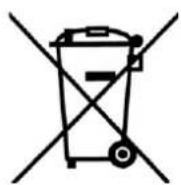
This product is subject to the provisions of European Directive 2012/ 19/ EC. The symbol showing a wheelie bin crossed through indicates that the product requires separate refuse collection in the European Union. This applies to the product and all accessories marked with this symbol. Products identified with this symbol may not be discarded with normal household waste, but must be taken to a collection point for recycling electric and electronic appliances. Recycling helps to reduce the consumption of raw materials and protect the environment.
Packaging
When disposing of the packaging, make sure you comply with the environmental regulations applicable in your country.


49


13. Troubleshooting
If your device fails to function as required, please try this checklist first. Perhaps there is only a minor problem, and you can solve it yourself.

DANGER! Risk of electric shock!
- Do not attempt to repair the device yourself under any circumstances.
| Fault | Possible causes / Action |
| No function | Has the device been connected to the power supply? Inspect the connections. Is the battery empty? |
| The device has switched off. | Is the battery empty? |
| The device cannot be switched on. | Is the battery empty? Has the transport lock been activated? |
| Battery cannot be charged or the battery performance is very low. | The battery have reached the end of its service life. The device with the installed battery must be disposed of properly (see “Disposal” on page 49). |
| The blades 3 of the shaving head 13 are not running smoothly. | Has the shaving head 13 been cleaned and the blades 3 oiled? |
14. Ordering accessories
Accessories for the hair and beard trimmer Autocomb SHBSP 800 A1 can be reordered.
Order online
shop.hoyerhandel.com

- Scan the QR code with your smartphone/ tablet.
- With the QR code you will access a website where you can submit your re-order.
15. Technical specifications
| Model: SHBSP 800 A1 | |
| Hair and beard trimmer Autocomb | |
| Battery: | 1x 3.7 V === Li-lon, 800 mAh, (2.96 Wh) |
| Input: | Micro USB port: 5.0 V =400 mA |
| USB plug-in power unit | |
| Model: EU: ZD5C050100EUDU | |
| Manufacturer: | E-TEK Electronics Manufactory Ltd. |
| Input: | 100-240 V ~ 50/60 Hz 0.2 A |
| Output: | USB port, 5.0 V =400 mA |
| Protection class: II | □ |
| Protection type: IP20 | (protection against penetration by solid for-eign objects with a diameter >12.5 mm) |
| Ambient conditions: only approved for indoor use | |
| General | |
| Environmental and storage conditions: | 0 °C to 40 °C Relative humidity 40 to 85 % |
Technical Symbols
| Double insulation |
| Certified Safety. Devices must comply with the generally acknowledged rules of technology and the German Product Safety Act (Produktssicherheitsgesetz - ProdSG). |
| With the CE marking, HOYER Handel GmbH declares the conformity with EU guidelines. |
| Devices with this symbol may only be operated indoors (dry environment). |
| This symbol reminds you to dispose of the packaging in an environmentally friendly manner. |
| Recyclable materials: cardboard (except corrugated card- board) |
Subject to technical modifications.


16.Warranty of the HOYER Handel GmbH
Dear Customer,
your device is provided with a 3 year warranty starting with the purchase date. In the event of product defects, you are entitled to statutory rights against the vendor. These statutory rights are not restricted by our warranty presented in the following.
Warranty conditions
The warranty period starts with the purchase date. Please keep the original purchase receipt in a safe place. This document is required to verify the purchase.
If within three years from the purchase date of this product a material or factory defect occurs, the product will be repaired or replaced by us - at our discretion - free of charge to you. This warranty implies that within the period of three years the defective device and the purchase receipt are presented, including a brief written description of the defect and the time it occurred.
If the defect is covered by our warranty, the repaired or a new product will be returned to you. No new warranty period starts with a repair or replacement of the product.
Warranty period and statutory claims for defects
The warranty period is not extended when the warranty has been claimed. This also applies to replaced and repaired parts. Any damages and defects already existing at the time of purchase must be reported immediately upon unpacking. Repairs arising after the expiration of the warranty period are subject to a charge.
Warranty coverage
The device was produced carefully according to strict quality guidelines and tested diligently prior to delivery.
The warranty applies to material or factory defects.
Excluded from the warranty are wear parts subject to normal wear and damages to fragile parts, e.g. switches, batteries, lamps or other parts manufactured from glass.
54

This warranty expires if the product is damaged, not used as intended or not serviced. For the proper operation of the product, all instructions listed in the operating instructions must be observed carefully. Any form of use and handling that is advised against in the operating instructions or warned against must always be avoided.
The product is only intended for private and not for commercial use. In the case of incorrect and improper treatment, use of force and interventions not performed by our authorised Service Centre, the warranty shall cease.
Handling in case of a warranty claim
In order to ensure prompt processing of your matter, please observe the following notes:
- Please keep the article number IAN: 291948 and the purchase receipt as a purchase verification for all inquiries.
- The article number can be found on the rating plate, an engraving, the title page of your instructions (in the bottom left), or as a label on the rear or underside of the device.
- If faulty operation or other defects occur, first contact the Service Centre listed in the following by telephone or email.
- Then, you are able to send a product reported as defective free of charge to the service address specified to you, including the purchase receipt and the information on the defect and when it occurred.

Please visit www.lidl-service.com to download this and many other manuals, product videos and software.



GB Service Great Britain
Tel.: 0871 5000 720 (£ 0.10/ Min.)
E-Mail: hoyer@lidl.co.uk
IE Service Ireland
Tel.: 1890 930 034
(0,08 EUR/ Min., (peak)) (0,06 EUR/ Min., (off peak))
E-Mail: hoyer@lidl.ie
MT Service Malta
Tel.: 80062230
E-Mail: hoyer@lidl.com.mt
CY Service Cyprus
Tel.: 80094409
E-Mail: hoyer@lidl.com.cy
IAN:291948
Supplier
Please note that the following address is no service address. First contact the aforementioned Service Centre.
HOYER Handel GmbH
Tasköprüstraße 3
DE-22761 Hamburg
GERMANY
56




shop.hoyerhandel.com

Chere cliente, cher client,
shop.hoyerhandel.com

shop.hoyerhandel.com

shop.hoyerhandel.com

shop.hoyerhandel.com




- Overview
- Figure A: Display
- Figure B:
- Not shown:
- Thank you for your trust!
- Intended purpose
- Foreseeable misuse
- Safety instructions
- Warnings
- Instructions for safe operation
- DANGER for children
- DANGER to and from pets and livestock
- DANGER! Risk of electric shock due to moisture
- DANGER! Risk of electric shock
- DANGER from batteries
- WARNING! Risk of injury from cutting
- WARNING! Risk of injury
- WARNING! Risk of material damage
- Items supplied
- Charging
- WARNING! Risk of material damage!
- NOTES:
- Operation
- Mains operation
- Transport lock
- Overview of the functions
- Switching on and off
- Standby mode
- Switching on
- Stopping device / Switching off automatically
- Memory function
- Quick start
- Cutting length / comb attachments
- WARNING! Risk of injury!
- Remove the comb attachments
- Controlling the speed
- Cutting hair
- Cutting a hairline
- Trimming a beard
- Cleaning and care
- DANGER! Risk of electric shock!
- Hair and beard trimmer
- Comb attachments
- Shaving head
- Storage and transport lock
- Disposal
- DANGER from the battery!
- Packaging
- Troubleshooting
- Ordering accessories
- Technical specifications
- Technical Symbols
- 16.Warranty of the HOYER Handel GmbH
- Warranty conditions
- Warranty period and statutory claims for defects
- Warranty coverage
- Handling in case of a warranty claim
- Supplier
Brand : SILVERCREST
Model : SHBSP 800 A1
Category : Electric mower