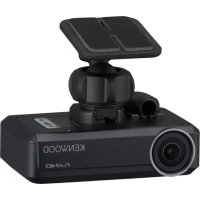
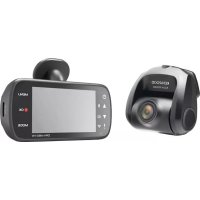
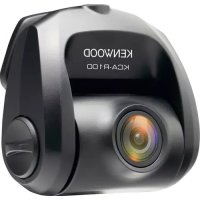
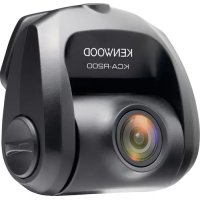
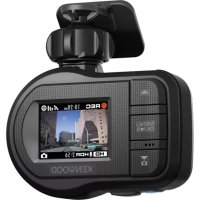
DRVN520 - Dashboard camera KENWOOD - Free user manual and instructions
Find the device manual for free DRVN520 KENWOOD in PDF.


| Product type | Dashboard camera |
| Brand | Kenwood |
| Model | DRVN520 |
| Dimensions (W×H×D) | 79 mm × 22 mm (with mounting kit: 66 mm) × 48 mm |
| Weight | Approx. 77 g (without cord) |
| Power supply | 14.4 V (8.5 to 16 V), current consumption 400 mA |
| Image sensor | 1/3 inch color CMOS |
| Maximum viewing angle | Horizontal: approx. 117°, vertical: approx. 63°, diagonal 128° |
| Video recording resolution | Up to 2304×1296 (3M), 1920×1080, 1280×720 |
| Frame rate | 27 fps |
| Video recording format | MOV (H.264), linear PCM audio |
| Still image format | JPEG (max 2304×1296) |
| Recording media | microSDHC card 8 to 32 GB (Class 6 or higher) |
| Main functions | Continuous, event, manual, parking recording; driving assistance (collision warning, lane departure, departure delay); automatic still image capture; audio recording |
| Recording modes | Continuous, event, manual, parking, still images |
| Recording times (32 GB card) | Up to 210 min in 3M, 280 min in 1080p, 400 min in 720p |
| Operating temperature range | -10°C to +60°C |
| Maintenance and cleaning | Wipe with a soft dry cloth; for the lens, slightly damp soft cloth; do not use solvents |
| Safety | Do not obstruct the lens; install without obstructing visibility or airbags; disconnect the battery before connection |
| Spare parts and repairability | 8 GB microSDHC card included; mounting bracket, power cord, cable holder; no user-serviceable parts |
| General information | PC application KENWOOD DRIVE REVIEWER; firmware update via JVCKENWOOD website; warranty void if disassembled |
Frequently Asked Questions - DRVN520 KENWOOD
User questions about DRVN520 KENWOOD
0 question about this device. Answer the ones you know or ask your own.
Ask a new question about this device
Download the instructions for your Dashboard camera in PDF format for free! Find your manual DRVN520 - KENWOOD and take your electronic device back in hand. On this page are published all the documents necessary for the use of your device. DRVN520 by KENWOOD.
USER MANUAL DRVN520 KENWOOD
natural_image
Coiled cable or wire with connectors, no visible text or symbolsnatural_image
Technical line drawing of a mechanical device with no visible text or symbols
natural_image
Exterior view of a modern curved architectural structure with a vehicle passing through (no signage or text visible)
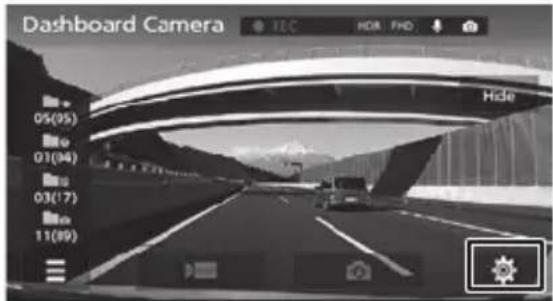
- Appuyez sur
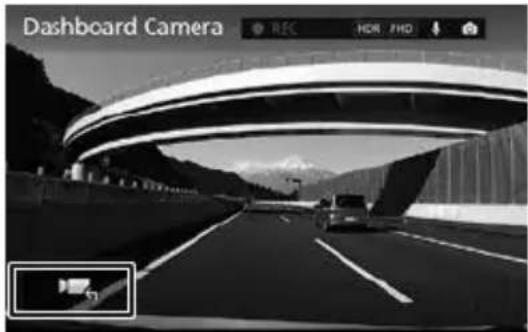
natural_image
Black and white photo of a highway with cars driving under an overpass, mountainous background (no visible text or symbols)natural_image
Black and white photo of a highway with a car driving under a curved arch, snow-capped mountains in the background (no visible text or symbols)natural_image
Black-and-white fisheye view of a rear camera on a paved road with lane markings and buildings in the background (no readable text or symbols)- Appuyez sur

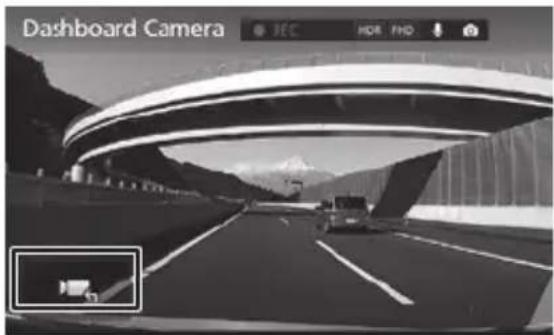
- Appuyez sur

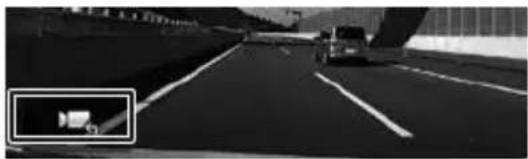
natural_image
Black and white photo of a car driving on a highway with a vehicle in the background (no visible text or symbols)6. Appuyez sur [Mounting Height Settings].
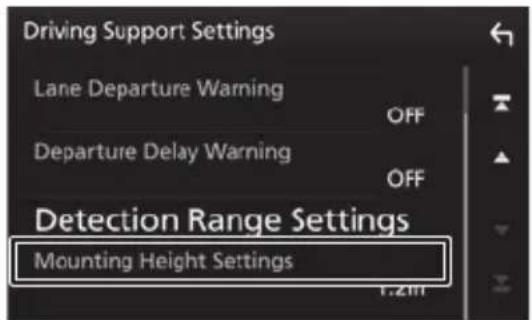
Continuous recordings
- Appuyez sur


natural_image
Black and white photo of a highway with a curved elevated structure, mountainous background, and a car driving on the road (no visible text or symbols)- Appuyez sur

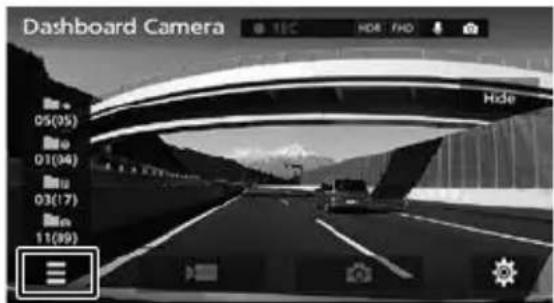
- Appuyez sur
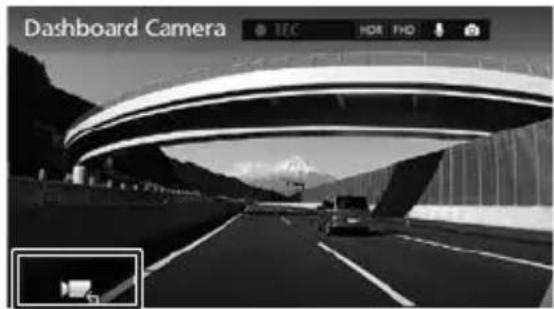
- Appuyez sur
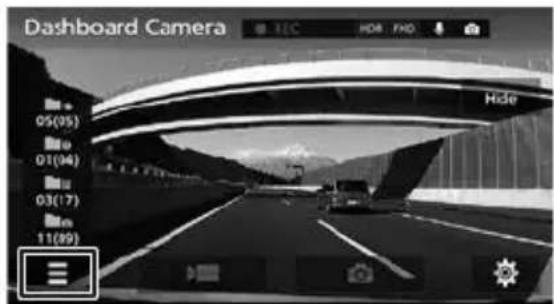
- Appuyez sur

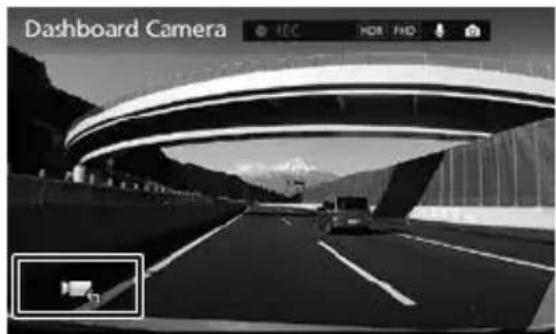
natural_image
Black and white photo of a highway with a car driving, under a curved arch structure, mountains in background (no visible text or symbols)- Appuyez sur [

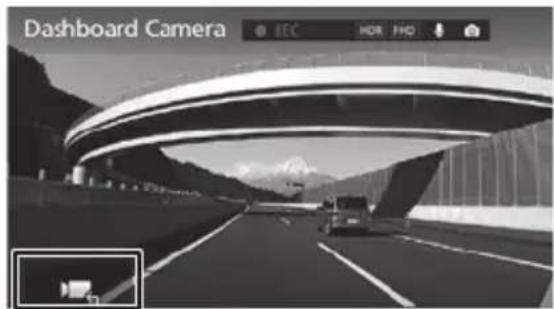
- Appuyez sur |

Dimensions externes (L) x (H) x (P)
microSDHC logo is a trademark of SD-3C, LLC.
@2015 Google Inc. All rights reserved.
GoogleMaps ^™ and GoogleEarth ^™ are registered trademarks of Google Inc.
This product is licensed only for the following applications based on the AVC Patent Portfolio License.
1) Consumers recording video (hereinafter referred to as AVC Video) compliant with the MPEG-4 AVC standard for personal use and non-profit purposes.
2) Playing AVC Video (video consumers recorded for personal use and non-profit purposes or video recorded by a provider that has obtained a license from MPEG LA) For details, refer to the MPEG LA, LLC. website.
http://www.mpegla.com/
MD5 utility
/* crypto/md5/md5.h */
Copyright (C) 1995-1998 Eric Young (eay@cryptsoft.com) All rights reserved.
This package is an SSL implementation written
by Eric Young (eay@cryptsoft.com).
The implementation was written so as to conform with Netscapes SSL.
This library is free for commercial and non-commercial use as long as the following conditions are aheared to. The following conditions apply to all code found in this distribution, be it the RC4, RSA, Ihash, DES, etc., code; not just the SSL code.
The SSL documentation included with this distribution is covered by the same copyright terms except that the holder is Tim Hudson (tjh@cryptsoft.com).
Copyright remains Eric Young's, and as such any Copyright notices in the code are not to be removed.
If this package is used in a product, Eric Young should be given attribution as the author of the parts of the library used.
This can be in the form of a textual message at program startup or in documentation (online or textual) provided with the package.
Redistribution and use in source and binary forms, with or without modification, are permitted provided that the following conditions are met:
-
Redistributions of source code must retain the copyright notice, this list of conditions and the following disclaimer.
-
Redistributions in binary form must reproduce the above copyright notice, this list of conditions and the following disclaimer in the documentation and/or other materials provided with the distribution.
-
All advertising materials mentioning features or use of this software must display the following acknowledgement: "This product includes cryptographic software written by Eric Young (eay@cryptsoft.com)"
-
The word 'cryptographic' can be left out if the rouines from the library being used are not cryptographic related :-).
-
- If you include any Windows specific code (or a derivative thereof) from the apps directory (application code) you must include an acknowledgement:
-
"This product includes software written by Tim Hudson (tjh@cryptsoft.com)" THIS SOFTWARE IS PROVIDED BY ERIC YOUNG ``AS IS" AND ANY EXPRESS OR IMPLIED WARRANTIES, INCLUDING, BUT NOT LIMITED TO, THE IMPLIED WARRANTIES OF MERCHANTABILITY AND FITNESS FOR A PARTICULAR PURPOSE ARE DISCLAIMED. IN NO EVENT SHALL THE AUTHOR OR CONTRIBUTORS BE LIABLE FOR ANY DIRECT, INDIRECT, INCIDENTAL, SPECIAL, EXEMPLARY, OR CONSEQUENTIAL DAMAGES (INCLUDING, BUT NOT LIMITED TO, PROCUREMENT OF SUBSTITUTE GOODS OR SERVICES; LOSS OF USE, DATA, OR PROFITS; OR BUSINESS INTERRUPTION) HOWEVER CAUSED AND ON ANY THEORY OF LIABILITY, WHETHER IN CONTRACT, STRICT LIABILITY, OR TORT (INCLUDING NEGLIGENCE OR OTHERWISE) ARISING IN ANY WAY OUT OF THE USE OF THIS SOFTWARE, EVEN IF ADVISED OF THE
POSSIBILITY OF SUCH DAMAGE.
The license and distribution terms for any publicly available version or derivative of this code cannot be changed. i.e. this code cannot simply be copied and put under another distribution license [including the GNU Public License.]
CRC utility
COPYRIGHT (C) 1986 Gary S. Brown. You may use this program, or code or tables extracted from it, as desired without restriction.
First, the polynomial itself and its table of feedback terms. The polynomial is +X^1 1 + X^10 + X^8 + X^7 + X^5 + X^4 + X^2 + X^ 1 + X^0
Note that we take it "backwards" and put the highest-order term in the lowest-order bit. The X^32 term is "implied"; the LSB is the X^31 term, etc. The X^0 term (usually shown as "+1") results in the MSB being 1 Note that the usual hardware shift register implementation, which is what we're using (we're merely optimizing it by doing eight-bit chunks at a time) shifts bits into the lowest-order term. In our implementation, that means shifting towards the right. Why do we do it this way? Because the calculated CRC must be transmitted in order from highest-order term to lowest-order term. UARTs transmit characters in order from LSB to MSB. By storing the CRC this way we hand it to the UART in the order low-byte to high-byte; the UART sends each low-bit to hight-bit; and the result is transmission bit by bit from highest- to lowest-order term without requiring any bit shuffling on our part.
Reception works similarly The feedback terms table consists of 256, 32-bit entries. Notes
The table can be generated at runtime if desired; code to do so is shown later. It might not be obvious, but the feedback terms simply represent the results of eight shift/xor operations for all combinations of data and CRC register values
The values must be right-shifted by eight
bits by the "updcrc logic; the shift must be unsigned (bring in zeroes). On some hardware you could probably optimize the shift in assembler by using byte-swap instructions polynomial \$edb88320 CRC32 code derived from work by Gary S. Brown.
natural_image
Illustration of bundled cables with connectors (no text or symbols)natural_image
Technical line drawing of a mechanical device with no visible text or symbols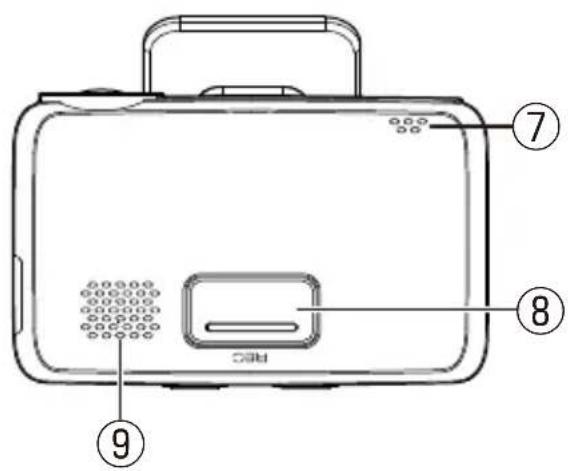
natural_image
Exterior view of a modern curved elevated structure with a vehicle driving on a road (no visible text or symbols)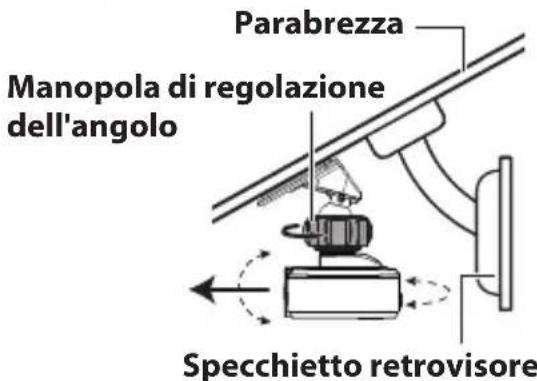
- Toccare
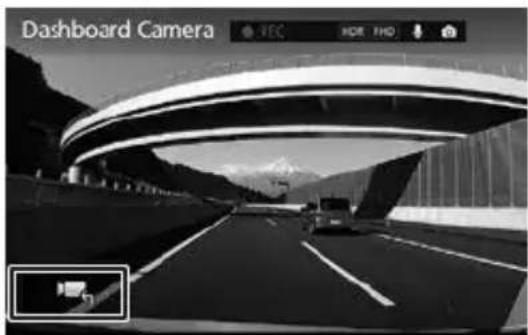
natural_image
Black and white photo of a highway with mountainous background, no visible text or symbols on the road surface.natural_image
Black and white photo of a highway with vehicles, under a curved arch structure, mountains in background (no visible text or symbols)natural_image
Exterior view of a parking lot with lanes and a building in the background (no signage)3. Toccare
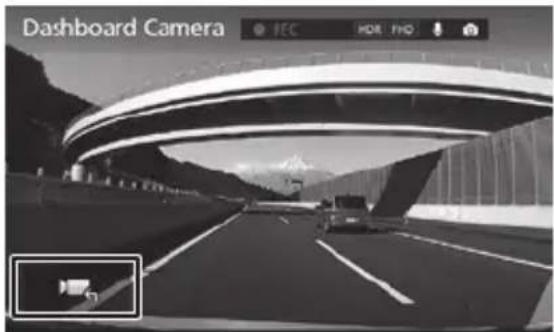
- Toccare

natural_image
Black and white photo of a highway with a vehicle and a camera icon overlay (no readable text or symbols)- Toccare [Driving Support Settings].
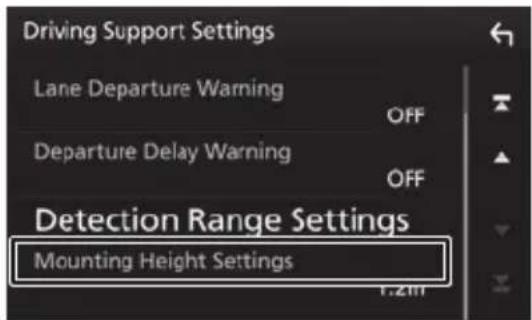
6. Toccare [Mounting Height Settings].
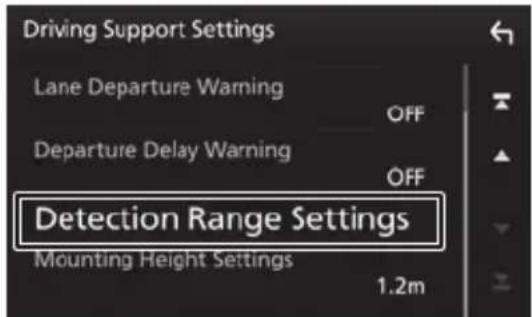
8. Toccare [Detection Range Settings].
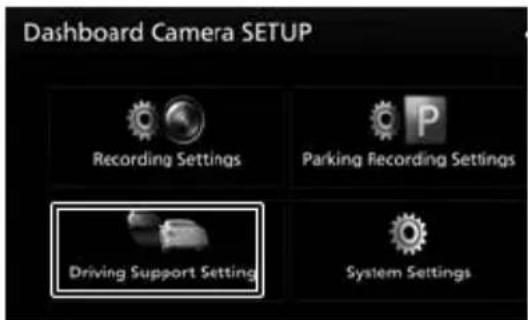
2. Toccare [Driving Support Settings].
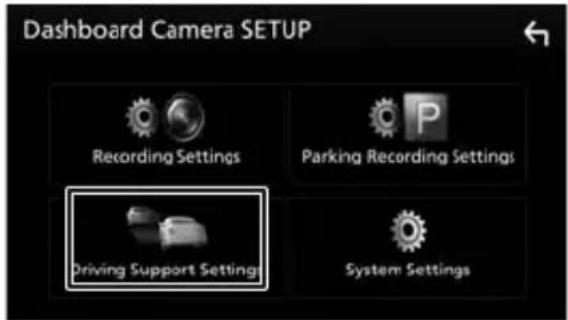
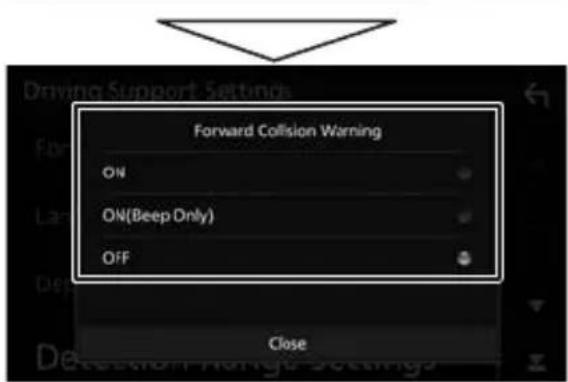
- Toccare
![KENWOOD DRVN520 - Toccare [Driving Support Settings]. - 3](/content/2026/03/430879/images/84c9ac8777800be4e05aba42f6dce324b3fee59a544c01720b1728d9b68e99d9.jpg)
natural_image
Black and white photo of a highway with a curved arch bridge and mountainous background (no visible text or symbols)- Toccare ·
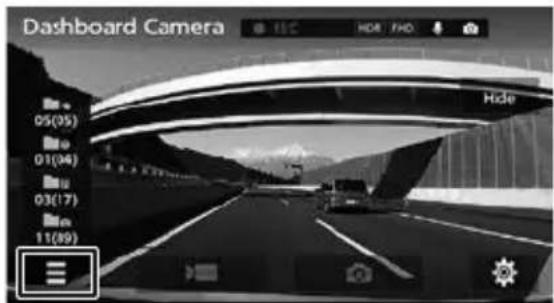
- Toccare
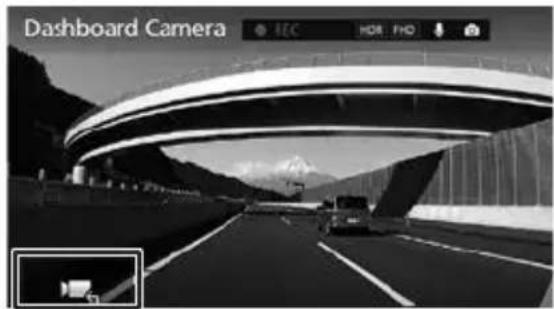
- Toccare
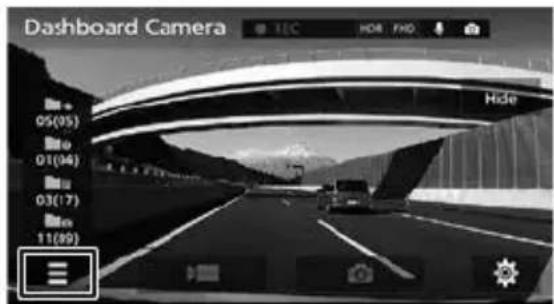
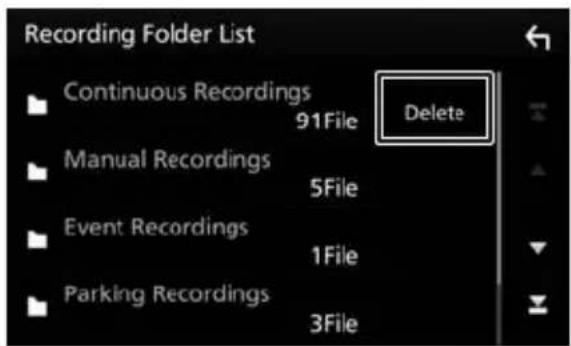
- Toccare [Delete].
- Toccare
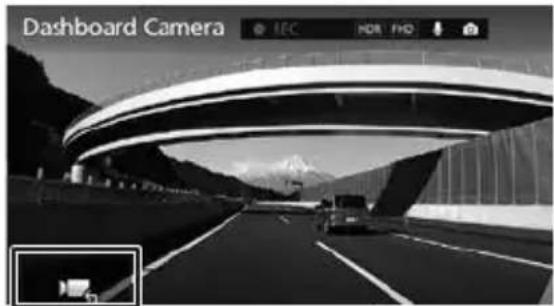
- Premere [Save].
- Toccare [ ]
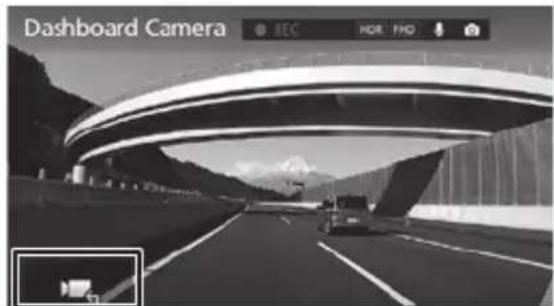
- Toccare [ ]
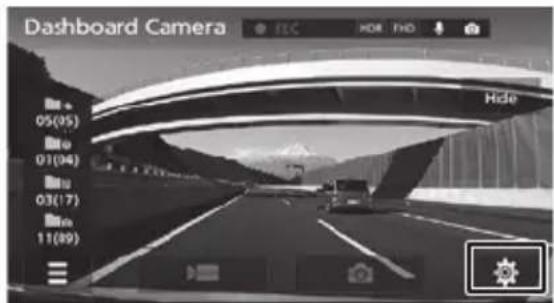
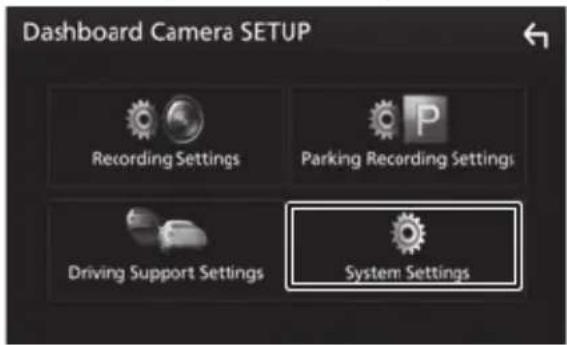
- Toccare [System Settings]
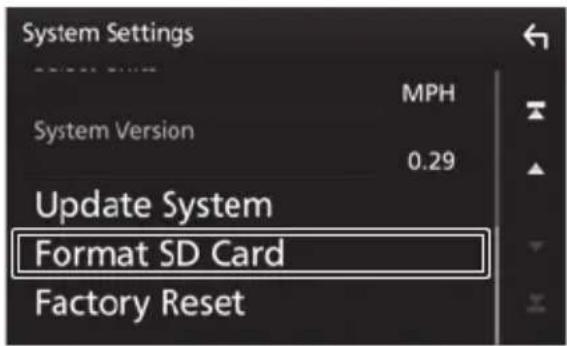
- Toccare [Format SD Card]
microSDHC logo is a trademark of SD-3C, LLC.
@2015 Google Inc. All rights reserved.
GoogleMaps™ and GoogleEarth™ are registered trademarks of Google Inc.
This product is licensed only for the following applications based on the AVC Patent Portfolio License.
1) Consumers recording video (hereinafter referred to as AVC Video) compliant with the MPEG-4 AVC standard for personal use and non-profit purposes.
2) Playing AVC Video (video consumers recorded for personal use and non-profit purposes or video recorded by a provider that has obtained a license from MPEG LA) For details, refer to the MPEG LA, LLC. website.
http://www.mpegla.com/
MD5 utility
/* crypto/md5/md5.h */
Copyright (C) 1995-1998 Eric Young (eay@cryptsoft.com) All rights reserved.
This package is an SSL implementation written
by Eric Young (eay@cryptsoft.com).
The implementation was written so as to conform with Netscapes SSL.
This library is free for commercial and non-commercial use as long as the following conditions are aheared to. The following conditions apply to all code found in this distribution, be it the RC4, RSA, Ihash, DES, etc., code; not just the SSL code.
The SSL documentation included with this distribution is covered by the same copyright terms except that the holder is Tim Hudson (tjh@cryptsoft.com).
Copyright remains Eric Young's, and as such any Copyright notices in the code are not to be removed.
If this package is used in a product, Eric Young should be given attribution as the author of the parts of the library used.
This can be in the form of a textual message at program startup or in documentation (online or textual) provided with the package.
Redistribution and use in source and binary forms, with or without modification, are permitted provided that the following conditions are met:
-
Redistributions of source code must retain the copyright notice, this list of conditions and the following disclaimer.
-
Redistributions in binary form must reproduce the above copyright notice, this list of conditions and the following disclaimer in the documentation and/or other materials provided with the distribution.
-
All advertising materials mentioning features or use of this software must display the following acknowledgement: "This product includes cryptographic software written by Eric Young (eay@cryptsoft.com)"
-
The word 'cryptographic' can be left out if the rouines from the library being used are not cryptographic related :-).
-
- If you include any Windows specific code (or a derivative thereof) from the apps directory (application code) you must include an acknowledgement:
-
"This product includes software written by Tim Hudson (tjh@cryptsoft.com)" THIS SOFTWARE IS PROVIDED BY ERIC YOUNG ``AS IS" AND ANY EXPRESS OR IMPLIED WARRANTIES, INCLUDING, BUT NOT LIMITED TO, THE IMPLIED WARRANTIES OF MERCHANTABILITY AND FITNESS FOR A PARTICULAR PURPOSE ARE DISCLAIMED. IN NO EVENT SHALL THE AUTHOR OR CONTRIBUTORS BE LIABLE FOR ANY DIRECT, INDIRECT, INCIDENTAL, SPECIAL, EXEMPLARY, OR CONSEQUENTIAL DAMAGES (INCLUDING, BUT NOT LIMITED TO, PROCUREMENT OF SUBSTITUTE GOODS OR SERVICES; LOSS OF USE, DATA, OR PROFITS; OR BUSINESS INTERRUPTION) HOWEVER CAUSED AND ON ANY THEORY OF LIABILITY, WHETHER IN CONTRACT, STRICT LIABILITY, OR TORT (INCLUDING NEGLIGENCE OR OTHERWISE) ARISING IN ANY WAY OUT OF THE USE OF THIS SOFTWARE, EVEN IF ADVISED OF THE
POSSIBILITY OF SUCH DAMAGE.
The license and distribution terms for any publicly available version or derivative of this code cannot be changed. i.e. this code cannot simply be copied and put under another distribution license [including the GNU Public License.]
CRC utility
COPYRIGHT (C) 1986 Gary S. Brown. You may use this program, or code or tables extracted from it, as desired without restriction.
First, the polynomial itself and its table of feedback terms. The polynomial is +X^1 1 + X^10 + X^8 + X^7 + X^5 + X^4 + X^2 + X^ 1 + X^0
Note that we take it "backwards" and put the highest-order term in the lowest-order bit. The X^32 term is "implied"; the LSB is the X^31 term, etc. The X^0 term (usually shown as "+1") results in the MSB being 1 Note that the usual hardware shift register implementation, which is what we're using (we're merely optimizing it by doing eight-bit chunks at a time) shifts bits into the lowest-order term. In our implementation, that means shifting towards the right. Why do we do it this way? Because the calculated CRC must be transmitted in order from highest-order term to lowest-order term. UARTs transmit characters in order from LSB to MSB. By storing the CRC this way we hand it to the UART in the order low-byte to high-byte; the UART sends each low-bit to hight-bit; and the result is transmission bit by bit from highest- to lowest-order term without requiring any bit shuffling on our part.
Reception works similarly The feedback terms table consists of 256, 32-bit entries. Notes
The table can be generated at runtime if desired; code to do so is shown later. It might not be obvious, but the feedback terms simply represent the results of eight shift/xor operations for all combinations of data and CRC register values
The values must be right-shifted by eight
bits by the "updcrc logic; the shift must be unsigned (bring in zeroes). On some hardware you could probably optimize the shift in assembler by using byte-swap instructions polynomial \$edb88320 CRC32 code derived from work by Gary S. Brown.
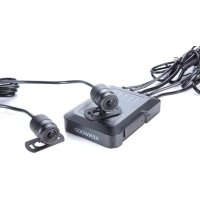
Brand : KENWOOD
Model : DRVN520
Category : Dashboard camera