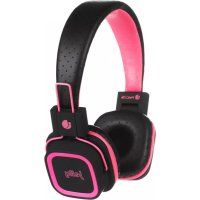
Arctica Jelly Pink - Earphones NGS - Free user manual and instructions
Find the device manual for free Arctica Jelly Pink NGS in PDF.



| Product Type | Bluetooth Wireless Earbuds |
| Brand | NGS |
| Model | Arctica Jelly Pink |
| Color | Pink (Jelly Pink) |
| Connection Technology | Bluetooth A2DP |
| Standby Time | 150 hours |
| Music Playback Time | 5 hours |
| Charging Time | 2 hours |
| Battery Type | Integrated Rechargeable Lithium |
| Charging Input | Micro USB |
| microSD Card Playback | Yes (MP3 files) |
| Built-in Microphone | Yes |
| Controls | On/Off, Volume, Next/Previous, Play/Pause |
| Weight per Earbud | Approximately 12 g |
| Dimensions per Earbud | Approximately 2.0 x 2.0 x 3.0 cm |
| Warranty | 2 years (battery: 12 months) |
| Package Contents | Earbuds, USB charging cable, user manual |
| Care | Clean with a soft, dry cloth |
| Recycling | Do not dispose of with household waste, take to a recycling center |
Frequently Asked Questions - Arctica Jelly Pink NGS
User questions about Arctica Jelly Pink NGS
0 question about this device. Answer the ones you know or ask your own.
Ask a new question about this device
Download the instructions for your Earphones in PDF format for free! Find your manual Arctica Jelly Pink - NGS and take your electronic device back in hand. On this page are published all the documents necessary for the use of your device. Arctica Jelly Pink by NGS.
USER MANUAL Arctica Jelly Pink NGS
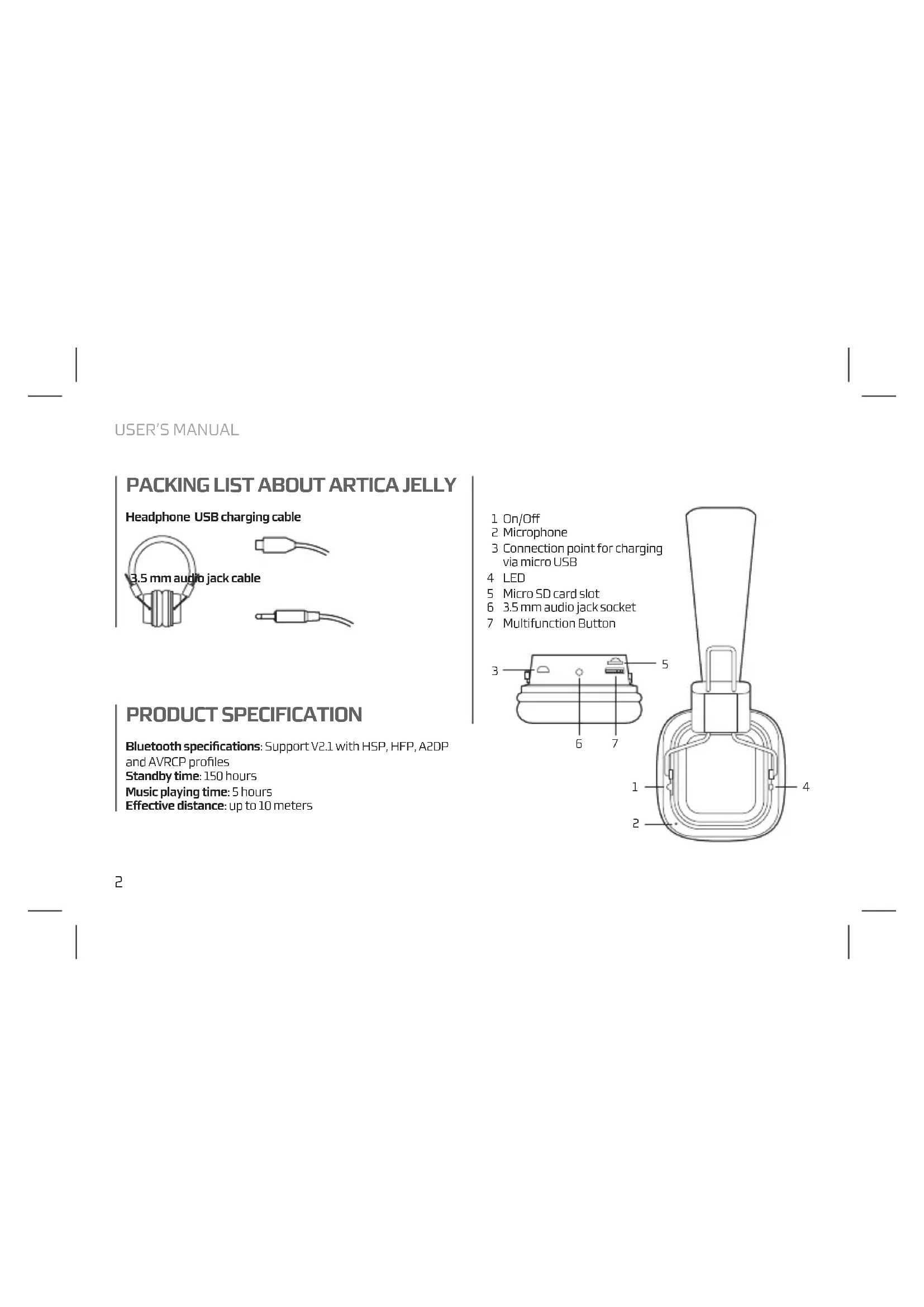
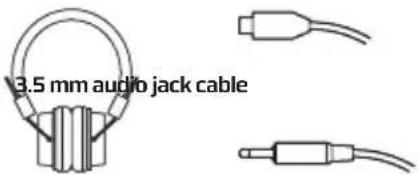
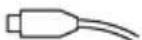
Headphone USB charging cable
PRODUCT SPECIFICATION
Bluetooth specifications: Support V2.1 with HSP, HFP, A2DP
and AVRCP profiles
Standby time: 150 hours
Music playing time: 5 hours
Effective distance: up to 10 meters
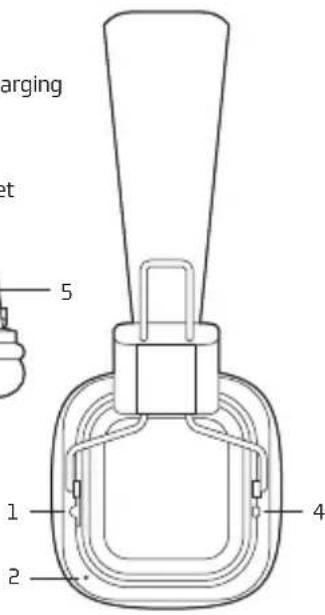
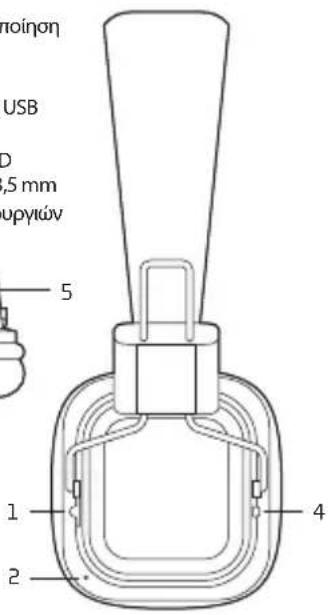
1 On/Off
2 Microphone
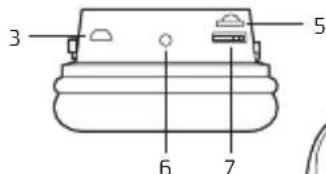
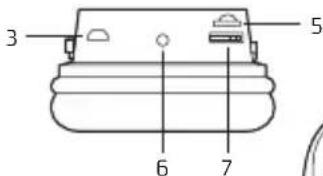
3 Connection point for charging via micro USB
4 LED
5 Micro SD card slot
6 3.5 mm audio jack socket
7 Multifunction Button
EARPHONE CHARGING
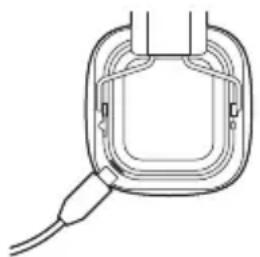
- Built-in rechargeable Lithium battery.
- It must take 3 hours for the first time charging.
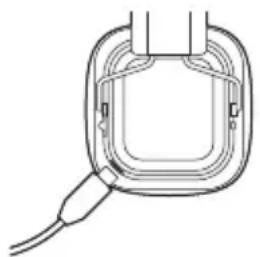
- Connect the charger cable to the charger connector. The Red indicator light is displayed during charging. Charging the battery fully may take about 2 hours.
- When the battery is fully charged, the red indicator light becomes dimmer until it almost off. Disconnect the charger from the headset and the outlet. The headset is ready to use.
PAIR THE HEADSET
If your phone supports the A2DP Bluetooth profile and has a music player feature, you can use the phone to make and receive calls, and to play music with the headset.
- Ensure that your phone or music device is on and the headset is off.
- Switch the power switch to the ON position. The blue light will flash.
- Activate the Bluetooth feature on your phone or music player, and set it to search for Bluetooth devices.
- Select the headset NGS ARTICA RUNNER from the list of founded devices on your phone or music player.
- When the headset is connected to your device and is ready for use, the Blue indicator light will flash every 5 seconds.
USER'S MANUAL
To listen to music, pair and connect the headset to a device that supports the A2DP Bluetooth profile. (See "Pair the headset"). To play music, use the playback controls on the connected device. If you answer or make a call while listening to the music, the music will pause until you end the call.
Function Description
Play or Short press the Play/Pause key Pause
Music Press and hold the Volume (+) button to volume increase the volume
Press and hold the Volume (-) button to decrease the volume
Next Short press Volume (+)
Previous Short press Volume(-)
LISTEN TO MUSIC VIA MICROSD CARD
- Insert a micro SD card with MP3 music in the slot using the correct position.
- The music on the card will begin playing automatically.
- To switch to Bluetooth mode (when you have a card connected) press the play/pause button for 2 seconds.
- To switch to card mode again, press the play/pause button for 2 seconds.
WARRANTY
Limited warranty. NGS warrants that any hardware products accompanying this documentation shall be free from significant defects in material and workmanship for a period of two (2) years, three (3) years or five (5) years from the date of purchase. NGS's limited warranty is non-transferable and is limited to the original purchaser. This warranty gives you specific legal rights, and you may also have other rights, which vary under local laws.
Battery warranty. The battery is a consumer product, and as such it is under warranty for 12 months.
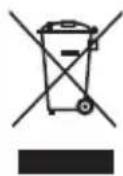
If at any time in the future you should need to dispose of this product please note that:
Waste electrical products should not be disposed of with household waste. Please recycle where facilities exist.
Check with your Local Authority or retailer for recycling advice.
(Waste Electrical and Electronic Equipment Directive)

HEREBY, LURBE GRUP S.A, DECLARES
THAT THIS HEADPHONE IS IN COMPLIANCE
WITH THE ESSENTIAL REQUIREMENTS AND OTHER RELEVANT PROVISIONS OF DIRECTIVE 1999/5/EC.
MANUEL DE L'UTILISATEUR
CONTENU DE L'EMBALLAGE LES FONCTIONS DE ARTICA JELLY
CHARACTERISTIQUES DU PRODUIT
arcteristiquesduBlute ooth : SupportV 2 . 1 avecfonctions mains libres, fonction casque, A2DP e AVRCP
Distance effective: plus de 10 metres
ORAZ POZOSTALYMI STOSOWNYMI
POSTANOWIENIAM DYREKTYWY 1999/5/EC
O△HΓIEΣXPH∑H∑
INAKA Σ ΠEPIEXOMENΩN ΣXETIKA ME ΣTHN ARTICA JELLY
Akouotiká
USB kaawδio φópiσηc
IPOΔIAPAΦE ΠPOIONTO
PpOdiaypaqn Bluetooth:YnooTnpiV2.1 µ npopA Handsfree, pOPIa akouotikw, npoPIA A2DP kai npoPIA AVRCP
Xpovoc avaovnic: 150 wpc
Xpovoc avanapaywyncmuokic: 5 wpc
Anoteaogatikn anootaon: eoc 10eTpa
1 EvpyoioiOn / AnEvpyoioiOn (On/Off)
2 Mikofovo
3 2uvseon opptwooc micro USB
4 LED
5 EeEe Tny kapta micro SD
6 Eioooc akouotikou Jack 3,5 mm
7 Iahtpo naaanawv aeoupyiw
AKOYZTIKA ZE FOPTIZH


- PRODUCT SPECIFICATION
- EARPHONE CHARGING
- PAIR THE HEADSET
- USER'S MANUAL
- FUNCTION DESCRIPTION
- LISTEN TO MUSIC VIA MICROSD CARD
- WARRANTY
- CONTENU DE L'EMBALLAGE LES FONCTIONS DE ARTICA JELLY
- CHARACTERISTIQUES DU PRODUIT
- INAKA Σ ΠEPIEXOMENΩN ΣXETIKA ME ΣTHN ARTICA JELLY
- IPOΔIAPAΦE ΠPOIONTO
- AKOYZTIKA ZE FOPTIZH
Brand : NGS
Model : Arctica Jelly Pink
Category : Earphones