GW14716 - Detector Gewiss - Free user manual and instructions
Find the device manual for free GW14716 Gewiss in PDF.



Frequently Asked Questions - GW14716 Gewiss
User questions about GW14716 Gewiss
0 question about this device. Answer the ones you know or ask your own.
Ask a new question about this device
Download the instructions for your Detector in PDF format for free! Find your manual GW14716 - Gewiss and take your electronic device back in hand. On this page are published all the documents necessary for the use of your device. GW14716 by Gewiss.
USER MANUAL GW14716 Gewiss
Attention - Important
- Thank you for selecting this Gewiss product.
Gewiss products have been designed with attention to detail and built using only the very best materials.
Gewiss products will guarantee excellent and lasting performance.
- The installer is kindly requested to fill out this leaflet and then hand it to the end user, asking that he/she carefully read it.
- Carefully read the instructions below as they provide important information on how the water detector works, how it should be fitted and serviced (routine and extraordinary maintenance).
- The manufacturer may not be held liable for injury to persons or pets or damage caused by the use of the water detector in situations and conditions other than those indicated in the instructions below.
- The manufacturer may not be held liable in the case that the detector is sold in nonoriginal packaging.
Immediately after removing the product from its packaging, make sure that it is not damaged.
- Make sure that the main power supply has been switched off before attempting to fit the device or touching the wiring.
- Before connecting the detector, make sure that the data on its ratings plate match the mains supply.
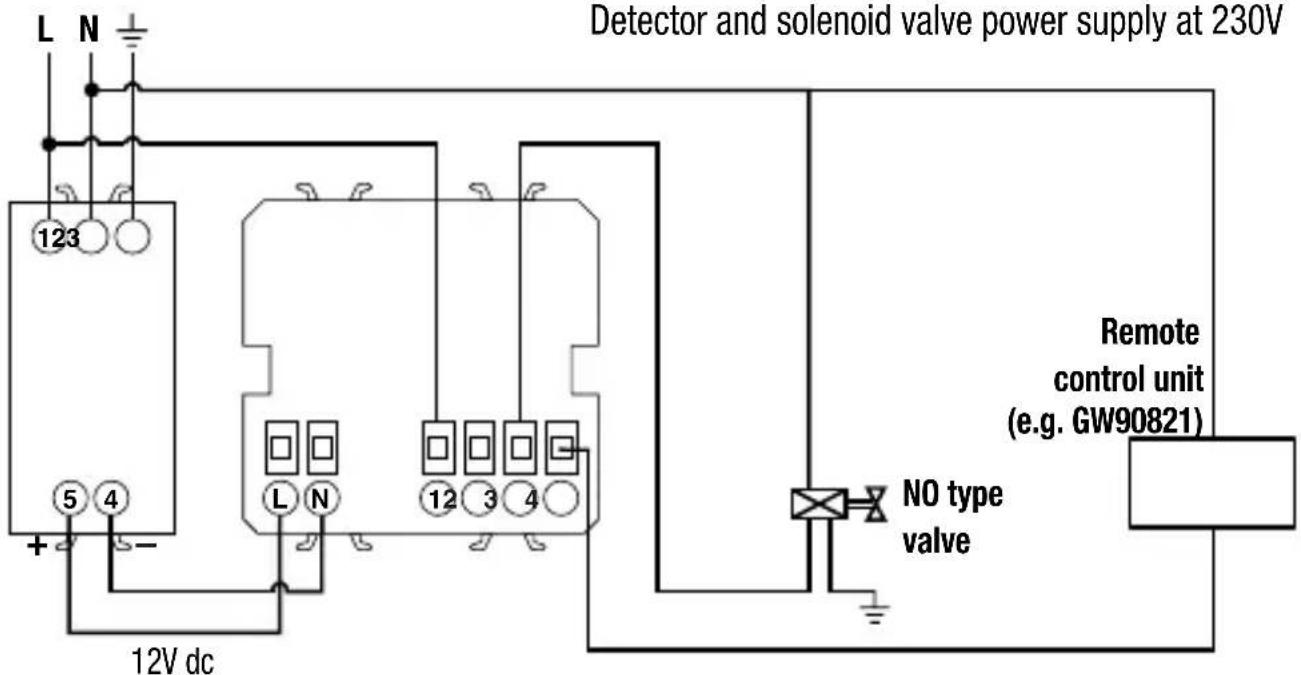
- Connect the detector as indicated in the drawings on page 33.
- All Chorus products must be fitted in compliance with CEI 64-8 standards for domestic appliances and similar devices, in dust-free areas and where there is no need for special water-proofing protection.
- Always contact an authorised technician or Gewiss's own customer service ("SAT") if the detector is faulty and/or malfunctions and in the case of extraordinary maintenance and scrapping.
CONTENTS
INTRODUCTION
- Functions 28
INSTALLATION INSTRUCTIONS
- Detector features 29
- RF sensor features 30
- Terminal description 32
-Connection diagrams 33 - Detector assembly. 34
- Sensor assembly 35
USER INSTRUCTIONS
- Control description 36
- Light signals 37
-Operating modes and signals. 39 - Prescriptions for correct use. 42
- Advice on positioning 42
- Signal transmission examples 43
- Area of coverage 44
Functions
The water presence detection system consists of an inset detector and a wall sensor in radio frequency at the frequency of 868 MHz.
The water sensor detects the presence of water by operating using ultrasounds.
This technology prevents oxidation of the contacts due to humidity and therefore avoids untimely interventions.
The Chorus flood protection system for domestic use allows users to:
- handle one or more water detectors using an RF connection.
- detect the presence of water by installing sensors.
- the use of an internal relay to trigger a solenoid valve with manual reset to intercept the delivery of the water at the point of supply.
- signalling the alarm by means of an audible warning and a light signal.
INSTALLATION INSTRUCTIONS
Water detector features
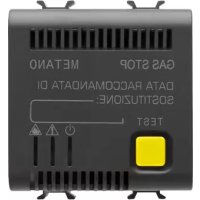
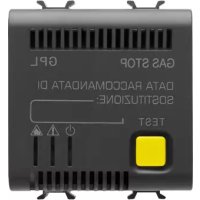
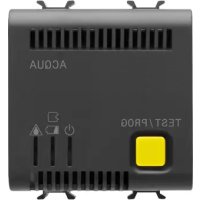
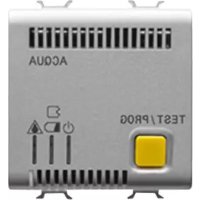
The detector is fitted with an RF system for receiving signals transmitted by the sensors. On the front there is a programming button, 3 indication LEDs and a buzzer for audible signals. Output relay with hermetic contacts for solenoid valve control. (or other electric supply e.g. a pump)
TECHNICAL DATA
- Power supply 12V ac/dc +10/-15%
- Power absorbed 2VA
- Audible alarm 70 dB at 1 m piezoelectric audible warning for alarm
- Output relay one switched contact 2NO/1NC, 5A(AC1)/3A(AC15) - 250V ac
- Operating temperature from +5^ to +40^
- Ambient relative humidity +30 ÷ 90% without condensation
Fixing inset on Chorus support - Detector dimensions 2 Chorus modules
STANDARDS REFERENCES
- EN 60065, EN 55014-1; EN 55014-2.
RF sensor features
The sensor is equipped with:
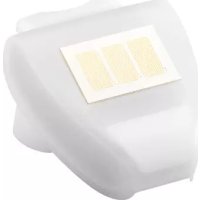
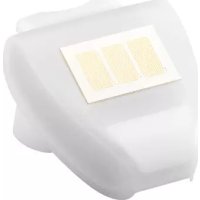
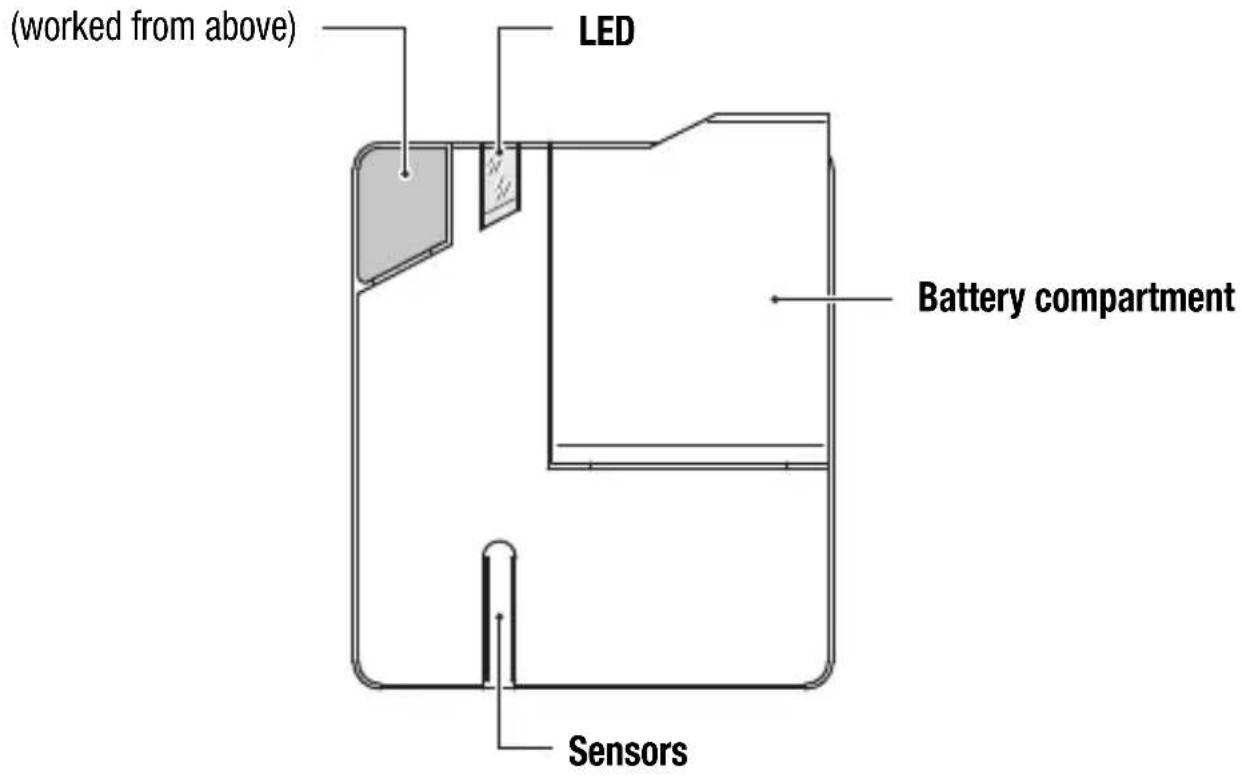
- A button: this is used by the detector during the sensor acquisition phase (PROGRAMMING), during the operating check phase (TEST) or to cancel possible alarms. Pressing the key on the sensor during the TEST phase must be rapid, while during the PROGRAMMING phase the key must be kept pressed for at least 5 seconds.
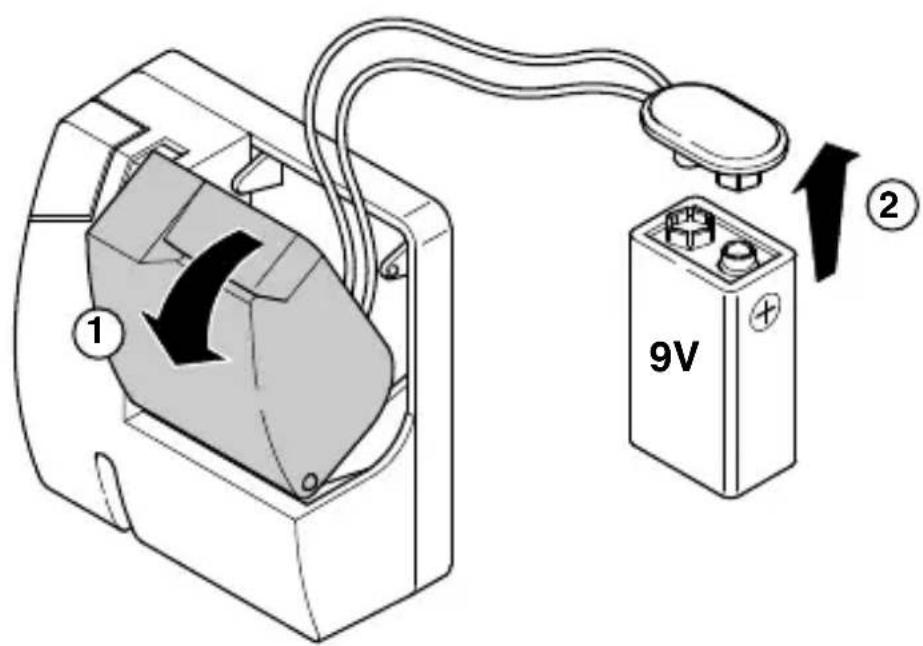
- LED: this shows the operating status and remains on for a few seconds during FLOOD-ING ALARM and SENSOR PRESENT transmissions, blinking for signalling BATTERY FLAT. The power supply is provided by a 9V battery (not included in the pack) with a life of approximately 1 year.
To optimize the sensor's autonomy, the liquids present search operation and the immediate transmission of the alarm signal to the detector is done at 2 minute intervals. In the worst case, therefore, the alarm is generated within a maximum of 2 minutes from the instant the sensor detects the presence of liquids.
The sensor sends the following information relative to its status to the detector:
- Alarm: during this transmission the LED on the sensor switches on for a few seconds.
- Sensor presence + sensor faulty or battery flat: this information is transmitted to the receiver every 12 hours.
INSTALLATION INSTRUCTIONS
RF sensor features
Button
- Sensor dimensions 74x88x45,5 mm (BxHxP)
Transmission frequency 868 MHz - Capacity in free field 100 mt
- Power supply 9V battery
Description of the water detector clamps
The detector can be connected to the 230V - 50 Hz mains (when required) using a 230V ac - 12V dc power supply module (GW 10 719, GW 12 719 e GW 14 719).
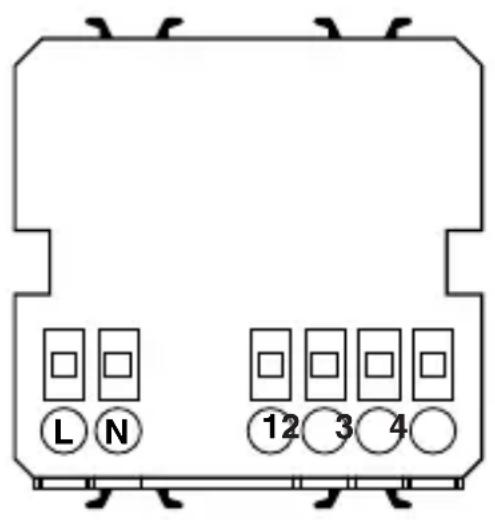
L (+)
N(-)
12V ac/dc
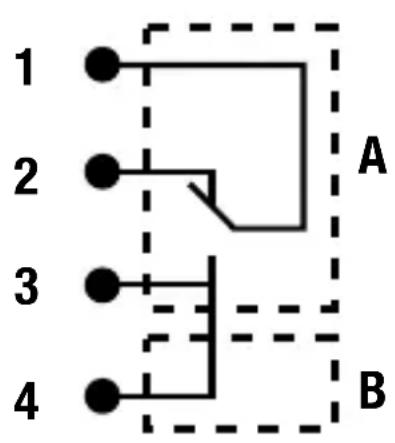
2NA/1NC, 5A(AC1)/3A(AC15) - 250V ac
A Potential-free contact to be used for controlling a solenoid valve with manual reset (NO or NC).
B Supplementary NO contact for a local and/or remote signalling function.
The installation and electrical connection of the devices and appliances must be done by qualified personnel and in conformity with the standards and laws in force.
The manufacturer declines all and any responsibility concerning the use of products that must follow specific environmental and/or installation standards, the responsibility for which remains at the competence and charge of the installer.
The examples given in this documentation are of principle; scrupulously comply with the laws and standards in force for the connection operations.
Warning: Power down the mains supply before installing the product
INSTALLATION INSTRUCTIONS
Connection diagrams
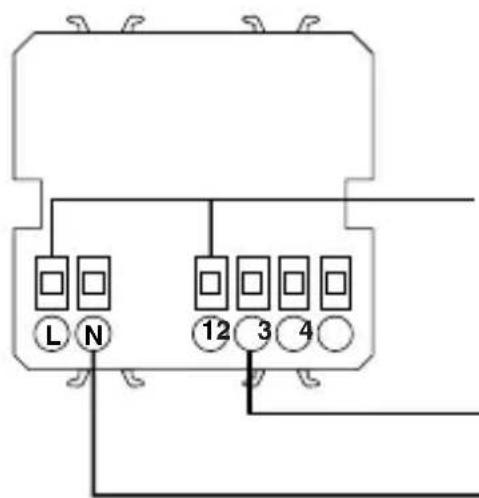
With NC solenoid valve
Detector and solenoid valve power supply at 12V.
N.B.: the GW 10-12-14 719 power supply module is only suitable for powering the detector and not the solenoid valve.
12V ac/dc
NC type valve
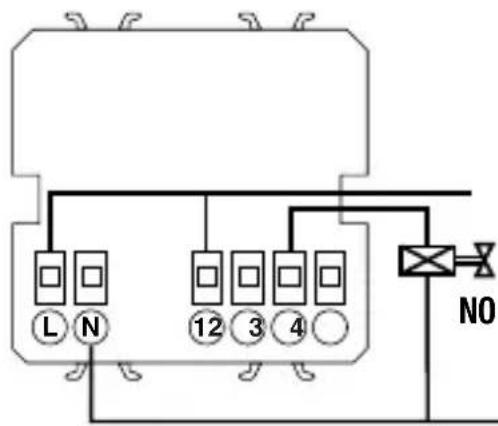
With NA solenoid valve
Detector and solenoid valve power supply at 12V.
N.B.: the GW 10-12-14 719 power supply module is only suitable for powering the detector and not the solenoid valve.
12V ac/dc
INSTALLATION INSTRUCTIONS
Detector assembly
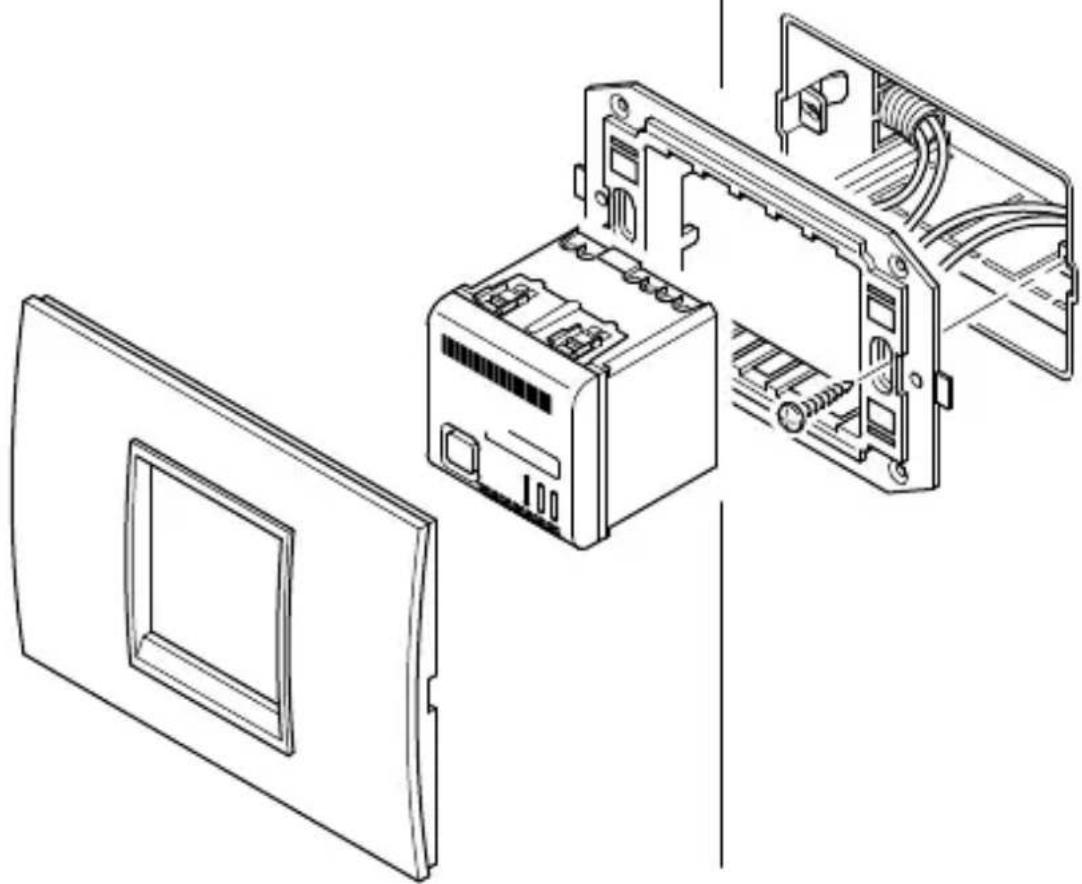
The detector must be installed on Chorus supports (minimum 2 modules) and completed with finishing plaques (ONE, LUX or ART).
INSTALLATION INSTRUCTIONS
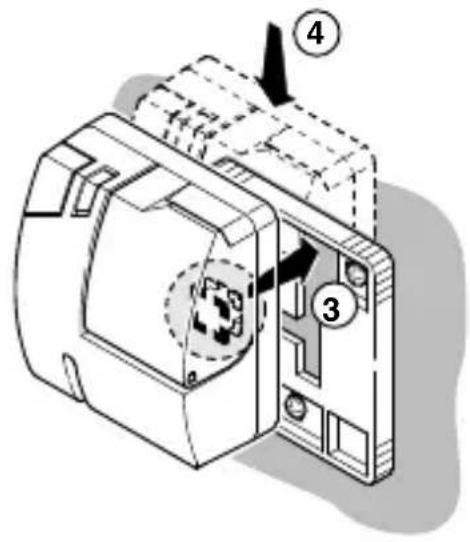
Sensor assembly
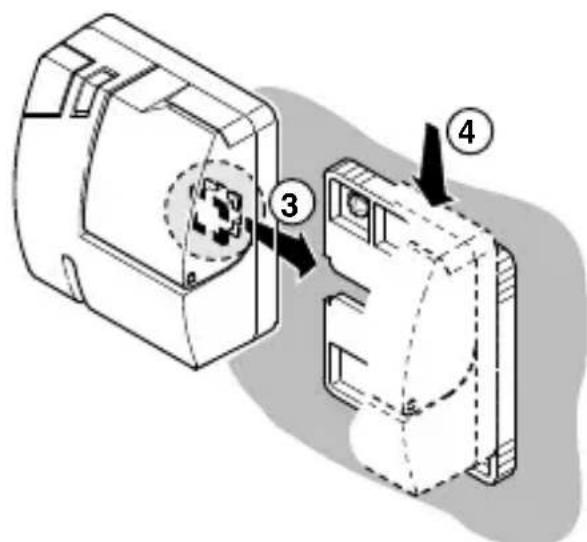
The sensor must be positioned flush with the floor so that it can detect the presence of liquids, in such a position that the LED is well visible and the button accessible. Before definitively fixing the sensor to the wall it is advisable to check the RF connection with the detector. To do this requires carrying out the sensor acquisition procedure and a test from the position where the sensor will be installed (see following paragraphs).
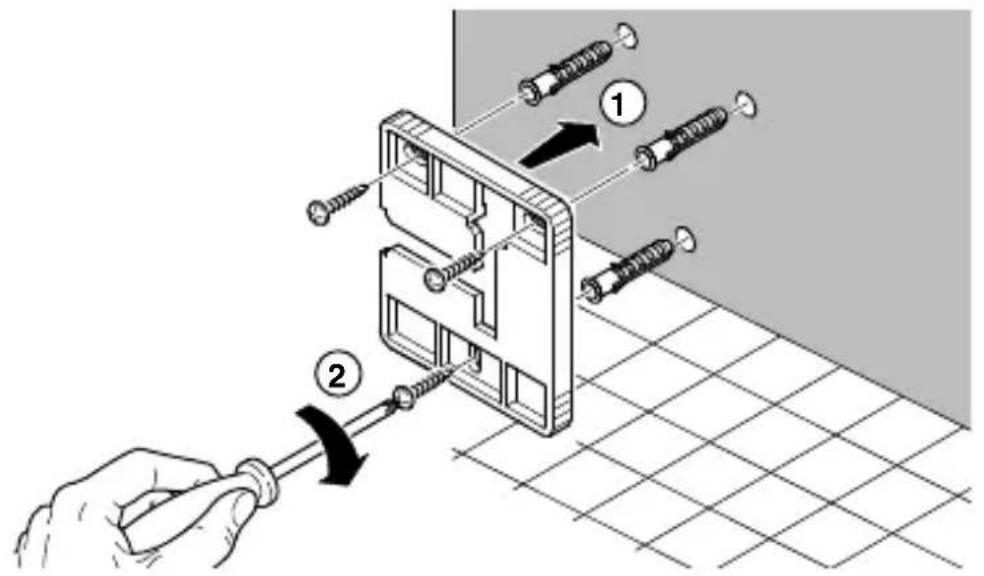
Double fixing possibility: From above 3-4 From left-hand side 3-4
NOTE: The first time the product is powered-up or when the "sensor-detector" communication is particularly DIFFICULT, it is recommended to check during installation that sensor and detector communicate properly (see "faulty sensor test and identification" procedure).
USER INSTRUCTIONS
Control description
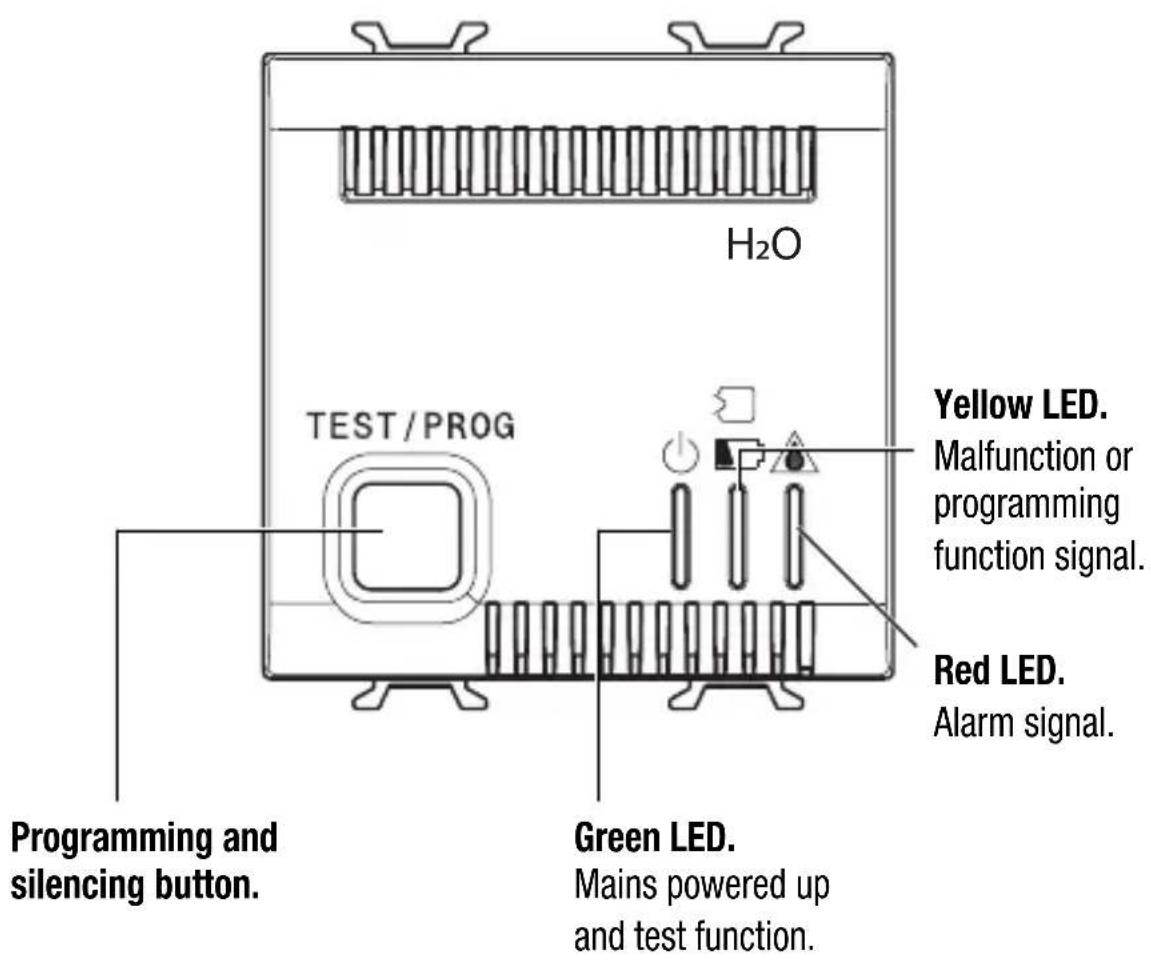

Light signals
green
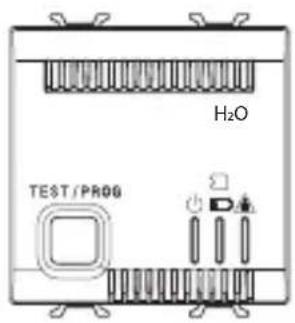
Detector powered up and in normal operating conditions.
green
yellow
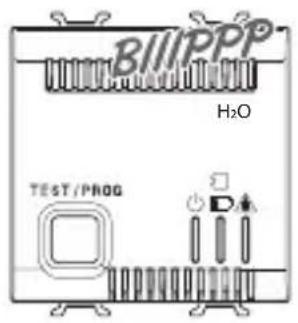
In the case of a fault, malfunction or flat battery in a sensor, the yellow LED blinks and an intermittent audible alarm is activated until it is silenced by pressing the front button or the fault is resolved.
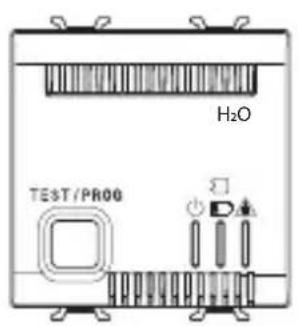

green
Test.
The green LED blinks after prolonged pressure of the front button for approximately 5 seconds.
Light signals
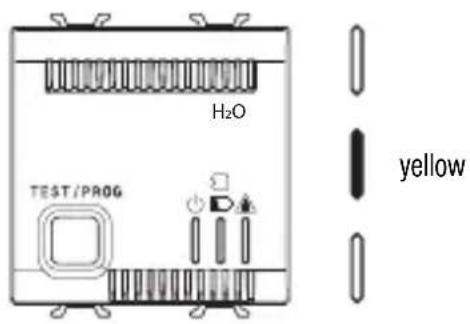
Programming.
Pressing the button for approximately 5 seconds during the "test" phase causes a move to the programming phase.
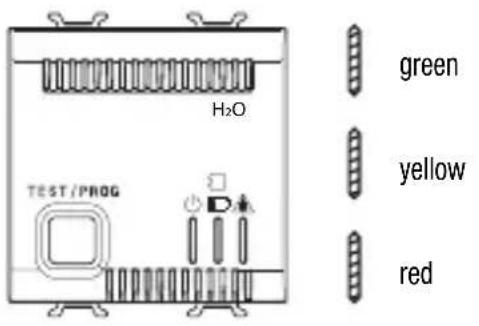
Detector cut-out.
Rapidly pressing the button disables the detector. The detector returns into service when the button is pressed again or automatically after a time interval of 24h.
The operation is useful for avoiding false alarms in cases of maintenance or in cases of cleaning the room.
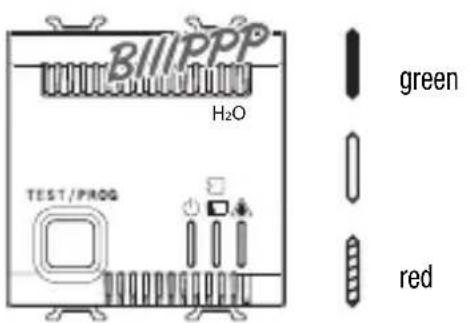
Alarm.
On arrival of the alarm signal from a sensor the audible alarm is activated and the red LED blinks.
In the case of an alarm it is necessary to identify the reason that has caused it and act accordingly.
Operating modes and signals
The presence of power and therefore operation of the detector is shown by the green LED fixed on.
If there is no power the detector will not work, but all the parameters remain stored.
The system restarts automatically when power is restored.
SENSOR ACQUISITION
To access sensor acquisition mode the detector's key must be kept pressed for 5 seconds so that the green LED blinks (TEST function); press the key again for another 5 seconds so that the yellow LED comes fixed on (PROGRAMMING function).
Keep the button on each sensor pressed for approximately 5 seconds to send the identification code to the detector: an audible signal (short but strident) signals successful reception by the sensor.
The maximum number of sensors that can be installed is 5.
To end the PROGRAMMING phase and return to operating mode press the detector button (where 5 sensors are configured, the programming phase is automatically exited as soon as you have completed the last configuration).
The absence of signals or commands for more than 3 minutes causes automatic exit from the PROGRAMMING function.
It is not possible to insert the same sensor more than once.
Whenever the PROGRAMMING phase is accessed, all the sensors present are cancelled and the acquisition operation must be repeated for all the sensors.
FAULT SENSOR TEST AND IDENTIFICATION
To identify a faulty sensor (namely one that does not transmit) or to check the efficiency of the system, the TEST function must be accessed by keeping the detector's key pressed for 5 seconds (the green LED will blink).
Then press the single buttons present on the sensors in succession: if the sensor is perfectly operational the detector outputs an audible signal of successful reception, no signal is output if the sensor is faulty or with a flat battery.
The absence of signals or commands for more than 3 minutes causes automatic exit from the TEST function.
Operating modes and signals
FLAT BATTERY ALARM AND ITS RESETTING
The flat battery situation is signalled both by the LED (on the sensor) blinking until the battery is replaced and by the yellow LED on the detector blinking and the simulta-neous output of a slight and intermittent sound signal (buzzer type) that can only be silenced by the key on the detector itself.
The detector's yellow LED will continue to blink, even after silencing, until the battery is replaced.
To reset the battery flat alarm after battery replacement, it is necessary to make a test of the sensor in the alarm situation by accessing the TEST function or waiting a maximum of 6 hours for automatic reset.
Operating modes and signals
SENSOR FAULTY ALARM AND ITS RESETTING
The sensor sends a presence signal every 12 hours.
If the detector does not receive the signal, the yellow LED starts to blink and the buzzer outputs a slight and intermittent sound (buzzer type) that can only be silenced by the key on the detector itself.
To identify the faulty sensor and subsequently to reset the alarm (after having reset the device), it is necessary to make a test of the sensor in the alarm situation by accessing the TEST function or waiting a maximum of 6 hours for automatic reset.
If the faulty sensor has to be replaced, it is necessary to reacquire all the sensors (PROGRAMMING function).
FLOODING ALARM AND ITS RESETTING
The detector in alarm situation is signalled by the blinking of the red LED and the output of an acute and prolonged sound with an intensity of approximately 70dB.(reading taken at 1 metre).
The output relay is excited by switching its NO/NC contacts.(and therefore the solenoid valve is closed).
The alarm is silenced by pressing the key on the detector.
After silencing, only the visual signal remains (red LED blinking) and the relay contact remains closed for as long as the sensor continues to detect the presence of water.
If the flooding alarm is never silenced, the buzzer will continue to sound at maximum for 3 minutes while the relay and blinking red LED remain active for as long as there is the presence of water.
REMOTE CONTROL
To send an alarm SMS, use a GW 90 821 remote control unit.
Please refer to the remote control instruction manual for connection procedures.
USERINSTRUCTIONS
Prescriptions for correct use
- Do not open or tamper with the appliance: danger of electric shock and malfunctioning.
- Only use a slightly damp cloth for cleaning the appliance.
Advice on positioning
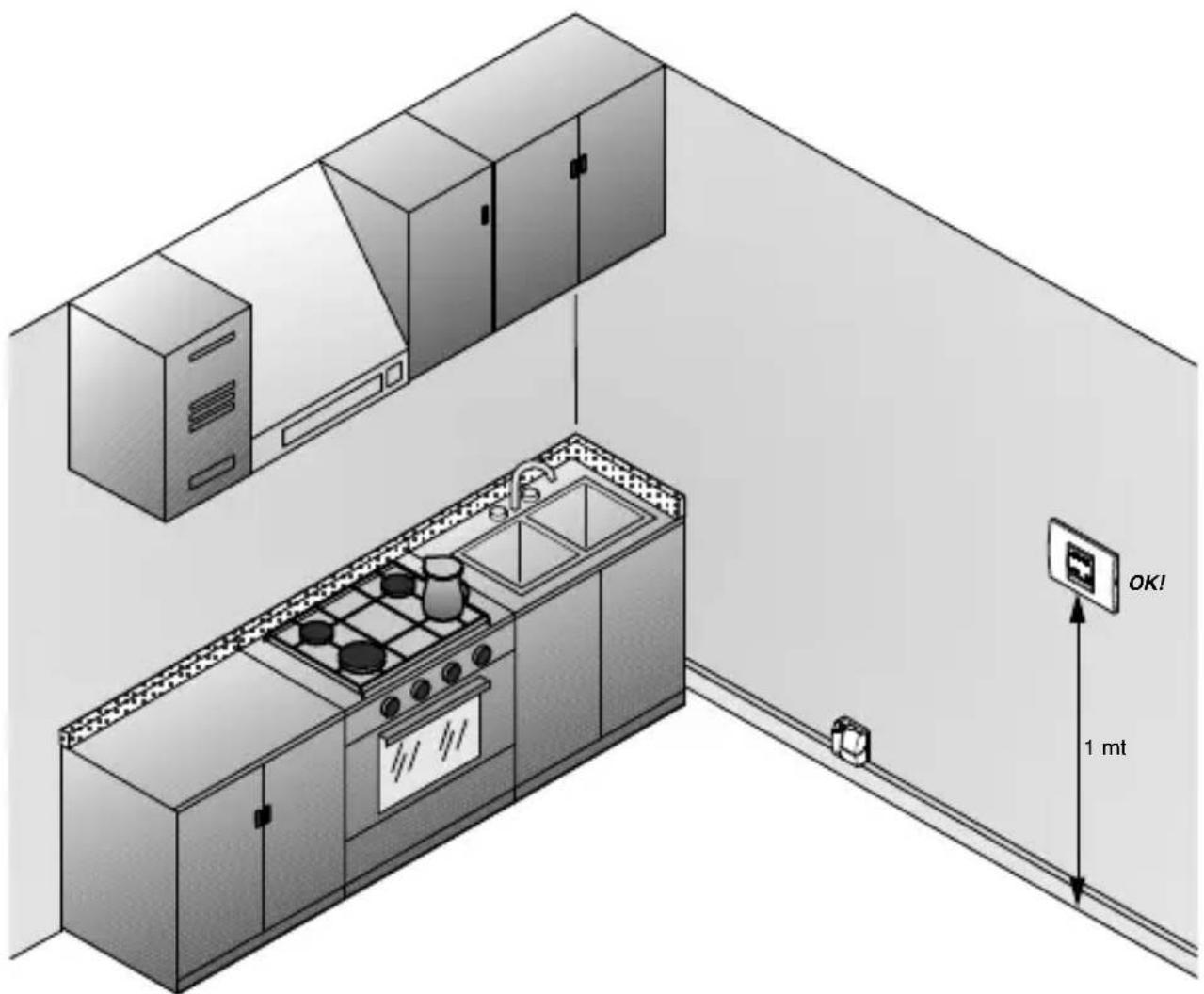
The Chorus water detectors must be installed about 1 metre from the floor (standard height for control devices).
Signal transmission examples
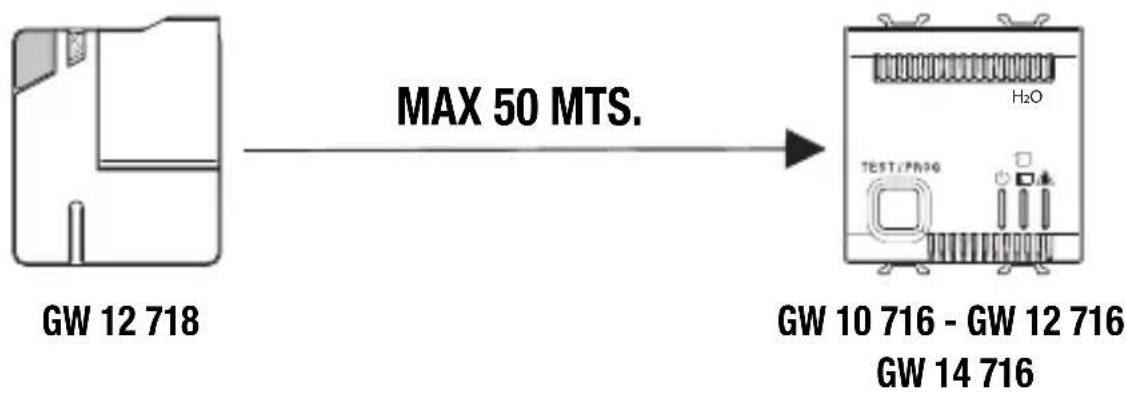
RF Sensor capacity (in free-field conditions)
WARNING:
When installing the various detectors it is important to check the correct wireless range capacity for each sensor towards the detector.
Decreased and critical wireless signal level with regards to different building materials:
with walls in plywood, plasterboard or hollow panelling ...
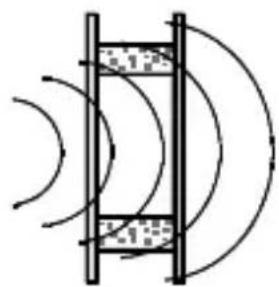
...range of full capacity from 100% to 90%
with walls in brick or perforated blocks...
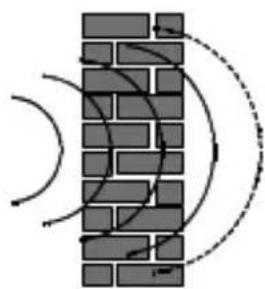
...range of full capacity from 95% to 65%
with walls in reinforced concrete
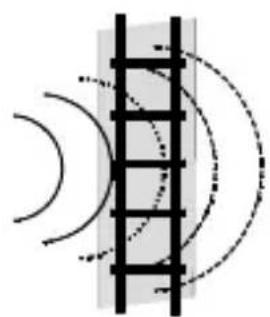
...range of full capacity from 70% to 10%
Area of coverage
Layouts, examples and useful advice for the installation and handling of the devices
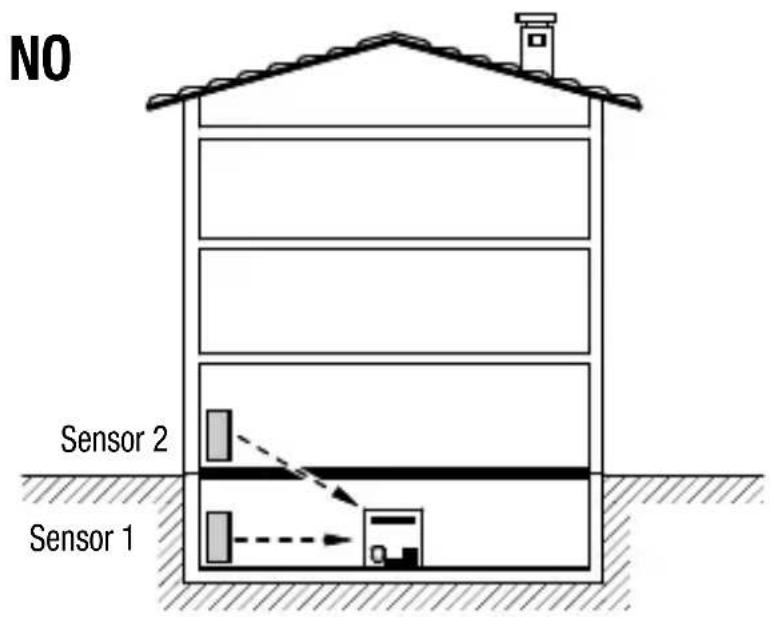
In the event the system is split on different floors, do not install the detector in the basement.
Area of coverage
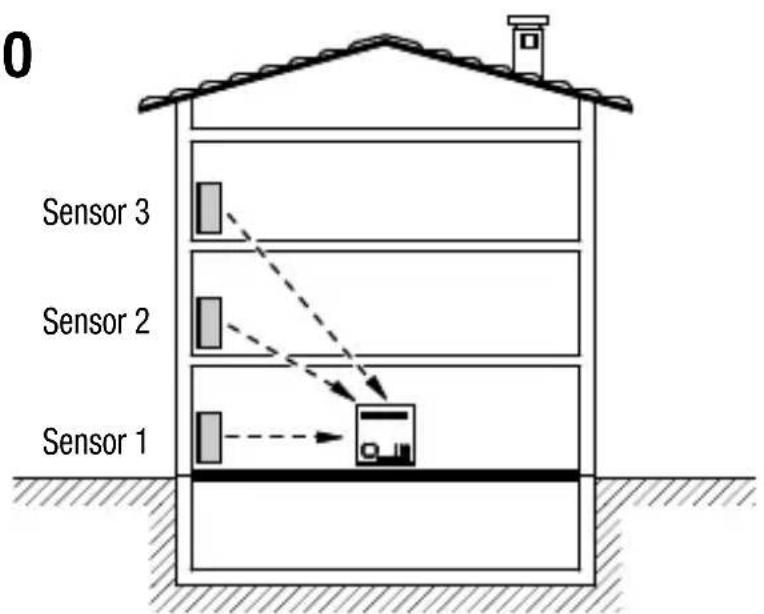
NO
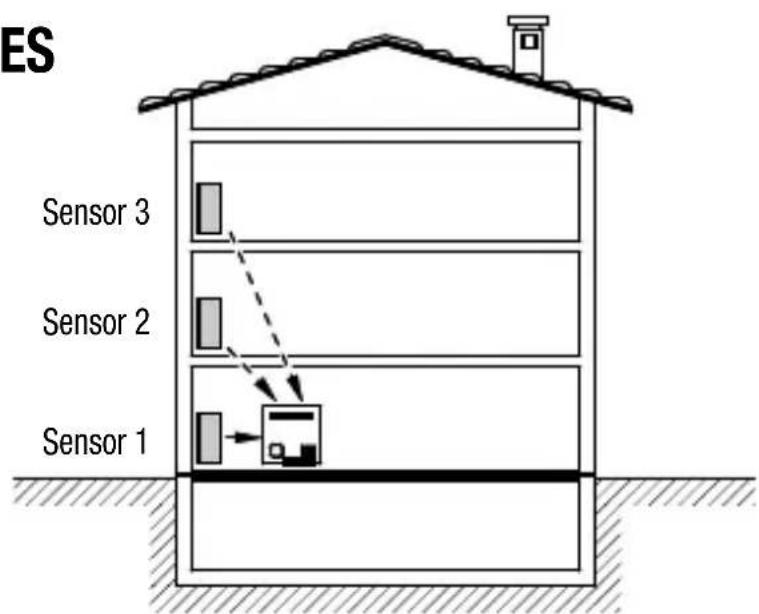
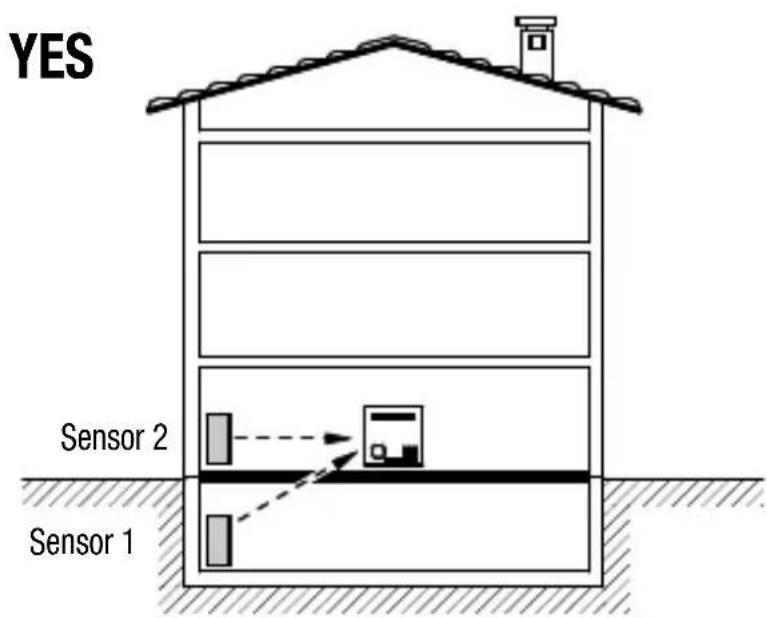
YES
In the event the system is split on different floors, try to position the detector on the vertical of the sensors.
Area of coverage
Layouts, examples and useful advice for the installation and handling of the devices.
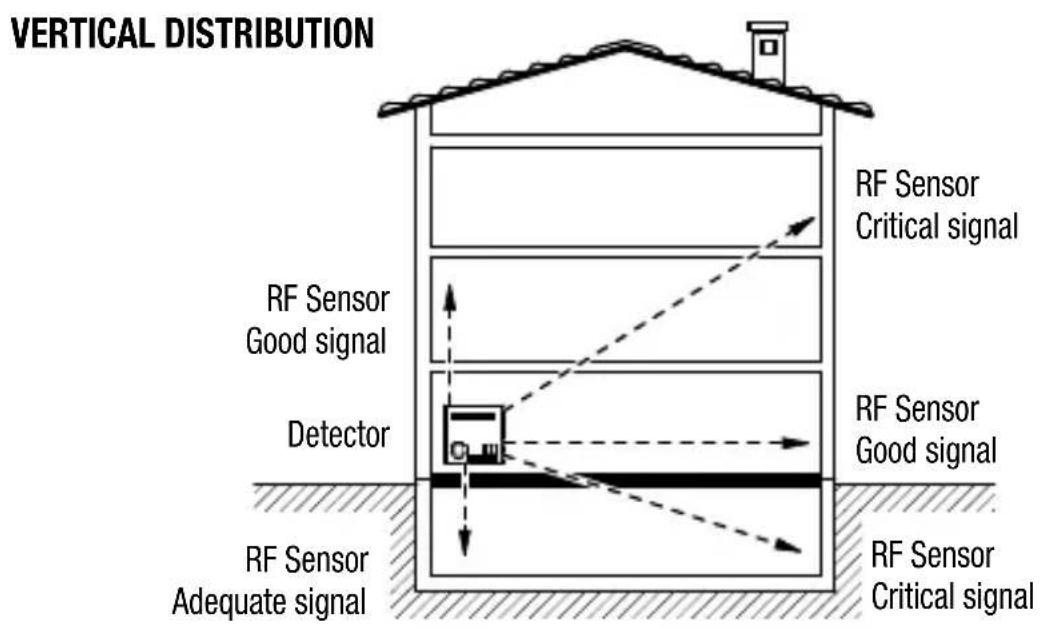
SOLUTION 1
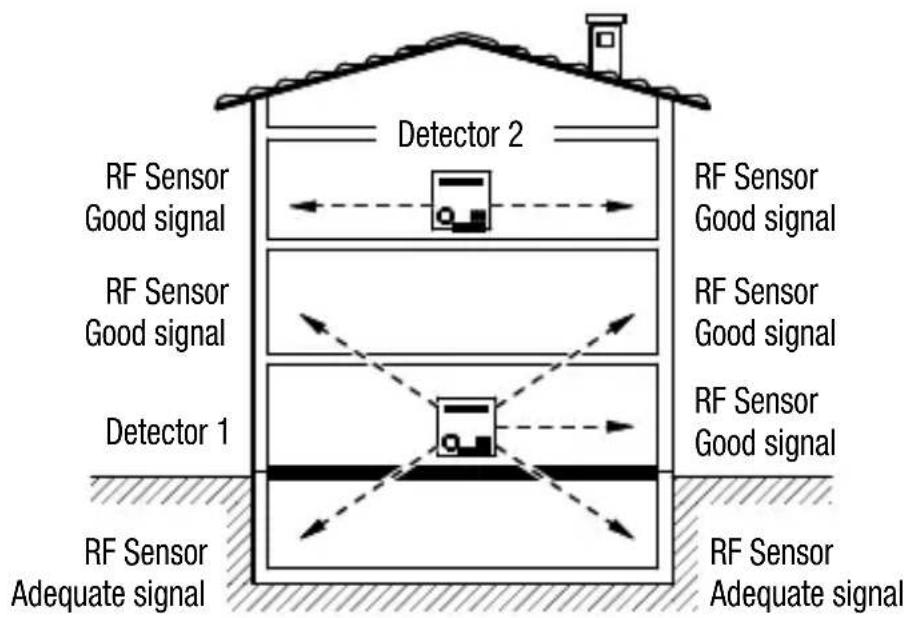
SOLUTION 2
NOTE: In a system made with several RF sensors connected to one detector only, check the correct communication between the devices; should one or more sensors have some trouble in the communication with the detector, it is advisable to install further detectors in the house in order to ensure a proper coverage (solution 2).
Area of coverage
HORIZONTAL DISTRIBUTION
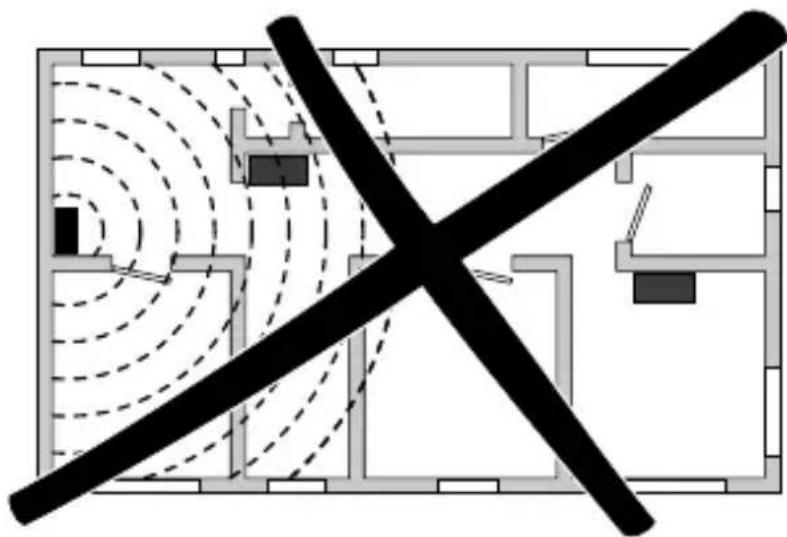
Wrong
By installing the detector in a decentralised position the sensors located in the opposite side of the house may be too far and may not be able to send a good signal due to the architectural and/or structural impediments.
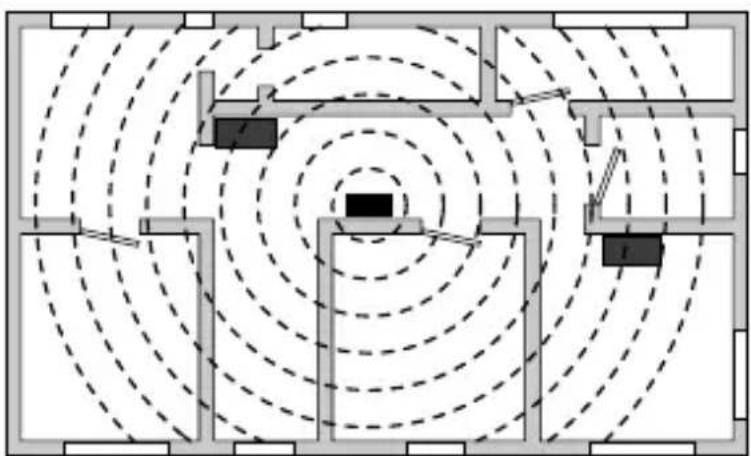
Correct
By installing the detector in a barycentric position in respect to the sensors, the distance between the devices decreases, thus improving communication.
FRANÇAIS
Attention - Important
In compliance with the laws in force, this product, at the end of its life span, must be disposed of separately from urban waste (as shown by the "crossed bin" on the product). Therefore, at the end of its life span, the user must take the product to an appropriate differentiated collection centre or give it to the retailer when a new product is bought. Differentiated collection is indispensable for limiting the potential impact on the Environment and Health caused by incorrect disposal of electric and electronic appliances at the end of their
life. Gewiss takes an active part in operations encouraging the correct reuse, recycling and recovery of electric and electronic appliances. Contact the local waste disposal service or the product's retailer for further information.