eWD18 - Detector EBODE - Free user manual and instructions
Find the device manual for free eWD18 EBODE in PDF.



| Brand | Ebode |
| Model | eWD18 |
| Product type | Wireless water detector |
| Dimensions (approx.) | 60 x 60 x 20 mm |
| Weight (approx.) | 50 g (with batteries) |
| Power supply | 2 AAA 1.5 V alkaline batteries |
| Battery life | More than one year in standby mode |
| RF range | 100 m in open field, up to 30 m through walls and ceilings |
| Frequency | X10 standard RF security (proprietary protocol) |
| Alarm sound level | 80 dB min at 4 kHz / 6 V / 10 cm |
| Main functions | Water detection, integrated audible alarm (85 dB), alarm transmission to compatible consoles (SC28, BS800), standalone operation |
| Sensor type | Two wired sensors to be placed at water level |
| Operating temperature | 0 °C to +40 °C |
| Storage temperature | -20 °C to +70 °C |
| Maintenance and cleaning | Clean with a soft, dry cloth. Regularly check battery condition and replace if necessary. Do not immerse in water. |
| Safety | Do not disassemble, keep out of reach of children, observe battery polarity, do not throw batteries into fire |
| Spare parts and repairability | Spare batteries (AAA). Sensors available as option. No user-serviceable parts. |
| General information | Complies with directive 1999/5/EC. For indoor use only. |
Frequently Asked Questions - eWD18 EBODE
User questions about eWD18 EBODE
0 question about this device. Answer the ones you know or ask your own.
Ask a new question about this device
Download the instructions for your Detector in PDF format for free! Find your manual eWD18 - EBODE and take your electronic device back in hand. On this page are published all the documents necessary for the use of your device. eWD18 by EBODE.
USER MANUAL eWD18 EBODE
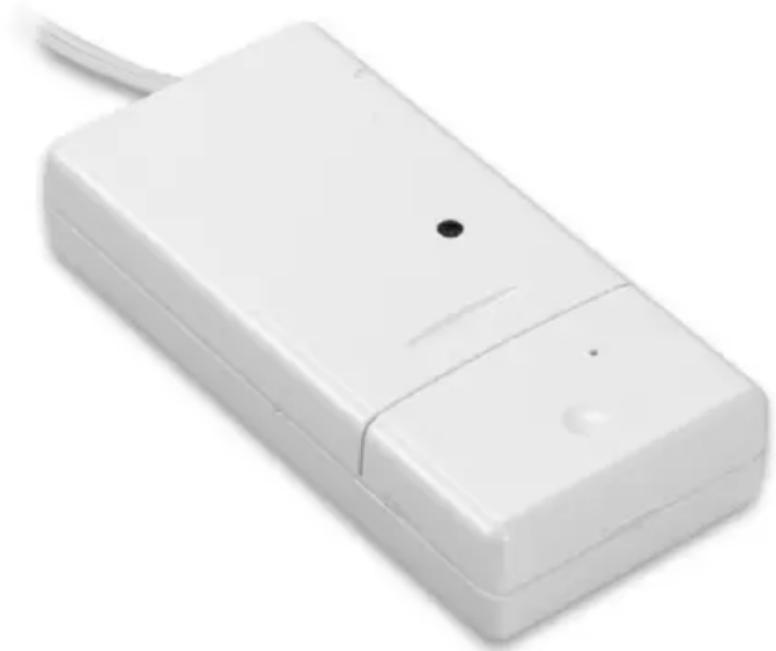
Wireless Water Detector
natural_image
White rectangular electronic device with a small black dot on the side and a curved handle, shown against a white background (no text or symbols visible)eWD18

User guide 2

1. Conformity of Use
For carefree and safe use of this product, please read this manual and safety information carefully and follow the instructions. The unit is registered as a device that does not cause or suffer from radio-frequency interference. It is CE approved and it conforms with the Low Voltage Directory. The safety and installation instructions must be observed. Technical manipulation of the product, or any changes to the product, is forbidden, due to security and approval issues. Please take care to set up the device correctly - consult your user guide. Young children should use the device only under adult supervision. No guarantee or liability will be accepted for any damage caused due to incorrect use of the equipment supplied, other than indicated in this owner's manual.
Safety warnings
- Avoid strong mechanical tear and wear, extreme ambient temperatures, strong vibrations and atmospheric humidity.
- Do not disassemble any part of the product: the device contains live parts and no user-serviceable parts are inside. The product should only be repaired or serviced by qualified and authorized service personnel. Defected pieces must be replaced by original (spare) parts.
- Batteries: keep batteries out of the reach of children. Dispose of batteries as chemical waste. Never use old and new batteries or different types of batteries together. Remove the batteries when you are not using the system for a longer period of time. When inserting batteries, please be sure the polarity is right. Make sure that the batteries are not short circuits and are not disposed in fire (danger of explosion).
In case of improper usage or if you have opened, altered and repaired the product yourself, all guarantees expire. The supplier does not accept responsibility in the case of improper usage of the product or when the product is used for purposes other than specified. The supplier does not accept responsibility for additional damage other than covered by the legal product responsibility.
2. Introduction
Thank you for purchasing the ebode eWD18. Get warned by flooding and intervene to prevent against water damage. The ebode water detector is battery operated and provided with 2 sensors which have to be placed on the location where water will be expected. When detecting water or moisture the eWD18 will sound an alarm (85DB), like a smoke detector does as a stand-alone system. To register the eWD18 to an X-10 network (BS800 HomeGuard and ProtectorPlus BS880/4 and BS880/7), the water detector is part of your X10 security system and here an alarm message will also be given.
For more information please see HomeGuard and ProtectorPlus guides.
The eWD18 can operate with the following security consoles:
• SC28 Home Protector
• BS800 HomeGuard
• The eWD18 can also operate as stand-alone unit without console.
3. Specifications
Operating voltage: 3VDC (2 x "AAA" size battery)
RF Frequency: 433.92MHz ± 150KHz
RF Operation range: 100M open field, up to 30M through wall and ceiling
Operating Temperature: 0^ C - +40°C
Storage Temperature: -20^ - +70^
Battery life: over 1 year (standby mode)
X10 command support: Standard X10 RF security command (Panic & disarm)
Sound pressure level: 80dB min at 4KHz / 6V / 10cm
4. Installation Instructions
- Transmitter part – Built-in antenna.
- Control indicator LED - When pressing the "Register" button (4), or when the unit is transmitting a signal to the base station, this LED will light up. When the LED blinks weakly, batteries have to be replaced.
- Screw holes for mounting the sensor.
- Button to register the water detector to the SC28 and BS800 Security Console.
- Battery compartment.
- Connection for water sensor.
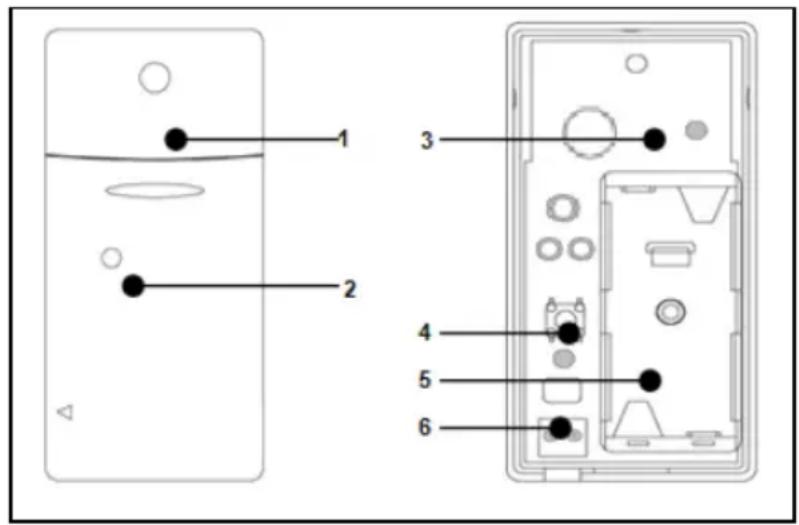
Figure 1.1
5. Using the Water Detector
- Open the casing.
- Insert batteries (2xAAA, alkaline) into the battery compartment. Observe polarity.
- Activate the sensor by pressing the register button (4) on the transmitter for 4 seconds. Release the button. The water detector has now chosen a unique code, which can be registered with your console.
Please note that the Water Detector can also be used as a stand-alone unit. In this case you do not need to register the eWD18 to a Security Console. Mount the Detector at a position where it cannot be wet and position the wires (sensor) at the location where its most likely that water will be detected first.
6. Registering the water detector with the console
You can either use the eWD18 water detector as a stand-alone unit or you can register it with your HomeGuard/Protector+ system. Your system's user guide will show you how to do this. If you do not have a user guide at hand, you can download one from our website found at www.ebodeelectronics.eu.
7. Registering with the SC28 Home Protector
- Access the menu of the console, done by either using the menu UP or DOWN button. The display now shows ENTER PIN.
- Enter your PIN; factory default is [0000]: The display is cleared and shows a * for each number entered.
- When the PIN code has been entered correctly, the word INSTALL will show up on the display.
- Press OK. Install Zone will be shown on your display.
- Press the REGISTER button (4) on the Detector. The console will beep to confirm. The display read RMOT 1 SET.
- Repeat step 5 for every Detector you wish to register.
- Press CLEAR to go back to the first menu item. Press CLEAR again to quit the menu. To confirm this choice, press 1 for Yes or 2 for No. If you choose Yes, you will quit the menu. If you choose No, you go back to the first menu item.
8. Registering with the BS800 HomeGuard
- Access the menu of the console, a PIN will be requested.
- Enter your PIN, factory default is [0000]: You will hear three high tones and one low tone as confirmation. The green indicator starts flashing.
- Press 1 on the keyboard of the HomeGuard; One high tone is given for confirmation.
- Press the test button of the sensor; One low tone is given for confirmation.
- Repeat step 1-3 for every Detector you wish to register.
- Press any button on your HomeGuard keyboard to finalise the registration procedure. One short low tone is given and the green indicator will stop flashing.
If successive commands are not entered within a period of 15 seconds, the base station returns to normal operation. To restart the registration you must start the procedure from step1.
Note: The RF range can be affected by a number of factors including building construction, so make sure you test the detector in the desired location using the detector's main test button. The detector will sound an alarm and when in range the console will also acknowledge the detector.
9. When water is detected
When water is detected a alarm will be sounded at both the water detector and if you registered the eWD18 water detector to a Security Console the console will show "EMERGENCY" and also sound an alarm. Once there is no more water detected the eWD18 water detector will automatically disarm its own and the Security Consoles alarm.
If you are not home and such a water stop is installed on the washer, it may happen that the water level drops and the water detector will than not detect water. At this time your house is no longer protected because the security center is turned off. The water detector will at all times sound an alarm as a stand-alone system upon detection of water regardless of the status of the control panel.

Bedienungsanleitung
Inhalt
X10 commando onderst: Standard X10 RF security command (Panic & disarm)
Preacautions de securite
Tension: 3VDC (2 x "AAA")
Fréquence RF: 433.92MHz ± 150KHz
DECLARATION OF CONFORMITY
Hereby, ebode declares that this eWD18 is in compliance with the essential requirements and other relevant provisions of the following Directives:
1) Directive 1999/5/EC of the European Parliament and of the Council of 9 March 1999 on radio equipment and telecommunications terminal equipment and the mutual recognition of their conformity
2) Directive 2004/108/EC of the European Parliament and of the Council of 15 December 2004 on the approximation of the laws of the Member States relating to electromagnetic compatibility
3) Directive 2006/95/EC of the European Parliament and of the Council of 12 December 2006 on the harmonization of the laws of Member States relating to electrical equipment designed for use within certain voltage limits
4) Directive 2002/95/EC of the European Parliament and of the Council of 27 January 2003 on the restriction of the use of certain hazardous substances in electrical and electronic equipment
5) Directive 2005/32/EC of the European Parliament and of the Council of 6 July 2005 establishing a framework for the setting of eco design requirements for energy-using
Technical data and copies of the original Declaration of Conformity are available and can be obtained from ebode electronics: PB 25, NL-4264ZG, the Netherlands.
CE
User Information for Consumer Products Covered by EU Directive 2002/96/EC on Waste Electric and Electronic Equipment (WEEE)
This document contains important information for users with regards to the proper disposal and recycling of ebode products. Consumers are required to comply with this notice for all electronic products bearing the following symbol:
Environmental Information for Customers in the European Union
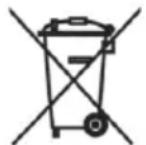
European Directive 2002/96/EC requires that the equipment bearing this symbol on the product and/or its packaging must not be disposed of with unsorted municipal waste. The symbol indicates that this product should be disposed of separately from regular household waste streams.
It is your responsibility to dispose of this and other electric and electronic equipment via designated collection facilities appointed by the government or local authorities. Correct disposal and recycling will help prevent potential negative consequences to the environment and human health.
For more detailed information about the disposal of your old equipment, please contact your local authorities, waste disposal service, or the shop where you purchased the product.
DECLARATION OF CONFORMITY TO R&TTE DIRECTIVE 1999/5/EC for the European Community, Switzerland, Norway, Iceland and Liechtenstein
Product category: general consumer (category 3).
English: This equipment is in compliance with the essential requirements and other relevant provisions of the European R&TTE Directive 1999/5/EC
Also available from ebode: Bluetooth Speaker and Bluetooth receiver
natural_image
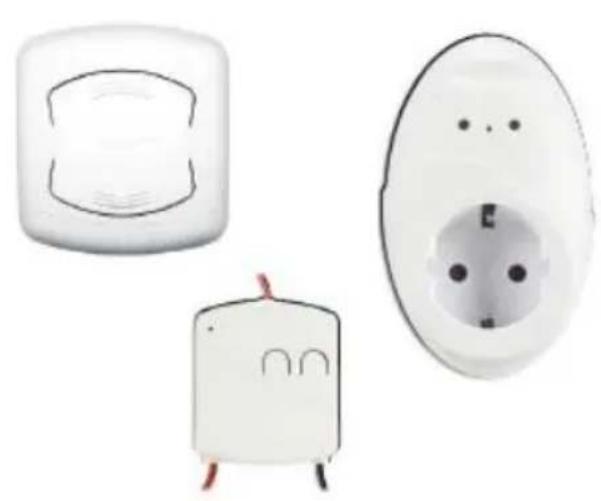
Three white electrical socket components with internal circuitry and terminal wiring (no text or symbols visible)Home Automation
The next generation of innovative and smart products to control lighting, household appliances, shutters, blinds, awnings, home cinema screens and more.
Affordable and easy automation of your home. ebode, home made smart.
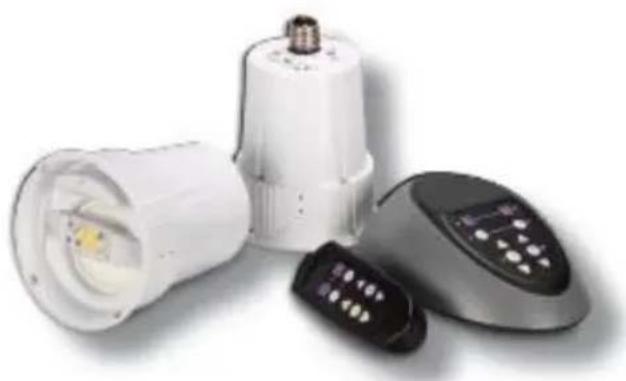
Unique LightSpeaker™ System
Is it a LED light bulb? Is it a speaker? It is LightSpeaker from ebode! This multi-room systems lets you enjoy music from two sources like your stereo, TV, tablet or Smartphone. You easily screw in the speaker like a light bulb. You can have light and sound in up to 4 zones.
natural_image
Product photo of a white LED light bulb with attached remote control and a black remote device (no text or symbols visible)ebode is focusing on wireless audio and video products, that are affordable, innovative and plug & play. The products provide you with comfort in your home, help you to avoid wires, and make sure you can stream your personal audio and video to where ever you want to look or listen to it. For more ebode products and information, please visit www.ebodeelectronics.eu.
Also available from ebode: Bluetooth Speaker and Bluetooth receiver
natural_image
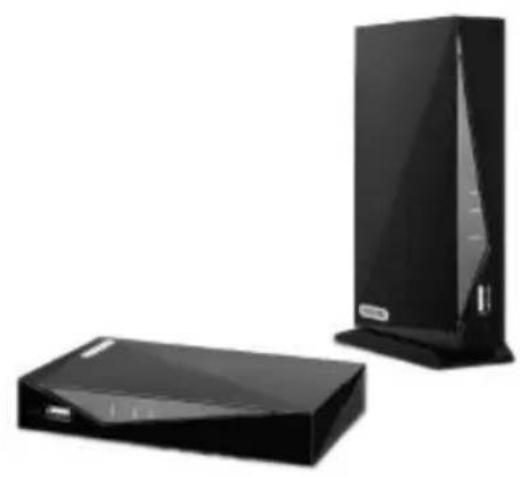
Two black electronic devices, one rectangular and one tall, displayed against a white background (no text or symbols visible)Digital HD Video Link VLHD30
Long Range Wireless HDMI has arrived. The VLHD30 replaces your current HDMI cable. The system wirelessly streams uncompressed High-Def videos from any HD video source device to your HD TV (or projector), placed anywhere in your home. The VLHD30 has an extra long range and includes an USB Port!
Free Frequency FM Transmitter
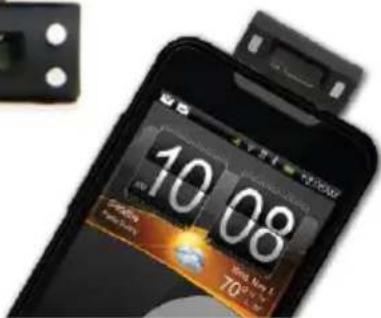
Plug the FM Sound in your Smartphone and send the music wireless to your (car)radio. Works with any free frequency. Available for iPod, iPhone, iPad, Android, and any other device with a 3.5mm plug.


ebode is focusing on wireless audio and video products, that are affordable, innovative and plug & play. The products provide you with comfort in your home, help you to avoid wires, and make sure you can stream your personal audio and video to where ever you want to look or listen to it. For more ebode products and information, please visit www.ebodeelectronics.eu.
Also available from ebode: Bluetooth Speaker and Bluetooth receiver
natural_image
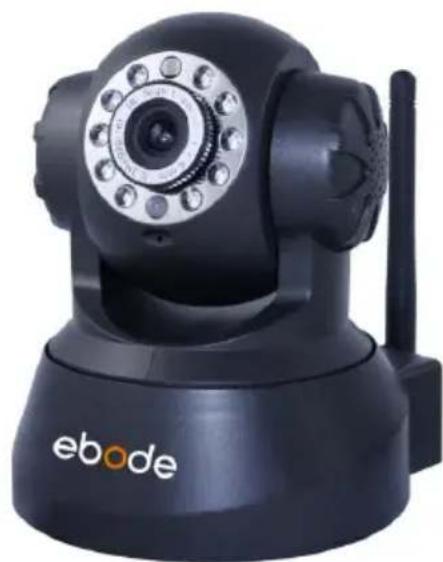
Black ebo de camera with visible sensor and antenna (no text or symbols on device body)Indoor IP Camera IPV38
The present and future of video security is the IP camera. ebode believes that an IP camera should be affordable and easy to install. By developing our own ebode App, you can see live feeds, wherever you are.
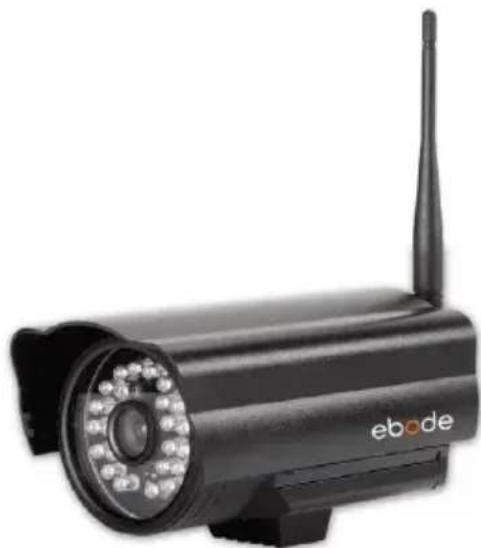
Outdoor IP Camera IPV58
An outdoor camera with an easy user interface. The plug and play camera has automatic IR-LED lighting so you have up to 20 meters night vision. Free DDNS lets you view live feeds, wherever you are on your PC, smartphone, tablet and/or laptop.
natural_image
Black electronic security camera with visible signal waves and antenna (no text or symbols on body)ebode is focusing on wireless audio and video products, that are affordable, innovative and plug & play. The products provide you with comfort in your home, help you to avoid wires, and make sure you can stream your personal audio and video to where ever you want to look or listen to it. For more ebode products and information, please visit www.ebodeelectronics.eu.
NOTES
ebode
www.ebodeelectronics.eu


- Wireless Water Detector
- eWD18
- Conformity of Use
- Safety warnings
- Introduction
- Specifications
- Installation Instructions
- Using the Water Detector
- Registering the water detector with the console
- Registering with the SC28 Home Protector
- Registering with the BS800 HomeGuard
- When water is detected
- Bedienungsanleitung
- Inhalt
- Preacautions de securite
- DECLARATION OF CONFORMITY
- CE
- User Information for Consumer Products Covered by EU Directive 2002/96/EC on Waste Electric and Electronic Equipment (WEEE)
- Environmental Information for Customers in the European Union
- DECLARATION OF CONFORMITY TO R&TTE DIRECTIVE 1999/5/EC for the European Community, Switzerland, Norway, Iceland and Liechtenstein
- Also available from ebode: Bluetooth Speaker and Bluetooth receiver
- Home Automation
- Unique LightSpeaker™ System
- Digital HD Video Link VLHD30
- Free Frequency FM Transmitter
- Indoor IP Camera IPV38
- Outdoor IP Camera IPV58
- NOTES
- ebode
Brand : EBODE
Model : eWD18
Category : Detector