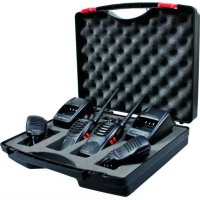
29830 - Radio ALBRECHT - Free user manual and instructions
Find the device manual for free 29830 ALBRECHT in PDF.



Frequently Asked Questions - 29830 ALBRECHT
User questions about 29830 ALBRECHT
0 question about this device. Answer the ones you know or ask your own.
Ask a new question about this device
Download the instructions for your Radio in PDF format for free! Find your manual 29830 - ALBRECHT and take your electronic device back in hand. On this page are published all the documents necessary for the use of your device. 29830 by ALBRECHT.
USER MANUAL 29830 ALBRECHT
Refer service to qualified technicians only.
- Do not disassemble or modify the transceiver for any reason.
- Do not expose the transceiver under direct sunlight long time or to extremely hot condition.
- Do not place the transceiver on any unstable surface.
- Keep the transceiver out of dust, moisture, and water.
- Do not operate the transceiver or charge the battery pack under explosive conditions.
INDEX
UNPACKING AND CHECKING EQUIPMENTS 1
SUPPLIED ACCESSORIES 1
CHARGING THE LI-ION BATTERY PACK 1
INSTALLING / REMOVING THE BATTERY PACK 2
CAUTION: 2
INSTALLING THE BELT CLIP 3
INSTALLING THE SUPPLIED SPEAKER/MICROPHONE. 3
BUTTONS, KNOBS and FUNCTIONS 3
OPERATION 4
ADDITIONAL FUNCTIONS 5
SPECIFICATIONS 7
CONFORMITY DECLARATION 7
TROUBLESHOOTING GUIDE 8
UNPACKING AND CHECKING EQUIPMENTS
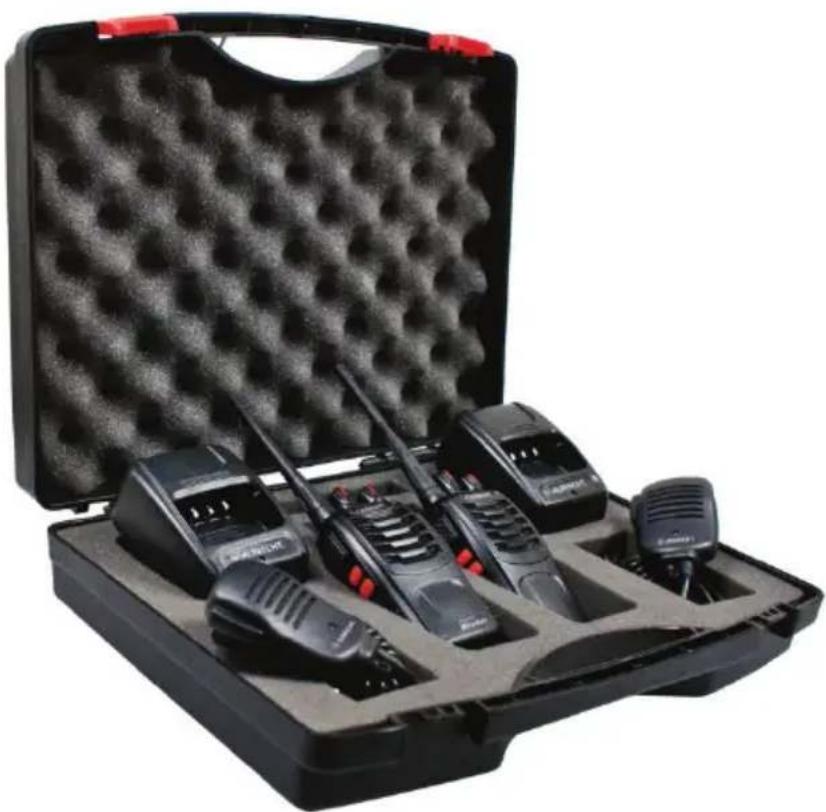
Carefully unpack the transceiver. We recommend that you identify the items listed in the following table before discarding the packing material. If any items are missing or have been damaged during shipment, please contact the dealers immediately.
SUPPLIED ACCESSORIES
| Item Name Quantity | |
| Charger | 2 |
| Battery | 2 |
| Handstrap | 2 |
| Belt Clip 2 | |
| Speaker Microphone 2 | |
| User's Manual 1 | |
| Suitcase | 1 |
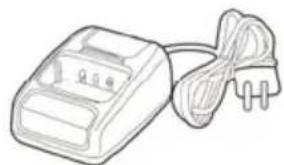
Charger
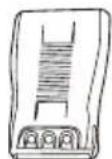
Battery
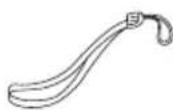
Handstrap
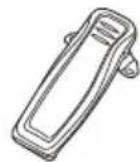
Belt
Please charge the new battery pack before using it.
Note: A new or stored (more than two months) battery pack will not reach its full capacity with the first charging. After 2 or 3 times charging and discharging, it will reach its full capacity.
JUST SEE THE FOLLOWING INSTRUCTIONS
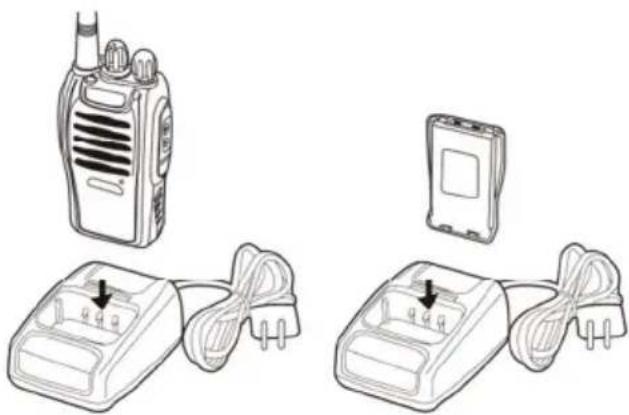
- Plug the adapter into an electric socket.
- Insert the transceiver or battery into the drop-in charging tray.
- Ensure that the battery's contacts connect with the drop-in charging tray properly, while the charging is taking place, the light will glow red.
- After about 3 hours charging, the LED indicator will light green which means, that the battery is now fully charged. Now remove the battery or the transceiver from the drop-in charging tray.
NOTE:
Do not recharge any battery pack once more if it is already fully charged. Doing so often may cause the life of the battery pack to shorten or the battery pack may be damaged.
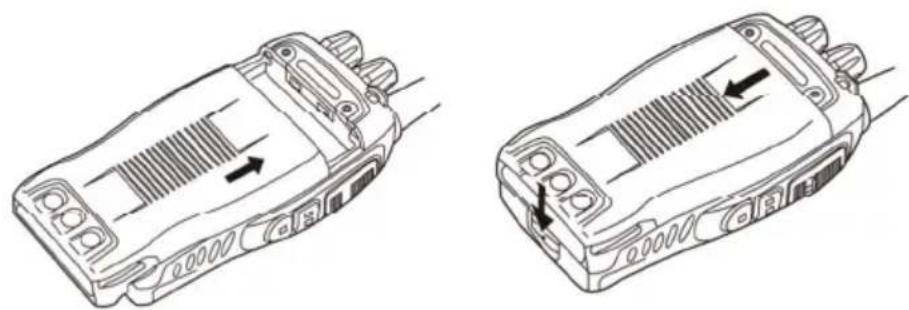
INSTALLING / REMOVING THE BATTERY PACK
The usage time of the supplied Battery Pack is about 8 hours, which is based upon 5% transmit, 5% receive and 90% standby (standard duty cycle). See following images:
CAUTION:
- Do not short-circuit the terminals of the battery or throw the battery into the fire.
- Do not disassemble the battery pack yourself.
- Before you replace a battery, or before you transport a spare battery, please use adhesive tape to protect the battery contacts against any short circuit during transportation. In airplanes, it is only allowed to transport spare batteries in the cabin luggage, never in the previously checked-in luggage.
INSTALLING THE BELT CLIP
If the belt clip is not installed, its mounting location may get hot during continuous transmission or under heated environment.
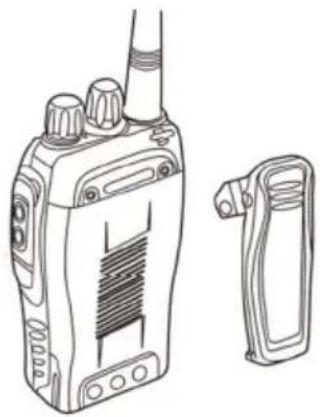
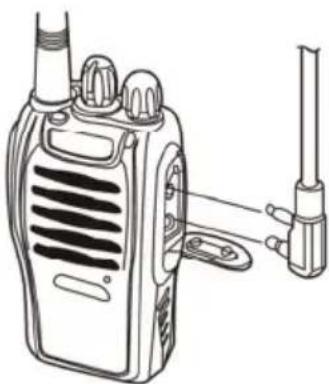
INSTALLING THE SUPPLIED SPEAKER/MICROPHONE
Insert the speaker/microphone plugs into the speaker/ mic sockets of the transceiver.
NOTE:
The transceiver is not fully water resistant when using external speaker/microphone. Insert rubber cover to the sockets if the external headset is not used. Other microphones may be used as well, please make sure to use only accessory items with "Kenwood"-style wiring.
BUTTONS, KNOBS and FUNCTIONS
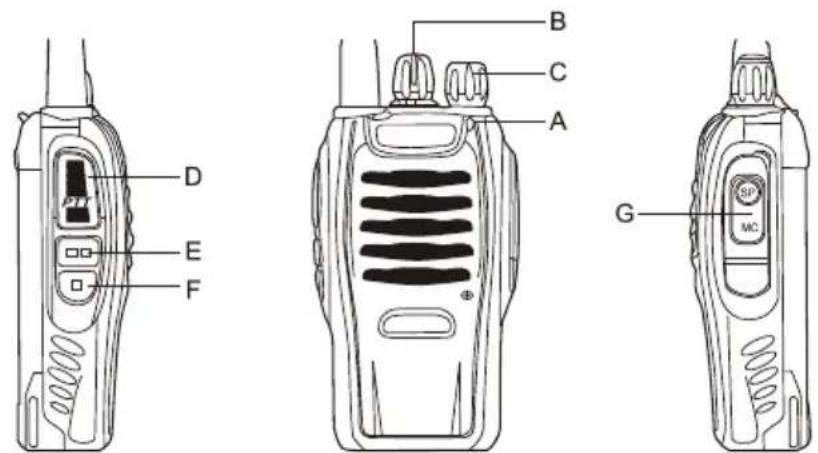
A. Led Indicator — The LED lights continuously red while transmitting. The LED will be green while in reception mode.
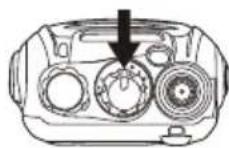
B. Channel Switch — Rotate to select the channel between CH 1 and 16. Channels are factory pre-programmed and can be modified by PC programmer (ask service engineer or distributor)
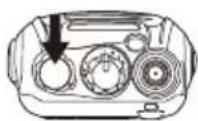
C. POWER SWITCH/VOLUME CONTROL
Turn clockwise to switch the transceiver ON and rotate to adjust the volume. Turn fully counterclockwise to switch the radio OFF.
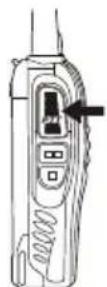
D. PTT (PUSH-TO-TALK) BUTTON
Press PTT button, then speak into the microphone to call a station. Release the PTT for listening.
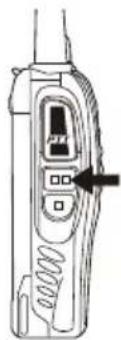
E. MONITOR BUTTON
Press and hold ( = squelch OFF) to hear the background noise; Release to return to normal operation.
F. TORCH LIGHT KEY - Just press to activate the torch light.
G. SPEAKER/MICROPHONE - Sockets are below the rubber cover
OPERATION
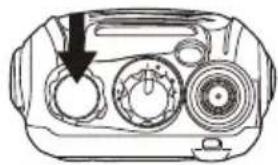
SWITCHING POWER ON/OFF
Turn the power switch/volume control clockwise. You will hear a beep and voice announcement, indicating that the transceiver is ON.
ADJUSTING THE VOLUME
Hold Monitor button down to listen to audio level while rotating the Power switch/Volume control. Rotate clockwise to increase and counterclockwise to decrease volume.
SELECTING A CHANNEL
Turn the channel switch to select your desired channel. The channels are factory preset with 8 PMR 446 channels + 8 different CTCSS code / PMR 446 channel combinations
TRANSMITTING
To transmit, press and hold [PTT] and speak into the microphone with normal voice and about 5-10 cm distance from the mouth. The LED indicator lights continuously red when transmitting.
ADDITIONAL FUNCTIONS
SQUEELCH LEVEL
The purpose of Squelch is to mute the speaker when no signals are present (Squelch OFF). With the squelch level correctly set, you will hear sound only while actually receiving signals (Squelch ON). The squelch level can be adjusted via PC programming software (ask service technician or distributor).
TIME-OUT TIMER (TOT)
The purpose of the Time-out Timer is to prevent any caller from using a channel for an extended period of time which will cause thermal damage or may disturb other channel users. The built-in Time-out Timer limits each transmission time to a certain time. When the transmission time exceeds the timer you set, an alert tone will sound (timing depends on PC programming). Then you have to release the PTT and are able to transmit again. Per default the Time-out Timer is set to 5 minutes.
SCAN
Scan may be useful for hands-free monitoring of several frequencies. Scan function is only possible when enabled by PC software by service technician or distributor.
- The transceiver stops scanning at the frequency (or memory channel) where a signal is detected. It then continues or stops scanning.
- If there are less than 2 channels programmed, it can not scan.
- On channel 16, press PTT and MONI key, it will turn on SCAN, or turn off the SCAN.
VOICE Announcement
Voice Announcement ON/OFF can be set via PC software.
- On channel 10, press PTT and MONI key, then switch on the transceiver, Voice Prompt can be cancelled or activated.
- On channel 15, press PTT and MONI key, then switch on the transceiver to choose different voice prompt languages.
VOX (Voice Operated Transmission)
VOX eliminates the necessity of pressing the PTT each time you want to transmit. The transceiver automatically switches to Transmission Mode when the VOX circuitry senses that you have started to speak into the microphone.
-
When operating the VOX function, you can set the VOX Gain level which allows the transceiver to recognize the sound levels. This can be done via the programming software
-
If the microphone is too sensitive, the transceiver can begin transmitting already when there is only some noise in the background.
- If it is not sensitive enough, it will not pick up your voice when you start speaking. Be sure to adjust the VOX Gain level to an appropriate sensitivity to allow smooth transmission.
- On channel 1-5, press and hold the MONI and PTT, then switch on the transceiver, thus to activate the VOX functions ON/OFF.
Automatic Battery Save circuit
The battery save function will decrease the amount of power used when a signal is not being received and no operations are being performed (no keys are being pressed, and no switches are being turned for a certain time).
While the channel is not busy and no operation is performed for more than 10 seconds, Battery Save turns ON.
When a signal is received or an operation is performed, Battery Saver turns OFF.
BATTERY LOW ALERT
Battery Low Alert reminds you to recharge the battery when it becomes discharged.
When the battery power is very low, an alert tone will sound and the LED indicator will blink red. Please recharge or replace the battery pack.
MONITOR
When you are receiving and no signals are present, the squelch function can mute the speaker, so you can not hear the background noise. If you want to switch the squelch function OFF, press and hold [MONI] button. It is very helpful when you want to adjust the volume level and receive weak signals.
BUSY CHANNEL LOCK-OUT (BCL)
Busy Channel Lock-out function can be turned ON/OFF with PC program software on every channel.
When activated, BCL prevents you from interfering with other parties who may be using the same channel that you selected. Pressing the PTT switch while the channel is in use will cause your transceiver to emit an alert tone and transmission will be inhibited (you cannot transmit). Release the PTT switch to stop the tone and return to receive mode.
CTCSS/DCS (depends on PC programming or default setting)
CTCSS (Continuous Tone Coded Squelch System) / (Digital Coded Squelch)
You may sometimes want to hear calls from only specific persons or groups. In this case, use the selective call which allows you to ignore unwanted calls from other persons who are using the same frequency.
CTCSS is a sub-audible tone and is selectable from 01-38 while DCS is a digital system between 39 or 83 of the code list.
The radio comes preconfigured with CTCSS coding on CH numbers 09 to 16. These channel numbers are only compatible to the same radio type, while CH 1 to CH 8 are compatible with all PMR 446 radios on the market.
NOTE:
CTCSS and DCS do not cause your conversation to be private and scrambled. It only relieves you from listening to unwanted conversations.
SPECIFICATIONS
| Technical parameters | |
| Frequency Range 446.0-446.1 MHz / 400-470 MHz programmable | |
| RF Rated Power ≤0.5 W ERP (EN 300 296-2 Standard for PMR 446) | |
| Channel Capacity 16 (8 open PMR 446 + CTCSS coded PMR 446 channels per factory default) | |
| Operated Voltage 3.7V | |
| Dimensions 115mm X 60mm X 33mm | |
| Weight | 150g |
NOTES:
All specifications are subject to change without notice.
Using the PC programming software may allow the radio to transmit on specially assigned frequencies outside the PMR 446 standard frequency range. Please note that for using other frequencies outside the PMR 446 scope, user may need a special license as business PMR radio from the local radio communications authorities.
PMR 446 is allowed in all European countries and is covered by ECC / CEPT decisions for free use.
CONFORMITY DECLARATION
We declare herewith that our radio corresponds to the European Directives (R&TTE, LVD and EMC) and Standards (EN 300 296-2 V.1.3.1 and EN 301 489-05 V. 1.3.1) issued for PMR / PMR 446 radio. The actual Declaration of Conformity may be downloaded any time from http://service.alan-electronics.de

TROUBLESHOOTING GUIDE
| PROBLEM GUIDE | |
| No Power or radio switches off after short time | 1. Check charger and correct battery installation. 2. Clean battery contacts (Important)! 3. Replace battery by fully charged or a new battery. 4. Battery capacity poor: battery defective or at end of lifetime, replace battery. |
| I cannot communicate with other group members. | 1. Verify, that the channel frequency and the CTCSS are the same in the whole group. If you use factory default programming, this is automatically ok if all members of your group use the same channel number between 1 and 16. 2. The other group members are not within the radio coverage. |
| You can hear the voice from other users, but they cannot hear you | Your radio is tuned to a channel number between 1 and 8 (open PMR 446 service without codes) and your partners are using a channel between 9 and 16. Please change your setting to exactly the same number as the partners are using. |
| Others hear my voice with interruptions only | 1. Too weak signal- too far away 2. External mic defective? Please let service technician check. |
| I hear too many stations from outside my group | 1. Another Group is using the same channel number - change channel 2. You are using numbers between CH 1 and CH 8. Please select a number between CH 9 and CH 16 for your group. |
| Service address Hotline and Warranty matters | What can I do if my radio does not work as intended after I checked everything already? Please contact our service Hotline by phone or e-mail first. Our experience shows, that many problems can be solved already by a simple phone call with our service specialists. If a repair or warranty exchange during the European 2 years warranty period should be necessary, please send the radio directly to our authorized service center, together with a proof of purchase and a description of Your problem. Customers in Germany please contact: PST professional support technologies GmbH Breitscheider Weg 117 a D- 40885 Ratingen e-mail: alan-service@ps-tech.de Hotline 01805 012204 (14 cents/min from German fixed network, max. 0.42 Euro/min from mobile networks. If you purchased the radio in any other country, please contact your local distributor. |

ALBRECHT
Tectalk Worker
Guide d'utilisation
CONSIGNES DE SECURITÉ
VOX (Voice Operated Transmission)
VOX (Voice Operated Transmission)
CTCSS (Continuous Tone Coded Squelch System)/ (Digital Coded Squelch)