DR7 - Radio HAMA - Free user manual and instructions
Find the device manual for free DR7 HAMA in PDF.



| Product type | DAB+ digital radio |
| Brand | Hama |
| Model | DR7 |
| Power supply | Mains 100-240V AC or batteries (not included) |
| Main functions | DAB+, FM, presets, volume adjustment, display screen |
| Antenna | Telescopic antenna |
| Headphone jack | Yes, 3.5 mm jack |
| Menu languages | Multilingual (English default, adjustable) |
| Cleaning and maintenance | Slightly damp lint-free cloth, no harsh detergents |
| Safety instructions | Do not open the device, use in dry rooms, keep out of reach of children |
| Service and support | Telephone support (Germany) and online at www.hama.com |
| Recycling | Compliant with WEEE and battery directives, do not dispose with household waste |
| Package contents | DR7 radio, power adapter, user manual |
| Warranty | Warranty void if instructions not followed |
| Reception | DAB+ and FM |
Frequently Asked Questions - DR7 HAMA
User questions about DR7 HAMA
0 question about this device. Answer the ones you know or ask your own.
Ask a new question about this device
Download the instructions for your Radio in PDF format for free! Find your manual DR7 - HAMA and take your electronic device back in hand. On this page are published all the documents necessary for the use of your device. DR7 by HAMA.
USER MANUAL DR7 HAMA
Further information and features are available on/
00054869:www.hama.com/54869#downloads
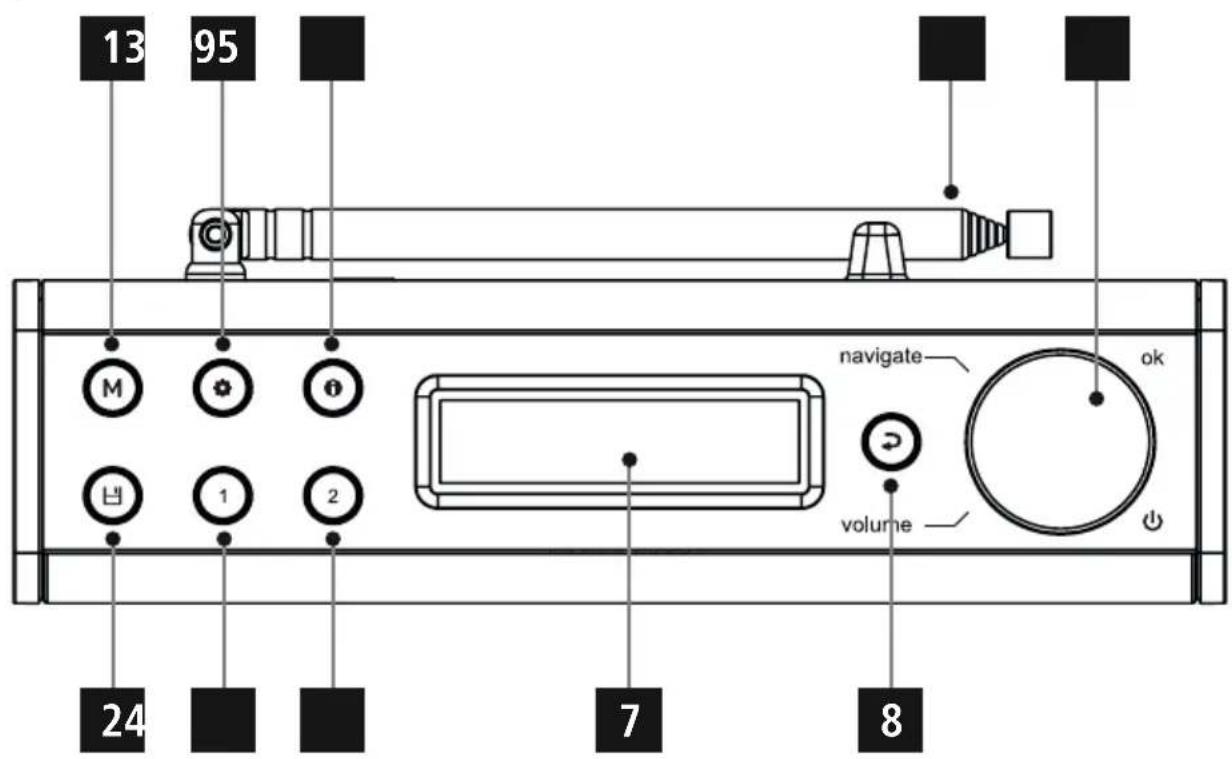
A
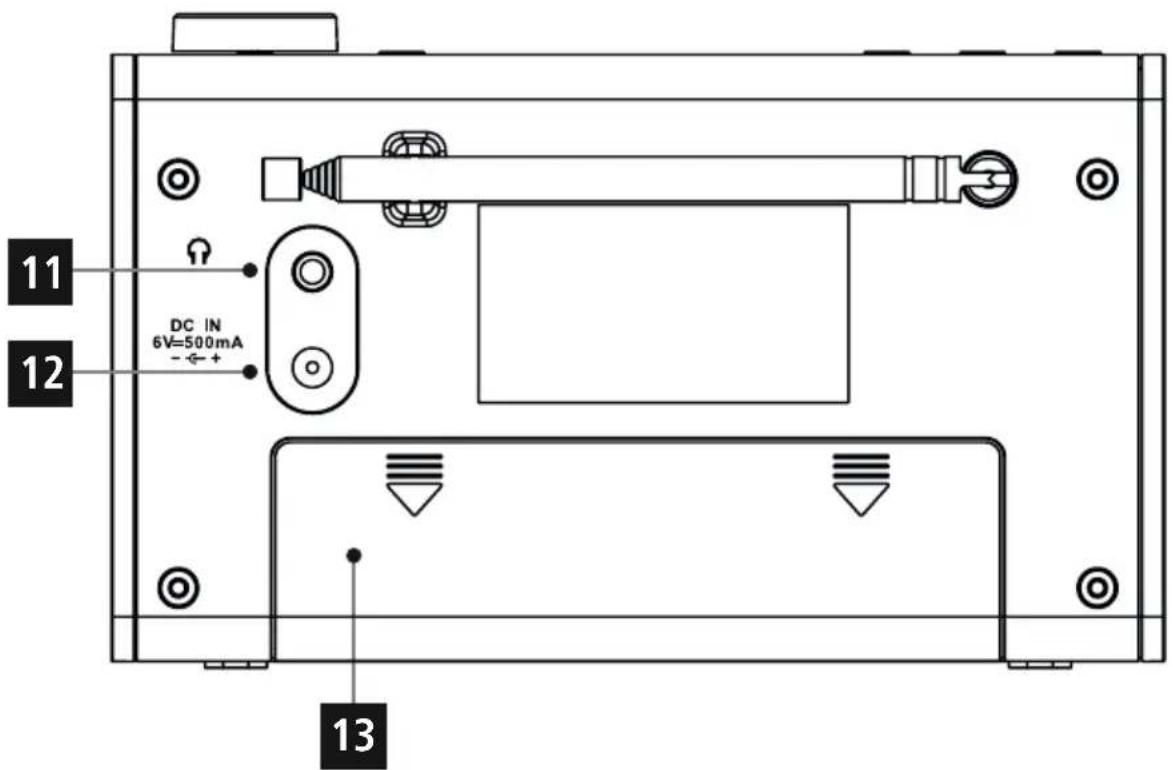
B
ControlsandDisplays
| A:RadioFront | ||
| 1[MODE]-Button | ||
| 2[RESET]-Button | ||
| 3[SETTING]-Button | ||
| 4[RESET]-Button | ||
| 5[INFO]-Button | ||
| 6[RESET]-Button | ||
| 7Display | ||
| 8 | → | [BACK]-Button |
| 9 | [VOLUME/SELECT/NAVIGATE] | |
| 10Antenna | ||
| B:Back | ||
| 11 | ○ | Headphonesocket |
| 12 | DCIN | Mainspowersupply |
| 13 | Batterycase | |

Importantnote- O peratinginstructions:
- This is a quick guide to provide you with the most important basic information, such as safety warnings and how to get started using the product.
- For the sake of protecting the environment and saving resources, Hamadispenseswithprinted operatinginstructionsandprovidesthemonlyinthe formofPDFfiles/ e Manualsonwww.hama.com.
- Usethesearchfunctionwiththeitemnumberofyour producttoeasilyfindtheproductdocumentation.
- Savetheoperatinginstructionstoyourcomputer's hard drive for future reference, or print it out if necessary.
1.ExplanationofWarningSymbolsandNotes

Warning
Thisssymbolisusedtoindicatesafetyinstructionsoarto draw your attention to specific hazards and risks.

Note
Thissymbolisusedtoindicateadditionalinformationor importantnotes.

Risikofelectricshock
Thissymbolindicatesproductpartsenergizedwithadangerousvoltageofsufficientmagnitudetoconstitutera riskelectricshock.
2.PackageContents
DigitalradioDR7
Quickguide
-AC/DCAdapter
3.SafetyNotes
The productis intended for private, non-commercial use only.
- Protect the product from dirt, moisture and overheating anduseitindryroomsonly.
- Aswithallelectricaldevices, this devices should be kept out of thereachofchildren.
- Donotdroptheproductanddonotexposeittoany majorshocks.
- Donotoperatetheproductoutsidethepowerlimits given inthespecifications.
- Keepthepackagingmaterialoutofthereachofchildren duetotheriskofsuffocation.
- Disposefpackagingmaterialimmediatelyaccordingto locallyapplicableregulations.
- Do not modify the device in any way. Doing so voids the warranty.

RiskofElectricshock
- Donotopenthedevicorcontinuetooperatetitifit becomesdamaged.
- Do not use the product if the AC adapter, adapter cable or power cable is damaged.
- Donotattemptoserviceorrepairthedevicestheirself.Leave any service work to qualified experts.

Warning-Batteries:
- When inserting batteries, not the correct polarity (+ and - m arkings) and insert the batteries accordingly. Failure to do so could result in the batteries leaking or exploding.
- Donotallowchildrentochangebatterieswithout supervision.
- Donotmixoldandnewbatteriesorbatteriesofadifferenttypeormake.
- Removethebatteriesfromproductsthatare n o t beingusedforanextendedperiod
- Donotshort-circuitbatteries.
- Donotchargebatteries.
- Donotthrowbatteriesinafire.
- Keepbatteriesoutofthereachofchildren.
4.Informationandnotesbeforegettingstarted

Note- O ptimalreception
Please note:
- Extendtheantennaalwayscompletely.
- For best reception it's recommended to extend the antennavertical.
- Try various different positions if necessary to get the bestreception.
5. Gettingstarted
5.1 Batteryoperation
- Open the battery compartment cover. It is located on the rearoftheradio.
- Slidethebatterycompartmentcoverinthedirection indicated.
- Insertthebatteriespayingattentiontothematchthe polaritiescorrectly. The correctpolarityisindicatedby the plusandminussymbolsinthebatterycompartment.
- Replace the battery compartment cover.
5.2Mainsoperation
Connect the network cable to a properly installed and easily accessible network socket.
Thepowersupplyunitissuitableformainsvoltages between100and240Vandisthusoperableonalmost any AC power grid. Please note that a country-specific adaptermaybenecessary.
You can find an appropriate selection of Hama products at www.hama.com.

Note
- Only connect the product to a socket that has been approvedforthedevic.
- Theelectricalsocketmustalwaysbeeasilyaccessible.
- When using a multi SOCKET power strip, make sure that the sum power draws all the connected devices out of the bus.
If you will not be using the product for a ling period of time, disconnectitfrommainspower.
5.3 Generalnotesonuse

Notesonuse
- When a selection among menu items is to be made (such as Y or N), the one currently selected flashes.
- In menus offering a variety of different options (such asDRC, languageandsoon), the currently selected optionismarkedwith*.
Navigationandcontrols
VOLUME/SELECT/NAVIGATEhastwodifferent functions:
- TurnVOLUME/SELECT/NAVIGATEtoselectamong menuitems.
- ConfirmtheselectionbypressingVOLUME/SELECT/NAVIGATE.
PressBacktoreturntothepreviousmenulevel.
Volumeadjustment
TurnVOLUME/SELECT/NAVIGATEtoincrease/reduce thevolume.
5.4Initialsetup
The station search in the operating mode DAB starts up automaticallywhenthetheradioisturnedonforthirsttime.
Bydefault,theradiostartswiththeEnglishmenu navigation.Setupyourdesiredlanguageasdescribedin
5.5.Language.
5.5Language
Tochangethemenulanguagefromthatselectedatfirst-timestartup,proceedasfollows:
- PressSettingstoaccessthesettingsmenu.
- TurnVolume/SelectNavigatetonavigatetothe 'Language'menuitem.
- ConfirmyourselectionbypressingVolume/Select/ Navigate.
- TurnVolume/SelectNavigatetoselectyourdesired systemlanguage.
- Confirm these selection by pressing Volume/Select/Navigate.
5.6Generalnotesonuse

Notesonuse
- When a selection among menu items is to be made (such as Y or N), the one currently selected flashes.
- In menus offering a variety of different options (such asDRC, language and soon), the currently selected optionismarkedwith*.
Navigationandcontrols
VOLUME/SELECT/NAVIGATEhastwodifferent functions:
- TurnVOLUME/SELECT/NAVIGATEtoselectamong menuitems.
- ConfirmtheselectionbypressingVOLUME/SELECT/NAVIGATE.
PressBacktoreturntothepreviousmenulevel.
Volumeadjustment
TurnVOLUME/SELECT/NAVIGATEtoincrease/reduce thevolume.
6.CareandMaintenance
- Only clean this product with a slightly damp, lint-free cloth and donotuseaggressivecleaning agents.
- If you do not use the product for a long time, turn off the device and disconnect it from the powersupply. S toreitin a lean, dryplaceoutofdirectsunlight.
7.WarrantyDisclaimer
Hama GmbH & Co KG assumes no liability and provides no warrantyfordamageresultingfromimproperinstallation/ mounting,improperuseoftheproductormfromfailureto observetheoperatinginstructionsand/orsafetynotes.
8. Service and Support
PleasecontactHamaProductConsultingifyouhaveany questionsaboutthisproduct.
Hotline.+499091502-115(German/English)
Furthersupportinformationcanbefoundhere:
www.hama.com
9. Recycling Information
Noteonenvironmentalprotection:
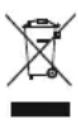
AftertheimplementationoftheEuropeanDirective 2012/19/EUand2006/66/EUnthenationalallegalsystem,thefollowingapplies:Electricand electronicdevicesaswellasbatteryismustnotbe
disposedofwithhouseholdwaste.Consumersareobliged bylawtoreturnelectricalandetechnicdevicesaswellas batteriesattheendoftheirservicelivestothepublic collectingpointssetupforthispurposeorpointofsale.
Details to this are defined by the national law of the respective country. This symbol on the product, the instructionmanualorthepackageindicatessthata p roduct issubjecttotheseregulations.Byrecycling,reusingthematerialsorotherformsofutilisingolddevices/Batteries, youare makinganimportantcontributiontoprotectingour environment.
10.DeclarationofConformity

Hereby, Hama GmbH & Co KG declares that the radioequipmenttype[00054869]isincompliance withDirective2014/53/EU. T hefulltextoftheEU
declarationofconformityisavailableatthefollowing internetaddress:
www.hama.com->00054869->Downloads.
Hotline: +499091502-115(Ger/Ang)
Support: +499091502-115 (ty/eng)
Duhittarmersupportinformationhar:
www.hama.com
9. KasseringsinformationMiljöskydd:
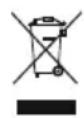
86652 Monheim/Germany
www.hama.com

- ControlsandDisplays
- Importantnote- O peratinginstructions:
- 1.ExplanationofWarningSymbolsandNotes
- Warning
- Note
- Risikofelectricshock
- 2.PackageContents
- 3.SafetyNotes
- RiskofElectricshock
- Warning-Batteries:
- 4.Informationandnotesbeforegettingstarted
- Note- O ptimalreception
- Gettingstarted
- Batteryoperation
- 5.2Mainsoperation
- Generalnotesonuse
- Notesonuse
- Navigationandcontrols
- Volumeadjustment
- 5.4Initialsetup
- 5.5.Language.
- 5.5Language
- 5.6Generalnotesonuse
- 6.CareandMaintenance
- 7.WarrantyDisclaimer
- Service and Support
- Recycling Information
- Noteonenvironmentalprotection:
- 10.DeclarationofConformity
- KasseringsinformationMiljöskydd:
Brand : HAMA
Model : DR7
Category : Radio