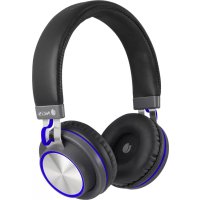
Artica Patrol - Earphones NGS - Free user manual and instructions
Find the device manual for free Artica Patrol NGS in PDF.

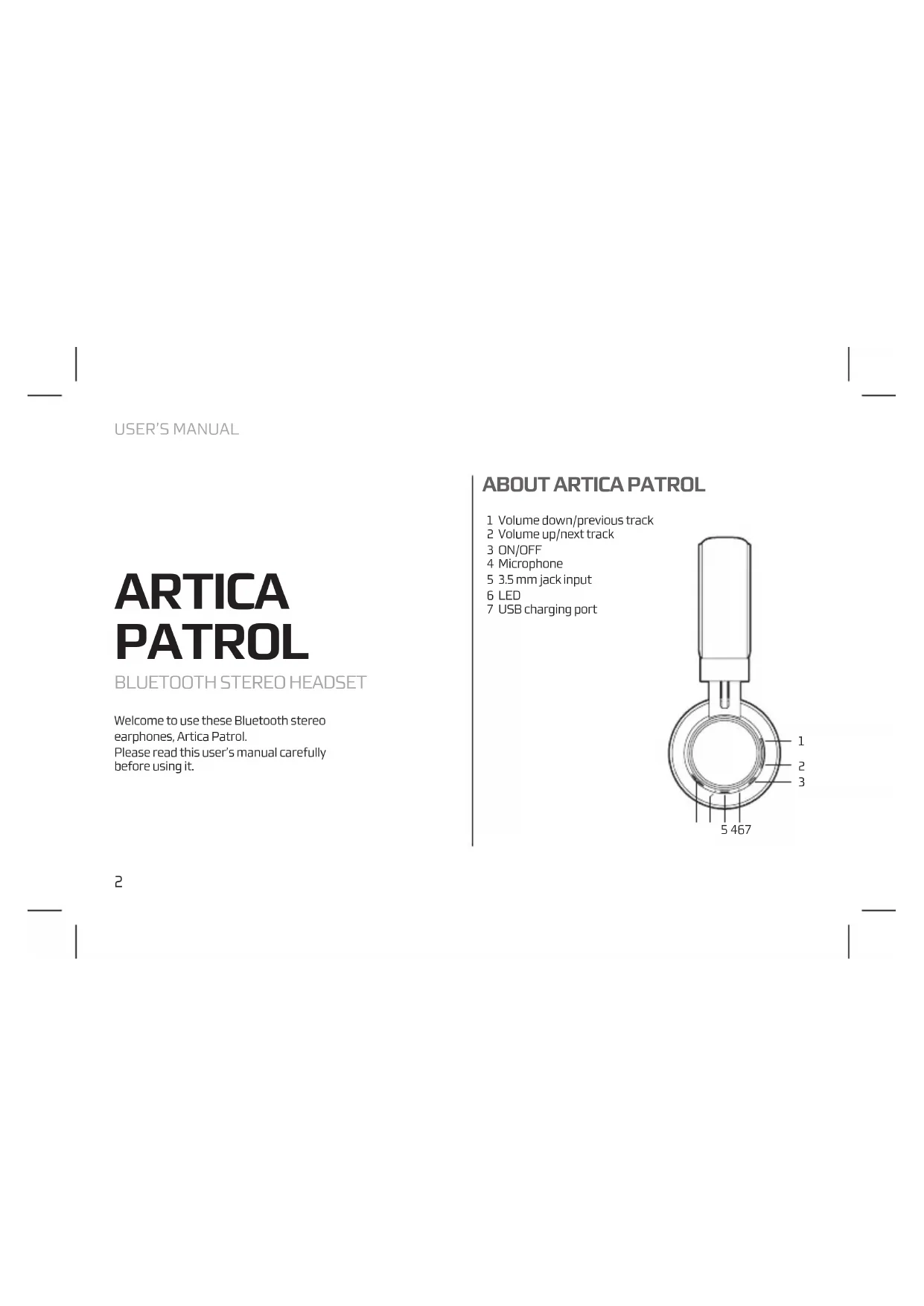


| Product type | Bluetooth stereo headset |
| Brand | NGS |
| Model | Artica Patrol |
| Bluetooth technology | Version 4.2 |
| Maximum range | 10 meters |
| Battery life | 5 hours |
| Battery capacity | 300 mAh |
| Charging time | 2 hours |
| Battery type | Lithium-ion |
| Wired audio input | 3.5 mm jack |
| Microphone | Built-in (hands-free) |
| Control buttons | Volume, track, power on/off |
| LED indicator | Red (charging), blue (connected) |
| Charging port | USB |
| Product warranty | 2 years |
| Battery warranty | 12 months |
| Compliance | Directive 1999/5/EC |
| Maintenance | Close the charging cover after use |
| Safety | Do not throw the battery into fire |
| Recycling | Do not dispose of with household waste |
Frequently Asked Questions - Artica Patrol NGS
User questions about Artica Patrol NGS
0 question about this device. Answer the ones you know or ask your own.
Ask a new question about this device
Download the instructions for your Earphones in PDF format for free! Find your manual Artica Patrol - NGS and take your electronic device back in hand. On this page are published all the documents necessary for the use of your device. Artica Patrol by NGS.
USER MANUAL Artica Patrol NGS
USER'S MANUAL
ARTICA PATROL
BLUETOOTH STEREO HEADSET
Welcome to use these Bluetooth stereo earphones, Artica Patrol. Please read this user's manual carefully before using it.
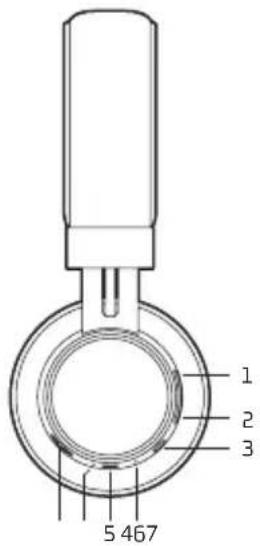
ABOUT ARTICA PATROL
1 Volume down/previous track
2 Volume up/next track
3 ON/OFF
4 Microphone
5 3.5 mm jack input
6 LED
7 USB charging port
Before you use these Bluetooth earphones, please charge the battery of Artica Patrol fully.
USB cable charger
- Plug USB cable into USB port of PC.
- Plug another side of USB cable into charging port of the earphones.
RED light on → Charging
BLUE light on → Finish charging - It will take about two hours to finish charging.
Note: Close the charger port correctly to prevent potentially damaging liquids from entering the system.

Warning :
- The battery is recyclable.
- Do not dispose of the battery in fire, as it may cause explosion.
buttod about 3-5 seconds and release it till the blue light blinks
Turn off Press
button about 5–6 seconds and release when the light goes out
USER'S MANUAL
PAIRING EARPHONES WITH BLUETOOTH DEVICES
- Please keep the headset and mobile phone within 1 meter when pairing.
• Make the headsets enter pairing mode.
Function Operation Indicator light
Enter pairing mode
Make sure the earphones are turned off, if not, please turn it off first. Press multifunction button about 6–7 seconds, and release it till blue light and red light blink alternately.
Blue light and Red light blink alternately.
- Activate your mobile phone's Bluetooth function and search Bluetooth devices within available range, and select "NGS ARTICA PATROL" from the list of devices shown after search.
• After connect successfully, the blue light on the earphones flashes once every 8 seconds.
Note:
- If the pairing is not successful, please switch off headset firstly, and then re-pair according mentioned above.
- After pairing is successful, the headset and the mobile phone will remember each other, they will no need to repair next time.
- If you want to pair the headset with other devices, please pair it with the new device according mentioned above.
SPECIFICATIONS
Wireless Bluetooth V 4.2
Hands free
Control buttons
Working distance: up to 10m
Lithium ion battery 300 mAh
Working time: 5 hours
WARRANTY
Limited warranty. NGS warrants that any hardware products accompanying this documentation shall be free from significant defects in material and workmanship for a period of two (2) years, three (3) years or five (5) years from the date of purchase. NGS's limited warranty is non-transferable and is limited to the original purchaser. This warranty gives you specific legal rights, and you may also have other rights, which vary under local laws.
Battery warranty. The battery is a consumer product, and as such it is under warranty for 12 months.
If at any time in the future you should need to dispose of this product please note that: Waste electrical products should not be disposed of with household waste. Please recycle where facilities exist.
Check with your Local Authority or retailer for recycling advice.
(Waste Electrical and Electronic Equipment Directive)

HEREBY, LURBE GRUP S.A, DECLARES THAT THESE EARPHONES ARE IN COMPLIANCE WITH THE ESSENTIAL REQUIREMENTS AND OTHER RELEVANT PROVISIONS OF DIRECTIVE 1999/5/EC.
MANUEL DE L'UTILISATEUR
ARTICA PATROL
CASQUE STÉRÉO BLUETOOTH
Bluetooth Wireless V 4.2
Bluetooth wireless V 4.2
Vivavoce
BLUETOOTH STEREO HEADSET
AND THEREFORE COMPLY WITH THE ESSENTIAL REQUIREMENTS AND PROVISIONS OF THE FOLLOWING DIRECTIVES OF THE EUROPEAN PARLIAMENT AND EUROPEAN COUNCIL:
Y, POR LO TANTO, CUMPLE CON LOS REQUERIMIENTOS Y PROVISIONES DE LAS SIGUIENTES DIRECTIVAS DEL PARLAMENTO EUROPEO:
ELECTROMAGNETIC COMPATIBILITY DIRECTIVE (EMC) 2014/30/EU R&TTE DIRECTIVE 1999/5/EC ROHS DIRECTIVE 2011/65/EU
DIRECTIVA DE COMPATIBILIDAD ELECTROMAGNÉTICA (EMC) 2014/30/EU DIRECTIVA R&TTE 1999/5/EC DIRECTIVA ROHS 2011/65/EU
AUTHORIZED REPRESENTATIVE: LURBE GRUP S.A
REPRESENTANTE AUTORIZADO: POL. IND. EGUIBURUBERRI
C/EGUIBURUBERRI, 5
20100 ERRENTERIA (GUIPÚZCOA)
SPAIN
ERRENTERIA, MARCH 15TH, 2017 ERRENTERIA, 15 DE MARZO DE 2017
SIGNED FIRMADO
RAÚL MARTÍN PRODUCT MANAGER
LURBE GRUP S.A, ERRENTERÍA, ESPAGNE, SOUS SA RESPONSABILITÉ EXCLUSIVE, CERTIFIE LA CONFORMITÉ DU PRODUIT :
LURBE GRUP S.A. ERRENTERÍA, ESPAÑA, DECLARA SOB A SUA EXCLUSIVA RESPONSABILIDADE A CONFORMIDADE DO PRODUTO:
NGS: ÉCOUTEUR BLUETOOTH NGS / MODELE: ARTICA PATROL
NGS: AUSCULTADOR BLUETOOTH NGS / MODELO: ARTICA PATROL
A ÉTÉ TESTÉ CONFORMÉMENT AUX NORMES STANDARD EUROPEENNES HARMONISÉES SUIVANTES :
FOI TESTADO EM CONFORMIDADE COM AS SEGUINTES NORMAS STANDARD EUROPEIAS HARMONIZADAS:
EN 62479:2010
EN 60950-1:2006+A11:2009+A1:2010+A12:2011
ETSIEN 301489-1 V 1.9.2 (2011)
ETSIEN 301 489-17 V 2.2.1 (2012)
ETSIEN 300 328 V 1.8.1 (2012-6)
ET RESPECTE DONC LES EXIGENCES ET LES DISPOSITIONS DES DIRECTIVES SUIVANTES DU PARLEMENT EUROPEEN :
E, POR CONSEGUINTE, CUMPRE COM OS REQUISITOS E PROVISÕES DAS SEGUINTES DIRECTIVAS DO PARLAMENTO EUROPEU:
DIRECTIVE DE COMPATIBILITÉ ÉLECTROMAGNÉTIQUE (EMC) 2014/30/EU DIRECTIVE R&TTE 1999/5/EC DIRECTIVE ROHS 2011/65/EU
DIRECTIVA DE COMPATIBILIDADE ELECTROMAGNÉTICA (EMC) 2014/30/EU DIRECTIVA R&TTE 1999/5/EC DIRECTIVA ROHS 2011/65/EU
REPRÉSENTANT AUTORISÉ: LURBE GRUP S.A
REPRESENTANTE AUTORIZADO: POL. IND. EGUIBURUBERRI
C/EGUIBURUBERRI, 5
20100 ERRENTERIA (GUIPÚZCOA)
SPAIN
ERRENTERIA, LE 15 MARS 2017 ERRENTERIA, 15 DE MARÇO DE 2017
SIGNÉ ASSINADO
RAÚL MARTÍN PRODUCT MANAGER

NGS®
TECHNICAL SUPPORT: WWW.NGS.EU/SUPPORT
WWW.NGS.EU


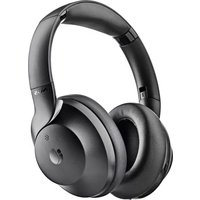
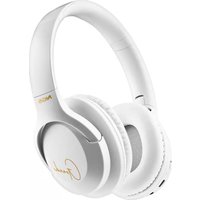
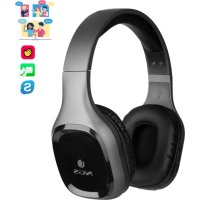
Brand : NGS
Model : Artica Patrol
Category : Earphones