FUWM50000 - Detector ABUS - Free user manual and instructions
Find the device manual for free FUWM50000 ABUS in PDF.



| Product type | Wireless water detector |
| Brand | ABUS |
| Model | FUWM50000 |
| Power supply | 3 V CR2 lithium battery |
| Battery life | Up to 3 years |
| Temperature range | -10 °C to +55 °C |
| Protection rating | Environmental class I |
| Radio frequency | 868.6625 MHz |
| Radio power | 10 mW |
| Dimensions (transmitter) | 90 x 35 x 30 mm |
| Dimensions (sensor) | 45 x 10 x 15 mm |
| Weight (incl. battery) | Approx. 90 g |
| Cable length | Approx. 1 m |
| Security level | 2 |
| Main functions | Water detection, alarm, tamper contact, strap configurations (Disable Tamp, LED, Alarm on Dry, Super Disable) |
| Compatibility | Secvest wireless alarm system |
| Mounting | Wall-mounted (transmitter high up), sensor on floor |
| Certifications | Compliant with directive 2014/53/EU |
| Warranty | Refer to the user manual for warranty conditions |
Frequently Asked Questions - FUWM50000 ABUS
To modify, insert or remove the jumper according to the desired configuration.
User questions about FUWM50000 ABUS
0 question about this device. Answer the ones you know or ask your own.
Ask a new question about this device
Download the instructions for your Detector in PDF format for free! Find your manual FUWM50000 - ABUS and take your electronic device back in hand. On this page are published all the documents necessary for the use of your device. FUWM50000 by ABUS.
USER MANUAL FUWM50000 ABUS
[EN] Wireless water detector
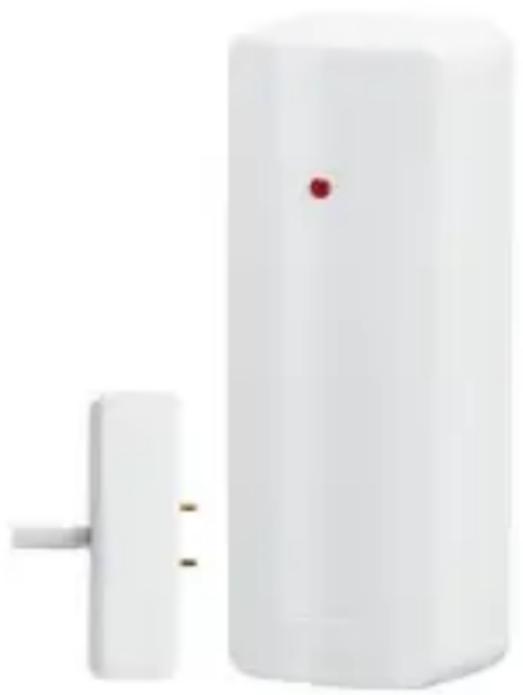
Wireless water detector
[EN] Wireless water detector
Many thanks for your purchase of this wireless water detector. In choosing our product, you now have a piece of equipment that is built according to state-of-the-art technology.
This product complies with current domestic and European regulations. Conformity has been proven, and all related certifications are available from the manufacturer on request.
To maintain this status and to guarantee safe operation, it is your obligation to observe these operating instructions! In the event of questions, please contact your local specialist dealer.
![ABUS FUWM50000 - [EN] Wireless water detector - 1](/content/2026/02/425698/images/c3dad8a3fb53aebb9b1bea160dc7995750c3432158948c36e7d531993bb04502.jpg)
Observe the notes and instructions in this guide! If you do not follow these instructions, your guarantee claim becomes invalid! No liability can be accepted for resulting damages!
No part of the product may be changed or modified in any way.
Battery warning!
The device is supplied with direct current from a 3 V lithium battery. To guarantee a long working life and avoid fire and injury, please note the following:
- Do not dispose of the battery in domestic waste.
- The battery must not be directly exposed to heat or sunlight, and must not be stored in a place with a very high temperature.
- The battery must not be burned.
- The battery must not come into contact with water.
- The battery must not be dismantled, pierced or otherwise damaged.
- The battery contacts must not be short-circuited.
- The battery must be kept away from small children.
- The battery cannot be recharged.
Introduction
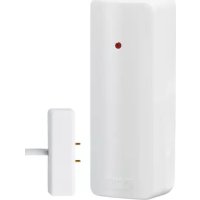
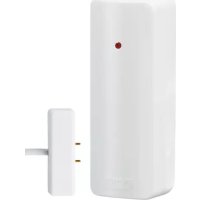
The FUWM50000 water detector reacts to liquids and water and reports these events to the Secvest alarm centre. It consists of a transmitter and a sensor, which are connected to one another by a cable. The water detector functions can also be
inverted. The detector then transmits when the sensor is dry.
Technical data
| Power supply | 3 V CR2 lithium battery |
| Battery service life | Up to 3 years |
| Environment class | I (-10 °C to +55 °C) |
| Security level | 2 |
| Operating frequency | 868.6625 MHz |
| Weight (including battery) | approx. 90 g |
| Dimensions (HxWxD) | 90 x 35 x 30 mm (transmitter) |
| Dimensions (HxWxD) | 45 x 10 x 15 mm (sensor) |
| Cable length | approx. 1 m |
| Radio performance | 10mW |
Selecting the installation location
Install the water detector in a location that will be flooded very quickly in the event of water penetration. This ensures that an alarm will be triggered as soon as possible. Install the wireless detector in a position with the best available transmission properties. In the best case, an optimal position can be tested using a wireless testing box. Install the detector as high as possible. This protects the transmitter from damage in the event of flooding. Ensure that the transmitter is installed on a level
surface, with the contacts for the water sensor facing downwards.
Installation
Open the housing of the wireless transmitter. Loosen the fastening screw on the PCB, then lift the PCB carefully out of the housing. Install the wireless transmitter at the selected location. Screw the rear part of the detector housing to the wall. Fasten the PCB back into the housing, then insert the lithium battery provided with the correct polarity. Connect the cable of the water sensor to the screw terminal of the transmitter.
Fastening the water sensor: Choose a location that will be flooded very quickly in the event of water penetration.
Change the wireless transmitter settings as required using the jumpers.
Setting possibilities
Jumper: Disable Tamp
The tamper contact on the detector is inactive when this jumper is attached. You can then open the detector housing without triggering a tamper alarm.
Jumper: Disable View State
The LED lights up as soon as the sensor detects water when this jumper is attached.
Jumper: Alarm on Dry
When this jumper is attached, the detector reacts when it is no longer in contact with water (i.e it reacts to dry surroundings instead of contact with water).
Jumper: Super Disable
No supervision messages are sent to the alarm centre when this jumper is attached. This results in a longer battery service life. Ensure that supervision is deactivated on the alarm centre before setting this jumper.
Learning
-
Set the Secvest wireless alarm system to learning mode. Consult the instructions of the alarm centre for more details.
-
Activate the tamper contact of the water detector to send a tamper message to the wireless alarm system. The alarm centre acknowledges the detector with a double tone. After learning, the detector must be assigned the "Technical alarm" zone type.
-
Make sure that the detector is recognised by your wireless alarm centre, then close the detector.
Declaration of Conformity
Hereby, ABUS Security-Center GmbH & Co. KG declares that the radio equipment type FUWM50000 is in compliance with Directive 2014/53/EU. The full text of the EU declaration of conformity is available at the following internet address:
www.abus.com >> Search >> FUWM50000 >> Downloads
The Declaration of Conformity can also be obtained from the following address:
ABUS Security-Center GmbH & Co. KG Linker Kreuthweg 5, 86444 Affing,
GERMANY

[EN] Wireless water detector
Chere cliente, cher client,
Strap enchachievable: Disable View State
[EN] Wireless water detector
[EN] Wireless water detector
[EN] Wireless water detector
Jumper: Alarm on Dry