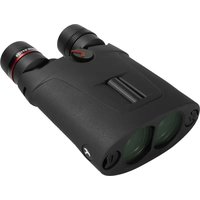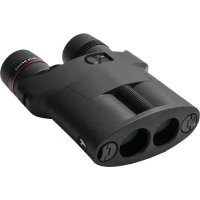
APC Stabilized - Binoculars Kite Optics - Free user manual and instructions
Find the device manual for free APC Stabilized Kite Optics in PDF.



| Type of product | Stabilized binoculars |
| Brand | Kite Optics |
| Model | APC Stabilized (APC 30 / APC 42) |
| Power supply | AA batteries (non-rechargeable): APC 30: 2 batteries (1 on each side); APC 42: 4 batteries (2 in use + 2 spare) |
| Stabilization system | Prisms mounted on a 2-axis gimbal suspension with electric motor and gyroscopic sensor; correction of 2° to 3° |
| APC mode | Automatic standby in rest position (tilt >60°); automatic reactivation in active position (tilt >40°) |
| Auto-off timer | 90 minutes after power-on; reactivation by OFF/ON cycle |
| Low battery indicator | Green LED → blinking orange |
| Waterproof | APC 30: IPX5 (splash resistant); APC 42: IPX7 (waterproof up to 1 meter) |
| Warranty | 30 years (2 years on electronic components) |
| Included accessories | Neoprene strap, case with belt, eyepiece protective caps |
| Lens cleaning | Soft brush then blowing; breathe on lenses then wipe with soft damp cloth; no chemicals |
| Safety instructions | Do not look at the sun; do not use in explosive atmosphere; remove batteries if not used for a long time |
| Repairability | Repairs only by a KITE authorized technician; warranty voided if unauthorized opening |
| Country of origin | Not specified (Belgian/French brand?) |
Frequently Asked Questions - APC Stabilized Kite Optics
User questions about APC Stabilized Kite Optics
0 question about this device. Answer the ones you know or ask your own.
Ask a new question about this device
Download the instructions for your Binoculars in PDF format for free! Find your manual APC Stabilized - Kite Optics and take your electronic device back in hand. On this page are published all the documents necessary for the use of your device. APC Stabilized by Kite Optics.
USER MANUAL APC Stabilized Kite Optics
natural_image
Illustration of binoculars with red curved arrows indicating motion or rotation (no text or symbols)
natural_image
Illustration of binoculars with red curved arrows indicating motion or rotation (no text or symbols)natural_image
Illustration of binoculars with red curved arrows indicating motion (no text or symbols)
natural_image
Illustration of binoculars with red curved arrows indicating motion or rotation (no text or symbols)We thank you for purchasing a KITE OPTICS instrument.
text_image
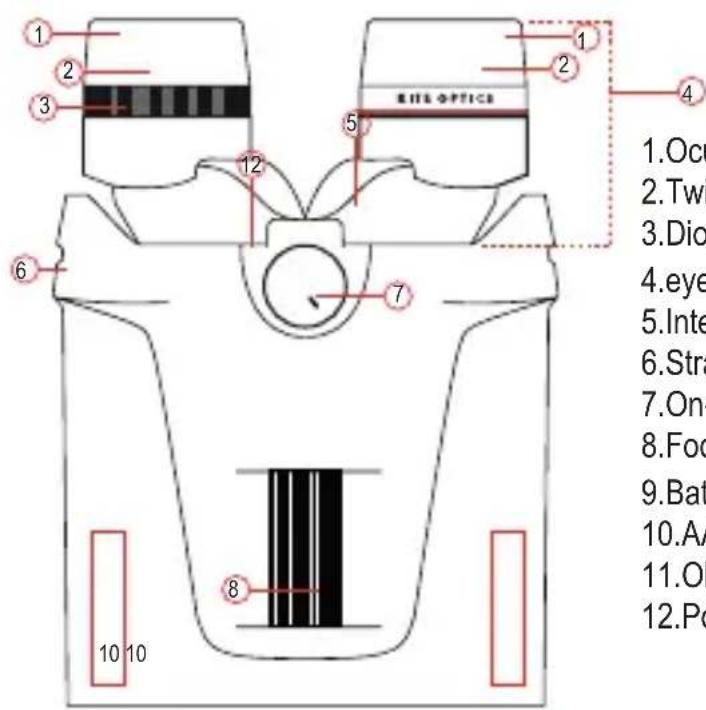
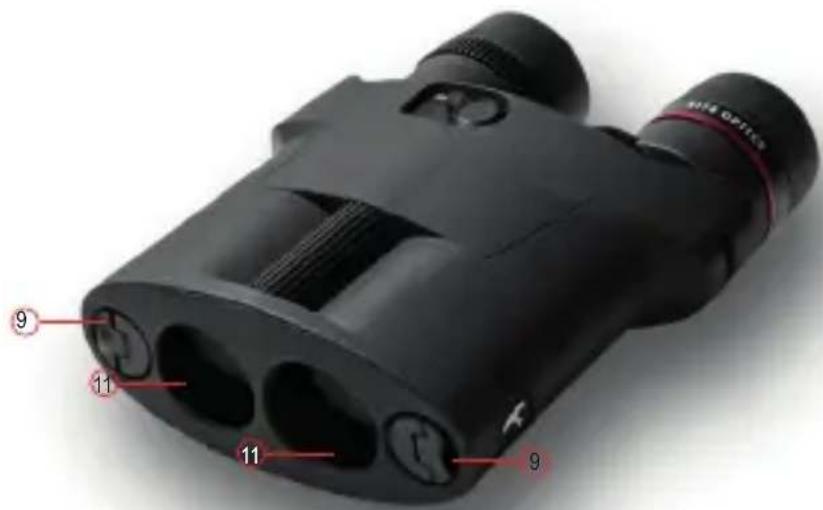
1. Ocu 2. Twi 3. Dio 4. eye 5. Inte 6. Stra 7. On- 8. Foo 9. Bat 10. AA 11. Ol 12. Po1.Ocular lenses
2.Twist up eyecup
-
Diopter ring
-
eyepieces
-
Interpupillary distance adjustment
6.Strap loops
- On-off switch
8.Focus wheel
9.Battery covers (2)
10.AA battery compartment (2)
11.Objective lenses
- Power indication light
text_image
9 11 11 9INCLUDED
- Neoprene Neckstrap
- Softcase with strap
- Ocular protection cover
INSERTING THE BATTERIES // BATTERIES ARE NOT INCLUDED
Remove the battery covers (9) on the left and right side by turning them anti-clockwise.
APC 30: Insert 1 AA battery on each side. – side goes in first. close the battery covers by turning them clockwise.
APC 42: Insert 2 AA batteries in the functional battery compartment, that is marked with the AA symbol. You may insert 2 spare AA batteries in the compartment marked with the ☐ symbol
STABILISATION SYSTEM
KITE APC binoculars feature a technology that suppresses vibration of the image. The prisms of the APC stabilized binocular are suspended on a two-axis gimbal mechanism that is steered by a gyro sensor controlled electro motor. The KITE APC stabilized binoculars feature enhanced technology that allows the instrument to correct the image stability by 2^ to 3^ .
FIRST USE
- A. Attach the neckstrap to the strap loops (6) on both sides.
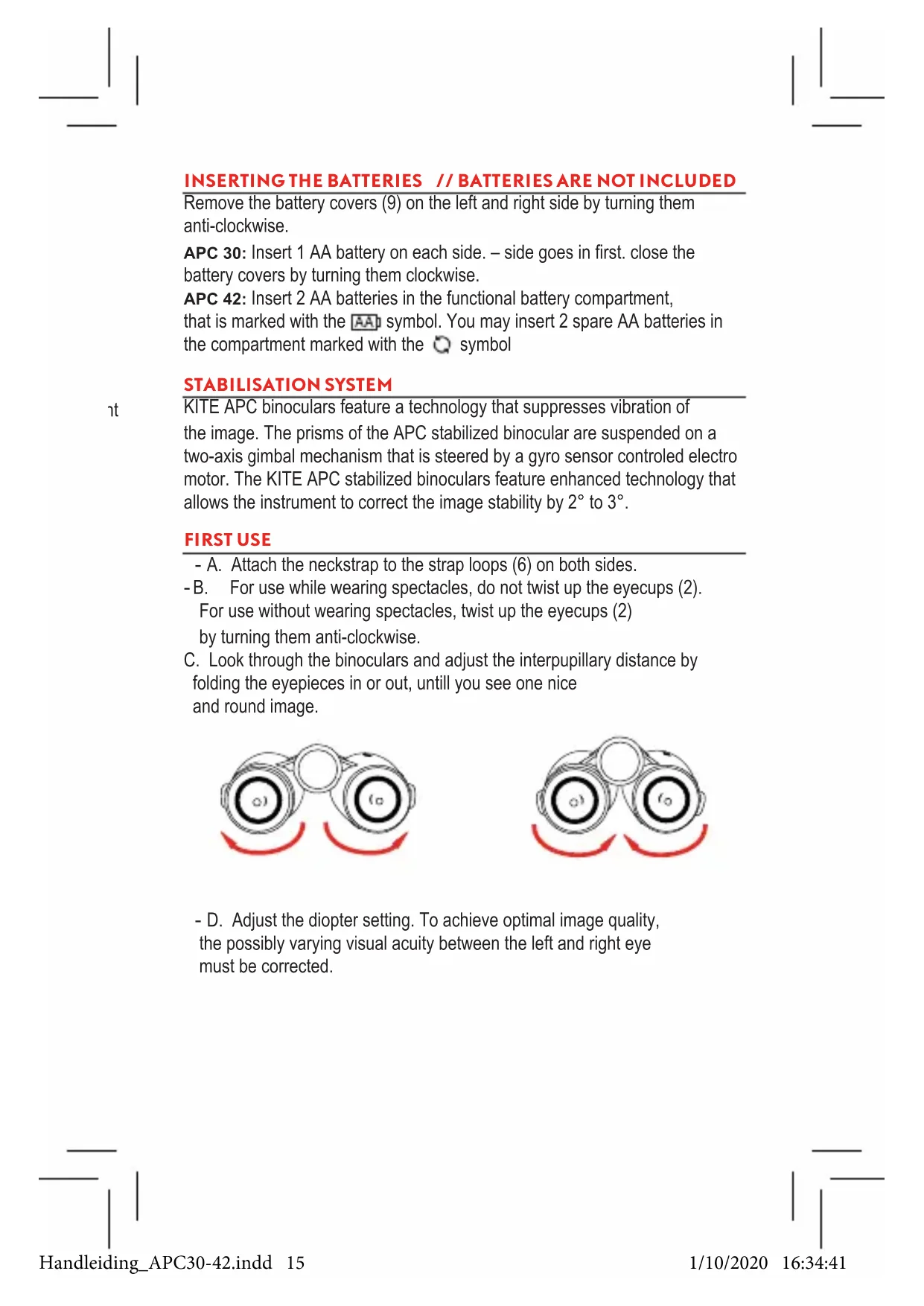
-B. For use while wearing spectacles, do not twist up the eyecups (2). For use without wearing spectacles, twist up the eyecups (2) by turning them anti-clockwise.
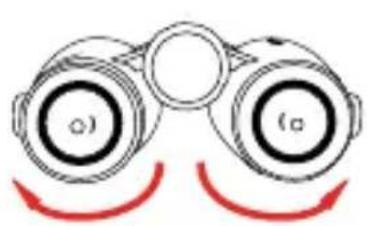
C. Look through the binoculars and adjust the interpupillary distance by folding the eyepieces in or out, until you see one nice and round image.
natural_image
Illustration of binoculars with red curved arrows indicating rotation (no text or symbols)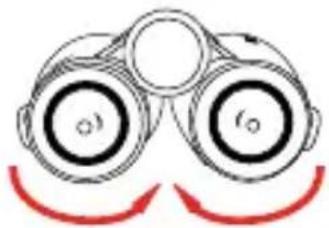
natural_image
Illustration of binoculars with red curved arrows indicating motion or sound (no text or symbols)- D. Adjust the diopter setting. To achieve optimal image quality, the possibly varying visual acuity between the left and right eye must be corrected.
// Use without eyeglasses and equal acuity of both eyes, or with eyeglasses. Place the diopter ring (3) in middle neutral position. (alignment of indications in diopter wheel and rubber)
// Use without eyeglasses and varying acuity.
Look through the left eyepiece with your left eye and turn the focus wheel (8) to focus sharply on a selected object. Now look at that same object through the right ocular with your right eye and again create a sharp image of this object by turning the diopter ring (3) only. Now the dioptric correction has been set for your particular visual acuity.
OBSERVATIE
-A. Look through the binoculars, keeping in mind the above instructions of first use.
-B. Depending on the distance of the observed object, adjust focus by turning the focus wheel (8)
-C. Activate the stabilisation system by flipping the switch (7) to ON position. The power indication light (12) turns green.
NOTE ! placing the switch (7) to ON position while no batteries are placed or batteries are empty, will cause shaky image. This is normal.
AUTO OFF TIMER
No matter the position the instrument is in (active mode or rest/sleep mode), 90 minutes after placing the switch to ON, the instrument will completely switch OFF again. At this moment the power indicator (12) will go dark.
While the instrument is in OFF mode, the on-off switch (7) might still be in the ON position.
To re-activate the instrument, turn the on-off switch (7) to OFF and to ON again. The 90 minute cycle starts again.
LOW BATTERY INDICATOR
When the unit is in active mode and battery levels are good, the power indication light (12) will be green. When the instrument detects a low battery level, the power indication light (12) will flash orange until batteries are replaced. ! Low battery levels may cause less effective vibration control.
APC MODE
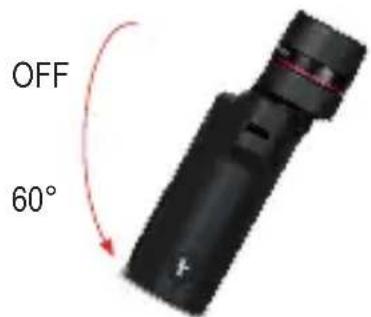
The stabilized binoculars are equipped with KITE's APC system (angle power control). Without having to switch the button, it will put the stabilizing electronics to sleep mode when the instrument is in rest position, and automatically activate the unit when you start observing again. This results in a huge increase of battery life and comfort of use.
REST POSITION (Hanging from the neck or standing on a table) The instrument is tilted to a vertical position by 60^ or more. The stabilization electronics automatically go to sleep mode, the power indicator (12) blinks red.
text_image
OFF 60°ACTIVE POSITION (during observation) The instrument is tilted to a horizontal position by 40^ or more. The electronics become active, the power indicator (12) lights green.
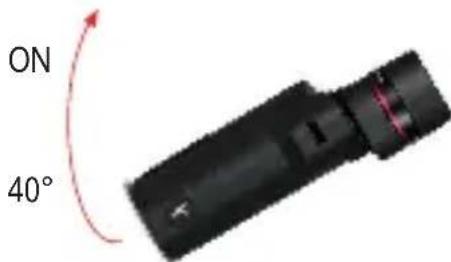
text_image
ON 40°CARE AND MAINTENANCE
WARNING!
The APC 30 is NOT waterproof but IPX 5 water resistant.
The APC 42 is IPX 7 waterproof. Avoid the instrument of being exposed to jolts and shocks, dust and sand.
CLEANING OF THE LENSES
Always remove large particles first, using a soft brush or by blowing them away. Large particles such as sand and salt could cause scratches on the lens surface during cleaning. For thorough cleaning we recommend breathing onto the lens surface to form a coat of condensation and then cleaning it with a soft and moist cloth. Never press hard or use force while wiping the lenses. We advise not to use liquids ment for spectacle cleaning, unless they are advised for binoculars. Some liquids can bring damage to the coatings of your binoculars.
STORAGE
- Store your optics in a dry and well ventilated place.
When the instrument is wet or moist, dry it immediately. - Do not store in a location with dramatic temperature changes.
- Do not store near heat sources or in high temperature environments.
- If the product is not used for an extended period, remove the batteries from it.
- Do not place a heavy load on top of this product when storing it. It may cause the product to fail.
WARRANTY – 30 YEARS (2 YEARS ON ELECTRONICS)
The warranty period of your instrument starts on the date of purchase in accordance with the following conditions: In case of manufacturing faults or defects in material not caused by the user, we take on material and workmanship costs. We reserve the right to repair or replace the instrument or the defective part at our discretion. This warranty is not valid when the defect has been caused by improper handling of the instrument, or in case of an accident. In that case, thanks to the excellent after-sales service of KITE Optics, the costs of materials and workmanship will be brought to a minimum. It is in our philosophy and reputation to offer our customers the very best after-sales service available in the world of sport optics. In a warranty case or for repair work, present the instrument together with this card to your authorized KITE Optics dealer. An instrument sent in without this card can not be repaired free of costs. Warning! The warranty is not valid when the product has been serviced or repaired by a person or repair shop that is not authorized by KITE Optics. Never try to repair or make modifications to the instrument yourself.
SAFETY
- Never look at the sun or an intense light source with this product. It will damage your eyes.
- Do not use this product in a location where a flammable gas or explosive gas may be present in the air. It may lead to inflammation or an explosion.
- Do not use or store this product in a high-temperature location (in a car in mid-summer, at a window, or next to a heating appliance).
- Be sure to read the instruction manual.
- Do not place this product in direct sunlight. It may lead to a fire.
- This product is not waterproof. Do not expose it to water or wet it. If water gets inside the product, it could lead to fire, electric shock, or product failure.
USE OF THE BATTERY
- Always use the specified batteries (2x AA).
DO NOT USE RECHARGABLE BATTERIES! - Please arrange plus and minus ends correctly.
- Always turn off the switch after use. If you do not use the device for a long period of time, please remove and store the battery.
- Do not short it, charge it, take it apart, overheat it, or place it in fire.
- In the unlikely event that liquid leaked from the battery gets into your eye, immediately wash it out with a plentiful amount of water and consult a doctor. If it gets on your skin or clothes, wash them with water.
- Do not leave the batteries in the unit for a long time. The electrolyte solution in the battery may leak, damaging the unit.
DE
natural_image
Illustration of binoculars with red curved arrows indicating motion or rotation (no text or symbols)
natural_image
Illustration of binoculars with red curved arrows indicating motion or sound waves (no text or symbols)natural_image
Illustration of binoculars with red curved arrows indicating motion (no text or symbols)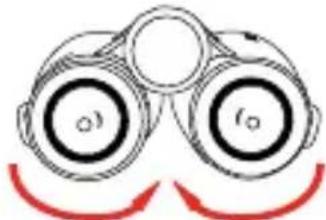
natural_image
Illustration of binoculars with red curved arrows indicating motion or rotation (no text or symbols)natural_image
Illustration of binoculars with red curved arrows indicating rotational motion (no text or symbols)
natural_image
Illustration of binoculars with red curved arrows indicating motion or rotation (no text or symbols)natural_image
Black-and-white artistic rendering of a bald eagle with detailed feather texture and beak (no text or symbols)MODEL
NO
Aankoopdatum| Date d'achat| Purchase date| Kaufdatum Koopdatum| Inköpsdatum| Ostopäivä| Kjøpsdato| Fecha de compra| Data d'acquisto| Data de compra| Дата покупки
Stempel van de verkoper| Cachet du revendeur| Dealer's stamp Stempel des Fachhändlers| Återförsäljarstämpel| Jälleenmyyjän leima| Forhandlerens stempel| Sello del establecimiento| Timbro del rivenditore| Carimbo do revendedor| Печать продавца
KITE OPTICS
Vlamingveld 89 8490 Jabbeke Belgium T +32 (0) 50 69 23 19 F +32 (0) 50 69 23 26 info@kiteoptics.com www.kiteoptics.com