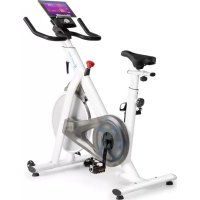
Evo Race - Indoor bike trainer Capital Sports - Free user manual and instructions
Find the device manual for free Evo Race Capital Sports in PDF.


| Product type | Indoor cycle trainer |
| Brand | Capital Sports |
| Model | Evo Race |
| Dimensions (L x H x D) | 118 x 47 x 110 cm |
| Weight | 36 kg |
| Power supply | 220-240 V ~ 50/60 Hz |
| Maximum user weight | 120 kg |
| Console display | Time, speed, distance, calories, RPM |
| Adjustable resistance | Yes, via brake button |
| Saddle and handlebar adjustments | Height and front/rear position adjustable |
| Pedals | Left (L) and right (R) with markings |
| Training modes | Manual, target time, target distance, target calories |
| Fitness app compatibility | Yes (heart rate sensor, smartphone connection) |
| Heart rate sensor | Integrated (connectable via Bluetooth) |
| Emergency brake | Brake button for quick stop of flywheel |
| Noise level | Low (belt drive) |
| Maintenance | Check tightenings, clean with damp cloth, lubricate moving parts |
| Protection class | Household use only |
| Spare parts | Available via manufacturer or retailer |
Frequently Asked Questions - Evo Race Capital Sports
User questions about Evo Race Capital Sports
0 question about this device. Answer the ones you know or ask your own.
Ask a new question about this device
Download the instructions for your Indoor bike trainer in PDF format for free! Find your manual Evo Race - Capital Sports and take your electronic device back in hand. On this page are published all the documents necessary for the use of your device. Evo Race by Capital Sports.
USER MANUAL Evo Race Capital Sports
Training per Fitness App 26
2. Cardio-Trainingsphase
Berlin Brands Group UK Ltd
PO Box 1145
Oxford, OX1 9UW
United Kingdom
Congratulations on purchasing this device. Please read the following instructions carefully and follow them to prevent possible damages. We assume no liability for damage caused by disregard of the instructions and improper use. Scan the QR code to get access to the latest user manual and more product information.

CONTENT
Safety Instructions 32
Required Tools and Parts 34
Product Overview 35
Assembly 36
Console Functions 42
Overview of Cardio Training 48
Warming Up before a Workout 51
Training via Fitness App 54
Care and Maintenance 54
Disposal Considerations 55
Declaration of Conformity 55
TECHNICALDATA
| Item number | 10034918, 10035536 |
| Power supply | 220-240 V ~ 50/60 Hz |
| Dimensions | 118 x 47 x 110 cm |
| Weight | 36 kg |

WARNING
This stationary training device is not suitable for high accuracy purposes. The heart rate monitoring system may be faulty. Excessive exercise may result in dangerous injury or death. If your performance deteriorates abnormally, stop training immediately.
SAFETY INSTRUCTIONS
Before operating this unit, please read this manual carefully to ensure optimum performance and safety. This is manual should be kept available for future reference. For product improvement, the company reserves the right to change the design and specification at any time without prior notice. Pictures are for reference use only and may differ from the actual product.
- Please keep this manual in a safe place for your reference when necessary.
- Please do not assembly or use this equipment until you read this manual thoroughly & carefully. The safety and efficiency only can be achieved when the equipment is assembled, maintained and used properly. It is your responsibility to ensure that all the users are informed of all the warnings and precautions.
- For totally safe use, a stable, leveled surface is required. Protect your floor with a mat. Do not use the equipment in a damp areas such as swimming pool sauna, etc. For safety space, the equipment must have at least 0.6 meter of free space all around it.
- Before starting any exercise program you must consult your doctor to determine if you have any physical or health conditions that could create a risk to your health and safety, or prevent you from using the equipment properly. Your doctor's advice is essential if you are taking medication that affects your heart rate, blood pressure or cholesterol level.
- Be aware of your body's signals. Incorrect or excessive exercise can damage your health. Stop exercising if you experienced any of the following symptoms: pain, tightness in your chest, irregular heartbeat, extreme shortness of breath, feeling light headed, dizzy or nauseous. If you do experience any of these conditions you must consult your doctor before continuing with your exercise program.
- Do not workout immediately after meals.
- Keep children and pets away from the equipment, the equipment must be assembled and used by adults only.
- The equipment is designed for home use only.
- The equipment is not suitable for therapeutic use, may only be used for exercises indicated in the training instructions
- Wearing proper clothing and athletic shoes while using the equipment, Avoid wearing loose clothing that may get caught in the equipment or that may restrict or prevent movements.
-
Keep your back straight while exercising.
-
Before using the equipment, check the handle bar, seat, and the nuts & bolts are securely tightened.
- For adjustable parts, bear the maximum position in your mind, do not exceed the mark "stop", otherwise will cause risk.
- Always use the equipment as indicated. If you find any defective components while assembling or checking the equipment, or if you hear any unusual noises coming from the equipment during use, stop immediately. Do not use the equipment until the problem has been solved.
- Care must be taken when lifting or moving the equipment so as not to injure your back. always use proper lifting techniques and/or seek assistance if necessary.
- All moveable accessories (e.g. pedal, handlebar, saddle...etc.) require weekly maintenance. Check them before use every time. If anything broken or loose, please fix them immediately. You may continue using them only after they return to good conditions.
- Pay attention to the absence of a free wheel system which will cause serious risk.
- Keep power cord away from heat sources.
- Do not insert or drop any object into any opening.
- Unplug exercise bike before moving or cleaning it. To clean, wipe surfaces down with mild detergents and a slightly damp cloth only; never use solvents.
- Do not use the exercise bike in any location that is not temperature controlled, such as, but not limited to, garages, porches, pool rooms, bathrooms, car ports or outdoors.
- Use the bike only as described in this manual.
- Incorrect repair and structural modifications (e.g. removal or replacement of original parts) may endanger the safety of the user.
- The rotating disk flywheel will get hot during the operation.
- Lock the equipment when stop using.
- This product is not designed for use by persons (including children) who have reduced physical, sensory or mental capacities or persons with no experience or knowledge, unless they are instructed and supervised in the use of the appliance by a person responsible for their safety.
- Children should be supervised to ensure that they do not play with the appliance.
- Before use, check the voltage on the device badge. Only connect the device to sockets that correspond to the voltage of the device.
Note: Maximum weight of the user is 120kg
REQUIRED TOOLS AND PARTS
| Spanner (1x) S6 Allen wrench (1x) | |
| S5 Allen wrench (1x) Console holder (1x) |
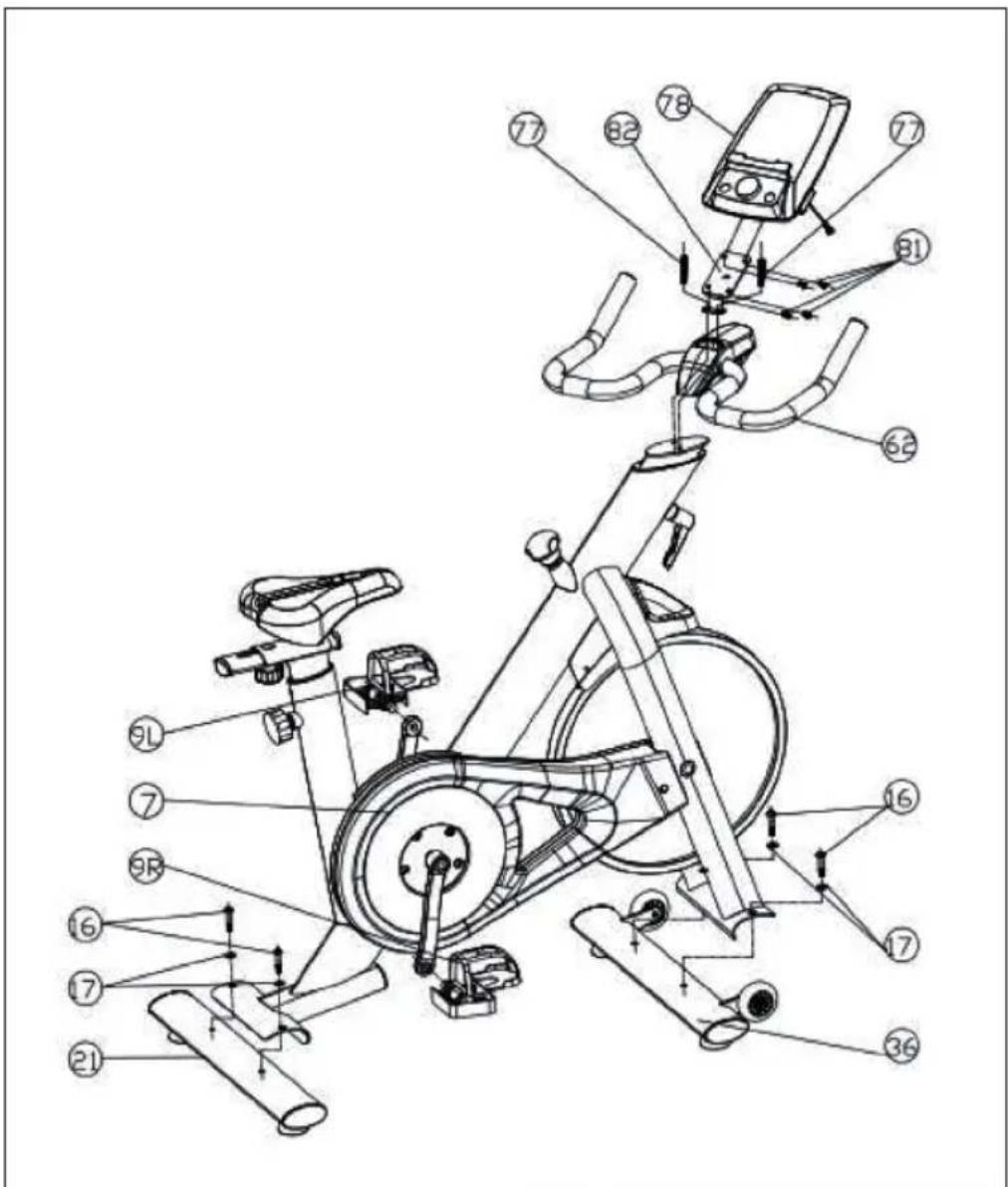
| 7 | Main frame | 36 | Front stabilizer |
| 9L | Left pedal | 62 | Handlebar |
| 9R | Right pedal | 77 | Screw M8*1.5*40 |
| 16 | Screw M8*1.5*45 | 78 | Console |
| 17 | Washer | 81 | Screw M5*10 |
| 21 | Rear stabilizer bar | 82 | Console holder |
ASSEMBLY
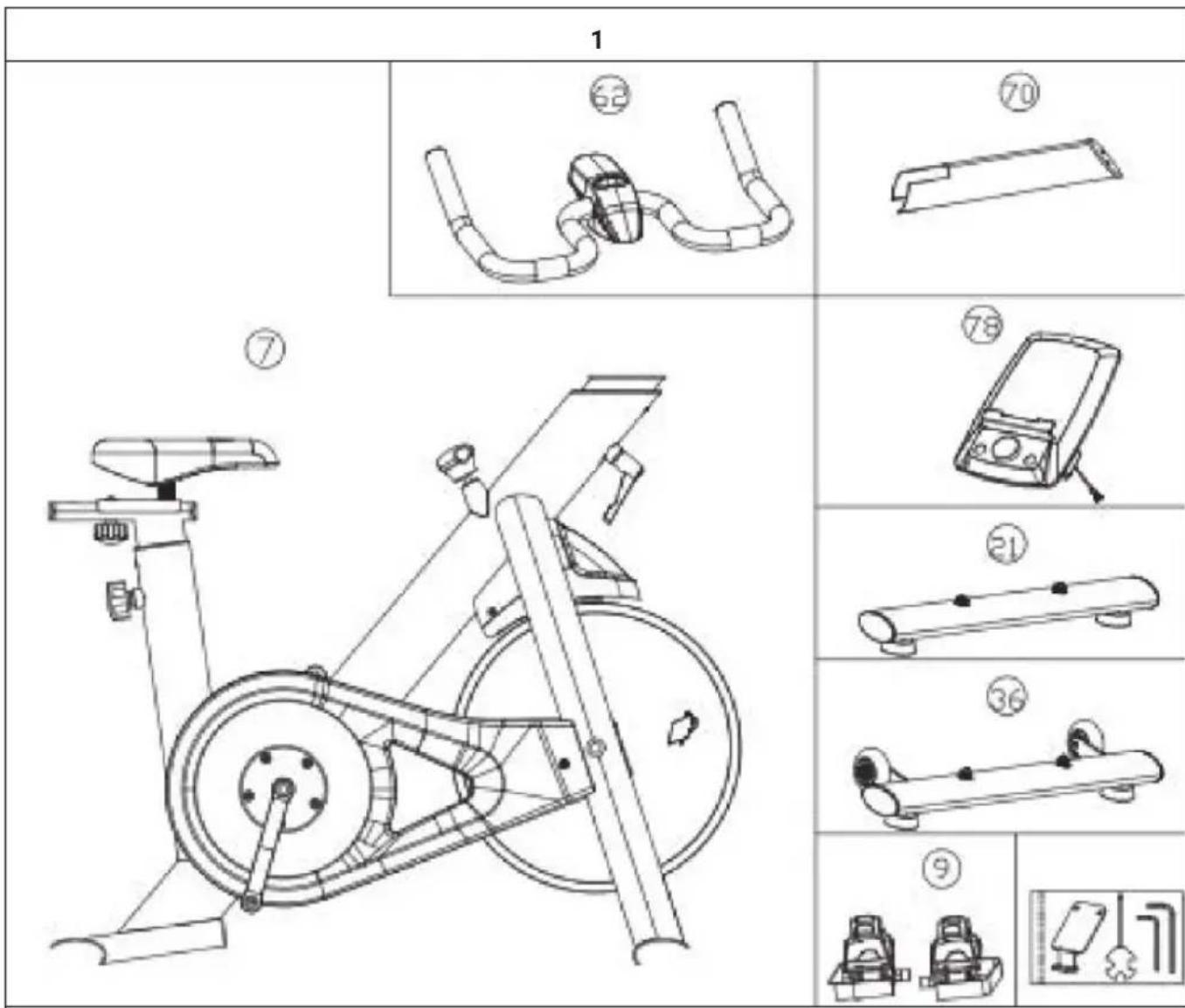
Remove all parts from the packaging and make sure that no part is missing. The following parts should be available separately: Main frame (7), handlebar (62), handlebar bracket (70), console (78), rear stabilizer (21), front stabilizer (36), pedals (9) and tools.
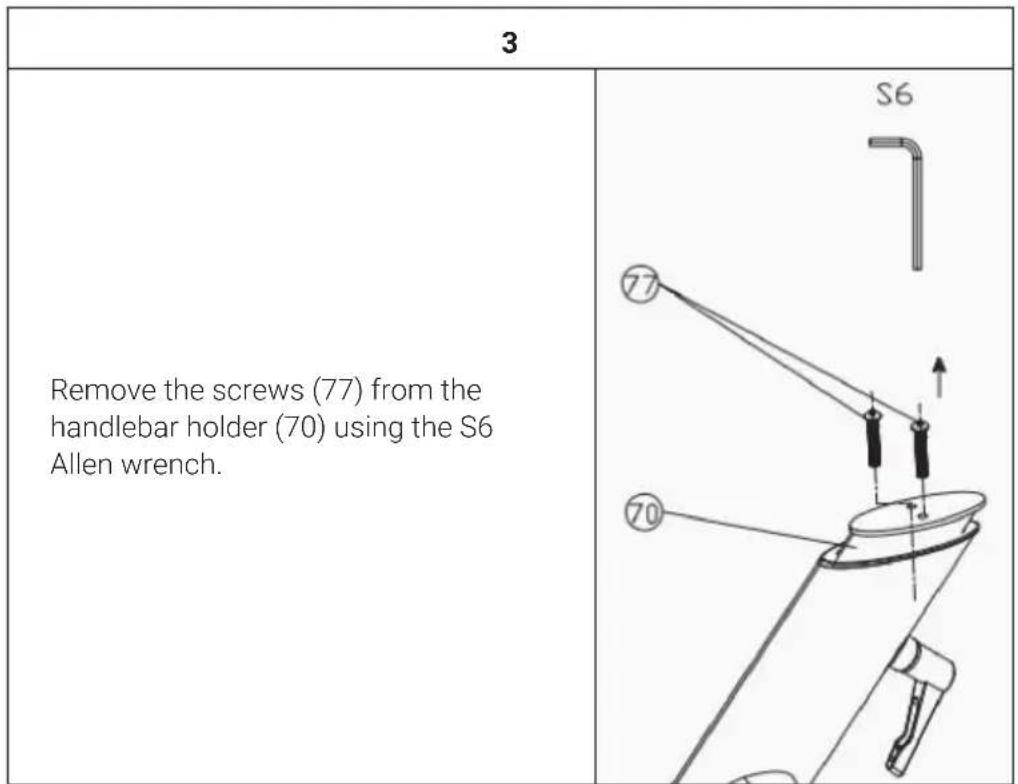
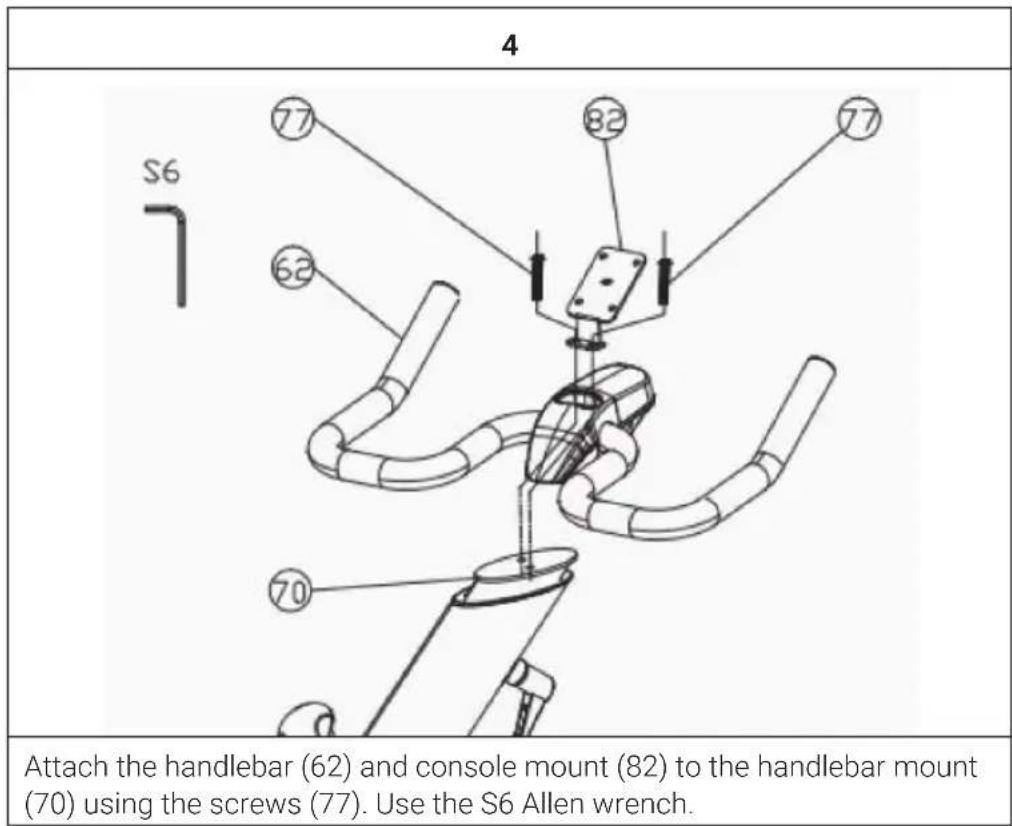
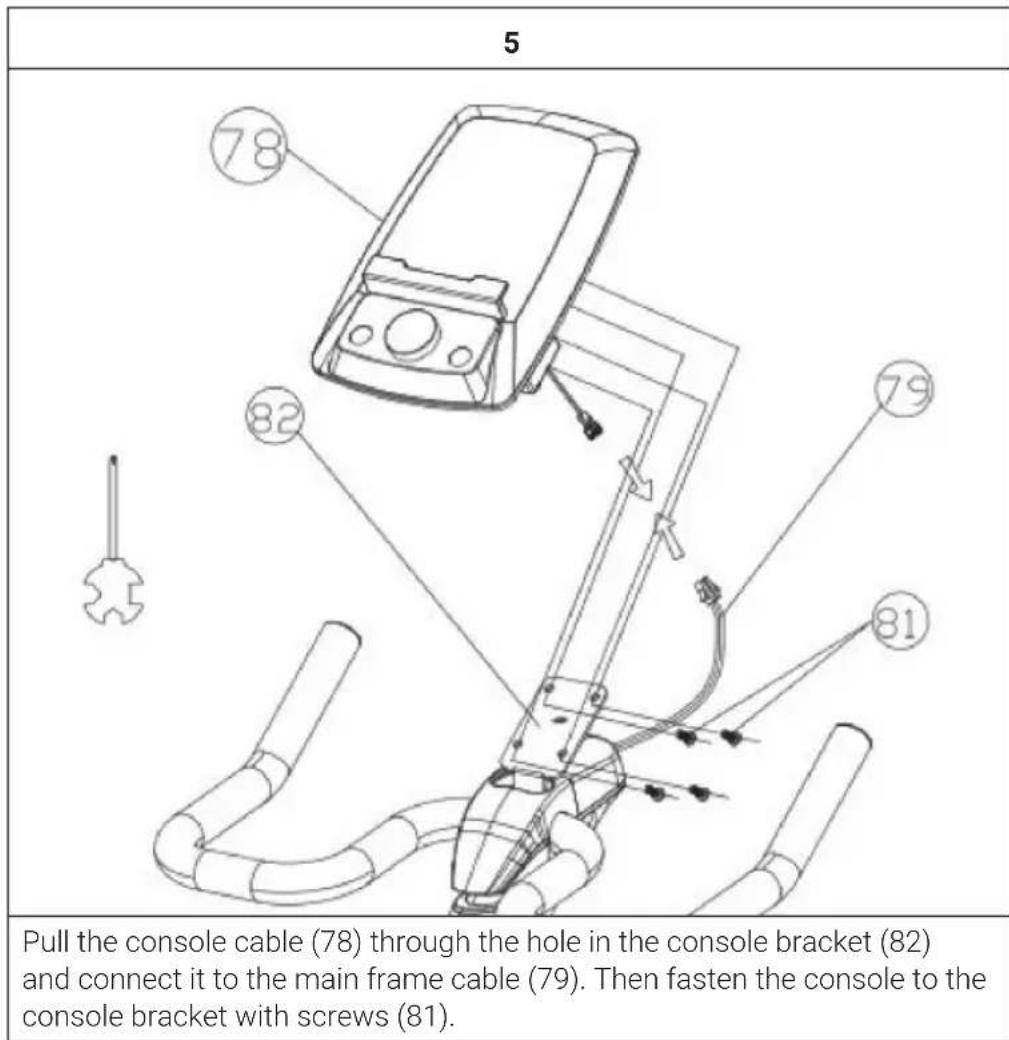
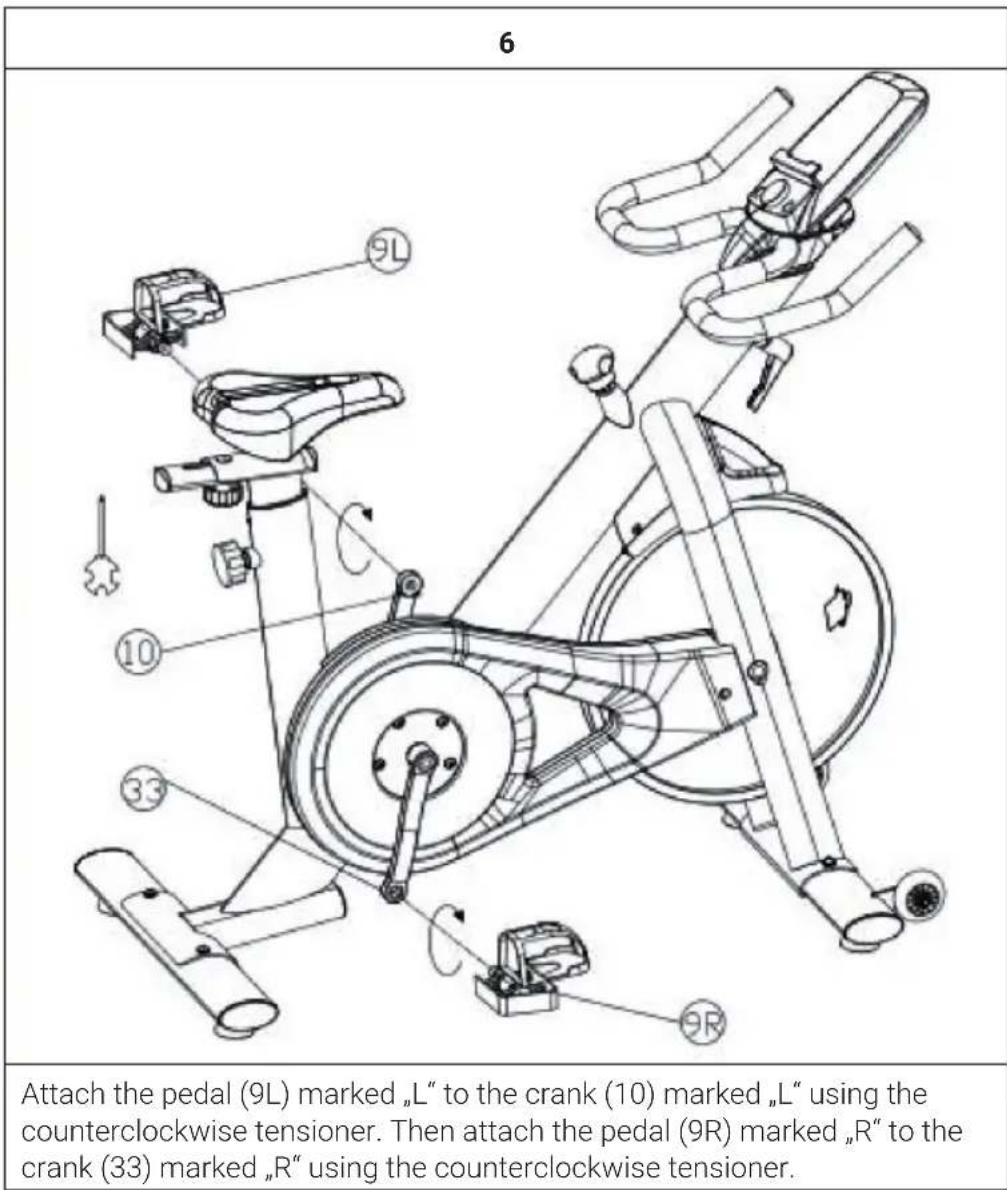
7
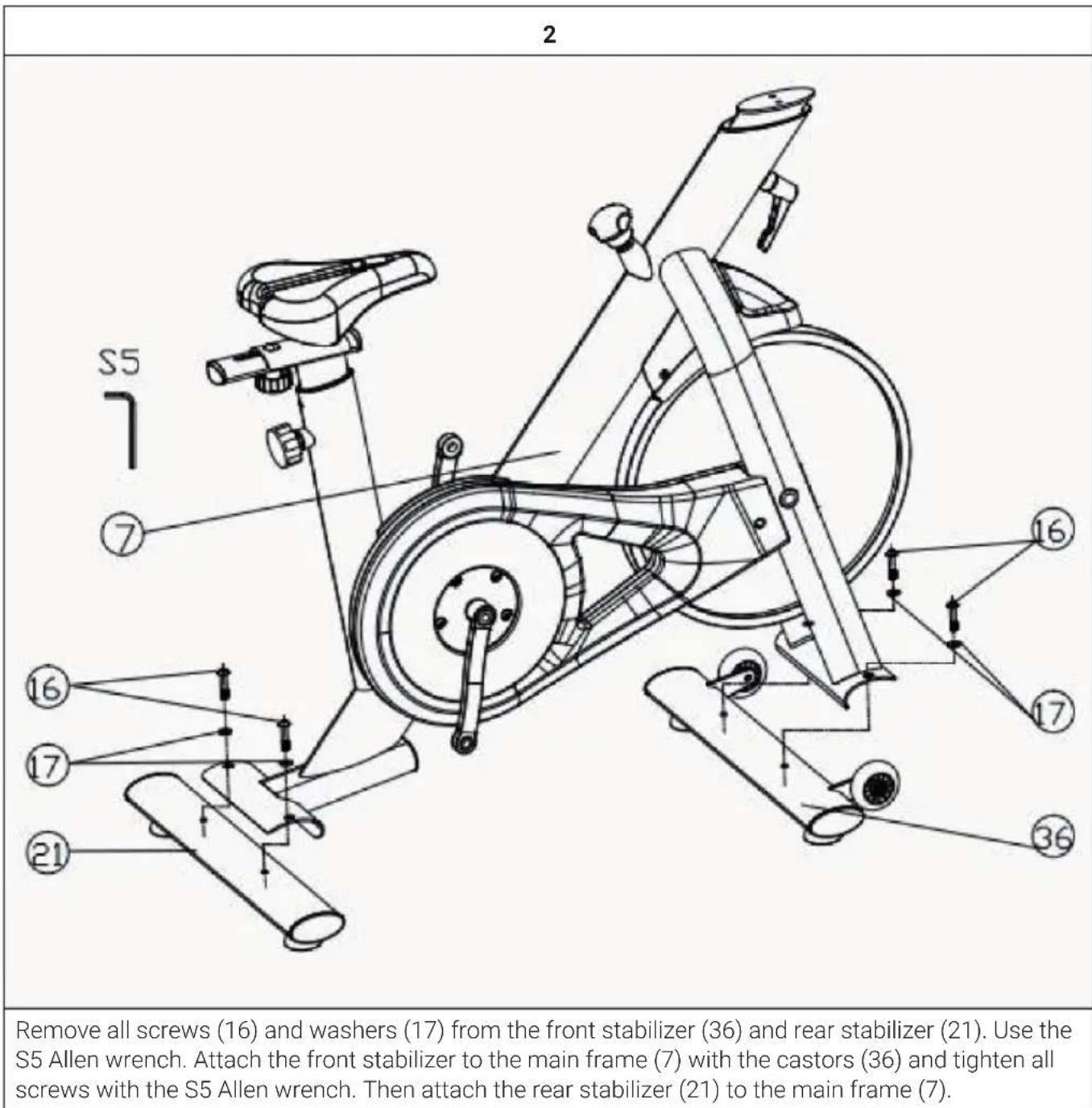
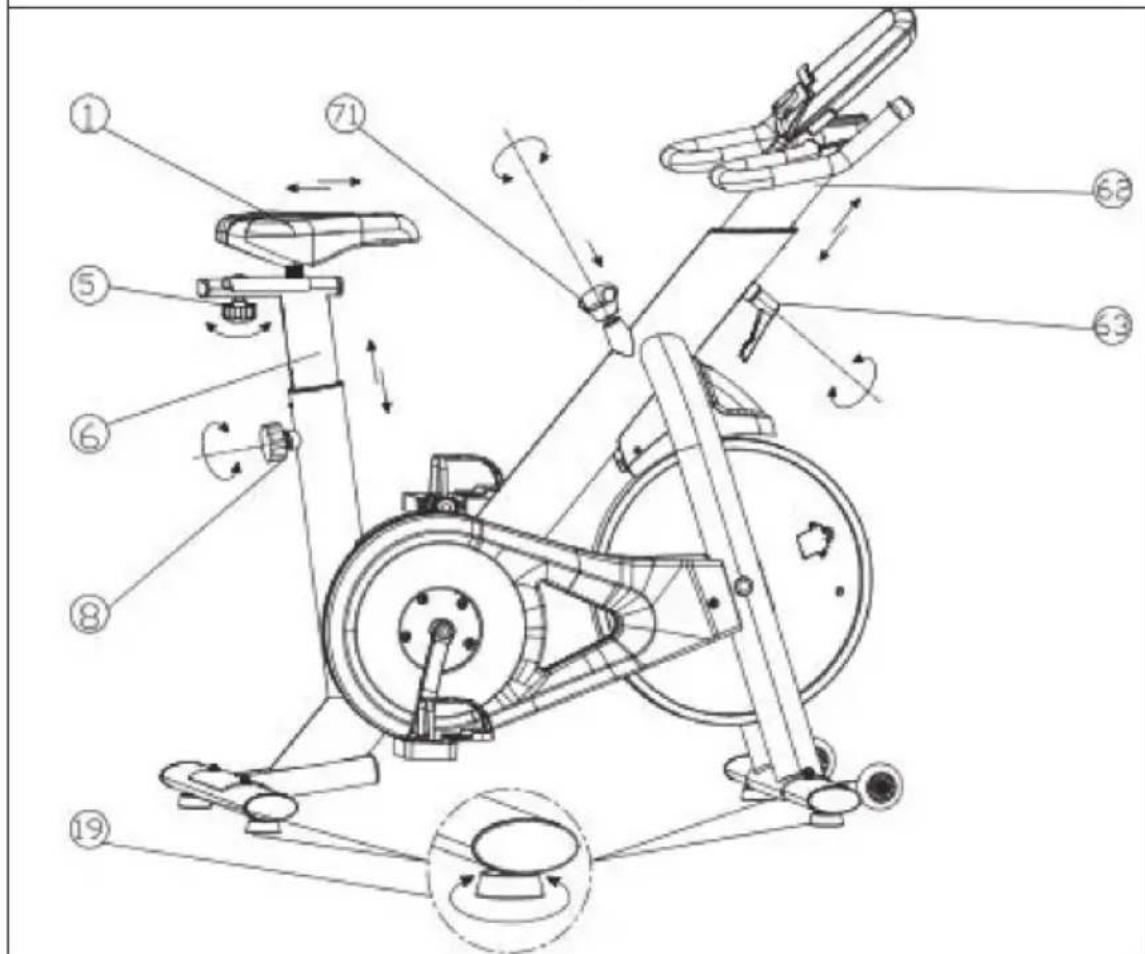
Now the device is completely assembled. If the unit is not completely stable, adjust the adjustable feet (19) on the stabilizers.
You can adjust the resistance by turning the brake knob (71). Press the brake knob (71) down to stop the flywheel in an emergency.
You can adjust the height of the seat (1) and handlebar (62) by loosening the knob (8) & (63) and aligning the holes to the desired height. Do not tighten the knob but do not exceed the stop mark.
Release the button (5) to adjust the seat. Once the seat is in the correct position, retighten the knob.
CONSOLE FUNCTIONS
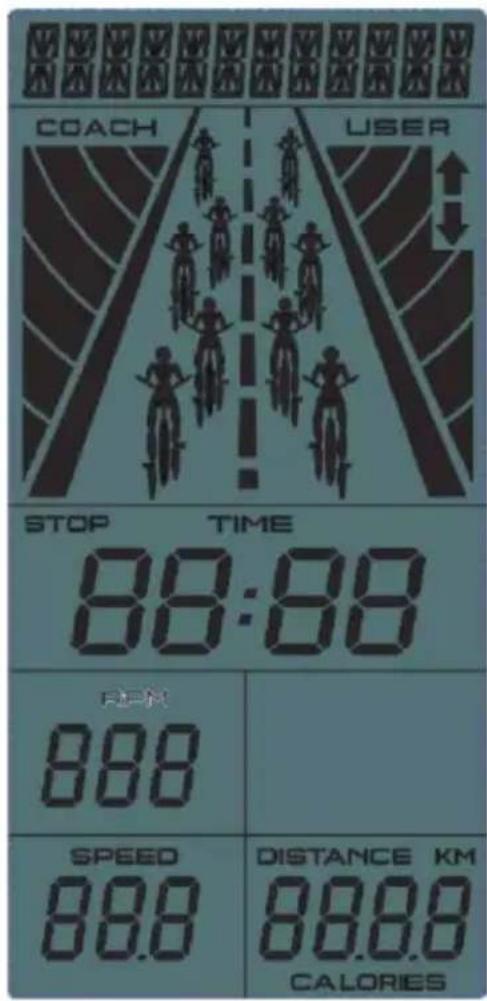
Display indications
Key functions
| Display Description | |
| TIME Displays the user's training time. | |
| Display range 0:00 ~ 99:59 | |
| SPEED Displays the user's training speed. | |
| Display range 0.0 ~ 99.9 | |
| DISTANCE Displays the user's training distance. | |
| Display range 0.0 ~ 99.9 | |
| CALORIES Display of calorie consumption during training. | |
| Display range 0 ~ 999 | |
| RPM revolution per minute. | |
| Display range 0 ~ 999 | |
| Key Description | |
| Wheel - upwards Adjust | function value or selection upwards. |
| Wheel - down Adjust | function value or selection downwards. |
| fashion Confirm the setting or selection. | |
| reset Press and hold the button for 2 seconds to restart the monitor. | |
| Press the button during setting or in stop mode to return to the main menu. | |
| Start/Stop Start or stop | the workout. |
Switch on the device
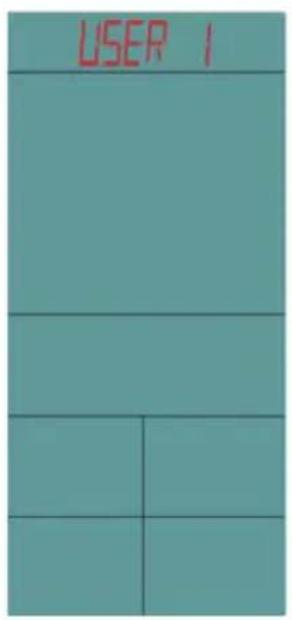
Insert 4 AA batteries into the console and press the RESET button for 2 seconds. The monitor turns on and the buzzer sounds for 1 second. The display will show all segments for 2 seconds. Switch to the USER setting mode.
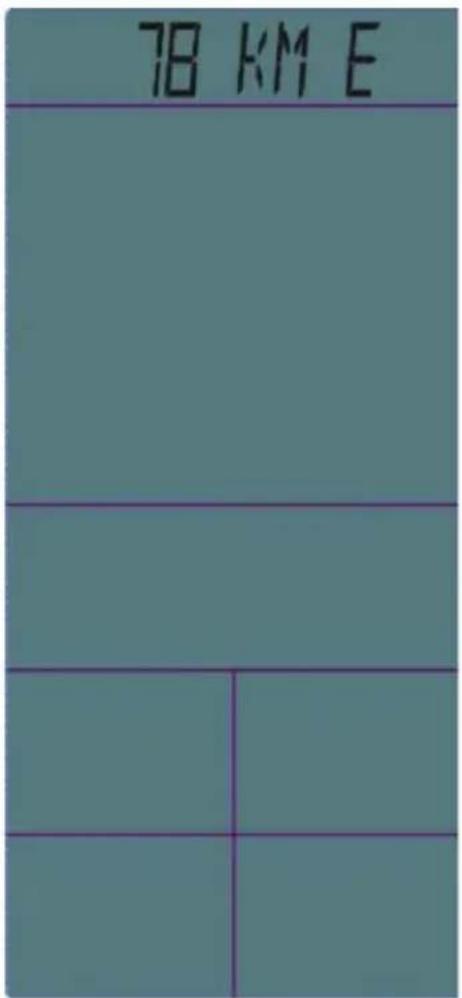
Note: If no key is pressed for more than 4 minutes, the monitor enters sleep mode. Press any key to reactivate the monitor.
Setting mode USER
Turn the dial to select users U1-U4. Then press the MODE button to confirm. Enter the values for Gender, Age, Height and Weight one by one. You will now be taken to the training mode selection screen.
Selecting the workout mode
Turn the wheel to select one of the following training modes: Target Time > Target Distance > Target Calories.
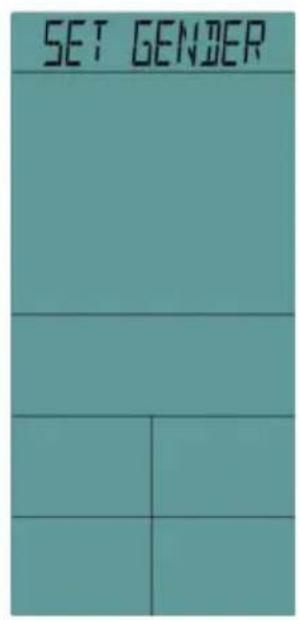
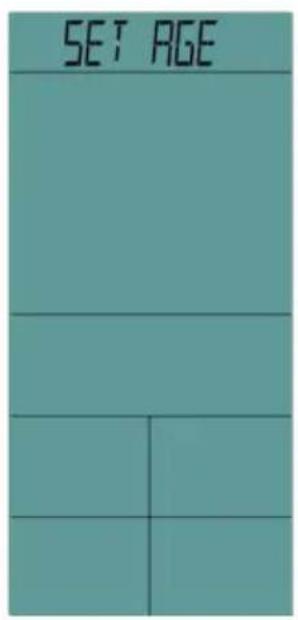
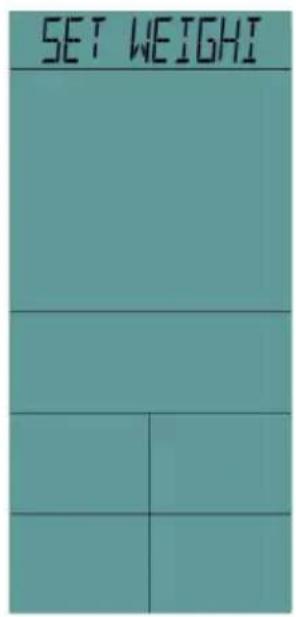
Quick Start Guide
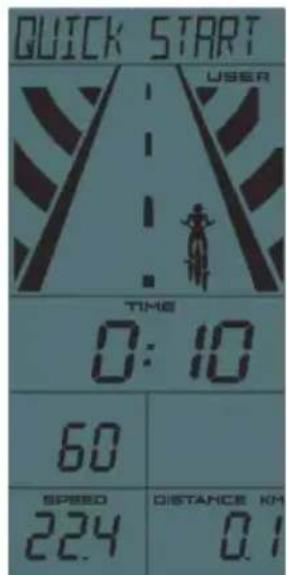
1 If you start directly with the training, the time is selected upwards. The other values are also displayed accordingly.
2 The character animation displays USER only. After 0.1km the next number is displayed.
3 Press START/STOP to end the workout. The STOP indicator will flash and the values will continue to be displayed.
4 During training, the wheel and RESET and ENTER buttons are inactive.
5 In STOP mode, press the RESET button to return to the main menu.
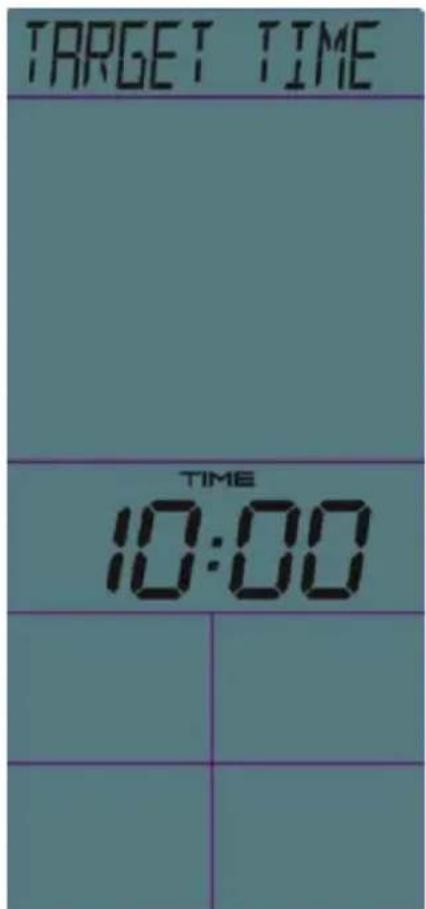
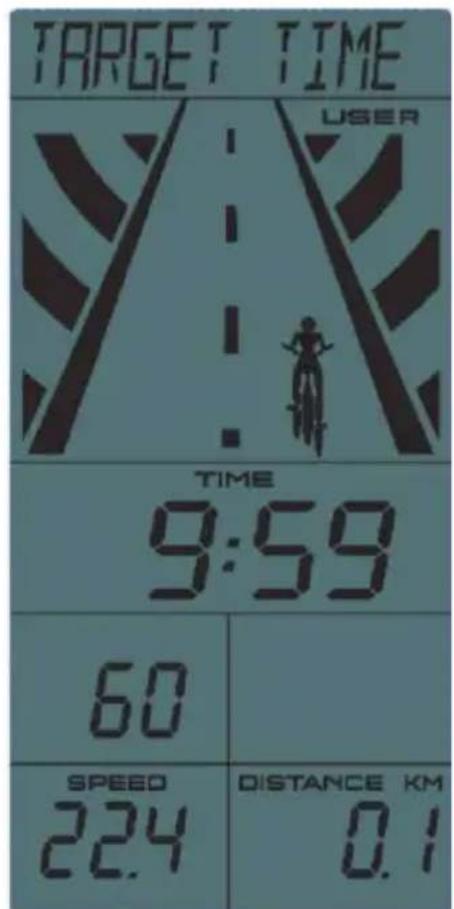
Training mode Target Time
1 Use the dial to set the target time. The default is 10 minutes. Press START/STOP to start training.
2 The time begins to count down from the target value. The other values will also be displayed accordingly.
3 The character animation shows USER only, after one fifth of the entered time it jumps to the next digit.
4 Press START/STOP to end the workout. The STOP indicator will flash and the values will continue to be displayed.
5 During training, the wheel and RESET and ENTER buttons are inactive.
6 In STOP mode, press the RESET button to return to the main menu.
Training mode Target distance
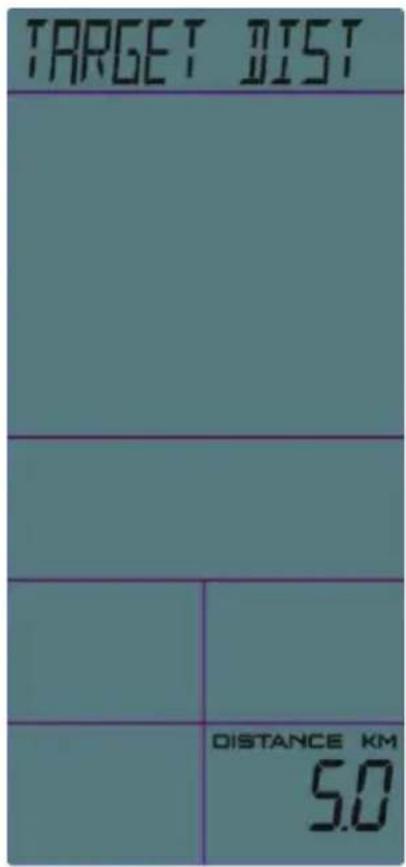
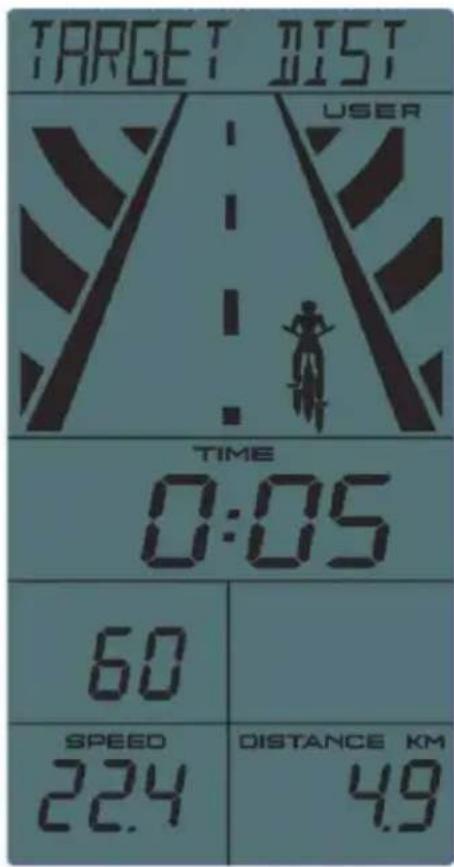
1 Use the wheel to adjust the Target Distance. The default is 5km . Press START/STOP to start training.
2 The time begins to count down from the setpoint. The other values will also be displayed accordingly.
3 The character animation shows USER only, after one fifth of the entered distance it jumps to the next digit.
4 Press START/STOP to end the workout. The STOP indicator will flash and the values will continue to be displayed.
5 During training, the wheel and RESET and ENTER buttons are inactive.
6 In STOP mode, press the RESET button to return to the main menu.
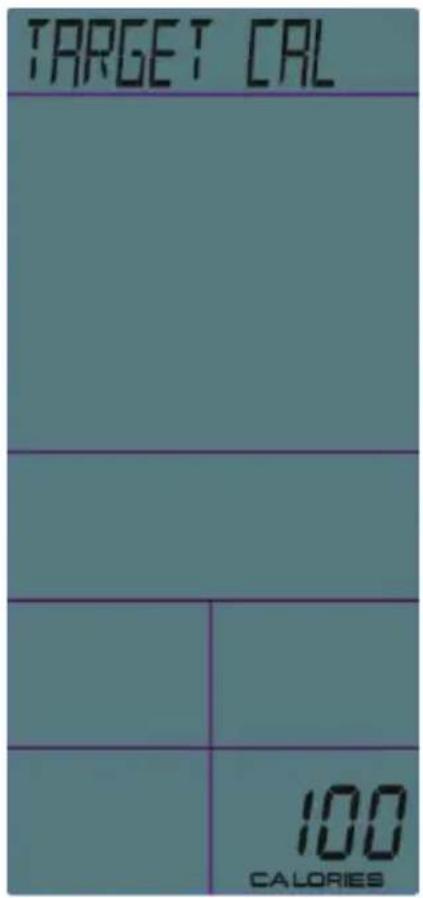
Training mode Target calories
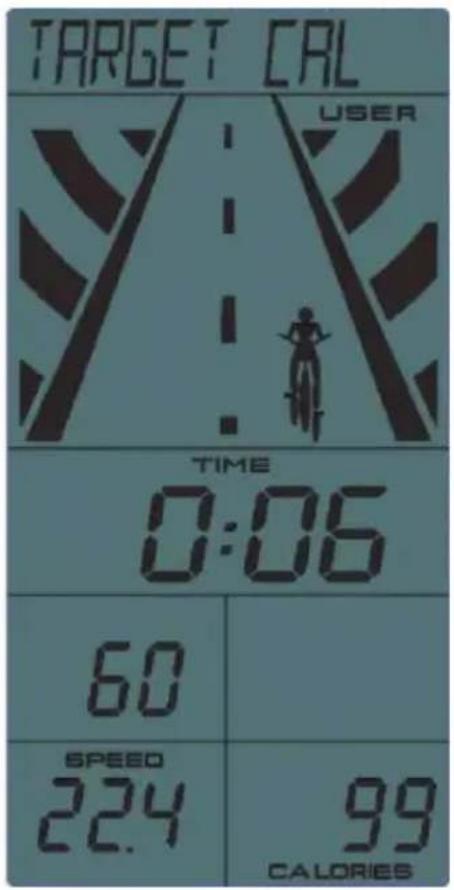
1 Use the wheel to adjust the Target Cal. The default is 100 calories. Press START/STOP to begin training.
2 The time will begin to count down from the setpoint. The other values will also be displayed accordingly.
3 The character animation shows USER only, after one fifth of the entered calories it jumps to the next digit.
4 Press START/STOP to end the workout. The STOP indicator will flash and the values will continue to be displayed.
5 During training, the wheel and RESET and ENTER buttons are inactive.
6 In STOP mode, press the RESET button to return to the main menu.
Regular cardio training stimulates the cardiovascular (heart and blood vessels) and respiratory system. It improves your general health and helps you to burn fat. It is the recommended workout if you want to lose weight. When exercising, glucose is burned off first, then the fat stored in the body.
Intensive cardio training (e.g. circuit training, training with high resistance and long duration training) requires a greater amount of effort and also trains the muscular system and your endurance. As a rule, the more regular you train, the more effective the training is (even with short training sessions of 20 minutes).
During the Training
The level of resistance used during the workout determines the training intensity and the associated results.
An optimal training session includes (1) a warm-up phase, (2) an intensive cardio training phase and finally (3) a cool down phase. If you want to progress or burn calories, you should go through these 3 phases as well as exercise for at least 20-30 minutes on the ergometer.
1. Warm-up Phase
Always start your training session with a low resistance level. A warm-up phase of 5-10 minutes is important because your muscles need to be warmed up. During the warm-up phase, you should give your circulatory system and muscles time to prepare for the subsequent workout. As a beginner, you can train for the first 3 minutes at the easiest level and then gradually increase the level to where you feel most comfortable.
2. Cardio Training Phase
After about 10 minutes, you can then begin the cardio training phase. When using the interval training program, the computer controls the resistance depending on the type of interval chosen and thus simulates changing intensities.
The cardio training phase is considered aerobic or anaerobic training depending on the energy expenditure. These two types of training are defined as follows:
Aerobic Training Zone
While you are in this zone, you are improving your cardiovascular system and burning fat.
Despite an increased heart rate, deeper breathing and light sweating, the body is not in a very stressed state, breathing is not significantly accelerated--you could still talk to someone without going out of breath--and you feel that you could sustain the physical exertion for a long time. It's similar to when you briskly walk uphill.
The muscles and heart work more intensely than when the body is at rest and can get most of their energy needs met via aerobic energy production, which utilizes oxygen to facilitate energy production. At the same time, the anaerobic production of energy is also active, but only to a small extent. The lactic acid produced in this process can be broken down to produce energy. Most of your training should be aerobic training.
If you continue to increase the intensity, you will eventually come to the threshold where aerobic energy production is no longer able to increase its output. At this point, there is a shift towards anaerobic energy production being used to a greater extent. You are now doing anaerobic training.
Anaerobic Training
When in this zone, you are improving your performance and speed. When you increase the intensity while in this zone, the training becomes much more strenuous because of the rising lactate level in the body; you start sweating more; your breathing gets faster; and after some time depending on your fitness level, your muscles tire and you feel totally exhausted and that you can no longer continue at this level of intensity.
3. Cool-down Phase
At the end of the cardio training phase, you begin the cool-down phase, which should last for at least 5 minutes. Here, you use low levels of resistance. The recovery or cool-down phase is also helpful with regard to preventing possible muscle soreness. It is also advisable to do active recuperation after an intensive training session, such as a hot bath, a sauna session or a massage.
Training Progress
Each month you can make the training more challenging by extending the duration of the cardio training phase, by using a higher level of resistance within that phase or by doing a more demanding interval training.
Eating and Drinking
- Drink before, during and after training.
- Drink at least 2 sips of water (10 to 20 cl) every 10-15 minutes during a training session.
- If your workout lasts for more than 1 hour, you should drink a sports drink to protect the body from dehydration while training.
- For optimal cardio training, suitable nutrition before and after any physical activity is very important.
Before training, it is best to eat carbohydrates, such as those found in rice and pasta, as they provide the body with an important source of energy.
After training, you need to refuel with proteins, such as those found in eggs, yoghurt and dried fruits. Even if you want to lose weight, it is absolutely necessary to eat after training in order for your body to recuperate.
WARMING UP BEFORE A WORKOUT
Perform the movements before each workout to mobilize your joints and activate your muscles.
Should a movement be uncomfortable or painful, skip this movement and consult your doctor or fitness instructor about suitable warm-up movements.
Each movement should be repeated (right and left) so that you can start the cardio training relaxed.
Take about 5 minutes to do the following CapitalSports training routine:
1
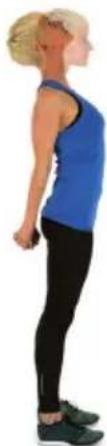
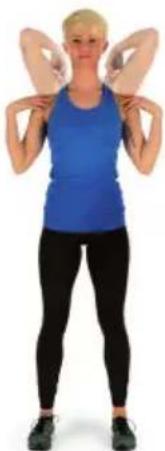
Nod the head slowly, then alternating turn the head to look to the right to left. Then mobilize the shoulders by making a circular motion with them.
| 2 | 3 |
| Turn the hips while the arms are stretched. The feet are not firmly fixed to the ground; the ankles follow the body's rotation. | Bend at the hip with one arm stretched upward. Stay in this position for a few seconds on each side. |
| 4 | |
| Stand on one leg and hold the instep of the other leg with your hand. While in this position, mobilize your ankle so as to stretch the thigh slightly. If necessary, hold on to something to keep your balance. Then Stand on one leg and draw a circle in both directions (clockwise and counterclockwise) with the ankle. | |
| 5 | 6 |
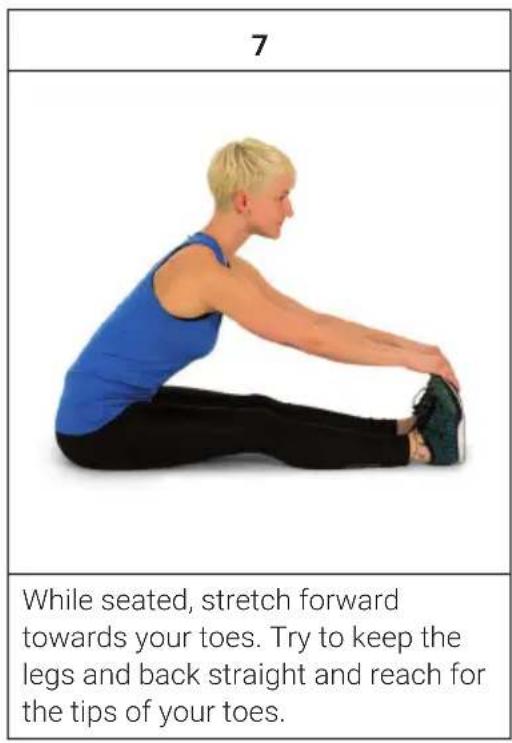
| When squatting, place your feet about shoulder-width apart and lower your hips while keeping your arms straight. Try to also keep your back straight. | Sit with your legs bent so that the soles of your feet touch. Slightly flap the knees by moving the knees up and down while keeping the feet on the floor. Hold your ankles and keep your back straight. |
TRAINING VIA FITNESS APP
The included heart rate sensor can be connected to the smartphone and fitness apps (for example Kinomap). Follow the instructions in the respective app.
CARE AND MAINTENANCE
Note: As with all training machines with mechanical, moving components, screws may loosen due to frequent use. We therefore recommend that you check them regularly and, if necessary, retighten them with a suitable key. Clean your training device regularly with a damp cloth to clean the surfaces from sweat and dust.
- When you don't use the exercise bike for a long time, please take out the console battery to avoid running out of battery.
- Often clean the exercise bike with clean cloth to keep the clean appearance.
- The safety level of the equipment only can be maintained if it is regularly examined for damage and or /wear and tear.(e.g. handle bar, pedals and seat ...etc.). It is vital that any faulty parts are replaced and the it is not used until completed repaired.
- Regularly check that the elements fastened with nuts and bolts are correctly tightened.
- Remember regularly to grease moving parts.
- Special attention to the component, most of them are susceptible to wear like brake system, foot pad etc.
- As sweat is very corrosive, do not allow it to come into contact with the enameled or chromed parts of the equipment, particularly the computer. Immediately wipe the equipment after using. The enameled parts can be cleaned using a damp sponge. All aggressive or corrosive products must be avoided.
- Storing the equipment in a clean and dry environment away from children.
DISPOSAL CONSIDERATIONS
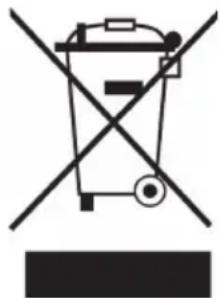
If there is a legal regulation for the disposal of electrical and electronic devices in your country, this symbol on the product or on the packaging indicates that this product must not be disposed of with household waste. Instead, it must be taken to a collection point for the recycling of electrical and electronic equipment. By disposing of it in accordance with the rules, you are protecting the environment and the health of your fellow human beings from negative consequences. For information about the recycling and disposal of this product, please contact your local authority or your household waste disposal service.
This product contains batteries. If there is a legal regulation for the disposal of batteries in your country, the batteries must not be disposed of with household waste. Find out about local regulations for disposing of batteries. By disposing of them in accordance with the rules, you are protecting the environment and the health of your fellow human beings from negative consequences.
DECLARATION OF CONFORMITY
CE UK CA
Manufacturer:
Chal-Tec GmbH, Wallstrasse 16, 10179 Berlin, Germany.
Importer for Great Britain:
Berlin Brands Group UK Ltd
PO Box 1145
Oxford, OX1 9UW
United Kingdom
Hereby, Chal-Tec GmbH declares that the radio equipment type Evo Race is in compliance with Directive 2014/53/EU. The full text of the EU declaration of conformity is available at the following internet address: use.berlin/10034918
For Great Britain: Hereby, Chal-Tec GmbH declares that the radio equipment type Evo Race is in compliance with the relevant statutory requirements. The full text of the declaration of conformity is available at the following internet address: use.berlin/10034918
Estimado cliente:
Berlin Brands Group UK Ltd
PO Box 1145
Oxford, OX1 9UW
United Kingdom
Berlin Brands Group UK Ltd
PO Box 1145
Oxford, OX1 9UW
United Kingdom
Chal-Tec GmbH, Wallstraße 16, 10179 Berlin, Germany.
Berlin Brands Group UK Ltd
PO Box 1145
Oxford, OX1 9UW
United Kingdom
- CARDIO-TRAININGSPHASE
- CONTENT
- TECHNICALDATA
- WARNING
- SAFETY INSTRUCTIONS
- REQUIRED TOOLS AND PARTS
- ASSEMBLY
- CONSOLE FUNCTIONS
- SWITCH ON THE DEVICE
- SETTING MODE USER
- SELECTING THE WORKOUT MODE
- QUICK START GUIDE
- TRAINING MODE TARGET TIME
- TRAINING MODE TARGET DISTANCE
- TRAINING MODE TARGET CALORIES
- DURING THE TRAINING
- WARM-UP PHASE
- CARDIO TRAINING PHASE
- AEROBIC TRAINING ZONE
- ANAEROBIC TRAINING
- COOL-DOWN PHASE
- TRAINING PROGRESS
- EATING AND DRINKING
- WARMING UP BEFORE A WORKOUT
- TAKE ABOUT 5 MINUTES TO DO THE FOLLOWING CAPITALSPORTS TRAINING ROUTINE
- TRAINING VIA FITNESS APP
- CARE AND MAINTENANCE
- DISPOSAL CONSIDERATIONS
- DECLARATION OF CONFORMITY
- CE UK CA
- MANUFACTURER
- IMPORTER FOR GREAT BRITAIN
- ESTIMADO CLIENTE
Brand : Capital Sports
Model : Evo Race
Category : Indoor bike trainer